
What Is Session Hijacking? How a Stolen Login Session Is Used
Published October 21, 2026
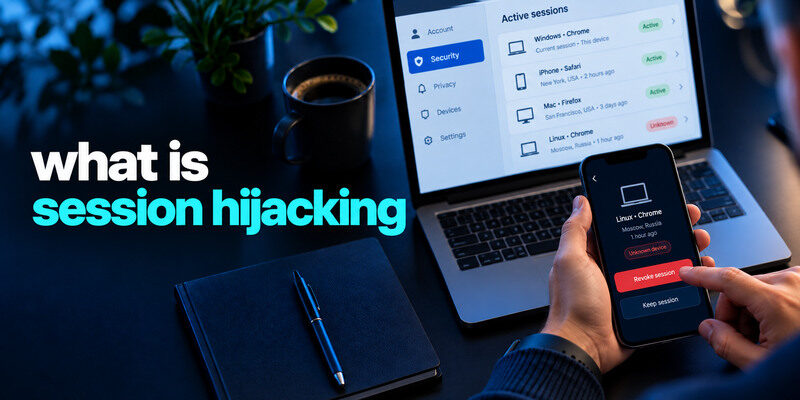
Session hijacking is unauthorized use of an active login session, often after a session identifier or token is stolen or fixed. A website can then treat the attacker as the signed-in user even if the attacker does not know the password or receive a new MFA code. It is a different problem from guessing a password. The practical response is to revoke sessions through the genuine service, secure the device and account, and inspect what changed.
Understand the session after a successful sign-in
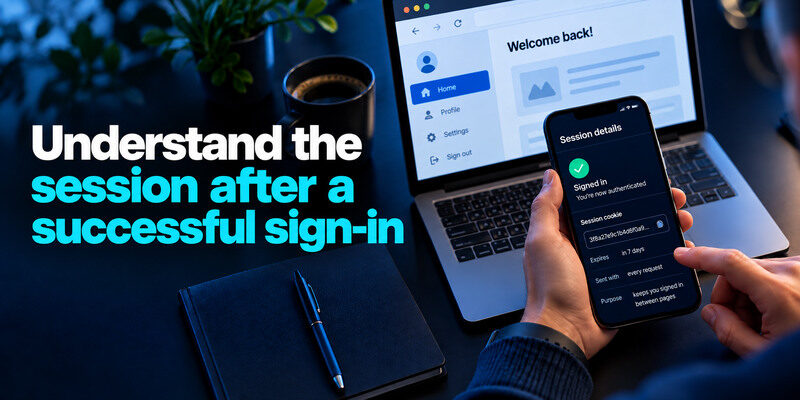
After you sign in, a website needs a way to remember you between pages. It issues a session identifier, commonly carried in a browser cookie, and associates that identifier with your authenticated state. The browser sends it with later requests. If an attacker gets a usable identifier or can force a known one in a vulnerable application, the service may accept the attacker’s requests as yours until the session expires or is invalidated.
A session token is not your password
The token is a temporary credential for an already established session. Changing the password may or may not revoke it, depending on the provider’s implementation and the options you choose. That is why a compromised-account response should include “sign out of other devices” or explicit session revocation when available. Do not assume a new password alone ends every old login.
Changing a compromised password is important, but it may not invalidate every session token that was issued before the change. Use the service’s explicit sign-out-all or session-revocation controls when available, and inspect recovery settings and connected applications. Our guide on how to recover a hacked account explains the broader steps needed after unauthorized access.
Session fixation and theft differ
Theft captures a token issued to the victim. Fixation causes the victim to use an attacker-known session identifier if a website handles session transitions poorly. OWASP’s Session Management Cheat Sheet explains both and emphasizes secure session lifecycle controls. A typical user cannot diagnose the exact mechanism from a sign-in alert; the provider may need logs to do that.
Session theft and session fixation exploit different weaknesses, but both demonstrate why a valid session identifier must be protected as a sensitive credential. Users can reduce exposure by securing devices and reviewing active sessions, while websites need safe session creation, rotation, expiration, and invalidation controls. Our guide to the best account security practices covers additional steps for protecting account access.
How a session can be exposed
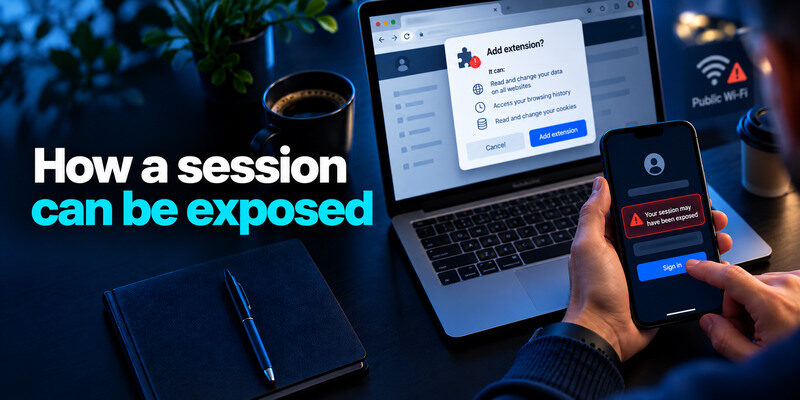
Malware or a malicious browser extension may access browser data. A deceptive page or application flaw can leak a token. Shared devices can leave an authenticated browser open. On insecure application designs, intercepted traffic or fixation may be possible. The specific route depends on the service and device; modern HTTPS protects ordinary network traffic but does not make a compromised endpoint safe.
| Route | What is at risk | User action |
| Malicious software or extension | Browser cookies or tokens | Clean device, remove suspect extension, revoke sessions |
| Shared or lost device | Existing signed-in browser | Lock device, remote sign-out where offered |
| Phishing for a session export | Browser data or login state | Refuse scripts and “support” requests |
| Vulnerable service behavior | Token handling | Report to provider; follow incident instructions |
Browser extensions deserve a review
An extension with broad site permissions can see or modify pages you visit. Install only from trusted publishers, check requested access, update it, and remove what you no longer need. If the extension was malicious, change credentials on a clean device after revoking sessions. Disabling the extension without investigating affected accounts may leave an attacker with a usable token.
Browser extensions with broad permissions can increase account risk if they are malicious or compromised. Review installed extensions, remove those you no longer need, and keep your browser and operating system updated. Our guide on how to protect your online accounts explains how device security, trusted software, and strong authentication work together.
Public Wi-Fi is not a complete explanation
A warning about session hijacking is sometimes reduced to “never use public Wi-Fi.” Secure HTTPS is important, and an untrusted network can host phishing or malicious redirects, but a stolen token can also come from an infected personal laptop. Verify website identity and device health rather than assuming a VPN alone fixes the problem.
Why MFA may not be requested again
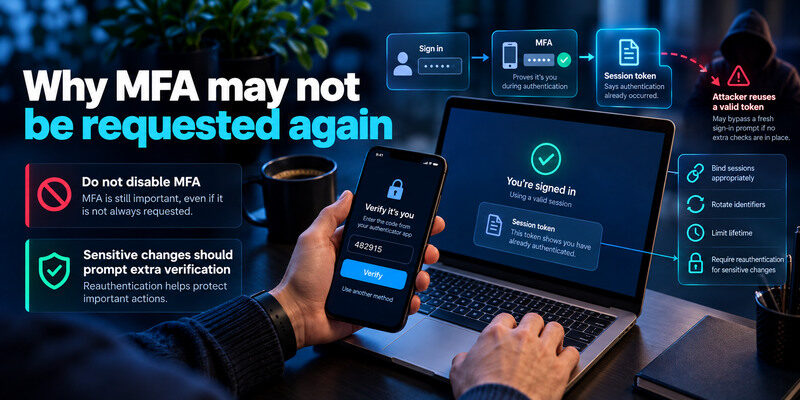
MFA typically happens during authentication. A session token says that authentication already occurred. An attacker who reuses a valid token may bypass a fresh sign-in prompt if the application accepts it without step-up checks. The service can reduce the risk by binding sessions appropriately, rotating identifiers, limiting lifetime, and requiring reauthentication for sensitive changes. Users can reduce exposure by protecting devices and ending unknown sessions.
Multi-factor authentication helps protect the initial sign-in process, but an application may continue accepting a valid session token without requesting another code. This does not mean MFA is ineffective; it means authentication and session management protect different stages of account access. Our guide on what is an authenticator app explains how app-based verification works during login.
Do not disable MFA because of this limit
MFA still blocks many password-only attacks. A passkey or security key also resists common phishing at sign-in. Use the strongest supported method and keep recovery safe. For TOTP-compatible accounts, can generate codes, but it cannot retroactively invalidate a stolen browser session; you must revoke that session at the provider.
Sensitive changes should prompt extra verification
Some services ask for a password or second factor before changing a recovery email, adding a payout account, or exporting data. That is a useful defense if implemented correctly. Do not assume all services do so. After an incident, inspect recovery details and financial settings, not only the login page.
What signs can a user actually see?
You may notice activity from an unfamiliar device, a post you did not make, changed settings, or a purchase you did not authorize. A service may not display every token use as a new login because the session was already authenticated. Lack of a new-device email therefore does not prove no intrusion occurred. Compare actions and settings with the provider’s available history.
Look for actions, not only locations
A location estimate can be wrong because of a VPN or carrier. An unknown sent message, forwarding rule, connected app, or extra administrator is more concrete. Preserve the time, screenshots, and transaction identifiers before deleting fraudulent actions where practical. Do not paste full token values into public support discussions.
Unfamiliar locations are not always reliable evidence of an attack, but unauthorized messages, changed settings, and unknown connected applications deserve investigation. Our guide on how to spot suspicious login activity explains how to evaluate account alerts and identify signs of unauthorized access.
A normal session list is not a clean bill of health
Providers vary in how much they display. An attacker might have used a session briefly and disappeared from the visible list. If an account action is unauthorized, follow the compromised-account flow even when the device history is inconclusive. For work accounts, the security team may have logs that a user cannot see.
Revoke access in the right order
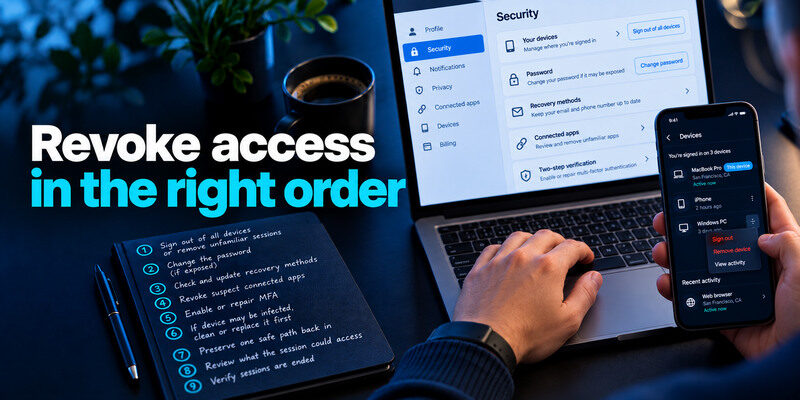
From a trusted device, open the real provider’s security settings. Use “sign out of all devices” or remove unfamiliar sessions, then change the password if it may be exposed. Correct recovery methods, revoke suspect connected apps, and enable or repair MFA. If the device itself may be infected, clean or replace it before typing new secrets there. Some services end sessions automatically after a password change; verify rather than assume.
Preserve one safe path back in
Before a blanket sign-out, confirm that you can reach your recovery email and backup codes. An intruder may have changed those. If you are already locked out, use the provider’s official recovery process instead of trying to invalidate sessions through an old link. Ask work IT to coordinate revocation for managed accounts.
Before revoking every active session, make sure you can still access your account’s approved recovery methods. Your primary email address is particularly important because it may control password resets and security notifications. Our guide on how to secure your email account explains how to protect this critical recovery channel.
Review what the session could access
Check messages, files, billing, page roles, API tokens, and connected integrations relevant to that account. Warn contacts if fraudulent messages were sent. Contact a bank promptly if money moved. A technical session fix does not undo data copied or transactions initiated while the attacker was inside.
Reduce future session exposure
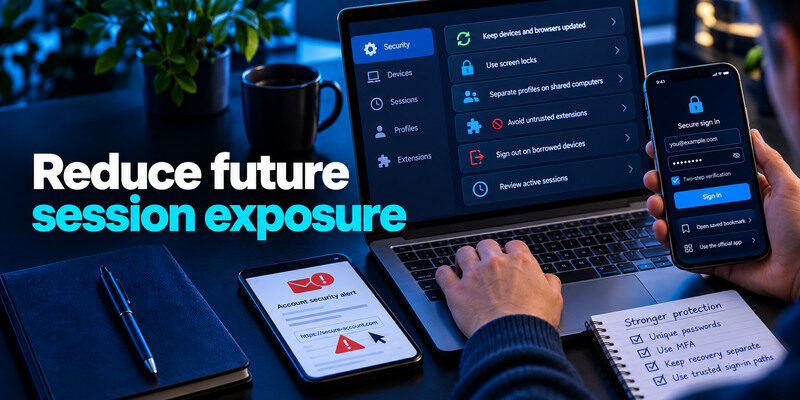
Keep devices and browsers updated, use screen locks, separate profiles on shared computers, avoid untrusted extensions, and sign out of sensitive accounts on borrowed devices. Review active sessions after a lost phone or laptop. Use unique passwords and MFA so an attacker cannot easily obtain a fresh session after the old one is revoked.
Use trusted sign-in paths
Open a saved bookmark or official app instead of an urgent email link. A fake site can capture credentials and sometimes live session data through deceptive workflows. Never run code in your browser console because a stranger says it will “verify” your account. A real support agent should not need you to export cookies.
Phishing pages may imitate trusted websites and attempt to capture passwords, verification codes, or authentication-related data. Open sensitive services through verified bookmarks or official applications, and never follow instructions from strangers to export browser cookies or run unknown scripts. Our guide on how to protect your online accounts covers safer login habits and practical security checks.
Keep recovery independent
If primary email controls password resets, secure it with an independent factor. Save backup codes separately from the only phone that generates codes. Test a fresh sign-in on a second device while the original still works. Strong defenses are useful only when the rightful owner can recover safely.
A worked example: a valid session on a shared computer
Jon signs in to webmail on a borrowed computer and closes the browser tab without signing out. Later, the provider reports an unfamiliar session. He should use his own trusted device to inspect the official security page, end the borrowed computer’s session, and check sent mail, forwarding rules, recovery information, and connected apps. If the password itself might have been exposed, he changes it too. The exact effect of a password change on existing sessions depends on the provider, so he uses the explicit sign-out control where available.
Why another MFA prompt may never appear
The service normally asks for MFA when creating a session, then recognizes a stored session token. Someone using a still-valid token may bypass a fresh sign-in screen. This is why “I have MFA” does not settle whether an unfamiliar active session is safe.
How to reduce recurrence
Sign out on shared devices, avoid saving credentials there, update browser and operating system, and review connected devices periodically. For work accounts, ask the administrator to revoke sessions and investigate endpoint or identity-provider logs.
Unknown active device|A session may still exist|Provider’s official session list|
Unexpected forwarding rule|Messages may be copied|Mail settings and rule history|
MFA was not requested|Existing session may have been used|Sign-in and token-revocation controls|
Frequently Asked Questions
Is session hijacking the same as account takeover?
It is one route to account takeover. Account takeover is the broader outcome of unauthorized control, which may also result from stolen passwords, phishing, or recovery abuse. Session hijacking specifically concerns an active authenticated session.
Will changing my password log out an attacker?
It depends on the service. Choose its explicit sign-out-all or session-revocation option where offered, and verify the session list afterward. Also inspect connected apps and recovery settings. If unsure, consult the provider’s official compromised-account guidance.
Can a VPN prevent session hijacking?
A VPN can protect some network traffic on an untrusted connection, but it does not fix malicious extensions, infected devices, phishing, or vulnerable token handling. HTTPS, device hygiene, account controls, and session revocation remain essential.
Why did I not receive a new-login alert?
A reused active session may not trigger a new authentication event. Alerts also vary by provider. Investigate unauthorized actions even when no login notification arrived, and use official support if the visible activity is insufficient.
Final Thoughts
Session hijacking turns an existing authenticated session into unauthorized access. Revoke that session, secure the device and recovery routes, and inspect account actions. Keep MFA enabled, but understand that it protects a new login more directly than a token already accepted by the service.
