
Signs Your Account Is Hacked: What Counts as Evidence?
Published October 21, 2026
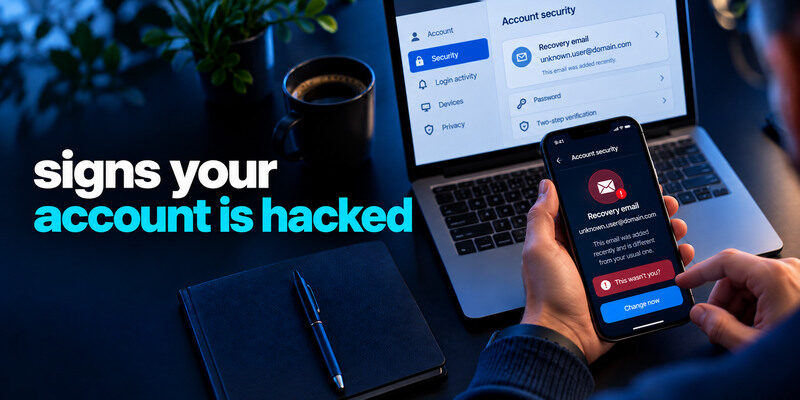
The clearest signs your account is hacked are actions you did not authorize: an unknown successful session, changed recovery details, messages sent in your name, or purchases you did not make. A failed login attempt or unfamiliar city alone is a reason to check, not proof of takeover. Use the provider’s real activity and settings pages to confirm what happened, then secure the account from a trusted device. This guide ranks clues by strength and shows what to inspect when no single alert tells the full story.
Start with changes that require account access
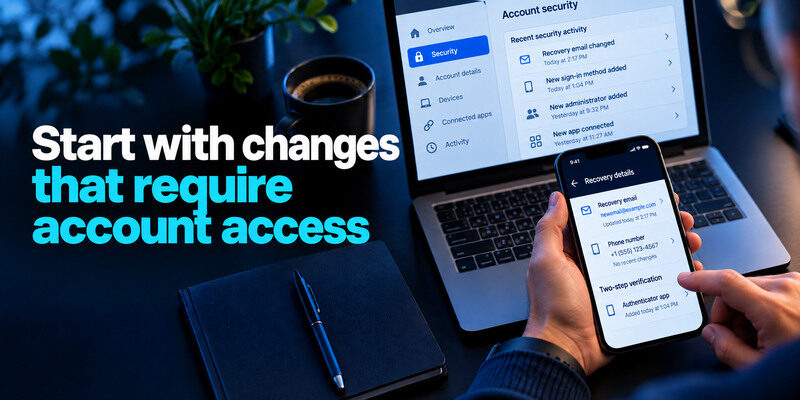
A changed recovery email, new MFA device, added administrator, unknown connected app, or forwarding rule is more concerning than an isolated notification. Someone may have entered the account or persuaded a recovery flow to change control. Capture the current settings and event time, then act. If you cannot sign in, use the provider’s official hacked-account route instead of a link in a warning message.
Recovery details changed unexpectedly
Check email address, phone number, backup factors, security questions where used, and trusted devices. An attacker may replace one method while leaving the password intact. If your primary email is affected, inspect forwarding and filters that hide security notices. Resetting a password does not necessarily remove an added factor or forwarding rule.
Unexpected changes to a recovery email address, forwarding rule, or backup authentication method deserve immediate investigation. An attacker who controls your primary mailbox may be able to reset passwords for other services even after you secure the original account. Our guide on how to secure your email account explains how to inspect forwarding settings, recovery methods, and suspicious access.
Activity appears in your name
Messages, posts, ads, purchases, file shares, or changes to payment details provide concrete evidence of unauthorized use. Preserve transaction IDs or screenshots before removing the content if possible. Warn recipients through a different channel if a scam was sent. Contact the bank or card issuer immediately for unauthorized money movement.
Secure your accounts with fast, reliable two-factor authentication. Download now and protect your login in seconds.Download Authenticator App
Rank the signals before you respond
| Signal | What it suggests | Safe first action |
| Unknown successful session plus changed settings | Strong concern for takeover | Revoke access and correct recovery |
| Unsent messages or unauthorized purchase | Strong concern for account misuse | Preserve evidence, secure account, contact affected parties |
| New device alert you cannot explain | Investigate promptly | Compare device, time, and activity |
| Failed login from unknown location | Attempt, not confirmed access | Check uniqueness, MFA, and later success |
| Email warning only, no in-app match | Could be genuine or phishing | Open provider independently |
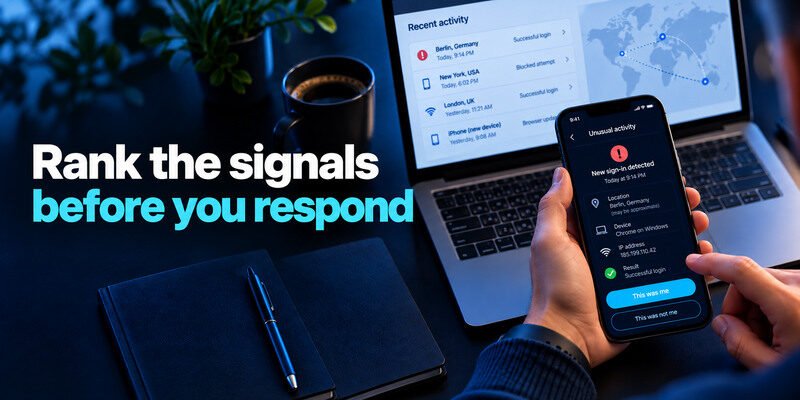
A provider’s labels may be imprecise. “Unusual activity” can mean a blocked attempt, new network, or successful login. Read the event details rather than assuming the worst or dismissing it. If several weaker clues occur together, escalate your concern.
Security alerts should be evaluated using the actual event details rather than the notification title alone. An unfamiliar location or blocked login may require investigation, while an unknown successful session combined with changed account settings is more concerning. Our guide on how to spot suspicious login activity explains how to interpret login warnings and identify events that require immediate action.
A location estimate can be wrong
Mobile carriers, VPNs, and corporate networks route traffic through other cities. A browser update may change a device label. Compare time and device type with your own activity. If the event is successful and you cannot match it, revoke that session. Do not use approximate geography as the only criterion.
A failed attempt still matters if the password was reused
Someone may be testing an old leaked pair. Check whether the current credential is unique. If the password was reused or exposed, replace it at every affected site. Enable MFA, save recovery codes, and monitor for a successful follow-up. A failed attempt by itself does not reveal exactly what the attacker knows.
When attackers test previously leaked username-and-password combinations across multiple websites, the activity is known as credential stuffing. A failed attempt does not prove that your account was accessed, but a reused password should still be replaced wherever it appears. Our guide on what is credential stuffing explains how stolen login details are reused and how unique passwords reduce the risk.
Check the places an attacker may change quietly
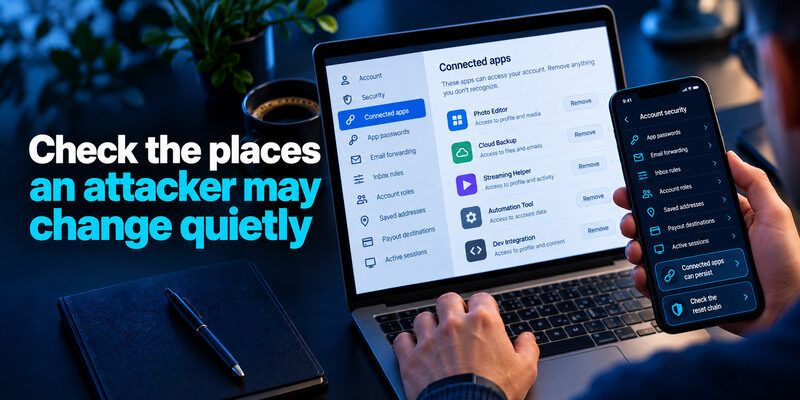
An intruder may avoid obvious posts or payments. Inspect connected apps, app passwords, email forwarding, inbox rules, account roles, saved addresses, payout destinations, and active sessions. The relevant controls depend on the service. A streaming account may have changed profiles; a creator page may have a new administrator; an email account may silently forward messages.
Connected apps can persist
A third-party app may hold a token after you change your password. Identify each integration, remove unknown ones, and test legitimate workflows. On a business account, coordinate with the owner before revoking a scheduler or payment tool. Note who authorized it and when.
Check the reset chain
Which mailbox receives password resets for this account? Secure that mailbox first if it is vulnerable. An attacker who controls it can return after you change the affected service’s password. Review recovery phone numbers and backup methods too. Do not keep the only recovery code inside the compromised account.
Account recovery is only as secure as the email address, phone number, and backup methods that support it. If an attacker controls one of these recovery channels, changing the account password may not be enough. Our guide to the best account security practices explains how to protect recovery methods and reduce single points of failure.
What to do in the first ten minutes
Use a trusted device and open the provider directly. Change an exposed or reused password, sign out of unknown devices, remove unauthorized recovery methods and apps, and enable a strong second factor. For a TOTP-compatible service, can generate a code, but save backup codes separately and test a fresh sign-in. If you are locked out, start official recovery. Preserve a short timeline of the evidence.
If the account is still open on one device
Do not immediately sign out of the only working session before checking recovery paths. Record the current settings and provider case number, then revoke intruder sessions through supported controls. If a device may be infected, use another clean device to change credentials. A healthy account sign-in on a compromised computer can hand the new secret back to an attacker.
If you still have access to a compromised account, preserve a verified recovery path before signing out of every device. Use the provider’s official controls to remove unauthorized sessions, change exposed credentials, and correct recovery settings. Our guide on how to recover a hacked account provides a structured process for regaining control safely.
If money or work data is involved
Contact the financial institution about charges and the employer’s security team about work access. These steps are time-sensitive and separate from password changes. If friends received scam messages, notify them through another channel. Do not ask them to click a link from the compromised profile to verify your warning.
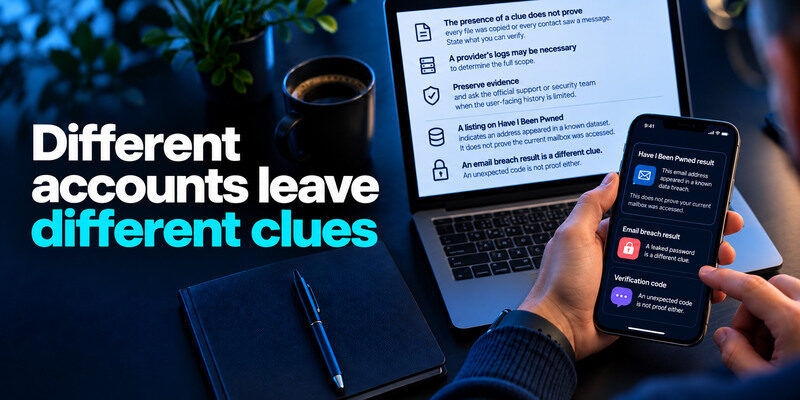
Different accounts leave different clues
| Account | High-value check | Why it matters |
| Forwarding, filters, recovery, sent messages | Can reset many other accounts | |
| Social media | Posts, messages, page roles, ad accounts | Can impersonate you and reach followers |
| Shopping | Orders, saved addresses, cards | Fraud or delivery redirection |
| Cloud storage | Shared files, links, downloads if logged | Private data exposure |
| Work | Admin roles, app tokens, access logs | Other people’s systems may be affected |
The presence of a clue does not prove every file was copied or every contact saw a message. State what you can verify. A provider’s logs may be necessary to determine the full scope. Preserve evidence and ask the official support or security team when the user-facing history is limited.
An email breach result is a different clue
A listing on Have I Been Pwned indicates an address appeared in a known dataset. It does not prove the current mailbox was accessed. If the leaked password was reused, change it and review activity. A clean lookup cannot rule out phishing or a private incident.
An unexpected code is not proof either
A one-time code you did not request may mean someone entered your identifier, or an attacker has a password and hit MFA. Do not share the code or approve a push. Open the provider independently to inspect recent events. If a successful unknown session appears, follow the compromised-account response.
An unexpected verification code or push request can indicate that someone is attempting to access your account, but it does not prove that a login succeeded. Never share a live code or approve an authentication request you did not initiate. Our guide on what is an authenticator app explains how app-based verification protects supported accounts and what its limitations are.
Keep looking after access is restored
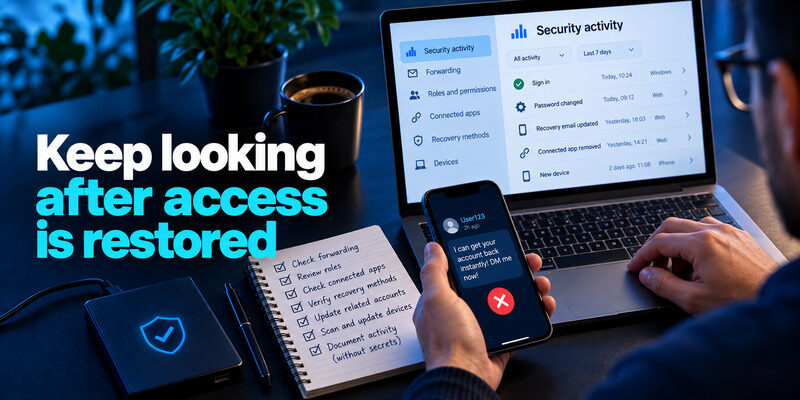
Review security activity again after a day or two. Check whether forwarding, roles, connected apps, or recovery methods reappear. Update related accounts that reused the old password. Scan and update devices if malware or a malicious extension may have been involved. A single reset can hide a continuing problem if an intruder retains another path.
Be skeptical of recovery offers
A stranger in a comment thread who promises instant restoration is not the provider. Do not pay or share backup codes. Use the official flow and keep case references. Scammers often target people searching for urgent account help.
Document without exposing secrets
Write down dates, device names, unauthorized actions, and steps taken. Leave full passwords, live TOTP codes, session cookies, and unredacted identity documents out of shared notes. This record helps support, the bank, or an employer understand the event without creating a second leak.
Keep a short incident record before details vanish
If the provider still lets you in, note the alert’s time, affected account, device label, location estimate, and whether access succeeded. Save transaction IDs and support case numbers, but never store passwords, backup codes, or one-time codes in a screenshot or support ticket. This record makes it easier to distinguish a stale device from an unknown session and to explain a disputed transaction.
A mailbox example
An unexpected password-reset email by itself may mean somebody typed your address. A sent message you did not write, a forwarding rule you did not create, and an unknown successful session form stronger evidence. Revoke sessions, secure the mailbox and recovery methods, then review accounts whose resets flow into that inbox.
A shopping-account example
An unfamiliar order or shipping address needs immediate attention even if you see no sign-in alert. Change account credentials, end sessions, contact the merchant through its official site, and reach the payment provider when a charge is unauthorized. Review saved addresses and payment methods, since the attacker may have changed them for a later purchase.
Frequently Asked Questions
Can my account be hacked without a new-login alert?
Yes. A stolen active session or compromised recovery route may not create the expected notification. Inspect account actions and settings when you see unexplained changes. Providers differ in what activity they show.
Should I change my password after a failed attempt?
Change it if it is reused, weak, or exposed. If it is unique and MFA is active, inspect history for success and monitor. A failed attempt alone is not proof that the password was known.
Does an unfamiliar city mean an intruder signed in?
Not necessarily. VPNs and carrier routing can alter estimates. Compare successful status, device, time, and account changes. Revoke a successful session you cannot identify.
What if the account is locked and I cannot inspect it?
Use the provider’s official recovery process and secure the recovery email first. Preserve notices and any transaction evidence. For work access, contact authorized IT; for financial fraud, contact the bank immediately.
Final Thoughts
The signs your account is hacked are strongest when you can verify unauthorized actions or changed control settings. Treat ambiguous alerts as prompts to investigate through the real provider. Secure email, revoke access, repair recovery, and address any money or contacts affected.
