
How to Recover a Hacked Account: Regain Control and Close the Door
Published October 9, 2026
To recover a hacked account, use the provider’s official recovery process from a trusted device, secure your email, replace the password, and revoke the attacker’s sessions and recovery methods. If you cannot sign in, begin at the provider’s account-recovery page rather than paying a third party that promises to bypass it. The order matters: a new password may fail if an attacker still controls your inbox or a recovery method. This guide covers both cases—when you can still sign in and when you have been locked out—and the cleanup after access returns.
First decide whether you still have access
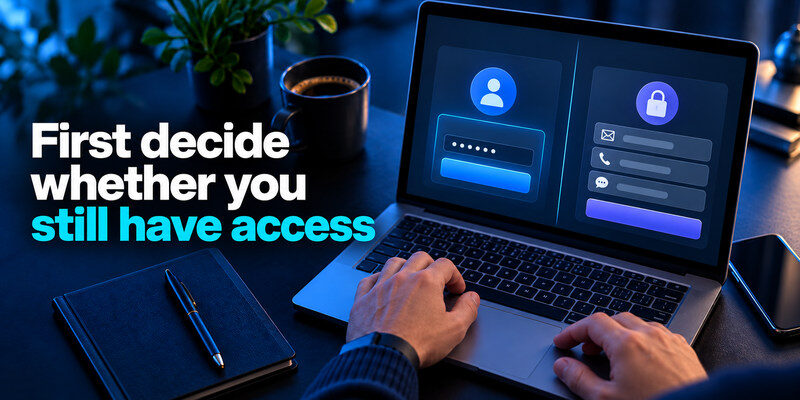
If you can sign in, act from a device you trust. If the device itself may be infected or remotely controlled, switch to another trusted device before entering a new password. If you are locked out, go directly to the provider’s official recovery entry point by typing its known address or opening its app. Do not use a link supplied by someone who contacts you claiming to be “account recovery support.” Record the suspicious changes and approximate time so you can explain the case later.
| Your situation | Immediate route | Do not do |
| Still signed in | Secure email, change password, review sessions | Sign out of the only trusted session before saving recovery options |
| Password changed by attacker | Provider’s official recovery flow | Pay for a bypass service |
| MFA method changed | Recovery code or provider verification | Approve an unknown request |
| Money or work data involved | Bank or organization security channel | Wait for account recovery before reporting fraud |
Secure the root email account
Email receives password-reset links and alerts. Because your inbox is often the recovery gateway for other accounts, enabling email authenticator can add an important layer of protection after you secure the mailbox and remove unauthorized recovery settings. If an attacker controls it, they can undo your recovery. Change its unique password, check its sessions and forwarding rules, verify recovery details, and add a strong independent factor. Microsoft’s hacked-account instructions specifically tell users to review connected accounts, forwarding, and automatic replies. If you cannot access the mailbox, start its own official recovery in parallel and tell the affected service that the recovery address is compromised if it offers that option.
Do not erase your remaining access prematurely
An existing signed-in device may be the only route to security settings or a provider’s verification challenge. Before signing out everywhere, confirm you can update recovery email, password, and MFA, then use the provider’s session-revocation feature. This is not permission to leave an unknown session active indefinitely. It is a reminder to plan the sequence, especially when the attacker changed both password and recovery information.
Secure your accounts with fast, reliable two-factor authentication. Download now and protect your login in seconds.Download Authenticator App
If you can sign in, contain the intruder
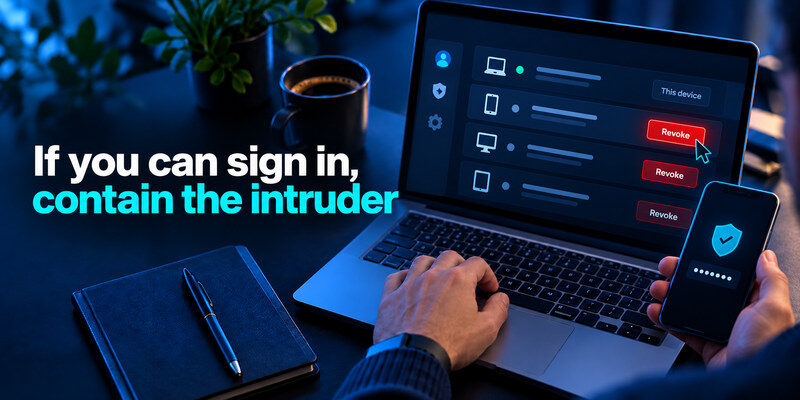
Change the password to one that is long and unique, preferably generated and saved securely. Revoke unfamiliar sessions, connected apps, tokens, and app passwords through the provider’s security settings. Remove recovery addresses and devices you do not recognize; re-enroll MFA if an attacker could have copied or replaced the factor. Check account details, recent actions, and payment settings. Follow the provider’s specific compromised-account instructions because session behavior differs between services.
Change the right credential first
If the same password was used elsewhere, rotate those accounts too, starting with email, finance, and the password manager. Replacing reused passwords with unique credentials is easier when you have a reliable storage system. Our guide to using a password manager securely explains how to organize passwords, protect your vault, and reduce the risks associated with credential reuse. A single leaked credential can be tried automatically across many sites. Do not simply add a symbol to the old password. If your vault might have been opened, consider the saved website credentials exposed and prioritize them by impact.
Remove persistence, not only the visible login
Look for a new authenticator enrollment, passkey, recovery email, forwarding rule, authorized application, and active session. If an attacker added or replaced an authenticator method, review the affected service’s security settings before enrolling a new one. Our Google Authenticator 2FA guide provides additional context on authenticator enrollment and managing time-based verification codes. A changed password may not revoke every token. For an email account, inspect Sent, filters, delegates, and automatic replies. For social media, check linked accounts, ad permissions, and scheduled posts. An attacker who retains a recovery path can return after the first cleanup.
Review damage and notify others
Inspect purchases, transfers, posts, messages, files, and account changes made during the suspicious period. Contact banks or payment providers through their official channels about unauthorized activity, and report work-account incidents to the administrator. If fraudulent messages went to friends, warn them through another channel. The FTC advises checking recovery details and alerting contacts after an email or social-media takeover.
If you are locked out, follow the provider’s proof-of-ownership route
Start at the service’s official account-recovery page and provide information you genuinely know: former passwords where requested, a trusted device or location, recovery codes, and control of an existing email or phone. Providers differ in what they accept. Google Account Help points users to its account recovery process and warns that it does not provide phone sign-in assistance or work with third-party recovery services. A support agent cannot simply decrypt a zero-knowledge vault or waive a provider’s checks. If your locked account is a password manager, recovery may depend on the provider’s specific vault-access rules rather than a conventional password reset.
Use a familiar device and environment
When the provider uses device history as a signal, a computer and network you have used for that account may help establish continuity. This is not a guarantee and should not lead you to use a compromised machine. Avoid rapid contradictory submissions or fake details. Follow the provider’s instructions and security delays rather than trying random forms advertised in search results.
What if recovery details were changed?
Look for legitimate provider alerts sent to the previous recovery address or trusted devices. Some services offer a reversal or account-protection flow after a security change. Act promptly using the instructions shown in the official app or independently reached support site. If the old recovery email itself is compromised, secure it first or provide another supported proof route. Keep timestamps of unauthorized changes for the provider’s review.
When a recovery code exists
Use the code only in the provider’s official flow. Backup codes are usually single-use and can be invalidated when regenerated; a copied old set may fail. After regaining access, create a fresh set and remove obsolete copies. Never read a code to a caller who says they are from security support. If no valid backup remains, the provider’s verification process is the route; an authenticator app cannot manufacture a missing secret. Recovery codes and authenticator backups serve different purposes, so it’s important to understand both before replacing a device. Our backup and recovery comparison explores how different authenticator workflows can affect access after a phone is lost or replaced.
Provider-specific paths need different checks

Google’s recovery guidance routes locked-out users through account recovery and then recommends reviewing security settings after access returns. Microsoft provides a hacked-account recovery path and tells users to examine forwarding and connected accounts. Social platforms commonly have in-app “account hacked” flows and may request identity or device proof. Use the official help center for your exact provider and account type; menus and verification requirements change. A corporate account may require the organization’s administrator rather than a consumer form.
Email accounts
Mailboxes are high priority because reset links for other services pass through them. After recovery, check forwarding, rules, delegated access, app passwords, connected apps, and sent messages. Then reset other accounts affected during the intrusion window. Do not assume a clean inbox means the intruder did nothing; messages may have been deleted or silently forwarded.
Social and shopping accounts
Look for changes to profile email, phone, connected identity providers, payment methods, shipping addresses, ad accounts, and direct messages. A fraudulent message can continue to circulate after you recover the login, so warn contacts. Check whether the platform offers a way to report impersonation or unauthorized charges. Remove unknown devices and change a reused password everywhere it appeared.
Work and school accounts
Contact the administrator or security desk through a known channel immediately. They may need to revoke sessions, reset tokens, inspect files and email, and preserve logs. Do not delete suspicious messages or pretend the issue is personal if organizational data may have been accessed. Follow the employer’s incident procedure even if you already changed your password.
Rebuild MFA and recovery without creating a new lockout
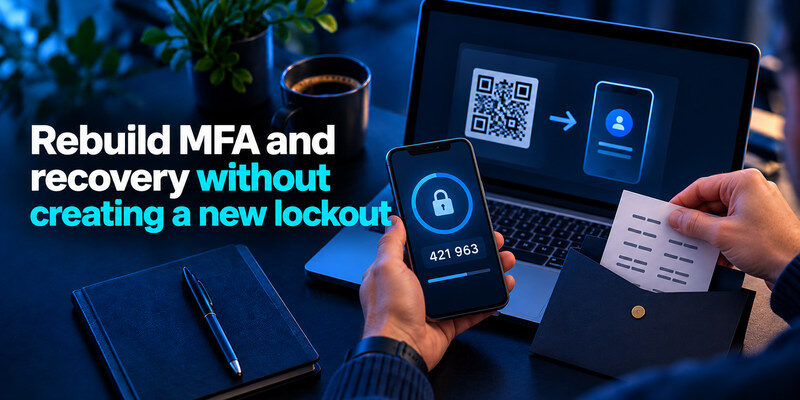
Once the provider confirms control, set a new unique password, register a strong second factor, and verify recovery email and phone. Save fresh backup codes separately from the phone you might lose. Prefer a phishing-resistant key or passkey when supported and practical; a standard authenticator code is still much better than relying on a password alone against many attacks. Test a fresh sign-in on a second trusted device before wiping the old one.
A separate code generator
When a service supports standard authenticator-app TOTP, can generate the code after you enroll it through that service’s security settings. It is useful as an independent second factor alongside a password manager. It cannot restore codes whose original TOTP secret was lost or recover an account without the provider’s cooperation. Save the service’s official recovery codes and confirm the new code works before removing the old method.
Root accounts should not depend on each other in a loop
If email recovery depends on your password manager and the manager requires a code sent to that same email, a phone loss can block both. Write down a non-circular recovery map for the root accounts. Keep a protected backup key or recovery code in a separate location. You do not need to expose all passwords in a printed spreadsheet; a short set of recovery instructions and securely stored codes can be enough.
Check whether the device was the entry point
Update the operating system, browser, and apps; inspect unexpected extensions and remote-access tools; use the device platform’s security checks. If malware is plausible, get help before signing in again on that device. A new password entered into the same compromised session may be stolen immediately. Also check other devices and browser profiles that were signed in during the incident.
Revisit after the first day
Check recent activity again for new sign-ins or settings that reappear. Confirm that alerts arrive at the right email, forwarding is off unless you chose it, and authorized applications are known. Record what you changed, what remains uncertain, and which other services need a credential update. An incident is contained only when the attacker no longer has a usable route, not merely when the login screen accepts your new password.
Close the incident with a recovery handoff
Once you can sign in, write a short record of what happened, what was changed, and what still needs attention. Include the date of suspicious activity, affected devices and services, session revocation, recovery changes, and notifications to banks or coworkers. Do not include passwords, live recovery codes, or copies of TOTP setup keys. The record prevents the same work from being repeated and helps you notice a setting that reappears.
| Item | Verify before calling the account recovered |
| Sign-in | New unique password and intended MFA work |
| Sessions | Unknown devices and app tokens revoked |
| Recovery | Email, phone, keys, backup codes belong to you |
| Data | Messages, purchases, files and profile reviewed |
| Dependents | Reused passwords and linked accounts assessed |
Tell the right people
If the account sent fraudulent messages, warn recipients through another channel. If money moved, contact the bank promptly; if work data may be exposed, tell the organization’s security lead. Do not wait for a provider to confirm every detail before reporting a credible unauthorized transaction. The handoff should state known facts and uncertainty separately, so the next person can act without guessing.
Watch for a return path
Recheck the account after a day and after any security alert. If an unfamiliar session returns despite a new password, investigate the device and connected apps. If a recovery address reappears, use the provider’s compromised-account support path. A completed recovery is a stable account with no unauthorized access, not merely a successful login at one moment.
For a business account, assign a person to confirm that client integrations, scheduled jobs, and delegated access still work after token revocation. Restoring normal operations does not mean restoring every old permission. Reauthorize only known integrations with the least access they need. A colleague should be able to see the closure record without seeing a new password.
For a personal account, check subscription or shopping settings that might have been changed quietly, such as a shipping address or saved card. A recovered social login may still contain fraudulent ads or messages. Follow the provider’s fraud reporting process where appropriate. Recovery is complete when both access and account state are trustworthy again.
Frequently Asked Questions
Can someone recover my account for a fee?
Be skeptical of anyone promising a bypass. Use the provider’s official recovery or your organization’s administrator. A third party cannot legitimately override the provider’s identity checks and may steal more information or money.
Should I change all my passwords immediately?
Secure the compromised email and root accounts first, then rotate reused or plausibly exposed passwords by impact. If the device is infected, make changes from a trusted device. A random bulk reset while the attacker still controls recovery may fail.
What if the attacker changed my 2FA?
Use a valid backup code, trusted device, or the provider’s official recovery process. After access returns, remove the unauthorized factor, register your own, and replace recovery codes. Do not approve a prompt you did not initiate.
Is recovery guaranteed if I know my old password?
No. Providers use different ownership checks, and a previous password may be only one signal. Supply accurate information in the official flow and follow its timing. Prepare backups now for other accounts so the same lockout is less likely.
Final Thoughts
How to recover a hacked account begins with the official provider route and a trusted device, then continues through email security, session revocation, persistence checks, and damage review. Regaining the password is only one part of recovery. Close every route the attacker could still use, rebuild independent MFA and backup access, and verify activity again after the initial cleanup.
