
What Is Brute Force Attack? Password Guessing Explained
Published October 21, 2026
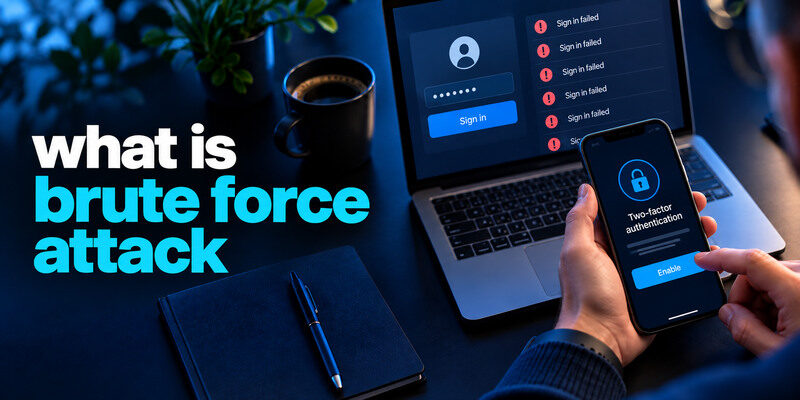
A brute force attack tries many candidate secrets until one works. For online accounts, that often means repeated password guesses against a login; for an offline stolen hash, guessing can happen without sending each attempt to the website. The likelihood of success depends on the password’s unpredictability and the defender’s controls, including rate limits and MFA. This guide explains the term precisely so a failed-login alert does not automatically become a claim that your account was breached.
See how the guessing loop works
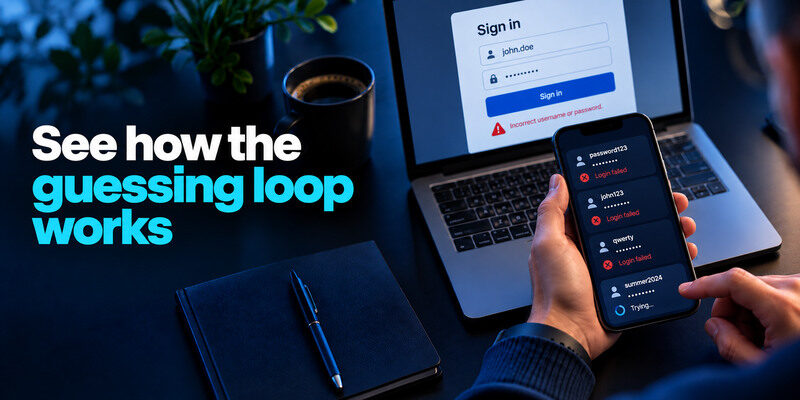
A login form accepts an account name and password. An attacker submits one candidate, learns whether it failed, and tries another. A literal exhaustive search tests combinations, while practical attacks often prioritize common words, leaked-password lists, and variations. The phrase “brute force” is frequently used loosely for both. If a website slows or blocks attempts, the attacker may distribute them or switch tactics, but the fundamental question remains whether a guess will be accepted.
Online guessing has a visible gate
Each online attempt reaches the service’s authentication system. The service can log failures, throttle attempts, challenge unusual traffic, and require a second factor. A user might see a temporary lockout even if no one knows the correct password. Repeated failures from an unknown source warrant a review, but they are not proof of successful access.
Offline guessing is different
If an attacker obtains a database of password hashes, they may test candidate passwords against those hashes on their own hardware. The website’s login rate limit no longer controls each guess. The service’s password-hashing design and the password’s unpredictability become crucial. A user cannot inspect that design from a lockout notice; after a confirmed breach, follow the provider’s guidance and replace exposed or reused secrets.
Separate brute force from neighboring attacks
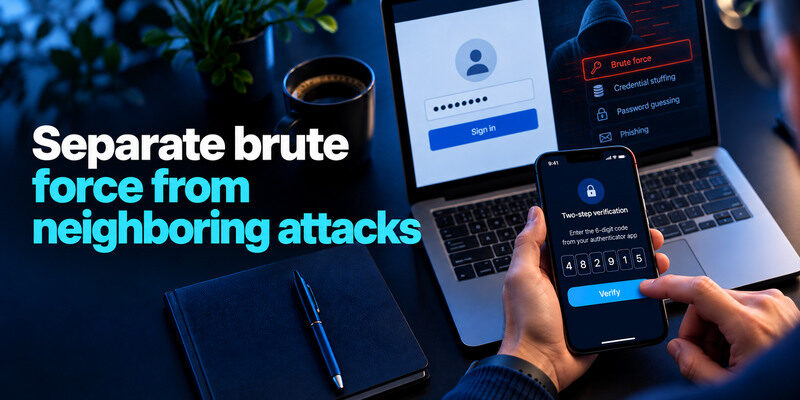
| Method | Candidate set | Typical target | Practical user defense |
| Password guessing/brute force | Many guesses | One account or hash | Long unpredictable password, MFA |
| Credential stuffing | Leaked username-password pairs | Other websites | Unique credential per site, MFA |
| Password spraying | One common guess | Many accounts | Avoid common passwords, MFA |
| Phishing | Secret supplied by the user | Fake sign-in flow | Verify origin, phishing-resistant MFA |
OWASP’s Credential Stuffing Prevention Cheat Sheet describes these categories separately while noting that many service-side defenses overlap. An attacker may shift from guessing to phishing, so no single password policy covers every route. A long unique secret remains useful because it resists common guesses and reuse.
A guessed password does not always open the account
If the correct password is accepted but MFA blocks completion, the attacker may not get a session. The service’s activity page may show a challenge or incomplete sign-in. Change the password if it is exposed or reused and deny any unexpected push. Do not approve a prompt to make repeated alerts stop.
Account lockout is a control with a cost
A temporary lock can slow guessing but can also be triggered deliberately against a legitimate user. Read the provider’s exact wait or recovery instructions and stop a stale device from retrying an old password. Do not use an unofficial “unlock tool.” For work accounts, follow your administrator’s route.
Repeated failed sign-in attempts may trigger a temporary account lockout even when the correct password has not been discovered. A lockout is not necessarily the same as an account suspension, which may involve a different policy or security review. Our guide on account lockout vs account suspension explains the difference and how to respond through the service’s official recovery process.
What makes a password hard to guess?
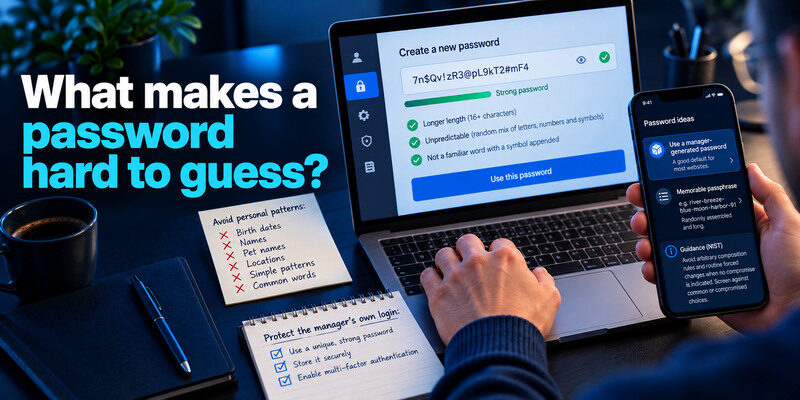
Length and unpredictability matter more than a familiar word with a symbol appended. A manager-generated unique password is a good default for websites. A randomly assembled, long passphrase can suit a secret you must remember. NIST’s digital identity guidance discourages arbitrary composition rules and routine forced changes when no compromise is indicated, while supporting screening against common or compromised choices.
A strong defense against password guessing starts with a long, unpredictable password that is unique to each account. Avoid common phrases, personal details, and predictable substitutions such as replacing a letter with a number. Our guide on how to generate a strong password explains practical ways to create secure credentials without relying on easy-to-guess patterns.
Avoid personal patterns
Birth dates, pet names, favorite teams, and keyboard sequences are likely candidates. A “different” password that changes one site name or a year is related enough to be guessed after another account leaks. Let a trusted manager generate independent credentials instead of maintaining a formula. Never copy an example password from an article.
Protect the manager’s own login
Use a unique master passphrase, an independent factor, and a tested recovery route. If the only backup code is inside the locked vault, a lost phone can make the setup unusable. Test a second-device sign-in before migrating every account. Do not enter the master secret on a device you suspect is infected.
Your password manager’s master password deserves special protection because it safeguards credentials for many accounts. Use a unique, memorable but unpredictable master passphrase, enable an independent second factor, and test the provider’s recovery options. Our guide on how to create a strong master password explains how to protect this critical credential.
MFA changes the attacker’s path
A password-only guessing loop no longer completes a login when a second factor is required. Passkeys and security keys can resist phishing on supported services. TOTP codes are widely compatible but can be relayed through a fake site. SMS may be the available fallback. Use the strongest supported method you can recover and store service backup codes separately.
Set up an authenticator deliberately
can generate TOTP codes for compatible services after you scan the service’s setup QR or enter its key. Confirm enrollment with a code, save the service’s recovery codes, and test a new sign-in. A code rotates, but the underlying setup secret does not; keep QR images and exports private.
A TOTP authenticator app can generate time-based verification codes for compatible services after you scan the website’s enrollment QR code or enter its setup key. Confirm enrollment with a valid code, save the service’s recovery codes separately, and test a new sign-in. Remember that a rotating code is different from the underlying setup secret, which must remain private.
Watch for prompt fatigue
If an attacker guesses or obtains a password, they may send repeated approval requests hoping you tap yes. Deny requests you did not initiate, inspect activity in the real app, and change an exposed password. Report work-account prompts to security staff. A lock-screen notification itself is not a safe place to follow a recovery link.
What the provider should do

For service operators, layered defenses include request throttling, monitoring failures and successes, breached-password screening, MFA, risk-based challenges, and careful recovery controls. An arbitrary CAPTCHA alone is not a complete solution. OWASP’s authentication and credential-stuffing guidance also cautions against controls that reveal whether a username exists or allow attackers to deny access to legitimate users through lockouts.
Rate limits need context
A limit per IP can be bypassed when traffic comes from many sources, while a strict per-account lock can be abused to block a victim. Good controls balance these risks, but users cannot infer the full defense from whether an error message appears. If a provider offers security notifications, enable them and learn where to inspect verified activity.
Password reset has to be protected too
An attacker may abandon guessing and abuse a weak recovery route. Verify that recovery email and phone belong to you, remove stale options, and protect primary email with MFA. A strong password cannot compensate for an unprotected mailbox that can reset it. Review newly added factors after an incident.
Your primary email account is a critical recovery channel because many websites use it to deliver password reset links and security notifications. Protect it with a unique password, strong MFA, and regularly reviewed recovery settings. Our guide on how to secure your email account explains how to prevent attackers from abusing this recovery path.
How to respond to repeated failed logins
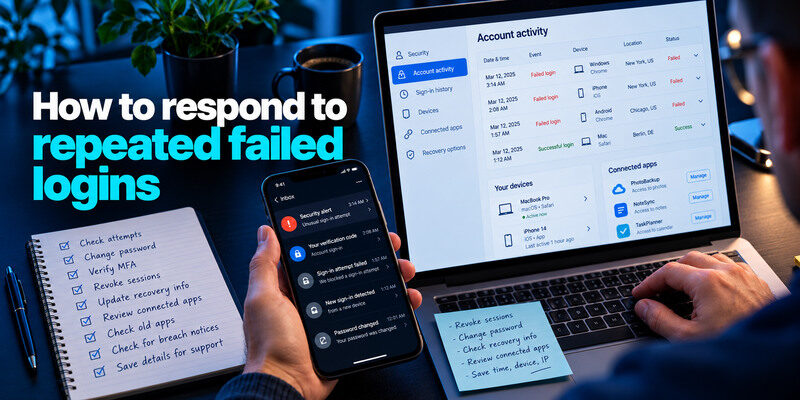
Open the official account activity page from a trusted device. Confirm whether attempts failed or a successful unfamiliar session followed. If all attempts failed, verify password uniqueness and MFA; change a weak or reused password. If one succeeded, revoke sessions, change the credential, correct recovery settings, and inspect connected apps and account actions. Preserve times and device details for support.
Check your own old apps
A phone mail client or old tablet may retry a stale password and create a lockout. Compare the timing and device where the provider supplies it, then update that app. Do not attribute every unfamiliar location to an attacker; carrier and VPN routing can distort it. Equally, do not dismiss a new successful device because you own an old tablet.
If a breach notice is involved
Follow the affected provider’s official guidance, replace any exposed password, and change copies used elsewhere. Review sign-ins at the most sensitive accounts. If financial or identity data was exposed, the response is broader than passwords; the FTC’s breach guidance provides actions according to the type of information involved.
A worked example: repeated attempts on one account
An account holder receives 30 failed-login notices overnight. The events alone do not establish that a password was discovered. She opens the provider’s own activity screen, checks whether any sign-in succeeded, and confirms that the password is unique. She then turns on the strongest available MFA, checks recovery details, and reports the pattern if the service offers a security channel.
When the password is long and unique
Repeated guesses can be noisy without being effective. A long randomly generated password is not made weak by the number of failed attempts. Avoid rotating it to a shorter memorable variant merely to feel active. If the service reports a compromised-password match or an unknown successful session, replace it immediately and inspect account changes.
When the same password was reused
The event could be credential stuffing instead of true brute force. Replace the reused secret everywhere, starting with the email account that can reset the others. Verify the new credential through the genuine service and end old sessions when supported.
If an attacker successfully signs in with a reused password, change the exposed credential on every affected service, revoke unfamiliar sessions, and inspect account recovery settings. Our guide on how to recover a hacked account provides a practical recovery process for accounts that may already have been compromised.
Many guesses against one username|Password guessing|Check success and strengthen authentication|
Known pair tried at several sites|Credential stuffing|Remove reuse across every site|
One common secret across many users|Password spraying|Report work-account patterns|
Unknown successful sign-in|Possible takeover|Revoke sessions and review changes|
Frequently Asked Questions
Is every password attack a brute force attack?
No. Credential stuffing uses previously exposed pairs, phishing tricks a person into disclosing a secret, and spraying tests a small set across many accounts. People sometimes use “brute force” as a broad label, but the distinction determines which weakness to fix.
Can a long password be brute forced?
In principle any password can be guessed, but a truly unpredictable long secret makes exhaustive guessing impractical in many realistic settings. The service’s rate limits and hashing matter. Do not rely on length alone if the phrase is a common quote or the credential is already exposed.
Why am I locked out when I did nothing wrong?
Someone else may have submitted failures, or one of your devices may be retrying an old password. Use the provider’s official waiting or verification route. Check activity after access returns and update stale saved credentials.
Does MFA replace a strong password?
No. It adds a separate barrier, but phishing, stolen sessions, and recovery abuse remain possible. Use a unique unpredictable password and a strong recoverable factor together.
Final Thoughts
A brute force attack is a guessing process, not proof of a successful intrusion. Unique unpredictable secrets, MFA, and service-side rate limits make online guessing harder. When an alert arrives, distinguish failed attempts from a successful unknown session and respond through the real provider.
