
How to Protect Your Online Accounts: A Priority-First Plan
Published October 9, 2026
To protect your online accounts, secure your primary email first, replace reused passwords, enable strong multifactor authentication, and review recovery options. Start with accounts that can reset or pay for other accounts, then work outward. You do not need to fix every login in one evening: a priority order produces a larger reduction in risk than changing random low-value passwords. This guide turns broad security advice into a sequence you can complete, test, and maintain across devices.
Identify the accounts that control the rest
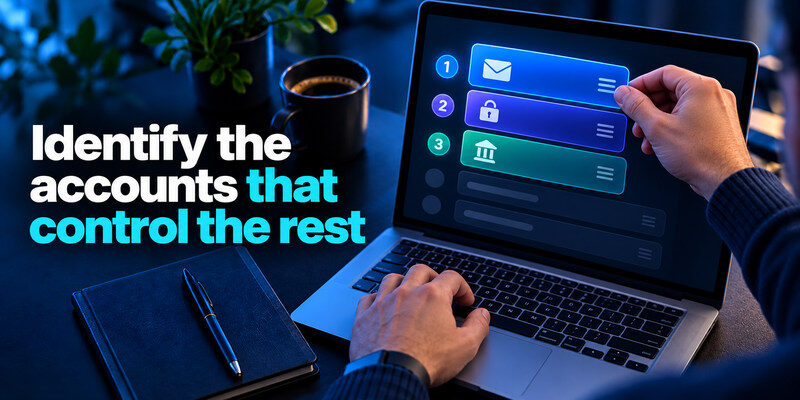
Write down your primary email, phone or mobile carrier, device-platform account, password manager, banking and payment services, and any work administrator account. These are root accounts because losing one can help an attacker reset others. For each, note the sign-in email, recovery email or phone, enabled second factor, and whether you still have an active trusted device. Do not put the actual passwords in an unprotected checklist.
Email comes first
A mailbox often receives password-reset links and security alerts. If someone else controls it, changing a social-media password may only buy a few minutes before the attacker resets it again. Secure the email account with a unique password, a strong second factor, correct recovery information, and a review of forwarding rules and connected apps. Microsoft’s compromised-account guidance specifically calls out connected accounts, forwarding, and automatic replies.
Platform and manager accounts follow
Your Apple, Google, or Microsoft account may sync passwords, passkeys, photos, and device settings. Your password manager may open dozens of services. Protect both with a unique sign-in secret and independent recovery. If a manager’s own TOTP code is stored only inside its locked vault, losing the current device can trap you in a circular dependency; keep an external factor and backup method.
Using a unique password for every important account is one of the simplest ways to limit the damage of a credential leak. If you need a practical starting point, learn how to generate a strong password without relying on predictable words, personal details, or repeated patterns.
Secure your accounts with fast, reliable two-factor authentication. Download now and protect your login in seconds.Download Authenticator App
Replace reused passwords in a sensible order
Create a distinct password for each root account, then finance, work, shopping with saved cards, and social accounts. A manager or device password tool can generate long random strings, which you do not need to memorize individually. Do not apply the same base phrase with a site-name suffix; attackers can infer the pattern after one breach. CISA recommends long, unique passwords and a manager to make this practical.
| Priority | Examples | What to do today |
| 1 | Primary email, manager, platform account | Unique password, MFA, recovery audit |
| 2 | Finance, payroll, work admin | Unique password, strongest supported factor |
| 3 | Social and shopping | Replace reuse, review sessions |
| 4 | Old or unused services | Delete or secure after higher priorities |
Do not change passwords on a suspect device
If a device may have malware or remote access, secure it before entering fresh credentials. Use another trusted device where possible, update the operating system, and follow professional help or vendor guidance if compromise is likely. Otherwise an intruder may see the replacement password immediately. This is especially relevant when an account suddenly signs out everywhere or a browser extension appears without your action.
Remove accounts you no longer use
Old services still hold personal data and may retain a recycled password. Close unused accounts through the provider’s official process after confirming they are not linked to active subscriptions or recovery paths. If deletion is unavailable, use a unique password and remove payment methods where practical. Track the few accounts that remain because they cannot be closed. Remembering a different complex password for every website is difficult, but a password manager can make the process manageable. Our guide on how to use a password manager walks through setting up a vault, saving logins, generating unique credentials, and protecting your recovery information.
Add a second factor with the right threat in mind
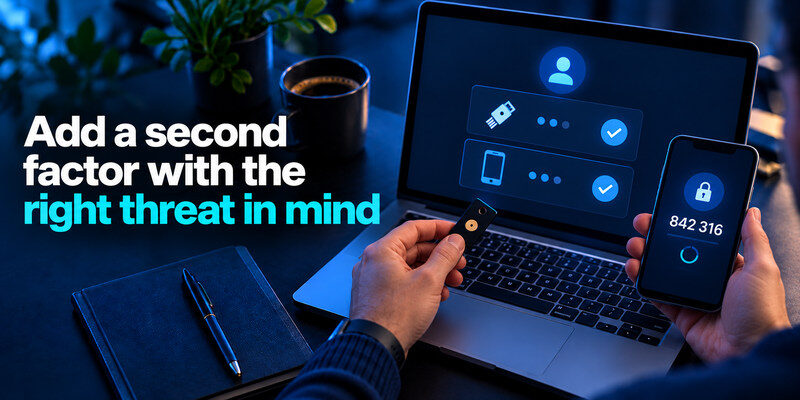
Turn on MFA for root accounts and every service that supports it. A passkey or security key can resist common phishing attacks when properly implemented; an authenticator code still helps against password-only attacks, while SMS can be useful when stronger options are unavailable. CISA encourages phishing-resistant MFA where possible, and the FTC recommends starting with sensitive accounts. Save provider recovery codes before declaring setup complete.
Register a backup where supported
Two security keys, or a primary authenticator plus an official recovery code, can prevent a lost-phone lockout. Do not rely on a screenshot of the setup QR code in a photo library; that image contains the reusable secret. Label backup materials so you know which account they belong to without exposing them to casual readers. Test sign-in from a second trusted device before removing the old factor.
Learn to refuse an unexpected prompt
An approval request you did not initiate may be an attacker trying a password, not a routine system check. Deny it, open the account directly, inspect recent activity, and change the password if needed. Never read a one-time code to someone who called or messaged you. A real support agent should not need it to “verify” your identity through a surprise chat.
Review account recovery before you need it
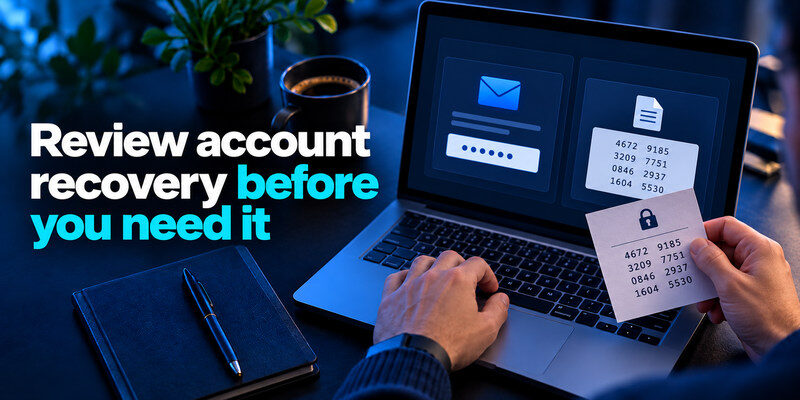
Check that recovery email and phone numbers are yours and reachable. Remove old addresses, unfamiliar devices, and methods you no longer control. Store backup codes separately from the phone most likely to be lost. A recovery method can be a security weakness when it points to an abandoned mailbox, but a missing method can cause permanent lockout; balance both risks deliberately.
Map the dependencies
If the password manager requires email, and email requires a code from the manager, you have created a loop. Draw the actual route you would use after losing the phone. Keep at least one independent path to each root account. A paper recovery record in a protected place can be appropriate even for someone who uses digital tools daily.
Test the route, not just the label
Log out of a low-risk session and see whether the expected factor works. Open the recovery settings and confirm that the backup method is still valid, without consuming a one-time code unnecessarily. When changing devices, transfer authenticators before wiping the old device. A backup code saved years ago may have been replaced during a previous reset; verify the current set.
Adding a second authentication factor helps protect accounts when passwords are exposed. If you’re new to app-based verification, our guide explaining what an authenticator app is covers temporary login codes, how they work, and how to set up an additional layer of account protection.
Watch for phishing and account activity
Use a bookmark or type the service address for important sign-ins. Autofill that fails on an unfamiliar domain can be a useful warning, but it is not proof the page is safe. Review recent sign-ins and connected apps periodically, especially after a suspicious alert. Google’s Account Help describes Security Checkup as a place to review account activity and settings; Microsoft provides a Recent activity page for its accounts.
Treat alerts as leads, not instructions
A genuine alert may contain a convenient button, but a forged message can look similar. Go directly to the official service in your browser or app and find its security activity. Check device, approximate location, timestamp, and whether a sign-in succeeded. A location alone may be imprecise due to mobile networks or VPNs; combine signals before deciding, and act promptly on an unfamiliar successful session.
Authenticator apps commonly generate time-based one-time passwords rather than sending codes through text messages. Our guide to how TOTP authentication works explains QR code enrollment, rotating verification codes, and the limitations of code-based authentication against phishing.
Review third-party access
Apps and browser extensions may retain access even after a password change. Remove integrations you do not recognize or use. Check mail forwarding, authorized devices, and active sessions. Some services let you sign out of all devices; use that after a credible takeover. Do not revoke a work integration without understanding its purpose, but do assign someone to confirm it.
Keep devices and networks in the plan

Update your phone, computer, browser, and apps. Set a device lock with a strong PIN or passcode and use full-disk encryption where supported. Install apps from official sources, and remove extensions you no longer need. A protected account is still vulnerable if a device displays its unlocked session to another person. The FTC’s consumer guidance includes software updates alongside password and 2FA measures.
A stolen phone response
Use the device platform’s official lost-device controls from another trusted device, change root account credentials if exposure is plausible, revoke sessions, and notify your carrier if the number may be taken over. Follow your provider’s recovery steps for authenticators. Do not erase the only device holding backup codes before confirming another working route.
A shared-device response
Use separate operating-system profiles and browser profiles, sign out after use, and avoid saving credentials in a communal account. A child or coworker accidentally opening a synced browser profile can expose data without a technical breach. Treat physical access as part of account security, not a separate category you address only after an incident.
A 30-minute starting session

Spend the first ten minutes securing primary email and reviewing recovery contacts. Use the next ten to change the manager or platform password if reused and enable an independent factor. Use the final ten to rotate one high-impact reused password and save its backup code. Then schedule the next group of accounts. The precise clock is illustrative; do not rush a recovery setup just to finish within thirty minutes.
Make progress visible
Record the account name, whether its password is unique, whether MFA is enabled, and where the recovery method is kept. Do not record actual secrets in a shared spreadsheet. A checklist helps you resume without repeating work. Review it after buying a new phone or changing your main email address because those events alter multiple recovery chains.
Add a separate authenticator where it helps
can generate standard one-time codes for services that offer authenticator-app 2FA. It is useful when you want those codes independent of a password vault. Enable it through each service’s official security settings, verify a new code, and retain that service’s backup codes. It cannot by itself replace unique passwords or passkeys.
Protect the phone number that supports recovery
Your mobile number may receive one-time codes, account-change alerts, and calls from providers. Review your carrier account password and PIN, remove unused authorized users, and ask what happens if the number is transferred or the SIM is replaced. Do not assume a phone number is a permanent identifier; people change carriers, lose phones, and give up numbers. Where services support stronger factors, use them and keep the phone as one recovery route rather than the only one.
Inventory SMS dependencies
List which root accounts still send codes to the number. If you plan to change it, update those services while you can still receive messages on the old number and test the new route. Do not deactivate the old line first. A company-owned number should have a named owner and backup process; an employee’s personal number should not be the only recovery method for a business administrator account.
Recover when the phone is gone
Use provider backup codes, a registered security key, or a trusted device as allowed by each service. Contact your carrier through its official channel if the line itself appears compromised. A replacement SIM may restore SMS but will not automatically restore app-based TOTP secrets. Know which accounts use which factor; otherwise a newly working phone number can create false confidence while authenticator codes remain unavailable.
Your primary inbox often receives password-reset links and account recovery messages, making it a high-priority target. Follow our email account security checklist to review forwarding rules, recovery contacts, connected devices, and authentication settings.
Make the plan durable after the first week
The initial cleanup can feel complete while an old recovery address or unused app remains. Recheck the root accounts after a week: look at successful sign-ins, connected applications, MFA methods, and the date of your latest backup. A short quarterly review or review after device changes is enough for many people. Tie the habit to a real trigger rather than a vague resolution to “be more secure.”
A compact progress record
| Account group | Done means | Recheck when |
| Email and platform | Unique password, MFA, recovery verified | New phone or address change |
| Finance and work | Strong factor, sessions reviewed | New device or role change |
| Social and shopping | Reuse removed, payment details reviewed | Suspicious alert or purchase |
Keep the next action small
If you discover twenty old accounts, do not postpone all improvements until you can address twenty. Secure one root account today and schedule the rest. The compounding benefit is that each unique password reduces the reach of the next breach. A practical plan survives an interrupted evening; a perfect plan that requires eight uninterrupted hours usually does not.
If several members of a household use the same accounts, identify who owns each login and whether the service offers individual profiles or separate accounts. Do not send the owner password through chat every time a device signs out. A shared credential should have a safe handoff and a rotation plan, especially when a former roommate or contractor once knew it. This is another reason to secure email and platform accounts before low-value logins.
Protect the list of account names itself if it reveals sensitive services. Keep it in a private note or protected document, without live passwords or codes, and review it after a major life change. The checklist is a map for your own maintenance, not a new repository of secrets. A reader who cannot complete everything today can still use it to identify the next highest-impact account.
Frequently Asked Questions
Which account should I secure first?
Usually your primary email, because it receives reset links and alerts for other services. Then secure your password manager or device-platform account and financial services. Your exact order may differ if a work administrator account controls many systems.
Is SMS better than no MFA?
Usually yes, but an authenticator, passkey, or security key may offer better protection against certain attacks. Use the strongest method the service supports and you can recover. Do not leave MFA off while waiting for a perfect option.
How often should I change passwords?
Change reused or compromised passwords promptly. NIST discourages routine forced changes without evidence of compromise. Unique credentials, MFA, and monitoring matter more than changing a good password on a calendar.
Can a password manager protect every account?
It helps create and store unique credentials, but it cannot secure a compromised device, stop every phishing attempt, or fix stale recovery methods. It works as one part of the priority-first plan.
Final Thoughts
How to protect your online accounts is a sequence of decisions, not a single setting. Secure the accounts that can reset the rest, give every service a unique credential, add strong MFA, and test recovery while you still have access. Continue with lower-priority accounts over time and revisit the plan after a device or email change.
Sources reviewed: CISA, “Require Multifactor Authentication” and password-manager guidance; FTC, “Protect Your Personal Information From Hackers and Scammers” and “Use Two-Factor Authentication To Protect Your Accounts”; Google Account Help, “Protect your account if there’s unfamiliar activity”; Microsoft Support, compromised-account and Recent activity guidance.
