
How to Hide Your IP Address: Practical Options and Their Limits
Published October 28, 2026 · Updated October 30, 2026
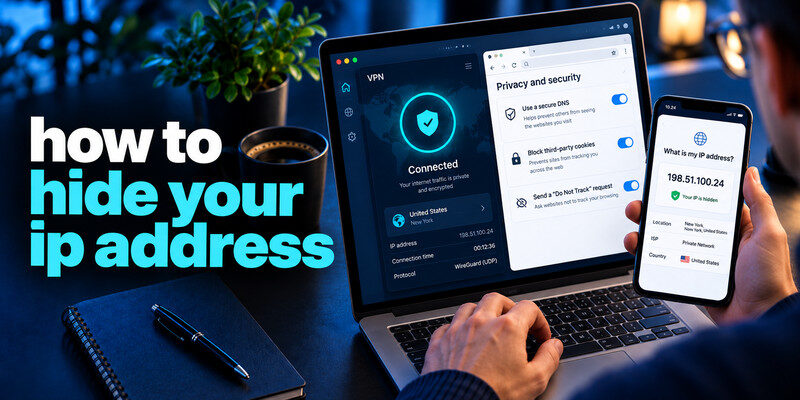
If you’re wondering how to hide your IP address, the easiest way is to use a reputable Virtual Private Network (VPN), which routes your internet traffic through a remote server and replaces your visible public IP address with the VPN server’s IP. You can also use Tor Browser or a proxy server, depending on your privacy needs.
Hiding your IP address can reduce direct exposure of your network location to websites, but it does not guarantee complete anonymity. Websites may still identify you through cookies, browser fingerprinting, or logged-in accounts.
To protect your online privacy, choose a trusted VPN, connect to a secure server, and verify your new public IP address using an IP-checking website.
How to Hide Your IP Address: 4 Effective Methods
Learning how to hide your IP address can help you protect your online privacy, reduce direct exposure of your network information, and control which IP address websites can see.
Here are four common methods:
- Use a VPN: Connect to a trusted VPN server to replace your public IP address with the server’s IP address.
- Browse with Tor: Use Tor Browser to route browser traffic through multiple relays and hide your original IP from destination websites.
- Configure a proxy server: Route selected browser or application traffic through a proxy to display a different IP address.
- Switch networks: Connect through a mobile network or another trusted connection to use a different public IP address.
Each method has different privacy benefits and limitations. A VPN is often the most convenient option for everyday browsing, while Tor Browser may be more suitable when you need stronger separation between your browsing activity and your direct network connection.
Secure your accounts with fast, reliable two-factor authentication. Download now and protect your login in seconds.Download Authenticator App
Identify who can see which address
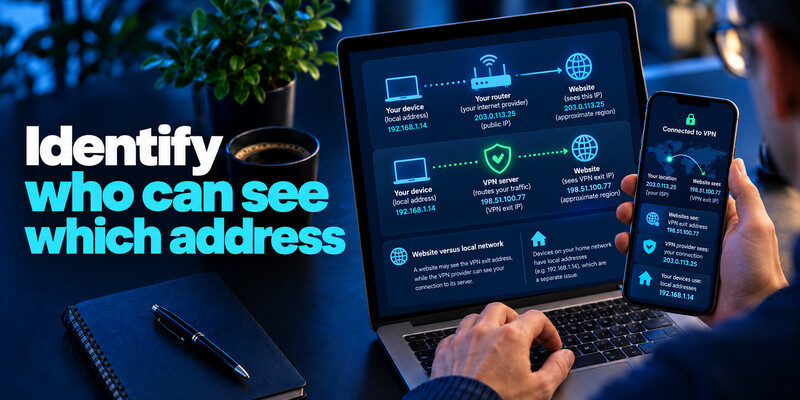
Your internet provider assigns or routes your public connection. Websites ordinarily see the source IP of your connection, which can suggest an approximate region but is not a precise home address. Devices on your home network also have local addresses, which are a separate issue. A VPN changes the address the destination site sees by sending traffic through its server.
Website versus local network
A website may see the VPN exit address, while the VPN provider can see your connection to its service. The local WiFi operator sees that you connected to a VPN, not necessarily the destination inside the tunnel. Use HTTPS for the website connection regardless.
Logged-in identity
If you sign into a personal account, the service knows it is you even when the IP changes. Cookies, device identifiers, and browser fingerprinting can also link sessions. Hiding an IP is only one privacy control.
| Tool | What site sees | Main trade-off |
| VPN | VPN server IP | Trust shifts to provider |
| Tor Browser | Tor exit IP | Slower, some sites challenge traffic |
| HTTP/SOCKS proxy | Proxy IP for configured app | Encryption and coverage vary |
| Mobile network | Carrier IP | Still linked to carrier/account |
A VPN can replace the IP a website sees with the VPN server’s address. This can be useful on a local network or when you do not want each website to see your residential IP. It does not make a logged-in account anonymous. A site can still recognize your username, cookies, browser signals, and information you submit. Write down the observer you are trying to limit before choosing a tool.
Check the actual connection: Record your public IP before connecting, then connect through the provider’s official app and repeat the check. Check for DNS and IPv6 leaks using a reputable test and understand the provider’s routing settings. A changed IP in one browser does not prove every app uses the same tunnel, particularly when split tunneling is enabled. Test after switching WiFi or cellular networks.
Choose a provider you can evaluate: Read its ownership, logging policy, privacy disclosures, and independent audit scope. The VPN provider sees the connection from you and can observe metadata; moving trust from a network operator to an opaque provider may not help. Avoid a free app that cannot explain how it funds operation. If the goal is merely blocking trackers, browser controls may be a more direct first step.
Read more: Best Cybersecurity Tips for Beginners: A First-Week Plan
How to Hide Your IP Address With a VPN
One of the simplest ways to hide your public IP address is to connect to a Virtual Private Network (VPN). A VPN creates an encrypted connection between your device and a VPN server, allowing websites to see the server’s IP address instead of your original public IP.
Follow these steps:
- Choose a reputable VPN provider with transparent privacy policies.
- Download the official VPN application for your device.
- Install the application and sign in to your account.
- Select a VPN server location and connect.
- Visit a trusted IP-checking website to confirm that your visible IP address has changed.
Remember that VPN services do not provide complete anonymity. Your VPN provider may still have access to connection metadata, and websites can identify you through account logins or tracking technologies.
Read more: How to Create a Strong Master Password You Can Still Remember
Use a trustworthy VPN
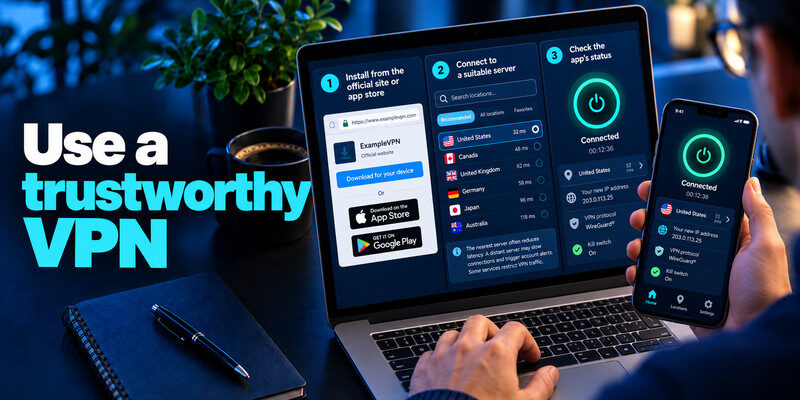
Install from the provider’s official site or app store, connect to a suitable server, and check the app’s status. Choose a provider whose ownership, logging policy, audits, and support terms you can inspect. A “no logs” slogan alone is not an assurance of what operational data is retained.
Choose the location deliberately
The nearest server often reduces latency. A distant server may show a different region but can slow connections and trigger account alerts. Some services restrict VPN traffic under their own terms. When choosing a VPN, avoid unfamiliar download links, fake security alerts, and websites that imitate legitimate providers. Our guide on how to avoid phishing scams explains how to verify suspicious offers and avoid fraudulent websites that request passwords or payment details.
Check failure behavior
A kill switch may block traffic if the tunnel drops, though implementation varies by app and operating system. Test by disconnecting in a low-stakes situation and checking which apps still reach the network. Do not assume every device or browser is covered.
Use Tor for a different trust model
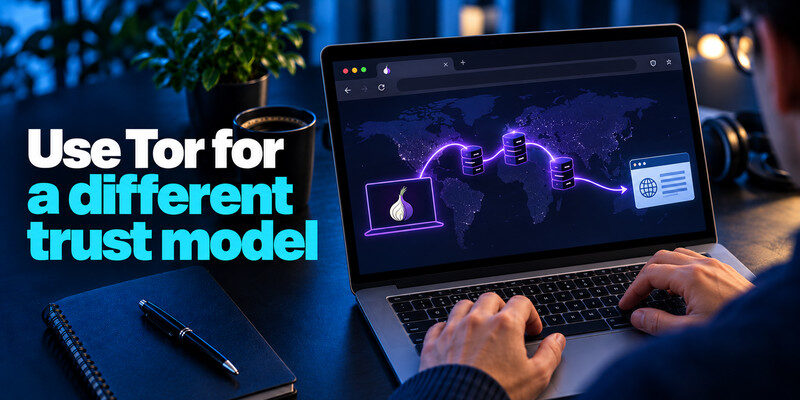
Tor Browser routes browser traffic through multiple relays, separating the destination from your direct network address. It is useful for a particular browsing threat model, but can be slower and may meet captchas or site blocks. It does not automatically protect other apps on the device.
Keep the browser context separate
Signing into your usual personal accounts can identify you regardless of the exit IP. Avoid extensions or settings that undermine Tor Browser’s defaults. Use official Tor Project downloads and documentation.
Know what Tor does not fix
Malware, a compromised device, or information you voluntarily submit can expose you. Anonymous routing does not excuse weak passwords or unsafe downloads. Using a VPN may cause a legitimate sign-in to appear in a different geographic region. However, unfamiliar devices, unexpected successful logins, or unauthorized account changes should still be investigated. Learn how to spot suspicious login activity before dismissing a security alert as a VPN-related location change.
Understand proxy limits
A browser proxy may route only that browser, and a web proxy may handle only the page loaded through it. Some proxies do not encrypt the connection to the proxy. Read the provider’s policy and avoid entering sensitive credentials through an unknown free service.
When a proxy is enough
A specific app or testing workflow may need a different visible IP without a device-wide VPN. Configure only what you intend and verify the app’s route. A proxy is not a blanket privacy promise.
When it is a poor choice
For everyday public-WiFi protection or device-wide routing, a trustworthy VPN may be simpler. An untrusted proxy operator can observe or alter traffic depending on protocol and encryption.
Some banks and services ask for extra verification when the apparent location changes. Open the site’s own security view, confirm the sign-in was yours, and avoid approving a request you did not initiate. Disconnecting a VPN may resolve access, but do so deliberately and understand what route becomes visible.
False alarm versus takeover: A familiar device and time with a VPN exit location suggests your own session. An unknown device, changed recovery email, or unauthorized purchase is stronger evidence of access. Do not use the VPN as a blanket explanation for suspicious activity.
Travel preparation: Test important accounts before departure and keep recovery methods accessible. A sudden location change plus lost phone can make account recovery difficult even when no attack occurred.
Read more: How to Create a Strong Password Policy People Can Follow
Test the result without overclaiming
Before and after connecting, use a reputable “what is my IP” page to check the visible address. Also consider DNS and IPv6 behavior using a trusted leak test. A different IP confirms routing for that test, not complete anonymity.
Browser-only tests
Test in the app you actually intend to protect. A browser result cannot prove a separate game, mail client, or smart TV is routed.
Account alerts
An unusual-location notification may be caused by your own VPN. Compare device, time, and success status in the provider’s official security view. Do not dismiss an unknown successful session just because you use a VPN.
Read more: How to Check if Your Account Has Been Hacked: Evidence Before Action
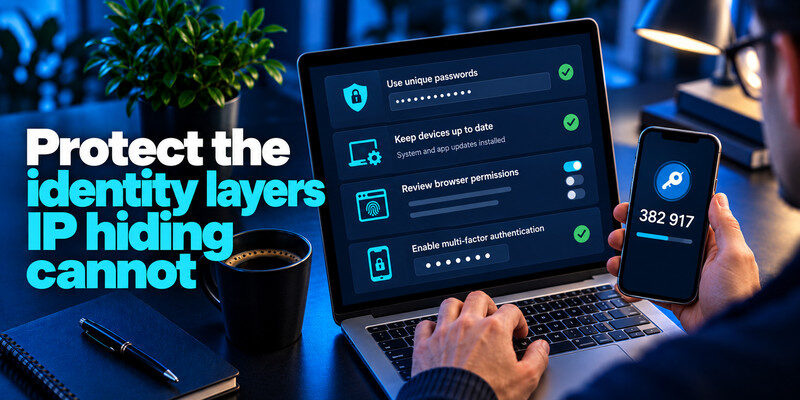
Protect the identity layers IP hiding cannot
Use unique passwords, up-to-date devices, careful browser permissions, and MFA. A VPN cannot stop a fake sign-in page. For TOTP-compatible accounts, can generate codes; never enter them at an unverified site and store recovery codes separately.
Cookies and trackers
Review browser privacy settings and site permissions. A VPN may change the network address while cookies still identify your account. Consider separate browser profiles for distinct contexts when useful.
Payments and personal data
A site you give a name, card, or shipping address can associate that information with the session. IP masking does not erase an explicit transaction.
Pick a route for three different privacy goals
A traveler wants websites to see a different public IP; a researcher wants browsing separated from personal accounts; a developer wants to test one regional web endpoint. The traveler may use a VPN, the researcher may consider Tor Browser with careful account separation, and the developer may use a proxy configured for one app. None of the tools accomplishes the other goals automatically.
Different public IP
Choose a reputable VPN, connect, and compare the visible address in the actual browser or app. If it is unchanged, inspect whether split tunneling or an extension-only setup left that traffic outside the route.
Browsing separation
Tor Browser has a different relay and fingerprinting model, but logging into your everyday account can identify the session. Do not add unnecessary extensions or assume the rest of the device uses Tor. Tor can help separate your browsing connection from your direct network address, but it cannot compensate for compromised devices, reused passwords, or unsafe downloads. Review these best account security practices to strengthen authentication, account recovery, and device protection independently of your network routing method.
One-app testing
A proxy can route a particular request, but check encryption to the proxy and DNS behavior. Avoid sending sensitive credentials through an unknown endpoint.
| Goal | Method | Limit |
| Hide IP from a website | Trusted VPN | Provider sees connecting IP |
| Avoid tracking across sites | Browser privacy settings | Login still identifies you |
| Separate browser traffic path | Tor Browser | Other apps are not covered |
What an IP address does and does not reveal
A public IP can suggest a region, network operator, or organization. It is not a precise GPS coordinate or a direct legal identity by itself. The provider and services may still connect activity to an account, cookie, or payment record. “Hide IP” is therefore a limited, meaningful goal rather than a synonym for disappearance.
Dynamic and shared addresses
Home IPs can change, and mobile or carrier-grade networks can share public addresses among users. A site may flag a VPN exit as unusual because many customers use it. Interpret security alerts with device and time context.
Local address
A device’s private address on home WiFi is not the same as the public address a website sees. A VPN product may display both. Check the correct one when verifying results.
Read more: Best Way to Secure Your WiFi Router: A Practical Home Checklist
Frequently Asked Questions
How to Hide Your IP Address Without a VPN?
You can hide your public IP address from websites without using a VPN by browsing through Tor Browser or configuring a proxy server. Tor Browser routes your browsing traffic through multiple relays, while a proxy server forwards selected requests using its own IP address.
However, these methods have limitations. Tor Browser does not automatically protect traffic from other applications, and some proxy services may not encrypt your connection.
How to Hide Your IP Address on iPhone or Android?
To hide your IP address on an iPhone or Android device, install a reputable VPN application, connect to a VPN server, and verify your visible IP address.
On supported Apple devices, iCloud Private Relay can also help protect Safari browsing activity for eligible iCloud+ subscribers, although it does not replace a device-wide VPN.
Can Someone Track You If Your IP Address Is Hidden?
Yes. Even when your IP address is hidden, websites may identify you through account logins, cookies, browser fingerprinting, or information you voluntarily share. Hiding an IP address improves one aspect of online privacy but does not eliminate all tracking methods.
Final Thoughts
Understanding how to hide your IP address is an important step toward improving your online privacy. Whether you choose a VPN, Tor Browser, or a proxy server, each method can help limit the exposure of your original public IP address to websites.
For everyday browsing, a reputable VPN is often the most practical solution. However, hiding your IP address alone cannot prevent phishing attacks, account theft, or online tracking.
For stronger digital security, combine privacy tools with unique passwords, updated devices, and two-factor authentication to protect your online accounts.
