
How to Create a Strong Password Policy People Can Follow
Published October 9, 2026
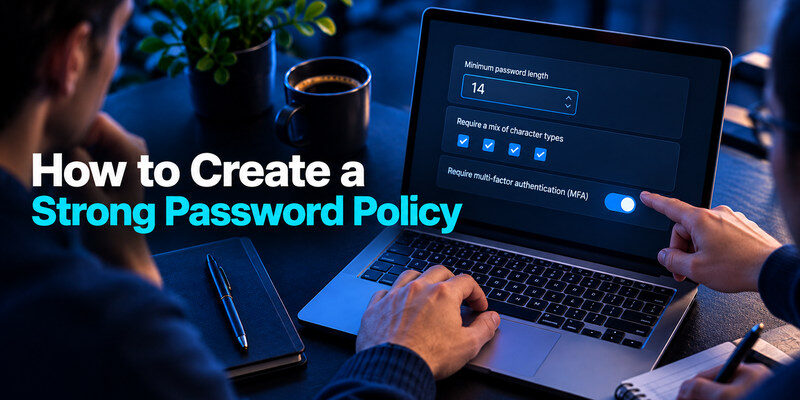
To create a strong password policy, require long unique passwords, block common and compromised choices, allow password managers, and pair sign-ins with strong MFA. Do not rely on forced symbol recipes or calendar-based resets as your main controls. A policy succeeds when people can follow it and administrators can enforce it consistently across real systems, including legacy apps and shared accounts. This guide offers a practical model for a small organization and shows how to test it before publishing.
Define scope and owners before writing rules

List the accounts and systems covered: workforce identity provider, email, VPN, customer portal, privileged administration, service accounts, and temporary contractor access. Note who owns each and which platform can technically enforce a rule. A statement that says “all passwords must meet this standard” is misleading if a legacy service truncates long passwords or offers no MFA. Document exceptions with an owner and a remediation date rather than pretending they do not exist.
Separate user passwords from machine secrets
Employees type memorized secrets; API keys and service-account credentials may be generated and rotated through different processes. Do not tell staff to memorize a 64-character token or apply a human passphrase rule to a machine credential. Place machine secrets in an approved secret-management workflow, restrict who can read them, and record how they are rotated when a person leaves or a token leaks.
Identify high-impact access
Administrators, billing owners, and account-recovery staff can change many other users’ access. Apply stronger MFA and closer session review to these roles. A password policy should define what happens when an admin loses a security key and who can approve recovery. Without that procedure, an emergency help-desk exception may become an easy bypass for an attacker.
For organizations evaluating stronger authentication for privileged accounts, our Microsoft Authenticator vs Okta comparison provides additional context on identity-provider controls, work-account enrollment, and managed authentication methods.
Secure your accounts with fast, reliable two-factor authentication. Download now and protect your login in seconds.Download Authenticator App
Write the password rule around length and screening
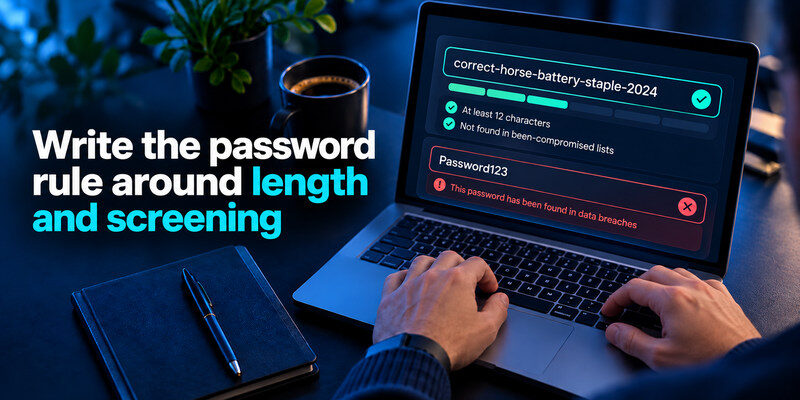
NIST SP 800-63B says that passwords used as a single factor should be at least 15 characters, while shorter minimums may apply when MFA is part of the authentication context. It also advises allowing long passwords, comparing new choices against common or compromised values, avoiding arbitrary composition rules, and not requiring routine periodic changes. Check the current standard and your regulatory obligations before adopting a number verbatim. The goal is a usable rule that rejects predictable passwords rather than one that rewards superficial punctuation.
Employees also need practical guidance on creating credentials that meet these requirements. Our guide on how to generate a strong password explains how to create unique passwords and passphrases without relying on predictable patterns or unnecessary complexity rules.
| Policy element | Suggested direction | Test before rollout |
| Minimum length | Follow current standard and risk context | Every application accepts it |
| Maximum length | Permit long passphrases | No silent truncation |
| Compromised-password screening | Reject known common or exposed choices | Clear, private error message |
| Rotation | Require on evidence of compromise | Incident workflow exists |
| Composition | Avoid arbitrary character-class recipes | Accessibility and usability |
Support paste and autofill
Do not block paste merely to discourage reuse. It also blocks password managers and can encourage shorter passwords. Test mobile entry and accessibility tools. If a service’s login form silently rejects long generated strings, fix the form or record an exception. A policy that makes the secure workflow harder will produce shadow notes and repeated credentials.
Allowing paste and autofill makes it easier for employees to use long, randomly generated passwords without memorizing every credential. Our walkthrough on using a password manager effectively covers autofill, saved-login verification, and common setup problems.
Keep the blocklist private and useful
Reject known compromised values, common words or patterns, and context-specific guesses such as the company name plus a year. Do not reveal more of a sensitive screening result than needed. Tell the user that the choice is too common or exposed, then suggest a longer independent phrase or generated password. Never collect candidate passwords in support tickets for manual review.
Compromised-password screening should be part of a broader process for investigating suspicious account activity. Our guide on how to check if your account has been hacked explains how to review unfamiliar sign-ins, security alerts, and changes to account recovery settings.
Avoid routine expiry
Forcing a password change every few weeks often produces predictable increments. Change secrets when compromise is suspected or confirmed, after a relevant staff departure for shared credentials, or when a high-risk access event requires it. Explain this distinction in the policy so “no routine rotation” is not mistaken for “never rotate.” Existing law or contractual requirements may differ; reconcile those explicitly with the current risk assessment.
When an account is compromised, changing its password is only one part of the response. Our guide to recovering a hacked account explains how to revoke suspicious sessions, review recovery methods, and restore secure access.
Make unique credentials the default workflow
Provide a managed password manager or an approved built-in tool, training, and recovery support. Require a different password for each service; prohibit sharing personal accounts. Where the application supports individual seats and roles, use them instead of a shared login. A manager should allow staff to generate and store strong credentials without copying them into spreadsheets or chat. Test import, offboarding, and export for the business-owned vault before mandating a tool.
Set rules for shared accounts
Some services still require a shared owner credential. Store it in a restricted organizational vault, identify the owner, enable a separate second factor, and rotate it when access changes. Revoking a colleague’s vault access does not invalidate a password already copied. Record how to sign out old sessions and revoke app tokens in the underlying service.
Protect the root vault
Require a strong unique vault password and MFA on the manager itself. The manager’s own authenticator code should be independent of the locked vault. Keep recovery materials under organization control rather than on one employee’s personal phone. A small pilot should include a simulated lost device and a departing test user, not only a successful autofill demonstration.
Pair password rules with appropriate MFA
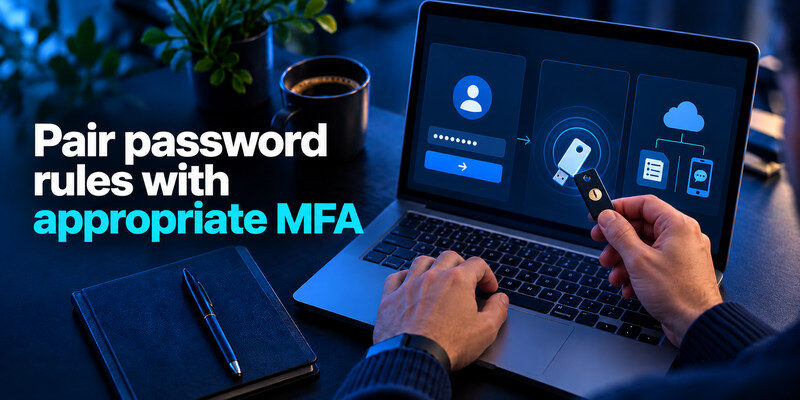
Define required factors by account risk. CISA recommends phishing-resistant MFA where possible, particularly for important access; an authenticator app can be a useful step when security keys or passkeys are unavailable. Specify backup factors and recovery approvals. Do not treat email-delivered codes sent to the same compromised mailbox as equivalent to an independent device factor. Explain when a user should refuse an unsolicited prompt and how to report it.
Map factor types to account types
| Account type | Preferred option where supported | Backup consideration |
| Privileged admin | Phishing-resistant key or passkey | Second registered key and controlled recovery |
| Workforce email | Strong MFA appropriate to platform | Recovery method outside the mailbox |
| Low-risk legacy app | Authenticator code if available | Service backup codes |
Keep recovery from becoming a bypass
Document identity verification for help-desk resets, approval separation for privileged accounts, and notification to the user after changes. Test what happens when a phone is lost, an employee is traveling, or a contractor’s email has expired. If the support path can disable MFA based only on information available on social media, strengthening the password rule will not close the larger hole.
A dedicated code app where it fits
For a service that supports standard TOTP, can generate codes outside a password vault. Decide who owns enrollment and recovery for business accounts; a personal phone without transfer or backup planning is a brittle company control. Prefer phishing-resistant options on the highest-impact systems when supported.
Draft an enforceable policy paragraph

Write plainly: “Use a unique password or passphrase for every work account. Create passwords through the approved manager where available. The sign-in system will reject commonly used or compromised passwords and will accept long passphrases. MFA is required on covered services, with stronger methods for privileged access. Change a password promptly if exposure is suspected or directed by the security team. Do not share individual accounts or send secrets through email or chat.” Tailor the exact minimums, covered systems, and exceptions to your environment.
Explain what employees should do
Give a short sequence: open the approved manager, generate a password, save it under the verified site address, enable the second factor, and store service recovery codes through the approved process. Provide a way to report an unexpected approval prompt or suspected phishing message. Policies with verbs and examples are easier to apply than pages of definitions. The training should include one practice sign-in on a phone, because that is where many failures appear.
Explain what administrators must do
Configure the identity provider’s length and blocklist settings, check maximum lengths on connected apps, audit exceptions, and review recovery and session controls. Measure account coverage, not how many people clicked “I agree.” Where an old system cannot support the standard, isolate it, restrict access, and track its replacement. Assign a person to close each exception.
Pilot, measure, and revise

Run a pilot with a small cross-section of staff, including mobile-only users and accessibility needs. Try a long passphrase, a pasted generated password, a blocked common value, a lost-phone recovery, and a contractor offboarding. Fix ambiguous error messages and inconsistent applications before a company-wide deadline. Record the baseline of reused credentials and MFA coverage, then monitor whether the new process improves those measures.
Check the support burden
An increase in support requests can reveal a confusing enrollment flow rather than user resistance. Identify exactly where people fail: forgotten vault setup, a QR code enrolled under the wrong account, an MFA prompt on a retired phone, or a long password rejected by a legacy form. Change the process or documentation accordingly. Do not weaken the requirement simply to reduce ticket volume without understanding the cause.
Review after meaningful changes
Revisit the policy when you change identity providers, add a high-impact service, adopt passkeys, or face an incident. NIST guidance and platform features evolve, so record the standard version and review date used for the policy. An annual check is useful, but an urgent application change should not wait for it. Keep a change log explaining what shifted and which teams are affected.
Handle exceptions without making them the rule
Legacy apps, shared devices, and external contractors may not support the ideal policy. Put each exception in a register with the system, business owner, compensating control, approval date, and expiry or replacement target. A temporary exception without an owner tends to become permanent. Limit network access, strengthen monitoring, or restrict roles while an old application is being fixed. Do not tell staff to bypass the policy through a shared spreadsheet because a login form cannot accept a long password.
Test the legacy login honestly
Try a long generated password, pasted entry, a password with spaces, and a second factor. Some systems silently truncate input; others reject a character at account creation but accept it at sign-in. These inconsistencies need an engineering fix or a documented exception. Support staff should know the exact affected system rather than instructing everyone to use shorter passwords everywhere.
Assign a closure date
An exception review should ask whether the service can be upgraded, replaced, isolated, or integrated with a stronger identity provider. Record an authorized owner and next check. If the app has no MFA, compensating controls might include limited access and monitoring; they are not equivalent to MFA and should not be described as such. The published policy should tell employees how to request help rather than forcing silent workarounds.
Some exceptions are accessibility issues rather than aging technology. A person may be unable to use a particular biometric or hardware device, or may lack a personal phone for work authentication. Provide supported alternatives and a documented enrollment path. Do not force employees to share a device or send recovery codes by ordinary email to meet a rule that was drafted without their circumstances.
For remote staff, test the policy through VPN, SSO, and offline laptop unlock. An identity provider may accept a long passphrase while a legacy VPN rejects it, leaving employees with contradictory instructions. Find the restrictive component, coordinate a fix, and explain the temporary route clearly. A single policy cannot be judged only from the main login screen.
When the exception closes, verify that old accounts, bypass groups, and temporary tokens are removed. Retire the supporting instructions so future staff do not follow an obsolete workaround. The register is useful only if it leads to a safer system rather than becoming a permanent archive of reasons the written policy was never enforced.
The policy should also say who can approve an exception and who cannot. A requester should not be the sole approver for privileged access. Review the exception after an incident or personnel change, not just at its scheduled expiry. If the affected service later gains modern authentication, migrate users through a tested path and remove the weaker fallback. This closes the gap between a document that describes the desired behavior and a system that enforces it.
Frequently Asked Questions
Are special characters mandatory?
No universal symbol recipe is necessary for a strong password. Current NIST guidance discourages arbitrary composition rules and favors length and screening. Your organization may have a legacy or legal constraint, which should be documented rather than generalized as a security law.
Should passwords expire every 90 days?
Routine forced expiry is discouraged in current NIST guidance. Require changes when exposure is suspected or a shared secret’s access changes. Verify any applicable regulatory or contractual obligation before changing an existing policy.
Can staff use personal password managers?
Decide this explicitly. A company-approved tool improves ownership, sharing, offboarding, and recovery. If personal tools are allowed for individual credentials, define what may never be stored there and how business access survives a departure.
Does MFA make a weak password acceptable?
No. MFA adds an independent defense, but weak or reused passwords still create exposure and can be phished or used where MFA is absent. Use unique passwords and the strongest practical factor together.
Final Thoughts
How to create a strong password policy is ultimately about building a usable system: long unique secrets, compromised-choice screening, MFA, clear recovery, and a manager staff will actually use. Define ownership and exceptions, test the policy on real devices, and measure adoption by reduced reuse and reliable recovery. Rewrite the rule when a workflow fails instead of asking users to work around it.
