
Best Hardware Wallet for Crypto in 2026: Top Picks, Safety Guide and How to Choose
Published November 5, 2026
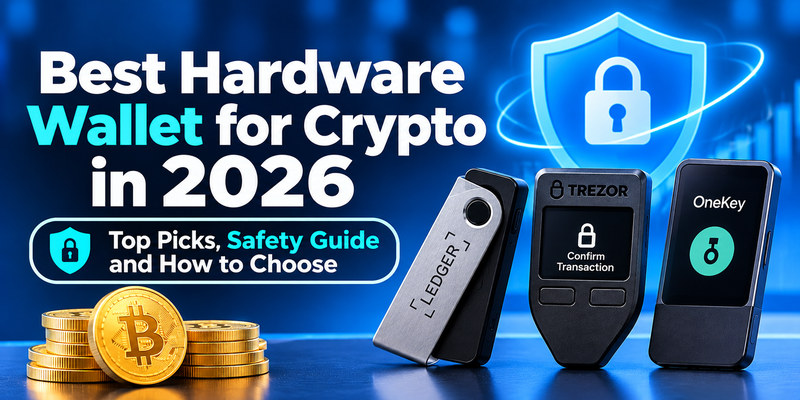
Short answer: The best hardware wallet for crypto in 2026 depends on how you use it, but three devices fit most people. Trezor Safe 7 (about $249) is the best pick for open-source transparency, Ledger Flex (about $249) is the best for mobile use and wide asset support, and OneKey Pro (about $278) is the best feature-packed all-rounder with QR air-gapped signing. If you only hold Bitcoin, choose a Bitcoin-only device such as BitBox02 Bitcoin-only. Whichever model you buy, purchase it directly from the manufacturer, check every transaction on the device screen, and never type your recovery phrase into a website or app.
Picking the best hardware wallet for crypto matters more than ever, because most big losses today come from people signing transactions they did not fully understand, not from someone “hacking” the chip. In this guide you will learn what a hardware wallet is, how it works, which security features actually matter, how ten popular devices compare, and how to set one up safely.
Quick Comparison: Best Hardware Wallets for Crypto in 2026
| Wallet | Approx. price | Best for | Connectivity | Open source |
|---|---|---|---|---|
| Trezor Safe 7 | $249 | Transparency, long-term storage | USB-C, Bluetooth, Qi2 charging | Yes |
| Ledger Flex | $249 | Mobile use, many assets | USB-C, Bluetooth, NFC | Partly |
| OneKey Pro | $278 | All-round, QR signing | USB-C, Bluetooth, NFC, QR | Yes |
| Keystone 3 Pro | $149 | Air-gapped QR signing | QR, microSD | Yes (firmware) |
| BitBox02 Nova | Check store | Compact Bitcoin storage | USB-C, Bluetooth | Yes |
| Coldcard Q / Mk5 | Check store | Advanced Bitcoin users | QR, microSD, USB-C, NFC | Source-available |
| Blockstream Jade Plus | Check store | Open QR workflow | QR, SD, USB-C, Bluetooth | Yes |
| Tangem (2-card set) | $54.90 | Budget, simple NFC use | NFC | No |
| SafePal S1 Pro | $89.99 | Budget air-gap | QR | Partly |
| Ellipal Titan Mini | $99 | Fully air-gapped use | QR | Check repos |
Prices are approximate US list prices reported in 2026 and change with region, taxes and promotions. Always confirm on the official store.
Read more: How to Secure a Crypto Wallet: 10 Steps to Keep Your Crypto Safe
Secure your accounts with fast, reliable two-factor authentication. Download now and protect your login in seconds.Download Authenticator App
What Is a Hardware Wallet for Crypto?
A hardware wallet for crypto is a small dedicated device that creates and stores your private keys offline and uses them to sign transactions. Your coins never actually live inside the device. They stay recorded on the blockchain, and the hardware wallet simply holds the secret that proves you own them.
Hardware wallets are also called cold wallets, because the keys stay away from the internet. A “cold wallet” is the broader idea (keys kept offline in any form), while a hardware wallet is the most practical and popular way to do it. Paper wallets and offline computers also count as cold storage, but they are harder to use safely.
How Does a Crypto Hardware Wallet Work?
A hardware wallet works as an isolated signer. The process is the same on almost every model:
- Your phone or computer app builds an unsigned transaction.
- The transaction is sent to the device by USB, Bluetooth, NFC or a QR code.
- The device shows the address, amount and fee on its own screen.
- You approve it with a button press or touch.
- The device signs the transaction internally and returns only the signature.
- The app broadcasts the signed transaction to the network.
The private key never leaves the device, so malware on your computer or phone cannot copy it. That is the core reason a hardware wallet is the best hardware wallet for crypto storage compared with a browser extension: the dangerous step, signing, happens in a separate environment.
Understanding the signing process is useful before configuring a new device. Follow our step-by-step guide on how to set up a hardware wallet to learn how to initialize a genuine device, create a recovery backup, verify receiving addresses, and perform a small test transaction safely.
Hardware Wallet vs Software Wallet: What Is the Difference?
A software (hot) wallet such as MetaMask, Trust Wallet or Phantom runs on an internet-connected phone or computer. It is fast and convenient for DeFi, swaps and NFTs, but its keys sit in a more exposed environment. A hardware (cold) wallet is slower, because each action needs physical confirmation, but it is far harder to attack remotely.
Most experienced users combine both. They keep long-term holdings on a hardware wallet and a small spending balance in a hot wallet. There is no universal split. The right amount in each depends on how often you transact, how much a loss would hurt and how well you can manage backups.
Read more: How to Protect Your Seed Phrase: 10 Essential Tips
What Makes the Best Hardware Wallet for Crypto?
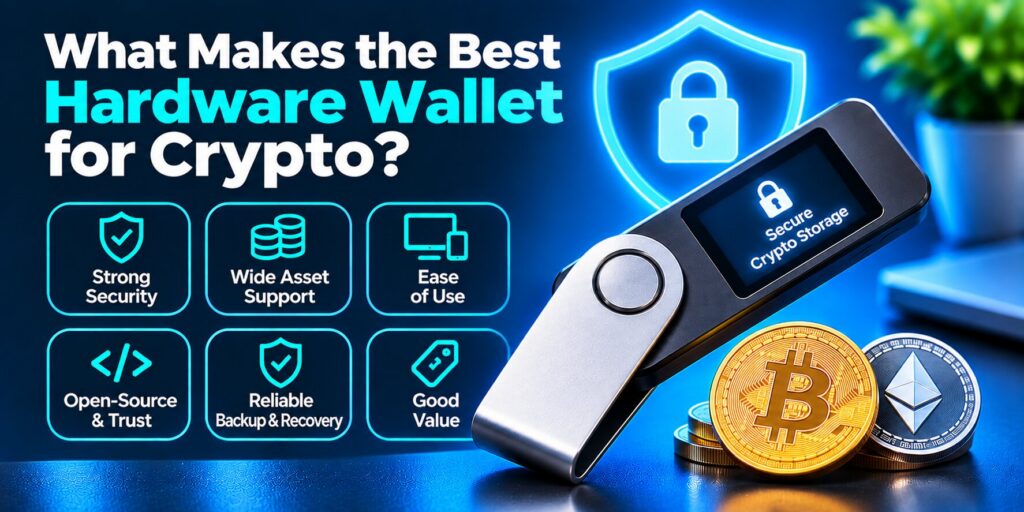
Before comparing brands, understand the features that separate a strong device from a weak one.
What Is a Secure Element and an EAL Rating?
A secure element is a tamper-resistant chip, similar to those in bank cards and passports, built to protect secrets from physical attacks. Its strength is often described with an Evaluation Assurance Level (EAL) from 1 to 7, where higher means more rigorous testing. Many current wallets use EAL5+ or EAL6+ chips.
Treat EAL as a useful clue, not a full verdict. It describes how a chip was tested, not how safe the whole device is. Firmware quality, the update process and recovery design matter just as much, and some respected devices, such as Blockstream Jade, use a different security model instead of a conventional secure element.
Open Source vs Closed Source: Which Is Safer?
Open-source wallets such as Trezor, OneKey and Keystone publish firmware so independent researchers can inspect it. Closed or partly closed designs, such as Ledger and Tangem, keep parts of the code private and rely on third-party audits and bug bounties instead. Neither approach guarantees safety. In July 2026, a firmware flaw in Coldcard, which uses publicly viewable code, was reported to have gone unnoticed for about five years, showing that open code still needs real review. Look at the complete design, not just the “open source” label.
Different hardware wallets may use recovery phrases, multi-share backups, or other manufacturer-specific recovery methods. Our guide on how to back up a crypto wallet explains how to record recovery information accurately, verify supported backups, and prepare for device loss without exposing wallet secrets.
What Is Blind Signing and Why Does It Matter?
Blind signing means approving a transaction without being able to read what it does. It is one of the most common ways experienced users lose money. Security researcher Patrick Collins pointed out that large hacks such as Radiant Capital (about $50 million) and Bybit (about $1.4 billion) might have been prevented if the signers had verified the data on their devices.
The best hardware wallet for crypto should show the destination address, amount, network and, for smart contracts, readable details of what you approve. Larger screens and “clear signing” features help. Devices with no screen, such as card wallets, push more of that checking onto your phone, which raises the risk for complex transactions.
Air-Gapped vs USB vs Bluetooth vs NFC
Air-gapped devices (QR code or microSD) never connect electronically to your computer, which removes some attack paths. USB is fast and simple. Bluetooth and NFC are convenient for phones but add a wireless surface. None of them replaces careful on-screen verification: an air-gapped wallet will still sign a malicious transaction if you approve it.
Recovery and Backup Options
Every hardware wallet is replaceable, but your recovery phrase is not. Check how a device handles backups: a standard 24-word phrase, Shamir backup that splits the secret into shares (offered by Trezor), multi-card backups (Tangem), or optional services such as Ledger Recover, which some users find controversial because it adds extra trust assumptions.
Supported Coins, Apps and Price
Make sure the wallet supports your coins and chains, and that its companion app works on your phone or desktop. Prices range from roughly $50 to $400, but a higher price does not automatically mean better security. Buy for your threat model and habits, not for the spec sheet.
Read more: How to Recover a Lost Crypto Wallet: The Complete 2026 Guide
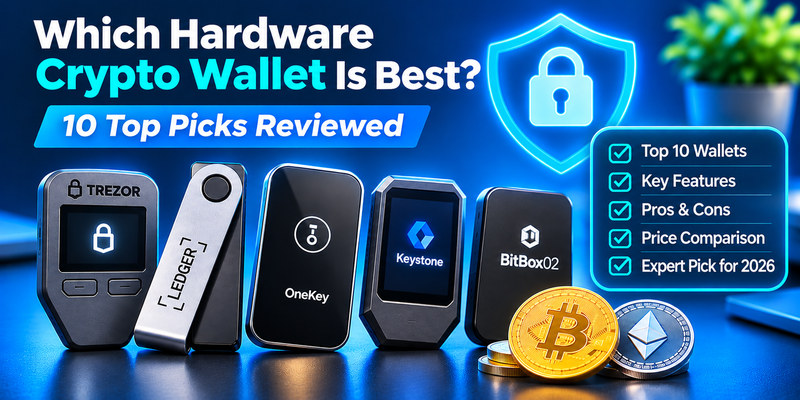
Which Hardware Crypto Wallet Is Best? 10 Top Picks Reviewed
Trezor Safe 7: Best for Open-Source Transparency
Trezor Safe 7 is the brand’s flagship at about $249. It pairs an open, auditable TROPIC01 chip with an additional EAL6+ secure element, adds a 2.5-inch touchscreen, Bluetooth and Qi2 wireless charging, and uses post-quantum cryptography to protect firmware updates and boot. Trezor’s software is open source and supports Shamir backup. Trade-offs: the price, extra wireless complexity, and a Trezor Suite app that can feel technical for beginners. For lower budgets, the Safe 3 (about $79) and Safe 5 (about $169) share the same open-source approach, and security researchers rated the Safe 5 as a strong choice for technical users.
Ledger Flex: Best for Mobile and Broad Asset Support
Ledger Flex (about $249) uses a 2.8-inch E Ink touchscreen, an EAL6+ secure element and USB-C, Bluetooth and NFC. It supports a very wide range of assets and works smoothly with Ledger Live and third-party apps such as MetaMask. Reviewers praise its secure screen and its clear display of signature hashes. Downsides: parts of the stack are closed source, you install separate apps per blockchain, the E Ink screen refreshes slowly, and Ledger has faced a past marketing-data leak and the Ledger Recover debate. Larger options include Ledger Stax (about $399, 3.7-inch screen) and the smaller Nano Gen5 (about $179).
OneKey Pro: Best Feature-Rich All-Rounder
OneKey Pro (about $278) packs four EAL6+ secure elements, a 3.5-inch touchscreen, fingerprint unlock, Bluetooth, USB-C, NFC and QR air-gapped signing, with support for over 100 blockchains. Its firmware and app are open source, and its SignGuard feature flags risky signatures and phishing. One independent test, however, found its builds were not fully reproducible, and it did not show message hashes or decode contract data. Note that much of the public praise for OneKey comes from OneKey’s own content, so weigh it with independent reviews. Cheaper options include the Classic 1S ($99) and battery-free Classic 1S Pure ($79).
Keystone 3 Pro: Best for Large-Screen QR Signing
Keystone 3 Pro (about $149) offers a large touchscreen, three secure elements, fingerprint input and fully QR-based signing, keeping the signer logically separate from your computer. Firmware is open and verifiable, and a Bitcoin-only firmware is available. The drawbacks are a bulkier device, a single main connection method and, in testing, inconsistent decoding of smart-contract data.
BitBox02 Nova Bitcoin-Only: Best Compact Bitcoin Device
BitBox02 Nova is a small dual-chip device with an EAL6+ secure chip, open-source firmware and app, and USB-C plus Bluetooth for iPhone, Android and desktop. The Bitcoin-only edition locks firmware to Bitcoin, reducing code and attack surface. It is not a QR device: its microSD slot is for backup, not for moving transactions.
Coldcard Q and Mk5: For Advanced Bitcoin Users
Coldcard is built for experienced Bitcoin holders who want microSD or QR signing, dual secure elements and detailed multisig control. Because of the 2026 seed-generation incident, buyers must check the manufacturer’s current security page, install fixed firmware and follow migration guidance. Reports say firmware updates cannot repair a seed that was already generated with weak entropy, so anyone who created a seed during the affected period should move funds to a freshly generated seed.
Blockstream Jade Plus: Best Open QR Workflow for Bitcoin
Jade Plus supports camera-based QR signing, SD card, USB-C and Bluetooth, handles Bitcoin and Liquid, and publishes both hardware and firmware as open source. Instead of a standard secure element it relies on a “blind oracle” model. That is different rather than automatically better or worse, so read how its recovery and availability assumptions work before relying on it.
Tangem: Best for Simple, Portable NFC Cards
Tangem is a credit-card-sized wallet (about $54.90 for two cards) with an EAL6+ chip that signs when you tap it to your phone. It supports over 16,000 assets across 90+ networks, needs no battery or cable, and can be used with or without a seed phrase. The catch is that it has no screen and a closed-source design, so you review transactions on your phone. That is fine for small amounts but a weaker fit for complex DeFi activity or very large balances.
SafePal S1 Pro: Best Budget Air-Gapped Option
SafePal S1 Pro (about $89.99) signs entirely through QR codes, supports 100+ networks and costs far less than premium devices. Its screen is small and the constant scanning becomes tiring for frequent DeFi use, so it suits occasional users who value offline signing at a low price.
Ellipal Titan Mini and NGRAVE ZERO: Maximum Air-Gap Focus
Ellipal Titan Mini (about $99) and the larger Ellipal 2.0 (about $169) are fully QR-based, tamper-resistant, EAL5+ devices. NGRAVE ZERO (about €398) is a premium air-gapped option with EAL7-rated security and biometric unlock, aimed at holders who want the strictest isolation and accept the higher cost.
Even when a hardware wallet keeps private keys isolated, attackers may use fake applications, malicious websites, or deceptive transaction prompts to trick users into approving dangerous actions. Our guide on how to avoid phishing scams explains how to recognize suspicious requests and verify websites before connecting a wallet or authorizing transactions.
Read more: What Is Smishing? How Text Message Phishing Works
Best Hardware Wallet for Crypto by Use Case
- Beginners: Trezor Safe 3 or OneKey Classic 1S, which are affordable, have independent screens and simple setup.
- Mobile and iPhone users: Ledger Flex, BitBox02 Nova or OneKey Pro, all with Bluetooth and polished apps.
- DeFi and smart contracts: Ledger Flex or Trezor Safe 5 and 7, where you can inspect signing data on a clear screen.
- Long-term Bitcoin storage: BitBox02 Bitcoin-only, Blockstream Jade Plus or a Bitcoin-only Keystone firmware.
- Strict air-gap: Keystone 3 Pro, OneKey Pro, Ellipal or NGRAVE ZERO.
- Tight budget: Tangem, SafePal S1 or Trezor Safe 3.
The best hardware wallet for crypto is the one whose workflow you will actually follow every time. A feature you find confusing is a feature you may skip, and skipping verification is how losses happen.
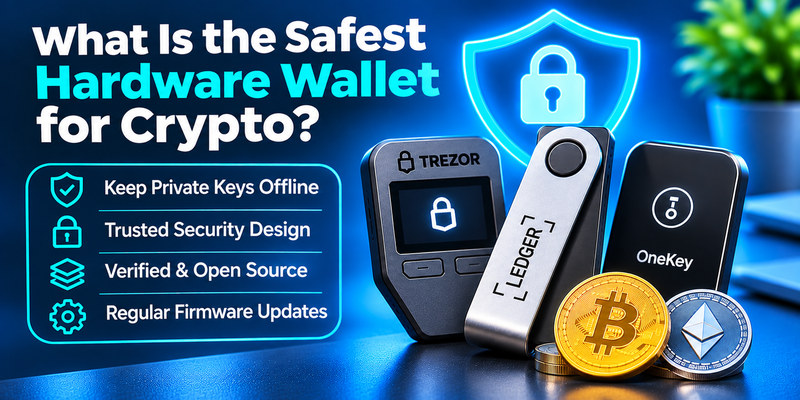
What Is the Safest Hardware Wallet for Crypto?
There is no single safest model, because safety depends on the device and on your habits. In practice, the safest choice combines a secure element, a screen you can trust, official and verifiable firmware, and a clear backup process. Devices from established makers with public audits, such as Trezor, Ledger, BitBox and OneKey, generally meet that bar. For large long-term Bitcoin holdings, a Bitcoin-only build reduces risk by removing code you do not need. For crypto beyond Bitcoin, choose a model that shows readable transaction details.
Hardware wallets are not magic. They are hardware plus software, so vulnerabilities can appear after launch. The Coldcard case shows that a fixed bug does not always fix a seed that was already created. Before setup, read the manufacturer’s current security notices, and test recovery with a small amount first.
How to Set Up Your Hardware Wallet Safely
- Buy from the manufacturer or an authorized reseller. Avoid second-hand or marketplace units, which may be tampered with or pre-seeded.
- Check the packaging and authenticity. Use the maker’s verification tools where available.
- Install official firmware only. Read release notes and security advisories before generating a seed.
- Generate the recovery phrase on the device. Never use a phrase supplied by a seller or support agent.
- Write the phrase on paper or metal, offline. Do not photograph it, store it in cloud notes or type it into a computer.
- Verify a receive address on the device screen. Do not rely only on your phone or computer.
- Send a small test amount, then practice restoring the wallet before moving large funds.
- Store backups in separate secure places, and plan how a trusted person could recover funds if something happens to you.
No legitimate company, support team or website will ever ask for your recovery phrase. Anyone who does is attempting to steal your funds.
Read more: Signs of a Scam Text Message: A Practical Checklist
Common Hardware Wallet Mistakes to Avoid
- Blind signing contracts or approvals you cannot read.
- Storing the recovery phrase digitally or sharing it with “support.”
- Buying from unofficial sellers or using a pre-filled recovery card.
- Installing firmware from links in emails, ads or messages.
- Putting everything on one device with a single backup.
- Skipping a recovery test until it is too late.
Protect Your Exchange and Wallet Accounts With 2FA
A hardware wallet protects your keys, but your exchange, email and wallet-app accounts also need strong protection. Use an authenticator app or a hardware security key for two-factor authentication instead of SMS codes, keep recovery codes offline, and use unique passwords. Combining a hardware wallet with proper 2FA covers both the keys you control and the accounts that touch your crypto.
Final Verdict: Which Is the Best Hardware Wallet for Crypto?
For most buyers, the best hardware wallet for crypto is Trezor Safe 7 if you value open-source transparency, Ledger Flex if you want mobile convenience and broad asset support, and OneKey Pro if you want the most features, including QR signing. Bitcoin-only holders should compare BitBox02 Bitcoin-only and Jade Plus, and budget buyers can start with Trezor Safe 3, Tangem or SafePal S1. Whatever you choose, the rules stay the same: buy from official sources, trust only the device screen, keep your recovery phrase offline, and test with a small amount first.
FAQ
Which hardware crypto wallet is best?
No single hardware crypto wallet is best for everyone. Trezor Safe 7 is a top choice for open-source transparency, Ledger Flex for mobile convenience and wide asset support, and OneKey Pro for a feature-rich device with QR signing. Bitcoin-only holders often prefer BitBox02 Bitcoin-only or Blockstream Jade Plus. Choose based on the coins you hold, how often you transact, your budget and how comfortable you are with verifying transactions.
What is the safest hardware wallet for crypto?
The safest hardware wallet for crypto is one with a secure element, a trusted on-device screen, verifiable firmware from official channels and a backup you can restore. Established devices such as Trezor, Ledger, BitBox02 and OneKey meet these standards, and a Bitcoin-only edition adds safety by reducing code. No device is risk-free, so safe habits matter as much as the hardware: buy from the manufacturer, never share your recovery phrase and never approve a transaction you cannot read.
What are some good hardware wallets for crypto?
Good hardware wallets for crypto include Trezor Safe 3, Safe 5 and Safe 7; Ledger Nano S Plus, Flex and Stax; OneKey Classic 1S and Pro; Keystone 3 Pro; BitBox02 Nova; Blockstream Jade Plus; Tangem; SafePal S1; and Ellipal Titan. Entry-level models start around $50 to $80, while premium touchscreen devices cost $250 to $400. Pick the one that matches your assets, phone or desktop setup and risk tolerance.
What are the top 3 crypto wallets?
For storage-first users, our top three hardware wallets are Trezor Safe 7, Ledger Flex and OneKey Pro. Other publications rank Ledger Stax, Trezor Safe 7 and SafePal S1 as their top three, which shows that rankings depend on criteria. For daily activity, many people pair one of these with a hot wallet such as MetaMask or Trust Wallet and keep only small spending balances there.
Disclaimer: This article is for educational purposes only and is not financial or investment advice. Hardware wallets reduce risk but cannot eliminate it. Prices, features and security advisories change, so verify details on each manufacturer’s official website before buying.
