
What Is Enterprise MFA? How It Works, Benefits & Security Guide
Published November 11, 2026
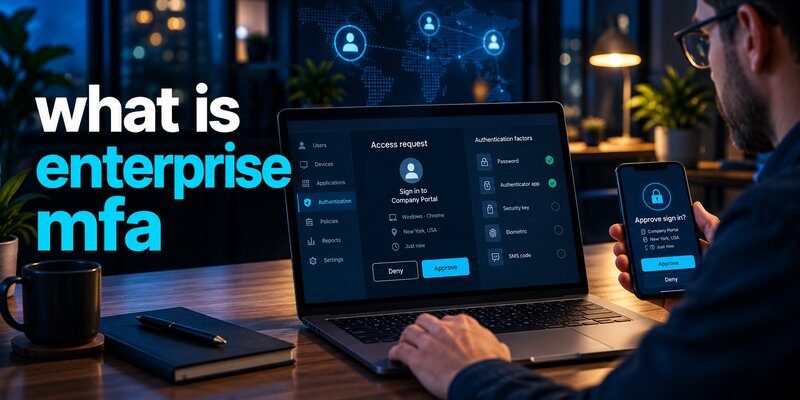
What is enterprise mfa? Enterprise multi-factor authentication (MFA) is a security system that requires employees and other authorized users to verify their identities using two or more authentication factors before accessing company applications, networks, or sensitive information.
Instead of relying only on passwords, enterprise MFA adds verification methods such as authentication codes, security keys, biometrics, or approved mobile authentication prompts.
The main purpose of enterprise MFA is to prevent unauthorized access, even when an employee’s password has been stolen.
For example, an employee signing in to a corporate Microsoft 365 account may need to enter a password and complete an additional verification challenge using a registered device.
According to Microsoft Research (2023), enabling MFA reduced account compromise risk by 99.22% across the population studied. This demonstrates why MFA has become an essential part of organizational cybersecurity.
However, MFA effectiveness varies by authentication method, configuration, and attack scenario.
In this guide, we explain what is enterprise mfa, how it works, the most common authentication methods, and how businesses can deploy it securely.
1. What Is Enterprise MFA? Definition and Meaning
Enterprise MFA is an identity security approach designed to protect business accounts by requiring multiple forms of verification.
While personal MFA typically protects individual accounts, enterprise systems provide centralized security policies across employees, contractors, administrators, and connected business applications.
Understanding what is enterprise mfa starts with recognizing that passwords alone are often insufficient for modern business security.
Employees access email platforms, customer databases, financial applications, cloud services, and internal systems daily.
If attackers steal an employee’s password through phishing or malware, they may attempt to access these services.
Multi-factor authentication adds another verification requirement that can make unauthorized access significantly more difficult.
Understanding Enterprise Multi-Factor Authentication
Enterprise multi factor authentication relies on three main categories of authentication factors.
1. Something you know
Information that the user knows, such as a password or PIN.
2. Something you have
A possession-based factor, such as a registered smartphone, hardware security key, or authenticator generating one-time codes.
3. Something you are
A biometric characteristic, such as a fingerprint or facial recognition, used within a supported authentication system.
A secure MFA system combines factors from different categories.
For example, entering a password and a code generated by a registered authenticator provides two distinct forms of authentication evidence.
Using two passwords does not count as multi-factor authentication, because both belong to the same factor category.
What Makes Enterprise MFA Different?
Enterprise deployments introduce administrative controls that are often unnecessary for individual accounts.
These controls may include:
- Centralized authentication policies
- Role-based access requirements
- Identity provider integration
- Authentication monitoring and reporting
- Conditional or risk-based authentication
- User enrollment and account recovery management
- Privileged administrator protection
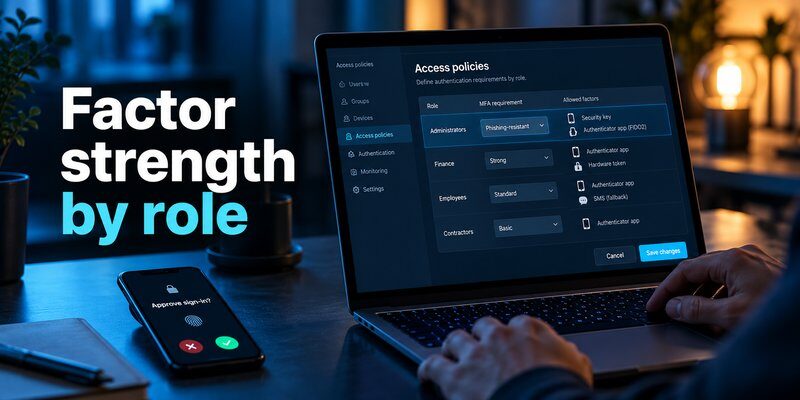
A company might require standard MFA for employees but enforce phishing-resistant authentication for administrators accessing sensitive systems.
This flexibility is one reason what is enterprise mfa has become an important question for organizations implementing stronger identity security.
Why Businesses Need MFA
The Verizon 2025 Data Breach Investigations Report found that compromised credentials were an initial access vector in 22% of the breaches reviewed.
This figure highlights the continuing importance of protecting business accounts beyond their passwords.
Organizations can reduce exposure by combining MFA with access management, employee training, and monitoring.
For a broader explanation of authentication applications, read our guide on what is authenticator app.
Download Authenticator App
Secure your accounts with fast, reliable two-factor authentication. Download now and protect your login in seconds.
2. How Does Enterprise MFA Work?
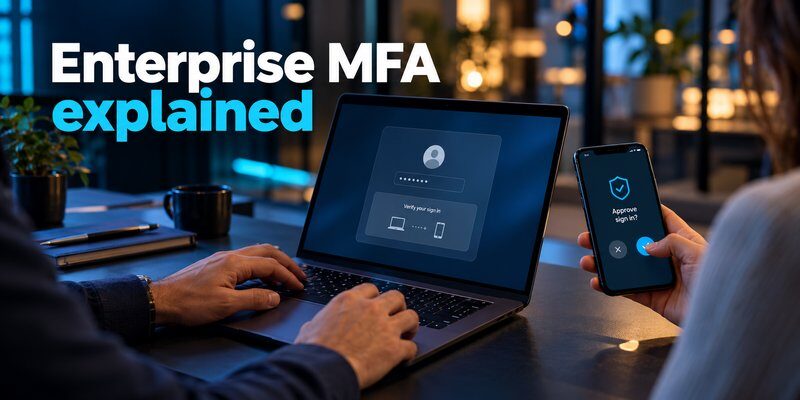
To understand what is enterprise mfa, it helps to examine what happens when an employee attempts to access a protected application.
Enterprise MFA integrates with identity management systems to verify users before granting access.
Step-by-Step Enterprise MFA Authentication Process
Step 1: The employee requests access
An employee opens a protected application, such as a company dashboard or cloud storage platform.
The system identifies the account and determines which authentication policy applies.
Step 2: The employee enters a primary credential
Depending on the configuration, the employee may enter a username and password or begin another approved authentication flow.
Step 3: The system requests additional verification
The identity provider evaluates the relevant security policy and requests another authentication factor.
This might involve:
- Entering a one-time authentication code
- Approving a secure authentication request
- Using a hardware security key
- Completing a device-bound biometric authentication process
Step 4: The authentication system verifies the response
The identity provider checks whether the additional authentication evidence is valid.
It may also consider device status, location signals, session information, and organizational security requirements.
Step 5: Access is granted or denied
If authentication succeeds and the user has appropriate permissions, the application allows access.
If verification fails, the login attempt is rejected or another approved verification method may be offered.
Enterprise MFA verifies identity, while authorization determines which resources the user can access.
What Is Adaptive MFA?
Adaptive MFA, sometimes called risk-based authentication, adjusts authentication requirements based on the circumstances of a login attempt.
For example, a company may evaluate:
- Whether the device is recognized
- Whether the login originates from an unusual location
- Whether the user is accessing sensitive information
- Whether the authentication behavior appears suspicious
- Whether the employee has administrative privileges
A low-risk session may follow the organization’s normal authentication process, while a higher-risk attempt may require stronger verification or be blocked.
However, adaptive MFA should not automatically bypass mandatory security requirements.
When researching what is enterprise mfa, adaptive authentication is especially relevant for organizations balancing security with employee productivity.
3. Types of Enterprise MFA Authentication Methods
Organizations can choose from several authentication methods.
Understanding the differences is essential because not all MFA methods provide the same level of protection.
1. Authenticator Apps and TOTP Codes
An authenticator application can generate time-based one-time passwords (TOTP) using a shared secret registered with a compatible service.
These codes commonly refresh every 30 seconds, although the exact configuration depends on the system.
An employee enters the generated code after completing the first authentication step.
Businesses can use an Authenticator app that supports standard TOTP verification for compatible services.
Advantages include:
- No cellular SMS reception required for offline code generation
- Compatibility with many services supporting standard TOTP
- Convenient verification on a registered mobile device
However, TOTP is not phishing-resistant. An attacker operating a convincing phishing website may attempt to capture and immediately relay a valid code.
NIST SP 800-63B-4 (2025) explicitly distinguishes OTP authentication from phishing-resistant methods.
2. Push Notification Authentication
Push-based authentication sends a verification request to a registered device.
Users approve or deny the request through a supported authentication application.
This can provide a convenient login experience.
However, attackers may exploit repeated authentication requests through MFA fatigue attacks.
Organizations should prefer controls such as number matching, contextual information, and rate limiting where supported.
Simple approval-only push authentication should not be treated as equivalent to phishing-resistant MFA.
3. Hardware Security Keys
Hardware security keys use cryptographic authentication mechanisms to verify users.
FIDO2-compatible security keys can provide phishing-resistant authentication when deployed with properly configured services.
Advantages include strong protection against credential phishing and reduced dependence on manually entered codes.
These devices are particularly valuable for administrators, finance teams, and employees handling sensitive information.
4. Biometric Authentication
Biometric methods use characteristics such as fingerprints or facial recognition.
In enterprise environments, biometrics commonly unlock a device-bound credential rather than transmitting biometric data directly to every application.
For example, a passkey may require local fingerprint verification before the device performs cryptographic authentication.
Biometric verification alone does not automatically mean a remote login satisfies an MFA requirement. The complete authentication mechanism must provide the necessary factors.
5. SMS and Voice Verification
Some organizations use text messages or voice calls to deliver authentication codes.
These methods are familiar and widely supported, but they may be vulnerable to SIM swapping, phishing, and telecommunications-related attacks.
For a detailed comparison, see sms vs authenticator app.
Businesses should prefer stronger methods when available.
When evaluating what is enterprise mfa in 2026, phishing-resistant authentication should be a priority for high-risk accounts.
4. Benefits of Enterprise MFA for Business Security
The importance of what is enterprise mfa becomes clearer when examining its operational and security benefits.
1. Reduced Account Compromise Risk
Passwords can be stolen through phishing, malware, data breaches, or credential stuffing.
MFA introduces additional authentication evidence, making password-only attacks less effective.
Microsoft Research’s 2023 study, How Effective Is Multifactor Authentication at Deterring Cyberattacks?, reported:
- 99.22% lower account compromise risk across the studied population using MFA
- 98.56% lower risk in cases involving leaked credentials
- More than 99.99% of MFA-enabled accounts remained secure during the investigation period
These findings provide strong evidence supporting MFA adoption, although they do not guarantee identical results across every organization or authentication method.
2. Better Protection Against Credential Theft
Employees may unknowingly disclose credentials through fraudulent emails or websites.
Even if a password is compromised, properly configured MFA can provide another barrier.
However, some attackers can still intercept authentication codes or steal existing sessions.
Organizations should therefore combine MFA with employee awareness training and phishing-resistant authentication where practical.
Read our guide on what is phishing to understand common credential theft techniques.
3. Centralized Security Management
Enterprise authentication platforms allow administrators to define and manage authentication requirements across connected systems.
Security teams can establish policies for different departments, applications, and user groups.
For example, finance employees may need stronger verification for financial systems than for general collaboration applications.
Centralization can also improve authentication logging and incident investigation.
4. Support for Regulatory and Security Requirements
Many organizations must demonstrate effective access controls under applicable regulations, contracts, or security frameworks.
MFA can support those requirements.
For example, NIST SP 800-63B-4 describes authentication assurance levels and the authentication mechanisms appropriate to different levels.
However, enabling MFA does not automatically make a company compliant with every regulatory standard.
Compliance depends on the complete security program, applicable requirements, and evidence of implementation.
5. Improved Remote Workforce Protection
Remote employees may access corporate services through home networks, personal devices, and multiple locations.
MFA helps organizations verify identities beyond passwords.
When combined with device management and conditional access, it can contribute to a more consistent remote access security model.
6. Stronger Protection for Privileged Accounts
Administrative accounts often provide access to sensitive infrastructure and confidential data.
Compromising one privileged account can create substantial organizational risk.
Businesses should prioritize phishing-resistant MFA for administrators and critical systems.
This is one of the most valuable practical lessons for companies asking what is enterprise mfa and how to use it effectively.
5. Enterprise MFA vs SSO, 2FA, and Passwordless Authentication
Enterprise MFA is related to several other identity technologies, but they serve different purposes.
Understanding what is enterprise mfa requires distinguishing authentication strength from login convenience and access management.
Enterprise MFA vs Two-Factor Authentication
Two-factor authentication (2FA) requires two different authentication factors.
MFA is the broader concept of using two or more factors.
In many business environments, a password combined with a possession-based authenticator is both 2FA and MFA.
However, MFA may involve additional authentication requirements depending on the system.
Every genuine two-factor authentication process is MFA, but MFA is not necessarily limited to exactly two factors.
Enterprise MFA vs Single Sign-On
Single sign-on (SSO) allows users to access multiple connected applications after authenticating through a trusted identity provider.
MFA adds additional identity verification.
These technologies complement each other.
For example:
- An employee signs in through a central identity provider.
- The system requests MFA verification.
- The employee completes the required authentication.
- SSO provides access to authorized applications.
SSO simplifies application access, while MFA strengthens the authentication process.
Businesses can use both technologies to reduce repeated login prompts without eliminating necessary security controls.
Enterprise MFA vs Passwordless Authentication
Passwordless authentication removes the need to enter a traditional password.
It may use passkeys, hardware security keys, or other supported cryptographic methods.
Some passwordless mechanisms provide multiple authentication factors through one interaction, such as possession of a device-bound credential combined with local biometric verification.
Other passwordless methods provide only a single authentication factor.
Therefore, passwordless does not always mean MFA.
The actual security assurance depends on the authentication mechanism.
Can Enterprise MFA Work With Authenticator Apps?
Yes. Enterprise identity providers can support compatible authenticator applications for TOTP-based verification.
Employees using different devices can explore google authenticator for mac guidance or learn about apple authenticator options.
However, organizations must confirm compatibility with their identity provider.
A TOTP app is not automatically a complete enterprise identity management system.
6. How to Choose the Best Enterprise MFA Solution
Selecting appropriate enterprise mfa solutions requires evaluating security, usability, integration capabilities, and administrative requirements.
The best solution depends on the organization’s size, applications, existing infrastructure, and risk profile.
Key Features to Evaluate
1. Phishing-resistant authentication support
Choose a platform supporting FIDO2, WebAuthn, passkeys, or compatible security keys when stronger authentication is required.
2. Integration with existing applications
Check compatibility with the organization’s identity provider, cloud applications, VPNs, and legacy systems.
3. Centralized policy management
Administrators should be able to enforce authentication requirements for users and groups.
4. Conditional access capabilities
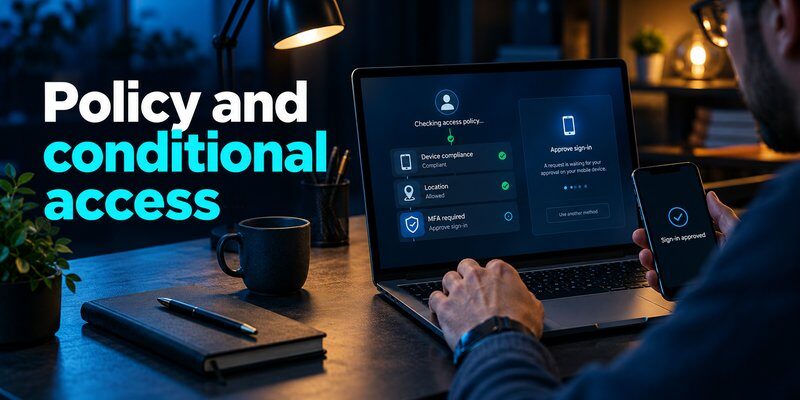
Risk-based policies can help organizations evaluate unusual login activity and apply additional controls.
5. Secure account recovery
Employees may lose devices or become unable to use an authentication method.
A suitable solution should support secure recovery without introducing easily exploited bypasses.
6. Monitoring and reporting
Authentication logs can support security investigations, compliance reviews, and incident response.
7. Scalability and cost
Consider licensing, authentication volume, user enrollment, support requirements, and integration expenses.
Common Enterprise MFA Providers
Organizations frequently evaluate identity and MFA capabilities offered by Microsoft Entra ID, Okta, Cisco Duo, Auth0, and other enterprise identity platforms.
For example, teams researching enterprise mfa auth0 should examine the platform’s supported authentication factors, adaptive authentication features, integration options, and licensing conditions.
Similarly, organizations using Microsoft environments can explore microsoft multi factor authentication to understand the associated verification concepts.
A meaningful provider comparison should include real-world testing rather than relying exclusively on feature lists.
What Should Small and Large Businesses Prioritize?
Small businesses often prioritize straightforward deployment, reasonable cost, and compatibility with existing services.
Large enterprises may require advanced identity governance, extensive application integrations, and granular authentication policies.
Organizations with high-risk operations should place greater emphasis on phishing-resistant authentication and privileged access protection.
When considering what is enterprise mfa, remember that the strongest solution is not necessarily the one with the most features.
Effective MFA depends on choosing appropriate controls and enforcing them consistently.
7. How to Implement Enterprise MFA in Your Organization
Understanding what is enterprise mfa is the starting point. Implementation requires planning, employee communication, and ongoing security management.
Step 1: Assess Existing Authentication Risks
Identify applications containing sensitive business information.
Review which accounts rely only on passwords and determine where additional authentication is most urgently needed.
Prioritize administrators, remote access, email services, financial systems, and critical infrastructure.
Step 2: Select an MFA Platform
Choose a compatible identity platform based on existing applications and security requirements.
Evaluate available authentication methods and whether the solution can enforce centralized policies.
Businesses should also verify how the platform handles legacy applications that lack modern authentication support.
Step 3: Define Authentication Policies
Different users and applications may require different authentication controls.
For example, standard employees might use supported TOTP authentication, while administrators must use phishing-resistant security keys.
Define policies based on risk and applicable security requirements.
Do not create broad authentication exceptions simply to make deployment easier.
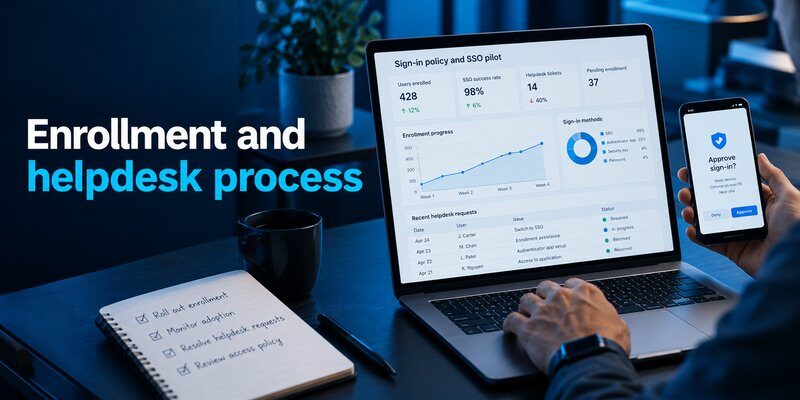
Step 4: Enroll Employees
Provide clear instructions for registering authentication devices.
For compatible accounts using TOTP, employees may Download authenticator app to generate verification codes.
Authenticator App by Begamob supports TOTP-based verification for compatible accounts. It should be treated as a verification tool rather than a replacement for an organization’s enterprise MFA platform.
Administrators must verify which authentication methods their identity system supports.
Step 5: Prepare Account Recovery
Lost devices and inaccessible authenticators can interrupt employee access.
Create secure recovery procedures before making MFA mandatory.
Recovery options might include registered backup authenticators, recovery codes, or administrator-assisted identity verification.
Help desk recovery processes should include strong identity checks to reduce social engineering risks.
Step 6: Test the Deployment
Start with a pilot group representing different departments and device environments.
Test successful logins, incorrect verification attempts, account recovery, remote access, and administrative workflows.
Collect employee feedback before expanding deployment.
Step 7: Enforce MFA Across the Organization
After successful testing, expand authentication requirements to all applicable accounts.
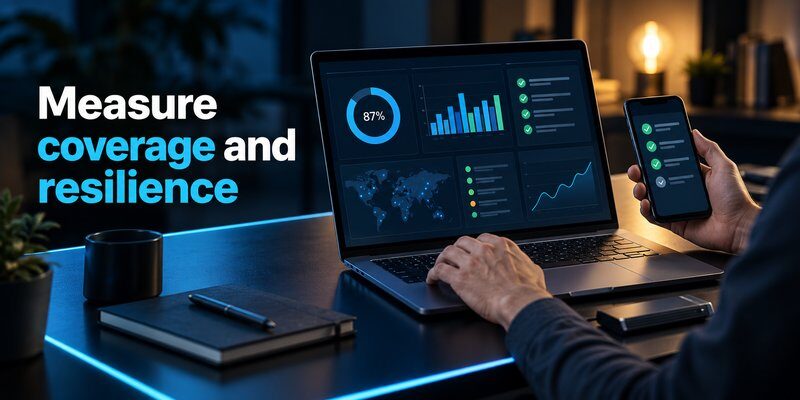
Track enrollment completion and eliminate unnecessary exceptions.
Security teams should continuously review authentication logs and investigate suspicious patterns.
Step 8: Review Security Policies Regularly
Authentication risks and technologies change over time.
Periodically evaluate supported methods, user permissions, recovery procedures, and high-risk account protections.
For more guidance, review our best account security practices.
A successful implementation answers what is enterprise mfa through actual security improvements rather than policy documentation alone.
8. Frequently Asked Questions About Enterprise MFA
What Is Enterprise MFA in Simple Terms?
What is enterprise mfa in simple language? It is a business security system requiring employees to verify their identities through multiple authentication factors.
Instead of relying only on passwords, users complete an additional verification step before accessing protected company resources.
What Is MFA in Business?
The question what is mfa in business refers to using multiple authentication factors to protect workplace accounts, applications, and sensitive information.
Businesses use MFA to reduce unauthorized access risks, enforce security policies, and improve identity protection.
MFA What Is the Main Purpose?
For users searching mfa what is, the essential concept is additional identity verification.
MFA makes it more difficult for attackers to access accounts using stolen passwords alone.
Its effectiveness depends on the factors used and how securely the system is implemented.
What Is Enterprise Authentication?
What is enterprise authentication? It is the process of verifying the identities of employees, contractors, and other authorized users accessing organizational systems.
Enterprise authentication can include passwords, SSO, MFA, passwordless login, and identity provider technologies.
MFA is one component of a broader enterprise authentication strategy.
Is Enterprise MFA Necessary for Small Businesses?
Small businesses can also benefit significantly from MFA.
Even organizations with few employees may hold valuable customer information, financial records, or administrator credentials.
Starting with email, cloud applications, and privileged accounts can provide meaningful protection.
Is Enterprise MFA Completely Secure?
No authentication system guarantees complete security.
MFA can reduce unauthorized access risks, but attackers may still exploit phishing, compromised devices, stolen sessions, or weak recovery procedures.
Phishing-resistant MFA provides stronger protection against credential phishing than manually entered OTP codes.
Organizations should combine MFA with monitoring, secure devices, access management, and employee training.
Can Enterprise MFA Work Without Internet Access?
Some authentication methods can operate without a live internet connection on the user’s device.
For example, standard TOTP applications can generate codes offline after successful enrollment.
However, the protected service still needs an appropriate way to verify the authentication response.
Other MFA methods, including certain push-based workflows, depend on network connectivity.
How Much Does Enterprise MFA Cost?
Costs depend on the identity provider, user count, authentication methods, and required enterprise features.
Some platforms include basic MFA within existing subscriptions.
Advanced capabilities such as conditional access, privileged account protection, and detailed reporting may require additional licensing.
Businesses should also account for enrollment, employee training, recovery support, and ongoing administration.
What Is the Difference Between Enterprise MFA and Consumer MFA?
Consumer MFA typically protects personal accounts through user-managed authentication settings.
Enterprise MFA supports centralized policies, organizational identity systems, monitoring, and access controls across many users.
Both rely on the same fundamental principle of verifying identity through multiple authentication factors.
What Is the Best Enterprise MFA Strategy?
The most effective approach generally includes:
- MFA coverage for all applicable business accounts
- Phishing-resistant authentication for high-risk users
- Centralized identity and access management
- Secure device enrollment and account recovery
- Continuous authentication monitoring
- Regular security policy reviews
The goal is not simply to enable MFA, but to build a reliable authentication system that employees can use securely.
Final Thoughts
What is enterprise mfa? It is a centralized approach to protecting business access through multiple authentication factors and organization-wide security policies.
Enterprise MFA helps reduce the risks associated with stolen credentials, strengthens account protection, and supports secure access to company applications.
However, MFA is most effective when combined with appropriate authentication methods, employee education, identity governance, and continuous monitoring.
For organizations beginning their security journey, the priority should be to protect critical accounts, implement MFA consistently, and move toward phishing-resistant authentication wherever possible.
Download Authenticator App
Secure your accounts with fast, reliable two-factor authentication. Download now and protect your login in seconds.
