
What Is Phishing? Meaning, Examples, and a Safe Response
Published October 28, 2026
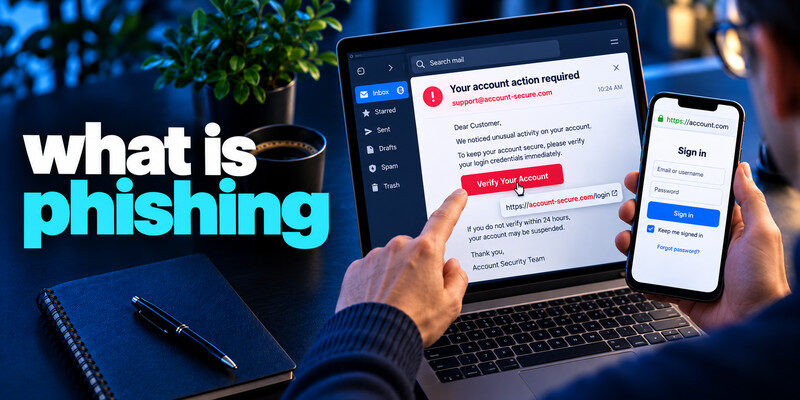
What is phishing? Phishing is an attempt to trick you into revealing information, opening malicious content, approving access, or sending money by impersonating a trusted source. It can arrive by email, text, call, social media, or a fake website. The central defense is to verify the request through a channel you already trust, rather than through the message itself. This guide explains the mechanism, distinguishes several forms, and shows what to do if you already interacted with one.
Apply the answer
- Treat an unexpected login or payment message as a claim.
- Verify through a separate route.
- If you entered credentials, reset and review sessions.
What is phishing? Follow a typical phishing attempt
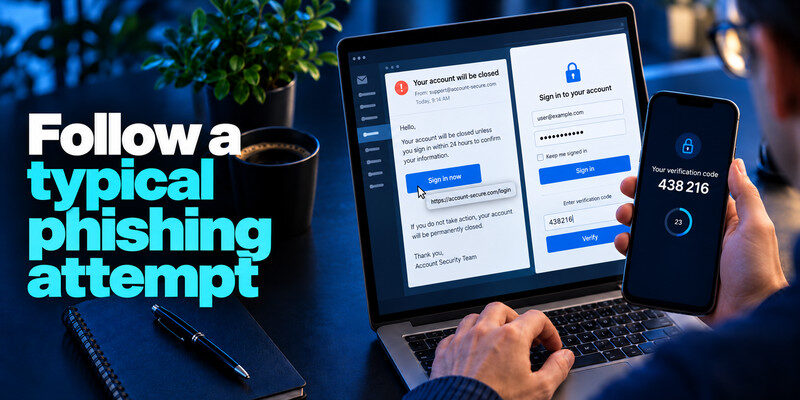
What is phishing? A message claims that your account will be closed unless you sign in. Its link opens a page that resembles the provider’s login screen. The user enters a password and perhaps a live MFA code. The attacker can relay those details to the real provider and may create a session. The deception depends on the page and story, not on breaking the provider’s encryption.
The lure
Common themes include unpaid tolls, failed parcels, urgent bank alerts, fake invoices, and shared documents. A polished design or personalized name does not prove authenticity. The FTC notes that scams often ask you to click a link or open an attachment to address a claimed problem. Email phishing is one of the most common ways attackers deliver fake account warnings and fraudulent login requests. Our guide on how to spot a phishing email explains how to examine suspicious messages, recognize fake sign-in pages, and verify account alerts without trusting the links they contain.
The handoff
The link, phone number, QR code, or attachment moves you from a familiar message into the attacker’s controlled channel. A legitimate claim can usually be checked in the actual account without using that handoff.
| Stage | Attacker’s aim | Defensive decision |
| Unexpected claim | Create urgency or curiosity | Pause and identify request |
| Link or call | Control verification route | Open known site or number |
| Form or prompt | Capture secret or approval | Refuse until independently verified |
| After access | Change settings or take funds | Revoke sessions and contact provider |
Imagine an email that says a cloud document was shared with you. The display name belongs to a colleague, but the link opens a near-match domain. The page copies the cloud provider’s sign-in screen and asks for a password. If you enter it, the attacker may try the real service immediately; if MFA is enabled, the page may ask for a current code as well. The visible page can then redirect to a genuine document or error screen, making the incident easy to miss.
The initial hook: The attacker needs an action that feels ordinary in your routine. Shared files, billing alerts, payroll updates, delivery problems, and security notices all work as pretexts. Personal details such as your job title can increase credibility but do not prove the sender is genuine. The request’s path matters: does it take you through a link controlled by the message or your own known app?
The handoff to a fake site: A lookalike domain can have a padlock because HTTPS encrypts the connection to that fake site. Inspect the actual domain and use a saved entry point. A password manager may decline to autofill on the wrong domain; treat that as a reason to stop. Passkeys are designed to bind sign-in to the legitimate domain, though account recovery and fallback methods still need protection.
The aftermath: If you entered credentials, change them at the real service, end other sessions, and inspect recovery methods. If you approved a push or shared a code, contact the provider if you cannot account for recent sign-ins. Report the message so a workplace can search for related attempts. Phishing is an attempt; a message’s arrival alone is not proof that an account was accessed.
Secure your accounts with fast, reliable two-factor authentication. Download now and protect your login in seconds.Download Authenticator App
What is phishing? Phishing is broader than email
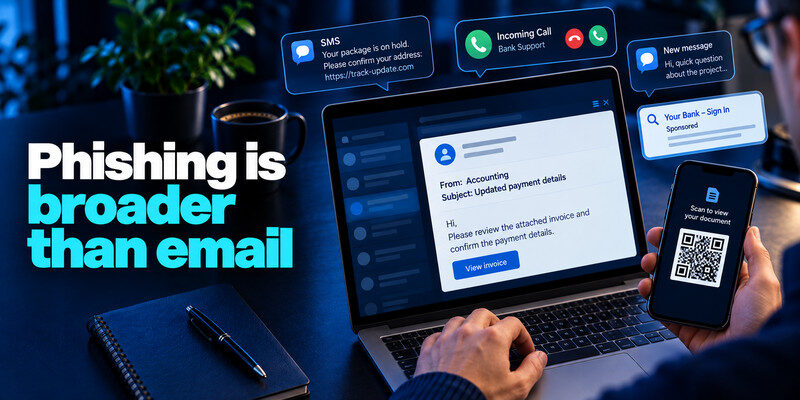
Want to know what is phishing? Email phishing is familiar, but similar manipulation occurs by SMS (smishing), voice call (vishing), direct message, search-ad impersonation, and fraudulent QR codes. Spear phishing uses tailored context about a person or organization. Each form attempts to make a false identity or story influence your action.
Mass versus targeted campaigns
A broad campaign sends the same parcel or account warning to many recipients. A targeted one may mention a supplier, colleague, or recent project. Targeting makes the story believable, but independent confirmation still works. Delivery fees, unpaid tolls, and urgent banking alerts are also common in SMS phishing, known as smishing. Learn how to identify a scam text message by recognizing suspicious payment demands, shortened links, impersonated senders, and unexpected requests for verification codes.
Fraud without a password
An attacker can seek a bank transfer, gift card, or card details without ever asking you to sign in. MFA cannot reverse a payment to a fraudulent recipient. Confirm changed payment instructions through established processes.
| Control | Helps against | Does not solve |
| Spam filtering | Known malicious senders and patterns | A new convincing message |
| Passkey | Lookalike sign-in domain | A fraudulent payment request |
| Authenticator code | Password reuse | Real-time code relay if entered into a fake site |
Read more: How to Protect Yourself From Smishing: A Phone-First Safety Routine
Spot clues without relying on one clue
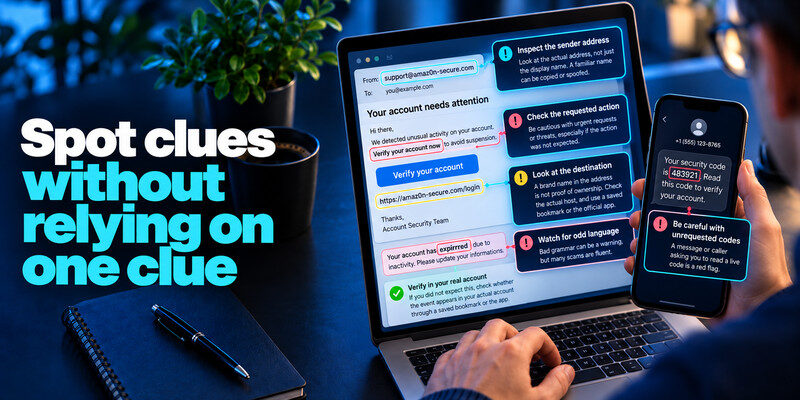
Inspect the actual sender address, requested action, destination, and whether the event appears in your real account. Bad grammar can be a warning but many scams are fluent. A familiar logo, display name, or caller ID can be copied or spoofed.
A strange URL
A brand name anywhere in the address is not proof of ownership. Check the actual host, but do not click merely to inspect. Use a saved bookmark or the installed app.
An unrequested code
A message or caller asking you to read a live code may be trying to complete a sign-in in real time. Never disclose it. Check successful account activity if you receive unexpected prompts. Phishing is part of the broader category of social engineering, where attackers manipulate people into taking unsafe actions. Our guide on how to recognize social engineering attacks explains how impersonation, manufactured urgency, and authority-based pressure work across email, phone calls, and messaging platforms.
Read more: How to Spot a Phishing Email Before You Click
Why unique passwords and MFA help
If a password is phished, uniqueness limits direct reuse at unrelated services. MFA can stop many password-only sign-ins, but TOTP and push approvals can themselves be phished. Passkeys and hardware security keys are more resistant to lookalike domains where supported.
Use TOTP carefully
For compatible services, generates time-based codes. Enroll through the real service, save backup codes securely, and enter a code only during a sign-in you initiated on a verified site. Do not approve prompts to make a caller go away to know what is phishing. Recognizing suspicious details is useful, but prevention depends on what you do next. Our guide on how to avoid phishing scams explains how to verify unexpected requests through trusted channels, protect account credentials, and build safer habits across email, SMS, and phone calls.
Protect recovery routes
An attacker who controls primary email may reset other accounts. Review its sessions, forwarding, and recovery settings after any suspected compromise. Secure the password manager and recovery codes separately.
Filtering may stop known campaigns, unique passwords limit reuse, MFA blocks many password-only sign-ins, and passkeys resist fake-domain login. Each addresses a different step. A scam seeking a bank transfer bypasses these login defenses and needs payment controls.
Recovery route: An attacker may target a recovery email or support reset after a strong sign-in blocks them. Review enabled methods, spare devices, and backup codes rather than focusing only on the login screen.
Human verification: For an unexpected claim, a known website, app, or phone number is the final practical check. The safest technical tool cannot decide whether an urgent invoice change was authorized.
If you clicked, respond to what happened
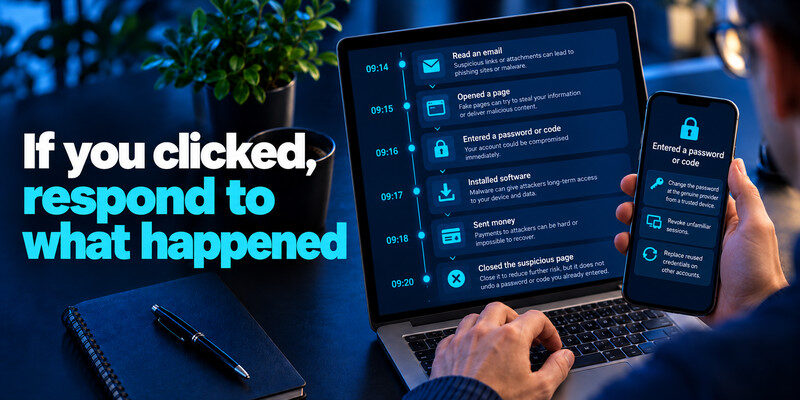
Reading an email, opening a page, entering a password, installing software, and sending money carry different risks. Record the exact steps and time. Close a suspicious page, but do not assume closing it undoes a credential submission to know what is phishing.
Entered a password or code
From a trusted device, change the password at the genuine provider, revoke unfamiliar sessions, replace reused copies, and check recovery methods. A live MFA code may have allowed immediate access, so inspect successful sign-ins promptly.
Downloaded software or paid
Follow device-security guidance and alert work IT if applicable. Contact a bank or card issuer through its official channel for an unauthorized payment. Keep transaction details for investigation.
Read more: What Is Account Takeover? Meaning, Warning Signs, and Defense
Report the attempt
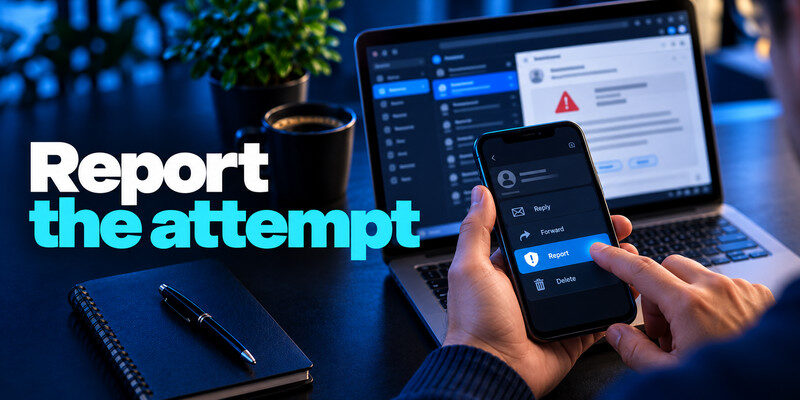
Use your mail or messaging provider’s report function. Work users should follow the organization’s phishing-report process. In the United States, the FTC accepts consumer reports through ReportFraud.ftc.gov and advises forwarding suspicious texts to 7726 (SPAM). Reporting helps, but it does not replace containment if you shared information.
Preserve the original
Security teams may need the original message or full headers. Do not forward an active link to friends as a warning. Include a timeline of your actions without passwords or codes.
Expect follow-up impersonation
Scammers may contact victims again posing as recovery specialists. Verify every later request independently; nobody needs your live code to “reverse” a phishing attempt.
Model the difference between attempted and successful phishing
A suspicious message can be sent to thousands of addresses without affecting any account. A person can click its link and close the page before sharing data. Another can type a password and code, allowing an attacker to create a session. All three are “phishing-related,” but their evidence and remedies differ. Preserve the exact timeline and check the real account’s successful activity before using the word takeover.
Attempt only
What is phishing? Report the message and verify the claim independently. If no credentials or money crossed and the account activity is normal, a blanket reset may be unnecessary. Continue ordinary updates and unique passwords.
Credential submitted
Change the secret from a trusted device, replace reused copies, revoke sessions, and review recovery information. If the primary mailbox was affected, inspect forwarding and connected apps because it resets other accounts.
Payment made
Call the bank or issuer promptly and give transaction details. A new password is important if one was exposed, but it cannot by itself recall a transfer.
Why some phishing looks more personal
An attacker can use public job roles, a supplier name, or an old breach record to tailor a message. This is commonly called spear phishing. A real thread can also be used if an account was compromised. Personalization raises credibility but does not remove the need for a separate approval route.
Targeted work request
Suppose a message cites a current project and asks for a document. Contact the colleague through the directory or an existing chat not linked in the email. If it involves a payment, follow the organization’s second approval and vendor call-back procedure.
Generic consumer lure
A parcel or cloud-storage warning may be sent widely. Even if you really expect a delivery, the message does not earn trust by coincidence. Use the retailer or courier’s app.
Read more: Check Email Data Breach Free Online: Fast, Safe Options
Frequently Asked Questions
Is phishing a virus?
No. It is a deception technique. A phishing message can deliver malware, but it can also steal a password or payment without installing anything.
Is a spoofed email always phishing?
Spoofing is impersonation of sender information. It can be used in phishing, but a suspicious display name alone does not tell you what action the attacker wants.
Can MFA be phished?
Some methods can. A live TOTP code or push approval can be relayed. Passkeys and security keys offer stronger protection against lookalike sites where supported.
Does clicking a link mean my account was hacked?
Not automatically. Identify whether you entered data, approved a request, downloaded software, or see an unknown successful session. The response follows the actual event.
Final Thoughts
Phishing works by taking control of the decision route. Verify unexpected claims in the real service, limit credential reuse, and respond promptly to the precise information or access you exposed.
Next step
For accounts that still rely on TOTP, can hold the codes. Set it up from each real account’s security settings, keep recovery codes safe, and never type a live code into a page reached through a suspicious message.
