
What Is Single Sign On? How SSO Works, Benefits & Security Guide
Published November 11, 2026

What is single sign on? Single sign-on (SSO) is an authentication method that allows users to access multiple applications or websites after signing in through one trusted identity system. Instead of entering separate passwords for every connected service, users authenticate once and can move between authorized applications without repeatedly logging in.
The main advantage of SSO is simpler, centralized access management. It reduces password fatigue, improves the login experience, and helps organizations manage employee access more consistently.
For example, an employee can sign in through a company identity provider and then open email, cloud storage, collaboration software, and business applications without entering a separate password for each service.
However, SSO does not automatically guarantee stronger security. Organizations should combine it with multi-factor authentication (MFA), appropriate access permissions, and strong session management.
This guide provides single sign on explained in practical terms, including how the technology works, its advantages, potential risks, and how to implement it securely.
1. What Is Single Sign On? Meaning and Definition
The single sign on definition refers to an authentication process in which one identity and its associated authentication methods provide access to multiple connected applications.
In simple terms, what is single sign on can be understood as using one trusted login system instead of maintaining independent login credentials for every service.
An SSO system typically involves three components:
- User: The person requesting access to an application.
- Identity Provider (IdP): The system responsible for authenticating the user.
- Service Provider (SP): The application or service the user wants to access.
The identity provider authenticates the user and communicates the authentication result to connected applications through an approved protocol.
Understanding the Single Sign On Meaning
The single sign on meaning becomes easier to understand when compared with traditional authentication.
Without SSO, an employee might need different login credentials for email, customer management software, file storage, and project management tools.
With SSO, those applications trust a central identity provider. After successful authentication, the employee can access authorized services with fewer repeated login prompts.
Consider a company using Microsoft 365 and several connected business applications. Employees authenticate through Microsoft Entra ID, while compatible services rely on the same identity system to verify their login sessions.
One identity can support access to many applications, but each application still controls what the user is allowed to do.
Is SSO the Same as Using One Password Everywhere?
No. SSO is fundamentally different from password reuse.
Password reuse means manually using the same password for several independent accounts. If that password is stolen, attackers may attempt to access every account sharing it.
SSO uses a trusted identity provider to authenticate users and establish application sessions.
Connected applications do not necessarily receive or store the user’s central password.
This distinction is important when evaluating what is single sign on from a cybersecurity perspective.
According to the National Institute of Standards and Technology (NIST), federated identity enables a credential service provider to communicate authentication information to separately managed services.
Download Authenticator App
Secure your accounts with fast, reliable two-factor authentication. Download now and protect your login in seconds.
2. How Does Single Sign On Work?

A common question after learning what is single sign on is how does single sign on work in practice?
SSO works by establishing trust between an identity provider and participating applications. Once the user successfully authenticates, the identity provider can provide verified authentication information to connected services.
Step-by-Step SSO Authentication Process
Step 1: The user opens an application.
Suppose an employee wants to access a company dashboard. The application checks whether an authenticated session already exists.
Step 2: The application redirects the user.
If authentication is required, the application redirects the user to the organization’s identity provider.
Step 3: The identity provider verifies the user.
The user signs in using an approved authentication method, such as a password, passkey, security key, or another supported mechanism.
An additional verification step may be required depending on the organization’s security policy.
Step 4: The identity provider issues an authentication response.
After successful authentication, the identity provider returns an appropriate assertion or token through the configured protocol.
Step 5: The application validates the response.
The application verifies the response, including relevant signatures, issuer information, intended audience, and expiration conditions.
Step 6: The user gains access.
If authentication succeeds and access is permitted, the application establishes its own session.
Step 7: The user opens another connected application.
When the identity provider already has a valid authenticated session, the second application may allow access without asking the user to sign in again.
This illustrates what is single sign on in a real business environment: multiple application sessions are supported by a trusted central authentication process.
Does SSO Eliminate Passwords?
Not necessarily.
Traditional SSO systems can still require passwords during initial authentication. Other deployments support passwordless methods such as passkeys or hardware security keys.
The important difference is that users generally authenticate through a centralized identity system rather than maintaining unrelated credentials across multiple applications.
A strong SSO configuration may also request additional verification when the user signs in from an unfamiliar device, accesses sensitive information, or performs a high-risk action.
SSO reduces repeated authentication, but it should not eliminate necessary security checks.
3. Types of Single Sign On and Common Authentication Protocols

Understanding what is single sign on also requires recognizing that SSO can operate through different technical architectures.
The most appropriate implementation depends on the applications involved, organizational requirements, and supported authentication standards.
SAML-Based Single Sign On
Security Assertion Markup Language (SAML) is a widely used federation standard, particularly for enterprise applications.
SAML allows an identity provider to send authentication assertions to a service provider.
For example, an organization may configure a human resources platform to trust authentication performed by its corporate identity provider.
Best for: Enterprise software and applications supporting SAML-based federation.
SAML commonly uses XML-formatted assertions and is frequently encountered in business-to-business SSO integrations.
OpenID Connect (OIDC)
OpenID Connect is an identity layer built on OAuth 2.0.
It enables applications to authenticate users through an identity provider and receive identity information through tokens.
OIDC is particularly common in modern web applications and mobile authentication systems.
Best for: Modern websites, mobile applications, and API-driven services requiring federated authentication.
For readers exploring the relationship between authentication and authorization, our guide to google oauth offers additional context.
Important: OAuth 2.0 alone is primarily an authorization framework. OpenID Connect adds the identity functionality needed for standard authentication use cases.
Kerberos Authentication
Kerberos is a network authentication protocol that uses tickets to help users securely access services.
It is commonly associated with Windows domain environments and enterprise networks.
After authenticating within a supported environment, users can access additional network services without repeatedly entering their credentials.
Best for: Internal enterprise networks and compatible domain-based infrastructure.
Federated vs Enterprise SSO
Enterprise SSO frequently centralizes access to applications within one organization.
Federated authentication allows identities to be trusted across separate security domains or organizations.
Both can support seamless access, but federation emphasizes the trust relationship between independently managed systems.
When evaluating what is single sign on, remember that SSO describes the login experience, while federation describes an underlying identity trust model.
4. Benefits of Single Sign On for Users and Businesses

The value of what is single sign on extends beyond convenience. A properly managed SSO platform can simplify identity administration and help organizations enforce consistent authentication policies.
1. Fewer Passwords to Remember
Employees often use numerous workplace applications.
Maintaining separate passwords for each system can create friction and encourage insecure habits, including password reuse or storing credentials carelessly.
SSO reduces the number of independent passwords users must manage.
Fewer repeated login steps can make secure authentication easier to follow.
However, organizations should still require strong authentication for the central identity account.
2. Improved Employee Productivity
Repeated authentication interrupts workflows.
With properly configured SSO, employees can move between connected applications more efficiently.
For example, a customer support representative might switch between a CRM platform, internal knowledge base, and support dashboard during the same work session.
SSO can reduce unnecessary login prompts across those applications.
The actual productivity improvement varies depending on the number of connected services and how users work.
3. Centralized Identity Management
IT administrators can manage authentication policies from one central platform.
This often makes it easier to:
- Enforce authentication requirements consistently.
- Review login activity.
- Apply access restrictions.
- Manage employee onboarding and offboarding.
- Identify suspicious authentication attempts.
Central management is particularly useful for businesses operating many cloud applications.
4. Simpler Employee Onboarding and Offboarding
When new employees join, administrators can assign appropriate application access through the organization’s identity system and connected provisioning tools.
When employees leave, administrators can disable their central identities and revoke connected access where supported.
SSO and automated provisioning are related but separate capabilities.
Disabling the identity provider account does not always terminate every existing application session immediately. Proper offboarding also requires session revocation and application-level access checks.
5. Better Visibility Into Authentication Activity
A centralized identity provider may provide logs showing login attempts, authentication failures, device information, and risk signals.
Security teams can use these records to investigate suspicious activity.
CISA’s phishing guidance also identifies centralized SSO, particularly when combined with MFA, as a useful authentication security measure.
For additional precautions, review our best account security practices.
When businesses ask what is single sign on and whether it is worth implementing, centralized policy enforcement and improved access visibility are often important considerations.
5. Is Single Sign On Secure? Risks and Best Practices
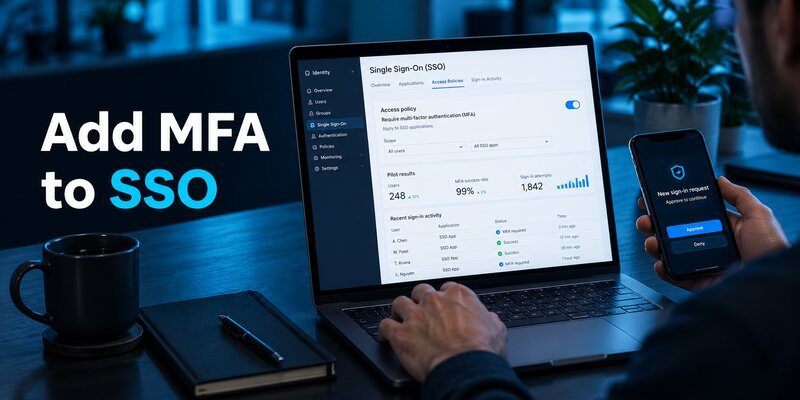
SSO can improve security when implemented correctly, but it also concentrates authentication risk.
A central identity account may control access to numerous connected services. If an attacker compromises that account, the resulting exposure can be significant.
Therefore, understanding what is single sign on requires looking at both its security benefits and limitations.
Main Security Risks of SSO
1. Central identity compromise
If attackers successfully take over a central identity account, they may gain access to connected applications within that user’s permissions.
2. Phishing attacks
Attackers may imitate legitimate identity provider login pages to steal passwords or authentication information.
Learn how these attacks operate in our guide explaining what is phishing.
3. Session hijacking
Attackers who steal valid session cookies or tokens may attempt to impersonate authenticated users.
SSO does not automatically prevent these attacks.
4. Identity provider outages
If the central identity provider becomes unavailable, users may experience difficulties accessing connected applications or establishing new sessions.
5. Incorrect access policies
Misconfigured application permissions, weak authentication policies, or insecure federation settings can expose sensitive resources.
Why Multi-Factor Authentication Matters
Multi-factor authentication requires additional evidence of identity rather than relying exclusively on a password.
A Microsoft research paper, How Effective Is Multifactor Authentication at Deterring Cyberattacks?, found that MFA reduced account compromise risk by 99.22% across its studied population.
The same research reported a 98.56% reduction in compromise risk for accounts with leaked credentials.
These findings describe MFA effectiveness in the studied environment, not a guaranteed outcome for every SSO system.
The research supports an important conclusion: SSO should be combined with MFA whenever possible.
For additional information about MFA in enterprise environments, see microsoft multi factor authentication.
Recommended SSO Security Practices
Organizations should apply the following protections:
- Require MFA: Protect centrally managed identities with more than one authentication factor where supported.
- Prefer phishing-resistant authentication: Use FIDO2 security keys or passkeys for high-risk access when available.
- Apply least-privilege access: Grant users only the permissions required for their roles.
- Monitor authentication logs: Investigate unusual access patterns, repeated failures, and unexpected devices.
- Manage sessions carefully: Configure appropriate session lifetimes and revoke access when necessary.
- Protect privileged accounts: Apply stronger authentication requirements to administrators.
- Maintain recovery procedures: Prepare secure alternatives for identity provider outages and account recovery.
CISA recommends phishing-resistant MFA because weaker authentication methods may still be vulnerable to sophisticated phishing attacks.
A centralized login is convenient, but the central account must receive strong protection.
6. Single Sign On vs MFA, Password Managers, and Passwordless Login
People researching what is single sign on often encounter related authentication technologies.
Although these solutions may work together, they solve different problems.
SSO vs Multi-Factor Authentication
SSO determines how users access multiple connected applications.
MFA determines how users prove their identity using multiple authentication factors.
For example, a business may use SSO to manage employee access and require an Authenticator app during login.
An authenticator application can generate time-based one-time passwords (TOTP) for accounts supporting that verification method.
Once the user completes authentication through the identity provider, SSO can provide access to authorized applications.
SSO simplifies access, while MFA strengthens identity verification.
Importantly, an authenticator application is not automatically an SSO identity provider.
SSO vs Password Managers
A password manager securely stores and helps users manage credentials.
It may automatically fill login forms across multiple unrelated services.
SSO instead relies on centralized authentication and trust relationships between connected applications.
| Feature | SSO | Password Manager |
|---|---|---|
| Main purpose | Centralized authentication | Credential storage |
| Multiple applications | Through connected identity services | Through stored credentials |
| Central access policy | Often supported | Not inherently provided |
| MFA integration | Common | Depends on service |
| Best use | Connected business applications | Independent accounts |
SSO and password managers can coexist.
Employees may use SSO for corporate applications and a password manager for other accounts that do not support federation.
SSO vs Passwordless Authentication
Passwordless authentication allows users to verify their identity without entering a traditional password.
It may rely on passkeys, security keys, or other approved authentication methods.
A passwordless identity provider can also provide SSO access.
For example, an employee might use a passkey to authenticate once and then access several connected applications.
This combines a convenient login experience with a modern authentication method.
Can SSO Work With an Authenticator App?
Yes, if the identity provider supports the relevant authentication method.
A TOTP application may provide verification codes during initial sign-in or an additional authentication challenge.
Users who need guidance can explore how to use authenticator app.
Mac users may also find the guide to google authenticator for mac helpful, while Apple users can learn about apple authenticator options.
However, TOTP codes are not fully phishing-resistant, and support depends on the identity provider. Organizations handling highly sensitive accounts should prefer stronger authentication methods when supported.
Understanding these distinctions is essential to answering what is single sign on accurately.
7. How to Implement Single Sign On Successfully

Understanding what is single sign on is only the first step. Successful deployment also requires proper planning, application compatibility, and identity security controls.
Businesses should avoid moving every application to SSO without first reviewing access requirements and potential risks.
Step 1: Identify Applications and Users
Create an inventory of applications used by employees.
Document which services support SAML, OpenID Connect, or other compatible authentication methods.
Identify users who require access and determine which applications contain sensitive information.
Include administrators, contractors, and temporary employees in this review.
Step 2: Choose an Identity Provider
Select an identity provider that supports the organization’s applications, security policies, and operational requirements.
Common enterprise options include Microsoft Entra ID, Okta, Google Workspace identity services, and other compatible identity platforms.
Evaluate available features such as:
- Supported SSO protocols.
- MFA and passwordless authentication.
- User provisioning and deprovisioning.
- Access policy management.
- Authentication logs.
- High availability and recovery capabilities.
The best identity provider is one that supports the organization’s actual security and application requirements.
Step 3: Configure Application Integrations
Connect each supported application to the chosen identity provider.
Depending on the protocol, setup may involve exchanging metadata, configuring redirect addresses, verifying certificates, and establishing trust relationships.
Always validate configuration settings using the vendor’s official administrative documentation.
Step 4: Enable MFA
Require appropriate additional authentication for central identities.
For compatible TOTP-based verification, users can Download authenticator app from the App Store.
Authenticator App by Begamob can support TOTP-based account verification where the relevant service accepts standard authentication codes. It does not replace the organization’s SSO identity provider.
Step 5: Configure Access Policies
Set permissions based on job responsibilities.
Separate privileged administrative access from regular employee access, and apply stronger requirements where necessary.
Review session durations, device access conditions, and account recovery procedures.
Step 6: Test Before Full Deployment
Run a pilot with a small group of users.
Verify successful authentication, application authorization, logout behavior, and account recovery.
Test what happens when authentication fails or the identity provider becomes temporarily unavailable.
Step 7: Monitor and Improve
After deployment, monitor login errors, suspicious activity, user feedback, and application integrations.
Periodically remove unnecessary access and review security policies.
SSO implementation is an ongoing identity management process, not a one-time configuration.
This practical approach helps businesses move from asking what is single sign on to operating a manageable authentication system.
8. Frequently Asked Questions About Single Sign On
What Is Single Sign On in Simple Terms?
What is single sign on in everyday language? It means signing in through one trusted identity system to access multiple connected applications.
Instead of maintaining unrelated credentials for every service, users rely on a central authentication process.
Is Single Sign On Safe for Personal Accounts?
SSO can be safe for personal accounts when the identity provider is trustworthy and properly secured.
However, linking many services to one central identity increases the importance of protecting that account.
Use strong authentication, monitor account activity, and maintain secure recovery methods.
What Is the Difference Between SSO and Regular Login?
A regular login generally authenticates a user directly with an individual application.
SSO enables multiple applications to rely on a shared identity provider.
The user may therefore access additional connected services without entering credentials again.
Does Single Sign On Require MFA?
Not always. SSO and MFA are separate technologies.
However, combining them provides stronger protection than relying on a password alone.
MFA support and enforcement depend on the identity provider’s configuration.
Can Hackers Break Into SSO?
Yes. SSO systems can still face phishing, session theft, configuration errors, and identity provider compromises.
SSO should be protected with secure federation settings, appropriate authentication methods, and continuous monitoring.
Is Single Sign On Free?
Some platforms offer SSO features within existing subscriptions or free service tiers.
Advanced enterprise capabilities, such as conditional access, provisioning, and centralized governance, may require paid plans.
Costs depend on the provider, application integrations, and number of users.
Is SSO Better Than Using Separate Passwords?
For organizations managing multiple compatible applications, SSO can improve usability and simplify authentication administration.
However, the security outcome depends on implementation quality.
Independent credentials may still be necessary for applications that cannot participate in the organization’s SSO environment.
What Happens When You Log Out of SSO?
Logging out may terminate the central identity session, the application’s local session, or both.
Some connected applications may remain active until their individual sessions expire or are explicitly revoked.
Single logout should never be assumed to work consistently across every connected application.
What Is Single Sign On and Why Is It Important?
The question what is single sign on ultimately concerns how organizations balance convenience and secure access.
SSO helps users access connected applications through centralized authentication while allowing administrators to apply consistent identity policies.
Its strongest implementations combine secure federation, appropriate access controls, monitoring, and multi-factor authentication.
Conclusion
What is single sign on? It is an authentication approach that allows users to access multiple connected applications through one trusted identity system.
SSO helps reduce repeated login steps, simplify account administration, and support centralized security policies. However, it also makes protecting the central identity especially important.
For individuals and businesses, the most effective strategy is to combine SSO with strong authentication, MFA, access controls, and secure account recovery.
A properly configured identity system can deliver a smoother login experience without sacrificing essential security protections.
Download Authenticator App
Secure your accounts with fast, reliable two-factor authentication. Download now and protect your login in seconds.
