
How to Recognize Social Engineering Attacks Across Calls, Chat, and Email
Published October 28, 2026
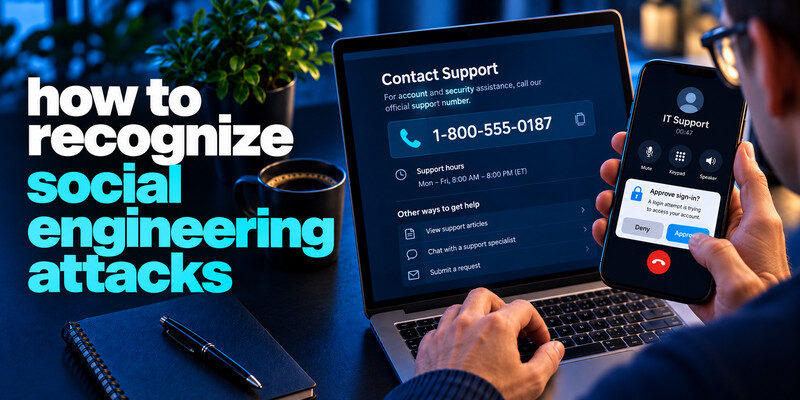
How to recognize social engineering attacks? To recognize social engineering attacks, focus on the behavior: someone is trying to make you bypass a normal check, reveal a secret, approve access, or move money. The approach may arrive by email, text, call, social media, or in person. A familiar name and true personal detail are not enough to authenticate the requester. Pause, verify through an established channel, and refuse to disclose passwords, one-time codes, or recovery keys.
Do this now
- Identify the exception to normal procedure.
- Confirm with a known person or portal.
- Decline requests for codes, remote access or payment changes until verified.
Recognizing social engineering attacks requires looking at the proposed exception to your normal approval process.
How to recognize social engineering attacks? See the pattern behind different channels

Want to know how to recognize social engineering attacks? Phishing is a form of social engineering delivered through messages; smishing uses texts and vishing uses voice calls. The broader category also includes impersonated help desks, fake executives, and someone physically following an employee into a restricted space. The common element is manipulation of a person’s decision, not a particular technology.
Claimed authority
A caller may claim to be bank security, IT, a manager, or a government office. Ask what the request requires you to do, then independently call a known number or use an established workflow. Caller ID can be spoofed.
Email phishing is one of the most common forms of social engineering. Attackers may imitate trusted brands, colleagues, or account security teams to persuade you to open a link or reveal credentials. Our guide on how to spot a phishing email explains how to recognize these warning signs and verify suspicious messages independently.
Manufactured urgency
“Approve this prompt or your account closes” deprives you of time to verify. A real emergency should still have an official escalation route. A genuine colleague can accept a call-back through a company directory.
| Tactic | Example | Independent check |
| Authority | Fake IT asks for MFA code | Contact IT through known channel |
| Urgency | “Pay supplier in 10 minutes” | Established approval and call-back |
| Familiarity | Message uses your manager’s name | Verify in person or known contact |
| Reciprocity | “I fixed it; send the code” | Decline code request |
Secure your accounts with fast, reliable two-factor authentication. Download now and protect your login in seconds.Download Authenticator App
Watch for changes to normal processes
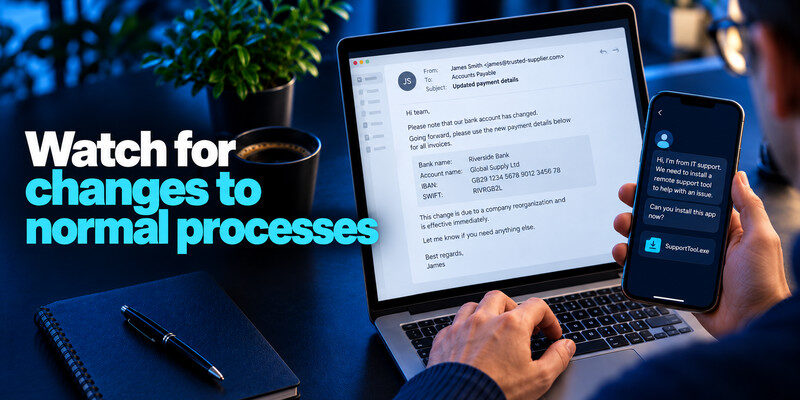
A request to use a new payment account, install a support tool, move a conversation to a personal app, or share a document outside the organization deserves scrutiny. The requester may know the usual process and invent a reason to bypass it.
A changed invoice
Even a reply inside a genuine supplier thread can be malicious if an account was compromised. Call the number in your established vendor record and obtain the normal second approval before changing bank details.
Read more: How to Avoid Phishing Scams in Daily Accounts and Messages
An unexpected support session
Do not install remote-control software because an incoming caller reports a virus. Open the vendor’s legitimate support route yourself. A support agent who asks for a live authentication code is trying to make you complete a sign-in to know how to recognize social engineering attacks.
| Request | Pressure tactic | Control |
| Help desk wants a code | Claimed urgency | Call known support number |
| Manager requests gift cards | Authority | Verify by established workplace channel |
| New vendor account details | Process change | Confirm with known finance contact |
Verify identity without sharing the secret
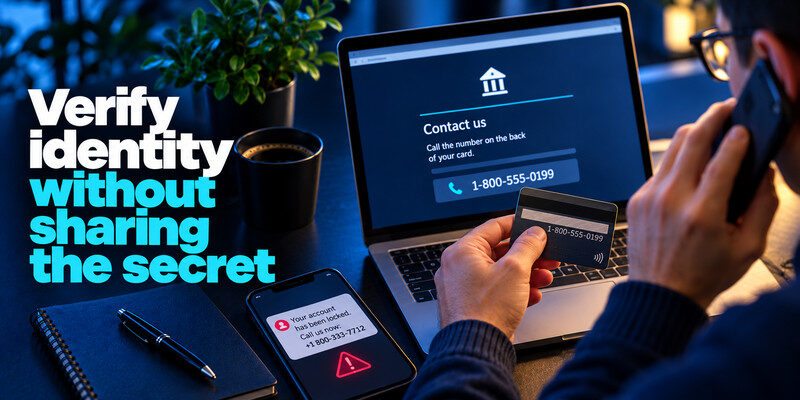
Use a second channel whose address or number was known before the request. For work, use the directory or approved ticket system. For a bank, call the number on the card. Never let the suspicious message supply both the problem and the verification route to know how to recognize social engineering attacks.
A real detail can come from a leak
Names, job titles, purchase histories, and old addresses may be public or breached. Treat them as context, not an identity proof. An attacker can also clone a profile picture or sender display name.
Do not treat a code as a conversation token
A one-time code is for your own sign-in at a verified service. If someone says they must read it to confirm you, stop. A passkey or security key may reduce lookalike-login risk where supported, but other forms of manipulation remain.
A legitimate email account can still be used for fraud after an attacker gains access to it. Our guide on how to spot suspicious login activity explains how to identify unfamiliar successful sessions, unauthorized account changes, and other signs of compromise. Always confirm new payment instructions through an established contact channel.
Read more: How to Identify a Scam Text Message Without Opening the Link
Respond to an unexpected approval request

An MFA prompt you did not initiate can mean another party has your password or is attempting to trick you into approving a session. Decline it, check the provider’s account activity, and change an exposed or reused password. Repeated prompts should be reported to the service or workplace security team.
If you use TOTP
can generate codes for compatible accounts, but a live code can still be relayed to a fake page. Check the URL independently and never read the code to a caller. Keep backup codes outside the phone.
Workplace accounts may use managed authentication methods, including app-based approvals. Our guide to Microsoft Authenticator for business explains how authentication works in organizational environments. Never approve an unexpected sign-in request or share a live verification code with someone claiming to be IT support.
If you approved
Revoke unknown sessions, change relevant credentials, inspect recovery information, and tell work security promptly. The provider may have an explicit “sign out everywhere” control. Preserve the time and device description.
Read more: Email Breach Alert Notification: Verify It and Act on the Right Data
Practice a low-friction refusal

You do not have to accuse someone of fraud. Say you will use the normal process and call back through the official number. Organizations can make this easier by publicizing reporting routes and requiring second approval for sensitive changes.
Family setting
Agree on a way to verify emergency money requests, especially when a caller claims to be a relative. Call the relative’s saved number or another trusted family member. A synthetic voice or personal details should not override the check.
Workplace setting
Teach staff that prompt reporting is valuable even after a mistake. The response team needs the precise action, time, and system, not a perfect explanation of the scam’s technique.
Attackers can combine public information with exposed account data to create convincing impersonation attempts. Our guide on what a credential leak is explains how usernames, passwords, and related account information may become exposed. A caller knowing your personal details is not proof of their identity.
Read more: What Is Credential Stuffing? How Reused Logins Become Account Takeovers
Five social-engineering decisions in one day
At work, an employee receives an IT call asking for an MFA code, a supplier email changing payment instructions, and a chat from a manager requesting a confidential file. At home, a text announces a delivery fee and a relative’s voice asks for emergency money. The channels and claimed identities differ, but each crosses a sensitive boundary. A known IT ticket, vendor contact, manager directory, courier app, and saved family number are five separate verification routes.
When a real authority is involved
An actual IT team can create a ticket and explain its process; a real supplier can confirm a bank change through the established contact. The fact that a requester sounds senior does not remove the need for a routine check.
When the request is emotionally urgent
Family emergencies and account shutdowns create pressure. Promise to help after a call-back through a saved number. A legitimate situation will still exist after the independent check.
Social engineering often asks you to bypass a normal step: approve an unfamiliar login, send a payroll file outside the portal, or update a vendor’s bank account from a message. The proposed exception is more diagnostic than the sender’s tone. Even a calm request from a known account may be malicious if the account was compromised.
Authority can be forged: A message claiming to come from an executive, support agent, or government office deserves the same independent check as any other. A phone voice or video face can be manipulated, and a real name is easy to find. Use a known internal directory or published number, and explain that the verification step is standard procedure rather than a challenge to the person.
Reciprocity and help requests: A caller may first do you a favor, then ask for a code or remote-access session. The earlier help does not authorize the later action. Ask whether the action is recorded in the real ticketing system and whether the role normally needs that level of access. End the call if the person insists the process must be hidden.
Urgency and scarcity: Deadlines are sometimes real, but an artificial countdown is meant to prevent checking. Take the minimum time needed to verify through another channel. If a payment deadline is genuine, the recipient’s official account or known contact can confirm it. Document the request when it deviates from policy so a colleague can review it.
Read more: Strong Password vs Passphrase: Which Should You Use?
Why “they knew details” is weak evidence
Public profiles reveal colleagues and job roles. Leaks can reveal addresses and old purchases. Compromised mailboxes expose real conversation history. Attackers use those facts to make an invented instruction feel like a continuation of normal business.
Verify the new action
You do not need to prove every prior detail false. Ask whether the new bank account, administrator, remote-support session, or code request was approved through normal channels.
Protect against a compromised real sender
Replying within a genuine thread may still reach an attacker controlling the account. Use a contact route independent of that mailbox and avoid a number supplied in the new message.
Measure the defense by the decision point
An organization can track whether bank changes receive call-back approval, whether unexpected MFA prompts are reported, and whether employees can contact security without delay. Merely counting “phishing emails spotted” misses phone and workflow manipulation.
A useful rehearsal
Run a safe scenario in which a manager asks to bypass approval for a supplier payment. The team practices declining the exception and finding the legitimate escalation route. Record which part of the process was unclear.
After a mistake
Early disclosure helps revoke access and contact a bank. A blame-heavy response makes future attacks harder to detect because people hide them. The goal is a resilient process, not perfect intuition.
Frequently Asked Questions
Is phishing the same as social engineering?
Phishing is one form of it. Social engineering includes other channels and actions such as calls, impersonation in chat, and physical pretexts.
Can a real account be used in an attack?
Yes. A compromised coworker or supplier account can send convincing messages. Verify unusual requests through an independent channel.
Does knowing my name make a caller legitimate?
No. Public and leaked information can personalize a scam. Use a known contact route.
What if I only answered a call?
Answering alone is different from revealing a secret, approving access, installing software, or paying. Identify what you shared and act on that exposure.
Final Thoughts
Social engineering succeeds when a message or person becomes the only source of truth. Keep verification routes separate, preserve normal approval steps, and report unusual requests early.
Next step
For accounts that still rely on TOTP, can hold the codes. Set it up from each real account’s security settings, keep recovery codes safe, and never type a live code into a page reached through a suspicious message.
