
How to Report a Phishing Email and Preserve Useful Evidence
Published October 27, 2026
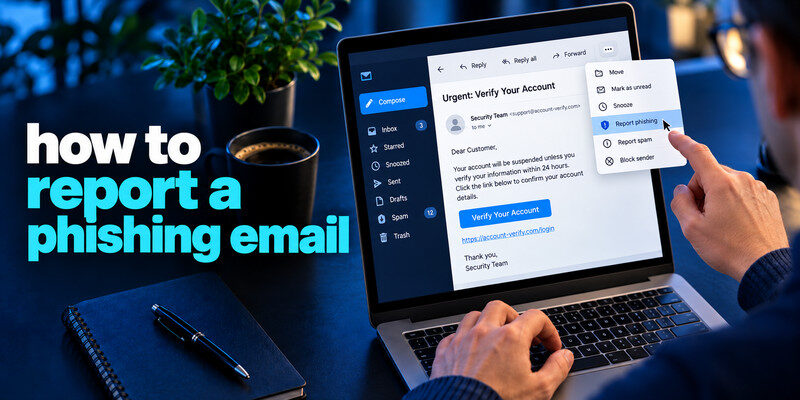
How to report a phishing email? To report a phishing email, use your mail provider’s built-in “Report phishing” control and, for a work account, send it through your organization’s security process. In the United States, you can also forward a suspicious email to the Anti-Phishing Working Group at [email protected] and report a scam to the FTC at ReportFraud.ftc.gov. Preserve the original message if your security team requests it. Do not use the email’s links, reply with credentials, or assume reporting alone secures an account you already exposed.
Do this now
- Use the mail provider’s report control.
- Report consumer fraud to the FTC or the workplace security team.
- Separately reset and revoke sessions if you entered credentials.
A report of a phishing email and an account recovery action serve different purposes; use both when you entered a secret.
How to report a phishing email? Choose the right reporting route
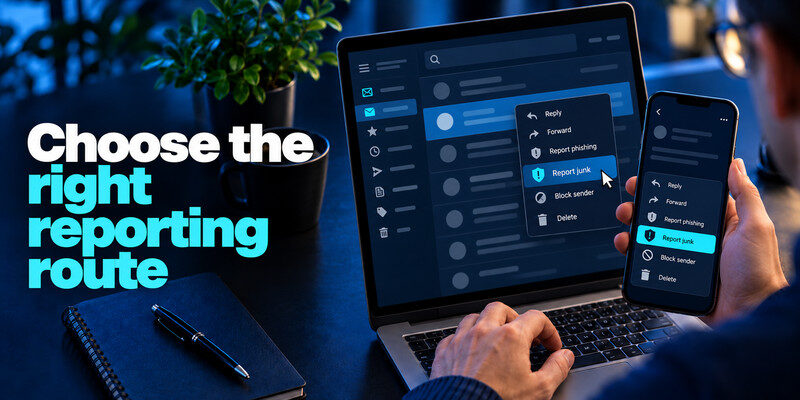
Reporting in your inbox trains provider filtering and may help protect other recipients. A workplace report gives defenders a chance to block a campaign across the organization. A consumer fraud report records the scam pattern. These routes serve different purposes and can be used together.
Personal Gmail, Outlook, or another mailbox
Open the message menu and look for a phishing or junk report option. Labels differ by service and version. Reporting usually moves or marks the message, so note its subject and time first if you need a record.
Work or school account
Use the approved report button or security mailbox, especially if you entered information or downloaded a file. Tell IT exactly what you did and when. Do not forward the message to coworkers as a warning; that may spread the malicious link.
| Situation | Primary route | Include |
| Suspicious personal email | Provider report-phishing control | Original message |
| Work campaign | Security team workflow | Clicks, downloads, codes, times |
| Consumer scam or loss in US | FTC ReportFraud.gov | Payment and contact facts |
| Brand impersonation | Brand’s genuine abuse channel | Sender and destination |
Secure your accounts with fast, reliable two-factor authentication. Download now and protect your login in seconds.Download Authenticator App
Preserve the original when investigation matters
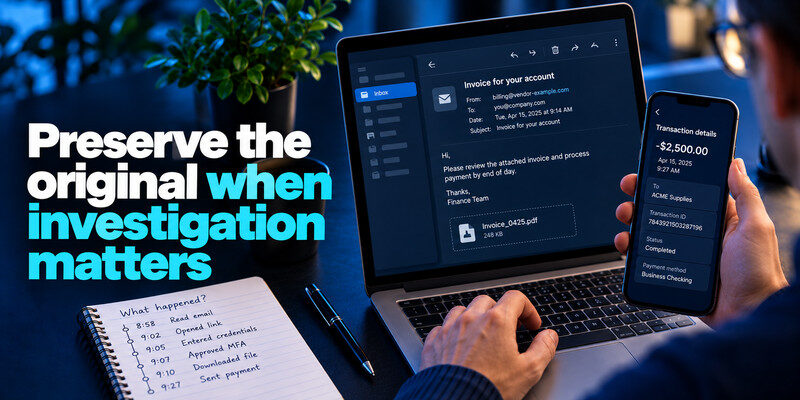
A screenshot may omit the full headers and link targets. Security teams often prefer the original message or an attachment export; follow their instructions. Do not paste a live password or recovery code into a ticket. If money was sent, retain transaction IDs, amount, and timing for the bank.
Note what happened before reporting
Did you only read the email, open a page, enter credentials, approve MFA, download a file, or pay? The response changes at each step. A concise timeline lets support act faster than an anxious claim that you were “hacked.”
Avoid sharing more personal data
Redact unrelated account details from a public report. Use official forms and confirmed addresses. A scammer may follow up posing as an investigator or refund agent.
Report without interacting with the scam
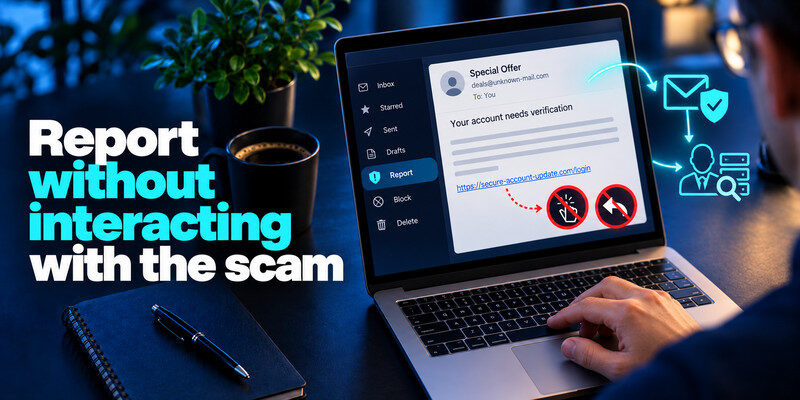
You need not click to prove the link is malicious. Mail providers and security teams can inspect safely. If you must examine a destination for a personal record, use the message’s visible information and let specialists handle technical analysis.
Do not reply or unsubscribe
An unknown sender’s unsubscribe link may lead to the same malicious site. Use the provider’s report and block controls. A legitimate marketing email is a different case, but a credential or payment demand deserves caution.
Verify the claimed brand separately
If an email appears to be from your bank or delivery company, use its known app or contact number. You can report brand impersonation through the genuine organization’s published channel without following the suspicious message’s help link.
If you clicked or submitted data, contain the incident
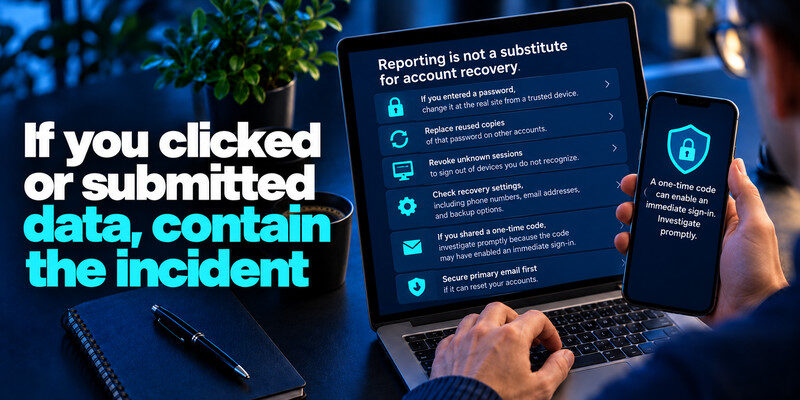
Reporting is not a substitute for account recovery. If you entered a password, change it at the real site from a trusted device, replace reused copies, revoke unknown sessions, and check recovery settings. If you shared a one-time code, investigate promptly because the code may have enabled an immediate sign-in.
Credential exposure
Secure primary email first if it can reset other accounts. Add appropriate MFA after you regain control. can generate TOTP codes for compatible services; do not read codes to a caller or enter them on an unverified page. Save backup codes separately.
Payment or software exposure
Call the financial institution through its official channel if you paid or submitted a card. If you installed software or enabled a browser extension, follow device-security guidance and alert work IT. A new password cannot undo a payment or remove an installed program.
Understand what happens after a report
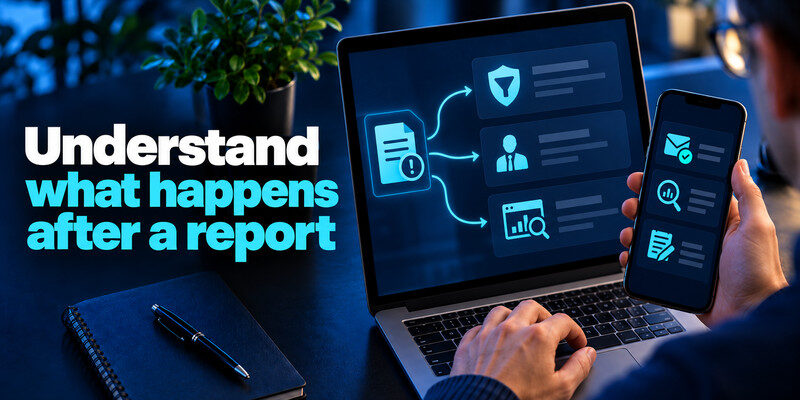
You may not receive an individual investigation result. Providers use reports to improve filtering, while employers may contact you for details. Keep an eye on the real account activity if credentials were involved, and document any further suspicious events.
A false positive is possible
If you reported a legitimate message, open the service independently to complete the real task. Your provider may let you mark the email as not spam, but do not reverse the report solely because the sender complains.
Multiple recipients matter
If colleagues received the same campaign, report it centrally rather than replying all. Security staff can search for related messages and block destinations. Prompt disclosure matters even if no one has clicked yet.
Different reporting channels do different work
Your provider’s report control helps classify the message for its filtering system. A workplace security report gives a team the original and a chance to protect colleagues. A financial institution needs transaction details if money moved. A consumer fraud authority collects broader patterns. Sending one email to one place does not automatically accomplish all four.
Message versus incident report
If you merely received a suspicious email, the original message is the key evidence. If you entered a password or installed software, the incident report also needs your action timeline, affected account, and device. Tell the security team quickly, even when you are unsure whether the page was malicious.
Fraud report after payment
Call the bank or card issuer first. A general fraud report is useful, but it is not the route that can immediately examine a pending transfer or replace a card. Save the institution’s case number for follow-up.
| Message type | Report destination | Then do this |
| Work email | Organization security team and mail client | Preserve headers if requested |
| Consumer phishing email | Mail provider and FTC at ReportFraud.ftc.gov | Block sender after reporting |
| Impersonated company | Company abuse or security contact | Avoid the link in the email |
Handling headers and attachments safely
Security teams may request the original message as an attachment so headers and structure survive. Follow their documented method. A screenshot is often enough to explain the visible story but not enough for technical analysis. Avoid re-opening a malicious attachment just to capture more evidence.
If the email is in Trash
Some providers still allow reporting or restoring it temporarily. Use the provider’s help guidance. Do not click links from the recovered email; report from the message menu.
If the sender claims your report is a mistake
Do not resolve the dispute by replying in the same thread. Open the actual company account or call a known number. A legitimate task can be completed safely there.
A screenshot can show the visible message but may omit technical headers and the actual target of a link. In a workplace, use the built-in report button and follow the security team’s instructions; they may need the original message to inspect routing. For a personal mailbox, the provider’s “report phishing” action is usually a good first step. Avoid forwarding a live malicious attachment to friends as a warning.
If the message impersonates a brand: Find the brand’s abuse or security channel from its real website. Provide the suspicious sender, subject, and relevant URL without opening the URL. The brand can investigate impersonation, but it cannot by itself reverse a bank transfer or restore an account you already lost. Handle those consequences directly with the affected service.
If you already entered a password: Reporting the message is not enough. Go to the real account, replace the password, revoke sessions, and check recovery settings. Change reused copies elsewhere. If you entered a verification code, act promptly because the attacker may have completed sign-in despite a password change; inspect successful logins and contact support if locked out.
If money or identity data was involved: Contact the bank, card issuer, or relevant institution through a known number. Record transaction IDs and report numbers. An FTC report can help document a consumer scam, but it does not automatically recover funds. Follow the institution’s dispute and identity-theft processes for your case.
A sample workplace report
A useful note says: “At 10:20 I received a shared-document email claiming to be from payroll. At 10:24 I opened its link and entered my work username, but no password or code. I closed the tab and am reporting the original message.” This precise timeline lets IT assess whether a credential was exposed and which sessions or devices to examine.
Do not include secrets
Never paste a password, live code, backup code, or full card number into the ticket. Describe the type of information submitted and the account, not the value.
Expect the next step
The team may ask you to change credentials, revoke sessions, or provide the original message. Follow the authorized process. Do not install an unsolicited “security cleanup” program sent as a follow-up email.
Frequently Asked Questions
Should I forward a phishing email to friends?
No. Describe the scam without distributing the active link or attachment. Work users should use the internal reporting route.
Can I report a message after deleting it?
Possibly if it remains in Trash, but options vary. If you still have the message, report it directly rather than relying on a screenshot.
Is the FTC route only for US users?
The FTC consumer reporting route is US-based. Elsewhere, use your local fraud authority, provider controls, and financial institution’s official channel.
Will reporting remove a stolen password?
No. Change the exposed credential, revoke sessions, and inspect linked accounts separately.
Final Thoughts
Report the original message through the provider and the appropriate security or fraud channel, then address any data you actually shared. Clear facts about the action and time help more than clicking further into the scam.
Next step
For accounts that still rely on TOTP, can hold the codes. Set it up from each real account’s security settings, keep recovery codes safe, and never type a live code into a page reached through a suspicious message.
