
Email Breach Alert Notification: 3 Tips to Verify It and Act on the Right Data
Published October 27, 2026
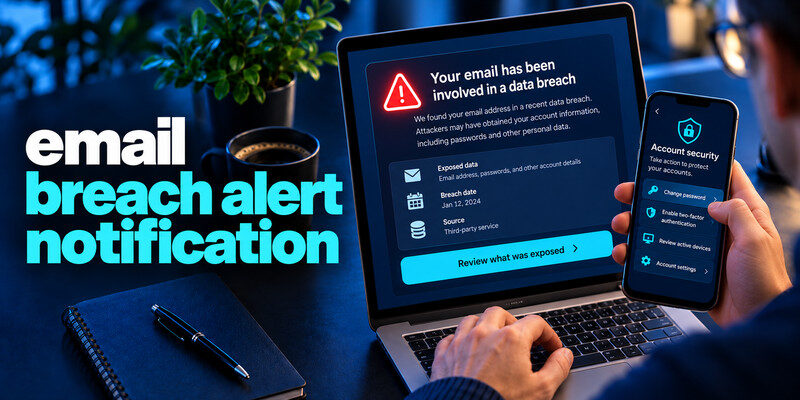
An email breach alert notification means a monitoring service or organization has linked your address to a reported incident. Verify the alert in the real service before following a link, then read which data fields were involved. A positive alert does not by itself prove anyone signed into your mailbox. Change a password if it was exposed or reused, check provider activity if you suspect access, and contact financial or identity institutions when those fields were involved.
Do this now
- Open the alert provider directly.
- Identify the email alias and data category.
- Change a credential or contact an issuer only when the corresponding field was exposed.
Identify the alert’s origin
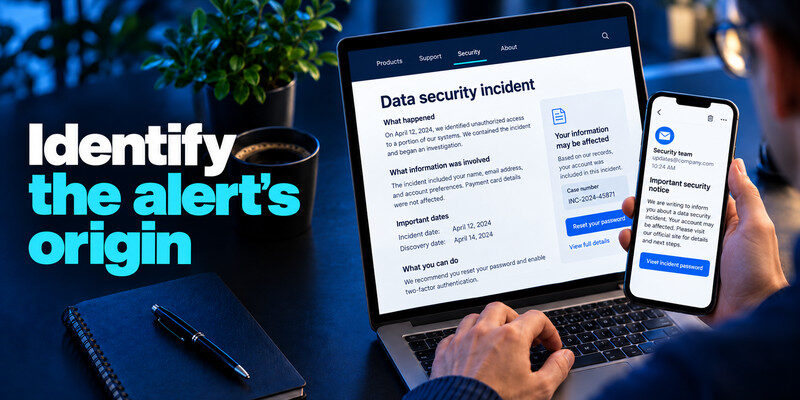
Receiving an email breach alert notification means your email address may have appeared in a known data breach, making it important to review your account security immediately. The message may come from the affected company, a breach checker you subscribed to, a password manager, or a scammer impersonating any of them. A provider notice may identify your individual record; a checker usually reports a match in its known collection. Preserve the distinction when you decide what to do.
Direct company notice
Open the company’s official site or app to find the incident update. Read the scope, event and discovery dates, fields, and instructions. If it gives a case number, note it without supplying credentials through an inbound message.
If you receive an official notice from a company, our guide to data breach notification meaning explains how to interpret the incident timeline, affected data fields, and recommended actions. A notification may identify potential exposure without proving that someone accessed your personal account.
Third-party monitoring alert
Have I Been Pwned’s notification service says it alerts verified address holders when the address appears in newly loaded breaches. The alert date can be much later than the incident date. Open the checker independently and compare the named entry rather than assuming a new attack occurred today.
| Sender type | What it may know | What to verify |
| Affected organization | Account-specific scope | Official incident page |
| Known-breach monitor | Indexed email match | Incident name and data fields |
| Password manager | Saved credential warning | Specific account and password status |
| Unsolicited “security” seller | Often unclear | Domain, privacy terms, and claim |
Secure your accounts with fast, reliable two-factor authentication. Download now and protect your login in seconds.Download Authenticator App
Check whether the message itself is phishing
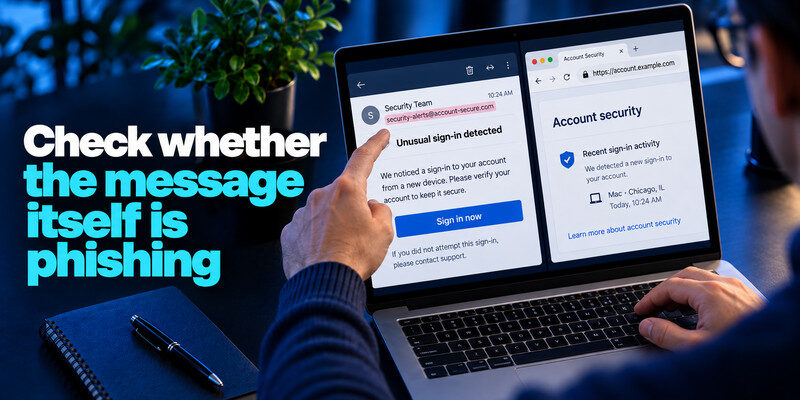
An email breach alert notification is typically triggered when a monitoring service detects your email address in newly discovered or previously reported breach records. A real breach creates an opportunity for convincing impersonation. Do not use the email’s sign-in button as your first step. Type the known domain or use the installed app. Compare the incident wording with the provider’s own notice. Never disclose a current password, live MFA code, or recovery code to someone who calls about an alert.
Look beyond the display name
The friendly sender name and logo can be forged. The underlying address and destination may expose a mismatch, but even plausible spelling is not sufficient proof. The safest check is an independent official channel.
Resist an urgent payment demand
An alert that requires a card to “release” the breach report deserves scrutiny. Basic known-breach email searches can be free, and official providers can explain their notices. Do not let a countdown replace verification.
Read more: List of Recent Data Breaches 2026: How to Read Verified Incident Records
Interpret the data categories
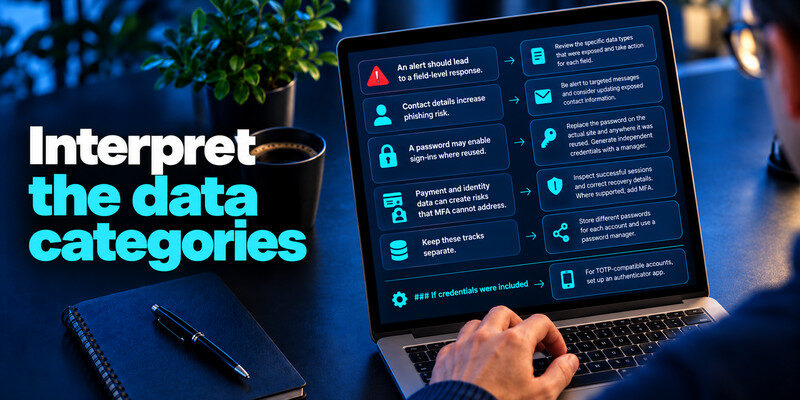
An alert should lead to a field-level response. Contact details increase phishing risk. A password may enable sign-ins where reused. Payment and identity data can create risks that MFA cannot address. Keep those tracks separate.
Attackers may imitate legitimate breach notifications to steal passwords, verification codes, or recovery information. Our guide on how to secure your email account explains how to protect your mailbox, review recovery settings, and recognize suspicious account activity. Always verify an alert through the provider’s official website rather than relying on an email button.
If credentials were included
Replace the password on the actual site and anywhere it was reused. Generate independent credentials with a manager, inspect successful sessions, and correct recovery details. Where supported, add MFA. For TOTP-compatible accounts, can generate one-time codes; protect backup codes and do not share live codes.
If other personal information was included
For card details, contact the issuer and watch transactions. For identity records, consult official FTC guidance for credit freezes and recovery steps relevant to the field. An email-only match generally calls for careful verification of future messages, not automatic card cancellation.
| Exposed data | First decision | Next evidence |
| Email only | Watch for targeted messages | Provider account activity |
| Password | Replace reused copies | Sessions and recovery settings |
| Card details | Contact issuer | Transactions and alerts |
| Identity fields | Use official identity guidance | Credit and account records |
Read more: Check Email Data Breach Free Online: Fast, Safe Options
Check whether the inbox was actually accessed
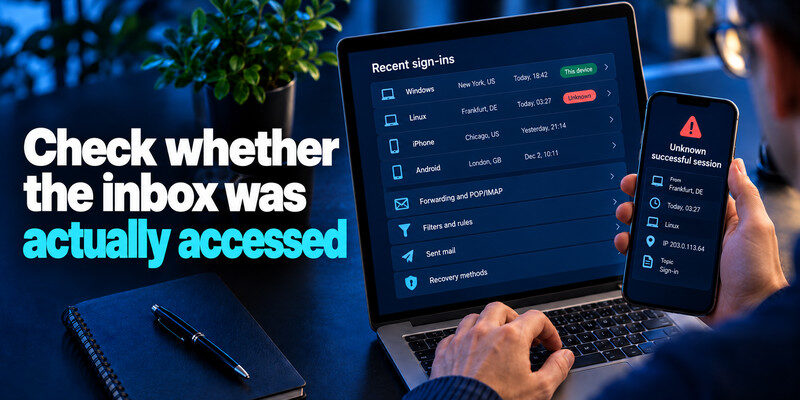
A breach listing means your address appeared in a dataset, often at another company. Look at your mailbox provider’s successful sign-ins, devices, forwarding, filters, sent mail, and recovery methods to investigate actual access. A single password-reset request is weaker evidence than an unknown successful session plus a new forwarding rule.
Unknown successful session
From a trusted device, change the mailbox password, revoke sessions, remove unfamiliar rules and recovery methods, and secure accounts whose resets arrive there. Keep the time and device information for support.
No suspicious session
If the alert names only the address and your mailbox activity looks normal, keep unique passwords and MFA and remain alert to phishing. Do not treat a clean session list as proof no external company exposed the address.
Read more: How to Respond to a Data Breach: A First-Day Action Plan
Manage alerts without panic
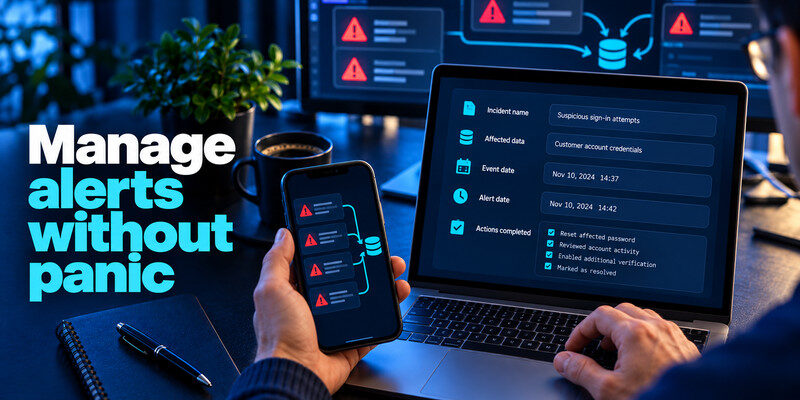
If you receive an email breach alert notification, start by checking the affected account, changing any compromised passwords, and enabling two-factor authentication for additional protection. Record the incident name, affected data, event date, alert date, and actions completed. Duplicated alerts from different monitors may point to the same underlying dataset. A small private log prevents repeatedly changing a secure, already replaced password.
Monitor addresses you still control
Notification services may require verification of the mailbox being watched. Keep recovery access current and remove obsolete addresses from other accounts’ recovery settings. A checker cannot confirm account ownership through an address you can no longer receive.
You do not necessarily need a paid subscription to investigate a known email exposure. Our comparison of the best free breach check websites explains available lookup options and their limitations. Avoid unfamiliar services that demand payment, current passwords, or authentication codes before showing basic incident information.
Recheck when facts change
An email breach alert notification provides an early warning that helps users respond to exposed credentials and reduce the risk of unauthorized account access. Organizations may update scope as an investigation progresses. Revisit their official incident page and modify your response if newly confirmed fields include passwords, payment, or identity data.
Keep a list of monitored addresses, a secure password manager, and a way to reach each important provider independently. After an alert, verify the source, identify the field, inspect actual account access, take the matching action, and record completion. This sequence avoids both dismissal and unnecessary panic.
Avoid notification overload: Two monitors can report one incident. Compare the named source and date before treating it as a second breach. Use the service that gives you the clearest actionable information rather than collecting scores.
Protect your recovery email: The mailbox receiving breach alerts often resets other services. Give it a unique credential, strong MFA or passkey, current recovery settings, and periodic session review. A public listing of its address is not proof of mailbox access, but it is a reminder of its importance.
A complete alert triage example
An alert arrives at 8 a.m. saying a shopping address appeared in a newly added breach. The email includes a button labeled “Secure now.” The recipient opens the monitor’s genuine site separately, confirms the incident name, and sees that the event itself happened years ago. They check whether the old shopping password was reused and whether it has since been changed. Then they inspect the shopping account and primary email’s successful sessions.
If the old password remains active
Taking every email breach alert notification seriously and following recommended security practices can help protect your digital identity from future account compromises. Replace it at the shopping site and every other service using it. Generate independent credentials and save them in a manager. Revoke unfamiliar sessions and review recovery settings. The delayed alert does not make a still-active reused password safe.
If it was already replaced
Document the replacement date and current uniqueness. If the alert lists only old contact data and the account shows no suspicious activity, focus on later phishing and provider updates. Do not rotate an unrelated secure password just to respond visibly to the email.
Treat the message as a lead until you verify it. Open the alert provider’s official app or a bookmark, find the incident record, and identify the exact email alias and compromised fields. An alert generated by a newly added historical dataset is different from a fresh account takeover. Check the original company’s notice when available.
Password field versus email field: If a password was exposed, replace it at the affected site and any account where it was reused. Use a unique replacement, review active sessions, and check whether recovery email or phone was changed. An exposed email address on its own calls for heightened scrutiny of messages, not necessarily a blanket password change of unrelated services.
Financial or identity fields: A breach alert may state that a payment card, address, or identity field was in scope. Contact the issuer or the organization through known channels and follow its individualized notice. A breach checker generally cannot dispute a charge or freeze a credit file for you. Keep the response proportional to the actual field, not a generic severity score.
Multiple alerts about one event: The same incident can produce notices from the company, a browser, and a monitoring service at different times. Compare incident name, date, and dataset description before treating it as three breaches. Maintain a small log of verified action and avoid entering new secrets into a “recheck” link sent by email.
Read more: How to Secure Your Home WiFi Network: From Router to Devices
Distinguish three dates on the alert
The incident may have occurred first, been disclosed later, and entered the monitor’s collection later still. The alert date is when you learned of a match, not necessarily when data was stolen. This distinction helps you compare historical password changes and account activity.
A new alert about an old record
The monitor may have recently added the dataset. Read the original entry and whether it is confirmed or updated. Avoid spreading a claim that the company suffered a brand-new incident unless the source supports it.
A new official notice
The company may have current account-specific information unavailable to a public checker. Treat it as a primary source for affected fields and follow its ongoing updates.
Frequently Asked Questions
Why did I get an alert for an old breach?
The dataset may have been discovered or added to the monitor recently. Compare event, disclosure, and alert dates, then determine whether any exposed secret is still in use.
Does an alert prove someone read my email?
No. Check the email provider’s session and settings history for that question. A third-party breach match is different evidence.
Should I create a new email address?
Usually secure the existing mailbox and linked accounts first. A new address will not erase old leaked records and can complicate recovery if you change it hastily.
Why do two services show different results?
They may use different datasets, validation, or update timing. Compare named incidents and direct provider notices rather than interpreting the absence from one service as a contradiction.
Final Thoughts
Verify the alert in an independent channel, read the exposed fields, and take field-specific action. Keep breach exposure and mailbox takeover checks distinct, and use monitoring as an early warning rather than a substitute for account security.
Next step
If the affected service still uses time-based codes, set up after changing a compromised password. Scan the QR code from the real account’s security page and store its backup codes separately.
