
Strong Password vs Passphrase: Differences & Which Is Better?
Published October 9, 2026 · Updated October 21, 2026
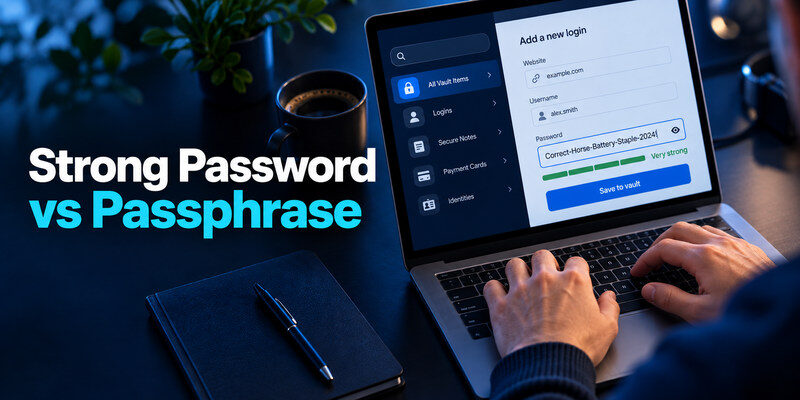
Strong password vs passphrase: Which is better for protecting your accounts? A strong password typically uses a random combination of letters, numbers, and symbols, while a passphrase consists of multiple words that can be easier to remember.
Both can provide excellent security when created correctly. Randomly generated passwords are ideal for everyday accounts managed by a password manager, while long, unpredictable passphrases work well for master passwords. This guide compares their security, usability, and key differences to help you choose the right option.
The terms describe format, not a guaranteed strength
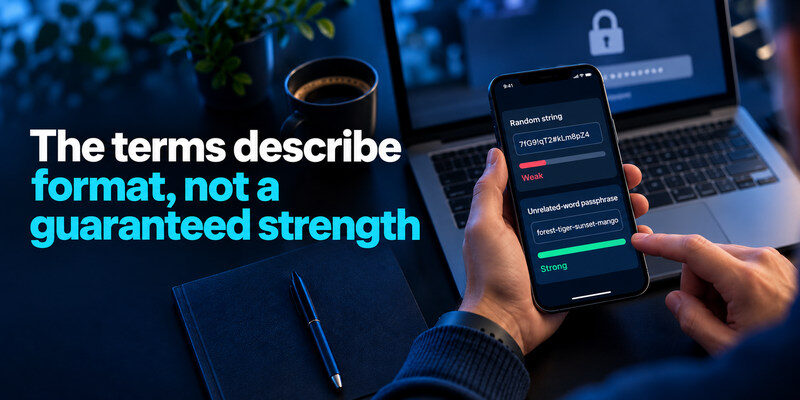
A “password” can be a short word or a long random string of characters. A “passphrase” typically contains multiple words. Some websites call either one a password and accept spaces; others impose restrictions. What matters is how the secret was generated and whether it is used anywhere else. Do not assume punctuation turns a predictable phrase into a secure one.
| Question | Randomly generated password | Random-word passphrase |
| Typical appearance | Unrelated letters, numbers, symbols | Several unrelated words |
| Best daily use | Stored by a manager for each site | Memorized master or device secret |
| Main strength | High unpredictability if generated well | Length and memorability if words are chosen randomly |
| Main failure | User reuses or saves it insecurely | User chooses a lyric, quote, or personal pattern |
| Input friction | Difficult to type on another device | Longer but easier to read and type |
This is a practical comparison, not an entropy calculation for a specific secret. A password manager can make a long random credential effortless at most sites. A passphrase is useful where memory is unavoidable. If a site supports passkeys, the comparison may not be necessary for that sign-in, though account recovery still needs planning.
Secure your accounts with fast, reliable two-factor authentication. Download now and protect your login in seconds.Download Authenticator App
What NIST guidance changes about the advice
Current NIST digital identity guidance emphasizes allowing long passwords, screening against common or compromised values, and avoiding arbitrary composition rules and routine forced changes without a reason. It does not say that every string containing symbols is strong or that a fixed number of words is universally sufficient. A site’s limits and risk model still matter; choose a unique secret within its rules.
Length helps only when the content is unpredictable
More characters expand the possibilities if they are not easily guessed. Adding four unrelated words through a trustworthy generator is different from repeating your favorite sentence, name, or keyboard pattern. Attackers try common phrases, variations, and leaked credentials before blind guessing. Avoid public quotations, song lines, and details that appear on your social profiles.
Character rules can lead to a false sense of safety
A short dictionary word plus a year and exclamation mark meets many old rules but remains predictable. Conversely, a long passphrase may be rejected by a poorly designed website even though it is a sensible choice. Use a manager-generated string that meets the actual site’s requirements; do not contort a memorable secret into a pattern you reuse elsewhere.
Password strength is only one part of protecting an online account. Even a long, random password should be unique to the service and supported by appropriate authentication and recovery settings. Our guide to the best account security practices explains how password hygiene fits into a broader account protection strategy.
Where a random password wins
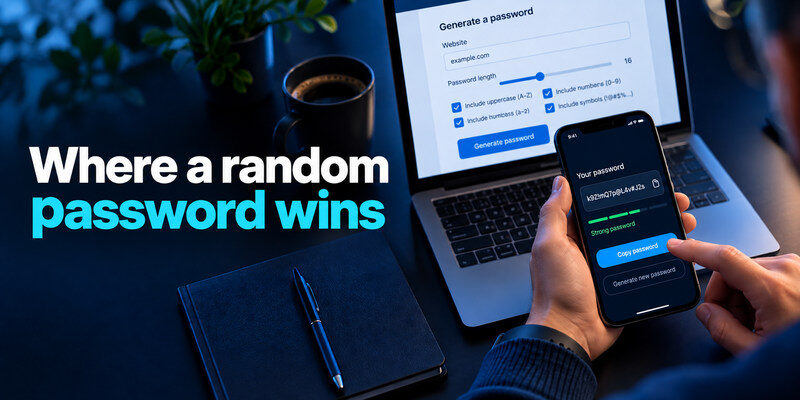
For ordinary online accounts, a password manager can create a different secret for every service and fill it on the correct domain. This addresses the most damaging habit: reuse. You do not need to memorize a separate 20-character random string for dozens of websites. Set a length the site accepts, then save and verify it before signing out.
Make uniqueness the default
Two equally long passwords are not equivalent if one is reused. A breach of one service can enable credential stuffing at another. Replace reused credentials in an order based on impact: email and manager first, then financial, work, social, and shopping accounts. If a password is exposed, change it on every account where it was used and review sign-in activity.
Check the domain before autofill
A manager may withhold autofill on a lookalike domain, which is useful, but do not treat it as a perfect phishing detector. Open sensitive sites through a trusted bookmark or app. If a page asks you to paste a credential after an urgent message, independently verify the site and request. A strong secret entered into a fake form is no longer private.
You do not need to memorize every random password you create. A password manager can generate and store unique credentials for individual websites, leaving you with fewer secrets to remember. Our guide on how to use a password manager explains password generation, secure storage, autofill, and the importance of protecting your vault.
Where a passphrase wins
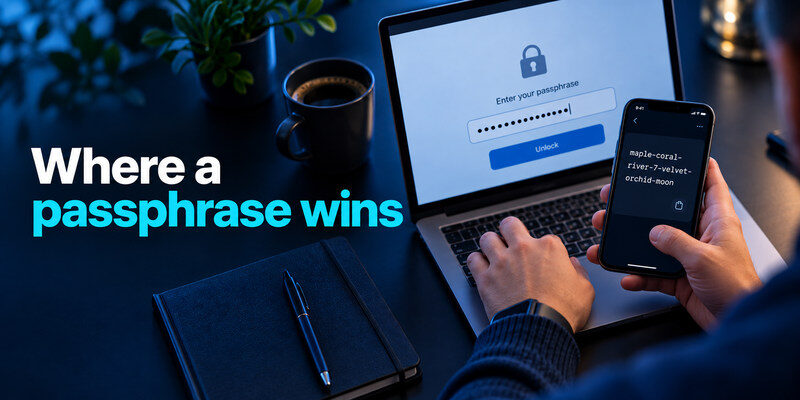
A randomly constructed passphrase can be easier to remember and type for a password manager, an encrypted device, or an account you cannot reliably autofill. Generate unrelated words using a credible random method. Rehearse typing it without writing it on a screen, then store a protected recovery copy if the account’s loss would be serious. A passphrase’s readability helps usability; it does not excuse reuse.
Avoid self-selected stories
Your hometown, pet, school, favorite film, and “clever” substitutions are easier to guess than you may expect, especially when public information is available. A sentence you invented can still have predictable structure. Random words are preferable to a personal story. Do not copy an example from an article into a real account; examples become public the moment they are published.
Plan for typing errors
Spaces, capitalization, and punctuation count when supported. Test the passphrase on the device you will use and confirm the keyboard layout. Some services silently trim or prohibit spaces; follow their rules and use an appropriate generated password if necessary. When choosing a master passphrase, keep an offline recovery method so a single forgotten word does not lock you out permanently.
Browser password storage can be convenient, but it is worth understanding how it compares with a dedicated password manager before deciding where to keep your credentials. Our password manager vs browser autofill comparison explains differences in storage, access controls, synchronization, and everyday usability.
Compare risk under realistic scenarios
| Scenario | Better default | Reason |
| New shopping login stored in a manager | Unique random password | No need to memorize it |
| Password manager master secret | Random-word passphrase | Memorable without relying on reuse |
| Shared account among coworkers | Neither as a shared secret | Use individual access and supported roles |
| Website limits spaces or length | Compatible unique generated password | Follow constraints without reusing a pattern |
| High-value account supports passkey | Passkey plus recovery plan | Phishing resistance can be stronger than typed secrets |
| Account already exposed | Replace with new unique secret | Old strength is irrelevant after exposure |
For a shared family subscription, first check whether the provider supports separate profiles or delegated access. A “strong” shared secret loses accountability when it circulates in messages. For work accounts, follow organizational policy and use approved identity tools.
If you are moving from a memorized password to a manager-generated one, update one account at a time and confirm that the new entry is associated with the correct website. A manager may save two entries for a service after a reset, and autofill can select the old one. Delete the stale entry only after a fresh sign-in succeeds. On a service with a recovery phrase, treat that phrase as a different secret from the login password and store it according to the provider’s instructions. The strongest choice on paper is less useful if routine migration leaves you locked out or using an old credential.
Generate, store, and test your choice

Choose a trusted password manager or generator, set an appropriate length, and avoid common or breached values. For a master passphrase, use randomly selected unrelated words and practice once in a safe setting. Save the new secret, sign out of a noncritical session, and sign in again to check that your vault and recovery method work. Do not delete an old working credential until the replacement has been confirmed.
Add a second factor
A strong password or passphrase is still one factor. Use a passkey or security key where supported and practical, or an authenticator code for TOTP-compatible sites. can serve as a separate code generator for supported accounts. Store backup codes outside the locked account and verify a new-device sign-in while you still have access. A live TOTP code can be phished, so do not send it to anyone.
Do not rotate on a calendar alone
Change a secret when it is compromised, reused, shared improperly, or when the provider requires it for a justified reason. Routine changes can encourage predictable increments and forgotten records. Review device sessions and recovery methods after an incident. NIST’s guidance discourages arbitrary periodic password changes absent evidence of compromise.
Even a strong passphrase becomes risky when it is reused across multiple websites. If one service experiences a breach, attackers may try the exposed credential elsewhere. Our guide to cybersecurity tips for beginners explains how unique passwords, software updates, phishing awareness, and account monitoring work together to reduce common security risks.
A quick decision guide

If you will save a credential in a manager, choose a unique generated password. If you genuinely need to memorize it, choose a long randomly generated passphrase that the service accepts. If a phishing-resistant passkey is available, evaluate it for important accounts and maintain backup access. Whatever you choose, do not reuse it, keep recovery separate, and protect the account controlling your password reset email.
Use a manager without creating a recovery trap
Do not store the manager’s only recovery code inside the manager. Keep an independent protected copy of the master-secret recovery information and any emergency kit the provider supplies. For an authenticator on the same phone, understand how codes transfer before changing devices. Convenience is valuable when you can still recover after loss.
Beware of “strength tests” that collect secrets
Do not enter a live password or passphrase into an unknown webpage to get a score. A site may record what you type. Use the generator and checks in a trusted manager, and look for known-compromised values through reputable services that document their methods. A colorful meter is not proof of uniqueness.
Avoid the common passphrase shortcuts
The most tempting shortcut is to choose a phrase you already know. A movie line, proverb, or favorite lyric feels long, yet it is a predictable candidate. Another shortcut is to take a single base phrase and append a website name. That creates related secrets, so disclosure of one helps guess the rest. Treat a passphrase as one unique secret, not as a reusable template.
Random selection and memorability can coexist
Generate unrelated words with a trustworthy random process. Read them aloud privately if that helps you remember, then practice on the devices where you will type them. Do not record yourself saying the phrase or send it in a note to a friend. When the secret protects an important vault, keep an independent protected recovery copy according to the provider’s instructions. The backup is part of the design, not a sign that the phrase is weak.
Judge strength in context
A service that rate-limits online guesses presents a different attack surface from a stolen password database. Breached credentials and popular phrases can be tried quickly in either case. Do not claim that any fixed number of words or characters guarantees safety without describing how they were chosen. A manager-generated site password plus MFA is a strong practical default; a memorable passphrase is most useful for the few secrets you truly need to type without autofill.
If you change a master passphrase, unlock the vault again on each necessary device before retiring the old record. Check whether emergency access or recovery keys need updating. A user who forgets the new secret during a phone migration can be locked out despite making a mathematically stronger choice.
Frequently Asked Questions
Are four words always stronger than 16 random characters?
No. It depends on how words and characters are selected, the word list, and the attack scenario. A quoted four-word phrase is predictable. A random string may be hard to memorize but well suited to a manager. Avoid fixed comparisons without describing generation.
Can my passphrase contain spaces?
Many services allow them, but site rules vary. Check the actual form and test the sign-in. If spaces are prohibited, use a compatible unique generated password or a service-supported alternative; do not reuse an old phrase with spaces removed everywhere.
Should I use the same passphrase on email and my vault?
No. Those are two critical accounts that must have independent secrets. If one is exposed, reuse would place the other at risk. Protect both with strong MFA and separate recovery paths where possible.
Does MFA make password strength irrelevant?
No. MFA reduces password-only attacks, but an attacker may phish a code, steal an active session, or exploit recovery. Unique unpredictable secrets, safe sign-in habits, and a second factor reinforce one another.
Is a five-word sentence I wrote myself a passphrase?
It is a passphrase in format, but its strength depends on predictability. A familiar saying, grammar pattern, or personal reference may be easier to guess than unrelated random words. Use a generator rather than selecting words to fit a story. Do not publish or reuse any example shown in a tutorial.
What if the site truncates long passwords?
Follow its published limit and test sign-in rather than assuming extra characters are preserved. Use a unique generated password within the accepted range and enable MFA. If a site has unclear behavior, contact its support through an official channel. A password that appears long in your manager but is silently truncated can create confusing login failures.
Are passphrases safer against keyloggers?
No. Malicious software that records keystrokes can capture either typed secret. Update the device, limit untrusted software, and avoid entering sensitive credentials on a device you suspect is compromised. Passkeys or hardware-backed methods may change the sign-in exposure, but device compromise still deserves direct attention.
Final Thoughts
The strong password vs passphrase decision is a usability decision built on the same security principles. Let a manager generate unique passwords for sites; use a random, long passphrase for the few secrets you must remember. Test sign-in and recovery before trusting the setup.
