
How to Protect Your Seed Phrase: 10 Essential Tips
Published November 5, 2026
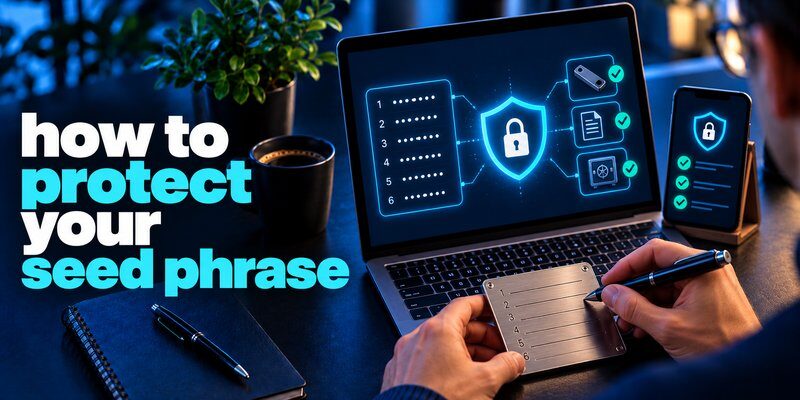
To protect your seed phrase, write down the recovery words in the correct order, store them offline in a secure location, avoid digital copies, and never share them with anyone. Use a durable backup, keep it separate from your crypto wallet, and verify that you can recover your funds safely.
Learning how to protect your seed phrase is essential because anyone who obtains your recovery words may be able to access and transfer your cryptocurrency without your permission.
Unlike a traditional password, a compromised seed phrase cannot simply be reset. This guide explains 10 practical ways to secure your crypto wallet recovery phrase, prevent theft, and prepare for emergencies.
How to Protect Your Seed Phrase in 10 Steps
If you’re wondering how to protect your seed phrase, follow these 10 essential security practices:
- Write down your seed phrase correctly.
- Keep your seed phrase completely offline.
- Store it in a secure physical location.
- Use a durable metal backup for long-term protection.
- Never share your recovery phrase with anyone.
- Keep your seed phrase separate from your wallet device.
- Consider an additional wallet passphrase.
- Avoid phishing websites and fake recovery requests.
- Create a reliable backup and recovery plan.
- Take immediate action if your seed phrase is exposed.
These steps help protect your recovery phrase against online attacks, physical theft, accidental damage, and permanent loss.
Read more: How to Secure a Crypto Wallet: 10 Steps to Keep Your Crypto Safe
Secure your accounts with fast, reliable two-factor authentication. Download now and protect your login in seconds.Download Authenticator App

Write Down Your Seed Phrase Correctly
The first step in how to protect your seed phrase is recording every recovery word accurately during wallet setup.
A seed phrase, also called a recovery phrase or mnemonic phrase, is a sequence of words used by many cryptocurrency wallets to recover private keys.
Most wallets use 12 or 24 recovery words, although other lengths and recovery systems exist.
How to record your seed phrase safely
Follow these steps when creating a new wallet:
- Initialize your wallet using the manufacturer’s official instructions.
- Generate a new recovery phrase through the trusted wallet setup process.
- Write down every word exactly as displayed.
- Preserve the correct word order.
- Double-check spelling and numbering.
- Complete the wallet’s official backup verification process.
Never use a seed phrase supplied by a seller, support agent, or third-party website.
Why word order matters
Recovery words must appear in the correct sequence.
An incorrect word or misplaced recovery word can prevent you from restoring the intended wallet.
For wallets that support an additional passphrase, entering the wrong passphrase may also restore a different set of accounts.
Security tip: Use your wallet’s official backup verification feature before depositing significant cryptocurrency.
A trusted password manager app can help protect exchange account passwords and other login credentials, but a wallet recovery phrase requires a separate risk assessment. For users prioritizing offline self-custody, keeping the seed phrase outside internet-connected password storage reduces exposure to compromised devices and online accounts.
Read more: How to Set Up a Passkey: A Complete Step-by-Step Guide

Keep Your Seed Phrase Completely Offline
One of the most effective methods for how to protect your seed phrase is keeping it disconnected from internet-accessible systems.
Digital storage can expose recovery words to malware, cloud account breaches, compromised devices, and unauthorized access.
Where you should never store a seed phrase
Avoid saving recovery words in:
- Google Drive, Dropbox, or other cloud storage services.
- Email messages or drafts.
- Smartphone screenshots and photo galleries.
- Messaging applications such as Telegram or WhatsApp.
- Unencrypted text files or digital notes.
- Online documents and shared folders.
- Websites claiming to verify wallet recovery phrases.
Even private digital files can become exposed if a device or cloud account is compromised.
Is it safe to store a seed phrase in a password manager?
Password managers can protect sensitive information through encryption, but storing a wallet recovery phrase digitally introduces additional risks.
For hardware wallets and substantial cryptocurrency holdings, an offline backup is generally the more conservative approach.
If you choose digital storage, understand the security implications rather than assuming encryption eliminates every risk.
Best practice: Keep your primary seed phrase backup offline and avoid creating unnecessary digital copies.
Physical storage is only one part of a broader security plan. Review our personal cybersecurity checklist for additional guidance on securing devices, managing account access, protecting recovery methods, and reducing common online security risks.
Read more: How to Use Passkeys on iPhone: Save, Sign In, and Recover
Store Your Seed Phrase in a Secure Physical Location
Choosing a safe storage location is another important part of how to protect your seed phrase.
A recovery phrase should be protected against unauthorized access, accidental disposal, fire, flooding, and other physical hazards.
Best places to store a seed phrase
Potential storage options include:
- A secure home safe with appropriate fire and water protection.
- A private, access-controlled storage location.
- A bank safe deposit box, after considering access and availability risks.
- A dedicated secure storage solution for sensitive physical backups.
The right choice depends on your circumstances, the value of your holdings, and who may need legitimate recovery access.
What to consider before choosing a location
Evaluate these questions:
- Can someone else access or photograph the backup?
- Could the backup be destroyed by fire or water?
- Is the location vulnerable to theft?
- Can you access it during an emergency?
- Could the backup be accidentally discarded?
- Can a trusted person recover it if necessary under your estate plan?
Avoid keeping the only copy in an easily accessible drawer, wallet, or travel bag.
A strong seed phrase security strategy protects against both theft and permanent loss.
Read more: How to Protect Your Online Accounts: A Priority-First Plan
Use a Metal Seed Phrase Backup for Long-Term Storage
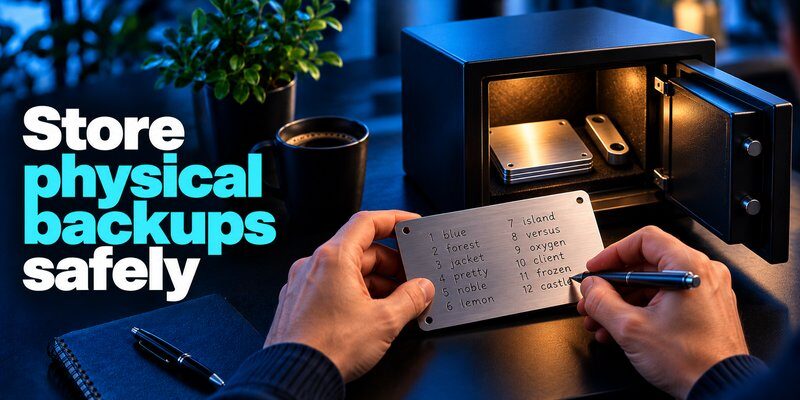
For people researching how to protect your seed phrase over many years, a metal backup may offer better physical durability than paper.
Paper can deteriorate, burn, tear, or become unreadable after exposure to moisture.
Metal seed phrase storage products are designed to preserve recovery words under more demanding physical conditions.
Paper vs. metal seed phrase storage
| Feature | Paper Backup | Metal Backup |
|---|---|---|
| Initial cost | Low | Higher |
| Fire resistance | Limited | Depends on material and design |
| Water resistance | Limited | Generally stronger |
| Long-term durability | Depends on storage conditions | Often better |
| Ease of setup | Simple | May require engraving or assembly |
| Protection against theft | Depends on location | Depends on location |
How to create a metal backup safely
- Choose a durable product from a reputable manufacturer.
- Record the recovery words according to its instructions.
- Verify every word and its position.
- Confirm the backup is readable.
- Store it in a secure location.
- Keep it away from unnecessary public exposure.
Some backup products store abbreviated word prefixes. Only use these systems when they are compatible with your wallet’s recovery standard and you understand how restoration works.
Important: A metal backup improves physical resilience, but it does not prevent theft if someone gains access to the stored recovery words.
Fake wallet support agents often use urgency, fear of losing funds, and claims of technical authority to persuade people to reveal recovery words. Understanding what is social engineering can help you recognize these manipulation tactics before disclosing sensitive information or approving a dangerous transaction.
Never Share Your Seed Phrase With Anyone
The most important rule in how to protect your seed phrase is simple: never reveal your recovery words to an untrusted person or service.
Anyone who obtains a valid seed phrase may be able to restore the corresponding wallet and control its funds.
Legitimate wallet support representatives do not need your recovery phrase to troubleshoot routine account issues.
Common seed phrase scams
Attackers may request recovery words through:
- Fake wallet customer support messages.
- Cryptocurrency giveaway websites.
- Fraudulent wallet verification pages.
- Social media direct messages.
- Fake security alerts.
- Malicious browser extensions.
- Fraudulent cryptocurrency recovery services.
Warning signs of a seed phrase scam
Be suspicious if someone claims:
- Your wallet must be verified immediately.
- Your funds will be frozen unless you provide recovery words.
- A support agent needs your seed phrase to fix an error.
- You must enter recovery words to receive an airdrop.
- A website can recover stolen cryptocurrency after you submit your seed phrase.
These requests are strong indicators of fraud.
Never share your recovery phrase through email, chat, social media, or an unsolicited website.
Read more: How to Choose a Password Manager: A Practical Checklist for 2026

Keep Your Seed Phrase Separate From Your Wallet Device
Physical separation is a useful strategy when learning how to protect your seed phrase from theft and device loss.
A hardware wallet and its recovery phrase serve different purposes.
The hardware wallet stores and uses cryptographic keys for transaction signing, while the recovery phrase can restore compatible wallet access.
Why separate storage matters
If someone steals both your wallet device and recovery phrase, they may gain the information needed to access your cryptocurrency.
A device PIN can help protect the hardware wallet itself, but it does not prevent someone from restoring the wallet using an exposed recovery phrase.
Recommended storage approach
- Keep the hardware wallet in a secure, accessible location.
- Store the recovery phrase separately.
- Protect the device with a strong PIN.
- Avoid carrying the recovery phrase during everyday activities.
- Do not store the phrase inside the hardware wallet packaging.
- Limit knowledge of the backup location to authorized people.
Separating the wallet device and recovery phrase reduces the chance that one incident compromises both.
Consider an Additional Wallet Passphrase
Another advanced method for how to protect your seed phrase is using an optional wallet passphrase, sometimes called a BIP39 passphrase.
Certain hardware wallets support an additional secret that works alongside the recovery phrase.
The combination creates a different wallet from the same recovery words.
How an additional passphrase works
For supported wallets:
- The recovery phrase provides the base recovery information.
- The additional passphrase changes the resulting wallet.
- A different passphrase creates a different wallet.
- Recovering the intended wallet requires the correct recovery phrase and passphrase.
This can add protection if someone obtains the recovery words but not the additional passphrase.
Risks of using a wallet passphrase
An additional passphrase also increases recovery complexity.
If you forget the passphrase, your recovery words alone may not restore access to the intended funds.
Before enabling this feature:
- Read the wallet manufacturer’s official instructions.
- Choose a passphrase you can manage securely.
- Create a reliable recovery plan.
- Store the necessary recovery information appropriately.
- Test restoration before transferring significant assets.
Important: Optional passphrases are not suitable for every user. A simpler, well-maintained backup may be safer than a complicated system you cannot reliably recover.
Read more: How to Share Passwords Securely with Family Without Sharing a Vault Login
Avoid Phishing Websites and Fake Recovery Requests
Recognizing phishing attacks is essential for how to protect your seed phrase, especially when using browser-based cryptocurrency applications.
Scammers frequently create websites that imitate legitimate wallet providers.
These websites may request recovery words under the pretense of restoring access, verifying ownership, or fixing transaction errors.
How to recognize a fake recovery website
Common warning signs include:
- Unexpected requests for all recovery words.
- Unsolicited messages containing urgent security warnings.
- Website addresses that imitate official wallet domains.
- Instructions to disable security protections.
- Requests to connect a wallet to claim an unknown reward.
- Promises to recover stolen funds after submitting private information.
How to avoid seed phrase phishing
Follow these practices:
- Visit wallet websites through verified bookmarks.
- Check official domains carefully.
- Avoid clicking unexpected wallet recovery links.
- Never enter recovery words into unsolicited forms.
- Use official wallet recovery tools and instructions.
- Reject suspicious wallet connection and transaction requests.
Remember that some attacks do not require your seed phrase. A malicious smart-contract approval may also expose cryptocurrency assets.
For stronger protection, combine safe recovery phrase storage with careful transaction verification.
Create a Reliable Seed Phrase Backup and Recovery Plan
A reliable backup is a fundamental part of how to protect your seed phrase against device loss, damage, and unexpected emergencies.
If your hardware wallet breaks or your phone is lost, the correct recovery information may allow you to restore compatible wallet access.
However, a backup is only useful if it remains accurate, accessible, and secure.
How to back up your seed phrase
Follow this process:
- Generate your recovery phrase through a trusted wallet.
- Record the words accurately in the correct order.
- Create a durable offline backup.
- Store it in a secure physical location.
- Consider whether a second protected backup is appropriate.
- Verify the backup through the wallet’s official procedure.
- Document any additional recovery requirements.
- Review your recovery plan periodically.
Should you create multiple seed phrase backups?
Multiple backups can reduce the risk of permanent loss if one copy is destroyed.
However, every complete copy creates another opportunity for unauthorized access.
If you maintain multiple backups, protect each location independently.
Avoid improvised word-splitting or complicated storage schemes that have not been tested.
Test your recovery process
Before holding significant cryptocurrency, verify that you understand how to restore the wallet.
Use the manufacturer’s official backup verification or recovery procedure.
Never type your seed phrase into a random website to check whether it works.
Read more: Best Free Password Manager: What You Get Without Paying
Act Immediately If Your Seed Phrase Is Exposed
Knowing how to protect your seed phrase also means understanding what to do when your recovery words may have been compromised.
A seed phrase should be treated as potentially exposed if it has been photographed, shared, entered into an untrusted website, or accessed by an unauthorized person.
Step 1: Stop using the compromised recovery phrase
Do not assume your wallet is safe simply because no unauthorized transaction has occurred.
An attacker who has the recovery phrase may be able to access the associated funds later.
Step 2: Create a new wallet
Using a trusted device, create a completely new wallet with a new recovery phrase.
Follow the wallet manufacturer’s official setup process.
Do not reuse the compromised phrase.
Step 3: Transfer remaining cryptocurrency
Verify the new receiving address carefully before moving assets.
If possible, use a trusted hardware wallet display to confirm the destination.
Check all relevant blockchain networks and assets, including tokens that may not appear in the default wallet view.
Step 4: Secure the new recovery phrase
Create a fresh offline backup and store it securely.
Test the supported recovery process before relying on the new wallet for substantial holdings.
Step 5: Review related security risks
Check whether your device, exchange account, email, or connected applications were also compromised.
Update affected account credentials and authentication methods when necessary.
Changing your wallet PIN or exchange password does not invalidate a stolen seed phrase.
What if cryptocurrency has already been stolen?
Record relevant transaction hashes, wallet addresses, and timestamps.
Report the incident to appropriate exchanges or authorities where applicable.
Be cautious of services promising guaranteed cryptocurrency recovery, especially those demanding advance payments or additional recovery phrases.
Fraudulent wallet recovery websites may copy the branding of legitimate providers and ask users to enter their seed phrases to restore access or verify ownership. Our guide on how to avoid phishing scams explains how to verify suspicious websites, recognize deceptive messages, and avoid submitting sensitive information to impersonators.

Seed Phrase Storage Methods: Which Is Safest?
When deciding how to protect your seed phrase, compare storage methods based on their exposure to online threats, physical damage, and unauthorized access.
| Storage Method | Online Exposure | Physical Durability | Recommendation |
|---|---|---|---|
| Paper in a secure safe | Low | Moderate | Suitable with proper protection |
| Metal backup in secure storage | Low | Generally high | Strong option for long-term storage |
| Smartphone screenshot | High | Device-dependent | Avoid |
| Cloud storage | High | Provider-dependent | Avoid for conservative offline backup |
| Email or messaging app | High | Provider-dependent | Avoid |
| Password manager | Depends on security model | Depends on recovery access | Requires careful risk assessment |
For most self-custody users, a secure offline backup offers a straightforward balance between privacy, security, and recoverability.
Frequently Asked Questions
What is the safest way to protect a seed phrase?
The safest practical approach is to record the recovery words accurately, keep them offline, and store a durable backup in a secure location. Never share your recovery phrase or enter it into untrusted websites.
Can someone steal my crypto with my seed phrase?
Yes. Anyone who obtains a valid recovery phrase may be able to restore the associated wallet and transfer funds. An optional wallet passphrase can provide an additional layer of protection when supported.
Should I store my seed phrase on paper or metal?
Both can work when stored securely. Paper is inexpensive and simple, while a well-designed metal backup may offer stronger protection against fire, water, and physical deterioration.
Is it safe to take a screenshot of my seed phrase?
No. Screenshots may be accessible to malware, compromised devices, or automatic cloud backups. Offline physical storage is generally safer.
Can I change my seed phrase?
You cannot simply replace the seed phrase while keeping the same underlying wallet keys. To use a new recovery phrase, create a new wallet and transfer your cryptocurrency to it.
What happens if I lose my seed phrase?
If you still have access to the wallet, you may be able to create a new wallet and transfer funds to it. If you lose both wallet access and the necessary recovery information, your cryptocurrency may become permanently inaccessible.
Does two-factor authentication protect my seed phrase?
No. Two-factor authentication protects supported accounts, such as cryptocurrency exchanges. It does not prevent someone with your recovery phrase from restoring a self-custody wallet.
Final Thoughts
Understanding how to protect your seed phrase is one of the most important responsibilities of managing a self-custody cryptocurrency wallet.
The most effective approach combines accurate recovery word recording, offline storage, durable physical backups, protection against phishing, and a tested recovery plan.
For long-term security, keep your recovery phrase private, separate it from your wallet device, and never enter it into an unfamiliar website.
If you suspect exposure, create a new wallet with a new recovery phrase and move your remaining funds through a carefully verified process.
