
Is Biometric Login Safe? Security Risks, Benefits & Tips
Published November 3, 2026
Quick Answer: Yes, biometric login is generally safe when implemented with secure hardware, protected biometric templates, anti-spoofing technology, and a strong backup passcode. Fingerprint and facial recognition can make everyday authentication convenient without repeatedly exposing passwords.
However, biometric authentication is not completely hack-proof. Attackers may exploit weak sensors, compromised devices, insecure account recovery, or poorly protected biometric databases.
The most secure approach is to combine biometric verification with phishing-resistant authentication, strong device security, and two-factor authentication (2FA) where appropriate.
So, is biometric login safe for banking, smartphones, and online accounts? Usually, yes—but the answer depends on how the system is built and what happens after the biometric check succeeds.
For accounts that support verification codes, an authenticator app can add another protection layer while biometric locking helps restrict local access to those codes.
1. Is Biometric Login Safe? The Short Answer
Biometric login can provide strong security for everyday device access, but it should not be the only protection for every sensitive account.
Modern systems such as Apple Face ID, Touch ID, and compatible Windows Hello implementations combine biometric recognition with operating-system security controls.
These systems can reduce the need to type passwords repeatedly, which may limit some password-exposure risks.
Nevertheless, biometric matching is probabilistic. A device estimates whether a newly captured fingerprint or facial representation matches an enrolled reference.
The result is not an absolute guarantee of identity.
When Is Biometric Login Most Secure?
Biometric verification is especially useful when:
- The device uses a trusted biometric sensor.
- Biometric information is protected in secure hardware.
- The system detects common presentation attacks.
- A strong passcode protects fallback authentication.
- The device receives regular security updates.
- Sensitive online accounts use appropriate additional authentication.
When Should You Be More Careful?
Be cautious when an unfamiliar application asks you to upload a fingerprint image or facial scan to an external service without explaining its security practices.
Not every facial recognition product offers the same protections as Apple Face ID or a properly configured cryptographic authenticator.
The question is biometric login safe should therefore be answered by examining the complete system rather than assuming every biometric implementation is equally secure.
2. What Is Biometric Login and How Does It Work?
To understand what is biometric login, consider the familiar process of unlocking a smartphone with a fingerprint or face scan.
Biometric login verifies an enrolled user using measurable physical or behavioral characteristics.
Common methods include fingerprints, facial geometry, iris patterns, and certain behavioral measurements.
How Does Biometric Login Work?
The question how does biometric login work can be explained through five steps.
Step 1: Enrollment
The user registers a biometric characteristic, such as a fingerprint or facial scan.
Step 2: Feature extraction
The device processes the sample to identify useful characteristics.
Step 3: Template protection
The system stores a mathematical representation of the enrolled biometric information, ideally using protected storage.
Step 4: Comparison
During authentication, the device captures a new sample and compares it with the enrolled representation.
Step 5: Authorization
If the match meets the required threshold and other security conditions are satisfied, the device authorizes the requested action.
The biometric representation is not necessarily sent to the website or application requesting access.
In some systems, biometric verification occurs locally and activates a protected cryptographic credential.
This distinction is central to understanding is biometric login safe, because a protected local comparison creates different privacy risks from a system that collects and stores biometric data centrally.
3. How Secure Is Biometric Authentication?
The question is biometric authentication secure depends heavily on sensor quality, matching thresholds, hardware protections, and resistance to spoofing.
Leading biometric systems publish useful security statistics, although these figures must be interpreted carefully.
Apple Touch ID Security
According to Apple Support, the probability of a random person matching an enrolled fingerprint using Touch ID is approximately 1 in 50,000 with one registered fingerprint.
Apple also limits unsuccessful fingerprint attempts before requiring a device passcode or password.
Apple Face ID Security
Apple states that the probability of a random person unlocking a compatible device using Face ID is less than 1 in 1,000,000 with a single enrolled appearance.
These figures describe random false-match probabilities under specified conditions.
They are not measurements of resistance against every sophisticated attack or compromised device.
NIST Biometric Security Standards
The U.S. National Institute of Standards and Technology provides additional guidance.
In NIST SP 800-63B-4, published in July 2025, covered biometric systems must achieve a false match rate of one in 10,000 or better.
NIST also recommends a false non-match rate below 5%.
These are requirements and recommendations for systems within the standard’s scope—not universal performance statistics for all consumer devices.
Most importantly, NIST does not recognize a biometric characteristic as a standalone authenticator under its digital identity framework.
Biometrics are strongest when combined with a trusted physical authenticator and secure authentication protocol.
Consequently, is biometric login safe cannot be determined from a fingerprint matching statistic alone.
4. Can Biometric Login Be Hacked?
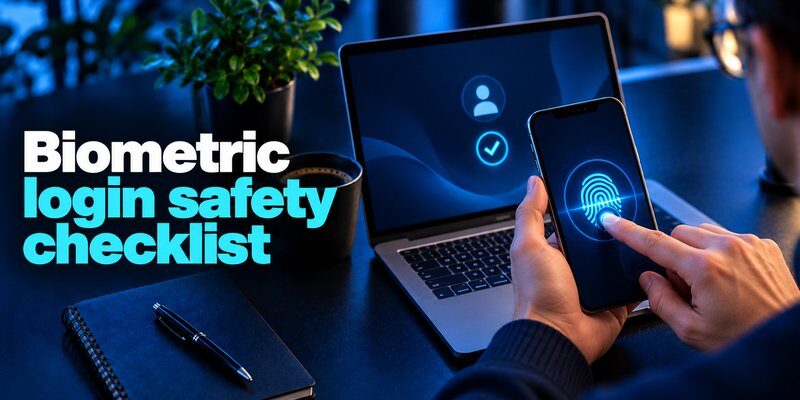
One of the most important questions is can biometrics be hacked.
The answer is yes. Although advanced biometric systems make unauthorized access difficult, attackers can target several weaknesses.
Fingerprint Spoofing
Fingerprint sensors may face presentation attacks using artificial fingerprint patterns or replicas.
Successful attacks depend on the sensor’s technology, anti-spoofing protections, and the attacker’s capabilities.
A simple copy of a fingerprint should not automatically be assumed capable of bypassing every modern sensor.
Facial Recognition Spoofing
Weak facial recognition systems may be vulnerable to photographs, videos, masks, or digitally manipulated imagery.
More advanced systems use depth sensing, infrared technology, and presentation attack detection.
Apple states that Face ID uses depth information and anti-spoofing mechanisms to distinguish a real face from certain presentation attacks.
Compromised Devices
Malware or operating-system vulnerabilities can create risks even when biometric matching functions correctly.
For example, an attacker may attempt to steal session credentials or abuse an already authenticated application.
Insecure Biometric Storage
A poorly protected database containing biometric information can create lasting privacy problems.
Unlike an ordinary password, a person’s fingerprint or facial characteristics cannot simply be replaced.
Account Recovery Attacks
Attackers may bypass the primary authentication method by exploiting weak password-reset or account-recovery procedures.
This means the answer to is biometric login safe also depends on how the service handles lost devices, recovery credentials, and suspicious sign-ins.
For related threats, see what is account takeover.
5. Is Fingerprint Login Safe Compared to Face Recognition?
Many users ask is fingerprint login safe when choosing between fingerprint and facial authentication.
Both can provide secure verification, but neither is universally superior.
Their security depends on the hardware, matching algorithm, anti-spoofing controls, and device implementation.
| Feature | Fingerprint authentication | Facial authentication |
|---|---|---|
| Biometric characteristic | Fingerprint patterns | Facial characteristics |
| Common devices | Phones and laptops | Phones, tablets, computers |
| Main convenience | Touching a sensor | Looking at a camera |
| Common interference | Wet fingers, injuries, dirt | Lighting, obstructions, appearance changes |
| Spoofing risk | Artificial fingerprint presentations | Images, masks, or synthetic facial presentations |
| Security level | Implementation-dependent | Implementation-dependent |
Advantages of Fingerprint Login
Fingerprint sensors can work well in environments where facial recognition is less convenient.
For example, fingerprint authentication may be preferable when a user’s face is covered or the device’s camera is difficult to position.
Advantages of Facial Recognition
Facial authentication can provide hands-free access.
Depth-based facial recognition systems may also distinguish between a live face and ordinary two-dimensional images.
Which Should You Choose?
People searching is fingerprint login secure should evaluate the device’s overall security architecture rather than only the recognition method.
For example, a high-quality fingerprint sensor may be more secure than a weak camera-based facial unlock system.
Conversely, advanced facial recognition may provide stronger protection than an inexpensive fingerprint reader.
The best biometric method is the one supported by reliable hardware, secure software, and strong fallback authentication.
In practice, is biometric login safe depends more on implementation quality than whether the device recognizes a face or fingerprint.
6. Is Biometric Login Safer Than a Password?
The question is biometric login safer than password requires a comparison of different security properties.
Passwords rely on information the user knows.
Biometric systems rely on measurable personal characteristics.
Advantages of Biometrics
Biometric authentication reduces the need to remember or repeatedly enter passwords.
It also limits certain risks involving password observation during everyday device use.
When used to activate a passkey, biometrics can support phishing-resistant account authentication.
Advantages of Passwords
A strong, unique password can be replaced after a compromise.
Passwords do not require collecting or processing a person’s biological characteristics.
Password managers can generate and store long, random passwords for different accounts.
Weaknesses of Both Methods
Passwords can be stolen through phishing, data breaches, or malicious software.
Biometric systems can experience false matches, spoofing attempts, sensor problems, or compromise of supporting infrastructure.
Biometric characteristics are also difficult to revoke if exposed.
| Security factor | Biometric login | Password |
|---|---|---|
| Memorization required | No | Usually yes |
| Can be changed easily | Not the physical characteristic | Yes |
| Vulnerable to phishing | Depends on underlying protocol | Yes |
| Requires special hardware | Usually | No |
| Can work with MFA | Yes | Yes |
| Best practice | Secure device and protected authenticator | Unique password and MFA |
For readers asking is biometric safer than password, the answer is that a well-designed biometric login can be more convenient and resistant to certain attacks, but it does not automatically replace the protections provided by cryptographic authentication.
Learn more about how to create a strong master password.
Therefore, is biometric login safe compared with passwords should be evaluated in the context of how credentials are stored, verified, and recovered.
7. Biometric Login vs. 2FA and Passkeys
Biometric login and two-factor authentication are related, but they are not interchangeable.
Two-factor authentication requires two distinct authentication factors, such as a password and a registered authenticator.
Biometric verification is one possible factor, usually described as something you are.
What Is Biometric 2FA?
The phrase biometric 2fa refers to authentication that incorporates a biometric characteristic as one part of a multi-factor process.
For example, a registered hardware-backed authenticator may require fingerprint verification before using a protected private key.
The physical authenticator represents something the user has, while the biometric represents something the user is.
This is an example of biometric 2 factor authentication when the implementation satisfies the relevant authentication requirements.
What About Passkeys?
Passkeys use public-key cryptography instead of relying on a reusable password.
A compatible device can authorize the use of a passkey through Face ID, fingerprint recognition, or a device PIN.
According to the FIDO Alliance, biometric processing used for passkey verification remains on the user’s device.
The website receives cryptographic authentication evidence rather than the biometric sample.
This makes properly implemented passkeys phishing-resistant.
Traditional TOTP codes provide a useful additional factor but can still be entered into fraudulent websites.
For further information, see Microsoft Authenticator passkeys.
The important lesson for is biometric login safe is that a secure passkey-based system offers protections beyond biometric matching alone.
8. Where Is Your Biometric Data Stored?
Biometric privacy is one of the most important considerations when evaluating authentication security.
There are significant differences between local biometric systems and centrally managed identity databases.
Local Biometric Storage
Apple says Face ID and Touch ID use protected mathematical representations stored through the Secure Enclave.
Biometric information is not ordinarily transmitted to websites simply because a user approves a passkey sign-in.
This architecture reduces unnecessary exposure of sensitive biometric characteristics.
Centralized Biometric Systems
Some identity-verification services collect biometric information on remote infrastructure.
This approach can support particular identification requirements, but it creates additional privacy and data-protection responsibilities.
Users should understand:
- What information is collected.
- Whether raw images or biometric templates are retained.
- Where the information is stored.
- Who may access it.
- How long it is retained.
- Whether deletion or withdrawal options are available.
Biometric data should be treated as sensitive personal information, not as an ordinary password substitute.
NIST specifically recognizes privacy risks associated with centralized biometric comparisons.
The privacy dimension of is biometric login safe therefore depends on both technical security and responsible data handling.
9. How to Check Your Biometric Settings and Activity
People sometimes search how do i check my biometric online because they want to confirm whether fingerprint or facial authentication is enabled, active, or potentially misused.
There is no universal website where everyone can check biometric records across all services.
The correct method depends on the platform.
On iPhone
Open Settings → Face ID & Passcode or Touch ID & Passcode, depending on the device.
Review enrollment and the actions permitted to use biometric verification.
For security reasons, iOS does not expose enrolled fingerprint templates for viewing or downloading.
On Android
Open the device’s security settings and locate fingerprint or face-unlock options.
Menu names vary among manufacturers.
Check enrolled biometrics and remove any entries you do not recognize.
On Windows
Navigate to Settings → Accounts → Sign-in options.
Review the Windows Hello features supported by the computer.
For Government Identity Services
Some government identity platforms provide separate biometric-management tools.
For example, India’s UIDAI myAadhaar service offers biometric lock and unlock functions for eligible Aadhaar holders.
It also provides access to authentication history through official services.
This is specific to Aadhaar and should not be confused with smartphone biometric settings.
Never upload fingerprint images or facial scans to an unfamiliar website claiming it can check all your biometric records.
For suspicious account activity, see how to spot suspicious login activity.
10. What Happens If Biometric Login Stops Working?
Biometric authentication may fail because of temporary conditions, hardware problems, or security requirements.
For example, wet fingers, damaged skin, camera obstructions, and operating-system changes can interfere with successful matching.
Try the Device Passcode
Most consumer devices offer a PIN, passcode, or password as a fallback.
Apple requires passcode entry under certain conditions, such as after restarting a device or exceeding permitted failed biometric attempts.
Re-Enroll Your Biometric Information
If recognition repeatedly fails, review the device’s enrollment settings.
Removing and re-registering a fingerprint or face may help with persistent recognition problems.
Only change enrollment information after verifying that you are using the device’s genuine settings interface.
Understand Biometric Password Reset
A biometric password reset generally refers to resetting a fallback password, recovering access to an account, or reconfiguring biometric sign-in.
It does not mean changing a person’s actual fingerprint or face.
The process varies by platform.
For an online account, use the service’s official recovery method rather than assuming a successful fingerprint scan can reset its password.
Protect Recovery Options
Keep backup credentials and account recovery information in a secure location.
If a device is lost, use the manufacturer’s account-security tools to protect your information and revoke affected sessions where possible.
For additional guidance, read how to recover a hacked account.
The reliability of recovery procedures is an important part of answering is biometric login safe over the long term.
11. How to Make Biometric Login Safer
The safest biometric setup uses multiple protections rather than trusting a fingerprint or facial scan alone.
Use a Strong Passcode
Choose a sufficiently long, unpredictable passcode.
Avoid obvious patterns and commonly used combinations.
A weak fallback credential can undermine an otherwise sophisticated biometric sensor.
Enable Phishing-Resistant MFA
Use passkeys or compatible hardware security keys for sensitive online accounts whenever available.
The Cybersecurity and Infrastructure Security Agency (CISA) recommends phishing-resistant authentication because it offers stronger protection against credential phishing.
Keep Software Updated
Install security updates for your operating system and applications.
Updates can address vulnerabilities that affect biometric-related workflows or device access.
Secure the Entire Device
Use automatic screen locking, supported device-location features, and remote-locking capabilities.
Do not share your device passcode unnecessarily.
Review App Permissions
Check whether applications genuinely need biometric verification or additional personal data.
Prefer reputable services that explain their authentication and privacy practices.
Protect Account Recovery
Review trusted devices, recovery addresses, backup codes, and account-reset procedures.
Weak recovery options can allow attackers to bypass strong sign-in controls.
Following these recommendations makes the answer to is biometric login safe more favorable by reducing the risks outside the biometric sensor itself.
For a broader checklist, see best account security practices.
12. Why Use an Authenticator App with Biometric Login?
Biometric verification and authenticator applications can protect different stages of the sign-in process.
Biometrics may prevent another person from opening protected content on a device.
A TOTP-based authentication app can generate one-time verification codes for websites that support authenticator-based 2FA.
How the Combination Works
Imagine signing into a protected email account.
First, you enter your account password.
Next, the website asks for a verification code.
You open your authenticator application, which may require Face ID or Touch ID before displaying the code.
Finally, you enter the code on the legitimate website.
The biometric check protects local access to the app, while the TOTP code provides an additional authentication factor for the website.
These are distinct security mechanisms.
Choosing an Authenticator App
When choosing an application, review its supported authentication methods, privacy practices, app-lock settings, recovery options, and pricing.
For iPhone users, Authenticator App – 2FA & MFA from BEGAMOB GLOBAL LIMITED supports time-based verification codes for compatible services.
Its App Store listing also describes Face ID, Touch ID, and PIN app-lock options, along with offline code generation.
Users looking for an authenticator app 2fa can review its supported features and subscription information on the App Store.
To understand the setup process, see how to use authenticator app.
Does an Authenticator App Eliminate Every Risk?
No.
Manually entered TOTP codes can still be stolen through phishing.
A compromised device, exposed recovery codes, or stolen authenticated sessions can also threaten accounts.
According to a 2023 Microsoft Research study, MFA reduced observed account-compromise risk by 99.22% across the study population.
This result concerns the specific MFA study, not a universal percentage for biometric systems or an individual authenticator application.
For users evaluating is biometric login safe, the practical recommendation is to combine protected local access with suitable account authentication, prioritizing phishing-resistant methods when available.
13. Frequently Asked Questions
What Does Biometric Login Mean?
The search question what is biometric login mean refers to using measurable personal characteristics—such as fingerprints or facial features—to verify an enrolled user.
The system compares a new biometric sample against protected reference information before authorizing access.
Is Biometric Login Safe for Banking?
Biometric login can be appropriate for banking when supported by the bank’s secure authentication system.
However, a fingerprint or face scan should not be assumed to provide complete transaction protection by itself.
Banks may require additional device binding, transaction confirmation, cryptographic authorization, or other security measures.
Can Someone Steal My Fingerprint From My Phone?
A well-designed local biometric system restricts direct access to biometric templates.
For example, Apple protects fingerprint representations through the Secure Enclave.
Nevertheless, weak devices, malicious applications, and insecure centralized databases can introduce other risks.
Is Biometric Login Safe Against Phishing?
Biometric verification alone is not necessarily phishing-resistant.
When a biometric check activates a FIDO2 passkey, the underlying cryptographic protocol can provide phishing resistance.
Traditional password and TOTP workflows remain vulnerable to some phishing attacks.
Can Biometric Data Be Changed After a Breach?
A person’s biological characteristics cannot be changed like a password.
A system may support replacing stored templates or cryptographic credentials, but this does not replace the physical characteristic itself.
Should I Use Biometrics or Two-Factor Authentication?
Use both where appropriate.
Biometrics offer convenient device verification, while a properly implemented second factor protects supported online accounts.
Passkeys can combine convenient biometric verification with phishing-resistant authentication.
Is Biometric Login Safe on Public Wi-Fi?
The biometric sensor is not automatically weakened by public Wi-Fi.
However, account security still depends on the website, browser, device, network connection, and authentication protocol.
Avoid suspicious login pages and use properly secured websites.
14. Final Verdict: Is Biometric Login Safe?
Yes, biometric login can be a secure and convenient authentication method when supported by trustworthy hardware, protected biometric data, strong fallback credentials, and suitable account-level security.
Fingerprint and facial recognition reduce everyday reliance on manual password entry, but they cannot eliminate spoofing, malware, weak recovery procedures, or privacy risks.
The most important security practices are:
- Use trusted biometric systems with protected local processing.
- Keep a strong device passcode or password.
- Choose phishing-resistant MFA for sensitive online accounts.
- Protect recovery methods and registered devices.
- Review application privacy practices and permissions.
- Use authenticator-based 2FA when stronger supported options are unavailable.
The best answer to is biometric login safe is therefore not simply yes or no. It depends on the entire authentication system and the safeguards protecting the user.
For accounts that support TOTP verification, explore Authenticator App for iPhone to add verification codes and supported biometric app locking to your security routine.
Download Authenticator App
Secure your accounts with fast, reliable two-factor authentication. Download now and protect your login in seconds.
