
Can Face ID Be Hacked? What the Real Risks Look Like
Published November 3, 2026
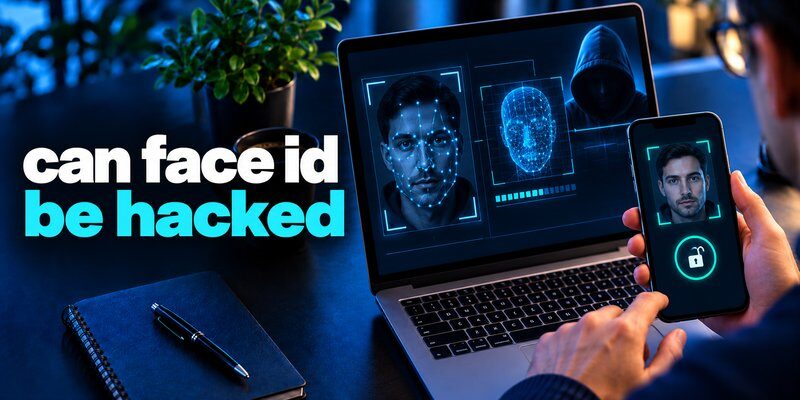
Quick Answer: Yes, Face ID can potentially be bypassed under certain circumstances, but Apple’s Face ID is designed to resist common spoofing attacks. A normal photograph or video is not sufficient to fool its depth-based facial recognition system.
Apple states that the probability of a random person unlocking an iPhone using Face ID is less than 1 in 1,000,000 with a single enrolled appearance.
However, this figure does not mean Face ID is impossible to defeat.
Sophisticated presentation attacks, physical coercion, stolen passcodes, compromised devices, and weak account recovery procedures can still create security risks.
So, can face id be hacked in everyday life? It is possible, but most ordinary users should be more concerned about stolen device passcodes, phishing, and account compromise than someone unlocking their iPhone with a simple selfie.
For stronger protection, combine Face ID with a secure passcode, Apple’s Stolen Device Protection, and appropriate account-level authentication.
An authenticator app can also add verification codes to supported online accounts while protecting local access through biometric app locking.
1. Can Face ID Be Hacked? The Short Answer
Face ID is a biometric authentication system built into compatible Apple devices.
It uses specialized hardware and software to verify facial characteristics before unlocking a device or authorizing certain actions.
Face ID is significantly more sophisticated than basic camera-based face unlocking.
Instead of relying exclusively on a normal image, Apple’s TrueDepth camera creates a three-dimensional representation of the user’s face.
This helps prevent common attacks involving printed photographs or ordinary digital images.
Nevertheless, the question can face id be hacked requires distinguishing between different types of attacks.
An attacker might attempt to:
- Fool the facial recognition sensor using a sophisticated presentation.
- Learn the owner’s device passcode and use an available fallback.
- Exploit vulnerabilities in the operating system.
- Gain access to an already unlocked device.
- Steal online account credentials through phishing.
- Abuse weak account recovery procedures.
These are different attack scenarios, and not all of them involve defeating Face ID’s biometric matching system.
The main takeaway is that Face ID provides strong local authentication, but it cannot independently secure every application, account, or recovery method.
2. How Does Apple Face ID Work?
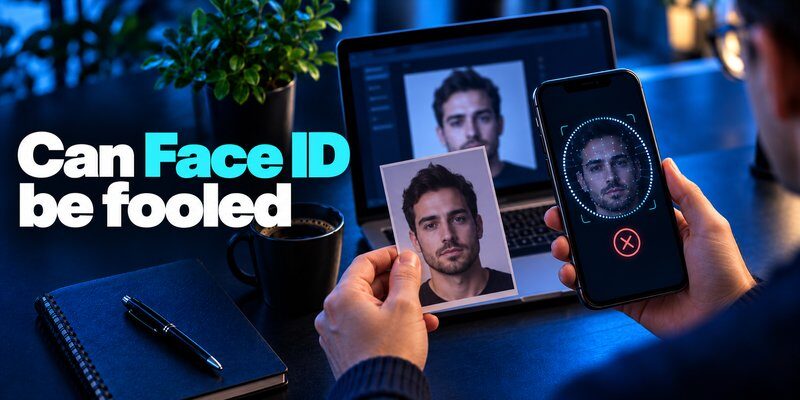
Understanding Face ID’s underlying technology helps explain why ordinary facial images are unlikely to bypass it.
According to Apple’s Face ID security documentation, the system uses the TrueDepth camera and machine learning to recognize an enrolled face.
Step 1: Facial Enrollment
When setting up Face ID, the user positions their face in front of the camera and follows the enrollment instructions.
The device collects information about facial geometry from different angles.
This produces the reference data used in subsequent authentication attempts.
Step 2: Depth and Infrared Capture
Face ID projects and analyzes thousands of invisible dots to create a depth map.
The system also captures an infrared image.
Depth information helps distinguish a real three-dimensional face from an ordinary two-dimensional photograph.
This is one of the most important technical differences between Apple Face ID and simpler facial recognition implementations.
Step 3: Secure Processing
The device transforms captured information into a mathematical representation.
Apple protects Face ID data using encryption and the Secure Enclave.
The representation is compared with previously enrolled information.
Step 4: Authentication
If the captured characteristics meet the matching requirements, Face ID can authorize the requested operation.
Supported actions include device unlocking, payment authorization, and access to compatible applications.
Face ID can also adapt to certain appearance changes, such as facial hair or makeup.
For substantial changes, the device may require its passcode before updating its facial representation.
Understanding can face id be hacked begins with recognizing that this is a complete hardware-and-software security system, not merely a camera comparing two photographs.
3. Can Face ID Be Hacked With a Photo or Video?
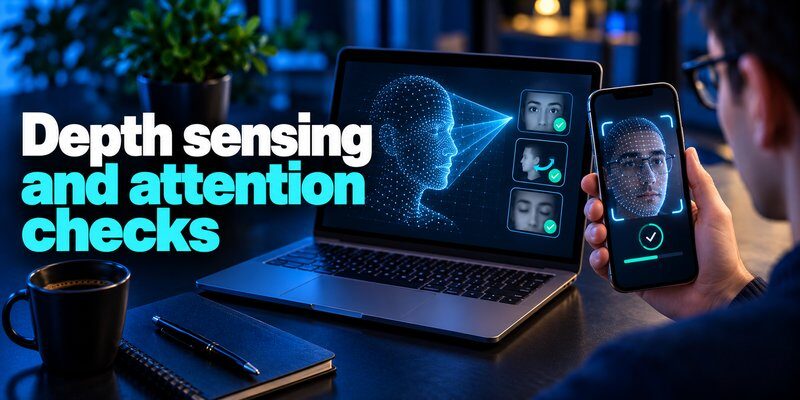
One of the most common questions is can face id be hacked with a photo.
A standard printed photograph or ordinary video should not unlock Apple’s Face ID system.
Apple explains that Face ID requires depth information that is absent from conventional two-dimensional images.
This makes it substantially more resistant to simple photo-based spoofing than basic facial recognition systems.
What About a High-Resolution Selfie?
A high-resolution selfie contains detailed facial information, but it does not automatically provide the depth measurements Face ID expects.
Displaying the selfie on another phone or tablet is therefore not a reliable way to bypass Face ID.
Can a Video Fool Face ID?
An ordinary video also lacks the genuine three-dimensional facial information needed for the intended Face ID matching process.
Moving images alone do not reproduce the complete sensor input.
Can a 3D Mask Bypass Face ID?
Sophisticated masks and other presentation attacks represent a more complicated threat.
Apple says Face ID incorporates anti-spoofing neural networks designed to resist attacks involving masks and similar techniques.
However, no biometric technology should be considered universally immune to every sufficiently advanced presentation attack.
Attack feasibility depends on hardware, software, sensor conditions, and the attacker’s resources.
The practical answer to can face id be hacked with facial images is that basic photographs and videos are not sufficient, while more sophisticated attacks require a separate security assessment.
4. Can Face ID Be Hacked Remotely?
The question can face id be hacked remotely often arises when users worry that someone might access their iPhone through the internet.
A remote attacker cannot normally unlock Face ID simply by obtaining a photograph of the owner or sending an image to the device.
The intended Face ID process requires compatible local sensors and secure on-device biometric matching.
However, that does not mean an iPhone or its associated online accounts are immune to remote compromise.
Phishing Attacks
An attacker may create a fake Apple Account login page and convince the user to enter credentials.
This attack targets the online account rather than Face ID’s facial matching mechanism.
Learn more about protecting accounts in how to protect your online accounts.
Operating-System Vulnerabilities
Software vulnerabilities may allow attackers to compromise particular device functions under certain circumstances.
Such an attack is different from making the Face ID sensor incorrectly recognize an attacker.
Regular security updates help reduce exposure to known vulnerabilities.
Stolen Sessions
An attacker who steals a valid authenticated session might access an online service without directly interacting with Face ID.
This illustrates why successful device authentication does not guarantee that every subsequent online session remains safe.
For additional context, read what is session hijacking.
When evaluating can face id be hacked, distinguish between a remote biometric bypass and a broader compromise of the user’s digital identity.
5. Real Security Risks That Could Bypass Face ID

Although simple photo attacks are ineffective against Apple’s intended Face ID mechanism, several realistic security concerns remain.
Identical Twins and Similar-Looking Family Members
Apple acknowledges that the probability of an unintended match is higher for identical twins and siblings who look similar.
The company also notes increased matching risks among children younger than 13 because their distinctive facial features may not have fully developed.
Using Face ID with a mask can further increase the statistical probability for these groups.
Users concerned about lookalike matching can choose passcode-based authentication instead.
Stolen Device Passcodes
Many Face ID-protected devices still permit passcode authentication under specified conditions.
Someone who observes or obtains the passcode may be able to access a device without defeating facial recognition.
This is one reason a strong passcode remains essential.
Apple’s Stolen Device Protection adds safeguards for particular sensitive actions, including biometric requirements without a passcode fallback.
Physical Coercion
An attacker with physical control of a person and their device may attempt to force or manipulate authentication.
Face ID’s attention-awareness feature can reduce some unauthorized unlocking scenarios, but it cannot eliminate physical coercion.
Already-Unlocked Devices
Face ID protects certain authentication events.
If a phone is already unlocked, some information may be accessible without another biometric check.
Applications that support separate locking mechanisms can provide additional protection.
Weak Account Recovery
Attackers may target account-reset procedures instead of biometric authentication.
A compromised email account or recovery method can expose services even when the iPhone itself remains locked.
The most useful answer to can face id be hacked is that the surrounding security controls matter just as much as biometric accuracy.
For related threats, see what is account takeover.
6. Is Face ID Safe? What the Security Statistics Show
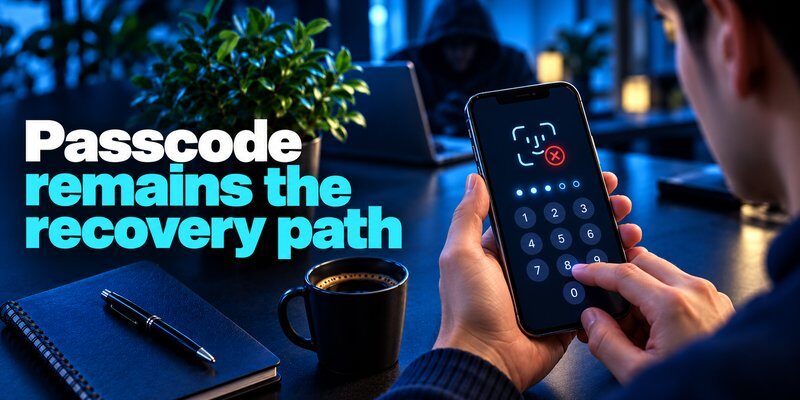
The question is face id safe can be evaluated using Apple’s published statistics and independent authentication standards.
Apple’s Published False-Match Probability
Apple reports that the probability of a random person unlocking a Face ID-equipped device is less than 1 in 1,000,000, with one enrolled appearance.
Apple also limits Face ID to five unsuccessful matching attempts before requiring a passcode.
These controls reduce the chances of repeated casual guessing.
However, the one-in-a-million figure refers to random false matches under specified conditions.
It is not a claim that the likelihood of any possible Face ID attack is one in a million.
Biometric Security Standards
The National Institute of Standards and Technology (NIST) requires a false match rate of one in 10,000 or better for biometric systems operating within the relevant scope of its 2025 Digital Identity Guidelines.
NIST also recognizes that biometric systems are probabilistic and can face impersonation attacks.
These standards are not an independent measurement of Apple’s Face ID performance.
What About Biometric Privacy?
Apple says Face ID mathematical representations are encrypted and protected through the Secure Enclave.
Face ID data is not ordinarily uploaded to Apple’s servers or included in iCloud backups.
This local-processing architecture reduces the need to expose biometric information to online services.
When asking is face id secure, users should consider both matching performance and protection against unauthorized biometric data access.
Overall, can face id be hacked cannot be answered by looking at a single accuracy statistic. Sensor protections, operating-system integrity, and fallback authentication all matter.
7. Why You Shouldn’t Use Face ID in Certain Situations
Some people search why you shouldn’t use face id because they are concerned about privacy, coercion, or device security.
Face ID is appropriate for many users, but there are situations where disabling it or changing its settings may be reasonable.
You Face an Elevated Risk of Physical Coercion
People in environments where an attacker might physically force access to a device may prefer passcode-based authentication.
Biometric convenience does not solve every coercion scenario.
You Share a Device
Face ID is designed around enrolled appearances.
Shared-device arrangements require careful consideration of who can unlock the device and access protected information.
You Have a Very Similar-Looking Twin
Apple specifically identifies twins and similar-looking siblings as groups with a higher risk of unintended matches.
If this risk is important to you, a strong passcode may be preferable.
You Require Additional Privacy Controls
Some users prefer not to use biometric verification for personal reasons.
A strong passcode remains a legitimate authentication option for many device functions.
Your Threat Model Requires Different Controls
Someone handling especially sensitive information may need device management, stronger account authentication, separate application locks, or specialized operational security.
Choosing not to use Face ID is not automatically more secure. It can also increase reliance on a passcode that might be observed, guessed, or stolen.
When deciding can face id be hacked in your circumstances, evaluate the threats you actually face rather than assuming biometric verification is universally better or worse than passwords.
8. Face ID vs. Passcodes, Touch ID, and Passkeys
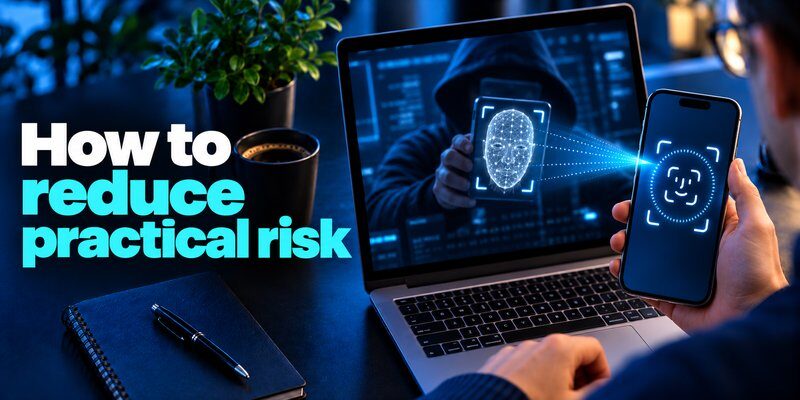
Different authentication technologies protect users in different ways.
| Method | How it works | Main security consideration |
|---|---|---|
| Face ID | Matches facial characteristics using compatible sensors | Biometric matching and device protections |
| Touch ID | Matches an enrolled fingerprint | Fingerprint sensor and secure processing |
| Passcode | Verifies a memorized secret | Strength, secrecy, and fallback exposure |
| Passkey | Uses public-key cryptography | Credential protection and phishing resistance |
| TOTP-based 2FA | Uses a time-based verification code | Codes can still be phished |
Face ID vs. Touch ID
Both are Apple biometric authentication technologies.
Face ID uses facial geometry, while Touch ID recognizes fingerprints.
Neither is universally superior against every possible attack.
Face ID vs. Passwords
A strong password can be changed after compromise.
Facial characteristics cannot simply be replaced.
However, Face ID reduces repeated password entry and can make everyday device authentication more convenient.
Face ID vs. Passkeys
Passkeys use cryptographic keys rather than facial characteristics to prove control of an account credential.
Face ID may unlock the device’s protected passkey, but the website does not receive the user’s facial scan.
According to the FIDO Alliance, properly implemented FIDO authentication is phishing-resistant.
For further reading, explore Microsoft Authenticator passkeys.
The can face id be hacked discussion becomes more useful when users recognize that facial matching and cryptographic account authentication are different security operations.
9. How to Make Face ID More Secure
Several practical iPhone settings can help reduce the risks associated with Face ID and stolen-device access.
1. Use a Strong Passcode
Open Settings → Face ID & Passcode → Change Passcode.
Consider a longer numeric or alphanumeric passcode instead of a predictable four-digit combination.
A strong passcode protects the fallback authentication process.
2. Keep Require Attention Enabled
On supported iPhones, open Settings → Accessibility → Face ID & Attention.
Enable Require Attention for Face ID when appropriate for your accessibility needs.
This setting helps ensure the user is looking toward the device during authentication.
Apple notes that requiring attention improves security.
3. Enable Stolen Device Protection
Navigate to Settings → Face ID & Passcode → Stolen Device Protection.
On supported configurations, enable the feature.
Apple explains that sensitive actions may require biometric verification without a passcode alternative.
Certain account-security changes can also require a security delay of approximately one hour, followed by another biometric verification.
You can configure the additional requirements to apply even in familiar locations.
4. Keep iOS Updated
Install available security updates.
Security patches address software vulnerabilities that may affect device protection.
5. Review Face ID Permissions
Open Settings → Face ID & Passcode → Other Apps to review applications permitted to use Face ID.
Disable biometric access for applications when you no longer want them to use that authentication option.
6. Protect Your Apple Account
Use strong account authentication and review trusted devices.
Enable appropriate recovery protections and avoid sharing verification codes.
For a broader checklist, see best account security practices.
Following these steps reduces several realistic risks behind can face id be hacked, including weak passcodes and unauthorized account changes.
10. Does Face ID Replace Two-Factor Authentication?
No. Face ID and two-factor authentication serve different purposes.
Face ID verifies an enrolled biometric characteristic on a compatible device.
Two-factor authentication requires two distinct categories of authentication evidence.
These categories typically include something you know, something you have, and something you are.
A fingerprint or facial scan belongs to the biometric category.
When Can Face ID Contribute to MFA?
Face ID can be used to activate a protected cryptographic authenticator.
For example, a passkey may require successful local Face ID verification before the device uses its private key.
In an appropriately implemented multi-factor cryptographic system, device possession and biometric verification can provide separate authentication factors.
Why Face ID Alone May Not Protect an Online Account
Unlocking an iPhone does not automatically mean every website has performed multi-factor authentication.
An online account may still accept a password or a previously established session.
Therefore, Face ID should not be mistaken for account-level two-factor protection.
For services supporting one-time verification codes, users can enable an additional authentication factor.
Learn more in two factor authentication app.
Understanding can face id be hacked also means understanding which parts of your security rely on Face ID and which rely on the online service’s authentication system.
11. How to Protect Your Accounts With an Authenticator App
An authentication app can generate time-based one-time passwords (TOTP) for supported websites.
These codes provide an additional sign-in factor when combined with an account password.
Face ID can complement this process by restricting access to the authentication application itself.
How the Two Technologies Work Together
Consider a typical sign-in process:
- The user enters their account password on the legitimate website.
- The service requests an additional verification code.
- The user opens their authentication application.
- Face ID unlocks the application, if biometric app locking is enabled.
- The user enters the current code to complete authentication.
Face ID protects access to the local application, while the verification code helps secure the online account.
These are different protections.
Authenticator App for iPhone
The Authenticator App on the App Store, published by BEGAMOB GLOBAL LIMITED, lists TOTP generation and app-lock options using Face ID, Touch ID, or PIN.
It also describes offline code generation for supported accounts.
For anyone looking for an authenticator app 2fa solution, reviewing its supported features, privacy information, and subscription terms is a useful starting point.
Important Limitations
Authenticator-generated TOTP codes can still be stolen through phishing.
A fraudulent login website may trick users into entering both their password and verification code.
For stronger phishing resistance, use compatible passkeys or security keys when available.
See SMS vs. authenticator app for a comparison of common verification methods.
A realistic response to can face id be hacked is to protect the iPhone itself while also securing the independent accounts accessed from it.
12. What to Do If You Think Your Face ID Has Been Compromised
If you notice suspicious activity, respond according to what may actually have been compromised.
Step 1: Secure the Device
If the iPhone is in your possession, review the device’s security settings.
Change the device passcode if you believe someone has learned it.
Review Face ID enrollment and other sensitive device settings.
Step 2: Check Your Apple Account
Review the devices associated with your Apple Account.
Remove unfamiliar trusted devices and follow Apple’s official account-security guidance.
Change your Apple Account password if there is evidence that the account has been compromised.
Step 3: Review Online Accounts
Look for unfamiliar sign-ins, password changes, or account recovery requests.
Terminate suspicious sessions using each service’s security controls.
For more information, see how to check if your account has been hacked.
Step 4: Use Find My if the iPhone Is Lost
Use Apple’s Find My service to mark a missing device as lost.
Apple explains that Lost Mode can prevent Face ID from being used to unlock the device.
Step 5: Review Your Authentication Methods
Ensure sensitive accounts use appropriate MFA.
Protect recovery codes and registered devices.
If the device may be compromised, avoid relying on it exclusively for sensitive account-recovery operations until it has been secured.
A suspicious login does not necessarily prove that Face ID itself was defeated.
Investigate whether the incident involves the biometric sensor, device passcode, stolen account credentials, or another attack method.
13. Frequently Asked Questions
Is Face ID Really Secure?
The question is face id really secure has a qualified answer: Apple’s Face ID has strong protections against ordinary unauthorized matching, including depth-based recognition and protected biometric processing.
However, its security depends on the entire device and account environment.
Can Someone Unlock My iPhone While I Am Sleeping?
Face ID’s attention-awareness feature is designed to make unauthorized unlocking more difficult when the owner is not consciously looking at the device.
Keep Require Attention for Face ID enabled when appropriate.
Disabling attention requirements can change the security properties of facial authentication.
Can Identical Twins Unlock Each Other’s iPhones?
Apple acknowledges a higher probability of false matches involving identical twins and closely resembling siblings.
This does not mean every twin can unlock the other’s phone.
Users with this concern may prefer a strong passcode.
Can Face ID Be Hacked Through iCloud?
Apple says Face ID biometric representations are not stored in iCloud backups or uploaded to its servers.
Compromising an Apple Account is therefore not the same as stealing a Face ID facial template.
Nevertheless, unauthorized Apple Account access can threaten other personal information.
Can Face ID Be Fooled by a Printed Picture?
Apple’s Face ID requires depth information that ordinary printed pictures do not provide.
Its anti-spoofing systems are designed to resist these basic presentation attacks.
Should I Turn Off Face ID?
Not necessarily.
Face ID is convenient and offers strong protection for many ordinary users.
Consider your privacy preferences, device environment, accessibility requirements, and potential physical-security risks.
A strong passcode and additional account protections remain essential either way.
Can Face ID Be Hacked Without Touching My Phone?
A conventional remote photo-based Face ID unlock is not supported by the intended technology.
However, attackers may target online accounts, applications, or operating-system vulnerabilities without physically possessing the device.
These scenarios require different defenses.
14. Final Verdict: Can Face ID Be Hacked?
Can Face ID be hacked? Yes, potentially—but Apple’s Face ID is designed to make ordinary spoofing attempts difficult, and a simple photo or video should not unlock a properly functioning Face ID device.
The most significant practical security lessons are:
- Face ID uses depth sensing, infrared information, and secure processing.
- Apple reports a random false-match probability below one in a million under specified conditions.
- Sophisticated attacks and physical coercion remain possible security concerns.
- A stolen passcode or compromised online account can create risks without defeating Face ID.
- Stolen Device Protection, strong passcodes, and security updates strengthen iPhone protection.
- Passkeys and appropriate 2FA help secure online accounts beyond the device itself.
For users who want additional verification on supported websites, Authenticator App for iPhone provides TOTP codes and supported biometric app-locking options.
The safest approach is to treat Face ID as one important security layer—not the only barrier protecting your digital identity.
Download Authenticator App
Secure your accounts with fast, reliable two-factor authentication. Download now and protect your login in seconds.
