
Best Apps That Support Passkeys: Which Manager Should You Choose?
Published October 30, 2026
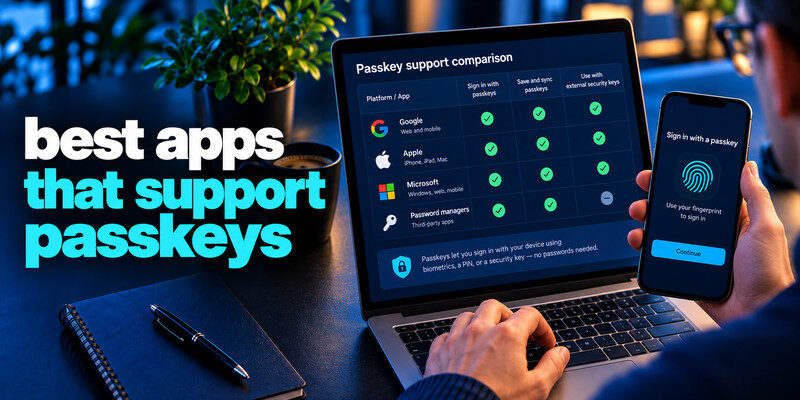
The best apps that support passkeys include Google, Microsoft, Amazon, PayPal, GitHub, WhatsApp, TikTok, and Adobe. These services offer passkey authentication for eligible accounts, allowing users to sign in with a fingerprint, facial recognition, or device PIN instead of typing a traditional password.
If you’re looking for the best apps that support passkeys, it’s important to distinguish between apps that accept passkeys for sign-in and apps that store and manage passkeys.
This guide compares popular passkey-enabled services, highlights their main features, and explains how to choose a compatible passkey manager.
Best Apps That Support Passkeys: Quick Comparison
The table below compares popular websites and apps with documented passkey support.
| App or Service | Category | Passkey Use | Best For |
|---|---|---|---|
| Email & productivity | Google Account sign-in | Gmail, Drive, YouTube | |
| Microsoft | Productivity | Microsoft account sign-in | Outlook, OneDrive, Microsoft services |
| Amazon | Shopping | Account authentication | Online shopping |
| PayPal | Payments | Passkey sign-in on supported platforms | Digital payments |
| GitHub | Development | Account authentication | Developers |
| Messaging | Supported app authentication | Messaging accounts | |
| TikTok | Social media | Passkey sign-in on eligible devices | Social accounts |
| Adobe | Creative software | Adobe account authentication | Creative professionals |
| Discord | Communication | Passkey authentication | Communities |
| Nintendo | Gaming | Nintendo Account authentication | Gaming accounts |
Note: Passkey availability can vary by region, account type, operating system, browser, and app version. A service may support passkeys on one platform before another.
Read more: What Is a Password Manager? A Plain-English Guide to Vaults and AutoFill
Secure your accounts with fast, reliable two-factor authentication. Download now and protect your login in seconds.Download Authenticator App

Google: Best for Everyday Account Security
Google is one of the most useful options among the best apps that support passkeys because a single Google Account connects services such as Gmail, Google Drive, and YouTube.
Google Account passkeys allow users to authenticate using a compatible device or credential manager.
Key features:
- Passkey sign-in for eligible Google Accounts
- Support for compatible Android, Apple, and desktop devices
- Device-based verification using biometrics or screen lock
- Integration with supported passkey managers
Best for: Users who rely on Google services for email, cloud storage, and everyday productivity.
To enable a passkey, open your Google Account security settings and look for Passkeys and security keys.
For additional account protection, see our guide to Google Account two-step verification.
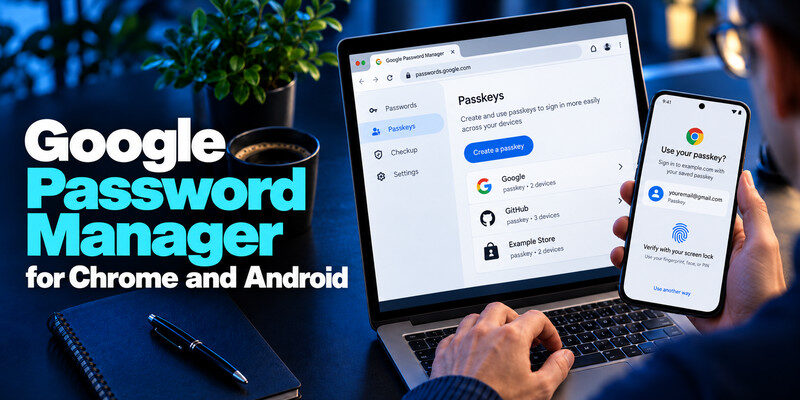
Microsoft: Best for Productivity and Work Accounts
Microsoft supports passkeys for eligible personal accounts, making passwordless authentication available across supported Microsoft sign-in experiences.
Users can create a passkey using a compatible device or credential manager.
Key features:
- Passkey authentication for eligible Microsoft accounts
- Compatibility with supported credential managers
- Windows Hello integration in relevant sign-in workflows
- Multiple authentication methods for account security
Best for: Users of Outlook, OneDrive, and other Microsoft services.
Work and school accounts may have different authentication requirements controlled by their administrators.
Learn more in our Microsoft Authenticator passkeys guide.
Amazon: Best for Online Shopping
Amazon is another recognizable service on the list of best apps that support passkeys.
Eligible users can register a passkey and use it for supported Amazon account sign-ins.
Key features:
- Passkey-based authentication for supported accounts
- Device verification instead of entering an account password
- Integration with compatible credential managers
- Convenient sign-in for frequent shoppers
Best for: Users who regularly shop on Amazon and want a simpler sign-in process.
Passkey setup is available through supported account login and security settings.
PayPal: Best for Digital Payments
PayPal offers passkey authentication for eligible users on supported devices and platforms.
Instead of entering a traditional password during supported sign-ins, users can authenticate through their registered passkey.
Key features:
- Passkey sign-in for eligible PayPal accounts
- Device-based authentication
- Compatibility with supported browsers and operating systems
- Reduced dependence on manually entered passwords
Best for: Users who frequently make online payments.
Availability depends on PayPal’s regional and device requirements, so check the passkey option in your account settings.
For additional security guidance, read our PayPal two-factor authentication guide.
GitHub: Best for Developers
GitHub supports passkeys as a secure authentication option for eligible accounts.
Developers can register passkeys using supported devices or credential managers, reducing reliance on traditional passwords during sign-in.
Key features:
- Passkey authentication for GitHub accounts
- Support for compatible security keys and credential managers
- Phishing-resistant authentication
- Security settings for managing registered credentials
Best for: Developers and technical teams managing repositories and development workflows.
Passkeys are especially valuable for accounts connected to important projects or organization resources.
Read more: GitHub Two Factor Authentication: Complete Setup, Recovery Codes & Troubleshooting Guide
WhatsApp: Best for Messaging
WhatsApp supports passkey authentication in eligible mobile app workflows.
Depending on the platform and version, users can register a passkey to help authenticate their account.
Key features:
- Passkey support in compatible mobile applications
- Device-based verification
- Integration with supported platform credential storage
- Convenient authentication for eligible accounts
Best for: Users who want additional account authentication options for messaging.
Passkey availability and setup menus may differ between Android and iOS.
TikTok: Best for Social Media
TikTok is among the best apps that support passkeys for users interested in securing social media accounts.
Eligible users can enable passkey authentication through supported app and device combinations.
Key features:
- Passkey sign-in for eligible accounts
- Device-based authentication
- Support for compatible credential managers
- Reduced reliance on typing passwords
Best for: Social media users and content creators.
Check TikTok’s account security settings to confirm whether passkeys are available on your device.
Adobe: Best for Creative Professionals
Adobe supports passkey authentication for eligible Adobe accounts.
Users can register a compatible passkey to simplify access to supported Adobe services.
Key features:
- Passkey authentication for supported Adobe accounts
- Compatible device and credential manager support
- Passwordless sign-in convenience
- Account security management options
Best for: Designers, photographers, and creative professionals using Adobe applications.
Discord: Best for Online Communities
Discord offers passkey support for eligible accounts and supported applications.
Users can register compatible passkeys and use them for supported authentication flows.
Key features:
- Passkey support for eligible accounts
- Compatible device authentication
- Reduced password dependence
- Account security options for registered credentials
Best for: Community members, gamers, and server administrators.
Nintendo: Best for Gaming Accounts
Nintendo supports passkey authentication for eligible Nintendo Accounts.
This gives users another option for signing in to supported Nintendo account services.
Key features:
- Passkey sign-in for eligible accounts
- Device-based verification
- Compatible credential manager support
- Convenient account access
Best for: Nintendo users who want to reduce reliance on traditional account passwords.
Best Passkey Manager Apps for Storing Passkeys
The best apps that support passkeys for account sign-in are different from applications designed to save and manage those credentials.
A passkey manager stores your credentials and makes them available during supported authentication flows.
Here are some popular options.
| Passkey Manager | Best For | Main Advantage | Consideration |
|---|---|---|---|
| Apple Passwords | iPhone, iPad, Mac | Native Apple integration | Best suited to Apple devices |
| Google Password Manager | Android and Chrome | Built-in Google ecosystem support | Compatibility varies by platform |
| 1Password | Mixed-device users | Cross-platform credential management | Paid subscription |
| Bitwarden | Cross-platform users | Passkey storage and browser integration | Setup varies by device |
| Microsoft-supported credential options | Windows and Microsoft workflows | Integration with supported Microsoft authentication | Storage options depend on platform |
Apple Passwords
Apple Passwords is a convenient choice for users who primarily use iPhone, iPad, and Mac.
It can store passkeys and synchronize supported credentials through iCloud Keychain.
Passkeys can be unlocked using Face ID, Touch ID, or the device passcode.
For setup instructions, see how to use passkeys on iPhone.
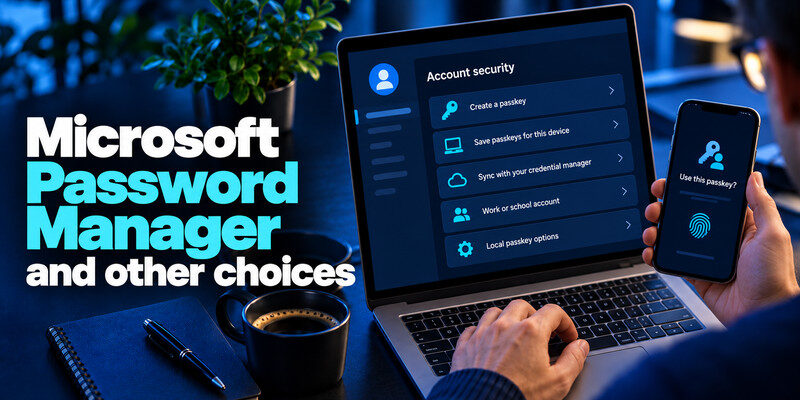
Google Password Manager
Google Password Manager is a natural choice for Android and Chrome users.
It supports creating, saving, and using passkeys on compatible websites and applications.
Saved passkeys may synchronize across eligible devices using the same Google Account and supported credential management features.
Read our guide on how to use passkeys on Android.
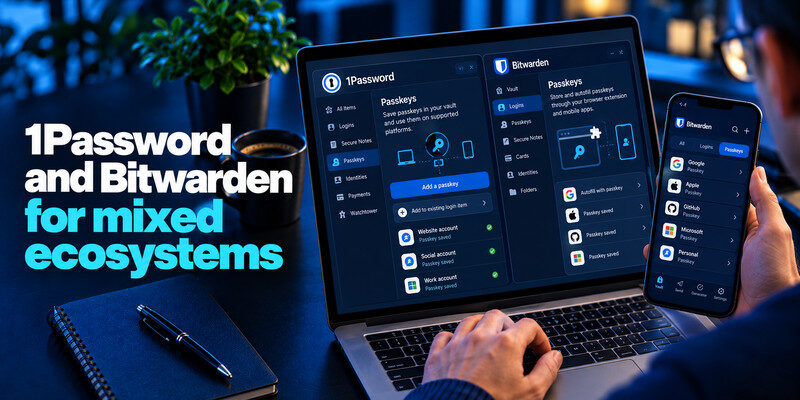
1Password
1Password supports saving and using passkeys across compatible browsers and devices.
It can be useful for users who switch between different operating systems and want to manage credentials in one vault.
Before choosing it, review current subscription requirements, device compatibility, and recovery options.
Bitwarden
Bitwarden supports passkey storage and authentication through compatible browser extensions and mobile applications.
It is worth considering for users who want a cross-platform password and passkey management solution.
Check your device and browser compatibility before migrating important accounts.
Read more: How to Protect Your Online Accounts: A Priority-First Plan
How to Choose the Best Apps That Support Passkeys
When comparing the best apps that support passkeys, focus on practical compatibility rather than the number of features advertised.
Check Passkey Availability
Not every website or application supports passkeys.
Open the service’s security settings and confirm that passkey creation is available for your account.
Consider Device Compatibility
Make sure your selected credential manager works on the devices you use regularly.
For example, an Apple-focused setup may be convenient for iPhone and Mac users, while a cross-platform manager may be more suitable for mixed-device environments.
Review Security and Recovery Options
Choose a credential manager with reliable account protection and recovery procedures.
If possible, register a second passkey or another approved authentication method for important accounts.
Compare Free and Paid Options
Apple Passwords and Google Password Manager offer built-in passkey management within their supported ecosystems.
Third-party password managers may offer additional features, such as cross-platform vault management and sharing, depending on their plans.
The best choice depends on your devices, account security needs, and budget.
How to Enable Passkeys on Supported Apps
Once you’ve selected a service from the best apps that support passkeys, the general setup process is straightforward.
- Open the supported website or application.
- Sign in using your existing authentication method.
- Navigate to Account Settings or Security.
- Find Passkeys, Create a passkey, or a similar option.
- Choose your device or supported credential manager.
- Confirm using fingerprint, facial recognition, or device PIN.
- Sign out and test passkey authentication.
The exact process varies by service.
For detailed instructions, follow our complete passkey setup guide.
Important: Creating a passkey does not always disable your existing password. Check the service’s available sign-in methods before making further changes.
Are Passkeys Better Than Authenticator Apps?
Passkeys and authenticator apps can both improve account security, but they serve different purposes.
Passkeys use cryptographic authentication tied to a legitimate website or application.
Traditional TOTP authenticator apps generate time-based verification codes, typically used alongside a password.
| Feature | Passkeys | TOTP Authenticator Apps |
|---|---|---|
| Authentication method | Cryptographic credential | Time-based verification code |
| Password required | Not for supported passkey sign-in | Usually used with a password |
| Phishing resistance | Strong for genuine passkey flows | Codes can be phished |
| Website support | Passkey-enabled services | TOTP-enabled services |
| Typical use | Passwordless authentication | Multi-factor authentication |
If a website doesn’t support passkeys, a compatible authenticator app can provide TOTP codes after you enable that method in the service’s security settings.
You can also learn more about TOTP authenticator apps and how they work.
Read more: How to Create a Strong Password Policy People Can Follow
Frequently Asked Questions
What are the best apps that support passkeys?
Popular options include Google, Microsoft, Amazon, PayPal, GitHub, WhatsApp, TikTok, and Adobe. Availability depends on the service, account, device, and platform.
Do all apps support passkeys?
No. Passkey adoption is growing, but many websites and applications still rely on traditional passwords or other authentication methods.
Which app is best for storing passkeys?
Apple Passwords is convenient for Apple users, Google Password Manager suits many Android and Chrome users, and 1Password or Bitwarden may be useful for cross-platform credential management.
Can I use passkeys on both iPhone and Android?
Yes, depending on the service and credential manager. Cross-platform passkey support varies, so check whether your chosen manager works on both devices.
Are passkey manager apps free?
Some built-in credential managers are available without a separate subscription. Third-party managers may offer free or paid plans with different features.
Can I use an authenticator app instead of a passkey?
Only if the website supports the authenticator’s authentication method. TOTP codes and passkeys are different technologies and are not automatically interchangeable.
Final Thoughts
The best apps that support passkeys make account authentication easier while reducing dependence on traditional passwords.
Google, Microsoft, Amazon, PayPal, GitHub, and other popular services offer passkey authentication for eligible accounts. Meanwhile, Apple Passwords, Google Password Manager, 1Password, and Bitwarden help users store and manage passkeys across supported devices.
Start with the services you use most frequently, confirm passkey availability, and choose a credential manager that fits your devices and recovery needs.
For accounts that do not yet support passkeys, continue using strong, unique passwords and enable additional authentication protection where available.
