
Microsoft Ends SMS MFA: What Users Need to Know Before 2027
Published October 30, 2026
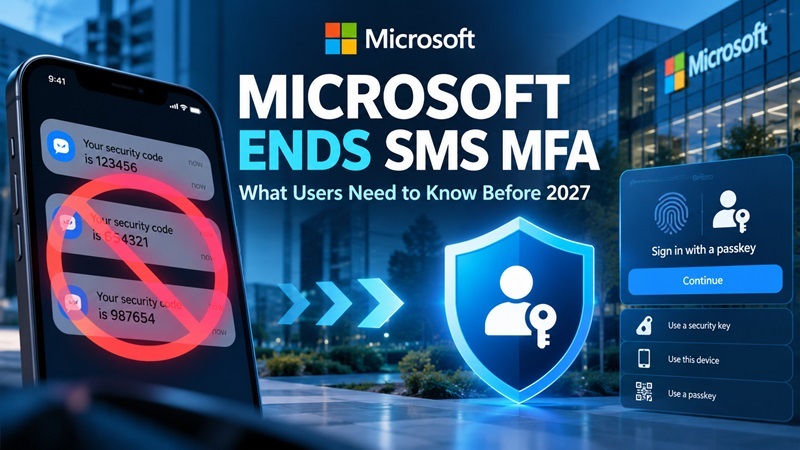
Microsoft is retiring its built-in SMS and voice-based multifactor authentication services in Microsoft Entra ID starting February 1, 2027. The company is encouraging organizations to adopt passkeys and other phishing-resistant authentication methods instead.
The change affects enterprise authentication services, not every personal Microsoft account or the Microsoft Authenticator app. Organizations that still require SMS or voice verification can continue using those methods through supported third-party telephony providers.
Here is what users and IT administrators need to know before the transition.
What Is Happening to Microsoft SMS MFA?
Microsoft announced plans to move Microsoft Entra ID toward passkey-based authentication in its official security update published on July 13, 2026.
The Microsoft Ends SMS MFA transition is designed to reduce reliance on authentication methods that attackers can intercept or manipulate.
Microsoft is making passkeys the default authentication experience in Entra ID, rather than continuing to provide SMS and voice verification directly.
The transition has three important milestones:
| Date | Microsoft MFA Change |
|---|---|
| September 1, 2026 | Passkey registration prompts begin for users enabled for SMS or voice authentication. |
| February 1, 2027 | Microsoft-provided SMS and voice authentication ends for most Entra ID users, including internal guest users. |
| July 1, 2027 | Microsoft-provided SMS and voice authentication ends for Global Administrators and external users. |
Important: Microsoft is retiring its native telephony delivery service, not banning SMS authentication across every Microsoft product.
Organizations can retain SMS or voice authentication through supported telecom providers available in the Microsoft Security Store.
Why Is Microsoft Ending SMS-Based Authentication?
Microsoft says the primary reason is security.
Traditional SMS verification uses one-time codes sent to a phone number. Although this adds protection beyond a password, it remains vulnerable to several attacks.
Common SMS MFA security risks include:
- SIM swapping: Attackers may hijack a phone number to receive verification codes.
- Phishing: Fraudulent websites can trick users into revealing one-time passwords.
- Social engineering: Criminals may impersonate support representatives to obtain verification codes.
- Real-time interception: Attackers can sometimes relay stolen credentials and OTP codes during an active phishing attempt.
Passkeys use public-key cryptography and are designed to resist phishing by binding authentication to the legitimate website or application.
The Microsoft Ends SMS MFA decision reflects a broader shift toward phishing-resistant authentication, rather than relying on codes users must manually enter.
Will Microsoft Authenticator Still Work in 2027?
Yes. Microsoft has not announced that the Microsoft Authenticator app will be discontinued as part of this change.
Microsoft Authenticator supports different authentication methods, including app-based verification and passkey capabilities.
However, these methods are not identical.
A traditional six-digit authenticator code provides additional security but can still be stolen through phishing. A properly implemented passkey offers stronger protection because users do not need to enter a reusable password or transferable OTP code into a website.
Users can learn more about the available options in our Microsoft Authenticator guide.
For organizations adopting passwordless sign-in, see Microsoft Authenticator passwordless sign-in.
Remember: Simply having an authenticator app installed does not necessarily satisfy an organization’s passkey registration requirements.
What Should Microsoft Users Do Before 2027?
Users who rely on SMS or voice verification for workplace or school accounts should prepare for the upcoming change.
Recommended actions:
- Check your authentication methods. Review your work or school account’s security settings to identify whether SMS or voice is your only MFA option.
- Register a passkey when prompted. Follow your organization’s approved enrollment instructions.
- Use a phishing-resistant method. Depending on organizational policy, options may include passkeys, Windows Hello for Business, or FIDO2 security keys.
- Keep recovery methods updated. Make sure your organization has a supported account recovery process.
- Avoid suspicious migration emails. Use official Microsoft and organizational sign-in pages rather than unexpected links.
For additional context, read our guide to Microsoft multi-factor authentication.
What Happens If You Do Not Switch?
According to Microsoft’s official guidance, affected Entra ID users who still rely exclusively on Microsoft-provided SMS or voice authentication after their applicable deadline will encounter a mandatory passkey registration prompt.
They must complete the required registration before continuing to access their accounts.
Organizations that need to retain SMS or voice verification can configure a supported telephony provider instead.
IT administrators should identify affected users and complete migration planning before the deadlines.
Does This Affect Personal Microsoft Accounts?
The announced retirement applies to Microsoft Entra ID authentication in public cloud environments.
It does not mean that SMS authentication will automatically disappear from every Outlook.com, Hotmail, Xbox, or personal Microsoft account on February 1, 2027.
Microsoft’s published FAQ also states that Azure AD B2C is outside the scope of this particular change.
Personal account holders should continue following the security recommendations and authentication options available for their specific Microsoft services.
Final Thoughts
The Microsoft Ends SMS MFA announcement represents an important change in enterprise account security.
Starting February 1, 2027, Microsoft will retire its native SMS and voice authentication delivery for most Entra ID users, with Global Administrators and external users following on July 1, 2027.
The key takeaway is simple: Microsoft is moving toward passkeys, not eliminating multifactor authentication.
Users should review their current authentication methods, follow their organization’s migration instructions, and adopt phishing-resistant sign-in options before their applicable deadline.
Official Sources
- Microsoft Security Blog — Passkeys Become the Default in Entra ID
- Microsoft Learn — SMS and Voice Authentication Retirement
- Microsoft Learn — SMS and Voice Retirement FAQ
