
How to Identify a Scam Text Message Without Opening the Link
Published October 27, 2026
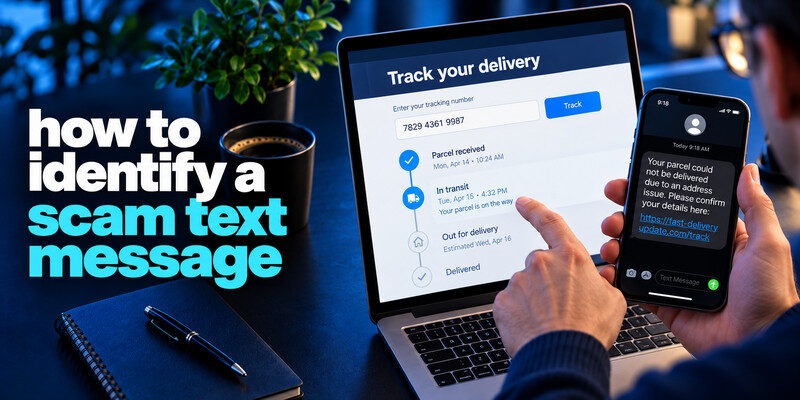
How to identify a scam text message? To identify a scam text message, look at the action it demands and verify the claim in the real company app or at a known website. A delivery fee, unpaid toll, bank freeze, or prize text with an unexpected link is a common setup for smishing. The sender name and short code can be misleading; a real-looking message does not prove the destination is safe. Do not reply with a password or one-time code, and do not call the number supplied in the suspicious text.
Do this now
- Identify whether the text seeks a payment, login or code.
- Check the claim in the real app.
- Report it and respond to the exact data you shared.
The steps to identify a scam text message start with the link, code or payment it asks you to use.
How to identify a scam text message? Recognize the most common text stories

Scammers choose events that many people might plausibly expect: a parcel, toll, subscription, tax refund, or account alert. They often demand a small payment or identity verification before a short deadline. The FTC has documented unsolicited toll and delivery-themed texts.
Parcel and toll notices
The message may claim a tiny fee will release a package or avoid a penalty. Rather than using its URL, open the courier or toll provider’s official app and look up the transaction yourself. If you have no relevant account or journey, that is another clue.
Read more: How to Protect Your Online Accounts: A Priority-First Plan
Account and bank alerts
A text may say your card is frozen or a new device signed in. Open the bank’s app or call the number printed on your card. Never give an incoming caller a live verification code to “cancel” a transfer.
| Text claim | Typical requested action | Safer check |
| Missed delivery | Enter address/card | Official tracking app |
| Unpaid toll | Pay through link | Toll provider’s known site |
| Bank fraud alert | Reply or call number | Card-back number or bank app |
| Account locked | Enter password/code | Direct account sign-in |
A short text has little room for context, which makes a deadline or link stand out. Ask what the sender wants you to do: pay a small fee, sign in, share a code, call a number, or install an app. That requested action tells you which asset is at risk. A legitimate-looking sender name is weak evidence because sender IDs and numbers can be spoofed.
Parcel delivery bait: If you are expecting a parcel, the timing may feel convincing. Open the seller’s order page or the carrier’s app and compare tracking status. A real delivery issue should be visible there. A message that asks for a small redelivery fee on an unfamiliar domain may be collecting card and address details; do not test it with a low-value card.
Bank fraud bait: An alert may ask you to reply “yes,” follow a link, or call a number. Open the bank app or call the number on your card. If a charge is real, the bank can handle it through its own process. Do not disclose a full card number, password, or code to the incoming caller who follows the text.
A code from a real service: An unexpected verification SMS can be genuine even if an attacker triggered it. Do not share the code or approve a push. Review the account’s password and successful sign-ins through the real app. If the message claims that sharing the code will “cancel” an attempted login, that reverses the purpose of the code and is a strong warning.
Secure your accounts with fast, reliable two-factor authentication. Download now and protect your login in seconds.Download Authenticator App
Want to know how to identify a scam text message? Look for pressure and mismatched context
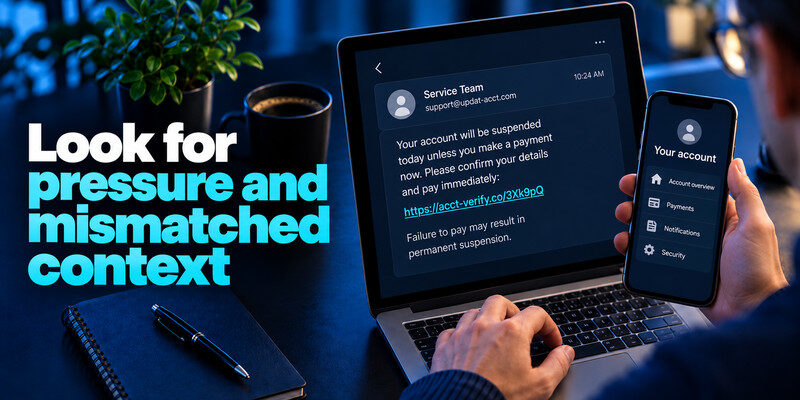
An unfamiliar sender, shortened link, awkward domain, demand for immediate payment, or threat of suspension raises concern. But a polished text can still be fraudulent. Ask whether the company normally contacts you in that way and whether the event appears in your actual account.
Scam texts and phishing emails often use the same tactics: urgent account warnings, fake delivery problems, and requests for passwords or verification codes. Our guide on how to spot a phishing email explains how to recognize similar warning signs in your inbox and verify suspicious requests without following unfamiliar links.
Sender ID can be imitated
Some messaging systems group fraudulent and genuine messages under a familiar sender label. Do not treat placement in an existing thread as proof. The action and independently checked account record matter more.
Small sums are still valuable to scammers
A low “redelivery” charge can harvest a full card number and personal details. Avoid entering them because the amount looks harmless. Contact the issuer if you already supplied card information to know how to identify a scam text message
Read more: How to Secure Your Email Account: Protect the Inbox That Resets Everything
Inspect without interacting

Read the visible text and take a screenshot only if you need evidence. Avoid tapping shortened URLs or QR codes and avoid replying “STOP” to an unknown scammer if the message is clearly fraudulent. Use phone reporting controls instead.
A preview is not a safe destination
Link previews can show a plausible title while redirecting elsewhere. A URL that contains a brand name is not necessarily on that brand’s domain. Navigate independently. If a text claims that someone signed in from an unknown device, do not use its link to investigate. Open the account’s official app or website and follow our guide on how to spot suspicious login activity to check unfamiliar successful sessions, new devices, and unexpected security changes.
Keep genuine verification separate
If the text claims a bank or delivery problem, use an app already installed or a bookmark you created earlier. A search ad may also impersonate a provider, so verify the domain before signing in.
What to do with the message
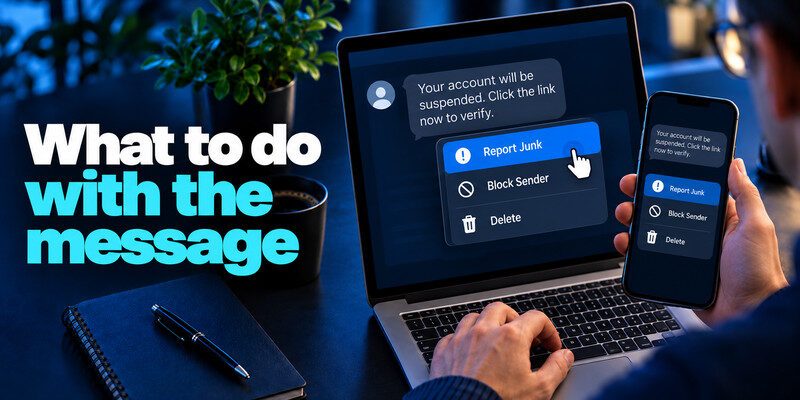
Use the phone’s “report junk” option where available, block the sender as appropriate, and delete it after preserving evidence. In the United States, the FTC says unwanted scam texts can be forwarded to 7726 (SPAM); reporting options differ by country and carrier.
Report an attempted scam
If you are in the US, the FTC’s ReportFraud.gov accepts scam reports. A company being impersonated may also have a fraud-reporting channel on its actual website. Do not send your password or code with the report.
Warn a vulnerable contact
If the same message circulates in your household, tell people the actual claim and the safe route for checking it. Do not forward the live scam link as a warning, since a recipient may tap it. SMS verification codes and app-generated authentication codes are not identical. A TOTP authenticator app generates temporary codes locally for compatible accounts, while SMS codes are delivered through the mobile network. Both can be targeted by phishing, so never share a live code with someone contacting you unexpectedly.
Read more: How to Choose a Password Manager: A Practical Checklist for 2026
Respond according to what you shared
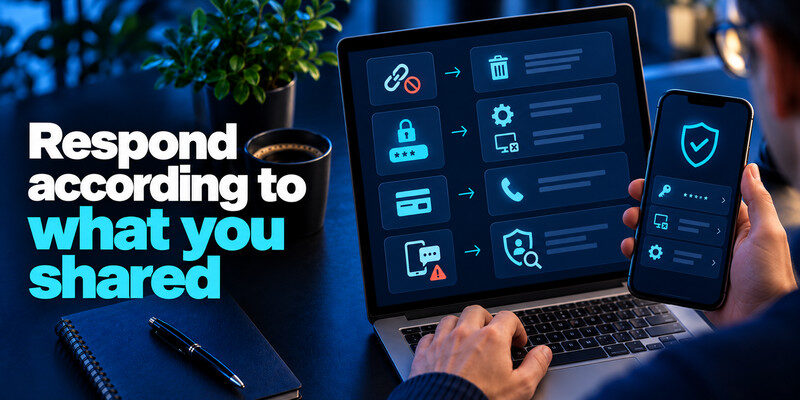
If you did not open the link or give information, reporting and deletion may be enough. If you entered a password, change it at the genuine service, end unknown sessions, and check recovery settings. If you supplied a card, contact the issuer. If you approved an MFA request or shared a code, treat it as possible account access and investigate promptly.
A password-only exposure
Replace the secret anywhere it was reused and enable MFA. can generate TOTP codes for compatible services; never type a fresh code into a page reached from an unsolicited text.
A downloaded app or profile
If a link led you to install software or a configuration profile, consult your device’s official security guidance and remove unrecognized access. Work-device users should contact IT rather than improvising a cleanup that may erase evidence.
Read more: What Is a Password Manager? A Plain-English Guide to Vaults and AutoFill
Use three fictional text examples as a test
“Your delivery is on hold; pay $1.25,” “Your bank blocked a charge; call this number,” and “Your account code is 384921; send it to support” each demand a different action. The delivery text wants a card, the bank text wants a controlled phone conversation, and the code request wants account access. None should be resolved by replying in the text thread.
Delivery story
Find the order in your retailer account and track it through the courier’s own app. If no order exists, report the text. If a delivery really has a problem, you can address it through the known service without touching the unsolicited URL.
Bank call-back story
Use the number on your bank card. A caller can spoof a number and describe a real-looking transaction, perhaps using leaked details. The institution’s own app provides a stronger record of actual activity.
A familiar sender name is not enough to confirm that a security message is legitimate. Our guide to best account security practices explains how independent verification, unique passwords, protected recovery methods, and stronger authentication can help reduce account takeover risks.
Code story
A real code may have been triggered by the attacker. Do not send it; inspect successful sign-ins and change a reused password if the account may be at risk.
| Text cue | Likely risk | Independent route |
| Parcel fee link | Payment or identity capture | Open the carrier app |
| Bank fraud alert | Impersonation or real alert | Call the number on your card |
| Friend asks for code | Account takeover pretext | Contact the friend separately |
Interpret the domain carefully
A text may display a brand name inside a longer URL that ends at a different domain. A shortener hides the final destination entirely. HTTPS only tells you that the connection to that destination is encrypted; it does not certify the destination’s honesty.
Why the sender label can mislead
Mobile systems sometimes group messages with the same apparent sender. A new sensitive request in a familiar thread still deserves independent verification.
What to do without opening a link
Use the installed app or a bookmark created earlier. For a provider you rarely use, navigate from a carefully checked official website rather than a search ad that could also be an impostor.
After submitting a small payment
The charge amount may be low, but the form may have collected a full card number, expiry, security code, address, and phone. Contact the issuer through its official route, review transactions, and follow replacement advice. If the same page asked for a password, secure that account separately.
Record the useful facts
Note time, amount, merchant descriptor, and the exact data submitted. Do not include full card or password details in a public complaint. A bank case number helps if later charges appear.
Expect follow-up
Scammers may call again claiming to be fraud support after the first form. Verify each new contact independently. A prior interaction does not authenticate the next caller.
Frequently Asked Questions
Can a scam text appear beside real bank messages?
Yes. Sender labels and thread grouping are not conclusive. Verify the event through the bank’s own app or known phone number.
Is it safe to reply “STOP”?
For a legitimate marketing subscription, that may be appropriate. For a clear scam from an unknown source, use reporting and blocking controls instead of engaging.
What if I only opened the page?
Close it and avoid entering data. Keep the device updated and check for unexpected downloads or permissions. If you gave credentials or installed software, take the more specific steps above.
Does a short link always mean fraud?
No, but it hides the destination and is unnecessary for independent verification. Do not use it to settle a sensitive claim.
Final Thoughts
Identify a scam text by its demand, context, and independent account evidence. A polished sender label or small fee should never move you from a message straight into a sensitive form.
Next step
For accounts that still rely on TOTP, can hold the codes. Set it up from each real account’s security settings, keep recovery codes safe, and never type a live code into a page reached through a suspicious message.
