
How to Enforce an MFA Policy for Employees: Complete Guide
Published November 11, 2026
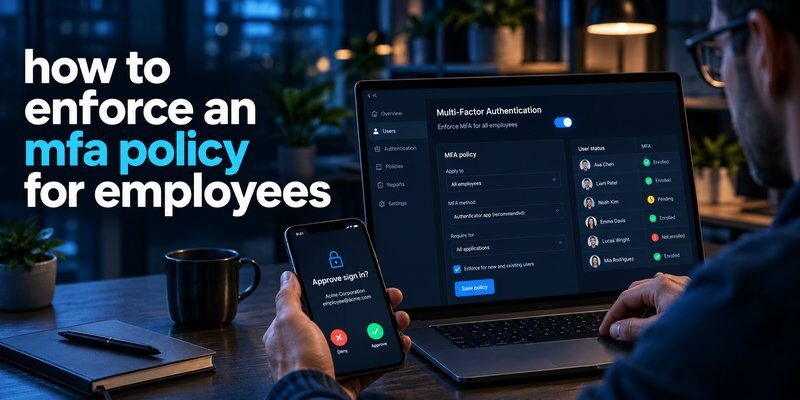
Learning how to enforce an mfa policy for employees starts with establishing mandatory authentication requirements, enabling MFA through your identity provider, enrolling every employee, and blocking access when verification requirements are not satisfied.
A successful MFA policy should cover company email, cloud applications, remote access, administrative accounts, and other sensitive systems. IT administrators must also provide secure recovery procedures, monitor compliance, and regularly review authentication activity.
Quick answer: To enforce employee MFA, follow these actions:
- Identify employee accounts and protected applications.
- Define mandatory MFA requirements.
- Choose secure authentication methods.
- Configure MFA through your identity provider.
- Test enforcement with a pilot group.
- Require employee enrollment.
- Block noncompliant authentication attempts.
- Monitor results and maintain recovery procedures.
The most important principle is that MFA must be technically enforced, not merely recommended.
Microsoft’s published security research found that accounts using MFA were more than 99.9% less likely to be compromised in its observed data. This demonstrates the potential benefits of MFA, although protection depends on the authentication method and implementation.
This how to enforce an mfa policy for employees guide explains the technical, operational, and security considerations businesses should understand before deploying mandatory MFA.
1. Why Businesses Need to Enforce an MFA Policy for Employees
Multi-factor authentication (MFA) requires users to verify their identities through multiple authentication factors before accessing protected resources.
Authentication factors typically include:
- Something you know: A password or PIN.
- Something you have: A security key, registered device, or authenticator.
- Something you are: A biometric characteristic, such as a fingerprint.
For businesses researching how to enforce an mfa policy for employees, understanding why passwords are insufficient is the foundation of a strong security strategy.
Passwords alone cannot prevent account compromise
Employees frequently access business systems from different locations, networks, and devices.
Attackers can obtain passwords through phishing, credential theft, malware, and password reuse.
Once a password is compromised, an attacker may gain access to company email, financial records, customer information, or internal applications.
MFA introduces an additional verification requirement, reducing the likelihood that a stolen password alone will enable unauthorized access.
However, conventional MFA is not invulnerable. Attackers can still use phishing proxies, stolen sessions, and social engineering against weaker authentication methods.
MFA helps support security and compliance requirements
Many organizations implement MFA to support established security frameworks and contractual obligations.
Relevant guidance includes:
- NIST SP 800-63B for digital authentication.
- CISA guidance on phishing-resistant authentication.
- ISO/IEC 27001 identity and access management controls.
- Industry-specific security and regulatory obligations.
These frameworks do not establish one identical MFA requirement for every business. Organizations must determine which controls apply to their systems and jurisdiction.
In practice, how to enforce an mfa policy for employees should be part of a broader identity and access management strategy rather than a standalone security configuration.
Download Authenticator App
Secure your accounts with fast, reliable two-factor authentication. Download now and protect your login in seconds.
2. How to Enforce an MFA Policy for Employees: 10 Essential Steps
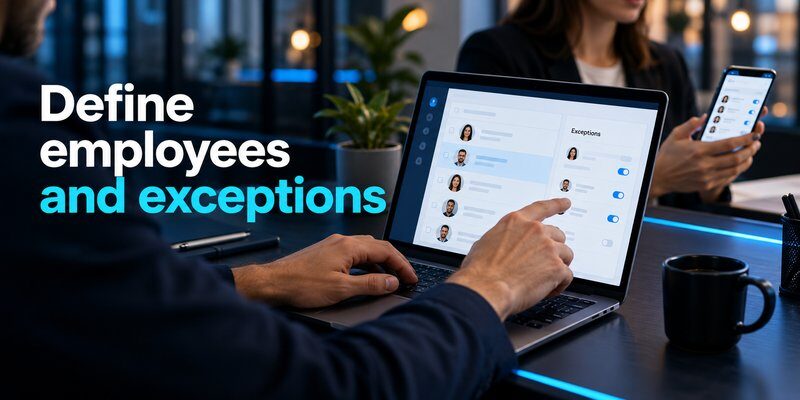
The following steps to enforce an mfa policy for employees provide a practical implementation process for small businesses, growing organizations, and enterprise IT teams.
Step 1: Identify all employee accounts and applications
Start by building an inventory of systems that require employee authentication.
Include:
- Corporate email accounts.
- Microsoft 365 and Google Workspace.
- Cloud storage and collaboration platforms.
- VPN and remote desktop access.
- Finance, payroll, and HR systems.
- Administrative dashboards.
- Customer relationship management applications.
Identify permanent employees, contractors, external collaborators, and privileged administrators.
Every account that can access sensitive business information should be evaluated for MFA enforcement.
A complete inventory is essential when planning how to enforce an mfa policy for employees, because unmanaged applications can create security gaps.
Step 2: Define a formal MFA security policy
A written policy should clearly explain who must use MFA, which systems are protected, and which authentication methods are accepted.
An example employee MFA policy might state:
“All employees and authorized contractors must use an approved multi-factor authentication method when accessing company-managed applications. Access will be denied when mandatory authentication requirements are not satisfied.”
Define responsibilities for IT administrators, department managers, and employees.
Also specify approved exceptions, account recovery procedures, and the process for reporting authentication problems.
Policy documentation establishes expectations, while technical controls make those expectations enforceable.
Step 3: Select approved authentication methods
Not all MFA technologies provide equivalent protection.
Common options include:
- FIDO2 security keys.
- Passkeys using supported authentication mechanisms.
- Authenticator-generated one-time passwords.
- Push notifications with number matching.
- SMS verification codes.
Phishing-resistant authentication should be prioritized for administrators and other high-risk accounts.
According to NIST SP 800-63B, manually entered one-time passwords are not considered phishing-resistant because attackers may relay them during fraudulent login attempts.
When businesses evaluate how to enforce an mfa policy for employees, they should assess each method based on security, compatibility, accessibility, and recovery requirements.
Step 4: Configure centralized MFA enforcement
Use a centralized identity provider whenever possible.
Platforms such as Microsoft Entra ID and Google Workspace provide administrative capabilities for controlling employee authentication.
A centralized system allows administrators to establish consistent access requirements rather than relying on employees to activate MFA separately for every application.
Configure mandatory authentication controls at the identity provider or application level.
Simply installing an authenticator application does not automatically enforce an organizational MFA policy.
Step 5: Run a controlled pilot program
Before enforcing MFA company-wide, test the policy with a representative group.
Include IT staff, employees using different devices, remote workers, and users of critical applications.
Verify that:
- Employees can complete enrollment.
- Accepted authentication methods work correctly.
- Unregistered users cannot bypass enforcement.
- Recovery procedures function as intended.
- Emergency access remains available through protected procedures.
A pilot helps identify compatibility problems without disrupting the entire organization.
Testing is particularly important when determining how to enforce an mfa policy for employees across older applications and mixed operating systems.
Step 6: Establish an employee enrollment deadline
Communicate the activation deadline before enforcement begins.
A sample rollout schedule could include:
| Phase | Suggested Timeline | Action |
|---|---|---|
| Preparation | Days 1–7 | Inventory accounts and configure policies |
| Pilot | Days 8–14 | Test enrollment and authentication |
| Enrollment | Days 15–21 | Help employees register approved methods |
| Enforcement | Days 22–28 | Activate mandatory MFA for remaining groups |
| Review | Day 29 onward | Monitor compliance and resolve exceptions |
These dates are an illustrative rollout plan, not a universal implementation requirement.
For smaller organizations, deployment may take less time. Complex environments may need longer testing and application modernization.
Step 7: Block authentication that does not meet policy
This is the most important technical enforcement step.
Configure the identity provider to deny access when the required authentication conditions are not satisfied.
Depending on the platform, administrators may use conditional access policies, authentication-strength requirements, or organization-wide security settings.
Also identify legacy authentication protocols that cannot complete modern MFA challenges.
A policy is not fully enforced if employees can still access protected applications through an unprotected authentication route.
Therefore, how to enforce an mfa policy for employees must include testing bypass scenarios and closing unsupported access paths.
Step 8: Secure privileged accounts first
Administrator accounts frequently have access to sensitive configurations, user management, and business-critical systems.
Apply stronger authentication requirements to these accounts before extending the policy to lower-risk resources.
For privileged users, consider hardware-backed FIDO2 security keys or supported phishing-resistant passkeys.
Avoid shared administrator identities wherever possible.
Maintain independently controlled emergency-access accounts with documented procedures and monitoring.
Step 9: Create secure recovery procedures
Employees may lose a phone, replace a device, or become unable to access their authentication method.
Without a recovery process, mandatory MFA can create business interruptions.
IT teams should establish secure identity verification before resetting registered authentication methods.
Never disable employee MFA permanently simply to resolve a temporary login problem.
A controlled recovery workflow helps businesses maintain security while restoring legitimate access.
Step 10: Review and improve enforcement continuously
The final stage of how to enforce an mfa policy for employees is maintaining the policy after deployment.
Regularly review enrollment status, failed authentication attempts, exceptions, dormant accounts, and applications that still support weaker sign-in methods.
Remove unnecessary exclusions and strengthen authentication requirements as business risks change.
MFA enforcement is an ongoing security control, not a one-time setup task.
3. Choosing the Right MFA Methods for Your Workforce
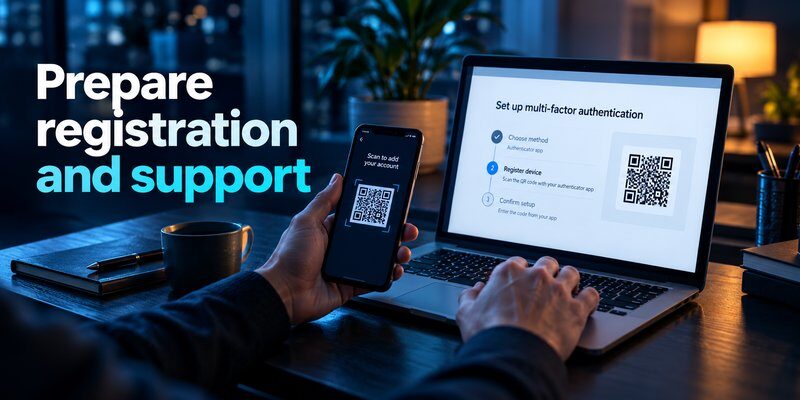
Choosing suitable authentication methods is essential for balancing employee productivity and account security.
For organizations evaluating how to enforce an mfa policy for employees, the strongest available method is not always supported by every application.
Compare common employee MFA methods
| MFA Method | Phishing Resistance | Typical Business Use |
|---|---|---|
| FIDO2 security key | Yes, when correctly implemented | Administrators and sensitive accounts |
| FIDO2 passkey | Yes, when correctly implemented | Employee and passwordless authentication |
| TOTP authenticator code | No | Applications supporting standard OTP |
| Push approval | Generally no | Supported enterprise sign-ins |
| SMS code | No | Limited fallback where permitted |
Authenticator applications for employee accounts
A TOTP application generates time-based verification codes for compatible services.
Employees can learn more about what is authenticator app and how verification codes protect supported accounts.
A dedicated Authenticator app can be considered for compatible TOTP-based authentication workflows, subject to company approval and application compatibility.
For technical information, review how a totp authenticator app generates verification codes.
Employees using different devices may also benefit from guidance about google authenticator for mac or apple authenticator options.
Important: An authenticator app that generates TOTP codes is not automatically a replacement for an enterprise identity provider or a phishing-resistant FIDO2 authenticator.
Why phishing-resistant MFA matters
Conventional verification codes can be stolen through real-time phishing attacks.
FIDO2 and WebAuthn authentication bind cryptographic verification to the legitimate service, making credential-relay attacks significantly harder.
For this reason, NIST and CISA recommend stronger authentication approaches for sensitive systems.
Organizations should gradually replace weaker methods where application compatibility allows.
This distinction is especially important when considering how to enforce an mfa policy for employees with different risk levels.
4. How to Enforce MFA Across Business Applications

Centralized enforcement reduces inconsistent authentication settings and makes security policies easier to audit.
Enforce MFA in Microsoft 365
Organizations using Microsoft Entra ID can configure mandatory authentication through Conditional Access when appropriate licensing is available.
A typical setup involves:
- Sign in to the Microsoft Entra admin center with an authorized administrative account.
- Open Entra ID > Conditional Access > Policies.
- Create a new policy.
- Select the users and applications that require MFA.
- Configure the required authentication strength.
- Review emergency-access account exclusions.
- Enable the policy in report-only mode.
- Validate results before switching enforcement on.
Microsoft recommends using report-only evaluation before activating potentially disruptive policies.
Report-only mode does not actually enforce MFA. Administrators must enable the validated policy for enforcement to begin.
Businesses investigating how to enforce an mfa policy for employees should also review existing security defaults and conditional access configurations to avoid conflicting policies.
Enforce MFA in Google Workspace
Google Workspace administrators can manage employee two-step verification through organizational security settings.
A typical implementation includes confirming supported authentication methods, allowing employees to enroll, selecting the applicable organizational units, and activating enforcement.
Some settings and options depend on the organization’s Workspace edition and current admin console configuration.
Ensure enforcement applies to the intended employees, including remote workers and relevant contractors.
Administrators should also verify that older applications or delegated access arrangements do not undermine the intended protection.
Enforce MFA for SSO and SaaS applications
Single sign-on (SSO) allows employees to authenticate through a central identity provider.
When applications support federation, businesses can enforce MFA during the centralized sign-in process.
However, administrators must verify that local application accounts, direct login URLs, and emergency-access paths cannot bypass the required controls.
For organizations studying how to enforce an mfa policy for employees, combining SSO with centrally managed authentication policies can simplify administration.
SSO alone is not MFA. The identity provider must enforce appropriate authentication requirements.
5. Employee Training, Enrollment, and Account Recovery
Technical enforcement works best when employees understand what is changing and how to complete registration.
An effective rollout should explain why MFA is required, which applications are affected, which methods are approved, and where employees can request assistance.
Provide simple employee setup instructions
Employees should receive instructions tailored to the company’s approved authentication methods.
For compatible TOTP workflows, the process typically involves:
- Open the company-approved authentication setup page.
- Select the permitted authenticator-code method.
- Register the authenticator using the displayed QR code or setup key.
- Enter the generated verification code to complete registration.
- Register an approved backup method if organizational policy allows it.
Employees can follow a more detailed guide on how to use authenticator app.
IT teams should verify that enrollment succeeds before the enforcement deadline.
Train employees to recognize MFA attacks
Employees should understand that MFA requests can be abused by attackers.
Examples include unexpected login prompts, repeated approval requests, suspicious recovery messages, and fraudulent help-desk calls.
Never approve an authentication request that you did not initiate.
Security training should also explain why employees must report suspicious login activity immediately.
A supporting resource about what is phishing can help employees recognize common social engineering techniques.
When assessing how to enforce an mfa policy for employees, administrators should recognize that user awareness complements technical controls but cannot replace them.
Plan for lost devices and account recovery
Device loss is one of the most common operational challenges in employee authentication.
Create documented procedures for verifying the employee’s identity, revoking compromised authentication methods, registering replacement credentials, and reviewing suspicious activity.
Where supported, recovery options may include additional registered authenticators, managed security keys, or securely stored recovery codes.
Employees using TOTP may find the authenticator app restore from backup guide helpful when preparing for device replacement.
Account recovery must never become an easier path for attackers to bypass MFA.
6. Monitoring MFA Compliance and Measuring Success
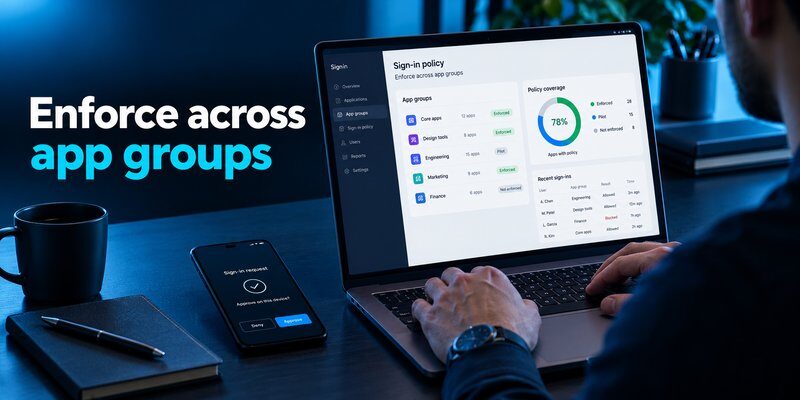
After enforcement begins, administrators need reliable evidence that the policy is functioning correctly.
A dashboard should track employee enrollment, authentication method strength, enforcement failures, and approved exceptions.
Important MFA compliance metrics
| Metric | What It Measures |
|---|---|
| MFA enrollment rate | Percentage of in-scope users with an approved method |
| MFA enforcement coverage | Percentage of protected applications and sign-ins covered by policy |
| Phishing-resistant MFA adoption | Percentage of users registered with approved phishing-resistant methods |
| Authentication failure rate | Failed verification attempts requiring investigation |
| MFA exception count | Accounts temporarily excluded from normal requirements |
| Recovery request volume | Frequency of authentication recovery incidents |
For example, an organization with 500 in-scope employees and 475 enrolled users has a 95% enrollment rate.
However, enrollment alone does not prove that employees must use MFA to access every protected application.
The most meaningful measurement is effective enforcement across applicable access paths.
Organizations evaluating how to enforce an mfa policy for employees should review both enrollment and actual authentication logs.
Establish continuous security monitoring
Monitor unusual login patterns, repeated rejected authentication requests, unexpected changes to registered factors, and suspicious recovery activity.
Review exceptions frequently and assign an expiration date to temporary exclusions.
Where supported, configure alerts for high-risk authentication behavior.
Use authentication logs to verify compliance rather than relying entirely on employee self-reporting.
7. Common MFA Enforcement Mistakes to Avoid
Businesses may deploy MFA without addressing important security and operational weaknesses.
Understanding these mistakes makes how to enforce an mfa policy for employees more effective.
Mistake 1: Making MFA optional
An optional setting does not guarantee organization-wide protection.
Employees may postpone activation or use unprotected accounts.
Solution: Use mandatory identity-provider policies and validate their enforcement.
Mistake 2: Depending only on SMS authentication
SMS codes are susceptible to phishing, SIM swapping, and telecommunications-related attacks.
Although SMS may still be used as a fallback in some environments, stronger methods should be preferred.
Read the comparison of sms vs authenticator app to understand their differences.
Mistake 3: Ignoring legacy authentication
Older protocols may not support modern MFA requirements.
Microsoft’s published analysis associates more than 99% of password-spray attacks with legacy authentication protocols in the data it examined.
Solution: Identify and block unsupported legacy authentication wherever operationally feasible.
Mistake 4: Failing to protect privileged accounts
Administrators can cause widespread security exposure if their accounts are compromised.
Solution: Require phishing-resistant MFA for high-risk and privileged access whenever possible.
Mistake 5: Allowing unlimited exceptions
Permanent exclusions weaken the security policy and create opportunities for abuse.
Solution: Require documented justification, approval, monitoring, and expiration dates.
Mistake 6: Neglecting employee support
Users may become locked out when devices are lost or replaced.
Solution: Establish a secure recovery process and ensure employees know how to request assistance.
Successful MFA adoption requires a combination of technical enforcement, suitable authentication methods, and reliable operational support.
8. Frequently Asked Questions About Employee MFA Policies
How do you enforce MFA for all employees?
To understand how to enforce an mfa policy for employees, begin by identifying all employee accounts and business applications.
Next, configure mandatory MFA through the organization’s identity provider, enroll employees in approved methods, and enable access controls that reject noncompliant sign-ins.
Verify enforcement using authentication logs and test accounts.
Should every employee be required to use MFA?
Yes. As a general security baseline, organizations should require MFA for employees who access business systems, while applying stronger authentication requirements to sensitive accounts.
Contractors and external users should also be included when their access creates comparable risks.
Can an authenticator app help employees use MFA?
Yes. Authenticator applications can generate verification codes for services supporting TOTP authentication.
However, the employer must enforce MFA through compatible identity or application security controls.
Employees can Download authenticator app for iPhone when it is compatible with the organization’s approved authentication setup.
What happens when an employee refuses to enable MFA?
If technical enforcement is configured correctly, the employee should be unable to access protected resources without satisfying the required authentication controls.
Organizations should provide accessible enrollment support and address legitimate accommodation needs through approved security procedures.
Is MFA mandatory for businesses in 2026?
There is no single worldwide law requiring identical MFA settings for every company.
Requirements vary by industry, jurisdiction, contractual commitments, and applicable security frameworks.
Nevertheless, MFA is widely recommended as a fundamental account protection measure.
What is the most secure MFA method for employees?
FIDO2 security keys and properly implemented phishing-resistant passkeys are strong choices for many organizations.
TOTP codes remain useful for compatible applications, but they are not phishing-resistant.
Businesses should choose methods according to account sensitivity, technical support, and recovery requirements.
How often should companies review MFA policies?
Organizations should monitor security events continuously where possible and perform scheduled policy reviews.
An initial monthly review can help identify gaps during rollout. More comprehensive reviews can be incorporated into quarterly access management processes.
The appropriate frequency depends on business risk and regulatory obligations.
How can small businesses enforce MFA without a large IT team?
Small businesses can begin with built-in security settings in their email, identity, and cloud application platforms.
Prioritize administrator accounts, company email, financial services, and remote access.
Then establish mandatory enrollment, implement recovery procedures, and review compliance.
A simple, consistently enforced MFA policy is more effective than a complicated policy that employees can bypass.
Conclusion
Understanding how to enforce an mfa policy for employees is essential for protecting business accounts, reducing password-related security risks, and maintaining secure access to company resources.
Effective MFA enforcement requires more than installing an authentication application. Businesses must establish clear requirements, configure centralized controls, protect privileged accounts, and verify that unauthorized authentication attempts are blocked.
The strongest approach combines mandatory enforcement, phishing-resistant authentication where supported, employee education, secure account recovery, and continuous monitoring.
For organizations planning how to enforce an mfa policy for employees in 2026, start with high-risk accounts, expand coverage systematically, and regularly verify that security controls operate as intended.
For employees whose organizations permit TOTP authentication, the Authenticator App by Begamob can be evaluated as an option for generating verification codes for compatible accounts.
Protect employee accounts with properly enforced MFA and keep improving authentication security as business needs evolve.
Download Authenticator App
Secure your accounts with fast, reliable two-factor authentication. Download now and protect your login in seconds.
