
How to Implement SSO for a Business Without Lockouts
Published November 11, 2026
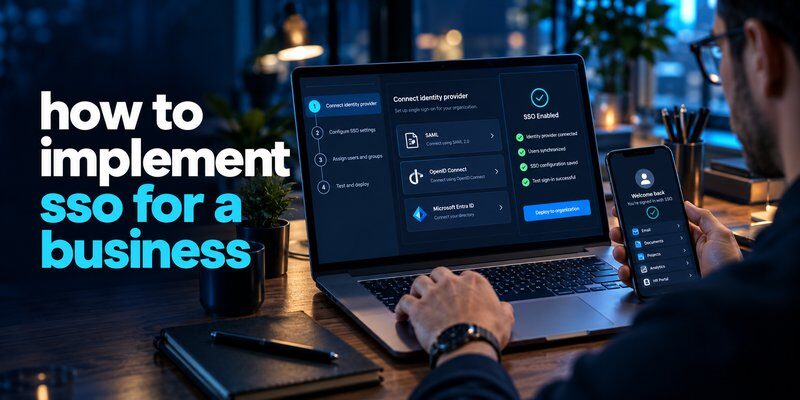
To implement SSO for a business, choose an identity provider, identify applications that support single sign-on, configure SAML or OpenID Connect, enable multi-factor authentication, test the integration, and gradually roll it out to employees. The goal is to let authorized users access multiple business applications through one centrally managed identity.
Understanding how to implement sso for a business is increasingly important as organizations adopt cloud software, remote working arrangements, and digital collaboration tools.
Instead of managing separate login credentials for every application, employees authenticate through a trusted identity provider (IdP), which communicates their verified identity to connected business systems.
However, successful SSO implementation requires more than activating a login feature. Businesses must consider access policies, account provisioning, security controls, employee onboarding, and recovery procedures.
This guide explains how to implement sso for a business with practical instructions for small businesses, growing companies, and IT administrators managing enterprise environments.
1. What Is Single Sign-On and Why Does Your Business Need It?
Single Sign-On (SSO) is an authentication method that allows users to access multiple connected applications after authenticating through a central identity provider.
For example, an employee might sign in through Microsoft Entra ID and subsequently access approved company applications without entering a separate password for each service.
SSO operates through an authentication relationship involving three components:
- Identity Provider (IdP): Verifies the user’s identity and manages authentication.
- Service Provider (SP) or Relying Party: The business application that trusts the identity provider.
- Authentication Protocol: The standardized method used to communicate authentication results.
When implemented correctly, SSO improves access consistency while allowing administrators to enforce security policies centrally.
Key Benefits of Implementing SSO
1. Simplified employee access
Employees can access connected applications using a centralized authentication process rather than remembering multiple passwords.
2. Centralized security management
Administrators can configure authentication requirements, monitor sign-in activity, and apply access policies across supported applications.
3. Faster onboarding and offboarding
Combining SSO with automated provisioning helps companies grant appropriate access to new employees and revoke access when they leave.
4. Reduced password-related risks
SSO can reduce the number of passwords employees manage and limit password-based authentication across connected applications. However, protecting the central identity provider becomes especially important.
5. Better authentication visibility
Centralized login records help administrators investigate suspicious behavior and review security events.
Why Business Authentication Matters in 2026
According to IBM’s 2026 Cost of a Data Breach Report, the global average cost of a data breach reached $4.99 million, demonstrating the financial consequences of ineffective security controls.
Verizon’s 2026 Data Breach Investigations Report also identified vulnerability exploitation as the initial entry point in 31% of breaches, highlighting the importance of combining identity protection with broader cybersecurity measures.
These findings do not mean SSO independently prevents breaches. Instead, they reinforce the need for coordinated security practices.
For organizations exploring how to implement sso for a business, centralized authentication is an important foundation for a broader identity and access management strategy.
Download Authenticator App
Secure your accounts with fast, reliable two-factor authentication. Download now and protect your login in seconds.
2. How to Implement SSO for a Business: 9 Essential Steps
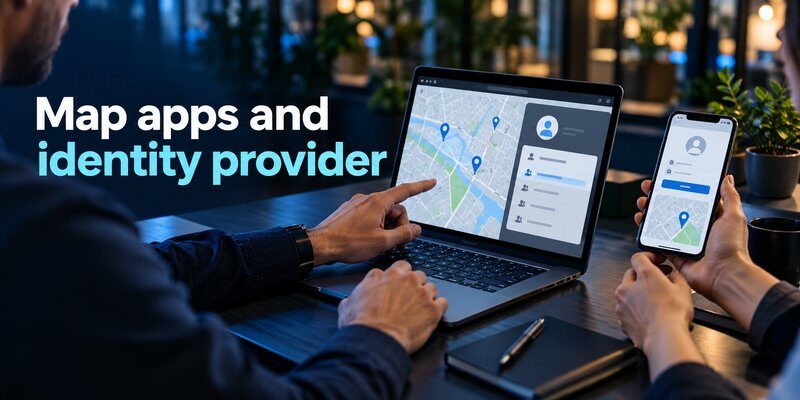
The following steps to implement sso for a business provide a practical deployment process.
Whether your company has 20 employees or 2,000, the same basic approach applies. Larger organizations will generally require additional governance, integration testing, and compliance reviews.
Step 1: Assess Your Business Applications and Identity Requirements
Before configuring SSO, review your existing IT environment.
Create an inventory of applications employees use, including:
- Email and communication platforms
- Customer relationship management systems
- Human resources software
- Cloud storage services
- Accounting and finance tools
- Project management applications
- Internal business applications
Record each application’s authentication methods, user count, administrator, and SSO compatibility.
Example application inventory:
| Application | SSO Support | Priority |
|---|---|---|
| Microsoft 365 | Yes | High |
| Salesforce | Yes | High |
| Slack | Yes, plan-dependent | High |
| Internal HR System | Requires verification | Medium |
| Legacy Accounting Tool | Requires verification | Medium |
Next, identify the accounts that require special handling, such as contractors, administrators, and external partners.
Implementation tip: Start with applications supporting established authentication standards instead of attempting to integrate every system immediately.
A complete inventory helps you understand how to implement sso for a business without disrupting existing employee workflows.
Step 2: Choose a Reliable Identity Provider
An identity provider manages user authentication and communicates trusted identity information to integrated applications.
Common business identity providers include:
- Microsoft Entra ID
- Okta
- Google Cloud Identity
- JumpCloud
- OneLogin
Evaluate potential providers against your business requirements.
Important selection criteria include protocol compatibility, MFA support, administrative controls, identity lifecycle management, audit logging, availability, and total licensing costs.
For example, companies already using Microsoft 365 may find Microsoft Entra ID convenient because of its integration with their existing environment.
Organizations operating across multiple technology ecosystems may prioritize a provider offering broad application support.
Do not choose an identity provider based only on subscription price. Migration complexity, security capabilities, and supported integrations are equally important.
Step 3: Select the Appropriate SSO Authentication Protocol
Most modern enterprise SSO integrations use either SAML 2.0 or OpenID Connect.
SAML 2.0 is commonly used for browser-based enterprise applications and exchanges signed XML authentication assertions.
OpenID Connect (OIDC) provides identity functionality built on OAuth 2.0 and is widely used by modern web and mobile applications.
The correct choice depends on the application’s supported authentication options.
For existing enterprise SaaS products, use the integration recommended by the application provider.
For newly developed applications, OpenID Connect is often a suitable choice when supported by the business architecture.
Both protocols require careful configuration to prevent security weaknesses.
Step 4: Configure the Identity Provider
Once you have selected an identity provider, configure the organization’s identity environment.
Typical setup activities include:
- Create or verify the company tenant.
- Verify ownership of the organization’s domain.
- Connect an existing user directory if necessary.
- Create administrative roles with appropriate permissions.
- Establish authentication and session policies.
- Configure security logging and alerts.
- Prepare emergency administrative access.
For instance, a company using Microsoft Entra ID can create enterprise application integrations through its administrative portal.
The application configuration identifies the relevant authentication endpoints, certificates, and user access assignments.
Use dedicated, tightly controlled administrative accounts rather than assigning broad permissions to regular employees.
Organizations learning how to implement sso for a business should complete these foundational settings before enabling SSO across production applications.
Step 5: Connect Business Applications to Your SSO Provider
After configuring the identity provider, establish an authentication relationship with each application.
For a typical SAML integration:
- Open the application’s SSO configuration page.
- Obtain its service provider identifier and assertion consumer service URL.
- Register the application with your identity provider.
- Exchange the required metadata and signing certificates.
- Configure user attributes and identifiers.
- Assign authorized test users.
- Validate the SSO authentication flow.
For an OIDC integration, configure the approved redirect URIs, client credentials or authentication method, scopes, and issuer information.
Never expose client secrets in frontend code or public repositories.
Avoid accepting arbitrary redirect URLs, and verify that application sessions are established only after valid authentication responses.
Each application should be tested independently before the next integration.
Step 6: Configure User Groups and Access Permissions
Authentication establishes who a user is, but authorization determines what they can access.
Create employee groups based on business functions, such as:
- Human Resources
- Finance
- Marketing
- Sales
- IT Administration
Apply the principle of least privilege, granting employees only the access necessary for their responsibilities.
For example, marketing employees may require project management and analytics applications, while finance employees need accounting and payment systems.
Where supported, use SCIM (System for Cross-domain Identity Management) to automate account provisioning and deprovisioning.
SCIM is not an SSO authentication protocol. It manages user and group lifecycle operations, complementing authentication protocols such as SAML and OIDC.
This distinction is critical when planning how to implement sso for a business with reliable employee offboarding.
Step 7: Enable Multi-Factor Authentication
SSO reduces repeated login prompts, but it also concentrates authentication around an important identity system.
Therefore, SSO should be protected with multi-factor authentication (MFA).
MFA introduces additional verification beyond a password, such as a security key, passkey, or one-time verification code.
For administrators and sensitive applications, prioritize phishing-resistant methods such as FIDO2 security keys or appropriately configured passkeys.
Where supported by the identity provider’s policies, a TOTP-based Authenticator app can provide an additional verification method.
A time-based code is generally more protective than password-only authentication, but it is not phishing-resistant because attackers may trick users into entering codes on fraudulent websites.
Businesses unfamiliar with verification applications can review how to use authenticator app before setting up supported OTP workflows.
Important: An authenticator application does not independently create SSO or replace an identity provider. Its role depends on which authentication methods the organization’s identity provider supports.
Step 8: Test SSO Before Company-Wide Deployment
Testing is an essential part of how to implement sso for a business because authentication errors can prevent employees from accessing critical systems.
Begin with a small pilot group representing different departments, devices, and access levels.
Test the following scenarios:
- Successful first-time login
- Login with an existing SSO session
- MFA verification
- Unauthorized user access attempts
- Session expiration and reauthentication
- Account deactivation
- Password and authentication recovery
- Mobile and desktop authentication
- Identity provider service interruptions
Also test whether users can bypass SSO using an application’s original local login page.
Where supported and appropriate, restrict alternative authentication methods after migration, while preserving approved emergency access.
Document unexpected results and correct configuration issues before proceeding.
Step 9: Roll Out SSO and Train Employees
Deploy SSO gradually rather than switching every application simultaneously.
Begin with a pilot group, expand to selected departments, and then complete the organization-wide rollout.
Provide employees with clear guidance covering:
- How to access the new login portal
- What changes during authentication
- How to enroll approved MFA methods
- How to recognize suspicious login prompts
- How to recover access
- Where to request technical support
Communicate the transition schedule and explain whether previous passwords will remain usable.
Keep a documented rollback procedure for critical systems.
Successful adoption depends on both technical reliability and employee understanding.
For businesses evaluating how to implement sso for a business, a phased rollout usually provides better opportunities to identify and resolve problems.
3. SAML vs. OpenID Connect: Choosing the Right SSO Protocol
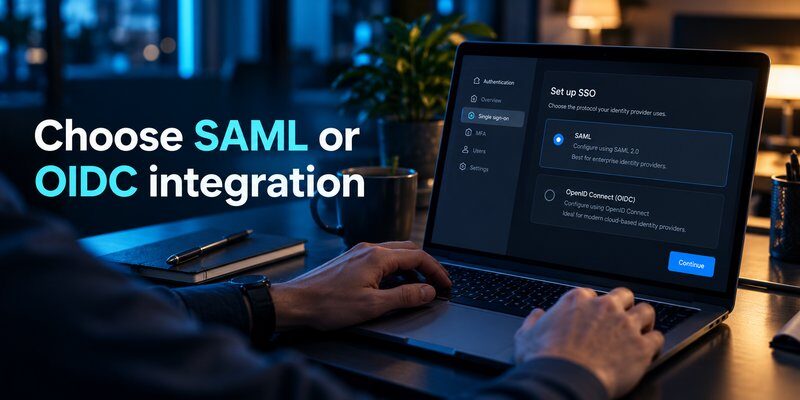
Choosing an authentication protocol is a significant technical decision when evaluating how to implement sso for a business.
SAML and OpenID Connect both support federated authentication, but they use different architectures and communication formats.
| Feature | SAML 2.0 | OpenID Connect |
|---|---|---|
| Primary format | XML assertions | JSON-based identity tokens |
| Common use | Enterprise SaaS SSO | Modern web and mobile apps |
| Architecture | XML-based federation | Identity layer on OAuth 2.0 |
| Typical integration | Enterprise application configuration | Application and API development |
| Mobile suitability | Depends on implementation | Commonly well suited |
| Security | Strong when configured correctly | Strong when configured correctly |
When Should Your Business Use SAML?
SAML is often appropriate when connecting established business applications that provide native SAML integrations.
It is particularly common in enterprise software environments.
When Should Your Business Use OpenID Connect?
OIDC is often preferable for custom applications and modern development environments using supported authorization libraries.
For web applications, the Authorization Code Flow with PKCE is a widely recommended modern approach.
Important distinction: OAuth 2.0 alone provides an authorization framework; it is not equivalent to user authentication through OpenID Connect.
Neither protocol automatically guarantees secure account provisioning, authorization policies, or complete session termination.
For a practical how to implement sso for a business guide, select protocols based on application compatibility, security requirements, and maintainability rather than attempting to use one protocol universally.
4. How to Secure Business SSO with Multi-Factor Authentication

One of the biggest mistakes organizations make is assuming centralized authentication automatically provides sufficient protection.
In reality, compromising an SSO identity can expose access to several connected applications.
Therefore, security controls should be designed before deployment.
Require Strong Authentication
Use MFA for employees and enforce stronger authentication for administrators, finance teams, and sensitive systems.
The National Institute of Standards and Technology’s SP 800-63B-4, published in 2025, identifies phishing resistance as an important authentication property.
It explains that manually entered OTP codes do not provide phishing-resistant authentication.
For organizations unable to deploy passkeys or security keys immediately, supported TOTP authenticators can serve as an interim or alternative MFA method under an appropriate risk-based policy.
Employees investigating platform options may also find these resources useful:
- google authenticator for mac — information about authentication options for Mac users.
- apple authenticator — guidance on Apple-related authentication options.
- microsoft multi factor authentication — an introduction to Microsoft authentication methods.
These resources support user education; the organization’s approved identity provider determines which methods can actually be enrolled.
Apply Conditional Access Policies
Conditional access allows businesses to evaluate contextual factors before permitting authentication.
Depending on the provider, policies may consider:
- Device compliance
- User location
- Sign-in risk
- Application sensitivity
- Authentication strength
For example, administrators accessing sensitive financial systems may be required to use phishing-resistant MFA from managed devices.
Protect Account Recovery
Recovery processes should not become weaker alternatives to normal authentication.
Establish procedures for employees who lose their devices or cannot complete verification.
Use identity verification, authorized administrator approval, and secure recovery methods.
Maintain emergency access accounts with strong controls, monitoring, and regular testing.
Monitor Authentication Activity
Track unusual login behavior, failed sign-ins, unfamiliar devices, and unexpected administrative changes.
Review what is phishing to help employees understand credential theft and fraudulent authentication prompts.
Businesses researching how to implement sso for a business should treat MFA, secure recovery, and monitoring as essential components rather than optional improvements.
5. SSO Implementation Timeline and Costs
The time required to deploy SSO depends on application compatibility, business size, identity infrastructure, and employee training requirements.
For a smaller organization using established cloud applications, implementation may take several weeks.
Larger deployments involving legacy applications, custom integrations, and complex compliance obligations can require substantially longer.
Example Implementation Timeline
| Phase | Illustrative Duration |
|---|---|
| Application audit and planning | 2–5 days |
| Identity provider selection | 3–7 days |
| Initial configuration | 2–5 days |
| Application integration | 5–15 days |
| Security testing | 3–7 days |
| Employee rollout | 3–10 days |
These are planning estimates, not guaranteed implementation times. Several activities can overlap.
What Determines SSO Implementation Costs?
The major cost categories include identity provider licensing, integration engineering, application subscription upgrades, employee training, and ongoing maintenance.
Some SaaS vendors restrict SSO functionality to specific enterprise subscription plans.
Before purchasing, confirm each application’s SSO entitlement and any related licensing requirements.
To estimate the business value, consider an illustrative company with 100 employees.
If centralized authentication saves each employee two minutes per working day, the organization saves approximately 200 minutes daily, or 3.3 staff-hours.
This is a hypothetical productivity calculation, not a guaranteed SSO performance result.
When deciding how to implement sso for a business, balance expected convenience gains against security, administration, and operational costs.
6. Common SSO Implementation Problems and Solutions

Even a carefully planned deployment may encounter authentication or configuration errors.
Understanding common issues helps businesses troubleshoot without causing widespread access disruptions.
Problem 1: Users Cannot Log In
Possible causes: Incorrect SAML configuration, mismatched identifiers, expired signing certificates, or invalid redirect settings.
Solution: Review the identity provider logs, compare application metadata, verify the expected user identifier, and confirm certificate validity.
Problem 2: Users Experience Repeated Login Prompts
Possible causes: Conflicting session settings, blocked cookies, browser restrictions, or misconfigured authentication policies.
Solution: Review session durations, browser behavior, application settings, and conditional access requirements.
Problem 3: Employees Lose MFA Access
Possible causes: Replaced phones, lost devices, or unavailable authentication methods.
Solution: Establish verified recovery procedures and encourage users to enroll an approved backup authentication method.
Employees using supported OTP workflows can learn about authenticator app restore from backup, although recovery capabilities vary between applications and identity providers.
Problem 4: Former Employees Retain Application Access
Possible causes: Incomplete deprovisioning, unmanaged local accounts, or existing application sessions.
Solution: Integrate automated lifecycle management, review residual permissions, and revoke sessions when supported.
Disabling an account in the identity provider does not necessarily terminate every existing application session immediately.
Problem 5: Legacy Applications Do Not Support SSO
Possible causes: Outdated authentication architecture or unsupported protocols.
Solution: Investigate supported authentication gateways, vendor upgrades, or compensating security controls.
Avoid weakening the overall identity system to accommodate an outdated application.
Addressing these issues is central to how to implement sso for a business without introducing unnecessary security or availability risks.
7. How to Monitor and Maintain Your SSO System
SSO implementation does not end after employees successfully log in.
Businesses need regular monitoring to maintain reliable authentication and appropriate access controls.
Measure SSO Performance
Track several operational indicators:
| Metric | What It Measures |
|---|---|
| SSO adoption rate | Percentage of eligible users using SSO |
| Application coverage | Percentage of targeted apps integrated |
| Authentication success rate | Percentage of successful sign-in attempts |
| MFA enrollment rate | Users enrolled in required MFA |
| Access removal time | Time needed to revoke departed users’ access |
| Login-related support tickets | Frequency of authentication problems |
Monitor these metrics before, during, and after rollout.
A rising authentication failure rate may indicate configuration problems or inappropriate security policies.
Perform Regular Security Reviews
Review user access assignments, administrator privileges, authentication logs, and recovery procedures.
Monitor certificate expiration dates and update integrations before planned changes disrupt authentication.
When employees change departments, adjust their application permissions accordingly.
Periodically verify that terminated users no longer retain unauthorized accounts or active sessions.
Review SSO Security Standards
NIST SP 800-63C-4, published in 2025, provides guidance concerning identity federation and authentication assertions.
Organizations should use applicable standards and vendor documentation when reviewing their authentication architecture.
For teams learning how to implement sso for a business, continuous monitoring is essential for preserving the security and reliability of the initial deployment.
8. Frequently Asked Questions About Business SSO

How Do You Implement SSO for a Small Business?
The basic process for how to implement sso for a business starts with selecting a supported identity provider and identifying the most important applications.
Configure SSO, enable MFA, test authentication, and introduce the system to a small employee group.
A small company can often avoid custom development by using supported integrations provided by its existing business applications.
What Is the Easiest Way to Implement SSO for Beginners?
For teams searching how to implement sso for a business for beginners, the simplest starting point is usually a cloud identity provider already compatible with their existing email and productivity tools.
Start with one or two applications, validate employee authentication, and gradually expand.
Avoid unnecessary custom authentication code when maintained vendor integrations are available.
Is SSO Secure Enough Without MFA?
No. SSO simplifies authentication but does not automatically provide sufficient protection against compromised accounts.
Businesses should require appropriate MFA and prioritize phishing-resistant methods, particularly for privileged access.
A compatible TOTP authenticator can provide an additional verification step where supported, but it does not offer the same phishing resistance as FIDO2-based methods.
Can SSO Work with Google and Microsoft Accounts?
Yes. Organizations can configure supported business identity platforms and applications using SAML or OpenID Connect.
However, compatibility depends on the organization’s account type, provider configuration, and application requirements.
How Long Does It Take to Implement SSO?
A straightforward deployment for a small company may take a few weeks, while a complex enterprise migration may require months.
The main factors are the number of applications, integration complexity, access policies, and testing requirements.
What Should Businesses Know About SSO in 2026?
For anyone researching how to implement sso for a business 2026, the major priorities are centralized identity management, phishing-resistant authentication, automated provisioning, and consistent access monitoring.
Modern identity strategies also increasingly incorporate passkeys and risk-based authentication.
However, companies should choose technologies based on actual operational requirements rather than adopting every new authentication feature immediately.
Does an Authenticator App Replace SSO?
No. SSO and authenticator applications serve different purposes.
SSO establishes centralized access across connected applications, while an authenticator application may generate verification codes for supported MFA systems.
Businesses can combine both approaches when their identity provider supports the selected authentication method.
Users looking for a TOTP application can Download authenticator app from the App Store.
Conclusion
Understanding how to implement sso for a business helps organizations simplify employee authentication, manage access centrally, and strengthen identity security.
Successful implementation requires a structured process: auditing applications, selecting an identity provider, choosing supported protocols, configuring integrations, enforcing MFA, and testing employee access.
The most important principle is that SSO should be deployed as part of a complete identity security strategy, not as a standalone replacement for MFA or access management.
By combining centralized authentication with secure account provisioning, phishing-resistant verification, regular monitoring, and clear recovery procedures, businesses can create a more manageable digital workplace.
If your organization uses supported time-based verification codes, the Authenticator app from Begamob provides an additional authentication option to evaluate alongside your identity provider’s approved MFA methods.
Download Authenticator App
Secure your accounts with fast, reliable two-factor authentication. Download now and protect your login in seconds.
