
How to Secure a Crypto Wallet: 10 Steps to Keep Your Crypto Safe
Published November 5, 2026
Learning how to secure a crypto wallet starts with protecting your private keys, storing your recovery phrase safely, enabling two-factor authentication (2FA) where supported, and verifying every transaction before approval.
Whether you use a mobile crypto wallet, an exchange account, or a hardware wallet, the right security practices can reduce the risk of hacking, phishing attacks, unauthorized transfers, and permanent loss of funds.
This guide explains 10 practical steps to secure your cryptocurrency wallet, common mistakes to avoid, and what to do if your wallet is compromised.
How to Secure a Crypto Wallet in 10 Steps
If you want to know how to secure a crypto wallet, follow these essential security practices:
- Choose a reputable and secure crypto wallet.
- Store your recovery phrase and private keys safely.
- Enable two-factor authentication (2FA) where available.
- Use a hardware wallet for long-term storage.
- Create strong, unique passwords.
- Keep your wallet software and devices updated.
- Avoid phishing scams and fake wallet applications.
- Verify wallet addresses before sending cryptocurrency.
- Separate your crypto assets across different wallets.
- Back up your wallet and test the recovery process.
Each step addresses a different security risk. Combining them provides stronger protection than relying on a single security feature.
Read more: Google Authenticator Tokocrypto – Setup and Security Guide
Secure your accounts with fast, reliable two-factor authentication. Download now and protect your login in seconds.Download Authenticator App
Choose a Secure and Trusted Crypto Wallet
The first step in learning how to secure a crypto wallet is choosing a wallet that matches your security needs.
Crypto wallets generally fall into two categories: hot wallets and cold wallets.
| Wallet Type | How It Works | Security Considerations | Best For |
|---|---|---|---|
| Hot wallet | Uses software on an internet-connected device | More exposure to malware and phishing | Frequent transactions |
| Cold wallet | Keeps signing keys isolated from internet-connected systems | Reduces online key exposure but still requires secure backups | Long-term storage |
| Custodial wallet | A provider controls the private keys | Depends on the provider’s security and withdrawal policies | Users who prefer managed custody |
| Non-custodial wallet | You control the private keys | You are responsible for recovery and protecting the seed phrase | Users who want direct asset control |
How to choose a trustworthy wallet
Before downloading a cryptocurrency wallet, check whether it:
- Comes from an official and verifiable developer.
- Supports secure backup and recovery.
- Provides clear transaction confirmation details.
- Receives regular security updates.
- Has a transparent security history and documentation.
- Supports hardware wallet integration when appropriate.
Popular wallet options include MetaMask, Trust Wallet, Ledger, and Trezor. However, each offers different custody models, security features, and supported networks.
Security tip: Always download wallet applications through the developer’s official website or verified app store listing. Avoid links shared through unsolicited messages.
Choosing a trusted wallet is only one part of protecting your digital assets. Follow our personal cybersecurity checklist to review device updates, secure passwords, account recovery, and other essential protections that support safer cryptocurrency management.
Protect Your Recovery Phrase and Private Keys
Protecting your recovery phrase is one of the most important parts of how to secure a crypto wallet.
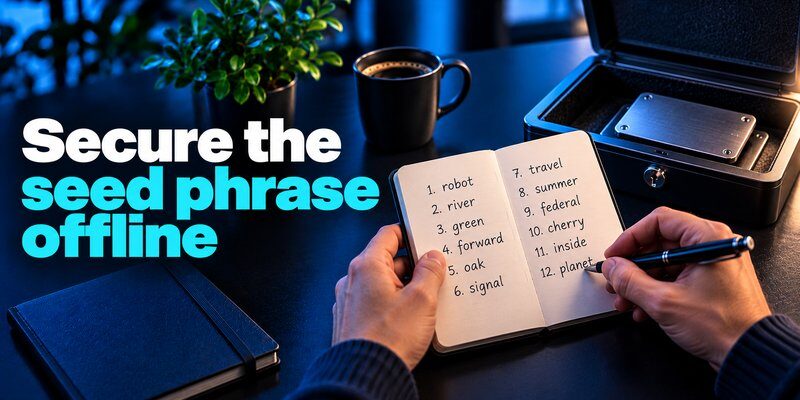
A recovery phrase, often containing 12 or 24 words, can restore access to many self-custody wallets. Anyone who obtains a valid recovery phrase may be able to control the associated funds.
Unlike a traditional password, a compromised recovery phrase generally cannot be made safe again simply by changing account credentials.
Best practices for storing a seed phrase
- Write your recovery phrase on paper or another durable offline medium.
- Store it somewhere private and protected from theft, fire, and water.
- Keep the backup separate from your hardware wallet.
- Never share recovery words with anyone.
- Avoid screenshots, cloud notes, emails, and online documents.
- Never enter your recovery phrase into an unfamiliar website.
For substantial holdings, consider a durable metal backup designed to withstand physical damage.
Never share your recovery phrase with support
Legitimate wallet support teams do not need your recovery phrase to resolve an issue.
If someone requests your seed phrase to verify an account, recover funds, or fix a transaction, treat the request as a scam.
Important: A stolen seed phrase can expose your funds even when your wallet application is protected by a strong password.
Fake wallet support representatives often use urgency, authority, or fear of losing funds to persuade users to reveal sensitive information. Understanding what is social engineering can help you recognize these manipulation tactics before exposing your recovery phrase or approving a dangerous transaction.
Read more: What Is a Passkey? The Passwordless Credential Explained
Enable Two-Factor Authentication (2FA)
Another important part of how to secure a crypto wallet is enabling two-factor authentication for exchange accounts and other supported services.
Two-factor authentication requires an additional verification step beyond your password, making unauthorized account access more difficult.
Common authentication methods include:
- Authenticator apps: Generate time-based one-time passwords (TOTP).
- Security keys: Provide phishing-resistant authentication when supported.
- Passkeys: Allow supported services to authenticate users using cryptographic credentials.
- SMS verification: Provides an additional step but is vulnerable to SIM-swapping and other attacks.
How to enable 2FA for a crypto exchange
- Sign in to your exchange account using its official website or app.
- Open Settings > Security or the equivalent security section.
- Find the two-factor authentication option.
- Select an authenticator app if available.
- Scan the setup QR code using your authenticator application.
- Enter the generated verification code.
- Save the exchange’s backup codes securely.
- Enable additional withdrawal security controls where supported.
An authenticator app can help generate verification codes for compatible exchange accounts and other online services.
For additional information, learn how a two-factor authentication app works.
Does 2FA protect a self-custody wallet?
Not directly.
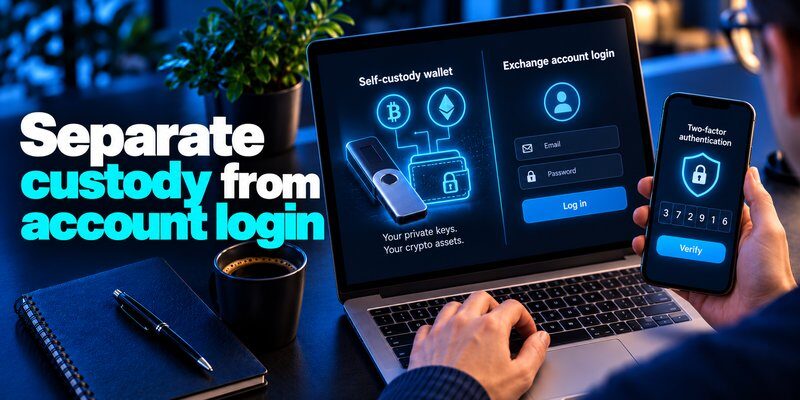
Most self-custody wallets authorize blockchain transactions using private keys rather than an exchange-style login system.
2FA can protect your exchange account, but it cannot stop an attacker who already possesses your wallet’s private key or recovery phrase.
Therefore, combine account authentication with secure key storage and careful transaction verification.
Read more: What Is FIDO2? The Complete Guide to Passwordless Authentication
Use a Hardware Wallet for Long-Term Crypto Storage
Using a hardware wallet is a practical strategy when researching how to secure a crypto wallet, especially for larger cryptocurrency holdings.
A hardware wallet is a physical device designed to keep private keys isolated from general-purpose computers and smartphones.
Transactions are typically prepared through companion software and approved using the hardware device.
Why hardware wallets improve security
Hardware wallets can:
- Reduce private-key exposure to computer malware.
- Require physical confirmation for supported transactions.
- Provide a trusted screen for reviewing transaction details.
- Support offline recovery backups.
- Separate transaction signing from everyday browsing activities.
However, hardware wallets do not automatically prevent phishing, malicious smart-contract approvals, or transactions sent to incorrect addresses.
How to use a hardware wallet safely
- Purchase the device from the manufacturer or a trusted authorized seller.
- Follow the manufacturer’s official initialization instructions.
- Generate a new recovery phrase during trusted setup.
- Create a strong device PIN.
- Record the recovery phrase offline.
- Verify transaction details directly on the device screen.
- Keep firmware updated using official tools.
Never use a hardware wallet that arrives with a prewritten recovery phrase or instructions to use a seed phrase supplied by someone else.
For cryptocurrency exchanges that support app-based verification, a TOTP authenticator app generates temporary codes that add another requirement beyond the account password. This can reduce the risk of unauthorized exchange logins, although phishing websites may still capture live codes. TOTP does not protect a self-custody wallet if its private key or recovery phrase has already been exposed.
Read more: How to Set Up a Passkey: A Complete Step-by-Step Guide
Create Strong Passwords for Wallet Apps and Exchanges
Strong passwords remain essential when learning how to secure a crypto wallet, particularly for software wallets and custodial exchange accounts.
A weak or reused password can allow attackers to access an account through credential stuffing, phishing, or password guessing.
How to create a secure password
Follow these recommendations:
- Use a long, unique password for every exchange account.
- Prefer randomly generated passwords or long passphrases.
- Avoid personal information and predictable patterns.
- Store account passwords in a reputable password manager.
- Never reuse an exchange password for email or social media.
- Enable passkeys or phishing-resistant MFA when supported.
Your primary email account also deserves strong protection because it may be used for exchange password resets and account recovery.
Is a wallet password the same as a recovery phrase?
No.
A wallet password may encrypt or unlock locally stored wallet data. A recovery phrase can regenerate the underlying private keys for supported wallets.
Changing a wallet password does not invalidate an exposed recovery phrase. If you have never configured app-based verification before, follow our guide on how to use an authenticator app to understand QR code enrollment, temporary verification codes, and secure recovery-code storage. Always complete the setup through the exchange’s official website or application.
Read more: What Is VPN Encryption? How It Works and How Safe It Is in 2026
Keep Your Wallet Software and Devices Updated
Software maintenance is frequently overlooked in guides about how to secure a crypto wallet.
Outdated wallet applications, operating systems, browsers, and hardware firmware may contain vulnerabilities that attackers can exploit.
Crypto wallet update checklist
- Install wallet updates from official distribution channels.
- Keep your phone or computer operating system updated.
- Update hardware wallet firmware through trusted manufacturer tools.
- Remove suspicious browser extensions.
- Avoid installing unverified cryptocurrency applications.
- Use device encryption and a strong screen lock.
Avoid fake wallet updates
Attackers sometimes distribute fake security alerts that claim your wallet needs immediate verification.
These messages may direct you to malicious websites that request your recovery phrase.
Instead of following unexpected links, open the wallet application or navigate directly to the manufacturer’s official website.
Security tip: Never enter your recovery phrase into a website to complete a software update.
Avoid Crypto Phishing Scams and Malicious Links
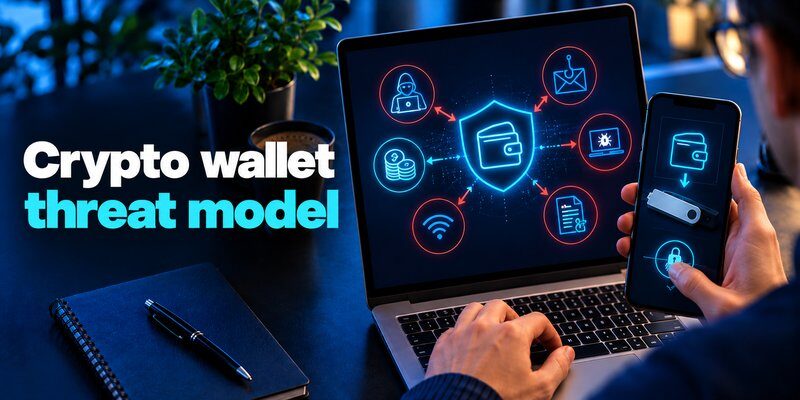
Preventing phishing attacks is a critical part of how to secure a crypto wallet because many cryptocurrency thefts involve social engineering rather than direct cryptographic attacks.
Scammers may impersonate wallet providers, exchanges, customer support representatives, or cryptocurrency projects.
Their goal is often to steal credentials, obtain recovery phrases, or convince users to approve malicious transactions.
Common crypto wallet scams
Fake wallet websites
Attackers create websites that closely resemble legitimate wallet providers and request sensitive information.
Fraudulent support messages
Scammers claim your wallet has been suspended or compromised and ask you to reveal your recovery phrase.
Malicious wallet connections
A deceptive decentralized application may request transaction signatures or token approvals that expose your assets.
Fake cryptocurrency giveaways
Scammers promise rewards in exchange for connecting a wallet, approving a transaction, or sending funds.
How to avoid crypto phishing
- Bookmark official exchange and wallet websites.
- Avoid wallet links sent through unsolicited messages.
- Never disclose private keys or recovery phrases.
- Review wallet connection and transaction requests carefully.
- Avoid signing messages you do not understand.
- Verify project announcements through official channels.
If you suspect a phishing attempt, stop interacting with the website and verify the request independently.
Read more: Best VPN for Streaming in 2026: 6 Top Picks Compared
Verify Wallet Addresses Before Sending Crypto
Understanding how to secure a crypto wallet also means learning how to prevent irreversible transaction mistakes.
Cryptocurrency transactions generally cannot be canceled after final confirmation on the blockchain.
Sending funds to an incorrect address or using an unsupported network may result in permanent loss.
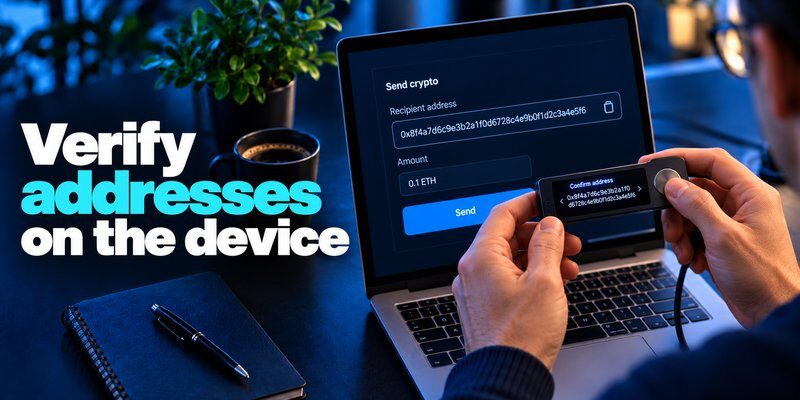
How to verify a crypto transaction
Before sending cryptocurrency:
- Confirm the recipient’s wallet address through a trusted channel.
- Check the complete destination address.
- Verify the cryptocurrency and blockchain network.
- Review the transaction amount and applicable fees.
- Confirm the destination on your hardware wallet screen when available.
- Send a small test transaction when practical.
- Verify successful receipt before transferring larger amounts.
Watch out for address poisoning
Address poisoning scams attempt to trick users into copying an attacker’s address from their transaction history.
A malicious address may resemble a familiar wallet address, especially in its first and last characters.
Always verify the full address rather than relying on a shortened display.
Be careful with smart-contract approvals
Some blockchain transactions grant smart contracts permission to spend tokens.
Before approving, check the contract, spending allowance, and transaction purpose.
Review existing token approvals periodically and revoke unnecessary permissions using trustworthy tools.
Separate Your Crypto Across Different Wallets
Separating funds is another useful practice for people learning how to secure a crypto wallet.
Keeping every cryptocurrency asset in one wallet creates a single point of failure.
If that wallet’s recovery phrase is compromised or a malicious transaction is approved, a substantial portion of your holdings could be exposed.
Use different wallets for different purposes
A practical approach is to separate your assets based on how frequently you use them.
| Wallet Purpose | Recommended Approach |
|---|---|
| Daily transactions | Keep a limited balance in a hot wallet |
| Long-term holdings | Use a hardware wallet with an offline backup |
| DeFi activities | Use a separate wallet for interacting with smart contracts |
| Exchange trading | Maintain only the funds needed for trading |
| Experimental projects | Use a dedicated wallet with limited assets |
Why wallet separation matters
Separating wallets can limit the impact of a compromised application, malicious approval, or phishing incident.
However, every additional wallet introduces another backup and recovery responsibility.
Choose a setup you can manage consistently rather than creating unnecessary complexity.
Back Up Your Wallet and Test Recovery
The final step in how to secure a crypto wallet is preparing for device loss, damage, theft, or software failure.
A secure wallet is not truly reliable if you cannot restore access when something goes wrong.
How to back up a crypto wallet
- Follow your wallet provider’s official backup instructions.
- Record the recovery phrase accurately.
- Confirm the correct word order.
- Store the backup offline in a protected location.
- Record any additional recovery requirements, such as an optional passphrase.
- Use the manufacturer’s supported backup verification process.
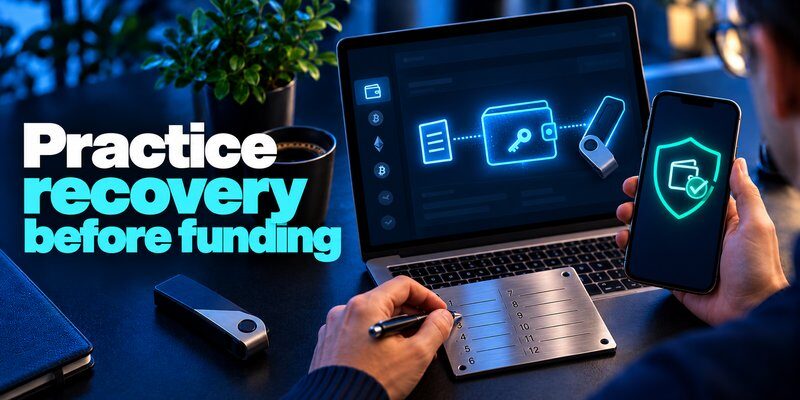
- Test recovery safely before storing significant funds.
Do not test a recovery phrase by entering it into an unknown website.
What happens if you lose your wallet device?
For many self-custody wallets, a valid recovery phrase can restore access on a compatible wallet.
If your wallet also uses an optional passphrase, that passphrase may be required to recover the correct accounts.
Without the necessary recovery information, access to your cryptocurrency may be permanently lost.
Using unique passwords for each exchange account helps limit the damage caused by a stolen credential. A trusted password manager app can generate and store strong passwords, reducing reuse across exchanges, email accounts, and other services. Keep your wallet recovery phrase separate from ordinary account passwords.
Read more: How to Avoid Phishing Scams in Daily Accounts and Messages
Common Crypto Wallet Security Mistakes to Avoid
Even after learning how to secure a crypto wallet, users can accidentally expose their funds through everyday mistakes.
The following practices should be avoided:
| Security Mistake | Potential Risk | Safer Alternative |
|---|---|---|
| Saving seed phrases in cloud storage | Recovery phrase exposure | Keep offline backups |
| Reusing exchange passwords | Credential stuffing | Use unique passwords |
| Downloading fake wallet apps | Malware or key theft | Verify official sources |
| Clicking unexpected crypto links | Phishing attacks | Navigate directly to official websites |
| Ignoring transaction details | Unauthorized transfers | Review every transaction |
| Keeping all assets in one hot wallet | Concentrated exposure | Separate funds by purpose |
| Skipping recovery verification | Permanent loss of access | Test supported recovery methods |
The strongest crypto wallet security strategy combines technical safeguards with careful everyday habits.
What to Do If Your Crypto Wallet Is Compromised
Knowing how to secure a crypto wallet is especially important when you suspect unauthorized access.
Your response should depend on whether the problem involves a stolen exchange password, exposed recovery phrase, malicious approval, or compromised device.
Step 1: Identify the security incident
Look for warning signs such as:
- Transactions you did not authorize.
- Unexpected token approvals.
- Suspicious exchange login notifications.
- A recovery phrase entered into an unfamiliar website.
- Unknown wallet connections or signature requests.
Step 2: Protect remaining assets
If you believe your recovery phrase or private key has been exposed, assume the associated wallet is compromised.
Create a new wallet with a new recovery phrase using a trusted device and follow a carefully verified transfer process.
Do not reuse the exposed recovery phrase.
If malware is suspected, use a separate trusted device rather than continuing from the potentially compromised system.
Step 3: Secure connected accounts
If your exchange account may have been compromised:
- Change the account password using a trusted device.
- Review active sessions and authorized devices.
- Reset compromised authentication methods.
- Check withdrawal addresses and security settings.
- Contact the exchange through its official support channels.
If your email account is also affected, secure it immediately.
Step 4: Review approvals and transaction history
Review recent blockchain transactions and token approvals.
Revoke unnecessary approvals when it is safe to do so, and remember that revoking permissions does not invalidate a stolen private key.
Step 5: Document and report the incident
Preserve transaction IDs, wallet addresses, timestamps, and relevant communications.
Report suspected theft to the exchange, wallet provider, or appropriate authorities where applicable.
Blockchain transfers are often irreversible, so be cautious of anyone promising guaranteed recovery in exchange for an upfront fee.
Frequently Asked Questions
What is the safest way to secure a crypto wallet?
The safest practical approach is to protect your recovery phrase offline, use a trusted wallet, verify transactions, and keep your devices updated. For long-term holdings, a reputable hardware wallet can reduce private-key exposure.
Can someone hack my crypto wallet with my wallet address?
A public wallet address alone does not normally allow someone to spend your cryptocurrency. However, attackers may use public transaction information for targeted scams, phishing, or address-poisoning attempts.
Is a hardware wallet safer than a mobile wallet?
A hardware wallet generally offers stronger private-key isolation than a typical mobile software wallet. However, it cannot prevent every phishing attack, malicious transaction approval, or recovery phrase leak.
Should I enable 2FA on my crypto wallet?
Enable 2FA on exchange accounts and wallet-related services that support it. Most self-custody wallets rely on private-key security rather than conventional account-based 2FA.
Can stolen cryptocurrency be recovered?
Blockchain transactions are generally irreversible. Recovery may be possible in limited circumstances, such as when a custodial service can freeze assets, but there is no guarantee. Be wary of cryptocurrency recovery scams.
How often should I update my crypto wallet?
Install legitimate security updates promptly after verifying them through official wallet channels. Review your security settings, backups, and connected applications regularly.
Is it safe to keep cryptocurrency on an exchange?
Keeping cryptocurrency on an exchange introduces custodial and platform risks. Strong account security, passkeys or 2FA, withdrawal controls, and careful provider selection can reduce some risks, but they do not eliminate them.
Final Thoughts
Learning how to secure a crypto wallet is not about finding one security feature that prevents every attack. It requires protecting private keys, choosing trustworthy wallet software, securing exchange accounts, and verifying transactions before approval.
Start with the fundamentals: protect your recovery phrase offline, enable 2FA for supported accounts, update your devices, and avoid suspicious links.
For long-term cryptocurrency storage, consider a hardware wallet and a tested recovery plan.
Most importantly, never share your recovery phrase or approve a transaction you do not understand.
