
What Is Smishing? How Text Message Phishing Works
Published October 28, 2026
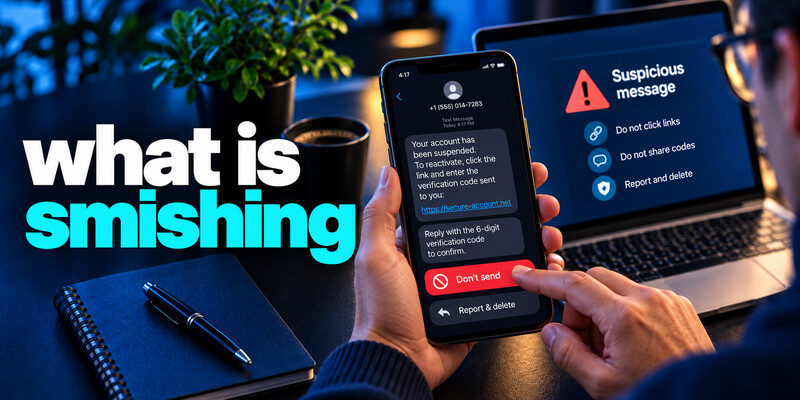
What is smishing? Smishing is phishing delivered by text message. The sender tries to make you tap a link, call a number, install an app, pay a fee, or reveal sensitive information. A parcel problem, unpaid toll, or bank alert is a common pretext. Verify the claim in the real app or through a known number; the text’s sender label and link are not proof. This article explains the attack and the different responses to a link, credential, or payment exposure.
Apply the answer
- Recognize the text-message lure.
- Inspect the corresponding real account.
- Do not share the code or card information requested by the SMS.
What is smishing? A smishing message in context
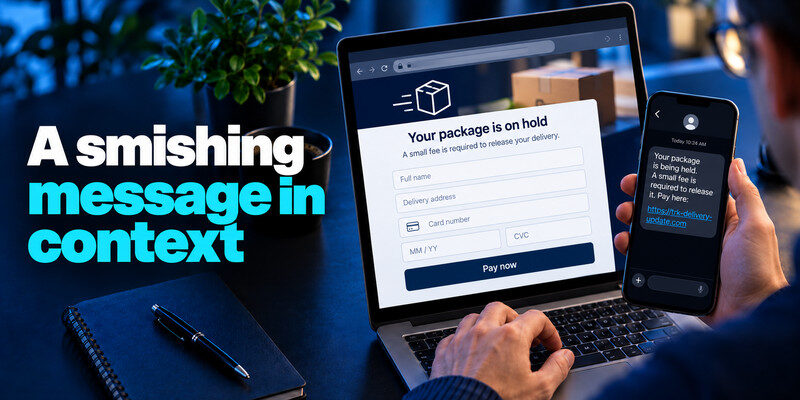
What is smishing? Imagine a text says your package is being held for a small fee. The link opens a page that copies the courier’s design and asks for an address and card details. The attacker does not need to know whether you ordered something; enough recipients will be expecting deliveries.
The initial story
The FTC documents delivery and toll themes. Other texts claim a suspended account, tax refund, or unusual bank charge. They try to create urgency before you independently check the event. Fake delivery notices are among the common tactics used in text message scams. Our guide on how to identify a scam text message explains how to recognize suspicious links, unexpected payment requests, impersonated senders, and fraudulent account alerts before interacting with them.
The destination
A shortened URL or QR code conceals where you will land. Even a page with HTTPS can be fraudulent; HTTPS protects the connection to that page, not the honesty of its operator.
| Lure | Information sought | Safer route |
| Delivery fee | Address and card | Official order and courier app |
| Toll penalty | Card or identity | Known toll account |
| Bank freeze | Login or code | Bank app or card-back number |
| Account alert | Password and MFA | Direct account security page |
Secure your accounts with fast, reliable two-factor authentication. Download now and protect your login in seconds.Download Authenticator App
Why texts feel credible
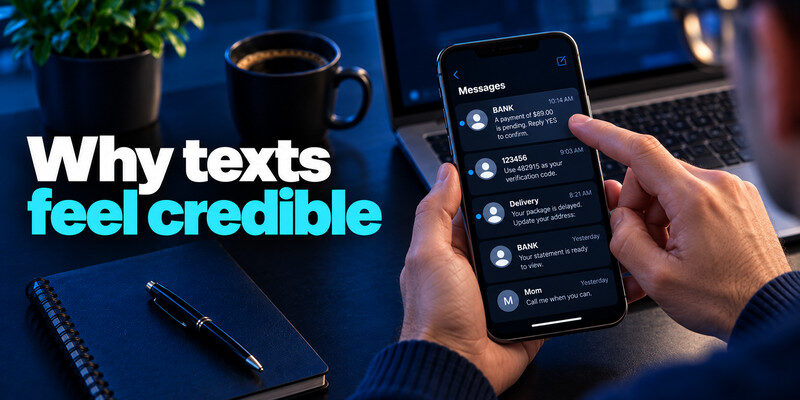
Texts arrive on a device people use for authentication. Sender names or short codes can look official, and fraudulent messages may appear near genuine ones in a thread. A small payment seems easier than a long verification step to know what is smishing.
Thread placement is not identity
Messaging systems can group by displayed sender label, which attackers may imitate. Treat the claimed event as unverified. A real bank transaction should appear in the bank’s own app. A secure-looking website address does not guarantee that a page is legitimate. Our guide on how to avoid phishing scams explains how to verify suspicious requests through trusted channels, recognize fake login pages, and avoid entering sensitive information on unfamiliar websites.
Personal details are not proof
A name or partial address may have come from public records or a previous leak. Do not let personalization replace an independent check.
Read more: What Is Phishing? Meaning, Examples, and a Safe Response
Distinguish smishing from neighboring attacks
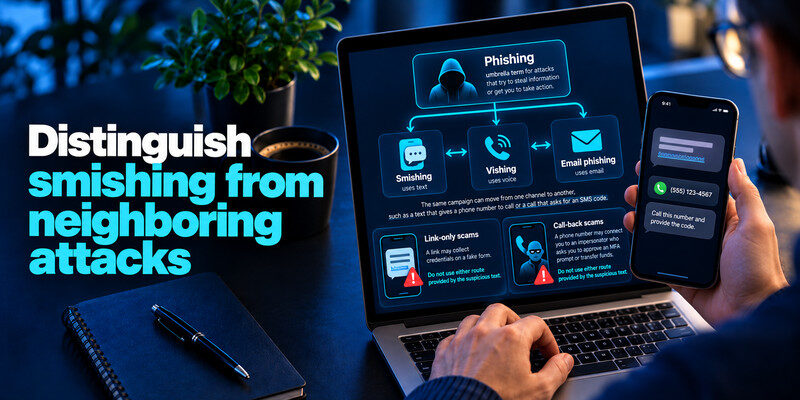
Phishing is the umbrella term. Smishing uses text, vishing uses voice, and email phishing uses email. The same campaign can move from one channel to another, such as a text that gives a phone number to call or a call that asks for an SMS code.
Link-only versus call-back scams
A link may collect credentials on a fake form. A phone number may connect you to an impersonator who asks you to approve an MFA prompt or transfer funds. Do not use either route provided by the suspicious text to know what is smishing.
Scam without a link
“Reply YES” or “call us now” can still be an attack. Focus on what information or action is requested, not merely whether a URL is present. Scammers may combine publicly available information with exposed account data to create convincing messages. Our guide on what a credential leak is explains how usernames, passwords, and other account details may become exposed. Knowing your name or address does not prove that a message came from a legitimate organization.
| Pretext | Typical request | Check safely |
| Delivery issue | Small redelivery fee | Use carrier tracking directly |
| Bank alert | Confirm identity or card | Call official bank support |
| Toll notice | Pay through short link | Use known toll account portal |
Protect the phone and accounts
Keep operating system and apps updated, use trusted app stores, and remove unnecessary profiles or permissions. Unique passwords limit reuse if you submit one secret. A passkey may resist a fake website better than a phishable code where supported.
TOTP is helpful but not magical
can generate codes for compatible accounts. Enter them only at the verified service during a sign-in you initiated. Never read a live code to someone who contacted you by text or phone.
Check recovery settings
What is smishing? After any suspected account access, inspect sessions, recovery email, phone numbers, and connected apps. A password change alone may not end existing sessions. Some smishing campaigns combine text messages with fraudulent phone calls to pressure victims into sharing codes or authorizing payments. Learn how to recognize social engineering attacks by identifying impersonation, manufactured urgency, and requests to bypass normal security procedures.
Read more: Email Breach Alert Notification: Verify It and Act on the Right Data
Report and delete safely
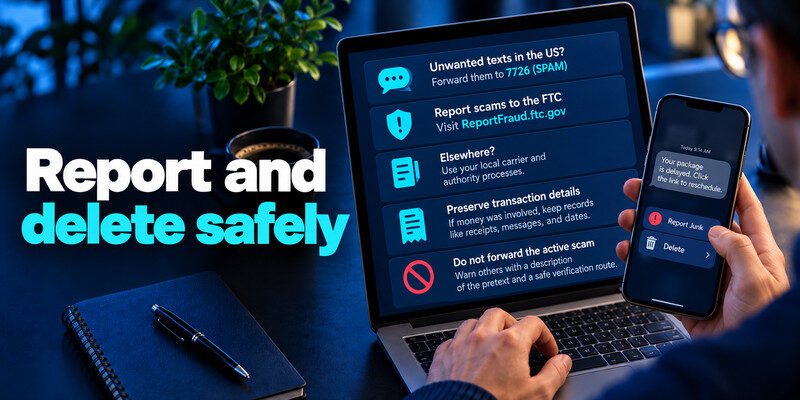
Use your phone’s report-junk control. In the US, the FTC says unwanted texts can be forwarded to 7726 (SPAM) and scams reported to ReportFraud.ftc.gov. Elsewhere, use local carrier and authority processes. Preserve transaction details if money was involved.
Do not forward the active scam
Warn others with a description of the pretext and a safe verification route. Sending the live link as a warning can lead a recipient to tap it.
Do not engage to investigate
A reply can encourage follow-up messages. For an obvious scam, report and block rather than asking the sender to explain itself.
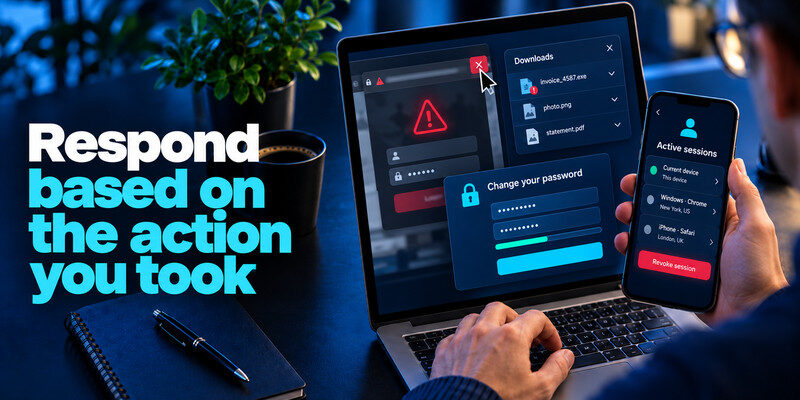
Respond based on the action you took
Merely seeing the message is different from opening a page, submitting a credential, or authorizing a payment. Close a suspicious page and inspect for unexpected downloads. If you shared a password, change it at the real provider and replace reused copies.
Shared a live code
Check successful sign-ins immediately, revoke unknown sessions, and correct recovery methods. The code may have allowed the attacker to complete a sign-in at that moment. Understanding how smishing works is only the first step. Our guide on how to protect yourself from smishing provides practical steps for handling suspicious text links, securing your phone, protecting account credentials, and responding safely if you have already interacted with a scam message.
Shared a card or identity field
Contact the issuer through the known number. For identity records, follow official identity-theft guidance. A new login password does not secure a card number already submitted.
The receipt of an unsolicited code can mean someone typed your number, not that they completed sign-in. Check the provider’s successful activity. An approved push or shared code is more urgent, especially if recovery methods changed.
No interaction: Report, block as appropriate, and delete. If the text claims a real bank event, still inspect your bank app independently. No need to type secrets into a “scan” page.
Code shared: Revoke sessions, change an exposed password, and inspect account changes. A fresh code can be used in seconds, so do not wait for a public breach listing.
Read more: What Is Dark Web Monitoring? Coverage, Alerts, and Limits
Anatomy of a toll-text campaign
A text claims a small unpaid toll and threatens a penalty. A shortened URL leads to a payment form asking for card details and address. The sender may have no evidence you traveled; it is a mass guess. A recipient in the relevant region can still verify through the toll provider’s official account without using the message’s link.
The small-charge tactic
The low amount makes the form feel less consequential. The attacker may capture a card for later use or request identity details. Contact the issuer if you submitted a card, even if the displayed toll payment never posts.
A follow-up call
After the form, a caller may claim to be bank security and ask for an SMS code. This is a second attack stage. Use the number on your card and refuse live code requests.
A fake toll notice says you owe a small balance and includes a short URL. The low amount makes the demand feel inexpensive to resolve, but the destination can ask for card details, address, or a one-time code. A parcel or bank version uses the same structure with a different story. The name on the text and its placement in a familiar thread can be misleading.
Confirm the alleged event: Open your toll account, parcel tracking page, or bank app without using the text’s link. If there is a real charge or delivery issue, you should be able to find it in the service’s own record. Do not reply merely to see whether a human answers; that can confirm your number is active and keep the attacker engaged.
When a caller follows the text: The caller may claim to be fraud support and ask you to read out a code “to cancel” a transaction. A sign-in code is normally for entering an account, not canceling a charge. End the call and dial the number on your card or official site. Do not use the number supplied in the text, even when the caller knows your name.
If information was submitted: A card number goes to the issuer for blocking and dispute advice; an account password goes to the real service for reset and session review. If you installed an app from the link, inspect permissions and remove it under your platform’s guidance. Report the message through the phone’s built-in feature. Your response should match what was actually given away, rather than treating every opened page as a completed theft.
Why blocking one number is not enough
Scammers can rotate senders, spoof labels, or use messaging platforms. Blocking reduces repeat contact from one source but does not authenticate the next text. Build the verification habit around the claimed service, not the number.
Family members
Teach a short script: “I will open the real app.” A helper should not tap a suspicious link just to demonstrate why it is bad. Report the text with the device control.
Work phones
If the text targets a company login or asks to install a mobile profile, report it through IT. A managed device may have security processes that preserve evidence.
Frequently Asked Questions
Is smishing limited to SMS?
The word is usually used for text-message phishing, with similar tactics in chat apps. Independent verification works across both.
Can I trust a short code?
It is one clue, not proof. Check the actual claim in the service’s own app.
Does a VPN stop smishing?
No. It cannot authenticate the sender or make a fake form honest.
Should I change my number?
Usually reporting, blocking, and protecting accounts come first. A new number does not undo previously exposed credentials and can disrupt recovery routes.
Final Thoughts
Smishing turns a short text into a demand for a fast decision. Keep the decision inside the real service, refuse live code requests, and act according to the data you actually provided.
Next step
For accounts that still rely on TOTP, can hold the codes. Set it up from each real account’s security settings, keep recovery codes safe, and never type a live code into a page reached through a suspicious message.
