
What Is Face Recognition Login? Setup, Security, and Privacy
Published November 3, 2026
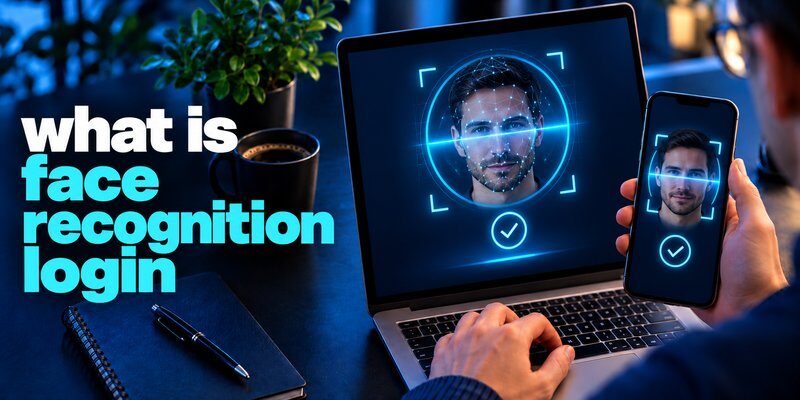
Quick answer: Face recognition login verifies a person by comparing a live facial scan with an enrolled reference. It can unlock a device, open an app, or approve a passkey without entering a password each time. It does not automatically replace account recovery or every 2FA code.
If you searched what is face recognition login, think of it as a convenient identity check, not a universal security guarantee. Apple’s Face ID, Microsoft’s Windows Hello, and certain Android systems provide familiar examples, but they differ in hardware requirements and protections. This guide offers face recognition login explained in plain English, including how enrollment works, when facial data stays on your device, what statistics actually mean, and when to add two-factor authentication.
What Is Face Recognition Login?
The simplest face recognition login definition is biometric verification that compares your current facial features against a stored reference to decide whether to grant access. You first enroll your face on a supported device. During later sign-ins, a sensor captures a fresh sample, software extracts useful features, and a matching engine checks whether the sample is sufficiently similar to the registered template.
Understanding what is face recognition login requires distinguishing verification from identification. Verification asks, “Does this face match the person enrolled on this device?” It is usually a one-to-one comparison. Identification asks, “Who is this person among many records?” That may require a database search. Consumer phone unlock normally uses the first approach, not the second.
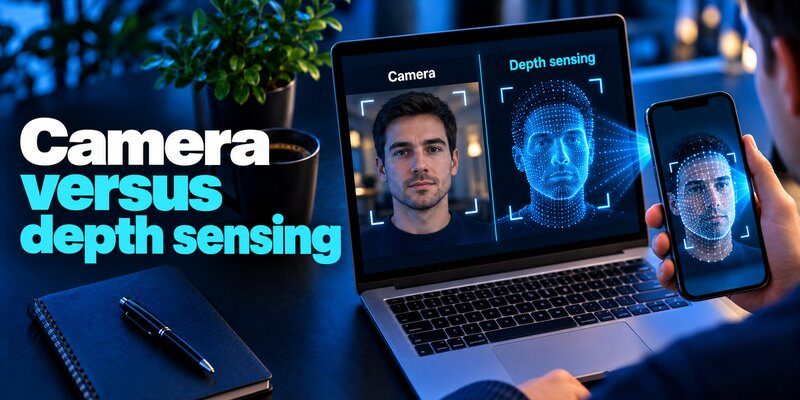
The face recognition login meaning also differs from merely taking a selfie. A regular camera image does not prove a person is physically present. More sophisticated systems use infrared sensing, depth information, presentation-attack detection, or combinations of these measures to resist printed photographs, screen replays, and other attempts to fool a camera.
How Does Face Recognition Login Work?
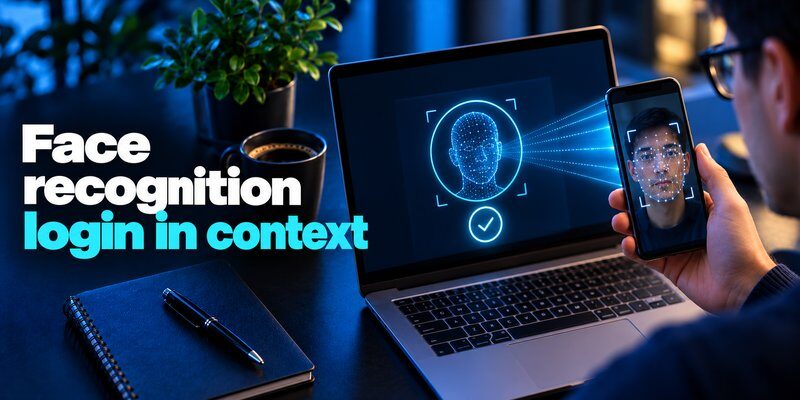
A useful way to answer how does face recognition login work is to follow an ordinary device from first enrollment through a successful unlock. Although details differ, the core process has five stages.
1. Enrollment creates a reference
When you activate facial sign-in, the phone or computer asks you to position your face inside a frame. You may turn your head or adjust your distance. The sensor captures facial information from different angles or conditions. Software converts this information into a mathematical representation, often called a biometric template. It is not simply a profile picture that an app compares pixel by pixel.
2. A new scan checks a login attempt
The next time you wake the device or request a supported protected action, the camera gathers a fresh sample. The system examines relevant facial characteristics and compares them with the enrolled reference. Lighting, pose, sensor quality, glasses, and obstruction can all affect the result. When people ask what is face recognition login, this comparison is the central technology they are describing.
3. Anti-spoofing checks may confirm a real person
Presentation-attack detection tries to distinguish a live human from a photograph, mask, video, or other artificial presentation. High-security implementations may use depth sensing or infrared cues. Anti-spoofing technology reduces certain risks but does not make every camera equally reliable or eliminate all attack methods.
4. The device accepts or rejects the match
A matching engine uses a threshold: if similarity is high enough under its rules, it returns success; otherwise, the user may try again or switch to a fallback. This is a key part of what is face recognition login in practice. A stricter threshold may reduce mistaken approvals but increase legitimate rejections. False matches and false non-matches are different errors, and a trustworthy evaluation considers both.
5. The result authorizes a specific action
A successful match may unlock the screen, open a protected app, release a credential, or allow a passkey to sign a website challenge. The website typically does not receive a facial scan in a standards-based passkey flow. Instead, it verifies a cryptographic response from the authenticator. Understanding this final step is essential to what is face recognition login, because the face check and the online proof of identity are not necessarily the same operation.
Where Is Face Recognition Login Used?
If you wonder what is face recognition login useful for, the most familiar answer is unlocking a personal device. But the technology now appears across several different workflows.
iPhone and supported iPad models
If you search what is face recognition login on iPhone, Apple’s Face ID is a familiar example: it can unlock supported devices, authorize purchases, autofill credentials, and access participating apps. A device passcode remains required as a backup. In Settings, users can review which apps are allowed to request Face ID. Learn about the broader Apple ecosystem in our Apple authenticator guide; Apple’s built-in facial authentication should not be confused with an app that generates one-time codes.
Windows computers
Windows Hello supports facial sign-in on PCs equipped with a compatible infrared camera. It also offers fingerprint and PIN methods. A basic webcam that works for video meetings may not satisfy facial authentication requirements. Microsoft documents the setup under Settings > Accounts > Sign-in options. This distinction helps explain what is face recognition login on laptops versus on smartphones: the purpose is similar, but approved sensors and system settings differ.
Android devices and supported apps
Android manufacturers implement different facial recognition sensors and security classes. Google’s Android documentation distinguishes Class 3 (Strong), Class 2 (Weak), and Class 1 (Convenience) biometric implementations. Some methods that unlock the screen may not be permitted for a sensitive app or cryptographic operation. Users should check both phone compatibility and app requirements before assuming facial login is available.
Banking, password vaults, and everyday services
When discussing what is face recognition login for financial apps, remember that some banks, password managers, and shopping apps let users confirm access through the device’s biometric prompt. Others require a password first and offer facial unlock only on subsequent visits. The critical question is whether the app uses a trusted operating-system feature or asks you to upload facial images to a separate service. Check its privacy statement, recovery policy, and biometric permissions before proceeding.
Face Recognition Login vs Face ID, Passkeys, and 2FA
People researching what is face recognition login often see related terms used interchangeably. They should not be. The easiest comparison is to ask what proves identity to the device and what proves it to the online service.
| Method | What it does | Important distinction |
|---|---|---|
| Face recognition login | Checks a current face sample against an enrolled reference | General category; security depends on the implementation |
| Apple Face ID | Apple’s hardware-backed facial authentication on supported devices | A particular implementation, not a universal login standard |
| Windows Hello face sign-in | Uses a compatible camera to authenticate a Windows user | Also offers PIN and fingerprint alternatives |
| Passkey | Uses public-key cryptography for website or app sign-in | Can be unlocked by face, fingerprint, or device PIN |
| TOTP-based 2FA | Provides a time-based code for a participating online account | Generates a second-step code; facial scanning is not required |
Why facial recognition is not automatically a passkey
To understand what is face recognition login alongside passkeys, remember that a face match may authorize a passkey, but the passkey is a cryptographic credential, not your face. According to the FIDO Alliance, passkey biometrics remain on the user’s device; the site verifies a signature or other protocol response, not a transmitted facial image. For further context, see our Microsoft Authenticator passkeys guide and the separate Microsoft Authenticator passwordless sign-in workflow.
Why facial recognition is not automatically two-factor authentication
Two-factor sign-in involves evidence from different factor categories, commonly a device or authenticator combined with a PIN or biometric activation check. A face scan alone is not universally sufficient to establish multi-factor authentication. NIST expressly treats biometrics as an activation factor alongside a physical authenticator in its digital identity guidelines.
A separate authentication app may generate TOTP codes for services that still ask for a second step. Many users also protect a code-generating app behind Face ID or Touch ID. That additional lock helps restrict local access to codes; it does not transform a facial scan into a code or guarantee phishing resistance. This difference is central to what is face recognition login and what it cannot do.
Is Face Recognition Login Secure? Facts and Risks

The answer to what is face recognition login from a security perspective is conditional: a well-designed facial login system can be both convenient and strong, but its security depends on sensing, matching, anti-spoofing, storage, fallback settings, and account recovery. A selfie-based login and a depth-sensing hardware-backed system should not receive identical trust.
What official numbers actually show
Apple reports that the chance of a random person unlocking a Face ID device with one enrolled appearance is less than 1 in 1,000,000. It also says Face ID allows five unsuccessful matching attempts before requiring a passcode. Apple identifies additional considerations for twins, close-looking siblings, and younger children. These numbers describe Apple’s implementation; they are not a benchmark for all facial recognition products.
In discussions of what is face recognition login, NIST SP 800-63B’s 2025 digital identity guidelines specify a false-match rate of 1 in 10,000 or better for biometric authentication in the relevant conforming context. They also recommend a false non-match rate below 5% and require presentation-attack detection for facial recognition. These are technical requirements for systems subject to that guidance, not proof that every retail app has passed a NIST test.
Understanding the real threats
Spoofing involves presenting a photograph, screen replay, mask, or another imitation to a sensor. False acceptance occurs when the system wrongly accepts a different person, even without an elaborate attack. Coercion and unlocked-device theft are different problems: someone might force a user to unlock a device or exploit access after it is already open. Weak recovery processes can undermine an otherwise excellent biometric sensor if attackers can reset an account through an insecure channel.
Privacy needs equal attention. A vendor that stores face templates centrally has different risks from a phone that performs local matching and protects data in secure hardware. A face cannot be changed as easily as a password if sensitive biometric information is compromised. People asking what is face recognition login should examine where biometric data is processed, who can access it, whether images are retained, and how consent is handled.
What face login does not stop
A facial login prompt does not guarantee that a website is legitimate. Users can still be tricked into revealing a password, entering a one-time code on a phishing page, or approving an unexpected request. If the service supports it, phishing-resistant passkeys generally provide stronger website-level protection than a password combined with a phishable code. If not, a reputable code-based second factor can still improve protection over a password alone.
How to Set Up Face Recognition Login Safely
If your next question after what is face recognition login is how to enable it, start with the controls built into your device. Avoid apps that promise to add secure Face ID to hardware that does not support it.
On an iPhone or compatible iPad
Open Settings > Face ID & Passcode, create or enter a passcode, then select Set Up Face ID. Keep your face in the frame and complete the on-screen scans. In the same settings area, review what can be unlocked with Face ID and which third-party apps have access. Apple recommends keeping the device roughly 10–20 inches (25–50 cm) from your face during use. Test passcode recovery before relying on facial unlocking alone.
On Windows 11
Go to Settings > Accounts > Sign-in options > Facial recognition (Windows Hello) and choose Set up. Follow the prompts with a compatible infrared camera. If the feature is unavailable, confirm device specifications and drivers rather than downloading an unofficial workaround. A company-managed computer may enforce additional restrictions.
On Android
Check Settings > Security and privacy, or the equivalent menu on your device, for available face unlock options. The exact path varies by manufacturer. Establish a strong device PIN and verify whether sensitive applications actually accept the phone’s biometric class. For an app-specific option, sign in normally first and look for a setting such as Biometric unlock.
Add a protected second-factor app when needed
For accounts requiring TOTP, the authenticator app by Begamob generates time-based verification codes for participating services. Its App Store description also lists an app lock using Face ID, Touch ID, or PIN. That means facial recognition can protect access to stored codes on a supported Apple device, while a separate online service still verifies the generated code. Read our guide to a two factor authentication app for the distinction.
Get the app: Download Begamob 2FA for iPhone on the App Store. Check available subscription terms and recovery options before using any new authentication tool for important accounts.
Common Face Recognition Login Problems and Fixes

Even after understanding what is face recognition login, you may encounter inconsistent recognition. Start with these practical checks rather than immediately removing your account.
The face scan fails repeatedly. Clean the camera, adjust distance, remove obstructions, and avoid strong uneven lighting. On Windows Hello, Microsoft notes that harsh side lighting, some accessories, and certain makeup can interfere with recognition. Return to the enrollment settings to improve recognition if supported.
Face unlock works on the phone but not in an app. The application may not support the device’s biometric security level, or the permission may be disabled. Check the app’s own security settings and your operating system’s list of authorized apps. Some apps require the first login with a password.
The device requests a PIN or password. A practical answer to what is face recognition login includes fallback rules: this prompt is often intentional after a restart, several failures, or a security-sensitive change. Do not treat every fallback prompt as a malfunction. A recovery method is a security requirement, but it needs its own protection.
Frequently Asked Questions About Face Recognition Login
Is face recognition login the same as facial recognition?
Facial recognition is the general technology for comparing or identifying faces. Face recognition login is a specific authentication use of that technology. In practical terms, what is face recognition login means checking whether a presented face matches the enrolled user before allowing a particular action.
Can someone unlock my phone with a photo of me?
Some basic two-dimensional systems can be more vulnerable to photo or video-based attacks. Stronger implementations use depth or infrared sensing and anti-spoofing controls. Do not assume all face unlock systems resist the same attacks. Consult your device maker’s security documentation.
Does a website receive my face data when I use a passkey?
In a standard FIDO passkey flow, no. When asking what is face recognition login in this context, remember that the device checks your face locally, while the website verifies a cryptographic response. A website running its own facial identity-check service may use a different data flow, so read its privacy disclosure.
Can I use facial recognition instead of two-factor authentication?
Not universally. A face can unlock a device or activate a cryptographic authenticator, but some services still require a code or a different approved factor. If you search authenticator app 2fa, remember that standard TOTP codes and facial biometric matches solve different parts of the sign-in process. Review authenticator login and its recovery considerations before choosing a code generator.
Bottom line: What is face recognition login? It is a biometric check that compares a fresh facial scan with an enrolled reference. Strong systems combine anti-spoofing, protected data storage, and secure fallbacks. Use passkeys when supported and separate TOTP verification where required. Facial recognition is one useful security control, not an entire security strategy.
Download Authenticator App
Secure your accounts with fast, reliable two-factor authentication. Download now and protect your login in seconds.
