
What Is Biometric Authentication? How It Works and Its Limits
Published November 3, 2026
Quick Answer: Biometric authentication is a security method that verifies a person’s identity using unique physical or behavioral characteristics, such as fingerprints, facial features, iris patterns, or typing behavior.
Instead of entering a traditional password, users can unlock a device, access an application, or approve an action using a biometric characteristic.
For example, Apple Face ID recognizes facial features, while Touch ID verifies fingerprints. Both technologies help confirm that the person attempting access matches an enrolled user.
Understanding what is biometric authentication is increasingly important as smartphones, banking applications, workplace systems, and online services adopt convenient ways to verify identity.
However, biometric authentication is not automatically the same as two-factor authentication (2FA). For stronger account protection, biometric checks can be combined with cryptographic authenticators or one-time verification codes.
An authenticator app can help protect supported accounts with time-based verification codes, while Face ID or Touch ID can protect access to the app itself.
1. What Is Biometric Authentication?
Biometric authentication is the process of confirming an individual’s identity by comparing their biological or behavioral characteristics against previously enrolled biometric data.
The biometric authentication meaning is straightforward: your body or behavior provides information that a system can use to recognize you.
Biometrics generally fall into two categories:
- Physical biometrics: Fingerprints, facial geometry, iris patterns, and other measurable biological features.
- Behavioral biometrics: Typing rhythm, mouse movements, walking patterns, and similar behavioral characteristics.
When people ask what is biometric authentication, they are usually referring to a familiar action such as unlocking a smartphone with a fingerprint or face scan.
What Is a Biometric Login?
The question what is a biometric login refers specifically to using biometric verification during a sign-in or device-unlocking process.
For example, an iPhone user might unlock their phone by looking at the screen instead of entering a passcode.
Biometric login differs from traditional password authentication because the user presents a measurable personal characteristic rather than recalling a memorized secret.
However, biometric systems do not always identify users with absolute certainty.
According to the National Institute of Standards and Technology (NIST), biometric matching is probabilistic. Systems must balance the possibility of incorrectly accepting an unauthorized person against incorrectly rejecting an authorized user.
Key takeaway: Biometric authentication helps verify a person’s presence or identity, but a secure authentication system should also protect the device, credentials, and account recovery process.
2. How Does Biometric Authentication Work?
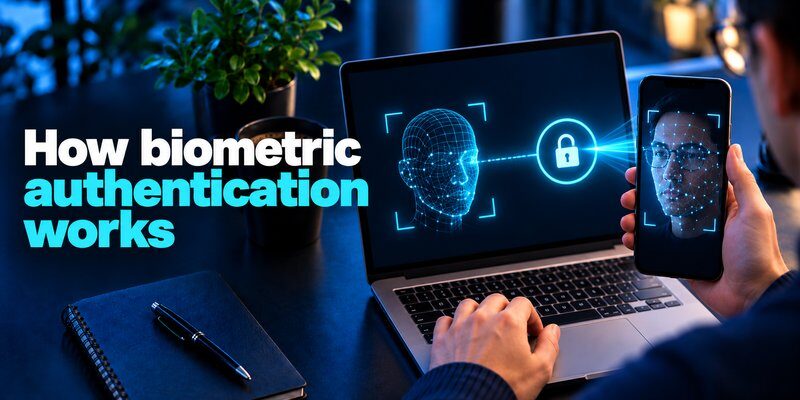
To understand how does biometric authentication work, it helps to examine what happens when a person registers and later uses their fingerprint or face.
Most biometric systems rely on enrollment, feature extraction, template storage, and comparison.
Step 1: Biometric Enrollment
The user first registers a biometric characteristic.
For example, during iPhone Face ID setup, the TrueDepth camera captures information about the geometry of the user’s face.
Fingerprint enrollment similarly requires placing a finger on a compatible sensor so the device can collect sufficient information.
The system processes this information into a mathematical representation called a biometric template.
Step 2: Secure Template Storage
The resulting template becomes a reference for future authentication attempts.
Secure systems protect biometric templates using encryption and dedicated security mechanisms.
Apple explains that Face ID’s mathematical representations are encrypted and protected by the Secure Enclave.
Other implementations may store biometric templates differently, so users should not assume every service follows Apple’s security model.
Step 3: Biometric Capture
When the user attempts to authenticate, the system collects another biometric sample.
This might involve:
- Placing a finger on a fingerprint sensor.
- Looking into a facial recognition camera.
- Positioning an eye for an iris scanner.
The device extracts relevant features from the new sample.
Step 4: Biometric Comparison
The system compares the new biometric representation with the enrolled template.
If the similarity exceeds a configured threshold, the biometric check succeeds.
A false match occurs when an unauthorized individual is incorrectly accepted. A false non-match occurs when an authorized user is incorrectly rejected.
Step 5: Access Authorization
After successful verification, the device or application can authorize an action.
That action might be unlocking a phone, releasing a cryptographic key, or permitting access to protected app content.
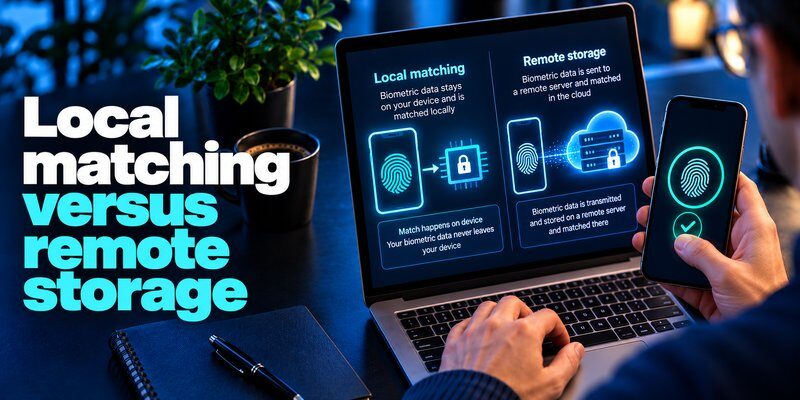
A successful biometric match does not necessarily mean the biometric data itself was sent to a website.
In passkey-based authentication, the device can use a local biometric check to authorize a cryptographic operation.
Understanding what is biometric authentication also requires recognizing that biometric matching and account authentication are related but distinct operations.
3. Types of Biometric Authentication
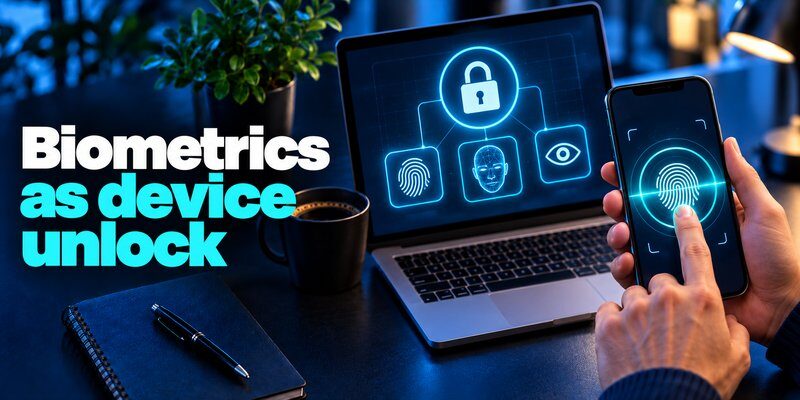
There are several types of biometric authentication, each using different characteristics and sensors.
The most suitable method depends on the device, environment, accuracy requirements, accessibility, and privacy considerations.
Fingerprint Recognition
Fingerprint authentication identifies patterns in a person’s fingerprint, such as ridge endings and branching structures.
Fingerprint recognition is commonly used for smartphones, laptops, access-control systems, and secure applications.
Its advantages include convenient interaction and relatively compact sensors.
However, wet fingers, damaged skin, contamination, or sensor problems can cause authentication failures.
Facial Recognition
Facial authentication compares measurable facial characteristics against an enrolled reference.
Modern systems may use infrared sensing, depth information, and anti-spoofing technology.
Not every facial recognition system offers the same security. A basic camera-based implementation should not be treated as equivalent to a system with dedicated depth sensors and strong presentation attack detection.
Iris Recognition
Iris recognition analyzes distinctive patterns in the colored region surrounding the pupil.
It can provide accurate biometric matching when suitable hardware and operating conditions are available.
Iris scanners are used in some specialized identity verification and controlled-access environments.
Voice and Behavioral Biometrics
Voice-based systems analyze vocal characteristics, while behavioral systems may examine typing patterns, movement, or interaction habits.
These techniques can help detect unusual activity, but they have limitations.
For example, NIST SP 800-63B-4 does not permit voice biometric comparison as an authentication factor within its specified authentication requirements.
Behavioral recognition is often more appropriate as a supplementary risk signal than as the only protection for a sensitive account.
When evaluating what is biometric authentication, remember that the method’s quality depends on the complete security architecture, not simply the biometric characteristic being measured.
4. Biometric Authentication Examples in Everyday Life
Many people already use biometric security without thinking about its technical operation.
The following biometric authentication examples illustrate common applications.
| Application | Biometric method | Typical purpose |
|---|---|---|
| Smartphones | Fingerprint or face | Unlock a device |
| Banking applications | Face or fingerprint | Verify app access or approve supported actions |
| Windows computers | Face or fingerprint | Sign in with Windows Hello |
| Password managers | Face or fingerprint | Unlock locally protected credentials |
| Passkey authentication | Face or fingerprint | Authorize use of a cryptographic credential |
| Workplace systems | Fingerprint, face, or iris | Verify an authorized individual |
Smartphone Unlocking
A user touches a fingerprint sensor or looks at a compatible camera.
The device verifies the biometric characteristic and unlocks when the required conditions are met.
Banking and Financial Applications
Financial services may use biometric verification to facilitate account access or authorize certain actions.
However, a biometric prompt does not guarantee that every transaction is protected by a separate cryptographic verification. The actual security depends on the bank’s implementation.
For additional context, see Binance biometric authentication.
Workplace Authentication
Organizations may deploy biometrics through supported platforms such as Windows Hello for Business.
Microsoft documents how Windows Hello can use local biometric verification to release protected credentials.
You can review the underlying architecture in Microsoft’s Windows Hello documentation.
These examples demonstrate what is biometric authentication in practice: a technology that can make identity verification more convenient while supporting stronger security controls.
5. What Is Biometric Authentication on iPhone and Android?

Mobile devices are among the most familiar environments for biometric authentication.
For users searching what is biometric authentication in mobile, the answer is simple: mobile biometrics use compatible fingerprint or facial recognition hardware to verify the device user and authorize supported actions.
What Is Biometric Authentication on iPhone?
The question what is biometric authentication on iPhone usually refers to Apple’s Face ID and Touch ID technologies.
Face ID uses the TrueDepth camera system to analyze facial geometry.
Apple states that its facial recognition technology generates a mathematical representation of facial information and protects it within the Secure Enclave.
According to Apple Support, the probability of a random person unlocking a compatible device using Face ID is less than 1 in 1,000,000 with a single enrolled appearance.
This is a stated random false-match probability, not a guarantee that the device cannot be compromised.
Touch ID uses a fingerprint sensor to verify an enrolled fingerprint.
Apple reports a random match probability of approximately 1 in 50,000 with one enrolled fingerprint.
These probabilities can vary under specific circumstances.
How to Enable Biometric Authentication on iPhone
For a compatible iPhone:
- Open Settings.
- Select Face ID & Passcode or Touch ID & Passcode.
- Enter your device passcode.
- Follow the instructions to enroll your face or fingerprint.
- Enable the desired authentication options.
Compatible apps may also provide their own biometric-lock settings.
Biometric Authentication on Android
Android supports biometric authentication through operating-system APIs and device-specific hardware.
Google’s BiometricPrompt documentation describes support for biometric classes and fallback to screen-lock credentials.
Android distinguishes between different levels of biometric assurance, including Class 3 and Class 2 authenticators.
For users, the setup process generally involves opening Settings, locating the fingerprint or face-unlock options, and following the manufacturer’s enrollment instructions.
Menu names vary by device.
The important distinction is that not every Android face-unlock implementation meets the same security requirements.
Whether on iPhone or Android, what is biometric authentication ultimately comes down to how securely the device verifies a biometric characteristic and protects the operation that follows.
6. Biometric Authentication vs. Passwords, Passkeys, and 2FA
Biometric authentication, passwords, passkeys, and two-factor authentication are related technologies, but they are not interchangeable.
Understanding what is biometric authentication becomes easier when comparing the roles each method plays.
| Method | What it uses | Main limitation |
|---|---|---|
| Password | Something you know | Can be reused, stolen, or phished |
| Biometric check | Something you are | Can be spoofed or incorrectly matched |
| TOTP verification | A time-based code generated using a shared secret | Codes can be entered into phishing sites |
| Passkey | Cryptographic key pair, activated locally | Requires compatible services and credential management |
| Multi-factor authentication | Two or more distinct authentication factors | Security depends on the factors and implementation |
Biometric Authentication vs. Passwords
Passwords rely on memorized information.
Biometric systems instead evaluate personal characteristics.
Biometrics reduce the need to repeatedly type passwords, which can improve convenience and limit exposure to some password-entry attacks.
However, a stolen password can be changed. A fingerprint or face cannot be replaced as easily.
This makes biometric template protection especially important.
Biometric Authentication vs. Passkeys
A passkey is a cryptographic credential built around public-key authentication.
The private key is protected by the user’s credential provider or authenticator, while the service uses the corresponding public key to verify authentication.
A fingerprint, face scan, or device PIN may authorize use of the private key.
According to the FIDO Alliance, biometric information used during passkey verification remains on the user’s device rather than being transmitted to the website.
A passkey is therefore not the same thing as a fingerprint or facial scan. The biometric check can unlock the credential that performs the authentication.
For related information, see Microsoft Authenticator passkeys.
Biometric Authentication vs. Two-Factor Authentication
Two-factor authentication requires two distinct categories of authentication factors.
Examples include:
- Something you know: a password.
- Something you have: a registered device or hardware authenticator.
- Something you are: a biometric characteristic.
A local biometric check can contribute to multi-factor authentication when combined with a physical cryptographic authenticator.
However, using a fingerprint alone does not automatically mean an online account has 2FA enabled.
For additional protection, an authentication app can generate time-based verification codes for compatible services.
Learn more about the distinction between traditional verification methods in SMS vs. authenticator app.
7. Benefits of Biometric Authentication

The popularity of biometric authentication comes from its combination of convenience, accessibility, and security potential.
Faster Access
Biometric verification eliminates the need to manually type a password for many routine actions.
Users can often unlock their devices or approve supported operations with a glance or touch.
This can be especially useful when accessing frequently used applications.
Reduced Password Dependence
Biometric authentication can reduce repeated password entry.
When used to activate passkeys, it can support passwordless sign-in and help reduce reliance on credentials that attackers can steal through phishing.
However, the phishing resistance comes primarily from the underlying cryptographic protocol, not the biometric characteristic alone.
Convenient Device Integration
Modern phones and computers frequently integrate biometric sensors directly into their operating systems.
This enables supported applications to request verification without developing their own biometric matching systems.
An Additional Security Control
Biometric checks can protect sensitive local information.
For example, an application may require Face ID or Touch ID before displaying stored credentials or authentication codes.
When asking what is biometric authentication, it is useful to recognize that its greatest benefit often comes from combining convenient verification with secure hardware and cryptographic credentials.
Download Authenticator App
Secure your accounts with fast, reliable two-factor authentication. Download now and protect your login in seconds.
8. Risks and Limitations of Biometric Authentication
Although biometrics offer important advantages, they introduce security and privacy challenges.
Understanding these limitations is essential before relying on biometric verification.
Biometric Data Cannot Easily Be Replaced
A compromised password can be reset.
A person’s face or fingerprint cannot simply be changed.
Therefore, biometric templates require strong protection against unauthorized access, theft, and misuse.
Systems that centrally collect biometric data may create additional privacy risks if the information is not appropriately secured.
Spoofing and Presentation Attacks
Some biometric systems may be vulnerable to attempts involving artificial fingerprints, manipulated images, masks, or other presentation techniques.
Modern systems can use liveness detection and presentation attack detection to reduce these risks.
However, no anti-spoofing mechanism should be considered universally effective against every possible attack.
False Matches and False Rejections
Biometric recognition relies on statistical comparison.
NIST’s 2025 Digital Identity Guidelines specify a false match rate of one in 10,000 or better for biometric systems operating within the relevant requirements.
The guidelines also recommend a false non-match rate below 5%.
These are requirements and performance recommendations for systems covered by the guidelines, not universal performance statistics for every biometric product.
Environmental and Physical Conditions
Finger injuries, dirt, lighting conditions, sensor quality, and changes in appearance can affect recognition reliability.
A secure fallback method is important when biometric verification becomes unavailable.
Coercion and Device Compromise
Biometric authentication cannot independently prevent every attack involving physical coercion, an already-unlocked device, or a compromised operating system.
NIST emphasizes that biometric characteristics are not secrets and should be used with a physical authenticator for the authentication scenarios covered by its guidelines.
This distinction is central to understanding what is biometric authentication from a security perspective.
9. How to Use Biometric Authentication Safely
Biometric security works best when users also follow good device and account protection practices.
1. Use a Strong Device Passcode
Biometric authentication often falls back to a device PIN, password, or passcode.
A weak fallback credential can undermine otherwise strong biometric protection.
Choose a sufficiently strong passcode and avoid predictable combinations.
2. Enable Two-Factor Authentication
Activate 2FA on important accounts, especially email, financial services, and accounts containing sensitive personal information.
When available, phishing-resistant authentication methods such as passkeys or compatible security keys are particularly useful.
For services using one-time codes, an authenticator application can provide an additional verification step.
You can explore two-factor authentication apps to understand how these systems work.
3. Keep Devices Updated
Install operating-system and security updates from the device manufacturer.
Updates can address vulnerabilities affecting authentication, secure storage, and application access.
4. Review Biometric Permissions
Use biometric features in trusted applications and review their security settings.
Check whether the application uses the operating system’s biometric verification mechanism or collects biometric information through its own processes.
5. Protect Account Recovery Methods
Store recovery codes securely and maintain current account recovery information.
A secure sign-in method is less effective if an attacker can bypass it through a weak recovery process.
6. Prepare for Device Loss
Enable available device-location and remote-locking features.
If a device is lost, follow the platform’s procedures for securing accounts and revoking affected credentials.
For a broader security strategy, read best account security practices.
The practical answer to what is biometric authentication includes more than using a fingerprint sensor: it also involves protecting the device, the authentication keys, and the recovery process.
10. How Biometric Authentication Works With Authenticator Apps
Biometric authentication and authenticator applications can complement each other.
A biometric check can protect local access to an application, while the application can provide additional verification during supported account sign-ins.
Protecting Authentication Codes
An authenticator application may store the credentials used to generate time-based one-time passwords.
If another person accesses an unlocked phone, an app-level biometric lock can help restrict access to those codes.
For example, the Authenticator App on the App Store lists support for Face ID, Touch ID, or PIN app locking, alongside TOTP code generation.
Adding an Additional Verification Step
A typical TOTP authentication flow works as follows:
- The user enters their account credentials on a supported website.
- The website requests a verification code.
- The user opens the authenticator application.
- The application generates a time-based code.
- The user enters the code to complete verification.
If the authenticator application has biometric locking enabled, the user may first need to pass a local Face ID or Touch ID check.
The biometric check protects local access, while the verification code provides an additional authentication factor for the website.
These are separate security functions.
Choosing an Authenticator Application
When selecting an application, consider compatibility with your accounts, access protection, recovery options, privacy practices, and subscription terms.
The authenticator app 2fa listing provides information about supported features, including TOTP and biometric app locking.
For setup fundamentals, see how to use authenticator app.
Understanding what is biometric authentication helps users recognize why combining local biometric protection with account-level verification can be more useful than relying on either mechanism without considering its limitations.
11. Frequently Asked Questions About Biometric Authentication
What Does Biometric Authentication Mean?
For anyone wondering what does biometric authentication mean, it refers to verifying a person using measurable biological or behavioral characteristics, such as a fingerprint, facial features, or an iris pattern.
The biometric system compares a new sample with previously enrolled information to determine whether it matches.
Is Biometric Authentication Safe?
Biometric authentication can be secure when implemented with trusted hardware, protected templates, anti-spoofing measures, and appropriate fallback controls.
However, biometric matching is not infallible, and the strength of the overall system depends on its design.
Can Biometric Authentication Be Hacked?
Yes. Depending on the implementation, attackers may target sensors, biometric data, software vulnerabilities, or account recovery procedures.
Modern anti-spoofing technologies and secure hardware can reduce these risks but cannot eliminate every attack.
Is Face ID Better Than Fingerprint Authentication?
Neither method is universally superior.
The best choice depends on the specific sensor, matching accuracy, anti-spoofing protections, accessibility, and device security architecture.
For example, Apple’s Face ID and Touch ID have different published random false-match probabilities.
Does Biometric Authentication Replace 2FA?
Not necessarily.
Biometric authentication verifies a biometric characteristic, while 2FA requires two distinct authentication factors.
A biometric check can contribute to a multi-factor cryptographic authentication process, but a fingerprint scan alone does not automatically establish two-factor protection for an online service.
Is Biometric Data Stored Online?
It depends on the system.
Apple Face ID, supported Windows Hello implementations, and FIDO passkey flows use local biometric processing.
Other identification systems may store or process biometric information centrally.
Always review the provider’s privacy and security documentation.
Do You Need an Authenticator App if You Use Face ID?
Face ID does not automatically protect every online account with a separate verification factor.
An authenticator application may still be useful for websites that support TOTP-based 2FA.
Passkeys may provide an alternative phishing-resistant authentication method where supported.
12. Final Thoughts
What is biometric authentication? It is a method of verifying identity through measurable physical or behavioral characteristics, including fingerprints, facial features, and iris patterns.
Its value lies in making secure access more convenient when combined with trusted sensors, protected credentials, and appropriate security controls.
The most important lessons are:
- Biometric verification reduces reliance on manual password entry.
- Security depends on the implementation, not just the biometric method.
- Passkeys and biometrics serve different but complementary purposes.
- Biometric login does not automatically replace two-factor authentication.
- Strong device protection and secure recovery remain essential.
For accounts that support verification codes, consider adding another security layer with Authenticator App for iPhone.
Combining convenient biometric access with reliable account-level authentication can help create a more practical and secure digital experience.
