Keycloak 2FA Email Authenticator: Setup and Deployment Guide
Published September 23, 2026 · Updated October 2, 2026
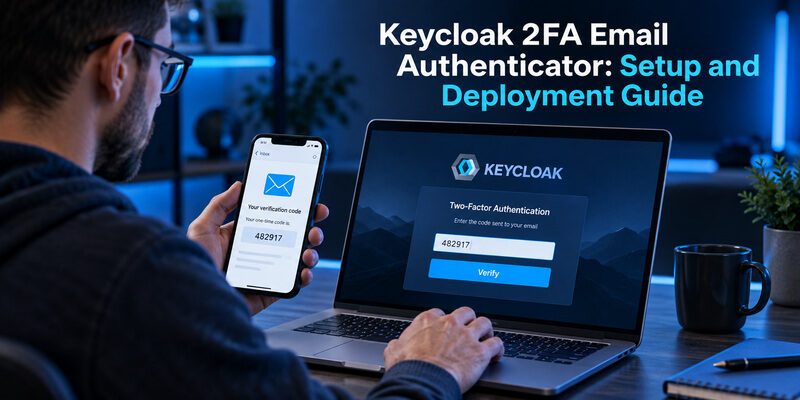
Use a compatible custom authentication provider to add an email OTP step to Keycloak. The built-in Verify Email action confirms address ownership; it is not a drop-in email-code challenge for every login. A Keycloak 2fa therefore needs an extension or a custom implementation, plus an authentication flow that actually requires the intended second step.
This guide is for administrators evaluating that design. It covers the distinction from native OTP, provider compatibility, SMTP delivery, flow configuration, abuse controls, testing, and recovery. Configuration names vary between extensions, so treat the checklist as deployment requirements rather than a claim that every plugin exposes identical switches. Start in a test realm and keep a verified administrative recovery route before changing production authentication.
Choose a Keycloak 2FA Email Authenticator
Keycloak’s Server Administration Guide describes native TOTP/HOTP support and separate email-verification actions. The distinction matters because several features can produce an email-related screen while enforcing different security properties. Choose the mechanism that meets the actual requirement before installing anything.
| Mechanism | What the user does | What it establishes |
|---|---|---|
| Verify Email action | Follows an address-verification link | Control of the address during verification |
| Native authenticator OTP | Enters a code from an enrolled generator | Possession of the enrolled OTP credential |
| Email OTP extension | Enters a code delivered to the mailbox | Access to that mailbox for this challenge |
| Passwordless email link | Opens a sign-in link | A different login design, not automatically two factors |
A Keycloak 2fa email authenticator is appropriate only after you have decided that an email challenge is acceptable for the accounts and actions involved. A requirement phrased as “verify email” might need only the built-in ownership check. A requirement for stronger MFA might be better served by native authenticator codes or passkeys.
The mesutpiskin Keycloak-2fa-email-authenticator repository is one concrete community implementation. Its README describes email OTP for browser flows, several delivery backends, and configurable limits. That makes it a Keycloak email authenticator candidate to review, not an automatic production recommendation or a guarantee of compatibility with your server version.
Write down the required outcome in plain language. For example: after password verification, selected users must complete a fresh email challenge before the application receives a successful login. That statement gives your Keycloak 2fa email authenticator tests something specific to prove. The broader discussion explains the channel distinction.
💡 Discover Helpful Guides: Email Authenticator: Complete Guide to Secure Email Authentication
Decide Whether Email Is an Independent Factor

Shared dependencies can weaken the design
Consider who can open the mailbox. If the same compromised browser session already exposes email, a second message may add little separation. If the protected application is the mailbox itself and both use the same identity system, an email challenge can also create a circular access problem. These are architectural questions, not plugin settings.
Before approving a Keycloak 2fa email authenticator, map the primary password, email account, active sessions, and recovery channels. A diagram in your internal design review can reveal that two supposedly independent steps depend on the same credential or device. Do not claim a particular assurance level merely because the page contains two forms.
Codes can still be phished
An attacker can ask a user to type a valid email code into a fraudulent page. Short expiry and one-time use limit some abuse, but they do not make email OTP phishing-resistant. OWASP’s Multifactor Authentication Cheat Sheet also highlights the dependence on mailbox security. Evaluate stronger supported methods for high-value or privileged access and document why email remains acceptable for any lower-risk fallback.
NIST SP 800-63B-4 excludes email as an out-of-band authentication method within its requirements. If your deployment must conform to that standard, an email OTP extension is not the way to satisfy that requirement. Select an allowed method and assess the complete authentication design instead.
Treat a Keycloak 2fa email authenticator as a risk decision with operating costs. Email delays, mailbox lockouts, and support recovery all become part of the login experience. Define which users can use the method, which actions require something stronger, and who approves exceptions. This prevents a convenience feature from becoming an undocumented universal bypass around a more demanding authentication policy.
📘 Find the Right Guide: Email Authentication Outlook: Setup and Recovery
Review Provider Compatibility and Deployment
Match the actual server version
Inspect the extension’s release notes, build dependencies, and supported Keycloak versions. The example repository encodes its targeted Keycloak version in its artifact naming. Do not assume that a successful compilation against one release proves compatibility with another. Keep the selected artifact and version under your normal dependency-management process.
For a Keycloak 2fa email authenticator, compatibility includes the authentication SPI, templates, and deployment model. An older Keycloak email otp authenticator tutorial that copies files into a legacy server directory may not describe your current installation. Confirm the instructions against your own server distribution before changing an image or deployment manifest.
Package through the supported provider mechanism
Keycloak’s Configuring providers guide describes placing provider JARs in the providers directory and rebuilding when required by the chosen deployment mode. Container deployments should incorporate the dependency into a reproducible image rather than relying on an undocumented manual copy inside a running instance. Verify startup logs and provider discovery in a test environment.
Review the code you are trusting
A custom provider executes inside the identity service. Review its source, dependencies, license, maintenance history, and secret-handling behavior. Assign an owner for upgrades and incident response. A public repository and a downloadable JAR are not substitutes for that review.
Record the exact server image, extension artifact, and configuration used in testing. A Keycloak 2fa email authenticator rollout is easier to reverse when those components are reproducible and the previous working deployment remains available.
💡 Discover Helpful Guides: Email 2FA: Protect Your Inbox and Understand Email Codes
Configure Delivery Before Changing Login Flows
Test the sender and transport
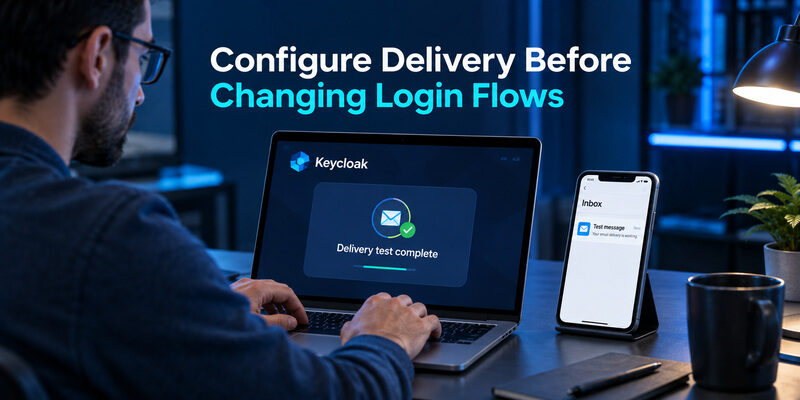
Configure the delivery backend required by the extension. If it uses Keycloak’s email service, validate the realm’s SMTP settings first. If it uses another supported backend, review that integration separately. Use an appropriate sender identity, encrypted transport where supported, and credentials managed through your deployment’s secret-handling process.
Test delivery to the mailbox providers your users actually use. An SMTP connection test is useful but does not prove that every message reaches the inbox promptly. Spam filtering, sender reputation, and mailbox rules can still affect the experience. A Keycloak 2fa email authenticator depends on the complete path from challenge creation to a readable message.
Verify the destination policy
Decide whether the flow requires a previously verified email address and how address changes are approved. Do not let a user who knows only a password redirect the second-factor challenge to an arbitrary new inbox without an appropriate verification process. Missing, duplicate, or stale addresses need an explicit handling rule.
During testing, inspect a message on a real phone. The subject should identify the service, and the body should explain which sign-in the code belongs to without exposing unnecessary personal information. Keep templates concise enough that the code is easy to locate.
For every Keycloak 2fa email authenticator deployment, document who owns email delivery incidents. Identity administrators and mail administrators may be different teams; a shared troubleshooting path avoids leaving users stranded between them when the server reports success but the inbox remains empty.
Build a Browser Flow That Enforces the Challenge
Start with a testable copy
Copy the appropriate browser flow in a test realm and name it clearly. Preserve a known-working administrative route. Add the selected email authenticator execution according to the extension’s documentation, after the stage that establishes the user and satisfies your first-factor requirement. Do not edit production authentication simply to discover what an execution does.
Check execution requirements and branches
Keycloak’s Server Developer Guide explains execution requirements and authentication-provider behavior. Required, alternative, and conditional structures affect whether a step runs or can be bypassed. A Keycloak 2fa email authenticator placed in the wrong branch may display during one test while remaining optional in another path.
Review password login, existing SSO sessions, identity brokering, and any client-specific flow overrides relevant to your deployment. Requiring an email challenge at every page load is a different policy from requiring it during a fresh authentication. Define that distinction before deciding a skipped prompt is a defect.
Bind and verify the intended flow
Apply the copied flow to the test realm or intended client scope using the supported binding controls. Start a clean session and confirm the full sequence. A configuration that exists in the console but is not bound to the relevant entry point does not protect that login.
Capture the expected sequence as an acceptance test: first-factor success, email challenge, correct-code acceptance, then application access. The Keycloak 2fa email authenticator must also reject missing or invalid codes before success. Testing only the happy path cannot establish that the challenge is mandatory.
📘 Find the Right Guide: Email Authentication Failed Fixes for Login and Sending
Set Code Lifetime, Retry, and Resend Controls

Expiry and one-time acceptance
Require unpredictable codes, a bounded lifetime, and validation tied to the correct user and authentication transaction. Successful use should consume the challenge according to the implementation’s documented semantics. Verify that an expired code and a previously used code cannot finish a new login. These are acceptance criteria to test, not capabilities to assume from a plugin name.
For a Keycloak 2fa email authenticator, choose expiry with measured delivery latency in mind. An extremely short window can punish legitimate users when mail queues slow down. An unnecessarily long window increases exposure. Document the chosen balance and review it against real delivery measurements.
Attempts and request volume
Apply limits to incorrect submissions and challenge generation. Consider account-level abuse as well as network-level traffic; a single IP rule may behave poorly behind shared networks or distributed attacks. Coordinate extension-specific limits with the identity service’s other protections and verify how failure events are recorded.
Resend behavior and shared state
Specify whether resending replaces the previous code or resends the same active challenge. Make the UI and message wording match that behavior. Test two browser tabs, delayed messages, and repeated clicks. Avoid a system where users cannot tell which message remains valid.
In a cluster, state must remain consistent across nodes and concurrent submissions. A Keycloak 2fa email authenticator that stores critical challenge state only in a local process may behave differently after load balancing or restart. Review storage, expiry, and consumption together, then test those conditions directly before treating the limits as reliable.
Download Authenticator App
Secure your accounts with fast, reliable two-factor authentication. Download now and protect your login in seconds.
Test Failure Paths Before Production
Build a test matrix that proves both enforcement and usability. The most valuable cases are often the ones a demonstration skips: a changed email address, an interrupted session, or a second request arriving after the first message. Use disposable test accounts and keep real user codes out of test reports.
| Test | Expected result | Evidence to keep |
|---|---|---|
| Wrong or expired code | Login remains incomplete | Sanitized failure event |
| Reused successful code | No new authentication success | Transaction result |
| Resend with delayed mail | Documented code-validity behavior | Message order and timestamps |
| SMTP unavailable | Controlled error or approved recovery | User-facing result and delivery status |
| Two nodes or concurrent tabs | Consistent challenge enforcement | Correlated request outcomes |
Run the matrix against the actual packaged Keycloak 2fa email authenticator artifact, not only a developer’s local build. Repeat relevant cases through each application entry point that can authenticate users. Include existing sessions and brokered sign-ins where your policy expects the challenge to apply.
Separate a delivery success from an authentication success in the evidence. A mail provider accepting a message does not mean the user received it, and receiving it does not mean the code was accepted. Correlation identifiers and timestamps can connect these stages without logging the code itself.
Define release-blocking failures before the test starts. An optional challenge, unlimited guesses, or inconsistent cluster behavior should not be dismissed as a cosmetic issue. This turns the Keycloak 2fa email authenticator review into a decision supported by observable results rather than a screenshot of one successful login.
💡 Discover Helpful Guides: Passwordless Email Authentication With Magic Links and Codes
Operate the Flow Without Exposing Secrets

Measure the stages separately
Track challenge creation, delivery-provider acceptance, verification success, expiry, and recovery use. Aggregate timings can show whether users struggle with slow mail or confusing screens. Avoid placing OTP values, credentials, or unnecessary email addresses in logs, dashboards, or support tickets. Review retention and access controls for the diagnostic data you do keep.
A Keycloak 2fa email authenticator needs a clear incident definition. If delivery latency rises, distinguish a provider outage from a template problem or a realm configuration change. Keep a non-secret correlation identifier so support can follow one attempt without requesting the user’s active code.
Provide actionable user messages
After identifying the user in the appropriate stage, a masked destination can help someone recognize the expected inbox without showing the full address. Explain when to retry, how resend behaves, and how to seek help. Avoid revealing account existence through unauthenticated responses where that information should remain private.
Review messages with real users or support staff. “Invalid code” can mean mistyping, expiry, or using an earlier resend; the next action should be clear without exposing security-sensitive internals. Do not tell users to keep clicking until something arrives.
Operational ownership is part of the Keycloak 2fa email authenticator design. Assign responsibilities for server upgrades, extension maintenance, SMTP credentials, template changes, and user recovery. A feature with no clear owner tends to become difficult to change precisely when access failures make changes urgent.
Plan Recovery and Native OTP Alternatives
Avoid an automatic fail-open path
Decide how users recover when they cannot access the mailbox. The recovery process should verify identity through an approved route, not simply remove the second step after a delivery error. A mail outage is an availability problem; it does not prove the person at the browser is the account owner.
A Keycloak 2fa email authenticator fallback should preserve the policy’s intended assurance. Document who can reset enrollment, what evidence is required, and how the action is audited. Test the process before a production outage. Privileged accounts may need different recovery rules from ordinary users.
Consider a compatible authenticator app
Keycloak’s native OTP enrollment can be an alternative when dependence on email delivery is the main concern. Administrators must choose a supported OTP policy and confirm that the user’s app supports its algorithm, digits, and timing parameters. Native code generation removes the need to receive a new email for each challenge, but recovery still needs planning.
For a compatible TOTP policy, is an option to evaluate during enrollment. Test it against your realm’s actual configuration rather than assuming every OTP setting works with every app. It does not implement the email extension or replace server-side flow configuration.
Keep the distinction explicit in user instructions: Keycloak 2fa email authenticator delivers a challenge through the inbox, while an enrolled app generates a code from its own credential. Choosing one changes the dependency model and support process, not merely the look of the login page.
💡 Discover Helpful Guides
Google Email Two Factor Authentication Setup for Gmail
Roll Out With a Reversible Change Plan

Pilot with a representative group before expanding enrollment. Include users with different mailbox providers, devices, and accessibility needs. Record completion time, resend frequency, and support questions. A flow that works well for the engineering team may still confuse users who read email on a separate device or rarely change account settings.
Before releasing a Keycloak 2fa email authenticator, preserve the prior configuration and server artifact, document the intended bindings, and define rollback triggers. Test a rollback in the non-production environment. The plan should explain how existing sessions, enrolled users, and pending challenges are handled rather than assuming a container restart resolves every state change.
Communicate the change in advance through a trusted channel. Explain when users will see the challenge, which sender to expect, and how to contact support without disclosing a code. Do not train users to approve unexpected security requests simply because an email mentions your organization.
After rollout, compare observed failure rates with the pilot and review any policy exceptions. A growing exception list may indicate a design problem rather than a need for more bypasses. Keep the provider under the same upgrade and vulnerability-review discipline as the identity service itself.
The ongoing cost of a Keycloak 2fa email authenticator includes maintenance, delivery, and recovery. Make that ownership visible in the release record. It helps future administrators understand why the extension was selected and what must be retested when either Keycloak or the mail infrastructure changes.
💡 Discover Helpful Guides: How to Add Email to Authenticator App With QR or Manual Setup
Frequently Asked Questions
Is email OTP the same as Verify Email?
No. Verify Email confirms ownership through Keycloak’s verification process. An email OTP login extension adds a challenge to an authentication flow. They can both involve the same mailbox while serving different purposes, so enabling one should not be treated as configuring the other.
Is every community email authenticator compatible with my version?
No. Review the extension’s supported versions and test the exact artifact with your server image. Authentication SPI and template dependencies can change. A Keycloak 2fa email authenticator that worked in another deployment is evidence to investigate, not a compatibility guarantee for yours.
Can users keep signing in when SMTP fails?
Only through the recovery or alternative methods your policy explicitly permits. Do not silently accept a failed email challenge. Define and test the outage behavior before production, including the user-facing message, support escalation, and any stronger pre-enrolled method available to the affected user.
Are short-lived email codes phishing-resistant?
No. A user can still give a valid code to a fraudulent site. Expiry and attempt limits address specific risks but do not bind the user’s action to the genuine service in the way a phishing-resistant method is intended to do.
Can a mobile authenticator replace email delivery?
Yes, when you deliberately configure a compatible native OTP method and enroll users in it. That is a change of authentication method, not a setting inside every email extension. Confirm app compatibility, recovery procedures, and the flow requirements before making the new method available.
📖 Explore Articles: How to Add Email to Authenticator App With QR or Manual Setup
Final Thoughts
A Keycloak 2fa email authenticator is a small extension with a large operational footprint. It touches the login flow, mailbox security, message delivery, challenge state, and account recovery. Start by deciding whether email meets the requirement, then choose and review an implementation that matches your server version.
The most useful deployment evidence is a repeatable test sequence. Prove that the challenge runs where required, rejects incorrect and stale codes, behaves predictably after resends, and remains consistent across your real deployment topology. Verify the error path as carefully as the successful login. Preserve secrets while collecting enough diagnostic information to support users.
Keep ownership and rollback concrete. Someone must maintain the provider, someone must investigate delivery failures, and someone must control recovery exceptions. Those responsibilities should be agreed before the feature becomes a dependency for every user. Review them again when upgrading the identity service or changing mail providers.
If reliable email delivery is the main obstacle, evaluate native OTP or another supported method instead of weakening enforcement. The best Keycloak 2fa email authenticator implementation is one whose limits are understood and whose recovery path is tested. A successful demo is the beginning of that work; a documented, observable, reversible deployment is the result to aim for.