
Biometric Login vs 2FA: Which Is More Secure in 2026?
Published November 3, 2026 · Updated November 4, 2026
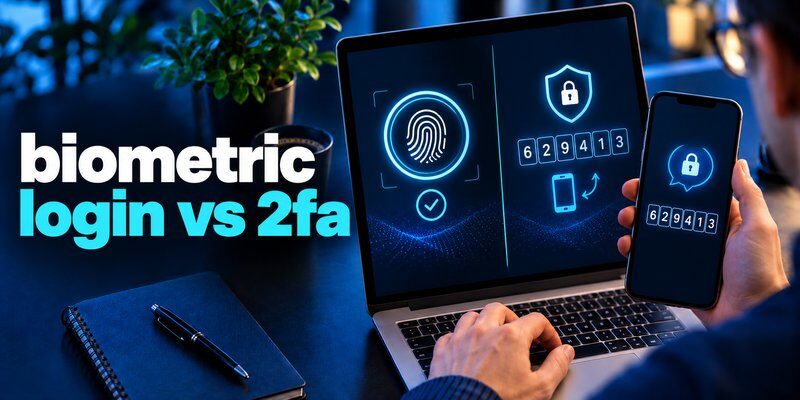
Quick Answer: Two-factor authentication (2FA) generally provides stronger protection for online accounts than a standalone biometric check because it requires two distinct authentication factors. However, biometric login is faster and more convenient for unlocking devices and accessing supported applications.
For the strongest combination of convenience and account protection, use biometric verification with a phishing-resistant passkey or another properly implemented multi-factor authenticator.
If a service does not support passkeys, password-plus-authenticator-code 2FA is a practical alternative.
The biometric login vs 2fa comparison is not simply about choosing between a fingerprint and a verification code. These technologies solve different security problems and can work together.
For example, Face ID can protect access to your iPhone, while an authenticator app generates one-time codes for supported online accounts.
Understanding how these systems differ helps you choose the right protection for banking, email, social media, and business applications.
1. Biometric Login vs 2FA: Which Is Better?
The answer depends on whether you want to protect a device, an application, or an online account.
Biometric login is often more convenient for device access, while properly implemented 2FA adds an important authentication requirement to online accounts.
Biometric authentication relies on measurable physical or behavioral characteristics, such as fingerprints or facial features.
Two-factor authentication requires evidence from two different authentication categories.
For example, a password and a time-based code generated on a registered device can form a two-factor authentication process.
However, a fingerprint alone does not automatically prove that an online service has verified two independent factors.
Quick Recommendation
| Security goal | Recommended approach |
|---|---|
| Unlocking a smartphone | Face ID or fingerprint with a strong passcode |
| Protecting email accounts | Phishing-resistant MFA or password + 2FA |
| Securing banking apps | Bank-supported strong authentication |
| Protecting social media | Passkey or authenticator-based 2FA |
| Logging into work accounts | Organization-approved phishing-resistant MFA |
| Protecting authentication codes | Authenticator app with biometric app locking |
The key lesson from biometric login vs 2fa is that convenience and account-level protection are different security characteristics.
Best overall approach: Use biometrics for convenient local verification, and choose phishing-resistant authentication for online accounts whenever available.
2. What Is Biometric Login?
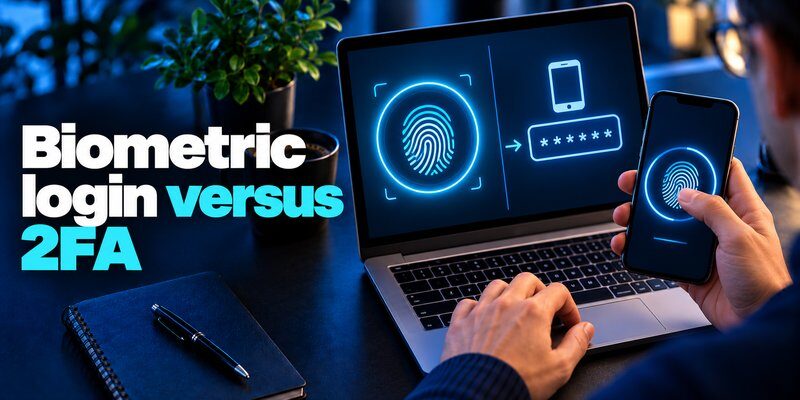
Biometric login is a method of verifying a user through biological or behavioral characteristics.
Instead of repeatedly entering a password, the user presents a recognized characteristic to a compatible device or authentication system.
Common biometric methods include:
- Fingerprint recognition: Matching fingerprint patterns.
- Facial recognition: Comparing measurable facial characteristics.
- Iris recognition: Evaluating distinctive patterns in the iris.
- Behavioral recognition: Analyzing patterns such as typing rhythm or movement.
Apple Face ID and Touch ID are familiar examples.
Windows Hello also supports biometric sign-in on compatible computers.
How Biometric Verification Works
A typical implementation follows four stages.
First, the user enrolls a fingerprint or face.
Second, the device creates a protected biometric representation.
Third, the system captures another sample when authentication is requested.
Finally, the device compares the sample against the enrolled information.
If the match meets the required threshold, the system allows the appropriate action.
Biometric matching is probabilistic. It can occasionally accept an unintended match or reject an authorized user.
This is one reason security professionals distinguish biometric checks from complete account-authentication protocols.
When evaluating biometric login vs 2fa, remember that a successful fingerprint scan does not reveal exactly how a website verifies the user’s account credentials.
3. What Is Two-Factor Authentication?
Two-factor authentication requires a user to present two distinct categories of authentication evidence.
These categories are:
- Something you know: A password or PIN.
- Something you have: A registered device, hardware security key, or cryptographic authenticator.
- Something you are: A fingerprint or another biometric characteristic.
A valid two-factor process uses two different categories, rather than simply asking for two passwords.
Common Types of 2FA
Password + authenticator code
The user enters a password and then a time-based one-time password (TOTP) generated by a registered authenticator.
Password + security key
A hardware security key performs cryptographic authentication after the password step.
Device possession + biometric verification
A registered cryptographic authenticator may require fingerprint or facial verification before using its private key.
Password + SMS code
The user enters a password and receives a text-message verification code.
SMS-based authentication is generally less desirable than phishing-resistant alternatives because it can be exposed to phishing, SIM-swap attacks, and other risks.
For a detailed comparison, read SMS vs. authenticator app.
The biometric login vs 2fa distinction becomes clearer here: 2FA describes the number and independence of the factors, while biometric login describes a particular verification method.
4. Biometric Login vs 2FA: Key Differences
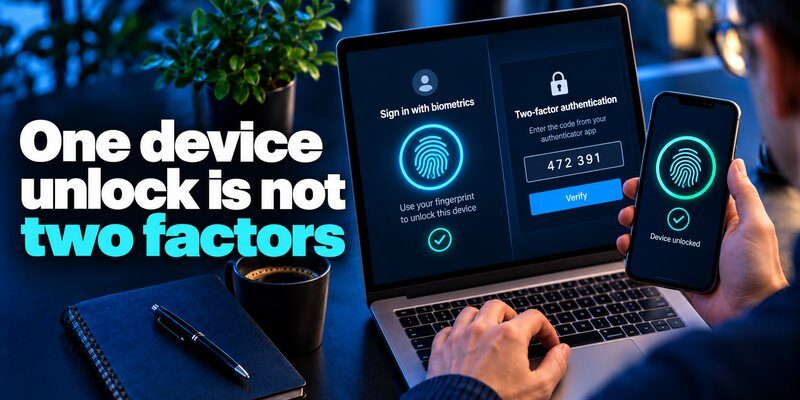
The main difference between biometric login and 2fa involves how identity is verified and what the authentication system is designed to protect.
| Feature | Biometric login | Two-factor authentication |
|---|---|---|
| Basic concept | Uses biometric characteristics | Requires two distinct factors |
| Common example | Face ID or fingerprint | Password + TOTP code |
| Typical interaction | Face scan or fingerprint touch | Two-step sign-in |
| Convenience | Usually very high | Depends on implementation |
| Protects online accounts | Depends on underlying protocol | Yes, when properly implemented |
| Phishing resistance | Not guaranteed | Depends on the 2FA method |
| Main risk | Spoofing, device compromise, fallback weaknesses | Phishing, factor theft, recovery weaknesses |
| Can work with passkeys | Yes | Yes |
| Can work together | Yes | Yes |
Convenience
Biometric verification is generally faster for routine device access.
Users do not need to memorize or manually enter a password each time.
Traditional code-based 2FA adds steps, although passkeys and modern cryptographic authenticators can make multi-factor authentication much more convenient.
Authentication Strength
2FA improves security by requiring more than one category of evidence.
However, not all 2FA methods provide equal protection.
For example, a time-based verification code can be stolen through phishing, while a properly implemented FIDO2 passkey is designed to resist phishing.
Recovery
Biometric systems usually rely on a fallback passcode or password.
Online 2FA systems may offer backup codes, registered devices, or other recovery options.
Account recovery must be protected carefully, because weak recovery procedures can undermine strong sign-in methods.
In the biometric login vs 2fa comparison, the correct choice depends on the entire authentication process rather than a single feature.
5. How Biometric Login and 2FA Work
The easiest way to understand these technologies is to compare two real-world situations.
Example 1: Unlocking an iPhone with Face ID
Imagine opening your iPhone to check an email.
The device captures facial information and compares it with your enrolled biometric reference.
If verification succeeds, the device unlocks.
The process is quick and does not normally require entering a password.
However, this action alone does not prove that your email provider has completed a new two-factor authentication process.
Local device unlocking and online account authentication are separate operations.
Example 2: Signing Into an Email Account with 2FA
Imagine signing into an email service from a new computer.
You enter your account password.
The website then requests a verification code generated by your registered authentication application.
You enter the current code and complete the sign-in.
The website verifies both your password and your ability to use the registered authenticator.
Example 3: Combining Both Methods
Now imagine your verification application requires Face ID before displaying its codes.
Your process becomes:
- Enter your email account password.
- Open your authentication application.
- Unlock the application using Face ID.
- Retrieve the current verification code.
- Enter the code on the legitimate website.
This example shows why biometric login vs 2fa is not necessarily an either-or decision.
Biometric locking can protect local access to verification codes while the website performs account-level authentication.
6. Which Method Protects Against More Security Threats?
Both technologies reduce certain risks, but neither eliminates every security threat.
A proper biometric login vs 2fa comparison should consider actual attack scenarios.
Password Theft
A stolen password may allow unauthorized access when the account uses password-only authentication.
Adding an independent second factor makes the stolen password insufficient in many circumstances.
Biometric device unlocking can reduce password entry, but it does not automatically secure accounts that still accept stolen passwords without additional verification.
Phishing Attacks
Attackers create fake login pages to trick users into revealing credentials.
Traditional TOTP codes can also be phished if the victim enters a valid code into an attacker-controlled website.
According to NIST’s Digital Identity Guidelines, manually entered OTPs are not considered phishing-resistant.
FIDO2 passkeys and compatible security keys provide stronger phishing protection through cryptographic binding to the legitimate service.
Device Theft
A biometric lock can make it harder for an unauthorized person to open a stolen phone.
However, security also depends on the device passcode, lock-screen settings, operating system, and recovery mechanisms.
2FA may prevent an attacker from using a stolen password, but losing a registered authenticator can create legitimate account-recovery challenges.
Biometric Spoofing
Some biometric systems can be targeted with artificial fingerprints, manipulated images, or other presentation attacks.
Modern sensors may include anti-spoofing protections, but their effectiveness varies.
Session Hijacking
Neither biometrics nor ordinary code-based 2FA automatically prevents an attacker from abusing an already authenticated session.
Protecting devices, browsers, cookies, and account sessions remains essential.
For additional reading, see what is session hijacking.
The strongest protection comes from matching authentication technology to the actual threat, rather than assuming one method defeats every attack.
7. What Do Security Research and Industry Standards Say?
Research provides important context for the biometric login vs 2fa discussion.
Microsoft Research: MFA and Account Compromise
A 2023 Microsoft Research study examined authentication effectiveness using a large dataset of Microsoft Azure Active Directory users.
Researchers reported that MFA reduced account-compromise risk by:
- 99.22% across the studied population.
- 98.56% in cases involving leaked credentials.
The study also reported that more than 99.99% of MFA-enabled accounts remained secure during its investigation period.
These results describe the observed study population and methodology. They are not a guarantee that every MFA implementation prevents the same percentage of attacks.
NIST: Biometric Authentication Requirements
The NIST SP 800-63B-4 guidelines, finalized in 2025, explain that biometric characteristics should be used with a physical authenticator under the standard’s authentication framework.
NIST specifies a false match rate of one in 10,000 or better for biometric systems subject to its requirements.
It also recommends a false non-match rate below 5%.
These values are security requirements and recommendations, not universal accuracy claims for every fingerprint or facial recognition product.
FIDO Alliance: Phishing-Resistant Authentication
The FIDO Alliance explains that passkeys use public-key cryptography to provide phishing-resistant authentication.
Users can unlock their passkeys with biometrics or a device PIN.
Biometric information stays on the device rather than being transmitted to the website.
The evidence supports multi-factor and phishing-resistant authentication for sensitive accounts, with biometrics playing a valuable role in convenient local verification.
8. Can Biometric Login Count as Two-Factor Authentication?
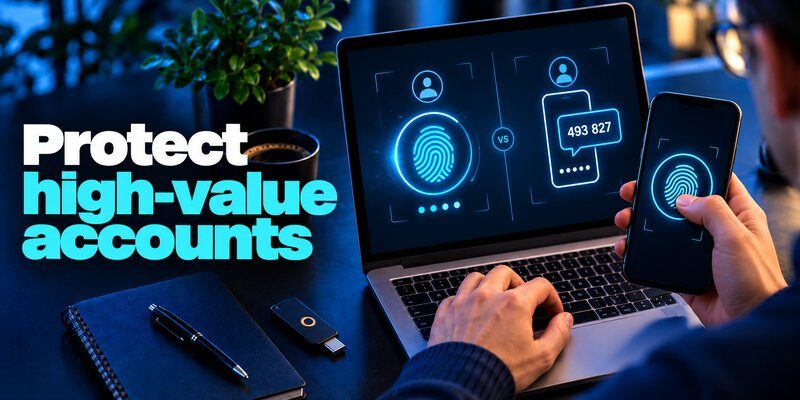
Yes, but only under the correct technical conditions.
The phrase biometric 2 factor authentication generally describes a system that combines biometric verification with another independent factor.
For example, a hardware-backed authenticator may require both possession of the registered device and a successful fingerprint check before performing a cryptographic authentication operation.
In that scenario:
- The registered authenticator represents something you have.
- The fingerprint represents something you are.
Together, they can satisfy a multi-factor authentication requirement when implemented appropriately.
However, simply unlocking a phone with Face ID does not prove that every application on the device uses two-factor authentication.
The online service must rely on an authentication protocol that establishes the required factors.
This distinction matters because device owners often mistake local biometric convenience for complete online account protection.
The biometric login vs 2fa question is therefore not whether fingerprints can participate in 2FA, but whether the entire authentication system actually verifies two factors.
9. Biometric Login vs 2FA vs Passkeys
Passkeys introduce another option that combines convenience with strong cryptographic account protection.
They are not the same as fingerprints, passwords, or ordinary verification codes.
What Is a Passkey?
A passkey is a cryptographic credential based on a public-private key pair.
The online service stores the public key, while the private key remains protected by the user’s authenticator or credential provider.
When the user signs in, the authenticator proves control of the private key without revealing it.
How Biometrics Work with Passkeys
A fingerprint or face scan can authorize the use of the protected private key.
The website receives a cryptographic authentication result, not a copy of the person’s biometric information.
Passkeys can therefore provide a convenient biometric user experience while protecting against attacks that rely on stealing reusable passwords or verification codes.
Which Is More Secure?
| Authentication approach | Phishing resistance | Convenience |
|---|---|---|
| Fingerprint-only local check | Depends on underlying account protocol | High |
| Password + SMS code | No | Moderate |
| Password + TOTP code | No | Moderate |
| FIDO2 passkey with biometric verification | Yes | High |
| Compatible hardware security key with user verification | Yes | High to moderate |
Passkeys are generally the preferred choice when a service supports them and the user’s credential-management setup is secure.
For a related guide, read Microsoft Authenticator passkeys.
The biometric login vs 2fa discussion increasingly includes passkeys because they combine convenient local verification with stronger phishing resistance.
10. Which Authentication Method Should You Choose?
The question biometric login vs 2fa which is better depends on the account, device, and available security options.
For Banking Applications
Use the bank’s supported strong authentication methods.
Biometrics may simplify app access, while the bank can separately require cryptographic transaction approval or other verification.
Do not assume a biometric prompt alone guarantees complete transaction security.
For Email Accounts
Email accounts often serve as recovery channels for other services.
Enable phishing-resistant MFA whenever possible.
If a service does not support passkeys or security keys, app-based verification codes can still add meaningful protection compared with password-only access.
For Social Media
Use available 2FA features to reduce the risks associated with stolen or reused passwords.
Social media users should also protect recovery emails, registered devices, and backup codes.
See how to secure your social media accounts.
For Business Accounts
Organizations should prioritize phishing-resistant authentication, device security, access controls, and protected recovery procedures.
Different accounts may require different assurance levels.
For Everyday Device Access
Fingerprint or facial recognition is useful for unlocking compatible devices quickly.
Users should still maintain strong device passcodes and install security updates.
The most practical interpretation of biometric login vs 2fa is to use the appropriate authentication method for each security task rather than replacing one with the other everywhere.
11. How to Combine Biometric Login with an Authenticator App
Many users considering biometric login or 2fa can benefit from using both technologies together.
An authentication application can generate TOTP codes for supported websites, while biometric locking can help restrict local access to the application.
Step 1: Install a Compatible Authenticator
Download an application that supports the accounts you want to protect.
For iPhone users, Authenticator App – 2FA & MFA provides TOTP verification codes for compatible services.
Its App Store listing also describes app-lock options using Face ID, Touch ID, or a PIN.
Step 2: Enable Two-Factor Authentication
Sign into the website you want to secure.
Find its security or sign-in settings and enable authenticator-based verification.
The service may display a QR code or provide a setup key.
Step 3: Register the Account
Open the authenticator application and add the website account using the provided QR code or setup key.
Confirm the registration by entering a valid verification code when requested.
Step 4: Enable Biometric App Locking
If supported by the application and device, activate Face ID or Touch ID locking.
This can help prevent casual unauthorized access to verification codes on an unlocked device.
Step 5: Protect Backup Codes
Save the website’s recovery codes in a secure location separate from the account password.
Do not rely entirely on one phone for account recovery.
Step 6: Verify the Setup
Test the sign-in process and confirm that the second authentication factor is required.
For additional instructions, see how to use authenticator app.
This combination can improve convenience and account protection, although manually entered TOTP codes remain vulnerable to phishing.
12. Best Practices for Secure Authentication in 2026
For users researching biometric login vs 2fa 2026, the most useful strategy is to build multiple security controls around important accounts.
Prefer Phishing-Resistant Authentication
Enable passkeys or compatible FIDO2 security keys when offered.
These methods reduce the risk of credentials being used on fraudulent websites.
Use Strong Device Protection
A biometric sensor should complement a strong device passcode.
Avoid easily guessed PINs and keep devices updated.
Enable MFA on Sensitive Accounts
Protect primary email accounts, financial services, and important workplace applications.
If phishing-resistant authentication is unavailable, app-based OTP verification is generally preferable to having no second factor.
Review Recovery Methods
Check registered devices, backup codes, recovery email addresses, and alternative sign-in options.
An attacker may target the recovery process instead of the primary login method.
Watch for Suspicious Sign-Ins
Review unusual authentication activity and remove unfamiliar sessions or trusted devices.
Never share verification codes with someone who contacts you unexpectedly.
For a wider checklist, explore best account security practices.
Effective authentication is a combination of secure technology, careful configuration, and reliable recovery procedures.
13. Frequently Asked Questions
Is Biometric Login Safer Than 2FA?
Not as a universal comparison.
A fingerprint or face check can protect local device access, while 2FA requires two distinct factors.
A properly implemented multi-factor system generally provides stronger account authentication than a standalone biometric check.
Can Hackers Bypass Biometric Authentication?
Yes, depending on the device and implementation.
Potential attacks include biometric spoofing, software compromise, and abuse of weak fallback methods.
Secure hardware and anti-spoofing measures reduce risks but do not eliminate them.
Does Face ID Count as Two-Factor Authentication?
Face ID alone is a biometric verification mechanism.
It can contribute to multi-factor authentication when used to activate a properly configured cryptographic authenticator.
Simply unlocking an iPhone does not mean that every website subsequently accessed has verified two factors.
Is an Authenticator App Better Than SMS?
Authenticator-generated TOTP codes avoid certain SMS-specific risks, including SIM-swap attacks and interception through telecommunications systems.
However, both SMS and manually entered TOTP codes can be vulnerable to phishing.
For a broader explanation, see is authenticator app safe.
Do I Still Need 2FA If I Use a Passkey?
A properly implemented passkey with appropriate user verification can provide multi-factor, phishing-resistant authentication.
Additional verification requirements depend on the service’s security policy and risk assessment.
Can Biometrics and 2FA Work Together?
Yes.
Biometrics can activate an authenticator or protect access to an application that generates verification codes.
The important requirement is that the complete authentication process actually verifies the factors needed by the service.
What Is the Best Authentication Method for 2026?
For supported services, phishing-resistant passkeys or security keys are strong choices.
Biometric verification improves convenience when used to authorize protected credentials.
For services without passkey support, password-plus-authenticator-code 2FA remains a useful alternative.
14. Final Verdict: Biometric Login vs 2FA
The biometric login vs 2fa debate has no universal winner because the technologies address different parts of the authentication process.
Biometric login is ideal for convenient local verification. Two-factor authentication provides stronger account protection when it combines independent factors correctly. Phishing-resistant passkeys offer an especially effective way to bring security and convenience together.
For everyday protection:
- Use fingerprints or facial recognition with a strong device passcode.
- Prefer passkeys or security keys for sensitive online accounts.
- Enable authenticator-based 2FA where phishing-resistant options are unavailable.
- Secure backup codes and recovery methods.
- Keep your devices, browsers, and applications updated.
If your accounts support TOTP verification, consider using Authenticator App for iPhone to manage verification codes and enable supported biometric app-locking features.
The best security strategy is not choosing biometrics instead of 2FA. It is using the right combination of technologies to protect both your device and your online identity.
Download Authenticator App
Secure your accounts with fast, reliable two-factor authentication. Download now and protect your login in seconds.
