
Best MFA Solutions for Business in 2026: Top 7 Tools Compared
Published November 11, 2026
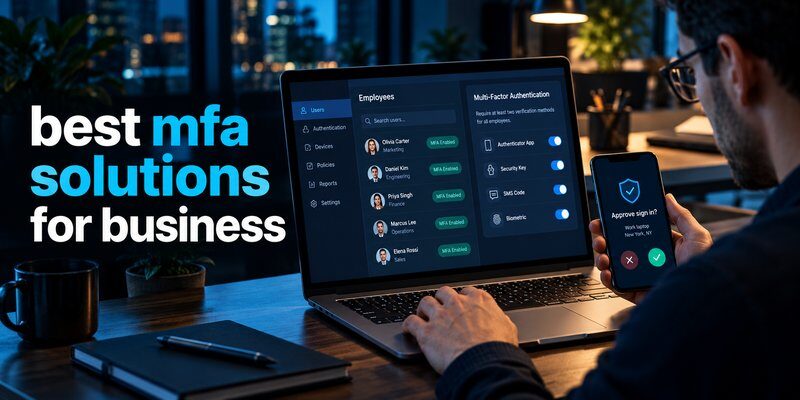
The best mfa solutions for business in 2026 include Microsoft Entra ID, Cisco Duo, Okta Adaptive MFA, JumpCloud, Ping Identity, Google Workspace’s built-in authentication controls, and compatible TOTP authenticator applications. The right choice depends on your company’s size, existing technology, budget, and security requirements.
For most Microsoft 365 organizations, Microsoft Entra ID is a logical starting point. Cisco Duo works well for hybrid environments, while Okta and Ping Identity are strong options for organizations managing complex identity systems. Smaller businesses may prefer built-in MFA controls or streamlined identity management platforms.
Quick recommendations:
| MFA Solution | Best For | Key Advantage |
|---|---|---|
| Microsoft Entra ID | Microsoft 365 businesses | Conditional Access and identity integration |
| Cisco Duo | Hybrid and remote teams | Broad application and device coverage |
| Okta Adaptive MFA | SaaS-heavy organizations | Adaptive authentication policies |
| JumpCloud | Small and medium businesses | Unified directory and device management |
| Ping Identity | Large enterprises | Advanced identity orchestration |
| Google Workspace MFA | Google Workspace teams | Built-in account protection |
| TOTP Authenticator Apps | Compatible OTP-based accounts | Simple code-based authentication |
Important: A TOTP application provides verification codes, while an enterprise MFA platform manages authentication policies, access controls, and compliance. Businesses may need both.
This guide compares the best mfa providers, explains essential security features, and helps organizations select the right authentication strategy.
1. What Are the Best MFA Solutions for Business in 2026?
Multi-factor authentication (MFA) is a security process requiring users to verify their identities with at least two different authentication factors before accessing protected systems.
These factors generally include:
- Knowledge factors: Passwords or PINs.
- Possession factors: Security keys, registered devices, or authentication tokens.
- Inherence factors: Fingerprints or facial recognition.
The best mfa solutions for business combine reliable authentication with centralized security policies, application integration, reporting, and secure account recovery.
Why businesses need MFA
Passwords alone are vulnerable to phishing, credential theft, password reuse, and automated attacks.
According to the Verizon 2025 Data Breach Investigations Report, credential abuse accounted for approximately 22% of known initial access vectors in the breaches analyzed.
Microsoft has also reported that more than 99.9% of compromised accounts in its observed data did not have MFA enabled.
These statistics highlight the importance of adding authentication protection beyond passwords. However, MFA does not eliminate every form of account compromise.
How business MFA solutions work
A typical authentication process includes:
- An employee enters their account credentials.
- The identity system evaluates access requirements.
- The employee completes an additional verification step.
- The system validates the authentication factors.
- Access is approved or denied according to company policy.
Modern MFA platforms can also evaluate device compliance, geographic context, user risk, and the sensitivity of the requested application.
When evaluating the best mfa solutions for business, organizations should prioritize tools that enforce authentication consistently rather than relying on employees to enable security voluntarily.
2. Best MFA Solutions for Business: Top 7 Options Compared
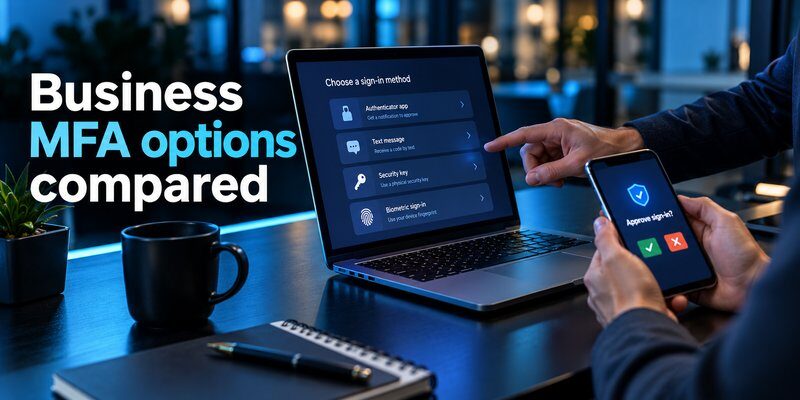
Choosing the best mfa solutions for business requires understanding how different platforms handle authentication, administration, and application compatibility.
The following seven options address different business needs. They are grouped by practical use case rather than presented as a universal performance ranking.
Microsoft Entra ID — Best for Microsoft 365 Businesses
Microsoft Entra ID provides identity and access management capabilities for organizations using Microsoft 365, Azure, and connected enterprise applications.
Key features:
- Conditional Access policies.
- Phishing-resistant authentication options.
- FIDO2 security keys and passkey support.
- Risk-based identity protection capabilities.
- Integration with Microsoft applications.
Advantages: Organizations already using Microsoft services may be able to manage authentication through their existing identity infrastructure.
Limitations: Advanced capabilities can require additional licensing, and complex policies need careful configuration.
Best for: Businesses heavily invested in Microsoft 365.
Microsoft Entra ID is a strong starting point when comparing the best mfa solutions for business, particularly for organizations seeking centralized control over employee accounts.
Employees can also learn about microsoft authenticator passkeys and how supported passkey authentication works.
Cisco Duo — Best for Hybrid Work Environments
Cisco Duo provides MFA and access security capabilities for organizations operating across cloud and on-premises environments.
Key features:
- Push-based authentication.
- Support for FIDO2 authentication methods.
- Device security and access policies.
- Protection for supported VPNs and remote applications.
- Integrations with multiple business platforms.
Advantages: Duo can extend MFA protection to applications and infrastructure that are not fully managed through a single cloud identity provider.
Limitations: Feature availability varies by subscription, and some legacy systems require additional integration components.
Best for: Remote teams, hybrid organizations, and businesses protecting diverse application environments.
Okta Adaptive MFA — Best for SaaS-Heavy Organizations
Okta offers identity and authentication services for companies using applications from multiple technology providers.
Okta Adaptive MFA supports flexible authentication policies based on user and contextual information.
Key features:
- Adaptive access policies.
- Single sign-on integration.
- Okta FastPass and supported phishing-resistant methods.
- Centralized identity management.
- Authentication reporting.
Advantages: Okta is useful for businesses requiring a vendor-neutral identity platform across many SaaS applications.
Limitations: Licensing, configuration, and integration complexity can increase as organizational requirements expand.
Best for: Medium and large organizations with substantial SaaS environments.
JumpCloud — Best for Small and Medium Businesses
JumpCloud combines cloud directory services, identity controls, and device management.
This approach can be useful for organizations with limited IT resources that want to manage users and devices from a common administration platform.
Key features:
- MFA enforcement.
- Single sign-on.
- Cloud directory management.
- Cross-platform device administration.
- Centralized employee access controls.
Advantages: JumpCloud can reduce the need to maintain separate identity and device management tools.
Limitations: Businesses should confirm support for their applications, authentication methods, and operating systems.
Best for: Small and medium-sized businesses seeking consolidated IT management.
JumpCloud deserves consideration among the best mfa solutions for business when directory and device administration are equally important.
Ping Identity — Best for Large Enterprises
Ping Identity provides enterprise identity and access management capabilities designed for complex authentication environments.
Its products support identity federation, adaptive authentication, and enterprise integration scenarios.
Key features:
- Adaptive authentication.
- Identity federation.
- Passwordless authentication capabilities.
- Enterprise policy orchestration.
- Integration with complex application environments.
Advantages: Ping Identity offers flexibility for organizations with demanding authentication architecture and compliance needs.
Limitations: Implementation may require specialized expertise, particularly in complicated hybrid environments.
Best for: Large organizations and highly regulated enterprises.
Google Workspace MFA — Best for Google-Based Businesses
Organizations using Google Workspace can apply two-step verification requirements through supported administrative security settings.
This makes Google’s built-in authentication controls a practical starting point for smaller businesses.
Key features:
- Organization-managed two-step verification.
- Support for security keys and passkeys.
- Account security management.
- Integration with Google Workspace applications.
- Administrative reporting capabilities.
Advantages: Businesses can strengthen existing Google accounts without necessarily purchasing an additional standalone MFA platform.
Limitations: Organizations requiring extensive third-party application controls may need additional identity management capabilities.
Best for: Businesses primarily using Gmail, Google Drive, and Google Workspace.
Authenticator Apps — Best for Compatible TOTP Accounts
Authenticator applications offer an accessible way to generate time-based one-time passwords for supported online services.
A dedicated Authenticator app, such as Authenticator App by Begamob, can be evaluated for compatible TOTP-based account protection.
Key benefits:
- Time-based verification codes.
- Compatibility with services supporting standard TOTP.
- Straightforward account enrollment.
- An additional verification factor beyond passwords.
For technical background, see what is authenticator app and how it is used to protect online accounts.
Limitations: A standalone TOTP generator does not provide organization-wide Conditional Access, employee compliance dashboards, or centralized policy enforcement by itself.
Best for: Individual employee accounts and compatible services requiring authenticator-generated codes.
The best mfa solutions for business often combine a centrally managed identity platform with approved authentication methods rather than relying on one tool for every security requirement.
3. Key Features to Look for in Business MFA Software

When comparing the best mfa solutions for business, companies should evaluate security capabilities alongside usability and administrative requirements.
Phishing-resistant authentication
The Cybersecurity and Infrastructure Security Agency (CISA) recommends phishing-resistant MFA because traditional verification methods may be vulnerable to credential-relay attacks.
FIDO2/WebAuthn authentication uses cryptographic mechanisms tied to legitimate services, making phishing-based authentication bypass significantly harder.
Prioritize phishing-resistant MFA for administrators, finance systems, and sensitive company resources.
Adaptive authentication
Adaptive MFA evaluates contextual signals before deciding which authentication requirements apply.
These signals may include device compliance, unusual login patterns, network characteristics, and account risk.
For example, a company may require stronger verification when an employee accesses a sensitive financial application.
Adaptive policies should strengthen protection without creating uncontrolled exceptions.
Application integration and centralized enforcement
The best mfa solutions for business should support the applications and access methods employees actually use.
Evaluate compatibility with:
- Cloud applications and SSO.
- VPN and remote access.
- Employee workstations.
- Administrative systems.
- Legacy applications.
- Supported identity protocols.
Centralized enforcement helps reduce inconsistent security settings.
Reporting and account recovery
Business MFA software should provide useful authentication logs, enrollment information, and policy compliance reporting.
Secure recovery is equally important. Organizations need procedures for replacing lost devices without creating opportunities for attackers to reset authentication factors.
Employees using TOTP can review authenticator app restore from backup for additional recovery guidance.
4. Best MFA Solutions for Small Businesses vs. Enterprises
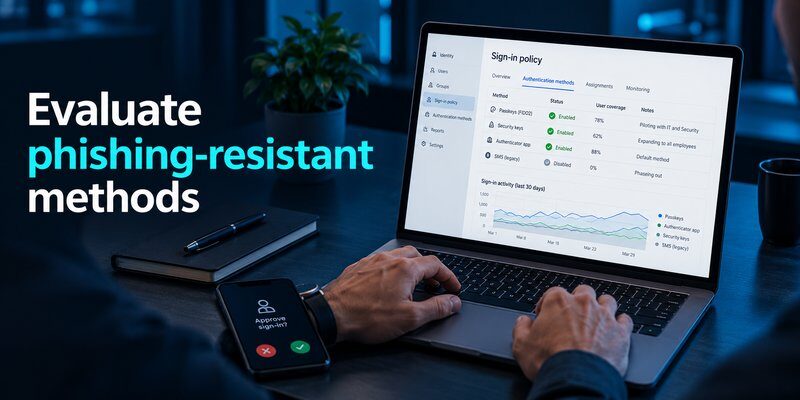
The best mfa solutions for business vary significantly depending on company size, infrastructure, and available security expertise.
Small businesses: prioritize simplicity
Smaller companies often have limited IT budgets and fewer dedicated security administrators.
Suitable mfa solutions for small business environments should provide:
- Straightforward enrollment.
- Affordable and predictable licensing.
- Built-in application integrations.
- Mandatory MFA settings.
- Simple account recovery.
- Clear employee instructions.
For many small businesses, the most practical first step is activating MFA through an existing email or identity provider.
Compatible TOTP tools may provide additional authentication options where supported.
A comparison of sms vs authenticator app can help businesses understand the differences between common code-based methods.
Recommendation: Begin with an existing identity platform, enforce authentication for every employee, and avoid unnecessary product complexity.
Medium businesses: prioritize centralized management
Growing organizations need consistent security policies across departments, applications, and employee groups.
JumpCloud, Cisco Duo, Microsoft Entra ID, and Okta may be suitable depending on the existing infrastructure.
Important capabilities include centralized policy management, user provisioning, access reporting, and support for remote employees.
For medium businesses, the best mfa solutions for business should scale without requiring manual authentication setup for every application.
Enterprises: prioritize advanced controls
Large organizations generally need stronger integration, compliance reporting, and authentication governance.
They may also require identity federation, privileged access protection, risk-based authentication, and support for legacy infrastructure.
Microsoft Entra ID, Okta, and Ping Identity are relevant evaluation candidates.
Enterprise decisions should be based on verified security requirements and integration testing rather than vendor popularity alone.
5. MFA Best Practices for Business Security
Selecting software is only the beginning. Secure implementation determines whether MFA successfully reduces account compromise risks.
The following mfa best practices can help organizations improve authentication security.
Require MFA for every employee
Organizations should establish mandatory MFA policies covering relevant employees, contractors, and privileged users.
Protect email, administrative tools, financial systems, cloud applications, and remote access.
Never assume an account is protected simply because an employee registered an authenticator. Enforcement must be tested.
Prefer phishing-resistant authentication
FIDO2 security keys and correctly implemented passkeys provide stronger protection against phishing than manually entered verification codes.
According to NIST SP 800-63B-4, OTP-based authentication is not phishing-resistant because codes can be relayed to fraudulent login systems.
A central mfa best practice is to reserve stronger authentication requirements for higher-risk access while progressively expanding phishing-resistant coverage.
Avoid weak authentication fallbacks
SMS-based verification can be exposed to SIM-swapping and phishing attacks.
Where possible, organizations should migrate toward stronger methods and ensure recovery procedures do not undermine authentication requirements.
Train employees to recognize attacks
Employees should know how to identify unexpected authentication prompts, suspicious login pages, and fraudulent support requests.
Security education should emphasize one rule:
Never approve an authentication request that you did not initiate.
Employees can review what is phishing to understand common credential theft techniques.
Monitor authentication activity
The best mfa solutions for business provide visibility into failed login attempts, enrollment status, and suspicious authentication events.
Review temporary policy exclusions and investigate repeated verification failures.
Continuous monitoring turns MFA from an isolated login requirement into an actively managed security control.
6. How to Choose and Implement an MFA Solution
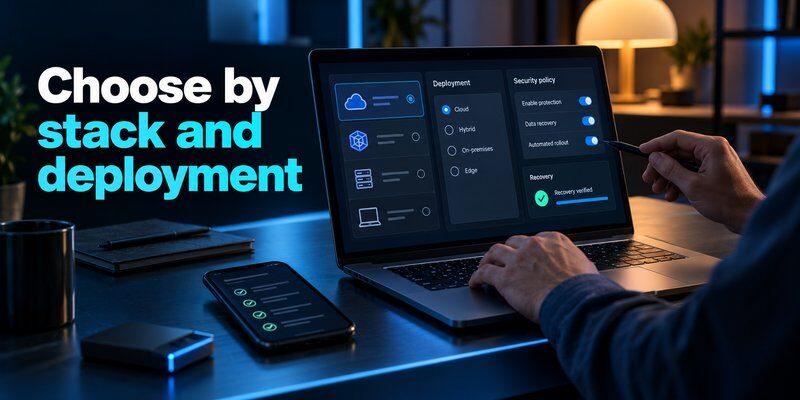
Businesses should follow a structured evaluation process instead of selecting an MFA vendor solely because it appears in a popular ranking.
Step 1: Identify your security requirements
Inventory employee accounts, applications, administrative systems, remote access methods, and existing identity providers.
Determine which users require phishing-resistant MFA and which applications support TOTP or push authentication.
Understanding these requirements helps narrow the best mfa solutions for business to options that fit the company’s infrastructure.
Step 2: Evaluate essential capabilities
Score candidates against practical requirements.
| Evaluation Factor | Suggested Weight |
|---|---|
| Authentication security | 30% |
| Application compatibility | 25% |
| Administration and reporting | 20% |
| Employee usability | 15% |
| Total cost | 10% |
These weights are an illustrative purchasing framework, not an independently validated industry benchmark.
Adjust the percentages based on your organizational priorities.
Step 3: Test with a pilot group
Before company-wide deployment, test MFA with employees using different devices, operating systems, and applications.
Verify that users can register approved authentication methods and that unsupported login attempts are blocked.
Also test account recovery and emergency access.
Step 4: Enforce the policy
Configure mandatory MFA requirements through the organization’s identity provider or supported application settings.
For compatible code-based workflows, employees can follow the how to use authenticator app instructions.
Organizations supporting Apple devices may also evaluate guidance about google authenticator for mac and apple authenticator options.
Device compatibility and organization-approved authentication methods must be verified before enrollment.
Step 5: Measure effectiveness
After deployment, monitor registration coverage, policy enforcement, authentication failures, and recovery incidents.
For businesses evaluating the best mfa solutions for business, effective enforcement and verified access coverage matter more than simply counting enrolled accounts.
Step 6: Improve the deployment
Review security policies regularly, remove unnecessary exceptions, and gradually strengthen authentication methods.
The best mfa solutions for business should support this evolution without requiring a complete identity infrastructure replacement whenever new requirements emerge.
7. MFA Pricing, ROI, and Gartner Evaluations
The best mfa solutions for business are not necessarily the most expensive products.
Pricing depends on licensing tiers, employee numbers, available integrations, and the security capabilities required.
What affects MFA pricing?
Common cost components include:
- Per-user subscription fees.
- Premium identity security features.
- Hardware security keys.
- Integration and migration expenses.
- Employee training.
- Technical support.
- Ongoing administration.
Businesses should calculate total ownership costs rather than comparing subscription fees alone.
For example, a product with lower licensing costs may become more expensive if significant custom integration or manual administration is required.
How to measure MFA return on investment
MFA can help reduce the likelihood of unauthorized access resulting from stolen credentials.
However, organizations should avoid assuming a universal financial return.
Evaluate potential benefits through reduced account compromise exposure, simpler authentication management, stronger compliance reporting, and lower incident-response burden.
Security effectiveness and operational efficiency should both influence purchasing decisions.
What does Gartner say about MFA solutions?
Businesses searching for best mfa solutions gartner should understand that Gartner evaluates access management markets rather than maintaining a universal ranking of standalone MFA applications.
The November 2025 Gartner Magic Quadrant for Access Management evaluated vendors including Microsoft, Okta, Ping Identity, and other enterprise identity providers.
Gartner assesses vendors using criteria such as Ability to Execute and Completeness of Vision.
Gartner recognition does not guarantee that a solution is the best option for every business.
Organizations should use independent research as supporting evidence, then conduct their own security and integration evaluation.
Is an authenticator app enough for small companies?
An authenticator application may be sufficient as a verification method for certain supported accounts.
However, a business still needs a way to require MFA, administer employee access, and securely handle recovery.
This distinction matters when assessing the best mfa solutions for business: authentication tools and policy enforcement platforms serve different purposes.
8. Frequently Asked Questions About Business MFA
What is the best MFA solution for a small business?
The best mfa solutions for business depend on the company’s existing technology.
Microsoft Entra ID is a practical option for Microsoft-oriented environments, while Google Workspace offers built-in authentication controls for Google-based organizations.
JumpCloud and Cisco Duo may be appropriate when broader identity or device coverage is necessary.
Start with the platforms your company already uses, then identify any remaining protection gaps.
Which MFA solution is most secure?
Solutions supporting phishing-resistant methods such as FIDO2 security keys and appropriately implemented passkeys generally provide stronger protection against phishing than SMS or TOTP alone.
The security of the complete deployment also depends on enrollment, policy enforcement, and account recovery.
Are authenticator apps suitable for business use?
Yes. TOTP authenticator applications can help protect compatible business accounts.
Employees can Download authenticator app by Begamob for iPhone and evaluate it for services supporting standard authentication codes.
An authenticator app should complement, not replace, centrally enforced business authentication policies.
What is the difference between MFA and 2FA?
Two-factor authentication requires exactly two distinct authentication factors.
Multi-factor authentication requires two or more factors.
Therefore, 2FA is a type of MFA.
For more information about verification codes, read totp authenticator app.
Is passwordless authentication better than traditional MFA?
Passwordless authentication can improve security and usability when implemented using phishing-resistant technologies.
However, passwordless does not automatically mean phishing-resistant.
The underlying authentication protocol and credential protection determine the security level.
What does “MFA best” mean when comparing solutions?
The search phrase mfa best usually reflects an attempt to find the most suitable authentication tool.
There is no universally superior platform.
Companies should evaluate authentication strength, compatibility, administration, recovery, and total deployment costs.
Can small businesses use free MFA methods?
Some business platforms include basic MFA capabilities within existing subscriptions.
TOTP authenticator apps may also offer an accessible authentication method.
However, advanced enforcement, reporting, and device management capabilities may require paid services.
How often should organizations review MFA policies?
Companies should monitor important authentication events continuously where possible and perform scheduled security reviews.
Review authentication methods, privileged accounts, device recovery procedures, and policy exceptions whenever organizational risks change.
Regular policy reviews help ensure the selected MFA solution remains effective.
Conclusion: Which MFA Solution Should Your Business Choose?
Choosing the best mfa solutions for business requires balancing authentication security, application compatibility, employee experience, and operational cost.
Microsoft Entra ID is a strong choice for Microsoft 365 organizations. Cisco Duo supports diverse hybrid environments, Okta serves SaaS-heavy businesses, JumpCloud combines identity and device administration, and Ping Identity addresses complex enterprise requirements.
For compatible services using time-based verification codes, Authenticator App by Begamob can provide an additional authentication option alongside a company’s identity management platform.
The most important takeaway: Choose an MFA platform that enforces secure authentication across your business, prioritize phishing-resistant methods where possible, and regularly verify that every important account is protected.
Download Authenticator App
Secure your accounts with fast, reliable two-factor authentication. Download now and protect your login in seconds.
