
SSO vs MFA: Key Differences, Benefits & Which Is More Secure?
Published November 11, 2026
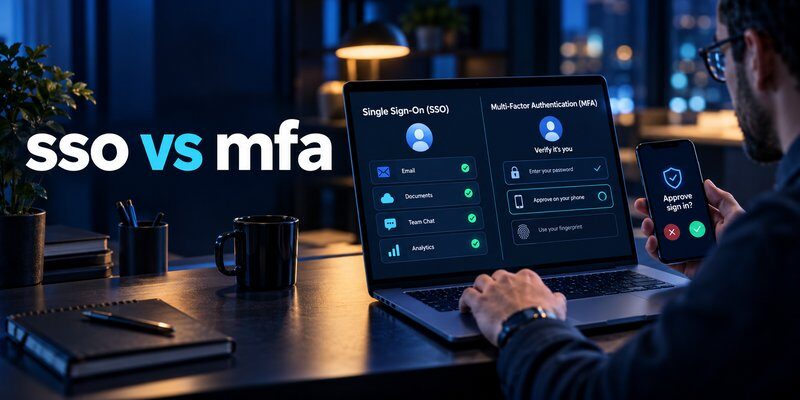
SSO vs MFA: What’s the difference? Single Sign-On (SSO) allows users to access multiple connected applications after authenticating through one trusted identity provider. Multi-Factor Authentication (MFA) requires two or more different authentication factors to verify a user’s identity.
SSO simplifies access, while MFA strengthens authentication security.
For example, an employee can sign in once through a corporate SSO system to access email, cloud storage, and business applications. MFA can add another verification step, such as a security key or authentication code, before that access is approved.
SSO and MFA are not competing technologies. They serve different purposes and can work together to provide a more convenient and secure login experience.
According to Microsoft Research’s 2023 study, MFA reduced account compromise risk by 99.22% across the studied population, demonstrating the importance of additional identity verification.
Understanding sso vs mfa helps individuals and organizations choose appropriate authentication methods, reduce credential-related risks, and improve access management.
This guide explains how both technologies work, their differences, security benefits, and how to combine them effectively.
1. What Is SSO vs MFA? Definitions and Key Concepts
To understand sso vs mfa, it is important to examine the purpose of each authentication technology.
Although both are related to identity security, they address different challenges.
What Is Single Sign-On (SSO)?
Single Sign-On is an authentication approach that allows users to access multiple connected applications through one trusted identity system.
Instead of signing in separately to every application, users authenticate through a central identity provider.
For example, a company may connect its email platform, customer management software, and cloud applications to a corporate identity provider.
Once an employee signs in successfully, other connected applications may recognize the existing authenticated session.
Common SSO capabilities include:
- Centralized authentication
- Fewer repeated login prompts
- Integration with enterprise applications
- Consistent identity policies
- Simplified account management
However, SSO does not automatically require multiple authentication factors.
An SSO system configured to accept only a password may still be vulnerable if that password is stolen.
What Is Multi-Factor Authentication (MFA)?
Multi-Factor Authentication requires users to provide evidence from at least two different authentication factor categories.
These categories include:
1. Something you know: A password or PIN.
2. Something you have: A registered smartphone, authenticator, or hardware security key.
3. Something you are: A biometric characteristic used by a supported authentication system.
For example, entering a password and then providing a time-based verification code combines knowledge and possession factors.
MFA can protect individual applications, email accounts, enterprise identity providers, and administrator accounts.
Unlike SSO, MFA focuses on increasing confidence that the person requesting access is the legitimate account holder.
What Is SSO and MFA in Business?
The question what is sso and mfa is especially relevant in enterprise identity management.
Businesses frequently use SSO to simplify employee access to connected applications and MFA to protect the authentication process.
A company might require employees to sign in through Microsoft Entra ID and complete an additional authentication challenge.
After successful verification, employees may access authorized applications through SSO.
The difference between sso and mfa is primarily convenience versus authentication assurance, although both can contribute to a stronger security strategy.
2. How Do SSO and MFA Work?
Understanding how these technologies operate helps clarify sso vs mfa in real-world situations.
How Single Sign-On Works
SSO generally involves an identity provider (IdP), a user, and one or more connected applications.
Step 1: The user opens an application.
An employee attempts to access a business application.
Step 2: The application checks authentication status.
If the employee does not have a valid application session, the application redirects them to a trusted identity provider.
Step 3: The identity provider authenticates the user.
The employee completes the required authentication process.
Step 4: The identity provider issues an authentication response.
Depending on the protocol, the provider may return a signed assertion or identity token.
Step 5: The application validates the response.
After validation and authorization checks, the application establishes a session.
Step 6: The user accesses another connected application.
If the identity provider has an acceptable existing session, the employee may access the second application without entering credentials again.
SSO reduces repeated authentication, but connected applications still determine what users are authorized to access.
How Multi-Factor Authentication Works
MFA introduces additional identity verification.
Step 1: The user starts an authentication process, often by entering a password.
Step 2: The service requests a separate authentication factor.
Step 3: The user completes verification through an approved method.
Step 4: The authentication system validates the evidence.
Step 5: Access is granted if authentication and authorization requirements are satisfied.
For example, a user may enter a password and provide a code generated by an Authenticator app.
The app can generate time-based one-time passwords (TOTP) for services supporting this standard.
TOTP codes generally refresh every 30 seconds, although implementations may differ.
For a practical explanation, see our guide on how to use authenticator app.
Why the Authentication Process Matters
The comparison of sso vs mfa becomes clearer when considering their respective responsibilities.
SSO manages how authentication is reused across connected services.
MFA determines whether the authentication process includes sufficient independent evidence of identity.
SSO can operate without MFA, and MFA can operate without SSO.
However, combining them is often appropriate for enterprise applications.
3. SSO vs MFA: Key Differences Explained
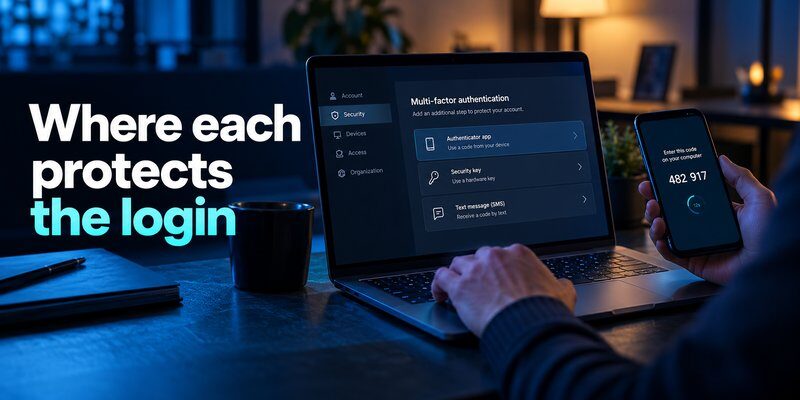
The central distinction in sso vs mfa is that SSO improves access efficiency, while MFA strengthens identity verification.
The following comparison summarizes their most important differences.
| Feature | SSO | MFA |
|---|---|---|
| Primary purpose | Simplify access to multiple apps | Strengthen identity verification |
| Authentication | One trusted identity system | Two or more authentication factors |
| User experience | Fewer repeated login prompts | Additional verification when required |
| Application integration | Connects participating services | Protects supported login flows |
| Security benefit | Centralized authentication policies | Reduces password-only attack risk |
| Main risk | Central account compromise | Phishing or bypass of weaker methods |
| Can work independently? | Yes | Yes |
| Best approach | Combine with strong MFA | Integrate with centralized identity |
1. Authentication Convenience
SSO allows employees to navigate connected services without repeatedly signing in.
This can be useful for organizations using numerous business applications.
MFA may add an authentication step, but that step can provide important security protection.
The best configuration minimizes unnecessary prompts without weakening security requirements.
2. Security Protection
SSO centralizes authentication, which can support consistent policies and monitoring.
However, compromised central credentials may expose multiple connected applications.
MFA introduces additional verification, reducing the effectiveness of attacks that rely exclusively on stolen passwords.
3. Administrative Management
SSO often helps IT administrators manage authentication through a central identity provider.
MFA allows organizations to establish verification requirements based on account privileges, application sensitivity, and security conditions.
These capabilities complement one another.
4. Security Risks
Both technologies have limitations.
SSO can concentrate risk around central identities and active sessions.
MFA can be vulnerable to attacks targeting weaker verification methods, including phishing and authentication prompt abuse.
Neither technology guarantees complete protection against account compromise.
Organizations researching mfa vs sso should therefore focus on how the technologies work together rather than treating one as a universal replacement for the other.
Download Authenticator App
Secure your accounts with fast, reliable two-factor authentication. Download now and protect your login in seconds.
4. SSO vs 2FA: Are They the Same?
Another important comparison is sso vs 2fa.
Two-factor authentication (2FA) is a specific form of MFA that uses two distinct authentication factors.
SSO, by contrast, allows authentication to be reused across connected applications.
Understanding 2FA
A typical 2FA process combines a password with a possession-based factor.
For example:
- A user enters their account password.
- The service requests a one-time code.
- The user enters a code generated by a registered authenticator.
- The service verifies the code before granting access.
This provides protection beyond a password-only login.
However, two passwords do not constitute 2FA, because both are knowledge factors.
2FA vs SSO: Which Is More Secure?
The 2fa vs sso comparison does not have a simple winner because the technologies address different needs.
SSO can reduce the number of independent credentials users manage.
2FA strengthens authentication by requiring evidence from two factor categories.
When an organization combines SSO with 2FA, employees can receive both centralized access and additional identity verification.
However, organizations should consider the specific verification method.
For example, SMS authentication can be vulnerable to SIM swapping and other attacks.
Read our comparison of sms vs authenticator app for more information.
According to NIST SP 800-63B-4, manually entered OTP authentication is not phishing-resistant because attackers may relay valid codes.
Phishing-resistant methods such as appropriately configured FIDO2 security keys or passkeys offer stronger protection against credential phishing.
This distinction is important when evaluating sso vs mfa for sensitive business accounts.
5. SAML vs SSO vs OAuth: Understanding Authentication Protocols
People researching sso vs mfa frequently encounter related terms such as SAML, OAuth 2.0, and OpenID Connect.
These technologies are connected to identity management, but they are not interchangeable.
SAML vs SSO vs OAuth
The search phrase saml vs sso vs oauth combines an authentication experience with technical standards.
Here is the distinction:
SSO: An authentication capability that allows users to access multiple connected applications through a trusted identity system.
SAML: Security Assertion Markup Language, a standard commonly used to exchange authentication assertions between enterprise identity providers and applications.
OAuth 2.0: An authorization framework that allows applications to obtain delegated access to protected resources.
OpenID Connect (OIDC): An authentication layer built on OAuth 2.0 that allows applications to verify users’ identities.
For example, an enterprise application may use SAML to support SSO.
A modern web application may instead use OpenID Connect to authenticate users through a shared identity provider.
Difference Between SSO and OAuth2
The difference between sso and oauth2 is primarily their purpose.
SSO describes a login experience across multiple applications.
OAuth 2.0 defines mechanisms for delegated authorization.
OAuth 2.0 alone is not a complete authentication protocol.
OpenID Connect adds standardized authentication capabilities on top of OAuth 2.0.
For additional context, read our guide on google oauth.
Where Does MFA Fit?
MFA is separate from these federation and authorization protocols.
An identity provider might use SAML or OpenID Connect to communicate authentication results while requiring MFA during the login process.
For example:
- An employee opens an application.
- The application redirects the employee to an identity provider.
- The identity provider requires MFA.
- Successful authentication produces an appropriate assertion or token.
- The application validates the response and authorizes access.
The application must still enforce appropriate authorization and session security.
When evaluating sso vs mfa, remember that SAML and OIDC help communicate authentication information, while MFA strengthens the underlying authentication process.
6. Can SSO and MFA Work Together?

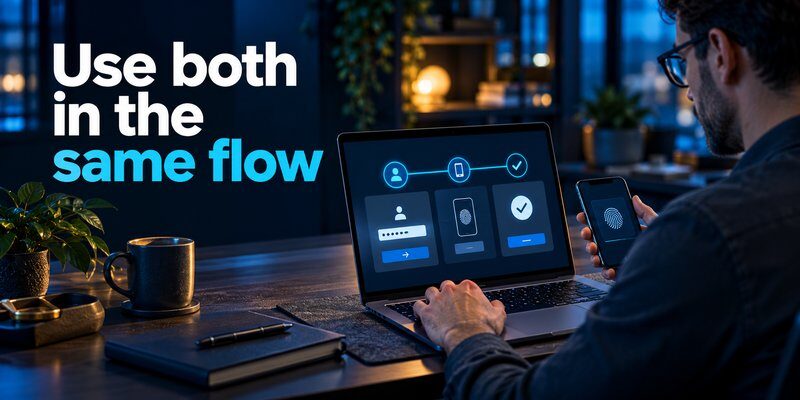
Yes. SSO and MFA can work together and are commonly combined in enterprise identity systems.
This approach can provide convenient access to connected applications while protecting the central authentication process.
Example: SSO With MFA in a Company
Consider a company using cloud email, a customer relationship management platform, and project management software.
Without centralized authentication, employees may maintain separate credentials for each application.
With SSO, the applications trust a shared identity provider.
With MFA, the identity provider requires additional verification when appropriate.
A typical process works as follows:
Step 1: Initial login
The employee opens the company identity provider and enters the required credentials.
Step 2: MFA verification
The provider requests a second authentication factor, such as a registered security key or authentication code.
Step 3: Authentication succeeds
After validating the required authentication evidence, the identity provider establishes a session.
Step 4: SSO enables application access
The employee can open authorized applications that accept the identity provider’s authentication response.
Step 5: Risk-based policies remain active
The organization may request additional verification or block access when security conditions change.
For example, an administrator accessing financial information may need stronger authentication than an employee opening a routine collaboration tool.
Benefits of Combining SSO and MFA
Organizations combining both technologies can gain several advantages.
Improved user experience: Employees can access connected applications with fewer repeated login prompts.
Stronger authentication: Additional verification reduces reliance on passwords alone.
Centralized policy enforcement: Administrators can establish authentication requirements through a common identity system.
Simplified monitoring: Authentication events can be collected and reviewed more consistently.
Reduced password fatigue: Employees have fewer independent credentials to manage.
However, SSO with MFA does not guarantee that every connected application is secure.
Applications still require correct token validation, session management, authorization, and secure configuration.
Using an Authenticator App With SSO
Some identity providers support TOTP applications during MFA enrollment.
Users can register a compatible authenticator by scanning a QR code and completing the provider’s verification process.
For supported accounts, users can Download authenticator app from the App Store.
Authenticator App by Begamob can generate standard TOTP codes for compatible services, but it does not replace an enterprise identity provider or provide SSO by itself.
Users interested in desktop authentication workflows can read about google authenticator for mac, while those using Apple devices can explore apple authenticator options.
Compatibility depends on the identity provider and its supported authentication methods.
Ultimately, sso vs mfa is not an either-or decision. Combining both technologies can create a more effective authentication strategy.
7. Security Benefits, Risks, and Best Practices
Choosing between sso vs mfa should involve an assessment of security risks, organizational requirements, and user experience.
A strong authentication strategy considers the complete login process rather than relying on a single technology.
What Does Security Research Show?
Microsoft Research’s study, How Effective Is Multifactor Authentication at Deterring Cyberattacks? (May 2023), examined commercial accounts using Microsoft Azure Active Directory.
The research found:
- 99.22% lower account compromise risk across the studied population using MFA.
- 98.56% lower risk among accounts involving leaked credentials.
- More than 99.99% of MFA-enabled accounts remained secure during the investigation period.
These results support MFA adoption but should not be interpreted as a guarantee that all MFA configurations provide identical protection.
The Verizon 2025 Data Breach Investigations Report also identified credential abuse as an initial access vector in 22% of breaches.
This highlights why businesses should protect identities and avoid relying exclusively on passwords.
Security Risks of SSO
A compromised identity provider account can potentially expose multiple connected applications.
Attackers may also target active sessions, federation configurations, or authentication tokens.
Organizations should therefore protect central identities with strong authentication and monitor unusual activity.
Security Risks of MFA
MFA can also face attacks.
TOTP codes may be captured by phishing websites and relayed to legitimate services.
Push authentication may be targeted through repeated approval requests.
Account recovery procedures can introduce vulnerabilities if help desks fail to verify user identities properly.
Learn more about credential theft in our guide explaining what is phishing.
Best Practices for SSO and MFA
Organizations should apply the following security measures:
1. Require MFA for central identities
Protect identity provider accounts with approved authentication methods.
2. Prioritize phishing-resistant authentication
Use FIDO2 security keys or passkeys for high-risk accounts when supported.
3. Enforce least-privilege access
Give users only the permissions necessary for their responsibilities.
4. Monitor authentication activity
Investigate unusual login patterns, unexpected locations, and suspicious authentication behavior.
5. Protect administrator accounts
Apply stronger policies to accounts controlling business-critical systems.
6. Secure account recovery
Use appropriate identity verification and maintain approved backup authentication methods.
7. Manage application sessions
Configure session lifetimes, token validation, and revocation procedures.
8. Review authentication policies regularly
Update controls as applications, user roles, and risks change.
For additional guidance, review our best account security practices.
The strongest approach combines convenient centralized access with appropriate verification and continuous security management.
8. Frequently Asked Questions About SSO vs MFA
Is SSO the Same as MFA?
Is sso the same as mfa? No. SSO allows users to access multiple connected applications through centralized authentication, while MFA verifies identity using multiple authentication factors.
They can work independently or together.
Is SSO and MFA the Same Thing?
The question is sso and mfa the same thing has a straightforward answer: No.
SSO focuses on how users access multiple services, while MFA focuses on how users prove their identities.
A company may use both technologies in one authentication workflow.
Is SSO Considered MFA?
Is sso considered mfa? Not automatically.
SSO does not inherently require multiple authentication factors.
An SSO deployment that uses only a password is not MFA merely because multiple applications trust the same login.
However, an SSO identity provider can require MFA as part of its authentication process.
Can SSO and MFA Work Together?
Can sso and mfa work together? Yes.
An organization can require users to complete MFA through a central identity provider and then use SSO to access connected applications.
This combines improved login convenience with stronger identity verification.
Which Is Better: SSO or MFA?
The answer depends on the organization’s objective.
SSO is useful for simplifying access across multiple applications.
MFA is important for protecting authentication against password-only attacks.
For organizations managing sensitive information, combining SSO and appropriate MFA is generally preferable to choosing only one.
Does SSO Automatically Make Accounts More Secure?
Not necessarily.
SSO can reduce credential management complexity and support centralized security policies.
However, compromising the central identity account may create significant risk if additional protections are missing.
Strong authentication, secure application integration, and session management remain essential.
Does MFA Work Without SSO?
Yes.
Individual applications can require MFA even when they do not participate in a shared SSO environment.
For example, a service may require a password and a TOTP code during each independent login.
Can SSO Replace Password Managers?
Not completely.
SSO simplifies authentication across connected applications.
Password managers help users securely store and manage credentials for services that may not support SSO.
Organizations may use both technologies.
Should Small Businesses Implement SSO and MFA?
Small businesses can benefit from both.
MFA is particularly important for email, financial applications, administrator accounts, and other sensitive services.
SSO becomes increasingly useful as businesses adopt more connected applications.
Organizations should choose solutions that match their operational needs and security risks.
Is SSO With MFA Completely Secure?
No authentication system guarantees complete security.
Attackers may still exploit compromised devices, stolen sessions, insecure application configurations, or weak recovery procedures.
Phishing-resistant MFA, proper authorization, and continuous monitoring provide additional protection.
What Is the Best Authentication Strategy for Businesses?
An effective strategy generally combines:
- Centralized identity management
- MFA for sensitive and privileged access
- Phishing-resistant authentication where appropriate
- Secure federation protocols
- Least-privilege permissions
- Authentication logging and monitoring
- Secure session and account recovery management
Businesses evaluating sso vs mfa should focus on protecting the complete identity lifecycle rather than choosing one feature in isolation.
Conclusion
SSO vs MFA describes two complementary approaches to modern authentication.
Single Sign-On helps users access multiple connected applications through a trusted identity provider. Multi-Factor Authentication strengthens identity verification by requiring multiple authentication factors.
SSO improves convenience. MFA strengthens security. Together, they can deliver a better balance between usability and account protection.
Organizations should protect central identities, use phishing-resistant methods where possible, and maintain secure authorization and session management.
For most businesses, the important question is not which technology should replace the other, but how SSO and MFA can work together to support secure, efficient access.
Download Authenticator App
Secure your accounts with fast, reliable two-factor authentication. Download now and protect your login in seconds.
