
How to Manage Employee Account Security Across the Lifecycle
Published November 11, 2026
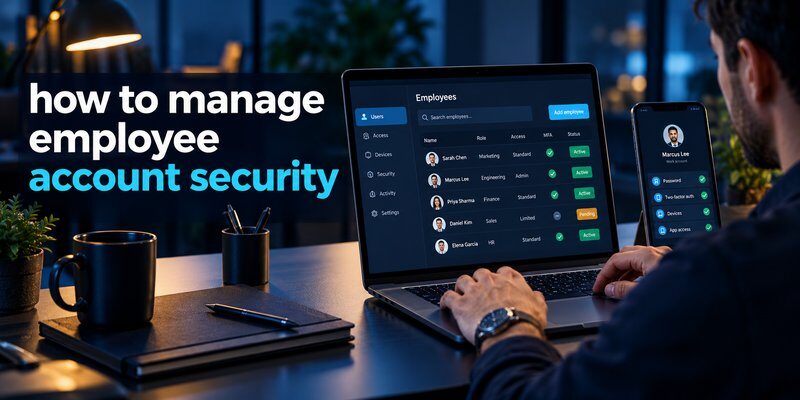
To manage employee account security, businesses should centralize user identities, enforce multi-factor authentication (MFA), assign role-based permissions, monitor suspicious activity, and immediately revoke access when employees leave. These measures help prevent unauthorized access, credential theft, and exposure of sensitive company information.
Understanding how to manage employee account security is essential for organizations that rely on cloud applications, remote employees, shared digital resources, and online collaboration tools.
Every employee account represents a potential access point to business systems. If attackers compromise a single account, they may gain access to confidential documents, customer records, financial information, or internal communications.
According to IBM’s 2026 Cost of a Data Breach Report, the global average cost of a data breach reached $4.99 million, representing a 12% increase from the previous year.
Meanwhile, Verizon’s 2026 Data Breach Investigations Report (DBIR) identified credential abuse as the initial access vector in approximately 13% of breaches, emphasizing the continued importance of securing organizational identities.
This guide explains how to manage employee account security through practical policies, authentication tools, access controls, and continuous monitoring.
1. Why Employee Account Security Matters in 2026
Employee account security refers to the policies, technologies, and administrative processes used to protect employees’ digital identities and prevent unauthorized access to business resources.
These accounts commonly provide access to corporate email, cloud storage, customer management systems, financial platforms, and internal applications.
Without effective protection, organizations may experience account takeovers, data exposure, financial fraud, or operational disruption.
Major Risks of Poor Employee Account Security
1. Stolen login credentials
Attackers frequently obtain passwords through phishing, malicious software, or previously compromised services.
Reused passwords can increase the impact of a single credential leak.
2. Excessive account permissions
Employees sometimes retain access to applications and information they no longer need.
These unnecessary privileges can increase the damage caused by account compromise.
3. Unprotected administrator accounts
Accounts with administrative access can modify settings, create users, and access sensitive systems.
Compromising these accounts may allow attackers to gain substantial control over business operations.
4. Former employee access
Accounts that remain active after an employee leaves can create unnecessary exposure, especially if the user retains access to confidential business information.
5. Weak authentication methods
Password-only authentication may provide insufficient protection against modern phishing and credential theft.
The central goal of how to manage employee account security is to reduce these risks without making everyday work unnecessarily complicated.
A successful security program combines strong authentication with appropriate permissions, employee training, and ongoing oversight.
Download Authenticator App
Secure your accounts with fast, reliable two-factor authentication. Download now and protect your login in seconds.
2. How to Manage Employee Account Security: 10 Essential Steps
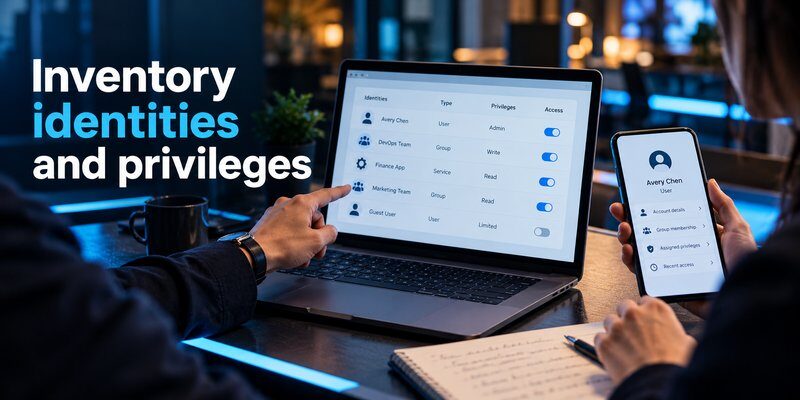
The following framework explains how to manage employee account security throughout the employee identity lifecycle.
It is suitable for small businesses, growing teams, and organizations operating across multiple locations.
Step 1: Create an Inventory of Employee Accounts
Begin by identifying every system that employees can access.
This includes corporate email, cloud applications, project management tools, financial platforms, customer databases, and internal applications.
Your inventory should record:
- Employee name and department
- Business email address
- Applications and systems accessed
- Assigned roles and permissions
- MFA enrollment status
- Account owner and employment status
For example, a marketing employee might use Google Workspace, Slack, and analytics software, while a finance employee may access payroll and accounting systems.
Action: Maintain a centralized account inventory and update it whenever employees join, change roles, or leave.
An accurate inventory establishes the foundation for how to manage employee account security because administrators cannot protect accounts they do not know exist.
Step 2: Establish a Strong Password Policy
Passwords remain important for systems that have not adopted passwordless authentication.
Businesses should require unique passwords and discourage password sharing across employees or services.
The National Institute of Standards and Technology (NIST) recommends supporting long passwords and allowing password managers.
Under its 2025 digital identity guidance, NIST also discourages arbitrary periodic password changes unless compromise is suspected or confirmed.
A practical policy should include:
- Long, unique passwords or passphrases
- Screening against known compromised passwords
- Secure password manager usage
- No shared personal credentials
- Immediate password changes after suspected compromise
Employees should never store passwords in public documents, unencrypted notes, or shared spreadsheets.
For additional guidance, review how to create a strong password policy.
When learning how to manage employee account security, prioritize password quality and resistance to credential reuse rather than complicated password rules that encourage unsafe behavior.
Step 3: Enable Multi-Factor Authentication
Multi-factor authentication is one of the most important protections for employee accounts.
MFA requires users to verify their identities using more than one authentication factor.
Common methods include security keys, passkeys, authentication applications, and verification codes.
For sensitive enterprise accounts, businesses should prioritize phishing-resistant authentication such as FIDO2 security keys or appropriately configured passkeys.
Where supported, a TOTP-based Authenticator app can provide an additional verification method alongside a password.
Time-based one-time passwords usually expire after a short interval, commonly 30 seconds, although implementation details vary.
However, TOTP codes are not phishing-resistant because attackers can potentially capture and relay codes through fraudulent login pages.
A clear understanding of MFA is essential to how to manage employee account security, particularly for administrators, finance employees, and users accessing sensitive data.
Step 4: Implement Role-Based Access Control
Role-Based Access Control (RBAC) assigns permissions according to an employee’s responsibilities.
Instead of giving every employee unrestricted access, administrators create roles with predefined permissions.
For example:
| Employee Role | Typical Authorized Access |
|---|---|
| Marketing | Campaign tools and approved analytics |
| Sales | CRM and sales reporting |
| Finance | Accounting and authorized financial systems |
| Human Resources | Employee records and HR platforms |
| IT Administrator | Approved infrastructure and administrative tools |
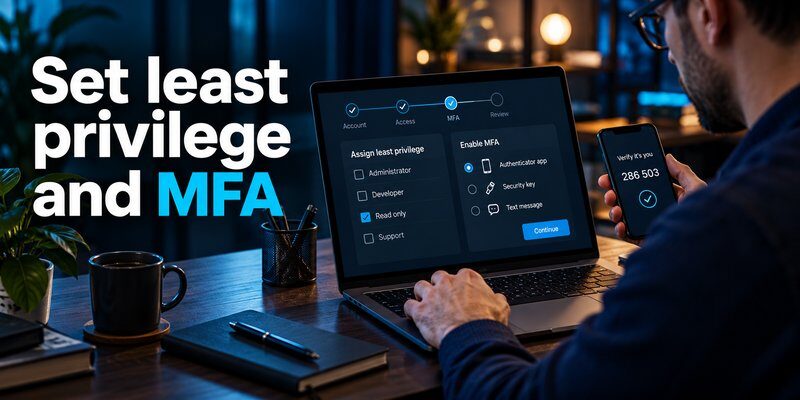
Apply the principle of least privilege: employees should receive only the permissions necessary to perform their jobs.
For sensitive operations, consider additional approval requirements and time-limited access.
This approach is central to effective employee access management and reduces the impact of compromised accounts.
Businesses examining how to manage employee account security should review permissions whenever employees change roles.
Step 5: Use Centralized Identity Management
Managing employee accounts individually across multiple applications becomes increasingly difficult as a company grows.
An Identity and Access Management (IAM) platform provides centralized control over authentication and permissions.
Common enterprise identity platforms include Microsoft Entra ID, Okta, and Google Cloud Identity.
Depending on product capabilities, these platforms can support:
- Centralized user directories
- Single Sign-On (SSO)
- Authentication policies
- Group-based access control
- Automated provisioning and deprovisioning
- Authentication logs
Single Sign-On allows employees to authenticate through a trusted identity provider and access connected applications without repeatedly entering separate credentials.
However, SSO should be combined with MFA and secure recovery procedures.
For organizations researching how to manage employee account security, centralized identity management can reduce administrative complexity and improve visibility across business applications.
Step 6: Protect Privileged and Administrator Accounts
Administrative accounts require additional protection because they can modify business systems and control other users’ access.
Avoid using highly privileged accounts for routine activities such as reading email or browsing websites.
Instead, separate administrative identities from ordinary employee accounts.
Recommended controls include:
- Phishing-resistant MFA
- Dedicated administrator accounts
- Privileged access management
- Approval workflows for sensitive actions
- Time-limited administrative access
- Detailed activity logging
Never share administrator passwords among multiple employees.
When shared operational responsibilities are necessary, provide named accounts with individually traceable actions.
A well-designed account management security process should also include periodic reviews of administrator permissions.
These protections strengthen how to manage employee account security by limiting the damage attackers can cause after compromising an individual identity.
Step 7: Secure Employee Devices and Remote Access
Employee accounts can become vulnerable when accessed from compromised or unmanaged devices.
Businesses should establish minimum device security requirements before granting access to sensitive applications.
Recommended controls include:
- Automatic operating system updates
- Full-disk encryption
- Screen-lock requirements
- Endpoint protection
- Secure device enrollment
- Remote device management where appropriate
For remote employees, conditional access policies can evaluate device compliance and authentication risk.
A VPN may protect certain network connections, but it does not replace application authentication, endpoint protection, or strong access controls.
Action: Restrict access to highly sensitive systems from devices that fail company security requirements.
Device security is a critical component of how to manage employee account security because account protection depends partly on the integrity of the device used for authentication.
Step 8: Monitor Suspicious Account Activity
Continuous monitoring helps administrators identify unusual behavior before it develops into a larger security incident.
Common warning signs include:
- Repeated failed login attempts
- Unusual geographic login patterns
- Unexpected MFA enrollment changes
- New administrator accounts
- Suspicious password resets
- Access attempts outside normal work patterns
Security teams should correlate identity provider logs with application and endpoint events where possible.
Not every unusual login indicates a breach. Employees may travel, use unfamiliar networks, or change devices.
Investigate suspicious activity using multiple signals rather than relying on location alone.
Employees can also review how to spot suspicious login activity to recognize possible warning signs.
Monitoring is an ongoing requirement for how to manage employee account security, not merely a task performed during initial setup.
Step 9: Train Employees to Recognize Phishing
Technical controls are most effective when employees understand common threats.
Phishing attacks may imitate trusted services, company administrators, or familiar colleagues to obtain login credentials.
Attackers may also use fake MFA prompts, fraudulent account recovery messages, or impersonated technical support requests.
An employee awareness program should teach staff to:
- Verify unexpected login requests
- Avoid entering credentials through suspicious links
- Never disclose verification codes
- Confirm sensitive requests using trusted channels
- Report suspected phishing promptly
- Recognize fraudulent account recovery messages
Businesses can share guidance on how to avoid phishing scams as part of security awareness training.
Security training should be practical, repeated, and supported by simple reporting procedures.
Learning how to manage employee account security involves building habits that help employees recognize and report threats without fear of unnecessary punishment.
Step 10: Establish Account Recovery and Incident Response Procedures
Employees may lose their phones, forget passwords, or become locked out of critical applications.
Organizations need secure recovery processes that verify identity without creating easy opportunities for impersonation.
Document procedures for:
- Lost authentication devices
- Forgotten passwords
- Suspicious MFA requests
- Compromised business accounts
- Unauthorized access
- Emergency administrative recovery
When an account compromise is suspected, security teams should revoke affected sessions, investigate authentication logs, reset compromised credentials, and review account permissions.
Check whether attackers created additional authentication methods, application tokens, or access grants.
For account recovery education, see how to recover a hacked account.
A reliable recovery plan completes the core framework for how to manage employee account security while maintaining business continuity.
3. How to Secure Employee Accounts During Onboarding and Offboarding
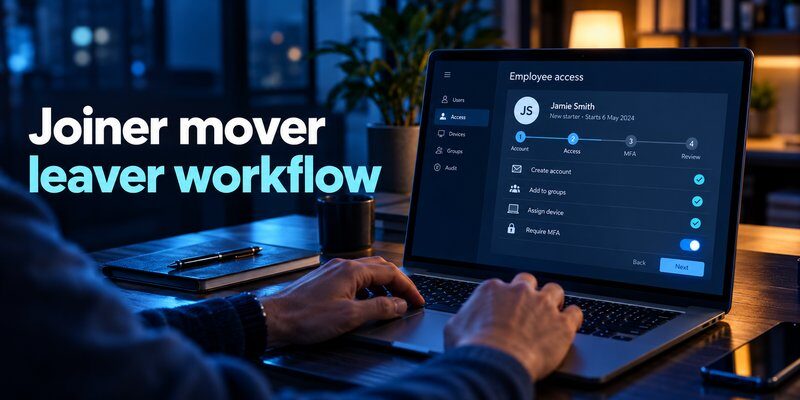
Employee account protection should cover the complete identity lifecycle.
The Cybersecurity and Infrastructure Security Agency (CISA) recommends a Joiner–Mover–Leaver approach to identity governance.
This framework addresses employees joining the company, changing responsibilities, and leaving the organization.
Employee Onboarding
Before a new employee receives access:
- Confirm the employee’s identity and employment status.
- Create an individually assigned business account.
- Assign permissions based on the approved role.
- Enroll required authentication methods.
- Configure approved devices.
- Record the account and access approvals.
Avoid providing broad permissions simply because an employee is new.
New employees should receive only the systems required for their initial responsibilities.
Employee Role Changes
When employees move between departments, their permissions must be reviewed.
A former sales employee joining the finance department should not automatically retain access to every sales application.
Remove permissions that are no longer needed before granting newly approved privileges where practical.
This prevents privilege accumulation, a common weakness in long-term access management.
Employee Offboarding
When an employee leaves, organizations should promptly revoke access according to the employee’s departure status and company policy.
A typical process includes disabling the central identity account, terminating active sessions where supported, revoking application tokens, removing SaaS memberships, recovering devices, and transferring business-owned resources.
Pay particular attention to applications not integrated with the central identity provider.
Disabling SSO access does not necessarily terminate every existing third-party application session.
Organizations evaluating how to manage employee account security should automate these processes wherever possible and verify that access was actually removed.
4. How to Protect Employee Accounts with Multi-Factor Authentication
MFA strengthens authentication by reducing reliance on passwords alone.
An authentication application may generate Time-Based One-Time Passwords (TOTP) that users enter after their passwords.
For businesses that support this method, employees can follow how to use authenticator app to understand the basic setup process.
Choosing the Right Authentication Method
| Authentication Method | Main Benefit | Consideration |
|---|---|---|
| Password only | Simple deployment | Vulnerable to credential theft |
| SMS verification | Broad accessibility | Vulnerable to SIM swapping and phishing |
| TOTP authenticator | Adds possession-based verification | Not phishing-resistant |
| FIDO2 security key | Strong phishing-resistant authentication | Requires enrollment and recovery planning |
| Passkey | Convenient cryptographic authentication | Depends on compatible platforms and policies |
NIST’s SP 800-63B-4, published in July 2025, explains that manually entered OTP codes do not qualify as phishing-resistant authentication.
Therefore, businesses should prioritize appropriate phishing-resistant methods for high-risk accounts while using supported TOTP authentication where necessary.
Authentication Options for Different Devices
Employees working across multiple operating systems may need platform-specific guidance.
For example, users researching google authenticator for mac can review the available authentication approaches and compatibility considerations for macOS.
Similarly, employees interested in apple authenticator options should understand the distinction between Apple’s built-in verification features and independent authentication applications.
Important: Always confirm that the selected authenticator is compatible with the company’s identity provider and approved security policies.
For supported TOTP accounts, employees can Download authenticator app from the App Store.
However, an independent TOTP application does not replace an enterprise identity provider or automatically support every corporate authentication workflow.
When assessing how to manage employee account security, choose authentication methods based on actual risks, compatibility, and recovery requirements.
5. Common Employee Account Security Mistakes to Avoid
Even organizations with established security tools can make mistakes when managing employee identities.
Recognizing these weaknesses helps prevent unnecessary exposure.
Mistake 1: Sharing Employee Accounts
Shared accounts make it difficult to identify who performed specific actions.
Solution: Assign individual accounts and maintain audit records. Use controlled service identities when shared automation is necessary.
Mistake 2: Ignoring Inactive Accounts
Unused accounts may retain access for months or years without legitimate business requirements.
Solution: Regularly identify inactive identities and disable unnecessary access after appropriate review.
Mistake 3: Giving Everyone Administrator Access
Excessive privileges increase the potential impact of compromised employee accounts.
Solution: Enforce least privilege, separate administrator identities, and review elevated permissions.
Mistake 4: Relying Only on Passwords
Password-only protection remains vulnerable to phishing, credential reuse, and automated attacks.
Solution: Enforce MFA and prioritize phishing-resistant authentication for sensitive systems.
Mistake 5: Failing to Review Third-Party Applications
Employees may authorize external applications to access company data without adequate oversight.
Solution: Review connected applications, OAuth permissions, service accounts, and unnecessary integrations.
Businesses can explore additional best account security practices to strengthen these controls.
Avoiding these common errors improves how to manage employee account security without requiring organizations to replace their entire technology infrastructure.
6. Employee Account Security Checklist for Businesses
A standardized checklist helps companies apply security requirements consistently.
The following controls can serve as a starting point.
| Security Control | Recommended Action | Review Frequency |
|---|---|---|
| Account inventory | Identify active employee accounts | Monthly |
| MFA | Confirm required MFA enrollment | Monthly |
| Access permissions | Review high-risk privileges | Monthly |
| Employee onboarding | Approve access before activation | Every new hire |
| Employee offboarding | Revoke access promptly | Every departure |
| Security logs | Review important identity alerts | Daily or automated |
| Connected applications | Review third-party access | Quarterly |
| Recovery procedures | Test account recovery workflows | Quarterly |
| Security awareness | Provide practical training | At onboarding and periodically |
A Practical 30-Day Implementation Plan
Week 1 — Identify and assess
Inventory employee accounts, identify sensitive applications, and detect accounts with unnecessary permissions.
Week 2 — Strengthen authentication
Enforce MFA, improve password policies, secure administrative accounts, and review recovery methods.
Week 3 — Improve access control
Implement appropriate role assignments, establish onboarding and offboarding procedures, and centralize identity management where possible.
Week 4 — Test and monitor
Validate employee access, test recovery procedures, review suspicious login alerts, and document remaining security gaps.
The most effective approach to how to manage employee account security is to prioritize high-risk accounts first and expand controls systematically.
7. How to Monitor and Improve Account Security

Employee account security requires continuous improvement as teams, applications, and cybersecurity threats change.
Businesses should measure whether their controls are functioning rather than assuming that configured settings are always effective.
Important Account Security Metrics
MFA coverage: Percentage of relevant employee accounts enrolled in required authentication methods.
Privileged account count: Number of accounts holding administrator or other elevated permissions.
Offboarding completion time: Time required to remove a departing employee’s access across relevant systems.
Inactive account count: Number of accounts that remain enabled without an identified business need.
Suspicious login response time: Time between a high-risk authentication alert and initial investigation.
Conduct Regular Access Reviews
Business managers should confirm that employees still require their assigned applications and permissions.
IT administrators should review technical privileges, while security teams investigate authentication anomalies.
Review service accounts and machine identities separately because they may have different ownership, credential, and lifecycle requirements.
Organizations should also maintain documentation showing who approved access changes and when those changes occurred.
The CIS Critical Security Controls, particularly Control 6: Access Control Management, recommend established access-granting and access-revoking processes.
These practices make how to manage employee account security measurable and help organizations identify weaknesses before they develop into incidents.
8. Frequently Asked Questions About Employee Account Security
What Is the Best Way to Manage Employee Account Security?
The best approach to how to manage employee account security is to combine centralized identity management, MFA, role-based access control, automated offboarding, and continuous monitoring.
No single tool provides complete protection. Organizations should use multiple complementary safeguards.
How Can Small Businesses Secure Employee Accounts?
Small businesses should begin with unique employee accounts, MFA, secure password management, and clearly defined access permissions.
A centralized identity platform may simplify administration when multiple cloud applications are involved.
The initial goal should be protecting important business systems before implementing more advanced controls.
What Is the Difference Between Account Security and Access Management?
Account security focuses on protecting identities, login credentials, authentication methods, and account recovery.
Access management determines which applications, systems, and information an authenticated user is permitted to access.
Both are necessary for effective business account security.
Should Every Employee Use Multi-Factor Authentication?
Organizations should require MFA for business accounts wherever supported and appropriate.
Administrative and highly sensitive accounts should use phishing-resistant authentication whenever practical.
Authentication policies should also include secure enrollment and recovery procedures.
How Often Should Employee Access Permissions Be Reviewed?
Review frequency should reflect the sensitivity of the system and the employee’s privileges.
High-risk permissions may require monthly review, while lower-risk access can follow a less frequent schedule.
Access should also be reviewed immediately when employees change roles or leave the organization.
What Should a Company Do After an Employee Account Is Compromised?
Security teams should contain the incident by disabling or restricting affected access, revoking sessions, and resetting compromised authentication credentials.
They should investigate activity logs, check for unauthorized permission changes, and assess potential data exposure.
If necessary, follow applicable incident reporting and notification requirements.
Can an Authenticator App Protect Every Business Account?
No. TOTP authentication works only with services that support the relevant verification method.
Some enterprise systems require specific authentication applications, passkeys, hardware security keys, or managed-device verification.
Always confirm compatibility before enrolling employees.
Conclusion
Understanding how to manage employee account security is essential for protecting business data, reducing unauthorized access, and maintaining reliable digital operations.
Organizations should begin with a complete account inventory, strong authentication, least-privilege permissions, secure devices, and documented employee access procedures.
The most important priority is protecting the entire employee identity lifecycle—from onboarding and daily access to account recovery and offboarding.
Combining centralized management with MFA, monitoring, security awareness, and regular access reviews helps businesses build a more resilient security environment.
For compatible accounts that support time-based verification codes, employees can use the Authenticator app by Begamob as an additional authentication option, subject to their organization’s approved security policies.
Download Authenticator App
Secure your accounts with fast, reliable two-factor authentication. Download now and protect your login in seconds.
