
What Is Touch ID? How It Works on iPhone, iPad & Mac
Published November 3, 2026 · Updated November 4, 2026

Quick Answer: Touch ID is Apple’s fingerprint recognition technology that allows users to unlock compatible iPhones, iPads, and Macs, authorize purchases, and access supported applications by placing a registered finger on a fingerprint sensor.
Instead of entering a password for every action, Touch ID compares your fingerprint with biometric information securely stored on your device.
The technology is available on selected Apple devices, including compatible iPhones, iPads, MacBooks, and Magic Keyboards.
Understanding what is touch id helps users decide whether fingerprint authentication is convenient, secure, and appropriate for their daily needs.
In 2026, Touch ID also remains relevant because Apple’s MacBook Neo offers fingerprint authentication on its higher-storage configuration.
However, Touch ID does not replace every password or automatically enable two-factor authentication (2FA) for online accounts.
For additional protection, users can combine biometric app locking with an authenticator app that generates verification codes for supported websites.
1. What Is Touch ID?
Touch ID is a biometric authentication system developed by Apple that identifies an enrolled user through their fingerprint.
Apple introduced Touch ID with the iPhone 5s in 2013. Since then, fingerprint authentication has become a familiar security feature across several Apple device categories.
When someone searches what is touch id, they generally want to understand three things: what it does, how it works, and whether it is safe.
Touch ID allows compatible devices to verify an enrolled fingerprint before completing certain actions.
Common uses include:
- Device unlocking: Access an iPhone, iPad, or Mac without repeatedly typing a passcode.
- Purchase authorization: Approve eligible App Store purchases or Apple Pay transactions.
- Application access: Unlock supported apps containing private information.
- Password autofill: Authorize access to saved credentials when supported.
Unlike traditional passwords, fingerprints are physical characteristics rather than information users must remember.
Touch ID is also different from Face ID, which verifies identity using facial recognition.
Both belong to Apple’s biometric authentication ecosystem, but they use different sensors and recognition techniques.
The main purpose of Touch ID is to provide convenient identity verification while preserving the security protections of a device passcode or password.
For a wider account-security overview, explore best account security practices.
2. How Does Touch ID Work?

To answer how does touch id work, it helps to understand how Apple’s fingerprint sensor captures, processes, and verifies fingerprint information.
Touch ID combines specialized sensing hardware with the Secure Enclave, a protected component of Apple’s security architecture.
Step 1: Fingerprint Enrollment
When users first enable Touch ID, their device asks them to register a fingerprint.
During enrollment, the user repeatedly touches the sensor from different angles.
This helps the system recognize different portions of the fingerprint during future authentication attempts.
Step 2: Fingerprint Scanning
Touch ID uses capacitive sensing technology to capture details of the finger.
The sensor analyzes characteristics such as fingerprint ridges, branching points, and other distinctive features.
Unlike a simple photograph, capacitive sensing measures physical properties associated with the finger’s surface.
Step 3: Creating a Mathematical Representation
The device converts the fingerprint information into a mathematical representation.
Apple does not store a conventional photograph of the enrolled fingerprint for Touch ID matching.
Instead, the protected biometric representation is used during future comparisons.
Step 4: Secure Enclave Protection
Apple’s Secure Enclave protects fingerprint information and performs the matching process.
According to Apple’s Touch ID security documentation, fingerprint information is protected with encryption and is not uploaded to Apple servers or backed up to iCloud.
Applications do not receive the user’s actual fingerprint data.
Step 5: Authentication
When the user touches the sensor again, the device compares the new fingerprint information with the enrolled reference.
If the match satisfies the system’s requirements, the requested operation can proceed.
If verification fails repeatedly, the device requires its passcode or password.
Understanding what is touch id therefore means recognizing that fingerprint scanning is only one part of a larger security process involving protected data, matching algorithms, and device authentication policies.
Download Authenticator App
Secure your accounts with fast, reliable two-factor authentication. Download now and protect your login in seconds.
3. What Is Touch ID on iPhone and iPad?
Touch ID provides similar security functions on iPhone and iPad, although sensor placement varies by model.
What Is Touch ID on iPhone?
The question what is touch id on iphone refers to Apple’s fingerprint authentication feature on supported iPhone models.
On many Touch ID-equipped iPhones, the sensor is integrated into the Home button.
Users can place an enrolled finger on the sensor to unlock their phone or approve supported actions.
For readers wondering what is touch id in iphone, it is important to know that fingerprint authentication is built into compatible device hardware.
It is not simply an app that can be downloaded and installed on any iPhone.
Devices without the necessary fingerprint sensor cannot gain Touch ID through a software update.
Apple also offers Face ID on many iPhone models. The available biometric method depends on the device’s hardware.
What Is Touch ID on iPad?
For users asking what is touch id on ipad, the feature works similarly but may be integrated into a different button.
Depending on the model, the fingerprint sensor can be located in:
- The Home button on supported iPads.
- The top button on compatible iPad Air, iPad mini, and standard iPad models.
For example, Apple documents Touch ID in the top button on iPad Air models starting with the fourth generation.
The sensor’s location does not change the basic purpose of fingerprint verification.
Users can unlock their iPad, authorize supported purchases, or access compatible applications.
How Many Fingerprints Can You Register?
Apple allows users to enroll up to five fingerprints on compatible iPhones and iPads.
Registering multiple fingers can make authentication more convenient when holding the device in different positions.
However, additional enrolled fingerprints can increase the overall probability of an unintended match.
For setup details, refer to Apple’s official iPhone and iPad guide.
The practical answer to what is touch id on mobile devices is simple: it makes common authentication tasks faster without eliminating the requirement for a secure device passcode.
4. What Is Touch ID on MacBook and Mac?
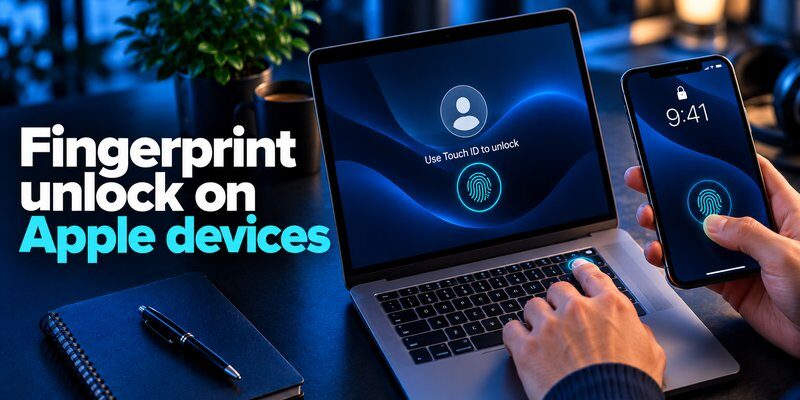
Touch ID is also available on supported Mac computers, including various MacBook Air and MacBook Pro models.
The feature provides fingerprint-based authentication for macOS.
What Is Touch ID on MacBook?
If you are wondering what is touch id on macbook, it is the fingerprint sensor integrated into the keyboard of compatible MacBook models.
The sensor is generally located in the upper-right corner of the keyboard, where the power button is positioned.
After setting it up, users can perform supported authentication actions without repeatedly entering their Mac login password.
What Is Touch ID on Mac?
The phrase what is touch id on mac can refer to either a Mac with a built-in sensor or a compatible Mac using an external Magic Keyboard with Touch ID.
The technology can support:
- Unlocking a Mac after it has been locked.
- Authorizing supported Apple Pay transactions.
- Confirming eligible App Store purchases.
- Accessing certain password-protected applications.
- Authorizing supported password autofill operations.
However, a Mac password is still required in specific situations, including after a restart.
What Is the Touch ID on MacBook Air?
People searching what is the touch id on macbook air are usually referring to the fingerprint sensor in the keyboard’s upper-right corner.
Compatible MacBook Air models use the same underlying biometric authentication concept found on other Apple devices.
Touch ID can be especially convenient for students, remote workers, and users who frequently lock and unlock their laptops.
It also reduces the need to expose a login password during routine interactions.
For setup instructions, consult Apple’s Touch ID on Mac guide.
Understanding what is touch id on a Mac also involves knowing its limitations: it does not replace the Mac login password and cannot independently secure every online account.
5. What Is Touch ID on MacBook Neo in 2026?

Apple introduced the MacBook Neo on March 4, 2026, bringing a new entry-level laptop to the Mac lineup.
Its Touch ID configuration is especially relevant because not every MacBook Neo includes a fingerprint sensor.
Does MacBook Neo Have Touch ID?
Yes, but the feature depends on the configuration.
According to Apple’s MacBook Neo technical specifications, the device is available with different keyboard and storage configurations.
| MacBook Neo configuration | Keyboard | Touch ID |
|---|---|---|
| 256GB SSD | Magic Keyboard with Lock Key | No |
| 512GB SSD | Magic Keyboard with Touch ID | Yes |
The 512GB configuration includes both increased storage and fingerprint authentication.
What Is Touch ID on MacBook Neo?
The question what is touch id on macbook neo refers to the built-in fingerprint sensor on the Touch ID-equipped configuration.
Users can verify their fingerprints to unlock the Mac, authorize supported purchases, and authenticate in compatible applications.
Apple’s March 2026 announcement specifically identifies Touch ID as a feature of the appropriate MacBook Neo model.
Is Touch ID Worth It on MacBook Neo?
For anyone asking is touch id worth it on macbook neo, the answer depends on their priorities.
The Touch ID configuration makes sense for users who value both additional SSD storage and convenient fingerprint authentication.
It may be particularly useful for people who regularly access password-protected apps, make online purchases, or unlock their computers throughout the day.
However, someone who primarily uses a MacBook for web browsing, streaming, and occasional document editing may find the 256GB configuration sufficient.
The key consideration is that the upgrade provides more than biometric authentication.
When assessing what is touch id on MacBook Neo, evaluate its convenience alongside storage requirements, price, and overall device usage rather than treating fingerprint recognition as the only reason to upgrade.
6. What Is Magic Keyboard with Touch ID?

A common question is what is magic keyboard with touch id, particularly among users considering an iMac, Mac mini, or other desktop Mac.
Magic Keyboard with Touch ID is an Apple keyboard that integrates a fingerprint sensor into its upper-right section.
It provides biometric verification through a compatible Mac rather than performing independent authentication.
How Does the External Keyboard Work?
According to Apple Platform Security, the Magic Keyboard with Touch ID acts as a biometric sensor.
It does not independently store fingerprint templates or perform fingerprint matching.
Instead, it must be securely paired with the Mac.
The Mac’s Secure Enclave handles enrollment, matching, and applicable security policies.
Which Macs Support It?
External Magic Keyboard models with Touch ID require compatible Apple silicon Macs.
Apple also specifies software requirements for different keyboard generations:
- USB-C models require macOS Sequoia 15.1 or later.
- Lightning models require macOS Big Sur 11.4 or later.
A compatible Intel Mac with built-in Touch ID can still use its integrated sensor, but external Magic Keyboard fingerprint functionality has separate requirements.
For desktop Mac users, what is touch id often comes down to whether the selected keyboard and computer support secure fingerprint authentication together.
7. How to Set Up and Use Touch ID
Learning how to use touch id begins with registering a fingerprint and enabling the desired authentication options.
Setup is relatively straightforward on compatible Apple devices.
Set Up Touch ID on iPhone or iPad
- Open Settings.
- Select Touch ID & Passcode.
- Enter your existing device passcode.
- Tap Add a Fingerprint.
- Place your finger on the Touch ID sensor.
- Lift and reposition your finger as instructed.
- Complete enrollment and enable the desired Touch ID options.
Tip: Keep your finger and sensor clean and dry during enrollment.
Set Up Touch ID on Mac
- Open the Apple menu.
- Select System Settings.
- Open Touch ID & Password.
- Click Add Fingerprint.
- Enter your Mac login password.
- Follow the fingerprint enrollment instructions.
- Enable Touch ID for supported functions.
Apple permits up to three enrolled fingerprints per Mac user account, with a maximum of five across the Mac.
How to Use Touch ID for Purchases
After enabling the feature, supported purchases may display a fingerprint authentication prompt.
Place an enrolled finger on the sensor when prompted.
The exact purchase process depends on the device, application, and transaction.
The most important requirement is that Touch ID must be configured with a working passcode or password.
If biometric verification is temporarily unavailable, the device can request that fallback credential.
For users learning what is touch id for the first time, the setup process demonstrates that fingerprint authentication is an additional convenience layer rather than a complete replacement for device credentials.
8. What Can You Do with Touch ID?

Touch ID supports more than unlocking an Apple device.
Its usefulness comes from integrating biometric authentication into everyday tasks.
Unlocking Devices
Touch ID allows compatible devices to recognize an enrolled fingerprint and grant access under the appropriate security conditions.
This reduces repeated passcode entry during routine use.
Authorizing Payments
On supported devices, Touch ID can authorize Apple Pay transactions.
The biometric check confirms the user’s approval as part of the device’s payment authorization process.
Accessing Applications
Developers can integrate Apple’s biometric authentication framework into their apps.
This allows users to unlock protected application content without exposing their fingerprint templates to the app.
Working with Saved Credentials
Touch ID can authorize supported password autofill and credential-access operations.
This can be useful when working with password managers or signing into frequently used websites.
Users managing sensitive accounts may also benefit from learning how to protect your online accounts.
The broader purpose behind what is touch id is to simplify authentication while maintaining appropriate control over private information and device access.
9. How Secure Is Apple Touch ID?
Apple designed Touch ID around protected fingerprint data, hardware-assisted matching, and fallback authentication requirements.
However, no biometric system should be described as completely impossible to bypass.
Touch ID Accuracy
According to Apple Support, the probability of a random person producing a fingerprint match is approximately 1 in 50,000 with one enrolled fingerprint.
This is a random false-match probability, not a measurement of every possible spoofing or device-compromise attack.
Apple also explains that users must enter their passcode or password after five unsuccessful fingerprint matching attempts.
Does Apple Store Your Fingerprints?
Apple says Touch ID stores a protected mathematical representation of fingerprint characteristics rather than a conventional fingerprint photograph.
Fingerprint data is protected by the Secure Enclave and is not uploaded to Apple’s servers or backed up to iCloud.
This reduces the risk associated with sharing biometric information with external services.
When Is a Password Still Required?
A passcode or password may be required after:
- Restarting the device.
- An extended period without unlocking it.
- Five unsuccessful fingerprint attempts.
- Certain security-setting changes.
For example, Apple documents a password requirement after more than 48 hours without unlocking in relevant circumstances.
Can Touch ID Be Hacked?
Touch ID reduces several common authentication risks, but it cannot prevent every attack.
Potential threats include sophisticated fingerprint spoofing, physical access to an unlocked device, compromised applications, and weak account recovery procedures.
Users should maintain a strong passcode, install security updates, and protect their Apple Account.
Understanding what is touch id means recognizing that its security depends on both fingerprint verification and the surrounding device protections.
10. Touch ID vs. Face ID, Passcodes, and Passkeys
Apple offers multiple authentication technologies, each serving a different purpose.
| Feature | Touch ID | Face ID | Device passcode | Passkey |
|---|---|---|---|---|
| Main mechanism | Fingerprint | Facial recognition | Memorized secret | Public-key cryptography |
| Requires biometric hardware | Yes | Yes | No | Not necessarily |
| Main purpose | Convenient local verification | Convenient local verification | Device authentication and fallback | Account authentication |
| Can unlock supported devices | Yes | Yes | Yes | Not its primary purpose |
| Can support passwordless sign-in | Through supported credentials | Through supported credentials | Through supported credentials | Yes |
Touch ID vs. Face ID
Touch ID verifies a fingerprint, while Face ID analyzes facial characteristics.
Both can offer convenient local authentication, but availability depends on the Apple device.
Neither is universally better for every user or situation.
Touch ID vs. Passcode
A passcode is a secret the user knows.
Touch ID is a biometric verification mechanism.
A strong passcode remains essential because Apple requires it for enrollment and certain security-sensitive operations.
Touch ID vs. Passkeys
Passkeys use cryptographic credentials to authenticate users to websites and applications.
Touch ID can authorize the local use of a passkey, but the fingerprint itself is not sent to the website.
The FIDO Alliance explains how passkeys help provide phishing-resistant authentication.
When comparing these technologies, what is touch id is best answered as a local fingerprint verification method that can work alongside passwords and cryptographic credentials.
11. How to Fix Touch ID Not Working
Fingerprint authentication can occasionally fail because of sensor conditions, software issues, or device security policies.
Before assuming the sensor is damaged, check the following.
Clean the Sensor and Your Finger
Make sure both are clean and dry.
Moisture, sweat, skin irritation, and dirt may interfere with fingerprint recognition.
Check Authentication Settings
On iPhone or iPad, review Settings → Touch ID & Passcode.
On Mac, check System Settings → Touch ID & Password.
Confirm that the feature is enabled for the operation you want to perform.
Update Your Device
Install applicable operating-system updates.
Software updates may resolve compatibility or authentication problems.
Register Another Fingerprint
If your enrolled fingerprint is no longer recognized reliably, delete it and register it again.
You can also try another finger.
Check Magic Keyboard Connectivity
If an external Magic Keyboard sensor is not working, confirm that the keyboard is compatible and connected correctly.
Apple recommends reconnecting the keyboard using a USB cable when troubleshooting certain pairing problems.
Understand Password Prompts
A password prompt after restarting a Mac does not necessarily indicate a Touch ID malfunction.
It may be required by Apple’s security policy.
See Apple’s Mac troubleshooting guide for additional guidance.
For most users investigating what is touch id and why it sometimes fails, checking cleanliness, settings, compatibility, and password requirements resolves many routine problems.
12. Touch ID and Authenticator Apps: Do You Need Both?
Touch ID protects supported actions on an Apple device, but it does not automatically provide two-factor authentication for every website.
This distinction matters when protecting email accounts, social networks, financial services, and other sensitive online services.
Touch ID Protects Local Access
Touch ID can verify the person attempting to open a compatible app or authorize an operation.
For example, an authenticator application may use Touch ID to restrict access to stored verification codes.
Authenticator Apps Protect Supported Account Sign-Ins
An authentication app can generate time-based one-time passwords (TOTP) used as an additional sign-in factor.
A typical authentication sequence includes:
- Entering an account password.
- Opening the authenticator application.
- Unlocking the application with Touch ID, if enabled and supported.
- Retrieving a time-based verification code.
- Entering the code on the requesting website.
Touch ID verifies access to the application, while the TOTP code serves as an additional verification factor for the online account.
These are separate security functions.
Authenticator App for iPhone
The Authenticator App – 2FA & MFA by BEGAMOB GLOBAL LIMITED supports time-based verification codes and lists app-lock options including Face ID, Touch ID, and PIN.
Its App Store description also identifies offline code generation for supported accounts.
For users seeking an authenticator app 2fa, this provides a way to combine protected local app access with code-based account verification.
TOTP codes can still be vulnerable to phishing, so phishing-resistant passkeys or security keys are preferable when available.
You can also explore what is authenticator app and how to use authenticator app for more detailed information.
Ultimately, understanding what is touch id helps explain why biometric verification and account-level authentication are complementary rather than identical.
13. Frequently Asked Questions About Touch ID
What Is Touch ID on Mac Neo?
The search phrase what is touch id on mac neo generally refers to fingerprint authentication on the 2026 MacBook Neo.
The official product name is MacBook Neo, and the 512GB version includes a Touch ID-equipped keyboard.
The 256GB configuration uses a Lock Key instead.
Can You Use Touch ID Without a Password?
No. Apple requires a device passcode or Mac login password before Touch ID can be configured.
The password remains necessary in specific security situations.
What Does “Touch ID y Código” Mean?
Touch ID y código is Spanish wording referring to Touch ID and a device passcode.
Users may encounter similar wording in Spanish-language instructions or device settings.
The feature still performs fingerprint authentication, while the passcode provides a required fallback method.
Is Touch ID Safer Than a Four-Digit Passcode?
Apple reports a random false-match probability of approximately one in 50,000 for Touch ID with one enrolled fingerprint, compared with one in 10,000 possible combinations for a uniformly random four-digit passcode.
However, those figures describe different security properties and do not prove that Touch ID is stronger against every attack.
A long, unpredictable passcode remains important.
Can I Install Touch ID on Any iPhone?
No. Touch ID requires compatible fingerprint-sensing hardware.
Installing an application cannot add the sensor to an unsupported device.
Is Touch ID Available on Every MacBook Neo?
No. The 256GB configuration does not include built-in Touch ID, while the 512GB configuration does.
Does Touch ID Replace an Authenticator App?
No. Touch ID verifies an enrolled fingerprint locally.
An authenticator app provides an additional verification method for online services that support it.
Users may benefit from both, depending on the authentication options available for their accounts.
14. Final Thoughts
What is touch id? It is Apple’s fingerprint authentication technology, designed to make unlocking compatible devices, authorizing purchases, and accessing supported applications more convenient.
Its core advantages include:
- Fast fingerprint verification for common device actions.
- Protected biometric information managed through Apple’s Secure Enclave.
- Integration with supported Apple devices and applications.
- Convenient approval of eligible purchases and credential operations.
- Compatibility with broader security practices involving passcodes, passkeys, and 2FA.
For MacBook Neo users, the decision also involves choosing between the standard keyboard configuration and the higher-storage option with Touch ID.
Most importantly, fingerprint authentication should be treated as one part of a complete security strategy.
For supported accounts requiring verification codes, consider adding protection with Authenticator App for iPhone.
Combining secure device access with appropriate account-level authentication can help protect personal information without making everyday sign-ins unnecessarily complicated.
Download Authenticator App
Secure your accounts with fast, reliable two-factor authentication. Download now and protect your login in seconds.
