
How to Avoid Phishing Scams in Daily Accounts and Messages
Published October 27, 2026
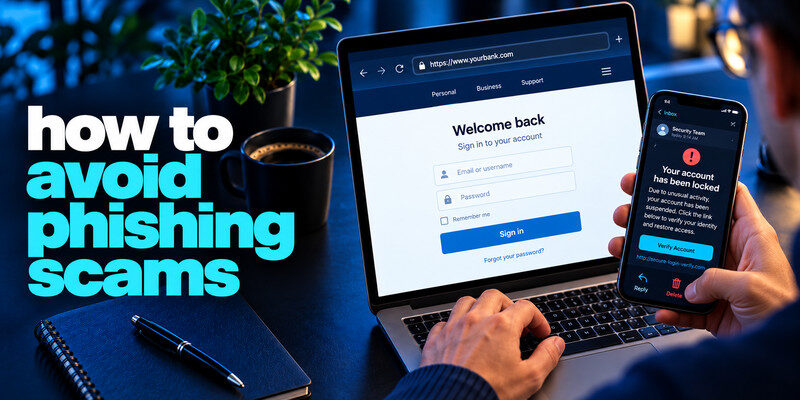
How to avoid phishing scams? To avoid phishing scams, verify unexpected requests through an app, website, or phone number you already trust before clicking, paying, or sharing a code. Set unique passwords and phishing-resistant sign-in options where available, and keep recovery routes current. These habits address both a fake message and the damage if you make a mistake. The FTC’s phishing guidance emphasizes contacting the company through a known channel rather than using the message’s link.
Do this now
- Pause at an urgent request.
- Use a known channel to verify.
- Protect each account with a unique password and strong MFA, then review recovery settings.
For beginners, avoiding phishing scams means building a repeatable verification route rather than memorizing every lure.
How to avoid phishing scams? Build a default pause for urgent messages
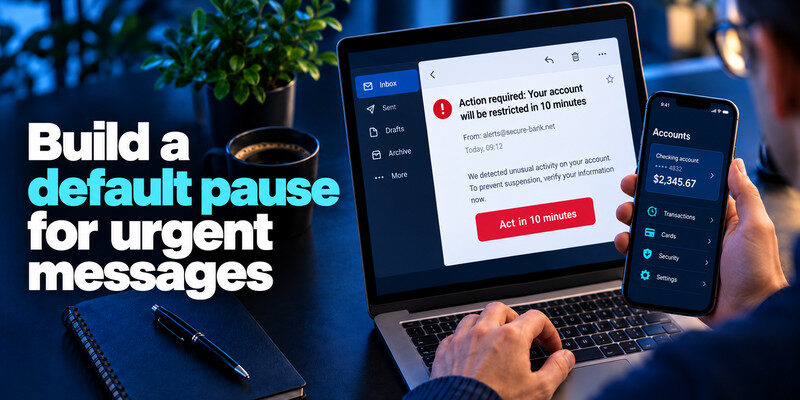
The scammer’s strongest tool is often timing. “Act in ten minutes” can make a fake bank alert, delivery notice, payroll change, or support call feel more important than verification. Pause and identify the requested action. You can often resolve a real problem directly in the account.
Separate the claim from its channel
If an email says your bank froze a card, open the bank app; if a text says a parcel needs a fee, open the courier app. The message might be true or false, but it does not get to choose the route you use to check.
Phishing emails often use urgent account warnings, fake delivery notices, or unexpected payment requests to pressure users into clicking. Our guide on how to spot a phishing email explains how to inspect suspicious messages, verify the sender’s claims, and recognize common warning signs before opening a link.
Apply the same rule to calls
A caller can spoof a familiar number and know personal details from a breach. Hang up and call the known number. A genuine support agent should not need you to read out a live one-time code to cancel a transaction.
| Channel | Risky request | Independent route |
| Sign-in button or attachment | Saved service URL | |
| Text | Small payment or code | Official app |
| Phone | Transfer or MFA approval | Known number |
| Work chat | New bank details | Established approval process |
| Failure point | Useful habit | Residual risk |
| Message opens a lookalike page | Use a saved bookmark | A compromised real account can still mislead |
| Password entered on wrong site | Use passkeys where offered | Fallback passwords remain vulnerable |
| Urgent request from a colleague | Confirm in another channel | A familiar voice can be spoofed |
Secure your accounts with fast, reliable two-factor authentication. Download now and protect your login in seconds.Download Authenticator App
Make account credentials harder to reuse
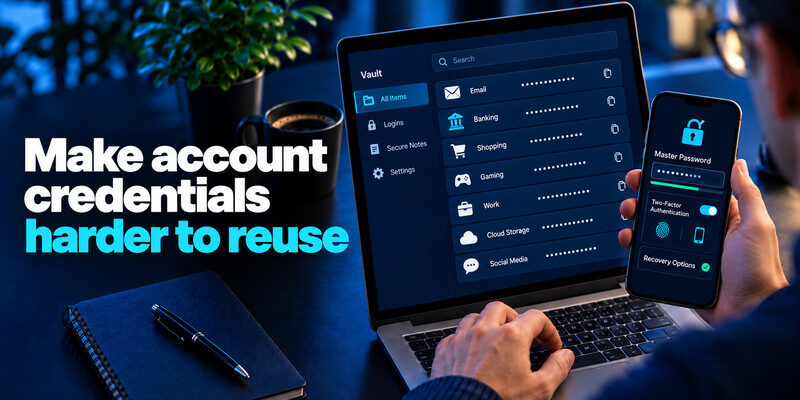
Phishing can capture a password and then try it at other services. Use a password manager to make each credential independent. Protect the manager itself with a strong unique secret and appropriate MFA; test recovery before you depend on it exclusively.
Why uniqueness matters
If one site is phished, a unique password limits direct reuse elsewhere. Change any copies you discover, especially on primary email, financial, and work accounts. Small predictable variations are not good substitutes for independence.
Phone scams and fraudulent text messages frequently use similar tactics, including impersonation, urgent payment requests, and attempts to obtain verification codes. Learn how to identify a scam text message so you can recognize suspicious SMS alerts and verify their claims through trusted channels.
When a passkey is offered
A passkey or security key binds authentication to the legitimate site and is more resistant to lookalike pages. Check the provider’s recovery options first. A password may remain as a fallback, so continue protecting it if the service still accepts it.
Phishing defenses work best as a routine. When a message demands action, name the account or payment it affects, then choose a route you already trust. A saved bookmark, official app, or published number breaks the attacker’s control of the link. This is especially important when the message says that you have only minutes before a penalty.
Protect the entry point: Use a password manager to generate unique credentials and prefer passkeys where the service supports them. A manager that only offers a saved login on the correct domain can provide a warning when a lookalike site appears. It does not judge whether a real person is asking for a fraudulent payment, so verification remains a separate task.
Protect the recovery route: Secure your primary email with strong sign-in, review recovery addresses and phone numbers, and store backup codes safely. If an attacker controls email, they may reset other accounts even when the original password was unique. Keep device updates current, since malicious attachments and drive-by downloads are different from credential theft.
Protect the workplace workflow: For invoices, payroll changes, and file exports, require an established approval step outside the incoming message. A rule such as confirming account-detail changes with a known vendor contact is more reliable than trying to spot every fake logo. Report suspicious messages so others can be warned, but preserve the original in the way your security team requests.
Read more: How to Recover a Hacked Account: Regain Control and Close the Door
Use MFA without trusting every prompt
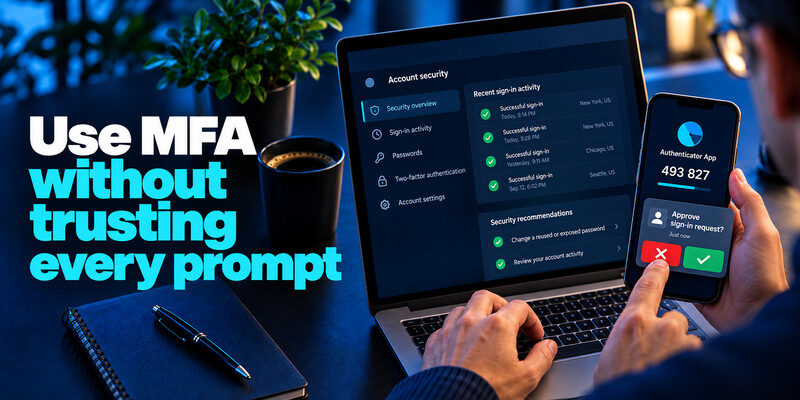
MFA reduces password-only takeovers. TOTP codes can be generated by for compatible services, but a live code can be relayed by an attacker. Reject an approval request you did not initiate and never tell a caller a code.
Treat unexpected prompts as evidence
An unrequested code or push may indicate somebody is attempting a sign-in. Open the real account security page, check successful activity, change a reused or exposed password, and report work-account events to IT. Using a different password for every important account limits the damage when one credential is stolen. Our guide on how to generate a strong password explains how to create unpredictable credentials and avoid patterns that attackers may guess across multiple services.
Preserve recovery access
Store backup codes separately from the phone and verify recovery contacts. A strong MFA setup that you cannot recover may tempt a hurried, unsafe exception during an emergency.
Keep devices and browsers current
Updates reduce the impact of malicious pages and attachments. Use reputable app stores, review extension permissions, and avoid installing “security fixes” sent in an unsolicited message. A VPN does not make a fake login page genuine.
Inspect an unexpected download
Do not open a file simply because it has a familiar logo or a PDF icon. Verify with the sender through a separate channel. Work users should follow the organization’s attachment and reporting policy.
Remove unnecessary extensions
Extensions can see page content and sometimes credentials depending on permissions. Keep only those you trust and use. If a phishing page instructed you to install one, remove it and check account sessions.
Read more: Best Cybersecurity Tips for Beginners: A First-Week Plan
Protect financial and work workflows
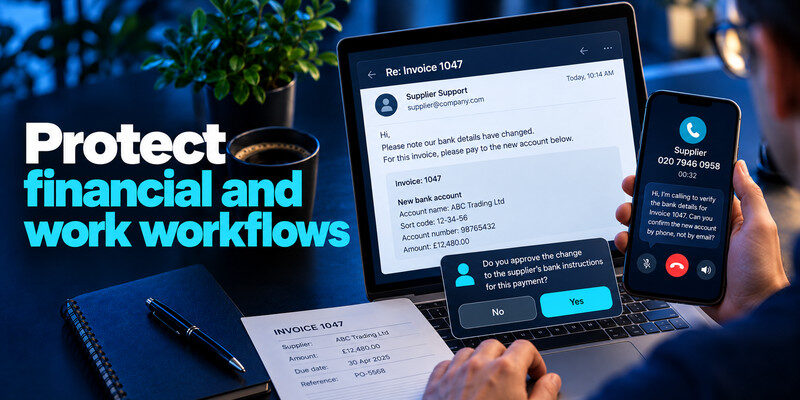
Payment redirection and payroll impersonation may not require a password. Use a known call-back number and a second-person approval for changed bank instructions. Keep vendor records independent of the email thread. Your primary email account often controls password resets and recovery for other services. Our guide on how to secure your email account explains how to review forwarding rules, unfamiliar sessions, recovery contacts, and authentication settings before an attacker can use the mailbox to compromise linked accounts.
A realistic invoice example
An email appears in an existing supplier conversation and asks to pay a new account. The thread may be compromised. The payer calls the supplier using the number in the contract, confirms the change, and records approval. A convincing thread is not enough evidence for a transfer.
A work-account alert
Report a suspicious message promptly even if you clicked. Early reporting can let security contain other recipients and revoke sessions. Do not hide an error because it feels embarrassing; the next action is more important than blame.
Require independent verification for a new vendor bank account, unexpected administrator change, remote-support installation, and recovery-method update. These actions often occur in legitimate workflows, so a clear approved path is more effective than a vague warning to “be careful.”
Two-person approval: A second approver should use a separate known contact record and examine the actual change, not merely rubber-stamp the original email. Record who verified it and how.
Easy reporting: Employees who clicked should have a fast route to security. A prompt report may let defenders block the same campaign for others and revoke a session before more changes occur.
Read more: Best Way to Secure Your WiFi Router: A Practical Home Checklist
If you slip, act on the precise exposure
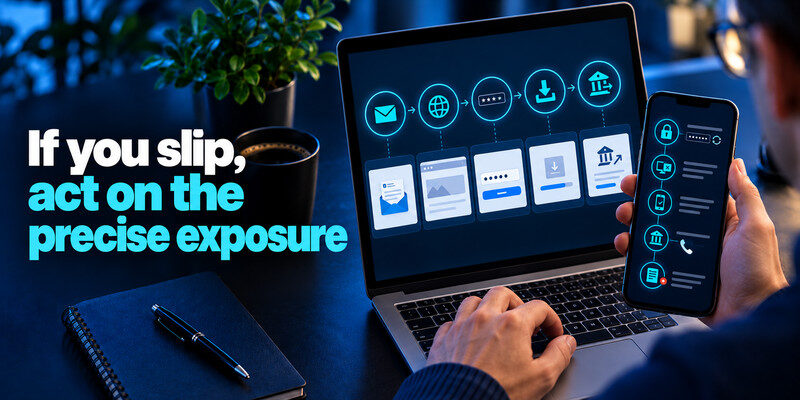
Opening an email, visiting a page, entering a password, installing software, and sending money are different events. Identify what actually happened. Change a submitted password at the real service, revoke sessions, check recovery methods, and contact a bank promptly for unauthorized transfers.
Preserve evidence without secrets
Record message time, sender, URL, transaction ID, and actions taken. Do not include a live password or recovery code in a support ticket. For work devices, let the security team guide evidence collection.
Review linked accounts
If the primary email was entered, check forwarding, filters, and sent mail, then secure accounts that use it for resets. If only a payment card was submitted, the card issuer is the priority.
Build protection into ordinary routines
A policy such as “never click an email link” is easy to say and sometimes impractical. A better routine distinguishes low-risk content from high-impact actions. Reading a newsletter is different from changing a bank destination, approving MFA, or entering a password. Put the strongest verification step exactly where money, credentials, or access cross a boundary.
Weekly account hygiene
Review password-manager warnings, important account sessions, and pending security notifications. Update the device and remove unneeded extensions. A short regular habit can reveal a problem before a scammer uses an urgent message to dictate your response.
Household agreement
Decide how family members will verify a money request: call a saved number, speak to another trusted relative, or use a prearranged process. Do not rely only on a voice or personal details because both can be imitated.
Read more: How to Identify a Scam Text Message Without Opening the Link
Teach a “what did you do?” response
If someone reports a click, ask what happened next rather than treating every click as identical. Did they submit credentials, approve a code, install software, or pay? Match the remedy to the action. This helps people report quickly because the conversation is about containment rather than blame.
If only the page opened
Close it, inspect downloads and permissions, and keep the device updated. Watch for credible provider alerts. A blanket password reset may be unnecessary if nothing was submitted and account activity is normal.
If a credential crossed
Change it at the real provider on a trusted device, replace reused copies, revoke unknown sessions, and inspect recovery. If primary email was affected, check forwarding rules and linked accounts.
If money crossed
Contact the institution immediately through a known route. Record transaction details and follow dispute or recall guidance. Authentication tools cannot reverse a transfer on their own.
Frequently Asked Questions
Can antivirus stop phishing?
It may flag known malicious content, but it cannot verify every fraudulent request or prevent you from approving a real-time code. Independent verification remains essential.
Are passkeys enough?
They are strong against lookalike-site credential theft, but account recovery, remaining password fallbacks, device security, and payment scams still matter.
Should I change a password after every suspicious email?
Not automatically. If you only received a message and did not interact, verify account activity. Change a credential if you entered it, it was exposed, reused, or an unknown successful session appears.
What is the fastest habit to teach family members?
Pause and open the real app or call a known number. That single habit works across email, text, phone, and messaging apps.
Final Thoughts
Avoid phishing by making independent verification routine and limiting the harm a stolen credential can cause. Unique passwords, strong sign-in methods, current devices, and a recovery plan turn a rushed message into a checkable claim.
Next step
For accounts that still rely on TOTP, can hold the codes. Set it up from each real account’s security settings, keep recovery codes safe, and never type a live code into a page reached through a suspicious message.
