
FanDuel Authenticator App Setup and Code Help
Published November 11, 2026
A FanDuel authenticator app can generate the six-digit verification code for a FanDuel account where the provider offers app-based two-factor authentication. Open the official FanDuel product you use, check the signed-in account, and look for two-factor authentication in its account settings. Choose the FanDuel authenticator app option if it appears. Follow FanDuel’s setup prompts and enter the code from your registered app to finish.
If the sign-in says FanDuel sent you a text, look for the SMS sent to the registered number. The app code and text code serve different challenges. FanDuel documents different sign-in details across markets, so use the methods displayed for your account.
Check Whether Your Account Offers a FanDuel Authenticator App
Identify the Product and Market First
Start with the official FanDuel app or site that serves your existing account. Sportsbook, Fantasy, and Casino can have different account views. Regional terms can also describe different methods. For example, FanDuel’s Vermont support material describes a rotating app code option, while Ontario Sportsbook terms describe a text-based two-factor flow. Treat the instructions displayed in your own account as the deciding evidence for which FanDuel authenticator app option you can use.
Find the Account Security Section
Look in the account area for settings related to sign-in, security, or two-factor authentication. The label and placement can vary. If you have two products installed, check the signed-in email and market before applying a change. You can also look up the relevant market in FanDuel Support to confirm whether a particular method is offered for the product you use.
Distinguish Verification From Other Account Checks
FanDuel can require other steps for account access, such as an identity, email, or location check. A FanDuel authenticator app answers a registered app-based sign-in challenge. It does not satisfy an unrelated verification screen. Read the message before installing an app or requesting a new code. For an account-specific restriction, follow the instructions the official provider gives for that restriction.
A practical example is a user who opens the same product on a new phone and sees an extra verification step. The fact that the screen contains a code field does not establish which method it wants. Read the line above the field. It should indicate the delivery channel or the factor already associated with the account.
For example, you may use Fantasy on a phone and open Sportsbook in a desktop browser. Before applying the same instructions to both, verify whether the signed-in identity and its security settings are the same. If the accounts show different choices, follow the corresponding prompts and test each access path separately.
If FanDuel offers standard TOTP enrollment for your account, you can evaluate a compatible authenticator app such as Authenticator App by Begamob. Confirm that the service supports app-generated verification codes before scanning a QR code or entering a setup key.
Secure your accounts with fast, reliable two-factor authentication. Download now and protect your login in seconds.Download Authenticator App
Set Up the App When FanDuel Offers It
Open Two-Factor Authentication in the Official Account
Start from a trusted FanDuel app or bookmark. Find the two-factor option while signed in to the account you want to protect. If it offers an authenticator app, select it and continue through the prompts. Keep the current session open until you finish the confirmation. If you are already locked out, follow the account’s recovery route instead of starting from a third-party code generator.
Use Only the Setup Information FanDuel Shows
The specific enrollment screen depends on the account and product. If FanDuel displays a setup QR, open the add-account feature in your approved authenticator and scan it. If it displays a manual key, enter it privately using the app’s manual option. Use another trusted screen if the official flow permits it and you need a camera to scan. Keep the FanDuel authenticator app QR code and setup key out of shared photos, messages, and tickets. If you are unfamiliar with QR code enrollment or manual setup keys, follow our guide on how to use an authenticator app. It explains how to add a supported account, generate temporary verification codes, and prepare recovery options before relying on app-based authentication.
Confirm the First Code and Test Access
Choose the app entry for your FanDuel account and enter the current six-digit code where the official setup prompts you. Wait for the settings to show that the method is registered. If the code is about to expire, use the next value. Then try a normal sign-in from a separate session if your setup allows it. A visible code in the FanDuel authenticator app confirms only that the app has an entry. A successful sign-in confirms that the service accepts it.
Record Your Recovery Route
Check whether FanDuel offers another verified method or an account support route for your product and region. Keep the relevant sign-in email and the provider’s support instructions accessible. Store any recovery material the provider issues privately. App backups and service recovery options solve different problems. Plan for both before changing devices.
If you see a FanDuel authenticator app prompt only after switching devices, it may be the first time this particular sign-in has required the enrolled factor in a while. Keep any trusted device available as you check the method. Once you can sign in from the new device, confirm that the saved contact information is current.
Read more: GitHub Two Factor Authentication: Setup & Recovery Guide
Tell an App Code From a FanDuel Text
| What the page asks for | Where to look | Next step if it is missing |
|---|---|---|
| Code from an authenticator | Your enrolled FanDuel app entry | Check the account label and supported recovery route |
| Code sent by text | Messages on the registered number | Check the destination and use the supported resend option |
| Code or link from email | The inbox named on the screen | Confirm the address and inspect the message through your official inbox |
| Identity or other account verification | The specific FanDuel prompt | Follow the provider’s instructions for that check |
Read the Destination on the Sign-In Screen
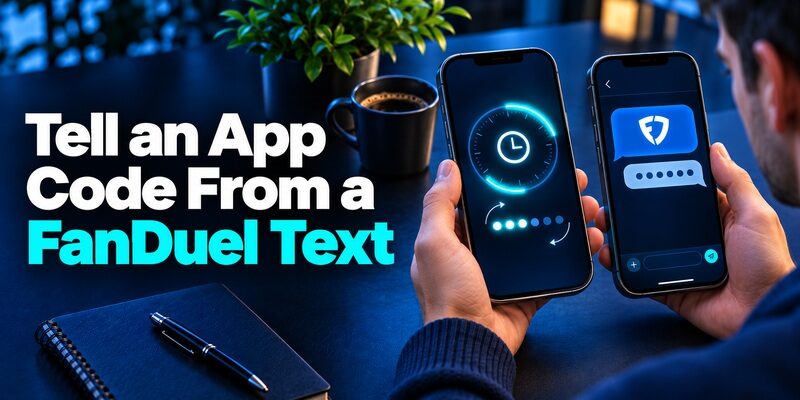
A FanDuel authentication code text comes through SMS when the official challenge says it was sent there. An app-generated FanDuel authentication code appears inside an enrolled authenticator and may change on a timer. Enter the code that matches the current prompt. If you request a new text, use the most recent valid value the service sends.
Check the Correct App Entry
If the screen asks for a FanDuel authenticator app code and you have several entries, compare their labels with the account that is signing in. An old entry can continue to show numbers after a replacement enrollment. If you have an existing session, confirm which method is active before removing an old entry. Changing the registered phone number does not necessarily change a separately enrolled app secret. A TOTP authenticator app generates temporary verification codes using a shared secret and the current time. Unlike SMS verification, these codes are calculated by the enrolled app and do not need to arrive through a text message. Always use the verification method requested by your FanDuel account.
Understand What a Code Failure Tells You
A rejected code establishes only that the service did not accept that submission. An expired value, old setup key, incorrect account, or wrong delivery channel can all produce a failure. Read the prompt, fix the likeliest mismatch, and try a fresh value. If the service temporarily limits attempts, follow its instructions and avoid repeated guesses.
If a message says a code was sent to a number you no longer control, do not try a rotating code in its place unless the service offers that alternative on the sign-in screen. The legitimate FanDuel support flow can clarify what proof is required for the affected account.
A text can be delayed when a phone recently changed carriers or cannot receive the message. If FanDuel offers a resend, wait for the current request to complete, then follow the official instruction. For an app challenge, a resend may be irrelevant because the app is calculating the value on the enrolled device.
Read more: Best Authenticator App for Android: Compare Local Vaults and Sync
Choose a Compatible Authenticator for FanDuel
Verify That FanDuel Offers Standard App Enrollment
If your settings explicitly offer a compatible authenticator app and provide standard enrollment information, choose a trusted app and use FanDuel’s setup. Google Authenticator is an example of a standard code app. Begamob’s is another option to review where the enrollment is compatible. The official FanDuel prompt controls which verification method you can register. Avoid assuming an app is supported just because the store listing uses a similar name.
Use the App Store Listing You Can Verify
Find your chosen FanDuel authenticator app through its official publisher or the supported store for your device. Compare the publisher and device requirements before installing. If FanDuel only offers SMS for your account, complete that flow using the registered number. A code app cannot independently add an unavailable option to the provider’s account settings.
Test Backup and Device Access Before Relying on It
Read the app’s migration or backup guide and keep a recovery option you can reach. Consider whether the phone, the cloud account used for backup, and the phone number can all fail together. If your FanDuel authenticator app enrollment is restored to a replacement phone, test it before wiping the original. The provider’s acceptance of the new code matters more than the appearance of the saved entry.
An app can show the name FanDuel after a restore even if it is the wrong entry or the account’s enrollment has changed. Test it before deleting any other copy. If the setup succeeded for a different email address, correct the label in the app and verify the account you originally intended to secure. A two-factor authentication app provides temporary codes for online accounts that support compatible enrollment. It does not replace identity verification, location checks, or other account-specific requirements, so always follow the method displayed by the official service.
Keep Access When You Replace a Phone or Number
| Situation | First action | Success check |
|---|---|---|
| Replacing a working phone | Transfer the approved app data or re-enroll in FanDuel | The new app completes a normal sign-in |
| Changing the number used for SMS | Confirm the official account update or support process | The registered number is correct and receives the challenge |
| Losing access to the old device | Use an available verified alternative or FanDuel Support | Access is restored for the correct account |
| Suspecting someone else has the setup key | Follow the provider’s account security process and replace the enrollment | A new enrollment works and affected sessions are reviewed |
Move a Working App Enrollment
Keep the old device available. Install the same approved app on the replacement and use its documented transfer or restore process if supported. Alternatively, change the enrolled method from the official account if FanDuel allows it. Test the FanDuel authenticator app on the replacement from a new session. Check that the test uses the account you actually intend to keep, especially if the app restored several entries.
Check the Number Before a Carrier Change
If FanDuel sends your codes by SMS, check the number associated with the account while you can still sign in. Regional support instructions may require help to update it. Confirm the supported process before giving up the old number. If you use an authenticator app for a different product or account, verify those methods separately. A carrier transfer changes how you receive texts and may leave the app enrollment unchanged.
Before replacing your current device, learn how to transfer authenticator to a new phone while preserving access to supported accounts. Keep your original device and recovery options available until you confirm that the replacement app generates codes accepted by the service.
Get Help After a Loss
Use an alternate factor if FanDuel offers one for the challenge. Otherwise, open official support and identify the product, market, sign-in email, and the method you lost. Provide only information requested through the official support route. A FanDuel authenticator app download does not create a usable account entry without either the original enrollment data or a new enrollment from FanDuel.
Consider a move where you are changing the phone and number on the same day. Separate the two changes if the provider permits it. First verify the FanDuel authenticator app on the new phone or the supported SMS route on a known working device. Then verify the other change. A staged test makes it easier to isolate a failure while you still have a working route.
Read more: Google Authenticator Review: Simple Codes, Clear Recovery Trade-offs
Troubleshoot Codes Without Weakening Account Security

Check Time, Method, and Account
For a rotating app code, turn on automatic date and time and try a value with time remaining. Confirm that the FanDuel authenticator app entry matches the signed-in account and the current enrollment. For a text code, check the registered number and the latest official message. Test one change at a time so you can identify whether the problem is timing, delivery, or account selection.
Keep a Working Factor Until the Replacement Is Tested
People who search for how to turn off two-factor authentication on FanDuel often want to change phones or correct a delivery problem. Start with the authorized method change or support path. A replacement is ready only after the provider accepts it in an ordinary sign-in. If your product or market requires verification, follow that requirement and use official assistance when the screen does not offer the change you need.
Treat Unexpected Codes as an Account Check
If you receive a text or request you did not initiate, leave the code unused and open FanDuel directly. Review the available account security controls and contact official support if you suspect unauthorized access. Avoid sending the FanDuel authenticator app value or setup data to someone who contacted you. If you entered credentials on a page you now suspect was fake, follow the official compromised-account process.
If FanDuel does not offer app enrollment in your current account, avoid starting another registration just to force the option to appear. Check the market-specific help, then ask the provider which methods that account accepts. Follow the current requirements before attempting a method change. The security setting belongs to the account and product you already use.
If you no longer have access to your original verification app, our guide on recovering from a lost authenticator app explains common recovery options, backup methods, and steps to avoid losing access to other protected accounts. For FanDuel, use only the recovery methods available through your official account or support channel.
Handle a Support Request Efficiently
Capture the Error Without Sharing a Secret
Record the exact wording of the error, the approximate time, the product, and the sign-in method. A screenshot can help if you crop out or cover any live codes, QR codes, addresses, or other sensitive data before sending it. Include whether you still have the old phone and whether you can use another signed-in session. These details help distinguish an account reset from a temporary code problem.
Verify the Account After Access Returns
Once you can sign in, confirm the account email and security settings. Check the current method and test your recovery route. If the FanDuel authenticator app was replaced, label the new entry so it is easy to distinguish. Keep any record of the support case separate from codes and enrollment material.
When you contact support about an error, identify what you were trying to do. Say whether the issue happened on first enrollment, during ordinary login, or after a phone replacement. Mention whether the service asked for an app value or a text and whether it offered another method. This gives the official team context without exposing the code.
Questions About the FanDuel Authenticator App
Do I Need an App for Every FanDuel Account?
Use the method the account offers. When a standard code enrollment is available, one compatible app may hold multiple entries. Register each account separately and name the entries so that you can identify them.
Where Do I Find the FanDuel QR Code?
If FanDuel offers QR enrollment, it appears in the account’s own setup flow. Check the security settings from a verified session. If the method is unavailable or the original setup expired, follow the official options rather than using a QR from an email or unofficial guide.
Is the FanDuel Text Code the Same as the App Code?
They come from different channels. Use the SMS code when the prompt requests the sent value. Open the enrolled app when the prompt requests an authenticator code.
Can I Use the App While Offline?
A compatible time-based code app can calculate a value on an enrolled phone without mobile service if its clock is accurate. The device signing in still needs a connection to FanDuel. A text-based challenge requires access to the registered number.
Can I Recover My Account With a New App?
A new FanDuel authenticator app installation needs the original compatible enrollment data or a new setup from the service. If neither is available, start with an alternate method or FanDuel’s official recovery instructions.
Final Thoughts
Use a FanDuel authenticator app only when the official account offers that method. Follow the account setup, check the first code, and test sign-in before relying on the new enrollment. If the challenge says it sent a text, use the registered SMS route.
Before replacing a phone or number, verify what the account will accept after the change. Keep the existing method until you have tested a replacement, and follow the official support process if you cannot reach your enrolled factor.
