
Authy Review: Encrypted Backups, Mobile Codes, and Recovery Risks
Published October 13, 2026 · Updated October 21, 2026

Is Authy a secure and reliable choice for protecting your online accounts? In this Authy review, we examine its key features, security, ease of use, and account recovery options.
Authy offers free two-factor authentication, encrypted cloud backups, and synchronization across mobile devices, but its discontinued desktop support and limited token export options may be drawbacks for some users. Explore its advantages, limitations, and alternatives to decide whether Authy is the right authenticator app for your needs.
Who Should Use Authy Today?

Authy’s distinctive appeal is the combination of a mobile TOTP app and a backup mechanism for its tokens. It can be a good fit for someone with more than one mobile device who will manage the backup password and device settings deliberately. It is a poor choice if the main reason for selecting it is an old desktop screenshot: Twilio has discontinued the Authy Desktop apps. Avoid treating multi-device availability as a substitute for each protected service’s recovery codes.
| Need | Authy answer | Required follow-up |
| Routine rotating codes | Supported for enrolled accounts | Confirm issuer accepts a code |
| Encrypted token backup | Available when enabled | Preserve the backup password |
| Windows or Mac desktop app | Discontinued | Plan a current mobile workflow |
| Lost-phone account reset | Depends on your Authy access and issuer | Keep separate issuer recovery |
A phone-first workflow
During sign-in, open the relevant Authy entry and type the current code into the original website. After enrollment, token calculation does not need a mobile network signal. If you expect to use codes from a computer, keep your phone available or assess a different product with a currently supported desktop client. Do not install an archived desktop build or a lookalike download in an attempt to recover an old capability.
One of the most important decisions is whether Authy’s encrypted backup and multi-device model fits your needs better than Google Authenticator’s simpler TOTP workflow and optional Google Account synchronization. Our detailed comparison of Google Authenticator vs Authy examines differences in account setup, backup, recovery, portability, and device management.
The product’s hardest question
“Backups exist” is not the same as “I can restore.” Twilio states that the backups password protects encrypted tokens and cannot simply be inferred from an account’s phone-number access. Test your recovery plan while logged in and write down where the backup password is held. If it is lost, follow Twilio’s current documented process for existing devices; never assume support can reveal an encryption password.
Advantages
Mobile token synchronization and encrypted backups can spare a user from manually transferring each standard code. The app remains practical for existing phone-based Authy users.
Drawbacks
The discontinued desktop client removes a once-common reason to choose Authy. Access to the backup password and phone-registration path must be planned separately; a lost backup password can defeat the expected restore.
Who should use it
An existing Authy mobile user who values its backup model and has documented recovery details.
Secure your accounts with fast, reliable two-factor authentication. Download now and protect your login in seconds.Download Authenticator App
Adding Accounts and Checking a Real Login
Start from the service whose account you own. Find its current authenticator-app enrollment, scan the presented QR or enter its manual key, and submit the code generated by Authy back to the service. Keep that browser tab open until confirmation succeeds. A saved entry inside Authy alone does not prove that the issuer switched on the factor. Save any backup codes the issuer offers outside the app, then test a fresh session.
Choose the right token
An Authy list can hold several entries with nearly identical names, especially if you re-enrolled an account. Verify the account identifier and select a code with enough time left to type. If an issuer rejects it, check the phone’s automatic time, the service’s current enrollment and whether you are on the legitimate site. Do not delete or overwrite a working token in frustration; a duplicate label can hide the valid entry.
Avoid capturing the enrollment secret
The setup QR is the long-lived seed used to produce future codes. A screenshot in shared cloud photos or a support ticket can expose more than one six-digit code. If you believe a QR leaked, disable and set up that factor again through the service’s own security settings. Changing the Authy entry’s display name does not revoke the secret held by the issuer.
How to set it up safely
Enroll from a site’s standard authenticator QR, enter an Authy code at the site to confirm activation, enable and protect backups if you want restore, and test a second authorized mobile device while the first remains available. Do not plan around the retired desktop app.
How Authy Backups Actually Help
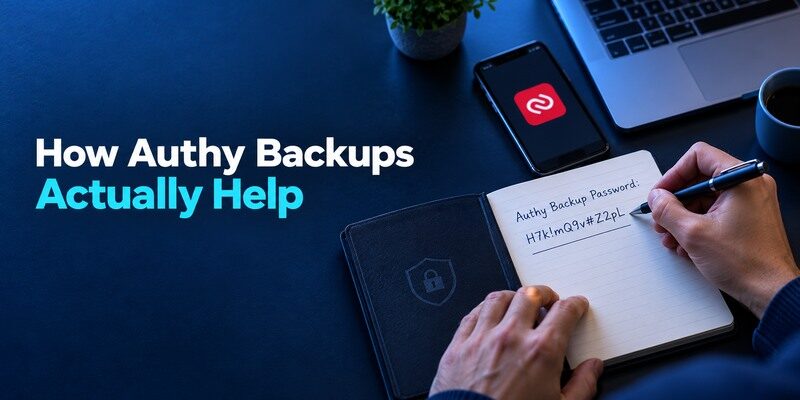
Twilio’s help pages distinguish the Authy account, backup synchronization, and the password that decrypts tokens. A replacement device can regain access only when the necessary registration and backup conditions are met. Plan for the phone number changing, SIM loss, and backup-password loss as separate cases. The exact recovery wait and verification procedures should be checked in Twilio’s live support instructions at the time they are needed.
To add a compatible account to Authy, start from the website’s official security settings and select its authenticator-app enrollment option. Scan the provided QR code or enter the setup key when supported, then verify the generated code before completing enrollment. Our complete authenticator app guide explains the standard setup process and the recovery precautions to take before relying on a new TOTP app.
The backup password deserves independent storage
If you keep the only copy of that password in a locked account that itself needs an Authy code, recovery can become circular. Place it in a trusted password manager with its own independent recovery or another secure offline location. It should not be texted to yourself or shared with a caller claiming to be support. Test on a second authorized mobile device if your circumstances allow, then consider whether ongoing multi-device enrollment should remain open.
A phone number is an account identifier, not a vault key
Phone-based registration can help reconnect a device to an Authy account, yet possession of a phone number does not replace the encryption password. Conversely, a backup password alone is not a complete issuer-level recovery plan. Protect your mobile carrier account against takeover, keep the number current, and retain backup codes from especially important services. Distinguish the question “can I open Authy?” from “can I sign in to my bank?”
Authy’s backup system can help reduce the risk of losing access when replacing a device, but your recovery plan still depends on the credentials and settings required to restore protected tokens. Keep your backup password secure and maintain independent recovery options for important accounts. Our guide to the best account security practices explains how to reduce single points of failure across passwords, devices, and authentication methods.
Work through four loss cases
First, if the phone breaks but the number and backup password remain available, follow Twilio’s documented device registration and token restore. Second, if the number changed, resolve that identity issue before expecting encrypted tokens to appear. Third, if the backup password was forgotten, ask whether any existing authorized device still displays codes; the encryption password cannot simply be reset into knowledge. Fourth, if both the original phone and the issuer backup codes are gone, the websites’ own recovery processes become central. Each case has a different owner and should have an answer before a valuable account is enrolled.
Keep the number itself recoverable
Because phone-number control can be part of account registration, protect the mobile carrier account and understand what happens if a SIM is lost or a number is recycled. Don’t treat SMS as a replacement for the encrypted backup password. If you change number by choice, review Twilio’s current number-change instructions while your authorized device still works. Test a low-risk code afterwards. The best backup plan is one you can execute even if the phone and SIM disappear on the same day.
Review devices after recovery
When a new handset is successfully connected, check which earlier devices remain authorized. A missing phone can be merely damaged or might be in someone else’s hands. Remove devices no longer under your control using Authy’s current controls, then review issuer sessions for high-value sites. If a TOTP secret itself was plausibly exposed, rotate it at the issuer. A cleaned-up Authy device list cannot promise to revoke a copy of the seed that may have left the app.
The Desktop App Sunset Changes the Verdict

Twilio’s official end-of-life guide says the Authy Desktop apps stopped working on March 19, 2024, and device installations were invalidated. Old articles may still list desktop as a current benefit or show a multi-platform screenshot. That historical product is not an option to build a new 2026 workflow around. If desktop access is essential, compare current solutions with official documentation and rehearse the transfer before disabling any current second factor.
Moving from an old desktop habit
Inventory the accounts you previously accessed from the computer, then identify their issuer-side recovery codes. Where you still have a working mobile Authy installation, test each token there. For any service requiring re-enrollment, sign in through an existing trusted method and replace its factor through its settings. Treat unknown desktop “revival” downloads as untrusted, especially if they request an Authy backup password or show a QR export form.
When moving Authy to a new phone, confirm that the new installation can access your required tokens before removing the original device. Multi-device access and encrypted backup recovery are related but distinct processes, so review your current settings carefully. Our guide on how to transfer authenticator to a new phone explains general migration precautions, verification steps, and how to avoid losing access during device replacement.
A browser extension is not a desktop replacement by default
Some authenticator products offer browser handoff or a native desktop app; those features differ in custody and phishing exposure. Before moving for convenience, ask whether the browser copies the secret, requests a code from the phone, or stores a separate vault. Verify the new setup through a real login and decide what happens if the browser profile is stolen. Convenience on a laptop is useful only if the recovery and security trade-offs fit your accounts.
Multi-Device Settings and Access Hygiene
The benefit of a second authorized phone is continuity after one handset breaks. The risk is an extra device that remains authorized after sale, loss or long neglect. Inspect Twilio’s current multi-device controls, review the device list and remove devices you no longer own. A newly connected phone should not be mistaken for proof that all encrypted tokens were restored: open and use a code on an issuer you control.
Keep one deliberate spare, if needed
A spare phone kept updated, locked and in a secure place may reduce recovery pressure. It also creates another physical target, so record who can access it and periodically check it still works. If your personal threat model favors fewer active devices, close new-device enrollment after setup where the app provides such a control. The correct balance depends on who controls the phones and how urgently the accounts are needed.
Treat an unfamiliar device as an incident
If Authy indicates a device you do not recognize, follow official steps to revoke it and secure the associated phone number and account. Then inspect high-value issuer accounts for suspicious sessions. Rotating a token’s underlying secret must happen at the issuer if you suspect it was exposed. A list cleanup inside the code app does not automatically invalidate the copy an attacker may already have.
Verify that the backup is current after adding tokens
When a new site is enrolled, make sure the Authy backup state includes that token under the product’s current behavior. A second authorized mobile device can be a useful check: does the entry appear, can it be unlocked with the backup password, and does the issuer accept a fresh code? Do not use a shared phone as a restore test. A list of old tokens may make a backup seem complete even if the newest financial account is missing. Repeat the check after a meaningful set of enrollments rather than waiting for phone loss.
Retire devices with a known endpoint
Before selling a phone, check which Authy devices are registered and what happens to its local tokens after sign-out or wipe. Follow Twilio’s live instructions for removing it, then use the operating system’s reset process. If that phone was lost unlocked, inspect issuer sessions and rotate sensitive TOTP factors where a copy of the underlying secret may have been exposed. A routine sale with a secure wipe is different from an uncontrolled loss. Keeping this distinction prevents unnecessary resets and avoids understating a true compromise.
Authy Versus Other Backup Models
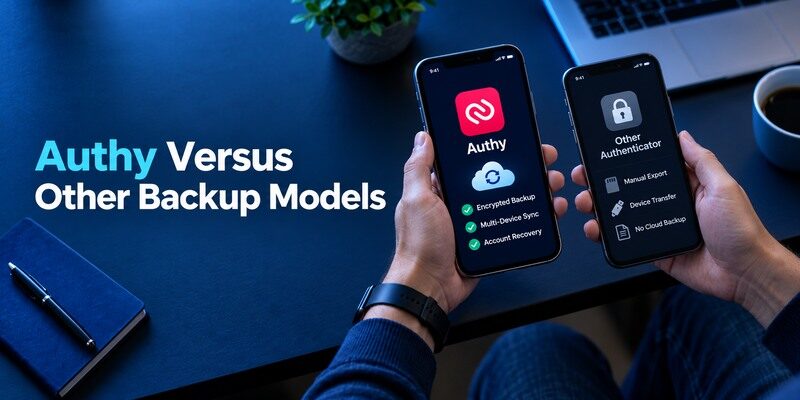
| Choice | Recovery style to evaluate | Main limitation |
| Authy mobile | Encrypted synchronized tokens with backup password | Forgotten password and phone registration need planning |
| Google Authenticator | Optional Google Account sync or QR transfer | Mode and Google Account recovery matter |
| 2FAS | OS-specific cloud backup or export | Cloud path differs between iOS and Android |
| Aegis | User-managed encrypted Android vault export | No general iOS version |
| Begamob Authenticator App | Verify installed version’s backup option | Do not assume sync from the name alone |
These routes solve different recovery problems. Someone switching mobile operating systems should check import/export support before selecting a backup model, because cloud data is not always portable across vendors. Someone who strongly prefers local custody may prefer a controlled encrypted export. Use one low-risk account to test a proposed migration and keep the original factor active until the new one is verified at the issuer.
Compare a lost phone, not only a normal login
On a normal day almost every code app seems fast. The differences show up when the only phone is unavailable and the original website asks for a factor. Write a short answer for each candidate: where is the backup, what credential unlocks it, what if that credential is lost, and which issuer can reset the account? This Authy review puts those answers ahead of color themes and code-copy gestures.
Keep the provider’s reset route visible
Even the best synchronized token vault does not guarantee that a company will accept an old factor after a policy reset. A workplace might require device registration, while a consumer service may allow a printed backup code. Read each issuer’s current security options before migrating a valuable account. For ordinary QR and manual-key TOTP, the is another candidate; inspect its backup behavior first.
Which alternative is better for your needs?
| App | Choose it when | Trade-off |
| Authy | An existing Authy mobile user who values its backup model and has documented recovery details. | The discontinued desktop client removes a once-common reason to choose Authy. |
| Ente Auth | You need supported desktop as well as mobile access | Account recovery and device security still matter |
| Aegis | You want Android-only local custody and exports | You maintain the protected backup yourself |
Risks Beyond the Backup Password
TOTP improves a password-only login but the code can still be relayed through a phishing page in real time. NIST’s guidance separates manual OTPs from phishing-resistant authenticators. Always open the service through a trusted address, and never read a fresh code to an unsolicited caller. If an account supports a passkey or security key and the risk warrants it, compare those methods. Keeping Authy secure does not make a fake login site safe.
Phone theft and screen previews
Lock the device and configure app-level protection where available in your installed version. A notification preview or an unlocked handset in someone else’s hands can reduce the value of an extra factor. Review the phone’s OS updates and old device access as part of code custody. Do not store setup keys in plain notes next to the app just because the generated digits expire quickly.
Authentication fatigue is still possible elsewhere
Authy’s standard codes are typed when you choose, unlike unsolicited push requests from other systems. But a user under pressure might type a code into a fake page following a convincing message. Slow down at sign-in, check the domain and purpose, and prefer direct navigation. If a service changes from codes to prompts, evaluate the new flow separately instead of assuming Authy’s backup mechanics cover it.
Frequently Asked Questions

Is Authy Desktop still available?
No as a supported working app. Twilio ended Authy Desktop on March 19, 2024. Use the current mobile product or plan a migration to another officially supported tool.
Can I restore Authy without the backups password?
Do not count on decrypting backed-up tokens without the password protecting them. Check Twilio’s current documentation and any still authorized device; the individual websites’ backup or recovery methods may be needed.
Does Authy require internet to show a code?
An already enrolled standard time-based code can be generated on the phone offline. Registration, synchronization and the website that verifies a code have their own network requirements.
Is Authy the same as an issuer’s push approval app?
No. A bank or workplace can demand its own registered approval flow. Authy can be used when that issuer specifically offers a standard authenticator code.
Should I leave multi-device enrollment open?
Choose deliberately. A second device helps with continuity, while any extra authorized device needs physical security and periodic review. Follow Twilio’s current controls after registering the devices you own.
Final Thoughts
This Authy review finds a useful mobile code app whose encrypted backup only pays off when its password and device access are managed. The desktop product’s sunset removes a former selling point, so use current mobile documentation when comparing it with alternatives. If a separate QR/manual code app better fits your phone, offers a relevant trial for standard TOTP; test its recovery path on a low-risk account before changing an important login. Whatever app you select, retain each issuer’s independent way back in.
Confirm the backup password and registered-device list while access is still routine.
