
Best Authenticator App for iPhone in 2026: Top 7 Picks Copy
Published August 28, 2026 · Updated October 23, 2026
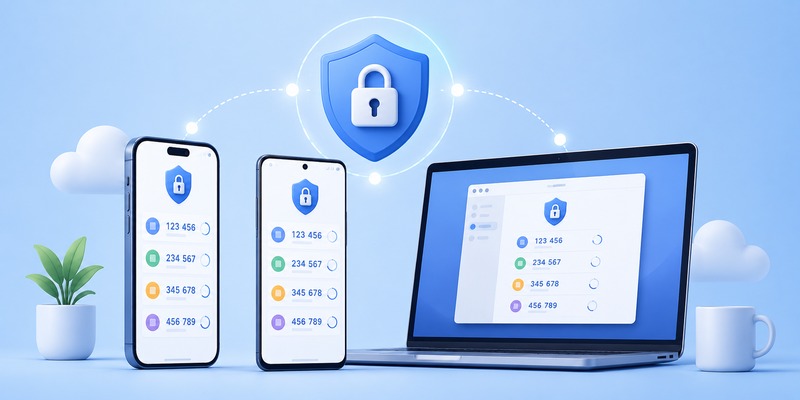
Which authenticator app is best for protecting your online accounts in 2026? With so many two-factor authentication (2FA) apps available, choosing the right one can be difficult. Some prioritize simplicity, others offer encrypted backups, desktop support, password manager integration, or enterprise authentication.
The best authenticator app is not necessarily the one with the most features. It is the one that securely protects your accounts, works across your devices, and provides a recovery method you can rely on.
Quick Answer: For most people, 2FAS is an excellent free, open-source authenticator app. Google Authenticator is ideal for beginners, Ente Auth is a strong choice for encrypted cross-platform synchronization, and Microsoft Authenticator is best suited to Microsoft accounts and workplace authentication. Aegis Authenticator offers advanced local backup control on Android, while 1Password is convenient for users who want passwords and verification codes in one service.
Below, we compare 10 authenticator apps, explain their advantages and limitations, and help you choose the best option for iPhone, Android, Windows, Mac, and everyday account security.
Which Authenticator App Is Best? Quick Comparison
The following comparison focuses on supported authentication methods, platform availability, backup options, and practical use cases rather than unverified performance scores.
| Authenticator app | Best for | Platforms | Backup or sync |
|---|---|---|---|
| 2FAS Auth | Free mobile-first 2FA | iOS, Android | iCloud, Google Drive, export |
| Google Authenticator | Beginners | iOS, Android | Optional Google Account sync, manual transfer |
| Ente Auth | Cross-platform users | iOS, Android, Windows, macOS, Linux, web | End-to-end encrypted sync |
| Microsoft Authenticator | Microsoft accounts | iOS, Android | Platform-specific backup |
| Aegis Authenticator | Advanced Android users | Android | Encrypted local exports and backups |
| Bitwarden Authenticator | Open-source mobile TOTP | iOS, Android | App-dependent backup and export options |
| 1Password | Existing password manager users | Major desktop and mobile platforms | Encrypted vault synchronization |
| Authy | Mobile users needing encrypted backup | iOS, Android | Encrypted cloud backup |
| Duo Mobile | Workplace authentication | iOS, Android | Duo Restore and organization-dependent recovery |
| Proton Authenticator | Privacy-focused multi-device users | Supported mobile and desktop platforms | Encrypted sync and export options |
Feature availability may change. Verify platform compatibility, backup support, and current plans on the developer’s official website before installing.
Our Recommendations by Use Case
If you want one quick recommendation, use the following guide:
- Best free authenticator app: 2FAS Auth.
- Best for beginners: Google Authenticator.
- Best for Windows, Mac, and mobile: Ente Auth.
- Best for Microsoft 365: Microsoft Authenticator.
- Best for advanced Android users: Aegis Authenticator.
- Best for existing password manager users: 1Password.
- Best for work or school: The authentication app approved by your organization.
- Best for encrypted mobile backups: Authy or another provider with a recovery model you understand.
- Best for privacy-focused users: Ente Auth or Proton Authenticator.
There is no universal winner. The best choice depends on which accounts you need to protect and how you want to manage recovery.
🗺️ Browse How-To Guides:App Authenticator: Complete Guide to 2FA, OTP Codes, Setup & Recovery
Secure your accounts with fast, reliable two-factor authentication. Download now and protect your login in seconds.Download Authenticator App
Top 10 Best Authenticator Apps in 2026
Here are 10 strong authenticator app options, including their strengths, limitations, and ideal users.
1. 2FAS Auth — Best Free Authenticator App for Most People
2FAS Auth is a free, open-source authentication app available for iPhone and Android.
It generates time-based one-time passwords (TOTP) and supports offline code generation.
The app also offers backup options through iCloud or Google Drive, along with an optional browser extension.
Key features:
- Free mobile authenticator.
- Open-source project.
- Standard TOTP verification codes.
- Offline code generation.
- Backup and export options.
- Browser extension integration.
- No account required for basic use.
Advantages: Simple interface, transparent development, and useful browser integration.
Limitations: The browser extension works with the mobile app rather than replacing it with a completely independent desktop authenticator.
Best for: People who want a free, dedicated authenticator with convenient browser support.
2. Google Authenticator — Best for Beginners
Google Authenticator is one of the most recognizable authentication apps.
It generates standard TOTP verification codes for compatible online services, including Google accounts and many third-party websites.
Google Authenticator can synchronize codes through a Google Account when synchronization is enabled. Users can also operate it without signing in and transfer codes manually.
Key features:
- Free TOTP authentication.
- Straightforward QR code setup.
- Offline verification codes.
- Optional Google Account synchronization.
- Manual QR code transfer.
- Android and iOS support.
Advantages: Easy to understand, widely supported, and suitable for basic 2FA.
Limitations: Users who choose local-only storage must manage device transfers and recovery carefully.
Best for: Beginners who want a familiar app without unnecessary complexity.
Read our Google Authenticator guide.
3. Ente Auth — Best Cross-Platform Authenticator App
Ente Auth is a strong choice for people who need authentication codes across multiple operating systems.
It provides mobile, desktop, and web applications with end-to-end encrypted synchronization.
Ente Auth is also open source and supports account import and export.
Key features:
- End-to-end encrypted synchronization.
- iPhone and Android support.
- Windows, macOS, and Linux applications.
- Web access.
- Open-source development.
- Import and export functionality.
- Multi-device access.
Advantages: Broad platform compatibility and a privacy-focused synchronization model.
Limitations: Users must understand how account recovery and encryption credentials work before relying on synchronization.
Best for: People who regularly switch between phones, laptops, and desktop computers.
4. Microsoft Authenticator — Best for Microsoft 365 Users
Microsoft Authenticator is particularly useful for people who use Outlook, Microsoft 365, Teams, and Microsoft work or school accounts.
In addition to standard TOTP codes, it supports Microsoft-specific authentication methods such as push approvals, number matching, and supported passwordless sign-ins.
Key features:
- Standard TOTP verification codes.
- Microsoft account sign-in approvals.
- Number matching.
- Supported passwordless authentication.
- Work and school account integration.
- Backup and recovery features.
Advantages: Deep integration with Microsoft accounts and enterprise authentication.
Limitations: There is no official native desktop application, and backup restoration is platform-specific. Some work or school accounts require re-registration after device changes.
Best for: Microsoft 365 users and organizations that require Microsoft Authenticator.
Learn more in our Microsoft Authenticator guide.
5. Aegis Authenticator — Best for Advanced Android Users
Aegis Authenticator is an open-source authenticator designed for Android.
It emphasizes local control, encrypted credential storage, and flexible backup management.
Key features:
- Open-source Android application.
- Encrypted authenticator vault.
- Biometric and password protection options.
- Encrypted backup exports.
- Account organization.
- Standard TOTP and HOTP support.
Advantages: Strong local control and useful options for advanced users.
Limitations: Android-focused; it does not provide a native iPhone application.
Best for: Android users who want to manage their authentication secrets and backups directly.
6. Bitwarden Authenticator — Best for Open-Source Mobile TOTP
Bitwarden Authenticator is a standalone authentication app for standard TOTP codes.
It should be distinguished from the integrated TOTP functionality available in certain Bitwarden password manager plans.
Key features:
- Standalone authenticator application.
- Standard TOTP support.
- Open-source development.
- Mobile-focused design.
- Account organization and supported export functionality.
Advantages: Suitable for users who prefer open-source tools and are familiar with Bitwarden’s ecosystem.
Limitations: The standalone authenticator and password manager’s integrated authenticator are different products with different capabilities.
Best for: Users who want a dedicated mobile TOTP app from the Bitwarden ecosystem.
Read our Bitwarden Authenticator review.
7. 1Password — Best for Password Manager Users
1Password is a password manager that can also store and generate verification codes for compatible accounts.
This makes it convenient to manage passwords and TOTP codes through one interface.
Key features:
- Password management.
- Integrated TOTP code generation.
- Encrypted vault synchronization.
- Desktop and mobile applications.
- Browser integration.
- Secure credential organization.
Advantages: Convenient for people already using 1Password.
Limitations: Storing passwords and TOTP secrets in the same vault reduces separation between authentication factors. It may not be appropriate for every security model.
Best for: Existing 1Password customers who value integrated credential management.
Read our 1Password Authenticator review.
8. Authy — Best for Encrypted Mobile Backups
Authy is a mobile authenticator known for encrypted backup and multi-device recovery features.
It supports standard authentication workflows and can restore supported tokens when users maintain their recovery credentials.
Key features:
- iOS and Android applications.
- TOTP verification codes.
- Encrypted backup.
- Multi-device support.
- Offline code generation.
Advantages: Useful backup features for users who understand its recovery process.
Limitations: Authy discontinued its Windows, macOS, and Linux desktop applications in March 2024. Recovery also depends on maintaining the required credentials and account access.
Best for: Mobile users who prioritize encrypted backup and recovery.
9. Duo Mobile — Best for Enterprise Authentication
Duo Mobile is commonly used in workplace authentication systems.
It supports Duo Push, passcode generation, and organization-managed authentication workflows.
Key features:
- Duo Push approvals.
- Authentication passcodes.
- Integration with enterprise identity systems.
- Organization-managed device registration.
- Supported recovery options through Duo Restore.
- Security policies determined by the organization.
Advantages: Well suited to enterprise authentication environments.
Limitations: Many capabilities depend on an organization’s Duo deployment and administrative policies.
Best for: Employees and IT teams using Duo-protected services.
Read our Duo Mobile Authenticator review.
10. Proton Authenticator — Best for Privacy-Focused Users
Proton Authenticator is designed for users who want a privacy-focused authentication app with support for multiple devices.
It offers standard authentication codes and synchronization features designed around protecting authentication data.
Key features:
- Standard TOTP verification.
- Cross-platform availability.
- Encrypted synchronization.
- Import and export options.
- Privacy-focused design.
Advantages: A useful choice for users who value encrypted synchronization and portability.
Limitations: Verify current platform availability and recovery settings before migration.
Best for: Privacy-conscious users who want a dedicated authenticator across devices.
Read our Proton Authenticator guide.
How to Choose the Best Authenticator App
The best authenticator app should do more than generate verification codes.
Before choosing an application, evaluate the following criteria.
Security and Encryption
Look for an authenticator that protects stored authentication secrets.
Useful security features may include:
- Device passcode protection.
- Biometric authentication.
- Encrypted credential storage.
- Secure backup options.
- Transparent security documentation.
- Regular software updates.
- Independent security reviews when available.
Open-source development can improve transparency, but it does not automatically guarantee security.
Similarly, a proprietary application is not necessarily insecure.
Backup and Account Recovery
One of the biggest differences between authenticator apps is what happens when you lose your phone.
Ask these questions:
- Can the app back up my verification codes?
- Are backups encrypted?
- Can I restore accounts on a different device?
- Does recovery work across Android and iPhone?
- Can I export my accounts?
- What happens if I forget my backup password?
Some applications provide automatic synchronization, while others rely on manual exports.
Remember that recovering an authenticator app does not always restore every account’s authentication registration.
Cross-Platform Support
Choose an authenticator that supports the devices you actually use.
For example:
- iPhone and Android only: Google Authenticator, 2FAS, Microsoft Authenticator.
- Android with local backup control: Aegis.
- Desktop and mobile: Ente Auth.
- Password manager integration: 1Password.
- Workplace MFA: Microsoft Authenticator or Duo Mobile, depending on organizational requirements.
If you frequently change devices, consider cross-platform recovery before choosing an app.
Ease of Use
A secure app is only helpful if you can use it consistently.
Look for:
- Clear account labels.
- Simple QR code setup.
- Reliable verification codes.
- Easy account search.
- Understandable backup settings.
- Straightforward recovery instructions.
Avoid choosing an app solely because it has the longest feature list.
Best Authenticator App for iPhone, Android, and Desktop
Different platforms have different needs.
Best Authenticator App for iPhone
For most iPhone users, 2FAS and Google Authenticator are straightforward options.
Ente Auth is attractive if you also need access on Windows, macOS, or Android.
1Password may be convenient if you already use its password manager.
Apple Passwords can also generate standard verification codes for supported accounts.
Recommendation: Choose 2FAS for a dedicated free authenticator or Ente Auth for broader cross-platform synchronization.
Best Authenticator App for Android
Android users have several strong options.
Google Authenticator is simple to set up, while 2FAS provides browser integration and backup options.
Aegis is especially useful for users who want an encrypted local vault and direct backup control.
Recommendation: Choose Google Authenticator for simplicity, 2FAS for everyday use, or Aegis for advanced local management.
Best Authenticator App for Windows and Mac
If you need a true desktop authenticator, Ente Auth is a strong option because it supports Windows, macOS, and Linux.
1Password also offers desktop applications with integrated TOTP functionality.
Microsoft Authenticator does not have an official native Windows or macOS desktop application.
Authy’s desktop applications were discontinued in 2024.
Recommendation: Choose Ente Auth for a dedicated cross-platform authenticator or 1Password if you already use its password manager.
Best Authenticator App for Work or School
For organization-managed accounts, the best authenticator is often the one your IT department supports.
Microsoft Authenticator may be required for Microsoft Entra accounts.
Duo Mobile may be required for organizations using Cisco Duo.
Do not replace an organization-mandated authentication method without confirming that an alternative is permitted.
Authenticator Apps vs SMS, Passkeys, and Security Keys
When choosing the safest authentication method, it is important to distinguish between traditional authenticator codes and phishing-resistant authentication.
Authenticator App vs SMS
Authenticator apps generally offer advantages over SMS-based verification.
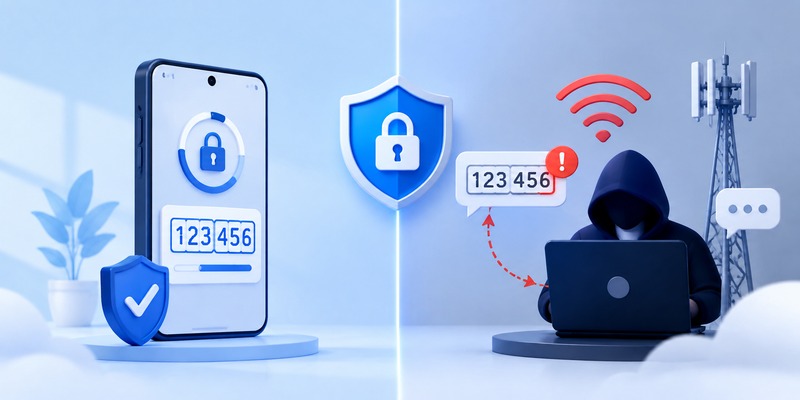
Standard TOTP codes are generated locally and do not depend on receiving a text message.
SMS authentication may be vulnerable to SIM swapping, number porting attacks, and interception.
However, both SMS and TOTP codes can be stolen through phishing.
When only these two methods are available, an authenticator app is usually the preferable choice.
Authenticator App vs Passkey
Passkeys use cryptographic authentication tied to the legitimate website or application.
This helps protect against phishing attacks that can capture ordinary verification codes.
A traditional TOTP authenticator cannot provide the same phishing resistance because users can still enter a valid code into a fraudulent login page.
If a trusted service supports passkeys, consider using them for stronger account protection.
Authenticator App vs Hardware Security Key
Compatible FIDO2 security keys provide phishing-resistant authentication for supported services.
They can be especially useful for sensitive business accounts, administrators, and people at elevated risk of targeted attacks.
An authenticator app remains useful because TOTP is widely supported.
For important accounts, consider using a passkey or security key as the primary method when available, with an approved recovery method.
How to Switch Authenticator Apps Without Losing Access
After choosing the best authenticator app, you may want to move your existing accounts.
Switching applications requires care because losing authentication secrets can lock you out.
Step 1: Keep Your Current Authenticator Active
Do not delete your existing app.
Make sure you can still generate verification codes and access your accounts.
Step 2: Check Export and Transfer Options
Some authenticator apps support:
- QR code transfer.
- Encrypted backup exports.
- Cloud synchronization.
- Account import.
- Multi-device registration.
Use the official transfer method when available.
Step 3: Register Accounts on the New App
If direct transfer is unavailable:
- Sign in to the website you want to protect.
- Open its security settings.
- Find two-factor authentication.
- Look for an option to add or replace an authenticator.
- Follow the provider’s supported registration process.
- Scan the new QR code.
- Complete the verification test.
Some services allow multiple authenticators. Others require replacing the existing method.
Avoid disabling 2FA unnecessarily.
Step 4: Test Every Account
Before removing your old app:
- Verify that codes work.
- Confirm that important accounts are accessible.
- Test recovery methods.
- Save updated backup codes.
- Check work or school account requirements.
Step 5: Remove Obsolete Authentication Methods
Only after successful testing should you remove outdated authentication registrations.
For more detailed instructions, read our guide to transferring an authenticator to a new phone.
Frequently Asked Questions
Which authenticator app is best overall?
2FAS is an excellent free mobile-first option. Ente Auth is better suited to users who need desktop and mobile synchronization, while Google Authenticator is ideal for beginners.
What is the best free authenticator app?
2FAS and Google Authenticator are strong free options. Ente Auth and Aegis also offer useful functionality for users with different platform and security requirements.
Which authenticator app is the safest?
There is no single safest app for everyone. Evaluate encryption, backup design, device protection, software updates, and recovery options. For phishing-resistant authentication, passkeys or FIDO2 security keys may be stronger than traditional TOTP codes.
Is Google Authenticator better than Microsoft Authenticator?
Google Authenticator is simpler for standard TOTP verification. Microsoft Authenticator offers additional Microsoft-specific authentication features, including supported push approvals and passwordless sign-in.
Which authenticator app is best for iPhone?
2FAS, Google Authenticator, and Ente Auth are strong options. Apple Passwords is also worth considering for users who prefer built-in verification code support.
Which authenticator app is best for Android?
Google Authenticator is a simple choice, 2FAS offers useful browser integration, and Aegis provides advanced local backup control.
Which authenticator app is best for PC?
Ente Auth supports major desktop operating systems. 1Password also provides integrated TOTP functionality through its desktop applications.
Is Authy still available on desktop?
No. Authy’s official desktop applications reached end of life in March 2024. Its supported mobile applications remain available.
Can authenticator apps work without internet?
Yes. Standard TOTP codes can be generated offline after setup. Cloud synchronization, push approvals, and some recovery features require internet access.
Can I use one authenticator app for multiple accounts?
Yes. Most TOTP authenticator apps can store verification credentials for many compatible services.
Can I use an authenticator app for Facebook, Discord, or Stripe?
Yes, when those services support standard TOTP authentication. Follow the service’s official security settings and choose a compatible authenticator.
Can I use the same authenticator on multiple devices?
Some applications support encrypted synchronization or multiple registered devices. Others require manual export or separate registration.
What happens if I lose my phone?
Recovery depends on your app and account provider. You may be able to restore a backup, use backup codes, sign in with another registered method, or complete official account recovery.
Are authenticator apps better than SMS?
Authenticator apps generally avoid some phone-number-based risks associated with SMS. However, ordinary TOTP codes are not fully phishing-resistant.
Should I use a password manager with built-in TOTP?
It can be convenient, but storing passwords and TOTP codes together reduces factor separation. Consider your security needs and whether separate authentication devices would be preferable.
What is the best authenticator app for Microsoft 365?
Microsoft Authenticator is generally the most directly integrated choice, particularly when an organization requires Microsoft-specific MFA methods.
Do I need to pay for an authenticator app?
No. Several reliable authenticator apps provide standard TOTP functionality for free. Paid password managers and enterprise identity platforms may offer additional features.
Final Verdict: Which Authenticator App Is Best?
The best authenticator app in 2026 depends on your devices, recovery requirements, and account security needs.
For most people, 2FAS provides a useful combination of simplicity, open-source development, and free authentication.
Google Authenticator remains an excellent option for beginners. Ente Auth stands out for cross-platform synchronization. Microsoft Authenticator is particularly valuable for Microsoft services, while Aegis offers advanced local control for Android users.
If you already use a password manager, 1Password may offer a convenient integrated solution.
Whichever app you choose, prioritize secure backups, device protection, and recovery methods.
For sensitive accounts, consider passkeys or FIDO2 security keys when supported.
The right authenticator is one you can use reliably today and recover safely tomorrow.
