
What Is Identity and Access Management? Complete IAM Guide
Published November 11, 2026
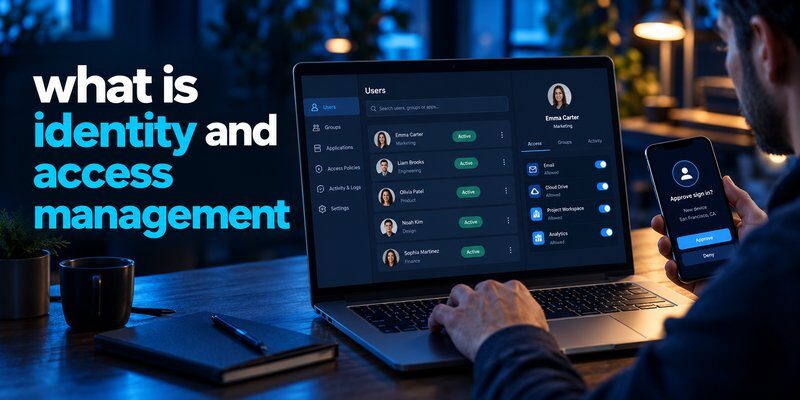
What is identity and access management? Identity and access management (IAM) is a cybersecurity framework that ensures the right people and systems can access the right resources at the right time, under the right conditions.
IAM combines digital identity management, authentication, authorization, and access governance to protect company applications, networks, and sensitive information.
For example, an employee may access company email and project management software, while a financial administrator receives additional permissions to manage payment systems. IAM helps enforce these different access levels.
In simple terms, IAM answers three essential questions: Who are you? How can you prove it? What are you allowed to access?
Understanding what is identity and access management has become increasingly important as businesses adopt cloud platforms, remote working environments, and digital services.
According to the Verizon 2026 Data Breach Investigations Report, vulnerability exploitation accounted for approximately 31% of initial breach entry points. This highlights the need for layered cybersecurity controls, including strong identity security.
Meanwhile, IBM’s 2025 Cost of a Data Breach Report estimated the global average data breach cost at $4.44 million.
Although IAM cannot prevent every cyberattack, effective identity controls can reduce unauthorized access risks and improve security visibility.
This guide explains how IAM works, its essential components, available technologies, and practical implementation strategies.
What Is Identity and Access Management (IAM)?
Identity and access management (IAM) refers to the policies, technologies, and processes organizations use to manage digital identities and control access to IT resources.
The National Institute of Standards and Technology (NIST) describes identity management as the administration of individual identities and their associated access privileges within a system.
To fully understand what is identity and access management, it is useful to separate its two primary functions.
Identity management
Identity management focuses on creating, maintaining, and protecting digital identities.
A digital identity represents an employee, customer, contractor, application, or automated service.
Each identity may contain attributes such as:
- Username and unique employee identifier.
- Department and organizational role.
- Authentication credentials.
- Account status.
- Assigned groups and permissions.
- Authentication and access history.
Identity management ensures organizations can identify and manage the entities interacting with their systems.
Access management
Access management determines which resources an authenticated identity can use.
For example, a marketing employee may view campaign reports but cannot modify payroll information.
An IT administrator may manage certain servers but should not automatically receive unrestricted access to every financial record.
Access management enforces permissions based on business requirements and security policies.
Together, these functions explain what is identity and access management in modern enterprise environments.
IAM is not simply a login tool. It is an ongoing security process covering the entire identity lifecycle, from account creation to access removal.
How Does Identity and Access Management Work?
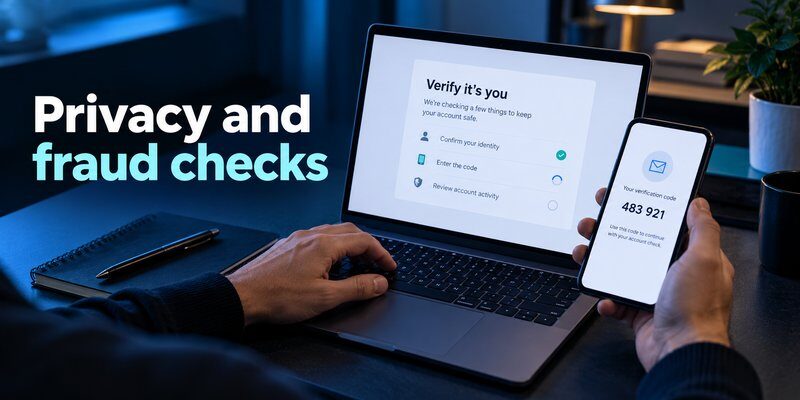
Understanding what is identity and access management becomes easier when examining how IAM processes a typical employee login.
Most IAM systems follow a sequence involving identity creation, authentication, authorization, and continuous access monitoring.
Step 1: Create a digital identity
When a new employee joins an organization, the IT department or an automated provisioning system creates a digital identity.
The identity may be connected to a corporate directory or cloud identity provider.
Relevant information includes the employee’s role, department, manager, and required applications.
Each user should receive a unique identity that can be individually monitored and managed.
Step 2: Authenticate the user
When the employee signs in, the authentication service verifies their identity.
Common verification methods include passwords, security keys, passkeys, and multi-factor authentication.
For instance, an employee may enter a password and complete another verification step through a supported authentication application.
Organizations can strengthen authentication by implementing microsoft multi factor authentication or other compatible verification methods.
Step 3: Authorize access
After successful authentication, the system evaluates the employee’s permissions.
Authentication confirms identity, while authorization determines access rights.
An authenticated employee might access a customer management application but be denied access to confidential executive documents.
Permissions may depend on role, department, device security, or other attributes.
Step 4: Monitor and review access
IAM continues working after the initial login.
Security teams review authentication events, privilege changes, unusual activities, and account status.
Some environments apply conditional access policies that require additional verification when risk increases.
When an employee changes departments or leaves the organization, access permissions should be updated or revoked.
This lifecycle approach provides a practical answer to what is identity and access management beyond basic account authentication.
Key Components of Identity and Access Management
To understand what is identity and access management comprehensively, businesses must recognize the technologies and security processes that form an IAM architecture.
1. Identity lifecycle management
Identity lifecycle management controls how accounts are created, modified, and removed.
It typically includes employee onboarding, role changes, temporary access, and account deactivation.
Automated provisioning helps reduce repetitive administrative work.
Deprovisioning is particularly important because inactive accounts may become attractive targets for attackers.
2. Authentication and multi-factor authentication
Authentication verifies whether users are who they claim to be.
Multi-factor authentication (MFA) requires verification using more than one independent authentication factor.
Common factors include:
- Something you know, such as a password.
- Something you have, such as a security key.
- Something you are, such as a biometric characteristic.
An Authenticator app can generate time-based one-time passwords for accounts that support standard TOTP authentication.
These verification codes provide an additional authentication factor when combined with another independent factor.
However, not every enterprise IAM platform supports third-party TOTP applications, so organizations must confirm compatibility.
To understand the technology, read what is authenticator app.
3. Single sign-on (SSO)
Single sign-on allows users to access multiple connected applications through a centralized authentication process.
For example, an employee might sign in through a company identity provider and access several authorized business applications without repeatedly entering credentials.
SSO improves usability and centralizes security policies.
However, a compromised SSO identity can affect multiple connected services, making strong authentication essential.
4. Role-based access control (RBAC)
RBAC assigns permissions according to predefined organizational roles.
For example:
| User role | Typical access |
|---|---|
| Marketing employee | Campaign and analytics tools |
| HR specialist | Employee records and HR applications |
| Finance manager | Financial reporting systems |
| IT administrator | Authorized infrastructure management |
| Contractor | Limited project-specific resources |
RBAC simplifies permission management and supports the principle of least privilege.
Organizations can also use attribute-based access control (ABAC) for more contextual authorization decisions.
5. Privileged access management (PAM)
PAM controls sensitive administrative accounts and high-risk permissions.
It may include credential vaulting, session monitoring, temporary privilege elevation, and just-in-time access.
By limiting privileged access, organizations reduce opportunities for attackers to misuse administrator accounts.
6. Identity governance and administration (IGA)
IGA helps organizations review access rights, enforce approval workflows, and demonstrate compliance.
Capabilities may include access certification, separation-of-duties checks, and automated governance processes.
These capabilities show why what is identity and access management involves much more than managing passwords.
Why Is Identity and Access Management Important?

Organizations need IAM because employees, applications, and business partners require controlled access to digital resources.
Without effective identity management, permissions can accumulate, unused accounts can remain active, and security teams may lack visibility into access decisions.
1. Reduce unauthorized access risks
IAM helps organizations enforce authentication policies and restrict sensitive resources.
According to Verizon’s 2025 DBIR research, compromised credentials were an initial access vector in 22% of analyzed breaches.
This statistic demonstrates the importance of protecting employee credentials and authentication processes.
Effective IAM also helps reduce risk by limiting the permissions available to compromised accounts.
Businesses can complement these controls with guidance on best account security practices.
2. Improve employee productivity
Centralized identity services can reduce repetitive authentication tasks.
Employees spend less time managing separate credentials across connected applications.
IT teams may also automate routine account creation, permission updates, and access removal.
The result can be a more efficient working environment without abandoning access controls.
3. Support regulatory compliance
Many industries must demonstrate that sensitive information is accessible only to authorized individuals.
IAM can support security controls relevant to frameworks and regulations such as GDPR, HIPAA, and ISO/IEC 27001.
However, implementing IAM does not automatically guarantee regulatory compliance.
Organizations still need appropriate policies, documentation, monitoring, and legal assessments.
4. Strengthen remote and hybrid work security
Employees increasingly access company systems from different devices and locations.
IAM helps organizations evaluate authentication and authorization consistently.
Device compliance, contextual access policies, and stronger authentication can provide additional safeguards.
5. Improve operational visibility
Centralized identity logging helps security teams investigate suspicious authentication behavior.
Monitoring may reveal unusual access times, repeated authentication failures, or unexpected administrative changes.
Organizations can also educate employees about how to spot suspicious login activity.
Ultimately, understanding what is identity and access management helps businesses connect access security with daily operational needs.
IAM vs. SSO, MFA, and PAM: Key Differences
One common misunderstanding when learning what is identity and access management is assuming IAM, SSO, MFA, and PAM refer to the same technology.
They are related but serve different purposes.
| Technology | Main purpose | Example |
|---|---|---|
| IAM | Manage identities and access permissions | Assign employee application access |
| SSO | Centralize sign-in across applications | Access multiple SaaS tools after authentication |
| MFA | Require additional authentication factors | Password plus a verification method |
| PAM | Protect privileged accounts | Control administrator access |
| IGA | Govern identity permissions | Review employee access rights |
IAM is the broader framework, while SSO, MFA, PAM, and IGA can operate as components of an identity security strategy.
IAM vs. SSO
IAM manages identities and permissions throughout their lifecycle.
SSO focuses specifically on simplifying authentication across connected applications.
An organization can deploy SSO without implementing a complete identity governance program.
IAM vs. MFA
MFA strengthens the process of proving identity.
IAM determines how identities are managed and which resources they can access.
For example, MFA may prevent someone with a stolen password from signing in, while IAM authorization policies restrict what an authenticated user can do.
IAM vs. password management
Password managers securely store and organize credentials.
IAM manages identity relationships, authentication policies, and access permissions.
Some businesses use password managers alongside IAM.
Organizations exploring this option can read password manager for small teams.
These technologies work best when deployed as complementary security controls rather than interchangeable products.
Identity and Access Management Software and Platforms
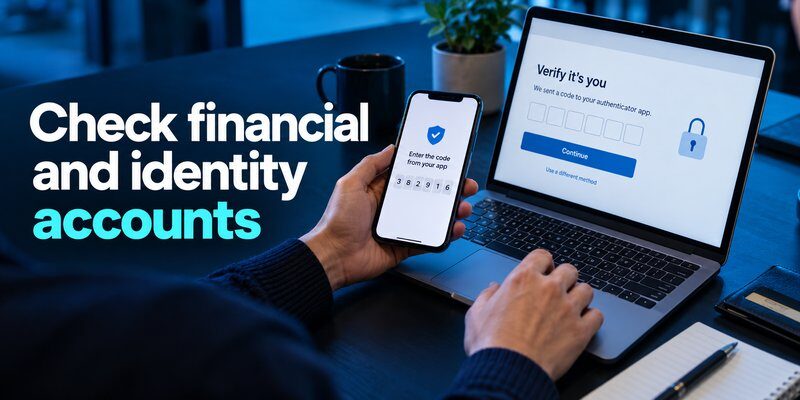
Organizations often use specialized identity access management software to centralize authentication, automate user provisioning, and manage access permissions.
Modern identity and access management platforms may combine cloud identity services, security policies, lifecycle automation, and application integrations.
Common IAM platforms
| Platform | Typical strengths | Common use case |
|---|---|---|
| Microsoft Entra ID | Microsoft integration and Conditional Access | Microsoft 365 organizations |
| Okta | Workforce authentication and application integrations | Diverse SaaS environments |
| Ping Identity | Federation and complex identity architecture | Large hybrid enterprises |
| JumpCloud | Directory and device management | Cross-platform organizations |
| IBM Verify | Identity security and access governance options | Enterprise identity programs |
| Google Cloud Identity | Google ecosystem integration | Google Workspace businesses |
These solutions differ in supported integrations, licensing models, governance capabilities, and deployment requirements.
Businesses should not choose an IAM system solely based on brand recognition.
What features should businesses prioritize?
When answering what is identity and access management from a purchasing perspective, organizations should evaluate the features needed to protect their actual environment.
Important selection criteria include:
- Authentication security: Support for MFA, passkeys, and phishing-resistant methods.
- Application integration: Compatibility with existing SaaS and internal systems.
- Lifecycle automation: Efficient onboarding, role changes, and deprovisioning.
- Access governance: Permission reviews and approval workflows.
- Reporting: Authentication logs and security audit capabilities.
- Scalability: Support for organizational growth.
- Reliability: Availability, recovery procedures, and emergency access.
Organizations should also evaluate support for standards such as SAML, OpenID Connect, SCIM, and FIDO2 where relevant.
IAM and employee authentication
IAM products frequently support additional authentication methods.
For Microsoft environments, the guide to microsoft authenticator for business explains an important authentication-related topic.
Businesses evaluating passwordless access can also explore microsoft authenticator passwordless sign-in.
For employees working across Apple devices, information about google authenticator for mac and apple authenticator may help clarify available verification approaches.
These authentication tools complement IAM but do not replace enterprise identity administration.
IAM Best Practices for Businesses in 2026
Knowing what is identity and access management is the first step. Implementing IAM correctly requires consistent policies and continuous improvement.
1. Apply the principle of least privilege
Users should receive only the permissions necessary to complete their responsibilities.
Avoid granting unrestricted administrative privileges for routine work.
Least privilege reduces the potential impact of compromised accounts and accidental misuse.
2. Enforce strong authentication
Require MFA for sensitive systems, especially administrator accounts and remote access.
NIST’s SP 800-63B-4, finalized in July 2025, provides updated digital authentication guidance covering authentication assurance and authenticator management.
Where supported, prioritize phishing-resistant technologies such as FIDO2 security keys and passkeys.
TOTP verification remains useful for compatible services, but it is not inherently phishing-resistant.
For accounts supporting standard TOTP, users can Download authenticator app to generate compatible verification codes.
3. Automate onboarding and offboarding
Connect identity workflows to trusted organizational processes.
When employees join, receive promotions, or leave, permissions should be updated promptly.
Automated provisioning helps reduce delays and administrative mistakes.
For terminated accounts, verify that application sessions and independently managed credentials are also revoked where necessary.
4. Review permissions regularly
Access requirements change over time.
Managers and security administrators should review privileged accounts, inactive identities, external contractors, and sensitive application permissions.
Regular access reviews help prevent privilege accumulation.
5. Monitor suspicious authentication activity
Organizations should collect appropriate authentication logs and investigate unusual patterns.
Examples include impossible-travel alerts, unfamiliar devices, repeated login failures, and unexpected role changes.
Employees should also understand what is phishing because social engineering can undermine otherwise strong security practices.
6. Create secure account recovery procedures
Lost devices and forgotten credentials can interrupt legitimate business operations.
Organizations should establish verified recovery procedures and protect administrator emergency accounts.
Recovery should not become an easy way for attackers to bypass normal authentication controls.
7. Measure IAM performance
Useful security metrics include:
- Percentage of accounts protected by MFA.
- Number of inactive accounts.
- Average employee provisioning time.
- Time required to revoke access.
- Privileged access review completion.
- Unusual authentication events.
- Access certification results.
These measurements help security teams identify weaknesses and demonstrate improvements.
The practical goal of what is identity and access management is to maintain appropriate access while continuously reducing unnecessary security exposure.
Frequently Asked Questions About IAM
What is identity and access management in simple terms?
What is identity and access management? It is the process of controlling who can access digital systems and what actions they are allowed to perform.
IAM verifies identities, manages permissions, and helps organizations protect sensitive resources.
What is an example of IAM?
A company creates an employee account and assigns access to email, collaboration tools, and department-specific applications.
The employee authenticates using approved methods, while the IAM system enforces permissions.
When the employee leaves, administrators revoke access through established workflows.
What are identity and access management roles?
Common identity and access management roles include IAM administrator, identity engineer, access governance analyst, PAM specialist, and IAM architect.
These professionals manage identity infrastructure, access policies, authentication security, and user lifecycle processes.
Are identity and access management jobs related to cybersecurity?
Yes. Identity and access management jobs are generally part of cybersecurity, information technology, or enterprise security operations.
Professionals in this field may work with authentication protocols, cloud identity systems, access governance, and security automation.
What is an identity and access management login?
An identity and access management login generally refers to an authentication process managed by an organization’s IAM infrastructure.
The system verifies the user before evaluating which connected applications or resources the identity may access.
Is IAM the same as Active Directory?
No. Microsoft Active Directory is a directory service that can support identity and access operations.
IAM is a broader collection of processes and technologies covering authentication, authorization, provisioning, and governance.
Can IAM prevent all cyberattacks?
No. IAM helps reduce identity-related risks but does not eliminate software vulnerabilities, malware, misconfigurations, or every form of social engineering.
The Verizon 2026 DBIR finding that 31% of breaches began with vulnerability exploitation reinforces the need to combine identity security with broader cybersecurity defenses.
Do small businesses need IAM?
Yes. Small businesses also manage employees, cloud applications, passwords, and confidential information.
Basic IAM practices such as unique user accounts, MFA, least privilege, and prompt offboarding can provide meaningful protection.
Conclusion: Why Identity and Access Management Matters
What is identity and access management? IAM is a critical cybersecurity framework that helps organizations verify identities, control permissions, and protect digital resources throughout the user lifecycle.
By combining authentication, authorization, identity governance, and access monitoring, IAM helps organizations reduce unauthorized access risks while supporting employee productivity.
Modern businesses should prioritize least privilege, automated account management, phishing-resistant authentication where possible, and regular access reviews.
IAM is not just about controlling logins. It is about ensuring every digital identity has appropriate access throughout its lifecycle.
For compatible services requiring TOTP verification, the Authenticator app offers an additional account verification option that can complement an organization’s broader identity security strategy.
Download Authenticator App
Secure your accounts with fast, reliable two-factor authentication. Download now and protect your login in seconds.
