
What Is an Account Recovery Code? Use and Storage
Published November 9, 2026
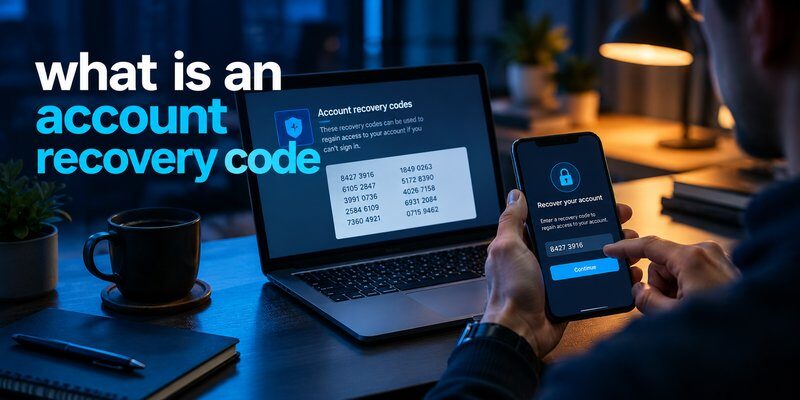
Losing access to an online account can be stressful, especially when you no longer have your phone, authentication app, or registered phone number. Fortunately, account recovery codes offer an alternative way to verify your identity and restore access.
Quick Answer: What is an account recovery code? It is a special security code provided by an online service to help you recover access when your usual verification method is unavailable. Depending on the platform, it may be a single-use backup code or a longer recovery credential. You normally need to generate or save it before losing access to your account.
For example, Google provides 10 single-use, 8-digit backup codes, while Microsoft offers a 25-digit account recovery code for personal Microsoft accounts.
Understanding what is an account recovery code can help you prepare for unexpected login problems and avoid permanently losing access to important services.
This guide explains how recovery codes work, where to find them, how to use them, and how to protect them in 2026.
What Is an Account Recovery Code and Why Do You Need One?
An account recovery code is a security credential that helps you regain access to an account when normal authentication or recovery methods are unavailable.
Many online services use two-factor authentication (2FA) to protect user accounts.
When 2FA is enabled, you typically need two things to sign in:
- Your password or primary authentication method.
- A second verification method, such as an authenticator code, security key, or device approval.
However, you might lose access to your second verification method.
This is where recovery codes become useful.
Why Are Account Recovery Codes Important?
If you are wondering what is an account recovery code, think of it as an emergency access method.
Recovery codes are particularly useful when:
- Your phone is lost or stolen.
- You accidentally delete your authentication app.
- You change your phone number.
- Your device stops working.
- You cannot receive an SMS verification code.
- Your authenticator data was not transferred to a new device.
Recovery codes provide a backup authentication method without requiring access to your original device.
However, they are not universal passwords. A recovery code works only for the account and service that issued it.
Are Recovery Codes the Same as Backup Codes?
The terms are often used interchangeably, but their meanings vary between providers.
For example:
- Google: Provides a set of single-use backup codes for 2-Step Verification.
- Microsoft: Provides a 25-digit account recovery code for eligible personal account recovery scenarios.
- Snapchat: Allows users to generate a recovery code for situations where normal 2FA login codes are unavailable.
- X: Offers backup codes for account access when the usual second authentication method is missing.
The key point when researching what is an account recovery code is that each service controls how its recovery credentials are generated, stored, and used.
Download Authenticator App
Secure your accounts with fast, reliable two-factor authentication. Download now and protect your login in seconds.
How Does an Account Recovery Code Work?

Recovery codes work by providing an alternative way for the account provider to verify that you possess a previously issued security credential.
When you enable additional account protection, a service may allow you to generate backup credentials.
You save these credentials somewhere secure and use them only when necessary.
1. The Platform Generates a Unique Code
The account provider creates one or more recovery codes.
Depending on the service, these may contain numbers, letters, or a combination of characters.
They are associated with your particular account.
For example, Google generates a set of 10 eight-digit backup codes for eligible accounts using 2-Step Verification.
Each Google backup code can be used once.
Microsoft uses a different format, providing a 25-digit recovery code that can assist with personal account recovery.
These differences explain why what is an account recovery code does not have one universal technical format.
2. You Save the Code Before an Emergency
Most services expect you to create and store recovery credentials while you can still access your account.
You might print the codes or save them in a secure password manager.
Do not assume that a provider can display your existing recovery code after you become locked out.
In some cases, lost codes cannot be retrieved at all.
3. The Code Replaces a Missing Verification Method
Suppose you lose your smartphone and cannot open your authentication app.
Instead of entering the usual authentication code, you select the platform’s alternative verification option.
If recovery codes are supported, you enter a valid saved code.
The provider checks whether the code is associated with your account and remains valid.
A successful verification may allow you to sign in or proceed with an account recovery process.
4. The Provider Applies Its Recovery Rules
Recovery behavior differs by platform.
Some codes become invalid immediately after use. Others are replaced when a new recovery credential is generated.
For example, Snapchat automatically disables two-factor authentication after a successful login using its recovery code. You must re-enable 2FA afterward if you want to continue using it.
This highlights an important distinction: a recovery code restores an authentication path; it does not necessarily restore or preserve every previous security setting.
How to Find an Account Recovery Code

If you want to know how to find account recovery code, the first place to check is your account’s security settings.
Most services place recovery options alongside two-factor authentication, backup methods, or password recovery.
However, you usually need to be signed in to create new codes.
Step 1: Open Your Account Security Settings
Sign in through the official website or application.
Navigate to a menu with a name such as:
- Security
- Password and Security
- Two-Factor Authentication
- Two-Step Verification
- Recovery Options
- Backup Codes
The exact menu depends on the provider.
Step 2: Find the Backup or Recovery Code Option
Look for an option labeled Recovery Codes, Backup Codes, or something similar.
Some platforms provide this option automatically when 2FA is enabled.
Other services require you to generate a recovery credential manually.
Follow the instructions displayed by the platform.
Step 3: Generate or View Your Codes
If the provider allows it, select the option to generate new codes or display your existing ones.
You may be asked to enter your account password or complete additional verification.
Generating a new set of codes may invalidate previously saved codes.
Make sure you understand the provider’s rules before replacing existing credentials.
Step 4: Save the Codes Securely
Once your codes are displayed:
- Copy or print them.
- Store them in a protected location.
- Avoid sharing them through messaging applications.
- Keep a separate backup if appropriate.
- Confirm you can access them without your primary phone.
If you use a password manager, protect it with a strong master password and an appropriate recovery plan.
Step 5: Check Previously Saved Recovery Files
If you cannot remember where you saved the codes, inspect your password manager, secure documents, or printed records.
For Google accounts, the official support documentation recommends searching for a previously downloaded file named in the format:
Backup-codes-username.txt
This works only if you downloaded the backup codes before losing access.
Understanding what is an account recovery code is especially useful when preparing for a device replacement or switching authentication methods.
How to Use an Account Recovery Code to Restore Access
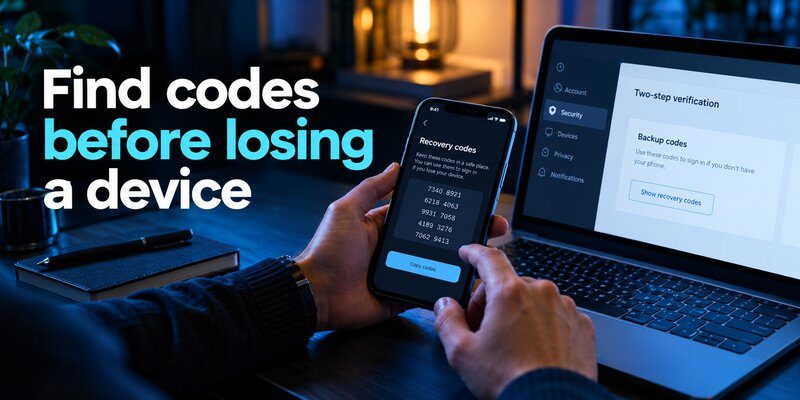
Once you have a valid recovery credential, you can use it through the official login or recovery process.
The following instructions describe the general approach.
Step 1: Visit the Official Login Page
Open the platform’s legitimate website or application.
Enter your username, email address, or other account identifier.
Avoid using unfamiliar links received through emails or messages.
Recovery codes should only be entered into the account provider’s authorized authentication interface.
Step 2: Enter Your Password If Required
Many services still require your ordinary password before allowing a backup code to replace the second authentication step.
A recovery code is not always a substitute for your password.
For example, X normally requires your username and password before accepting a backup code.
Step 3: Select an Alternative Verification Method
When the platform requests your normal authentication method, look for options such as:
- Try Another Way
- Use a Backup Code
- Enter Recovery Code
- Other Ways to Sign In
If you encounter a search prompt such as account recovery enter code, make sure you understand whether the platform expects a recovery credential or a newly delivered verification code.
These are not necessarily interchangeable.
Step 4: Enter an Unused Recovery Code
Carefully enter the credential exactly as required.
If the code is valid, the platform may allow you to complete authentication or continue the recovery process.
Some recovery codes are single-use and cannot be entered again after successful verification.
Step 5: Update Your Security Settings
After regaining access, immediately review your authentication configuration.
Check whether you should:
- Generate replacement recovery codes.
- Register a new authentication device.
- Update your recovery phone number.
- Confirm your email address.
- Remove unauthorized sessions.
- Re-enable two-factor authentication.
The purpose of learning what is an account recovery code is not only to resolve an emergency but also to prepare a safer recovery process for the future.
Account Recovery Codes for Google, Facebook, Microsoft, Snapchat, and X
Although many platforms use similar terminology, their recovery mechanisms can differ substantially.
The following examples explain the most important differences.
Google Account Recovery Codes
Google offers backup codes as part of its 2-Step Verification system.
According to Google Account Help:
- Users can generate 10 backup codes.
- Each code contains 8 digits.
- Each code is valid for one use.
- Creating a new set automatically invalidates the previous set.
To access them while signed in:
- Open your Google Account.
- Navigate to Security & sign-in.
- Select 2-Step Verification.
- Find Backup Codes.
- Generate, download, or print your codes.
If you lose your phone, Google’s login process may allow you to select Try another way and enter one unused eight-digit backup code.
Important: Google Advanced Protection accounts have additional restrictions, including limitations on downloading backup codes.
Our guide to google authenticator lost explains related login recovery situations.
For Google users, knowing what is an account recovery code makes it easier to prepare for a lost or damaged device.
Facebook Recovery Codes
Facebook allows eligible users with two-factor authentication enabled to generate recovery codes.
Many users search for 8 digit recovery code facebook, but you should not assume that Google and Facebook use identical code formats.
Always use the recovery credentials generated by Facebook for your specific account.
To locate recovery codes while signed in:
- Open Facebook Settings.
- Select Accounts Center.
- Navigate to Password and security.
- Open Two-factor authentication.
- Select your Facebook account.
- Find Additional methods and Recovery codes.
Facebook generally provides 10 recovery login codes, with each code intended for one-time use.
If your regular Facebook authentication code fails, our guide on facebook authenticator code not working explains additional troubleshooting options.
Recovery codes cannot bypass a disabled or permanently restricted Facebook account. These situations may require a separate official review.
Microsoft Account Recovery Codes
If you are asking what is a microsoft account recovery code, Microsoft uses a different recovery system from Google’s typical 2FA backup codes.
Microsoft Support states that a personal Microsoft account recovery code contains 25 digits.
It can help restore access when you forget your password or your account is compromised.
To generate one:
- Sign in to your Microsoft account.
- Open the security dashboard.
- Select Manage how I sign in.
- Scroll to Recovery code.
- Choose Generate a new code.
- Print and securely store the code.
Generating a new Microsoft recovery code invalidates the previous code.
Microsoft also states that an existing recovery code cannot be retrieved or downloaded again. If you can still sign in, you can create a replacement.
During recovery, you may see the question do you have an account recovery code.
If you previously generated a valid code, enter it through Microsoft’s official recovery process.
Depending on account security settings, additional waiting periods may apply.
For related authentication problems, read microsoft authenticator recovery.
Understanding what is an account recovery code is particularly important for Microsoft users because its recovery credential has a different purpose from an ordinary six-digit authenticator code.
Snapchat Recovery Codes
People sometimes ask what is recovery code for snapchat when they lose their phone or stop receiving authentication codes.
Snapchat provides a recovery code that users can create while their account is accessible.
To generate it:
- Open Snapchat and go to your profile.
- Tap Settings.
- Open My Account.
- Select Two-Factor Authentication.
- Choose Recovery Code.
- Generate and securely save your code.
Snapchat Support emphasizes that the code must be generated before you lose access.
If you need to use it, enter your username and password, then supply the recovery code when prompted.
After successful recovery, Snapchat automatically turns off 2FA.
You should therefore re-enable two-factor authentication immediately.
Snapchat also states that it does not offer support for lost recovery codes.
If you need help with authentication setup, read our snapchat 2fa code guide.
X Account Recovery Codes
For users searching account recovery x, backup codes can provide an alternative sign-in method when the usual second authentication factor is unavailable.
X allows users to generate backup codes through its security settings.
According to X Help Center:
- Backup codes can be used after losing a phone.
- X supports up to five active backup codes.
- Codes must be used according to the platform’s documented order.
- Backup codes are different from temporary passwords.
To generate a code, open Settings and privacy, navigate to Security, and locate the backup code option.
If you lose your phone, sign in with your usual credentials and select the option to enter a backup code.
If you have no usable backup code or existing authenticated session, X recommends contacting its support team.
As with other platforms, what is an account recovery code depends on the specific security feature offered by the service.
What Happens If You Lose Your Account Recovery Code?
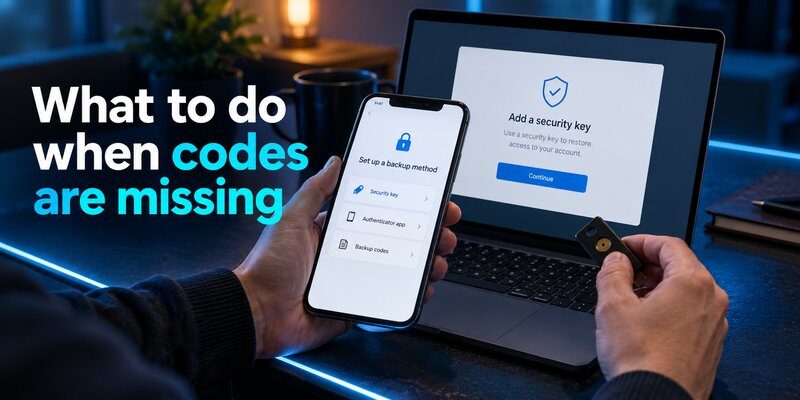
Losing your recovery credentials can make account recovery significantly more difficult.
However, the next steps depend on whether you still have access to another trusted authentication method.
Check Whether You Are Still Signed In
Before attempting complicated recovery procedures, check your other devices.
You may still have an active session on:
- Your laptop.
- A secondary smartphone.
- A tablet.
- Another browser profile.
- A trusted device.
If you remain signed in, you may be able to generate replacement recovery codes from the security settings.
Do not sign out of your last trusted session before establishing another recovery method.
Try an Alternative Verification Method
Some platforms support several authentication options.
These may include:
- A registered passkey.
- A backup security key.
- A recovery email.
- A previously trusted device.
- Another enrolled authentication method.
Follow the platform’s official recovery process.
Remember that what is an account recovery code is different from a general account recovery request. Losing a code does not mean every alternative recovery method has disappeared.
Restore Your Authenticator Data If Possible
If you previously configured authentication backups, you may be able to restore your verification credentials.
Our guide on authenticator app restore from backup covers important considerations for recovering authentication data.
However, an authenticator backup is not automatically a backup of every recovery code issued by your online accounts.
Some recovery codes are stored only by the account provider or wherever you personally saved them.
Contact Official Account Support
If you cannot access any verification method, look for the provider’s official account recovery procedure.
You may be asked for:
- Your account identifier.
- Recovery contact details.
- Information about previous activity.
- Identity verification.
- Details about your last successful login.
Not every provider can restore an account without the required verification evidence.
If you suspect your recovery codes were stolen, consult our guide on how to recover a hacked account.
How to Store and Protect Your Recovery Codes
Because recovery codes can provide access to valuable online accounts, they should be protected similarly to passwords.
Understanding what is an account recovery code also means understanding the security consequences of exposing one.
Use an Encrypted Password Manager
An established password manager can help protect sensitive recovery information.
If you store recovery codes digitally, use a strong master password and appropriate device security.
Consider maintaining an independent emergency-access method so that losing access to the password manager does not also remove access to every recovery credential.
Keep an Offline Backup
A printed recovery code stored in a secure location can remain accessible even when your phone or computer stops working.
Google recommends keeping backup codes somewhere safe, comparable to other important personal documents.
Avoid storing your only recovery codes on the same device that generates your authentication codes.
Never Share Recovery Codes
Legitimate support representatives should not require you to disclose secret recovery codes through an unsolicited message.
Watch for phishing attempts that involve:
- Fake account recovery pages.
- Impersonated customer support.
- Messages claiming your account will be deleted.
- Requests to send a code through social media.
- Unverified applications promising instant account recovery.
A stolen recovery code may allow an attacker to defeat an account’s second authentication requirement.
Replace Compromised Codes
If your recovery codes have been exposed, sign in through the legitimate service and replace them where supported.
For Google, generating a new set invalidates the previous backup codes.
For Microsoft, generating a new recovery code also invalidates the old one.
After replacing them, review your recent account activity and registered devices.
Combine Recovery Codes With Strong Authentication
Recovery codes are only one component of a comprehensive account security plan.
An Authenticator app can provide time-based one-time passwords for compatible services.
For users exploring desktop authentication, our guide to google authenticator for mac discusses relevant options and limitations.
Apple users can also learn about apple authenticator features and supported authentication methods.
An authenticator app generates regular verification codes; it does not automatically generate or store every service’s recovery codes.
The safest approach is to use strong authentication while keeping separate recovery options available.
Frequently Asked Questions About Account Recovery Codes

1. What is a recovery code?
A recovery code is a security credential that helps restore access to an account when normal verification methods are unavailable.
It is typically issued by the account provider and may be used only once or under other specific conditions.
2. Is an account recovery code the same as a verification code?
No.
A regular verification code may be generated by an authenticator or delivered through SMS or email.
A recovery code is usually prepared for emergency situations and may remain valid until used, revoked, or replaced.
The two code types are not necessarily interchangeable.
3. How many digits does an account recovery code have?
There is no universal code length.
Google uses eight-digit backup codes, while Microsoft’s personal account recovery code contains 25 digits.
Other platforms use their own code formats.
4. Can I generate a recovery code after losing my phone?
Sometimes, but only if you can still access your account through another authorized method.
If you are completely locked out, you may be unable to generate new codes.
That is why learning what is an account recovery code before an emergency is important.
5. Can recovery codes be used more than once?
It depends on the platform.
Google backup codes are single-use. Other services have their own validity and replacement rules.
Always follow the account provider’s official instructions.
6. Do recovery codes expire?
Some codes do not have a short time-based expiration, but they may become invalid after use or replacement.
Others are subject to platform-specific security rules.
Never assume an old recovery credential remains valid indefinitely.
7. Can someone hack my account with a recovery code?
A stolen valid recovery code can create a serious security risk, particularly when an attacker also possesses other required login credentials.
Treat recovery codes as secrets.
Do not send them through messages or enter them into unfamiliar websites.
8. Can an authenticator app recover a lost recovery code?
Generally, no.
An authenticator app typically generates regular authentication codes for previously configured accounts.
It does not automatically retrieve lost recovery credentials from Google, Microsoft, Snapchat, or other providers.
9. What should I do immediately after using a recovery code?
Review your security settings, update recovery methods, generate replacement codes if necessary, and check for unfamiliar account activity.
For Snapchat, re-enable two-factor authentication, because using its recovery code disables it.
10. Why should I save my recovery code before changing phones?
If your authenticator data is not transferred successfully, you may lose access to regular verification codes.
Having a previously saved recovery credential provides an alternative authentication path where supported.
Final Thoughts
Understanding what is an account recovery code is an essential part of protecting your online identity.
Recovery codes provide an emergency authentication method when a phone is lost, an authenticator stops working, or another verification method becomes unavailable.
However, every platform has its own recovery system.
Google provides eight-digit backup codes, Microsoft uses a 25-digit personal account recovery code, and services such as Snapchat and X offer their own recovery mechanisms.
The most important steps are to generate recovery credentials before an emergency, store them securely, and never share them with unauthorized people.
Recovery codes work best alongside strong passwords, trusted recovery methods, and two-factor authentication.
Want to strengthen your account security?
Download authenticator app to explore two-factor authentication for compatible accounts.
Protect your accounts today, and prepare your recovery options before you need them.
Download Authenticator App
Secure your accounts with fast, reliable two-factor authentication. Download now and protect your login in seconds.
