
Ledger vs Trezor: Which Hardware Wallet Should You Choose?
Published November 10, 2026
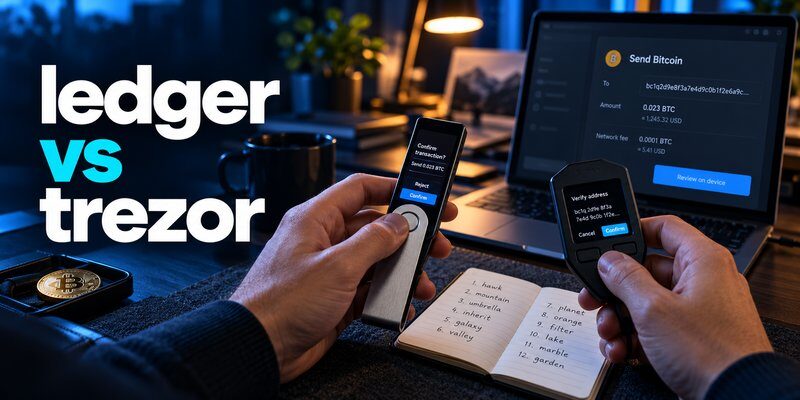
Ledger vs Trezor: which hardware wallet is better for protecting your cryptocurrency in 2026? Both brands offer dedicated devices that keep private keys isolated from everyday internet-connected computers. Ledger emphasizes its certified Secure Element architecture, secure displays, and broad cryptocurrency ecosystem, while Trezor emphasizes open-source transparency, independent verification, and accessible self-custody.
The best choice depends on your preferred security model, supported cryptocurrencies, budget, mobile devices, and backup requirements. Neither brand can guarantee protection against a stolen recovery phrase or a malicious transaction you approve.
In this Ledger vs Trezor comparison, we’ll examine security, prices, supported coins, wallet models, recovery options, advantages, disadvantages, and real-world use cases to help you choose the right hardware wallet.
Ledger vs Trezor: Quick Comparison
The biggest difference between Ledger and Trezor is their approach to hardware security, software transparency, and the user experience of managing cryptocurrency.
Both manufacturers provide hardware signing devices designed to protect private keys, but their specific features vary significantly between models.
| Feature | Ledger | Trezor |
|---|---|---|
| Security approach | Certified Secure Element architecture | Open-source firmware and model-specific Secure Elements |
| Firmware transparency | Mix of open and proprietary components | Strong open-source emphasis |
| Companion software | Ledger Wallet ecosystem | Trezor Suite |
| Entry-level models | Nano S Plus | Safe 3 |
| Touchscreen models | Nano Gen5, Flex, Stax | Safe 5, Safe 7 |
| Mobile connectivity | Bluetooth on supported models | Bluetooth on Safe 7 |
| Cryptocurrency support | Broad multi-chain ecosystem | Broad but model- and integration-dependent |
| Recovery | Recovery phrase and optional recovery products | BIP39 or SLIP39 backups depending on setup |
| Physical security | Secure Element and device authentication | Secure Element protection on Safe models |
| Best for | Users seeking broad asset support and varied signing devices | Users prioritizing open-source design and transparent security |
Quick verdict: Ledger is worth considering if you want broad cryptocurrency support, multiple touchscreen options, and its Secure Element security architecture. Trezor is particularly attractive if you value open-source development, transparent design, and flexible backup arrangements.
Neither manufacturer is universally safer. Compare the exact device rather than relying on brand reputation alone.
Read more: Cold Wallet vs Hot Wallet: Where Should You Keep Crypto?
Secure your accounts with fast, reliable two-factor authentication. Download now and protect your login in seconds.Download Authenticator App
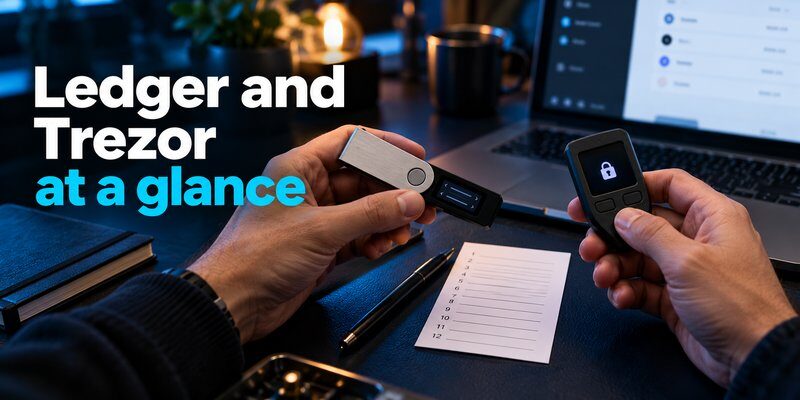
What Is a Ledger Hardware Wallet?
Ledger is a hardware wallet manufacturer offering dedicated cryptocurrency signing devices designed to protect private keys from direct exposure to connected computers and smartphones.
Ledger devices use Secure Element chips and trusted device interfaces to authorize supported blockchain transactions.
Its product lineup includes traditional button-operated devices and newer touchscreen signers.
Popular Ledger Wallet Models
Ledger Nano S Plus
The Nano S Plus is a compact, USB-connected hardware wallet designed for users who prefer a straightforward signing device without Bluetooth connectivity.
It is suitable for users who primarily manage cryptocurrency through a compatible computer or supported connected device.
Ledger Nano X
The Nano X adds Bluetooth connectivity and a battery, making it more convenient for compatible mobile workflows.
It uses a smaller screen and physical buttons for transaction confirmation.
Ledger Nano Gen5
The Nano Gen5 introduces a larger E Ink touchscreen and modern transaction verification features at a more accessible position within Ledger’s touchscreen lineup.
Ledger Flex
Ledger Flex features a 2.8-inch E Ink touchscreen and supports USB-C, Bluetooth, and NFC connectivity.
It is designed for users who want a larger signing display and more flexible everyday interactions.
Ledger Stax
Ledger Stax is a premium signing device featuring a curved E Ink touchscreen and additional convenience features.
Its larger display can make supported transaction details easier to review.
The best Ledger model depends on your device compatibility, signing frequency, and budget.
Ledger Advantages
Ledger offers several benefits:
- Dedicated Secure Element-based key protection.
- A broad ecosystem of supported cryptocurrency assets and applications.
- Multiple device options across different price categories.
- Bluetooth connectivity on supported models.
- Larger secure touchscreens on newer devices.
- Hardware-based transaction confirmation.
- Optional recovery products for compatible devices.
Ledger Disadvantages
Ledger also has limitations:
- Some security-related components are proprietary.
- Advanced touchscreen models can be expensive.
- Features vary considerably across devices.
- Certain recovery services introduce additional trust and privacy considerations.
- Users must still protect their recovery phrases.
- Transaction details may not always be fully interpretable for every blockchain interaction.
Ledger’s hardware architecture can reduce private-key exposure, but it does not eliminate phishing or transaction-approval risks.
Read more: Hardware Wallet vs Software Wallet: Key Differences, Pros & Cons

What Is a Trezor Hardware Wallet?
Trezor is a hardware wallet manufacturer known for its emphasis on open-source firmware, transparent security design, and self-custody.
Its devices allow users to manage cryptocurrency while keeping private keys separate from ordinary connected applications.
Modern Trezor Safe devices also include Secure Element technology, so the Ledger vs Trezor security debate should not be simplified into one brand having secure chips and the other lacking them.
Popular Trezor Wallet Models
Trezor Safe 3
The Safe 3 is an entry-level hardware wallet featuring physical button controls, a Secure Element, and support for compatible wallet backup methods.
It is designed for users seeking straightforward long-term cryptocurrency storage.
Trezor Safe 5
The Safe 5 adds a color touchscreen and haptic feedback for a more interactive signing experience.
It also includes a Secure Element and supports Trezor’s documented backup options.
Trezor Safe 7
The Safe 7 is a premium hardware wallet featuring a touchscreen, wireless connectivity, and a security architecture incorporating two Secure Elements.
It is particularly relevant for users who want a modern Trezor device with broader mobile functionality.
Older Trezor Models
The Model One and Model T remain relevant to existing owners, but buyers should distinguish their security architecture and supported features from newer Safe devices.
Trezor Advantages
Trezor offers several important benefits:
- Open-source firmware and an emphasis on inspectable security.
- Dedicated hardware signing devices.
- Secure Element protection on modern Safe models.
- Support for compatible BIP39 and SLIP39 wallet backups.
- Clear recovery documentation.
- Entry-level and premium hardware options.
- Bitcoin-only firmware options on supported models.
Trezor Disadvantages
Potential limitations include:
- Cryptocurrency support varies by device and integration.
- Some workflows require compatible third-party software.
- Mobile signing functionality differs between models.
- Premium models require a higher initial investment.
- Recovery procedures can become complicated when using advanced backup arrangements.
- Open-source software does not eliminate hardware, supply-chain, or phishing risks.
Trezor can be a strong choice for users who value transparency, but secure ownership still depends on correct setup and recovery practices.
Read more: What Is a Multi Signature Wallet? How It Works, Benefits & Risks
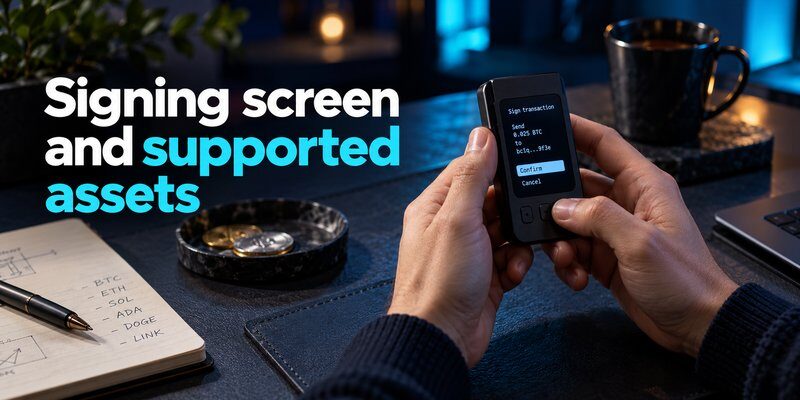
Ledger vs Trezor Security: Which Is Safer?
Security is the most important consideration in a Ledger vs Trezor comparison.
Both manufacturers provide devices intended to keep private keys protected during transaction signing.
However, their security architectures and transparency models differ.
Secure Element Protection
Ledger uses certified Secure Element chips as a central component of its signing-device security architecture.
These chips are designed to resist certain physical and software attacks and protect sensitive key material.
Trezor Safe 3 and Safe 5 also include Secure Elements, while Safe 7 uses a more advanced architecture incorporating two Secure Elements and a security microcontroller.
Therefore, it is inaccurate to claim that Ledger offers Secure Element protection while all Trezor devices lack it.
Verdict: Both brands offer hardware-based security protections. The better architecture depends on the exact model and threat being considered.
Open-Source vs Proprietary Security
Trezor emphasizes open-source firmware and the ability for researchers to inspect significant portions of its software design.
This approach supports independent review and public discussion of security vulnerabilities.
Ledger uses a combination of open-source components and proprietary technology, including parts of its Secure Element environment.
The tradeoff involves different assumptions about hardware trust, transparency, and independent verification.
Verdict: Trezor has a stronger open-source transparency emphasis, while Ledger emphasizes its certified hardware security architecture.
Protection Against Physical Attacks
Physical attacks attempt to compromise a wallet after an attacker obtains access to the device.
Both manufacturers use security mechanisms intended to make unauthorized access more difficult.
Protection depends on the device model, PIN implementation, chip architecture, and attack conditions.
Older security research involving one product should not automatically be applied to every current device.
Verdict: Compare the exact model’s documented physical security architecture rather than assuming one brand is universally stronger.
Phishing and Malicious Transactions
Neither Ledger nor Trezor can guarantee protection against phishing.
If users reveal their recovery phrases, attackers may be able to reconstruct the wallet without possessing the original hardware device.
Similarly, a malicious smart contract or fraudulent transfer may cause losses if the user authorizes it.
Always verify transaction details on the trusted device display and avoid signing requests you do not understand.
Verdict: Both brands require careful transaction verification and recovery phrase protection.
Firmware Updates and Device Authenticity
Both Ledger and Trezor provide official software and procedures for managing device updates.
Firmware updates can introduce new features, compatibility changes, and security fixes.
However, users should install updates only through trusted manufacturer instructions and verify device authenticity during setup.
Overall security verdict: Neither Ledger nor Trezor is automatically safer in every scenario. Both provide meaningful hardware protections, but security depends on the model, firmware, threat environment, and user behavior.
Read more: How to Back Up Authenticator Codes Before You Change Phones
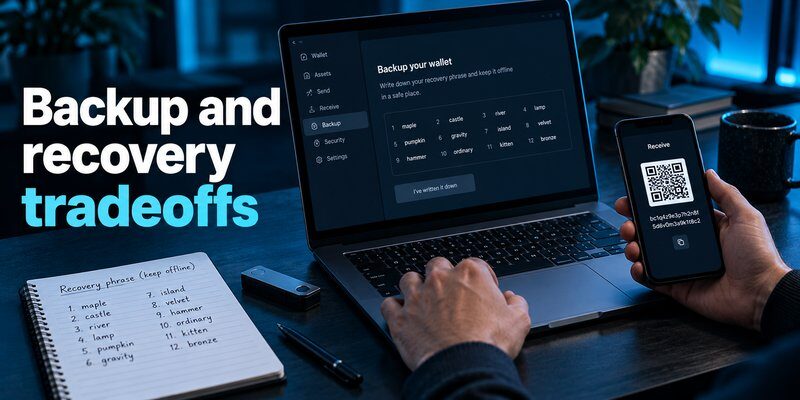
Ledger vs Trezor Price: Which Offers Better Value?
Price is another important factor when comparing Ledger vs Trezor hardware wallets.
Both brands offer devices at different price levels, from basic hardware signers to premium touchscreen models.
Entry-Level Wallets
Ledger Nano S Plus and Trezor Safe 3 are practical starting points for users who want dedicated hardware signing without premium connectivity features.
Both provide core self-custody functionality, although their supported assets, backup systems, and device interfaces differ.
Mid-Range Wallets
Ledger Nano X, Ledger Nano Gen5, and Trezor Safe 5 provide additional convenience features depending on the model.
These may include Bluetooth connectivity, larger screens, or touchscreen-based transaction confirmation.
Premium Wallets
Ledger Flex, Ledger Stax, and Trezor Safe 7 target users seeking more advanced displays, connectivity, or hardware features.
A higher price does not automatically mean stronger protection against every threat.
Price verdict: Compare the current official purchase price against the features you actually need. For basic long-term storage, an entry-level device may be sufficient.
Prices, promotions, shipping costs, and regional availability can change, so verify current listings before buying.
Ledger vs Trezor Supported Coins and Cryptocurrencies
Cryptocurrency compatibility can determine whether Ledger or Trezor is the better choice.
Both manufacturers support Bitcoin and multiple other cryptocurrency networks, but their exact asset coverage differs.
Ledger Cryptocurrency Support
Ledger provides broad multi-chain support through its companion software and compatible third-party wallet integrations.
Users may be able to manage additional tokens or blockchain applications through supported external interfaces.
However, support for a cryptocurrency does not guarantee that every transaction type or smart contract interaction can be clearly verified on the device.
Trezor Cryptocurrency Support
Trezor supports Bitcoin and various other cryptocurrencies through Trezor Suite and compatible third-party applications.
Supported networks and advanced features depend on the device model and integration.
Some cryptocurrencies may require external wallet software rather than direct management through Trezor Suite.
Which Wallet Supports More Coins?
Ledger generally emphasizes broad cryptocurrency ecosystem compatibility, making it worth evaluating for users with diversified portfolios.
However, advertised asset counts can include tokens on the same underlying blockchain.
Before buying either wallet, verify:
- The exact cryptocurrency and blockchain network.
- Support for the specific hardware model.
- Availability in the official companion application.
- Compatibility with trusted third-party wallets.
- Whether transaction details can be verified on the device.
Verdict: Ledger may be attractive for broad multi-asset workflows, but compatibility must be checked for the exact assets you own.

Ledger vs Trezor Backup and Recovery Options
Recovery is one of the most important aspects of cryptocurrency self-custody.
Both Ledger and Trezor provide methods to restore wallet access if the original signing device is lost, damaged, or replaced.
However, their supported backup arrangements differ.
Ledger Recovery Options
Ledger devices commonly support recovery through a 24-word recovery phrase.
Compatible models may also support additional recovery products, including optional encrypted backup or identity-based recovery services.
These options involve different security and trust considerations.
Users should understand the exact recovery mechanism before enabling an additional service.
Trezor Recovery Options
Trezor supports documented wallet backup standards, including BIP39 and SLIP39 on compatible models.
SLIP39 can support multi-share backup arrangements, where a defined threshold of shares is required for recovery.
However, supported backup formats and default settings vary by device and setup.
Can You Recover a Ledger Wallet on Trezor?
Cross-brand recovery may be possible when both devices support compatible recovery standards, derivation paths, passphrases, and cryptocurrency networks.
However, not every backup format or wallet configuration is interchangeable.
Never assume that an advanced backup method will work on another manufacturer’s device without checking official documentation.
For additional guidance, read how to protect your seed phrase and how to recover a lost crypto wallet.
Ledger vs Trezor for Beginners: Which Is Easier to Use?
Beginners should consider setup complexity, transaction confirmation, backup instructions, and compatibility with their existing devices.
Ledger for Beginners
Ledger offers a guided setup experience through its companion software.
Users can choose between compact button-operated devices and newer touchscreen models.
Larger displays may make supported transaction details easier to review.
However, users should understand which recovery features are optional and how their private keys are protected.
Trezor for Beginners
Trezor provides guided setup through Trezor Suite and emphasizes clear recovery instructions.
The Safe 3 offers a straightforward hardware signing experience, while touchscreen models provide additional convenience.
Users interested in advanced backup configurations should understand the recovery requirements before enabling them.
Which Is More Beginner-Friendly?
Both brands can be suitable for beginners.
Ledger may appeal to users who want its broader signing ecosystem and touchscreen options.
Trezor may appeal to users who prioritize transparent security documentation and straightforward self-custody.
Verdict: Choose the device whose setup, transaction confirmation, and recovery process you can confidently understand and test.
Ledger vs Trezor: Which Hardware Wallet Should You Buy?
The best Ledger vs Trezor choice depends on your cryptocurrency portfolio, preferred security architecture, budget, and daily workflow.
| Your priority | Consider | Main reason |
|---|---|---|
| Open-source firmware | Trezor | Transparency and inspectability |
| Broad cryptocurrency ecosystem | Ledger | Extensive integrations |
| Affordable long-term storage | Ledger Nano S Plus or Trezor Safe 3 | Basic hardware signing |
| Bluetooth mobile signing | Compatible Ledger models or Trezor Safe 7 | Wireless connectivity |
| Large transaction display | Ledger touchscreen models or Trezor Safe 5/7 | Easier transaction review |
| Advanced backup arrangements | Compatible Trezor models | SLIP39 support |
| Bitcoin-focused storage | Either brand | Verify Bitcoin-specific features |
| DeFi and multi-chain use | Either, after compatibility checks | Network and signing support |
Choose Ledger If…
Ledger may be a better fit if you:
- Want access to its broad cryptocurrency ecosystem.
- Prefer its certified Secure Element architecture.
- Need Bluetooth connectivity on a supported model.
- Want multiple touchscreen device options.
- Are comfortable with its combination of proprietary and open-source components.
Choose Trezor If…
Trezor may be a better fit if you:
- Prioritize open-source firmware and transparency.
- Want a hardware wallet with publicly inspectable software.
- Prefer Trezor Suite’s supported workflow.
- Need compatible SLIP39 backup options.
- Want to evaluate the Safe series’ Secure Element architecture.
Which Is Better for Long-Term Bitcoin Storage?
Both Ledger and Trezor can be suitable for long-term Bitcoin self-custody.
For a Bitcoin-focused setup, prioritize reliable address verification, secure offline backups, appropriate passphrase management, and a tested recovery procedure.
If you do not need Bluetooth or frequent transactions, a simpler hardware device may be sufficient.
For more options, see best hardware wallet for crypto and best cold wallet for crypto.
How to Set Up Ledger or Trezor Safely
Regardless of which brand you choose, secure setup is essential.
Step 1: Purchase From an Official Source
Buy directly from the manufacturer or an authorized seller.
Avoid used devices, preconfigured wallets, and products supplied with an existing recovery phrase.
Step 2: Install Official Wallet Software
Download the companion software using the manufacturer’s official website.
Avoid search advertisements, unsolicited download links, and unofficial support messages.
Step 3: Initialize a New Wallet
Follow the device’s official setup procedure.
Generate fresh recovery information using the trusted device workflow.
Never use recovery words supplied by a seller.
Step 4: Protect Your Recovery Information
Record the recovery phrase or supported backup information accurately.
Store it offline and keep it private.
Do not photograph the phrase or enter it into a website claiming to verify your wallet.
Step 5: Verify Your Receiving Address
Generate a receiving address using compatible software.
Verify the address on the hardware device’s trusted display or through its documented verification procedure.
Step 6: Test Transactions and Recovery
Send a small test amount before transferring significant holdings.
Complete a small outgoing transaction and verify that you understand the signing process.
Test the supported recovery procedure before relying on the wallet for long-term storage.
For detailed instructions, see how to set up a hardware wallet and how to secure a crypto wallet.
Frequently Asked Questions
Is Ledger Better Than Trezor?
Ledger may be preferable for users seeking its Secure Element architecture, broad cryptocurrency ecosystem, and multiple touchscreen options. Trezor may be preferable for users prioritizing open-source transparency and its supported backup methods. The better choice depends on the exact device and user requirements.
Is Trezor Safer Than Ledger?
There is no universal security winner. Both brands offer hardware signing devices with dedicated security protections. Their security models, firmware transparency, and physical attack defenses differ by model.
Does Trezor Have a Secure Element?
Yes. Trezor Safe 3 and Safe 5 include Secure Elements, while Safe 7 uses two Secure Elements as part of its hardware security architecture. Older Trezor models have different designs.
Which Is Cheaper, Ledger or Trezor?
Both brands offer entry-level and premium devices. Trezor Safe 3 and Ledger Nano S Plus are commonly compared as lower-cost options. Current prices should be verified through official stores.
Does Ledger Support More Cryptocurrencies Than Trezor?
Ledger generally advertises broad multi-chain compatibility, but exact support depends on the model, companion software, and third-party integrations. Check both manufacturers’ official compatibility information for your assets.
Can I Transfer Crypto From Ledger to Trezor?
Yes. You can create a new wallet on Trezor and send cryptocurrency from your Ledger-controlled wallet to its verified receiving address. Some compatible recovery configurations may also support restoration across brands, but compatibility should be confirmed before attempting it.
Can Ledger or Trezor Be Hacked?
Both can face security vulnerabilities, physical attacks, phishing, and malicious transaction requests. A stolen recovery phrase may compromise funds regardless of the hardware device used.
Which Is Better for Bitcoin, Ledger or Trezor?
Both support Bitcoin self-custody. Choose based on transaction verification, backup compatibility, security architecture, device connectivity, and your preferred workflow.
Is Ledger or Trezor Better for Beginners?
Both can be beginner-friendly. Ledger provides a range of devices and an integrated software ecosystem, while Trezor emphasizes transparent design and guided self-custody. Beginners should prioritize a setup and recovery process they can understand.
Final Thoughts
The Ledger vs Trezor comparison is ultimately about choosing the hardware wallet architecture, transparency model, and user experience that best match your needs.
Ledger offers a broad cryptocurrency ecosystem, certified Secure Element-based signing devices, and multiple modern touchscreen options. Trezor emphasizes open-source transparency, secure hardware designs, and flexible backup support on compatible models.
Neither brand is automatically safer for every cryptocurrency holder.
Before purchasing, compare the exact model’s security architecture, supported assets, transaction display, backup compatibility, and recovery procedure.
Whichever hardware wallet you choose, protecting your recovery phrase and carefully verifying transactions remain essential to long-term cryptocurrency security.
