
Biometric Banking in 2026: How It Works, Benefits, Risks, and Setup
Published November 3, 2026
Quick answer: Biometric banking uses physical or behavioral characteristics—such as your fingerprint, face, or voice—to help confirm your identity when accessing financial services. On many phones, Face ID or fingerprint recognition simply unlocks the bank’s app through the device’s security system. It does not necessarily approve a payment or replace every password, passkey, or one-time code. The safest approach combines trusted biometric checks with a strong phone lock, phishing-resistant authentication where supported, and secure account recovery.
A face scan for remote account opening, a fingerprint used to unlock an app, and a passkey used to sign in to a website are three different security operations. Knowing the difference helps you avoid relying on one sensor for every financial risk.
What Is Biometric Banking?
Biometric banking is the use of biological or behavioral characteristics to support identity verification in financial services. Fingerprints and facial features are common physical characteristics. Voice patterns and typing cadence can also contribute to certain risk and authentication systems. A device compares a fresh measurement against an enrolled reference, then returns an approval or rejection under its own rules.
Who performs the comparison? Your phone may check locally and send an authentication result; a bank or identity provider may instead process a selfie remotely. Their privacy implications differ.
The growth of mobile finance explains why the subject matters. According to the World Bank’s Global Findex 2025, 79% of adults worldwide held an account at a financial institution or mobile-money provider, compared with 74% in 2021. The same research found that 86% of adults owned a mobile phone. These figures measure access to accounts and phones, not the percentage of banks using biometrics. They show the scale of the digital-finance environment in which secure mobile sign-in matters.
For customers, biometric banking reduces repeated password entry. Banks must also protect sensitive data, provide accessible alternatives, and secure recovery channels.
How Does Biometric Authentication Work in Banking?
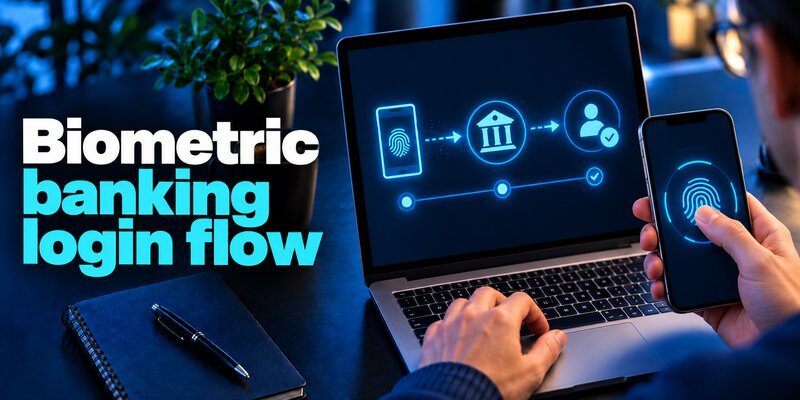
A biometric banking login varies by device and bank. Your bank does not necessarily receive your fingerprint when you open its app.
Step 1: The user enrolls a biometric method
Most consumers first register Face ID or a fingerprint in the phone’s operating-system settings. A bank app may offer biometric sign-in after an initial identity check. Other services collect selfies for remote verification. Enrollment in an operating system is not the same as submitting a biometric to a bank.
Step 2: A sensor captures a fresh sample
The camera, fingerprint reader, or microphone measures a characteristic. Software converts the sample into information suitable for comparison. A good design uses presentation-attack detection, sometimes called liveness protection, to resist photographs, fake fingerprints, or recordings. The result is probabilistic: legitimate users can sometimes be rejected, while very rare false matches remain possible.
Step 3: The system confirms an authorized action
On a modern phone, biometric banking may use the operating system’s secure biometric prompt. The bank receives a result indicating that the approved local check succeeded, rather than obtaining the underlying biometric template. Where a service uses a passkey, the device can unlock a private cryptographic key and return a signed response to the service. A bank may still require transaction-specific authorization for high-value transfers or changes to account details.
Step 4: A fallback or recovery path stays available
Injuries, broken cameras, and replacement phones require a fallback: perhaps a passcode, security key, bank support, or verified recovery. Recovery must resist impersonation.
The Federal Financial Institutions Examination Council (FFIEC) emphasizes layered authentication, risk assessments, and stronger controls for sensitive banking actions. That principle is more important than relying on a single biometric prompt for every financial decision.
Types of Biometrics Used by Banks
Not every technology marketed as biometric banking provides equivalent protection. The table below explains common methods and their practical limits.
| Method | Typical banking use | Important limitation |
|---|---|---|
| Fingerprint | Unlocking a mobile bank app or authorizing a supported local action | Wet, injured, or unreadable fingers can cause failures |
| Facial recognition | App unlock, selfie-based identity verification, or a supported passkey gesture | Device-grade Face ID differs from a basic selfie comparison |
| Voice recognition | Some assisted-service or call-center identity checks | Illness, background noise, and voice impersonation create risks |
| Behavioral patterns | Risk signals derived from typing, touch, or interaction habits | Often probabilistic and unsuitable as the only authentication factor |
| Iris recognition | Specialized identity or access-control deployments | Requires compatible equipment and careful accessibility planning |
Fingerprints and facial recognition
For everyday biometric banking, fingerprints and face scans are familiar because phones already have the sensors. Apple’s Face ID security documentation states that its encrypted facial representation is protected by the Secure Enclave and does not leave the device. Apple reports a random false-match probability below 1 in 1,000,000 for one enrolled appearance, with qualifications for similar-looking relatives and other conditions. That is an Apple-specific estimate, not a success rate for all bank face-recognition products.
Fingerprint sensors vary as well: capacitive readers, optical in-display sensors, and ultrasonic readers have different designs. Device-specific protections and secure storage matter more than a generic label. A bank should not assume that every phone offers the same authentication strength merely because both devices display a fingerprint icon.
Voice, behavior, and specialized systems
The history of biometric authentication in financial services predates smartphone apps. Earlier banking guidance discussed voiceprints, hand geometry, iris-scanning ATMs, and typing rhythms as possible methods. Today’s systems can combine these signals with device reputation and suspicious-activity monitoring. Bank biometrics are not one uniform technology.
A keyboard biometric system measures typing rhythm, not the password itself. Other digital biometrics examine touch patterns. NIST recognizes behavioral characteristics, but because they vary with context, banks should use them as supporting risk signals.
Benefits and Risks of Biometric Banking
The appeal of biometric banking comes from convenience, but benefits and risks must be evaluated together.
Benefits: less friction and fewer reusable secrets
Faster access: Open a participating app without repeatedly typing long passwords.
Lower password exposure: When a local biometric unlock activates a properly implemented device-bound key or passkey, an online service need not receive a reusable password for that sign-in. The FIDO Alliance explains that passkey-related biometrics remain on the device; the website receives cryptographic proof, not the person’s face or fingerprint.
Additional protection for sensitive actions: Banks can combine a trusted unlock gesture with device checks, transaction details, anomaly detection, and approval requirements. Under the FFIEC’s risk-based approach, a login and a large transfer do not have to receive the same level of authentication.
Accessibility: Offer a PIN or alternative when a face or fingerprint sensor is difficult to use.
Risks: spoofing, privacy, and weak recovery
Biometric data is difficult to replace. If a provider centrally stores an identifiable template and that database is compromised, users cannot simply change their fingerprints. The Federal Trade Commission has warned about privacy, security, and discrimination risks arising from biometric technologies. A local phone biometric check does not necessarily create the same central database risk.
False matches differ from spoofing. NIST SP 800-63B specifies a false-match rate of 1 in 10,000 or better for covered systems and requires presentation-attack detection for facial recognition. This is not a measured rate for any particular bank. NIST also requires a physical authenticator and non-biometric alternatives in covered authentication flows.
Fraud can bypass the sensor through other routes. A phishing message may steal credentials; malware may capture a session; a scammer may persuade a customer to approve a transfer. Account recovery may be socially engineered. Therefore, biometric banking does not remove the need for suspicious-login alerts, transaction limits, secure customer support, and independent verification for risky changes.
A simple risk-versus-benefit comparison
| Situation | What biometrics improve | What still needs protection |
|---|---|---|
| Opening the bank app | Convenient local user verification | Device theft, malware, weak PIN |
| Logging in with a passkey | Reduces phishing of reusable passwords | Device recovery and account takeover controls |
| Verifying a remote identity | May help confirm the applicant | Spoofing, bias, retention, data privacy |
| Sending a high-value transfer | May authorize a specific step | Payment details, scams, and transaction monitoring |
Biometric banking is strongest when a face or fingerprint match is one control in a broader financial-security system.
How to Enable Biometric Login in a Banking App
Setup varies; not every bank offers this feature.
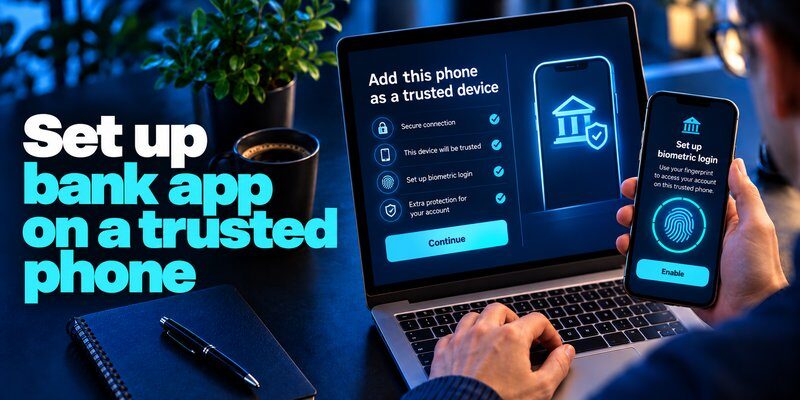
Step 1: Secure your phone first
Install trusted operating-system updates and set a strong device passcode. Register Face ID or a fingerprint using the phone’s own settings. Avoid enrolling anyone else’s biometric on your banking phone.
Step 2: Open the bank’s official app
Download or update the app through the bank’s verified website or the official app store. Do not follow an unsolicited text-message link claiming you must activate biometric security immediately. Open the app yourself, sign in using the bank’s established method, and complete any required verification.
Step 3: Enable the offered biometric option
Look for settings such as Security, Login, Biometrics, or Face ID/Fingerprint. Accept the bank’s supported authentication flow. Confirm whether the feature unlocks the app, approves transactions, or both.
Step 4: Test access and recovery
Lock the app and try reopening it. Identify the fallback before you need it. Review trusted devices, notification settings, and account-recovery information. Enable fraud alerts and keep recovery contacts current, so biometric banking stays usable after device loss.
Do not confuse a biometric prompt with consent to upload facial information. If remote selfie verification is required, read what the provider says about storage, purpose, sharing, and deletion before proceeding. If you would like a related account-protection checklist, see how to protect your online accounts.
Biometric Banking Not Working? Common Fixes
If biometric banking fails, check whether the sensor fails everywhere or only in one app.
The phone cannot recognize your face or finger
Clean the sensor area; remove a case or screen protector that blocks the camera; dry or clean your fingertip; and follow the device’s recommended angle and distance. Restart the phone and unlock it with the passcode once if required. For injured fingers, try an approved alternative.
The biometric option has disappeared
A bank may temporarily disable biometric login after a major app update, reinstall, security-setting change, or device replacement. Make sure biometrics still work at the operating-system level, then review the bank app’s permissions and settings. Avoid deleting the app until you know you can restore access and verification credentials.
The bank asks for a password or one-time code
A password prompt does not prove the biometric system has failed. Banks may require step-up checks for new devices, sensitive changes, suspicious activity, or transactions. If you see biometric not working after multiple attempts, use the bank’s official fallback and contact support through a trusted number when necessary. Do not give a caller your PIN, backup code, or one-time password.
You lost the phone or suspect account takeover
Contact your bank through an official channel, review transactions, and revoke compromised sessions. Our guides to how to spot suspicious login activity and how to recover a hacked account explain broader recovery principles. An unfamiliar transaction is urgent even if your biometric login still works.
Biometric Banking, Passkeys, and Two-Factor Authentication
Biometric banking does not replace every authentication method.
Device biometrics confirm a local user gesture. Passkeys are cryptographic credentials that a supported banking service can verify; a fingerprint, face scan, or device PIN may unlock the corresponding key. TOTP codes are temporary numbers generated from a shared secret by an app that the service has already enrolled. They are not created by the phone’s face sensor.
This distinction makes biometric banking easier to evaluate. It also matters when discussing biometric authentication banking versus a separate second factor. The right method depends on the bank’s requirements. If the institution mandates its own approval app, SMS, or security token, installing a generic code generator will not automatically satisfy that requirement.
For compatible accounts, an authenticator app generates TOTP codes. Begamob also describes Face ID or Touch ID app locking, which is separate from a bank’s payment authorization. Read what is an authenticator and two factor authentication app for enrollment basics.
Need a code generator for services that support standard TOTP? Download Begamob 2FA for iPhone on the App Store. An authentication app can protect eligible logins, but do not assume it works with every bank. Check your bank’s accepted methods and the app’s current terms first.
Prefer phishing-resistant passkeys where available. Keep backup codes secure, never reveal live codes, and inspect transfer details before approval.
Frequently Asked Questions About Biometric Banking
Is biometric banking safer than a password?
It can be safer and more convenient when it unlocks a protected on-device credential or supported passkey. A face or fingerprint by itself is not a guarantee against phishing, device compromise, or scams. Security depends on the complete authentication flow, including recovery.
How do banks use a face or fingerprint check?
Biometric authentication for banking uses characteristics such as fingerprints or facial features to help verify a customer. It may unlock a mobile app, support remote identity proofing, or authorize a specific action. The bank decides which steps require additional verification.
Does my bank keep a copy of my fingerprint?
Not necessarily. In many mobile-app flows, the operating system performs local matching and the bank receives only an authentication result. Remote identity verification can use a different model. Read the bank’s privacy notice rather than assuming every implementation is local.
Why do customers choose biometric login?
Biometric for banking can reduce repeated password entry, make phone access easier, and activate device-bound credentials. The best results come when it is combined with risk monitoring, secure recovery, and extra controls for payments.
How does mobile login differ from identity verification?
Biometric in banking is a broad category. Routine sign-in checks whether the current device user matches an enrolled local reference; identity proofing attempts to confirm that an applicant is the claimed real-world person. They may collect different information and have different privacy requirements.
Is face or fingerprint sign-in accessible to older customers?
Biometrics and banking can be convenient for customers who find passwords difficult, but accessible alternatives remain essential. A user may need a PIN, assistive technology, or branch-based help if a sensor is unusable. No one should lose access to essential services solely because one biometric method fails.
Does a biometric check stop fraudulent payments?
Login biometrics may make unauthorized app entry harder, but criminals can still exploit scams, account recovery, or already-authenticated sessions. Review transfer details, use fraud alerts, and report suspicious payments promptly.
Do banks always support external one-time code generators?
Use an authenticator app 2fa only where your bank or another service explicitly supports standard authenticator-generated codes. Many banks rely on proprietary approval systems or other verification methods. A separate TOTP app cannot override the bank’s security policy.
Bottom line: Biometric banking is useful because it makes secure device access less cumbersome—but a face or fingerprint is not a complete financial-fraud defense. Choose trusted hardware, enable the bank’s official security options, keep a robust fallback, and add phishing-resistant authentication or a supported second factor where available.
Download Authenticator App
Secure your accounts with fast, reliable two-factor authentication. Download now and protect your login in seconds.
