
Passkeys vs 2FA: Which Is More Secure in 2026?
Published November 5, 2026
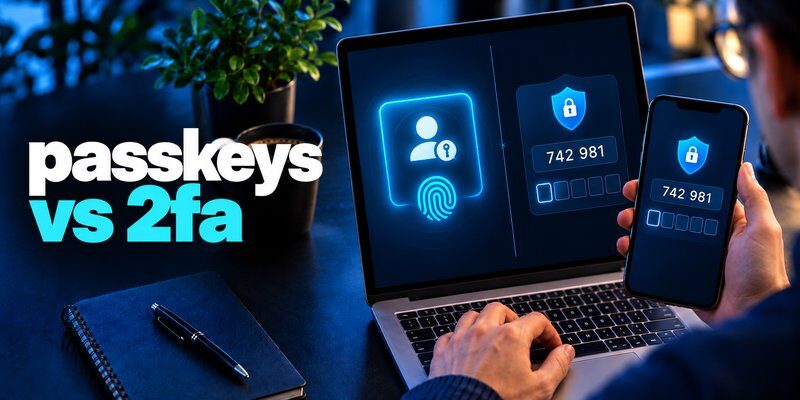
Passkeys are generally more secure than traditional two-factor authentication (2FA) methods such as SMS codes and authenticator-generated one-time passwords. Passkeys use public-key cryptography to prevent common phishing attacks, while traditional 2FA strengthens password-based logins by requiring an additional verification step.
However, 2FA remains essential for accounts that do not support passkeys.
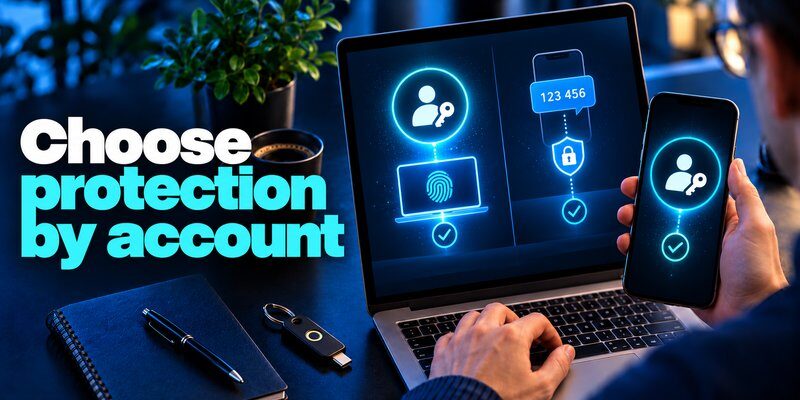
In the passkeys vs 2fa comparison, the best approach is to use passkeys wherever available and maintain app-based 2FA for services that still require passwords.
According to the FIDO Alliance’s October 2026 Passkey Index, passkey sign-ins achieved a 93% success rate compared with 78% for traditional MFA sign-ins among participating services.
This guide explains how both technologies work, their security advantages, potential weaknesses, and how to choose the right authentication method in 2026.
What Are Passkeys and How Do They Work?
Passkeys are passwordless authentication credentials that allow users to access websites and applications using a fingerprint, facial recognition, device PIN, or another supported device-unlock method.
Unlike traditional passwords, passkeys are based on FIDO2 standards and public-key cryptography.
When comparing passkeys vs 2fa, understanding this technology is important because passkeys change how identity verification works.
How passkey authentication works
Creating a passkey generates two mathematically related cryptographic keys:
- Public key: Stored by the website or application.
- Private key: Protected by the user’s device or credential provider.
During authentication, the service sends a cryptographic challenge. The private key signs that challenge, and the service verifies the response using the public key.
The private key never needs to be transmitted to the website.
A typical passkey login follows these steps:
- Visit a website that supports passkeys.
- Choose the passkey sign-in option.
- Unlock your device using Face ID, Touch ID, a fingerprint, or PIN.
- The device performs cryptographic verification.
- Access is granted after successful authentication.
Users do not need to type a password or copy a verification code.
Passkeys are also associated with the legitimate website or application, making them resistant to phishing through lookalike login pages.
Types of passkeys
There are two main types:
Synced passkeys: These are stored by a supported credential manager and can be securely synchronized between compatible devices.
Device-bound passkeys: These remain associated with a specific device, such as a hardware security key.
Synced passkeys prioritize convenience, while device-bound credentials can provide stronger control over where authentication keys are stored.
The passkeys vs 2fa discussion often focuses on convenience, but cryptographic protection and device security are equally important.
Passkeys can also provide multi-factor authentication when signing in requires both possession of the credential and local user verification through a PIN or biometric check.
How Does Two-Factor Authentication Work?
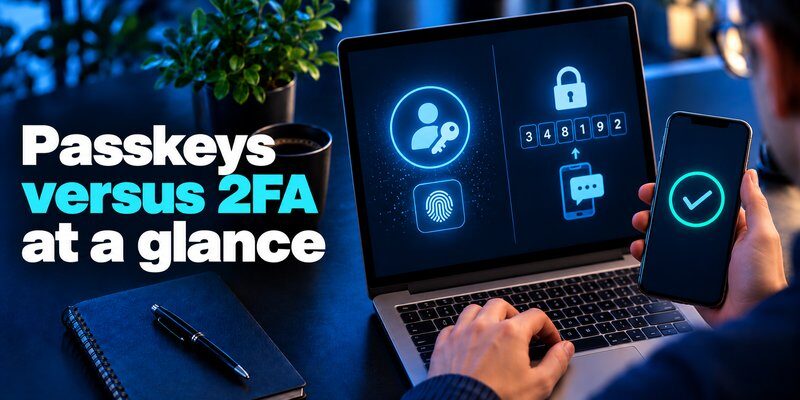
Two-factor authentication is a security method requiring two different authentication factors to verify a user’s identity.
Traditional 2FA typically combines a password with a second factor, such as a code generated by an authentication application.
These factors generally belong to three categories:
- Something you know: A password or PIN.
- Something you have: A smartphone, authentication device, or security key.
- Something you are: A fingerprint or another biometric characteristic.
The purpose of 2FA is to prevent someone who discovers your password from accessing your account without additional verification.
Common types of 2FA
1. SMS authentication
A website sends a one-time verification code to your registered phone number.
SMS authentication is widely supported but can be vulnerable to SIM-swapping, message interception, and phishing attacks.
2. Authenticator-generated codes
A dedicated Authenticator app generates time-based one-time passwords, commonly called TOTP codes.
These codes usually change every 30 seconds and can often be generated without an internet connection.
Compared with SMS verification, TOTP avoids relying on the mobile messaging network.
Learn more about what is authenticator app and how this authentication method protects accounts.
3. Push notifications
Some services send an approval request to a trusted device.
Users confirm or reject the login attempt. However, attackers may exploit repeated approval requests or social engineering to obtain authorization.
4. Hardware security keys
Physical security keys can provide phishing-resistant authentication when used with FIDO2 or WebAuthn.
This distinction matters: not all 2FA methods have the same security level.
In the passkeys vs 2fa comparison, passkeys offer stronger phishing protection than traditional code-based methods, but properly configured FIDO2 security keys can offer similarly strong protection.
Passkeys vs 2FA: Key Differences
The main difference between passkeys and 2fa is how identity verification is performed.
Passkeys use cryptographic credentials to authenticate users without requiring a traditional password. Conventional 2FA adds another security factor to an existing authentication process.
The following passkeys vs 2fa comparison summarizes the most important differences.
| Feature | Passkeys | Traditional 2FA |
|---|---|---|
| Authentication | Cryptographic key pair | Password plus another factor |
| Password required | Usually no | Usually yes |
| Phishing resistance | Yes, by design | Depends on the method |
| Verification | Device unlock or security key | SMS, OTP, or approval |
| Login speed | Generally faster | Often requires extra steps |
| Internet for OTP generation | Not applicable | TOTP generation works offline |
| Device support | Requires compatible implementation | Widely available |
| Main advantage | Strong phishing protection | Broad compatibility |
| Main limitation | Not supported everywhere | Some methods remain phishable |
Passwordless authentication vs additional verification
Traditional 2FA is designed to reduce the risk of password compromise.
For example, an attacker may obtain a password through a data breach but still need an additional verification code.
Passkeys address the problem differently.
They eliminate the reusable password from the supported sign-in process and rely on cryptographic proof of possession.
Therefore, passkeys reduce exposure to both password theft and phishing attacks.
User experience and convenience
Traditional 2FA may require users to switch between applications, retrieve a code, and enter it before the code expires.
Passkeys generally replace these actions with a familiar device-unlock process.
For many users, the result is faster authentication with fewer opportunities for mistakes.
However, some organizations continue using traditional authentication because of legacy systems, recovery requirements, or limited device compatibility.
The passkeys vs 2fa decision must therefore consider both security and practical availability.
Are Passkeys More Secure Than 2FA?
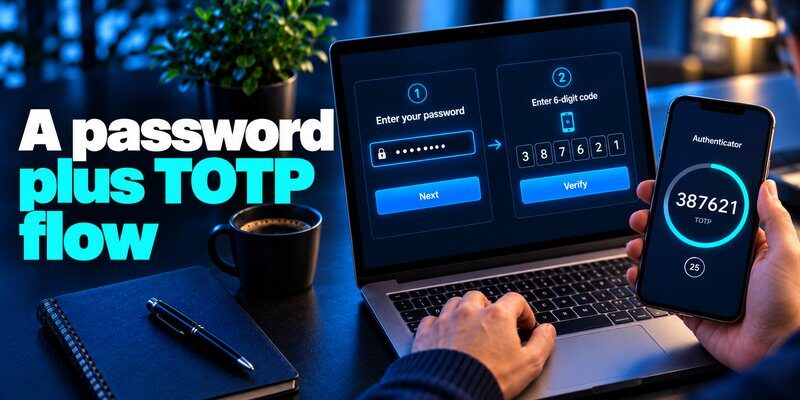
Passkeys are generally more secure than password-based authentication combined with SMS or TOTP codes because they provide phishing-resistant cryptographic authentication.
However, comparing passkeys vs 2fa requires examining several attack scenarios.
1. Protection against phishing attacks
Phishing attacks attempt to trick users into entering credentials on fraudulent websites.
Consider a fake login page designed to imitate a legitimate email service.
With traditional password-and-OTP authentication, a victim might enter both their password and verification code.
An attacker can potentially relay these credentials to the real service while they remain valid.
Passkeys use authentication linked to the legitimate service’s domain.
A passkey registered for one website cannot simply authenticate an attacker-controlled website using a different domain.
This prevents a major category of credential-phishing attacks.
The UK National Cyber Security Centre explained in April 2026 that passkeys and other FIDO2 credentials generally provide stronger protection than traditional MFA methods.
2. Protection against password breaches
Password breaches expose credentials that attackers may reuse across different services.
Traditional 2FA provides valuable additional protection, but the compromised password still exists.
Passkeys eliminate reusable passwords for supported authentication flows.
Even if a service’s public-key database is exposed, those public keys cannot be used directly to recreate the corresponding private keys.
A stolen public key is not equivalent to a stolen password.
This is another significant advantage in the passkeys vs 2fa comparison.
3. Device theft and account recovery
Passkeys are not completely risk-free.
An attacker who gains access to an unlocked device or compromises a credential manager may create serious account-security problems.
Weak account recovery procedures can also undermine strong authentication.
For example, a service may support passkeys but still allow account recovery using vulnerable email or SMS methods.
Similarly, traditional 2FA can be weakened when attackers gain access to an authentication device or trick users into approving fraudulent requests.
To reduce these risks:
- Protect devices with strong unlock credentials.
- Keep operating systems updated.
- Review account recovery methods.
- Remove unknown devices and credentials.
- Enable security notifications when available.
- Maintain secure recovery options.
The passkeys vs 2fa security comparison ultimately favors properly implemented passkeys over traditional OTP-based authentication.
However, overall account security also depends on device protection, recovery procedures, and available fallback methods.
Passkeys vs 2FA in 2026: Adoption and Performance

Passwordless authentication has experienced significant growth, making passkeys vs 2fa 2026 an increasingly important security discussion.
Organizations are moving toward authentication methods that reduce phishing risks while improving the login experience.
Passkey adoption statistics in 2026
According to the FIDO Alliance’s State of Passkeys 2026 report, published in May 2026:
- 90% of surveyed consumers were familiar with passkeys.
- 75% had enabled a passkey on at least one account.
- 49% regularly used passkeys when available.
- 68% of surveyed organizations had deployed or were deploying passkeys for employee authentication.
The consumer research included 11,000 adults across ten countries, while the workforce research included 1,400 decision-makers.
These findings demonstrate substantial adoption, although the survey results should not be interpreted as exact percentages of every internet user worldwide.
Passkey performance compared with traditional MFA
The FIDO Alliance’s Passkey Index 2026, published October 15, reported results from 15 major consumer services.
<text></text>
| Metric | Reported result |
|---|---|
| Estimated passkeys in use worldwide | 7 billion |
| Share of successful sign-ins using passkeys among participating services | 36% |
| Passkey sign-in success rate | 93% |
| Traditional MFA sign-in success rate | 78% |
| Average time saved using passkeys | 27 seconds |
The report also found that passkey sign-ins were nearly three times faster than traditional sign-in flows in the participating services.
These results indicate that passkeys can improve both security and usability.
For the passkeys vs 2fa comparison, the findings support a shift toward passwordless authentication where it is available.
Nevertheless, many websites still depend on conventional login methods, so authenticator-based 2FA remains highly relevant.
Passkeys or 2FA: Which Should You Choose?
When comparing passkeys vs 2fa, the best choice depends on account compatibility, security requirements, and available devices.
The question passkeys vs 2fa which is better does not have one universal answer for every authentication scenario.
Choose passkeys when available
Passkeys should generally be preferred for services that support them securely.
They are particularly useful for:
- Primary email accounts.
- Password managers.
- Financial accounts supporting passwordless authentication.
- Cloud storage services.
- Business applications.
- Accounts frequently targeted by phishing attacks.
Passkeys reduce dependence on reusable passwords and manually entered verification codes.
They also provide a convenient login experience across supported devices and credential managers.
For organizations, passkeys can reduce some risks associated with employee password theft and fraudulent login pages.
Choose authenticator-based 2FA when passkeys are unavailable
Many websites have not fully implemented passwordless authentication.
In those situations, an authentication application is usually a stronger choice than relying only on SMS codes.
A TOTP-based application generates verification codes directly on the user’s device.
For supported accounts, users can Download authenticator app and configure an additional verification step.
An app-based authenticator is particularly useful for services that require a password and a rotating verification code.
It is important to understand that generating TOTP codes does not automatically make an authentication application a passkey provider.
The two technologies perform different functions.
Can passkeys and 2FA work together?
Yes.
Passkeys and traditional 2FA can coexist across different accounts or within an organization’s authentication strategy.
For example:
- Your primary email account may use a passkey.
- A business platform may require password-and-TOTP authentication.
- A financial service may support passkeys while retaining additional verification for sensitive actions.
Some organizations also require step-up authentication for high-risk transactions.
These requirements depend on the service’s security policies.
Rather than treating passkeys vs 2fa as an either-or decision, users should adopt the strongest supported method for each account.
How to Set Up and Protect Your Accounts
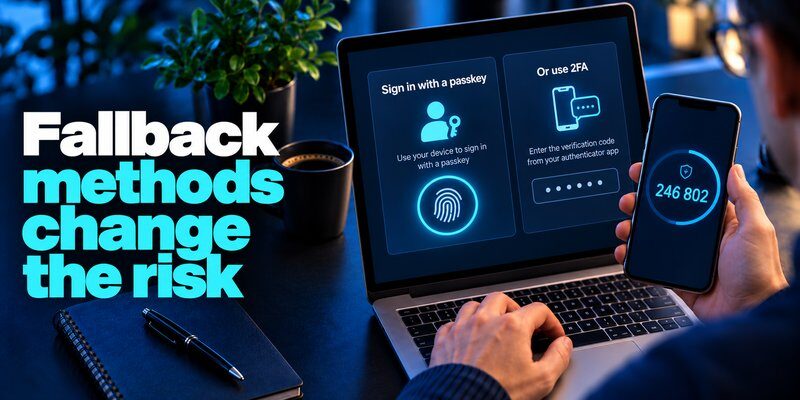
Understanding passkeys vs 2fa is useful only when the authentication methods are configured correctly.
The following steps explain how to enable passwordless authentication and traditional app-based verification.
How to set up a passkey
Most passkey-enabled services follow a similar setup process.
Step 1: Open your account security settings
Sign in to the website or application and locate the security, authentication, or sign-in options.
Step 2: Find the passkey option
Look for settings such as “Create a passkey,” “Add passkey,” or “Passwordless sign-in.”
Not every service supports this feature.
Step 3: Choose where to save your passkey
Depending on your device and browser, you may be offered a built-in credential manager, third-party passkey provider, or hardware security key.
Step 4: Verify your identity
Confirm the action using the authentication method required by your device, such as Face ID, fingerprint recognition, or PIN.
Step 5: Test your new sign-in method
Sign out and verify that your passkey works before changing existing recovery options.
Important: Never remove your only working recovery method until you have confirmed that alternative access is available.
How to set up an authenticator app
For accounts that do not support passkeys, use an application compatible with time-based verification codes.
A typical setup works as follows:
- Install a trusted TOTP authenticator application.
- Sign in to the account you want to protect.
- Open its security settings.
- Enable two-factor authentication.
- Select the authenticator application option.
- Scan the provided QR code or enter the setup key.
- Enter the generated verification code.
- Save any recovery codes in a secure location.
If you need additional guidance, see how to use authenticator app.
You can also explore setting up google authenticator for a detailed explanation of Google account verification.
Managing authentication on Apple devices
Apple’s Passwords app supports passkeys and automatic verification codes on compatible devices.
Users can manage supported credentials through the Apple ecosystem without necessarily installing a separate verification application.
For additional information about available authentication options, see apple authenticator.
Mac users researching google authenticator for mac should distinguish Google’s mobile authenticator from the verification-code features and compatible third-party authentication tools available on macOS.
Never assume that every authenticator application supports passkeys simply because it supports Face ID or generates security codes.
Best practices for stronger authentication
Regardless of the outcome of passkeys vs 2fa, account protection should include several additional security measures.
Keep recovery methods secure. Store backup codes somewhere protected and avoid relying on a single vulnerable recovery channel.
Use unique credentials. Every account should have its own passkey or unique password, depending on the authentication options available.
Protect your devices. Enable device locking, install security updates, and remove unfamiliar applications.
Review active sessions. Check account security dashboards for unknown sign-ins or connected devices.
Prefer phishing-resistant methods. Whenever possible, use passkeys or FIDO2 security keys rather than weaker authentication alternatives.
For more information about phishing-resistant sign-in, read microsoft authenticator passkeys.
Frequently Asked Questions About Passkeys vs 2FA
1. Are passkeys safer than authenticator apps?
Yes, passkeys generally provide stronger phishing protection than traditional TOTP authenticator apps.
Authenticator apps generate one-time codes that can potentially be stolen through real-time phishing attacks.
Passkeys use cryptographic authentication associated with the legitimate website, preventing that form of credential replay.
However, TOTP remains an effective additional security measure when passkeys are unavailable.
2. Can hackers steal passkeys?
Attackers cannot simply steal a passkey by convincing someone to enter a reusable password or verification code on a phishing website.
However, attacks involving compromised devices, credential managers, malicious account recovery, or unauthorized device access may still threaten accounts.
Passkeys significantly reduce common phishing risks but do not eliminate every possible attack.
3. Do passkeys replace two-factor authentication?
Passkeys can replace traditional password-and-OTP login flows.
When a passkey requires possession of the cryptographic credential together with local user verification, it can also satisfy multi-factor authentication requirements.
However, whether a particular passkey implementation satisfies a specific security policy depends on its configuration and assurance requirements.
Organizations may still require additional authentication for certain activities.
4. Is 2FA still necessary in 2026?
Yes. Traditional 2FA remains important because passkeys are not universally supported.
Many websites continue to rely on passwords and verification codes.
Users should enable app-based 2FA whenever stronger phishing-resistant authentication is unavailable.
See sms vs authenticator app to understand why authenticator-generated codes are generally preferable to SMS verification.
5. What happens if I lose my device with passkeys?
Recovery depends on how the passkey was stored.
Synced passkeys may remain available through a protected credential provider on another authorized device.
Device-bound passkeys may require another registered credential or an account recovery process.
Setting up multiple secure access methods in advance can reduce the risk of account lockout.
6. Should I disable 2FA after enabling a passkey?
Not automatically.
Some services retain traditional authentication methods for recovery or compatibility.
Before removing any method, check whether the account supports fully passwordless authentication and whether secure alternatives are configured.
For some users, keeping an authenticator-based recovery option may be necessary.
However, weaker fallback methods can reduce the overall security benefit of passkeys.
7. What is the biggest advantage of passkeys?
Phishing resistance is the biggest security advantage.
Passkeys do not require users to enter reusable authentication secrets into websites.
They also improve convenience by allowing supported sign-ins through familiar device-unlock methods.
As a result, passkeys can provide stronger protection with fewer login steps than conventional password-and-code authentication.
Final Verdict: Passkeys vs 2FA
The passkeys vs 2fa comparison shows that passkeys are generally the better choice for secure, convenient authentication when they are properly implemented and supported.
They reduce exposure to password theft, credential phishing, and code interception while simplifying the sign-in process.
However, traditional 2FA remains essential for websites and applications that have not adopted passkeys.
The best security strategy in 2026 is to enable passkeys wherever available, use authenticator-based 2FA for other accounts, and maintain strong device security and recovery procedures.
By combining these practices, users can protect their digital identities without depending entirely on passwords.
Download Authenticator App
Secure your accounts with fast, reliable two-factor authentication. Download now and protect your login in seconds.
