
Signs of a Scam Text Message: A Practical Checklist
Published October 28, 2026
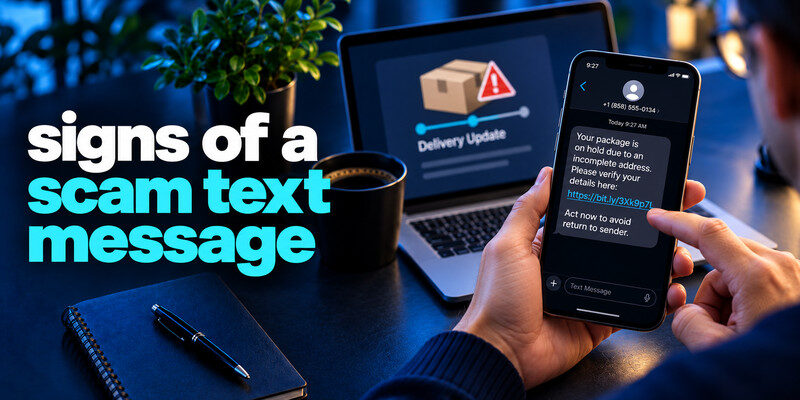
The strongest signs of a scam text message are an unexpected demand to open a link, pay, call a supplied number, install an app, or share a password or code. A delivery, toll, bank, or account warning can look professional and appear in a familiar thread. Treat it as an unverified claim, then check the event in the real service. No single spelling mistake or sender label can reliably classify every text.
Do this now
- Check whether the text matches a real order or account alert.
- Open the provider’s app.
- Stop if it asks for payment or a verification code by link.
First signs of a scam text message: is the request expected?
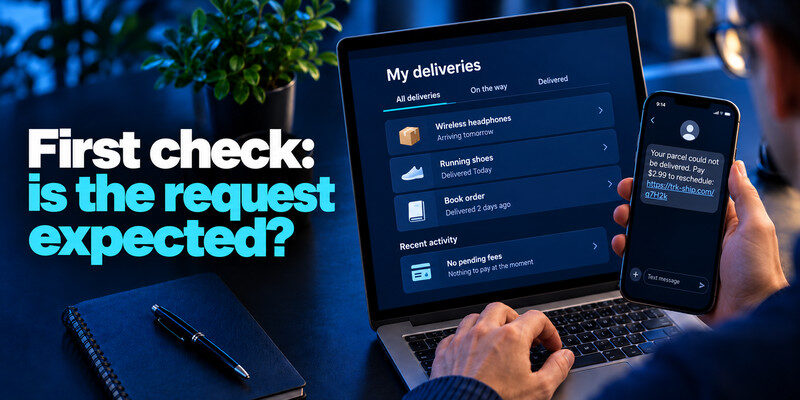
Did you initiate a delivery, sign-in, payment, or support case that would explain the text? A signs of a scam text message that arrives out of context is more suspicious. Even if you are expecting a parcel, the text may be a coincidental mass scam.
Unexpected fees
A small toll or redelivery amount may be bait for full card details. Open the official app and look for the charge; never pay solely from an SMS link. Unexpected payment requests, urgent account warnings, and unfamiliar sign-in alerts are common scam text message signs. For a more detailed verification process, read our guide on how to identify a scam text message before opening links, sharing information, or responding to the sender.
Unexpected authentication
A one-time code or approval you did not request may mean someone is trying to sign in. Do not share or approve it. Check the real account activity.
| SMS pattern | Reason to pause | What to do |
| Unknown parcel charge | Small fee lowers suspicion | Check original order and carrier |
| Threat of account lock | Artificial deadline | Use provider app |
| Unexpected login code | Someone may be trying sign-in | Do not share; review sessions |
Secure your accounts with fast, reliable two-factor authentication. Download now and protect your login in seconds.Download Authenticator App
Second check: who controls the next step?
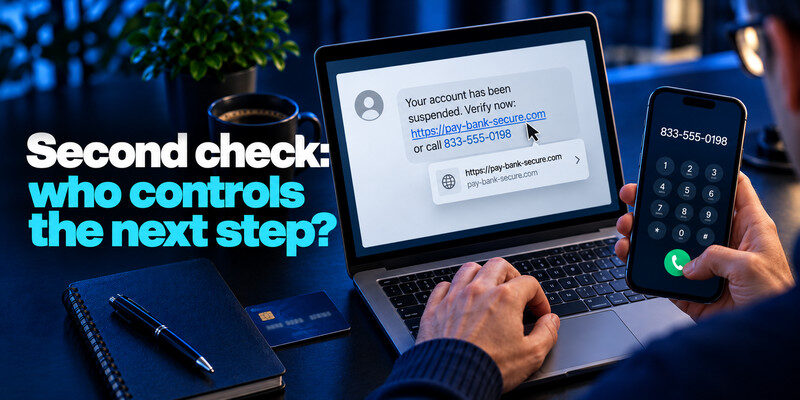
If the text provides a short URL or call-back number, the sender controls where you go. A brand name inside a URL does not establish that the actual domain belongs to the brand. A caller ID can be spoofed too.
Link destinations
One of tips about signs of a scam text message is that avoid tapping to inspect. Use a saved app or known website. A preview can be misleading if the link redirects.
Phone numbers
Call the number printed on your bank card, bill, or official site, not the number in the text. A real representative can locate a genuine case through the normal process. Fake delivery fees and toll payment notices are common examples of smishing, a form of phishing carried out through text messages. Learn what is smishing to understand how attackers use fraudulent SMS messages to collect payment details, steal credentials, or redirect users to fake websites.
| Sign | Why it matters | Verification |
| Tiny unexpected fee | May harvest card | Official transaction history |
| Threat of instant suspension | Creates rushed decision | Account security page |
| Shortened URL | Hides destination | Known site or app |
| Request for live code | Can complete sign-in | Decline and inspect activity |
Read more: What Is Phishing? Meaning, Examples, and a Safe Response
Third check: is the story consistent?
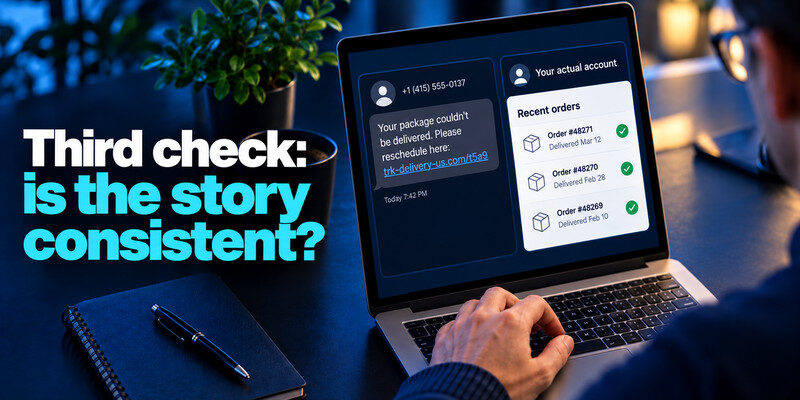
Compare the message with the actual account. A courier text for an order you never made, or a toll warning from a place you did not travel, deserves skepticism. But do not use a mismatch alone to ignore a possible legitimate account alert; verify independently.
Personalized details
Your name or partial address may come from public or breached records. They are not proof the sender works for the organization.
A familiar conversation
Sender labels can be imitated and thread grouping can be misleading. Treat a new sensitive request as a new claim even in an old thread.
Fourth check: what information is requested?
A current password, one-time code, recovery key, full card number, or government identifier is sensitive. An unsolicited text is a poor place to provide any of them. A request to install remote support or change a recovery number is similarly high impact.
Authentication codes
can generate TOTP codes for compatible services. Use one only during a sign-in you initiated at a verified domain. A live code can be relayed by an attacker. An unexpected verification code does not automatically prove that an attacker accessed your account, but it is a reason to investigate. Our guide on how to spot suspicious login activity explains how to review unfamiliar successful sign-ins, unknown devices, and unexpected changes to account security settings.
Payment details
If you already submitted a card, contact the issuer promptly. If you sent a transfer, contact the bank with the transaction record. A password change cannot reverse a payment.
A text may appear beneath genuine old messages, which can make it feel authenticated. Sender IDs can be abused and some messaging systems group by displayed name. The content still needs independent verification. A new request for payment, sign-in, a code, or an app install is a stronger signal than the thread’s appearance.
A small toll balance: The amount may be chosen to make paying seem easier than checking. Open your known toll account and look for the exact charge. A short link that asks for card details is an attacker-controlled path until verified. Do not assume the fee is safe because it is small; the card data is the valuable item.
A bank alert with a reply instruction: Some legitimate banks use text alerts, so do not declare every unexpected text fraudulent. Call the number on the card or use the official app to view transactions. If the text asks for a password or one-time code, do not supply it. A follow-up caller citing the text does not become verified by that reference.
An unsolicited sign-in code: A code can mean someone entered your number or is trying your account. Do not share it. Check your actual account for unknown successful sessions and consider changing a weak or reused password. Repeated codes are a reason to examine the account carefully, but they do not alone prove an attacker completed sign-in.
Read more: Phishing vs Spear Phishing: Differences, Examples, and Defenses
Fifth check: can the sender tolerate verification?
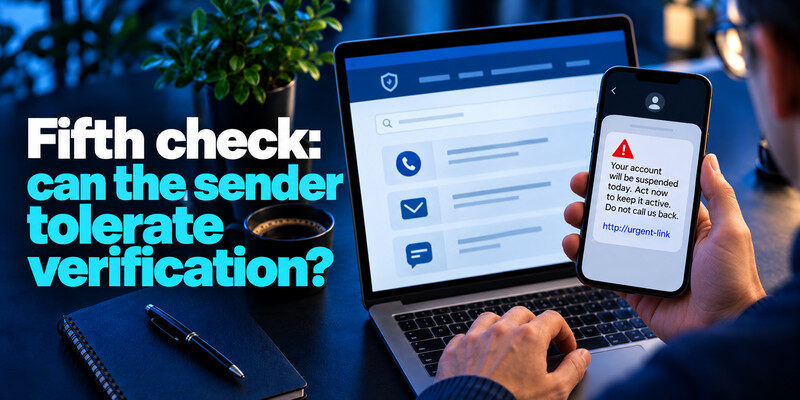
A scam text often says you must act immediately and discourages a call-back. You can still check a real issue through the service’s own route. The urgency is a reason to verify efficiently, not a reason to follow the text.
Do not negotiate in the thread
Replying can invite more contact. Use reporting and blocking tools. For a legitimate marketing subscription, unsubscribe through its established process; for a clear unknown scam, do not engage.
Reporting
The FTC recommends the phone’s report-junk option and, in the US, forwarding scam texts to 7726 (SPAM). Report fraud through the appropriate authority if money or identity data was involved.
If you already tapped
Identify whether you only opened a page, entered a password, approved MFA, installed software, or paid. Close the suspicious page, inspect downloads, and take the response that matches the exposure.
Credential submitted
Change it at the genuine service on a trusted device, revoke unfamiliar sessions, and replace reused copies. Check recovery details and linked primary email.
Software installed
Follow the phone maker’s official removal and security guidance. Contact workplace IT on a managed device. Record app name and time before cleanup if an investigation is needed.
Read more: What Is Vishing? Recognize Voice Phishing Calls
Test the checklist on two ambiguous messages
The first says “your delivery is delayed” and contains no payment link, only a reference number. The second uses your bank’s familiar sender label and asks you to call an unfamiliar number. The second is higher risk because it controls the verification route, even if it looks more polished. For both, use the actual account or known contact channel.
Plausible delivery text
You may indeed have a package. Check the retailer’s order and the courier’s official tracking page. Do not reward a plausible story with access to your card or address.
Familiar bank thread
Thread grouping is not identity proof. Call the card-back number or open the bank app to inspect the claimed event. A legitimate alert remains visible through its normal process.
Watch for a second-stage attack
After you visit a fake payment form, a caller may say the card was compromised and ask for a live bank code. The caller may know the details you just entered. This knowledge is evidence of the earlier form, not evidence the caller works for the bank.
Stop and call back
End the call and dial the actual bank number. Share the time, card submission, and any transaction with the genuine institution.
Revisit linked accounts
If the form also requested an email password, secure the mailbox and every reused copy. Check successful sessions and recovery settings.
The phone’s report-junk function helps the carrier or platform. It does not confirm whether a bank charge is real. You can report the text and still open the genuine app to resolve the claim.
Evidence: Record the sender label, time, visible link, and what you submitted. Avoid copying secrets into a screenshot or complaint.
Follow-up: Expect scammers to vary wording and number. A durable habit of independent navigation protects against the next version better than memorizing one suspicious phrase.
Frequently Asked Questions
Can a real bank text contain a link?
Some can, but you do not need to use it to verify a sensitive claim. Open the bank app or call the known number.
Are spelling errors required for a scam?
No. Many texts are fluent and branded. The requested action and independent account evidence matter more.
Is it safe to open a link without entering anything?
Avoid doing so when possible. If you did, close it and check for downloads or permissions. The account response depends on whether you submitted data or approved access.
Should I block every unknown number?
Reporting and blocking obvious scams can help, but scammers rotate numbers. The verification routine is more durable.
Final Thoughts
Use the signs as a checklist, not a score. The decisive habit is to move from the text to a service you reached yourself before sharing anything sensitive.
Next step
For accounts that still rely on TOTP, can hold the codes. Set it up from each real account’s security settings, keep recovery codes safe, and never type a live code into a page reached through a suspicious message.
