
Dark Web Scan for Personal Information: What a Result Can and Cannot Show
Published October 27, 2026
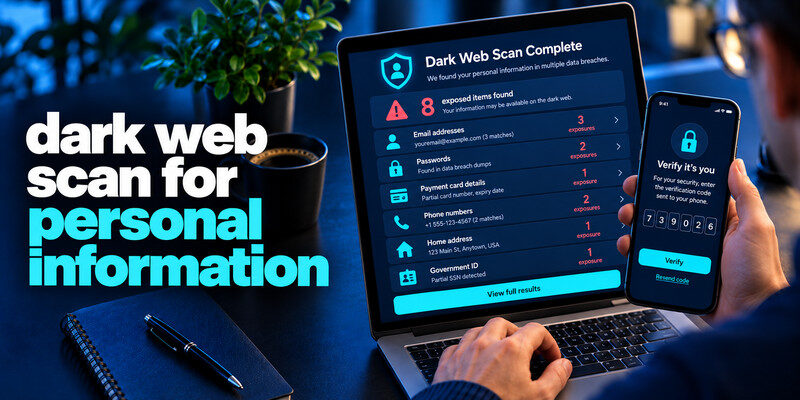
A dark web scan for personal information compares identifiers you provide with data the service has collected from known breaches and other sources. It cannot search every private forum or prove that your information is absent. Start with a reputable known-breach lookup for an email address, read its privacy terms, and match any alert to the specific exposed field. Never give a scan site a live password, authentication code, or government identifier unless there is a clear, trusted reason and a safe method.
Do this now
- Use a reputable email-only lookup first.
- Read the named source and exposed fields.
- Respond at the affected service instead of entering a live password into a scanner.
Decide which question you are trying to answer about dark web scan for personal information
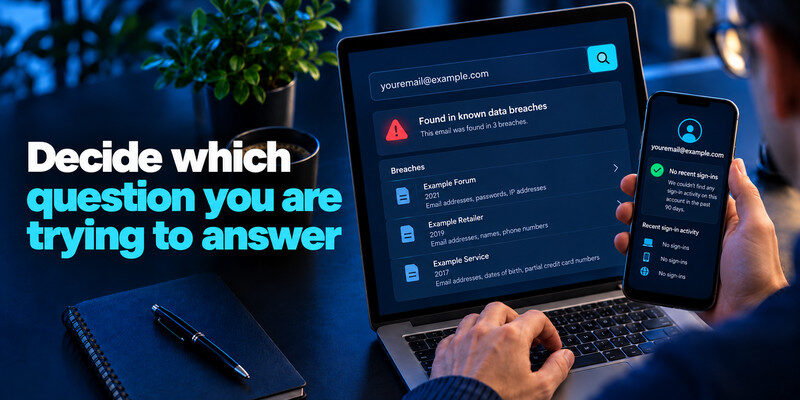
“Is my email in a known breach?” is narrower and easier to answer than “is anything about me on the dark web scan for personal information?” An account provider can also tell you whether an actual sign-in occurred. These are three different kinds of evidence. Choosing a scanner without a question often produces a dramatic score but no decision you can make.
Email exposure
Have I Been Pwned lets you look up an address in its known breach collection and describes incident data classes. Mozilla Monitor offers an alert-oriented workflow. A match means the address appears in an indexed dataset; it does not mean the mailbox was accessed.
Credential and identity exposure
A password manager may identify saved compromised passwords, while a paid identity monitor may watch other identifiers. Coverage and privacy terms vary. Read what information you must submit, whether it is stored, and how an alert would lead to an action that you could not already take.
| Question | Better evidence | Actionable result |
| Was an email address exposed? | Known-breach email lookup | Named incident and data fields |
| Is a saved password compromised? | Trusted manager’s credential check | Specific credential to replace |
| Was my mailbox entered? | Email provider’s session history | Unknown successful session |
| Was identity data misused? | Institution, credit and official notices | Disputed account or transaction |
Secure your accounts with fast, reliable two-factor authentication. Download now and protect your login in seconds.Download Authenticator App
What a dark web scan for personal information is actually comparing
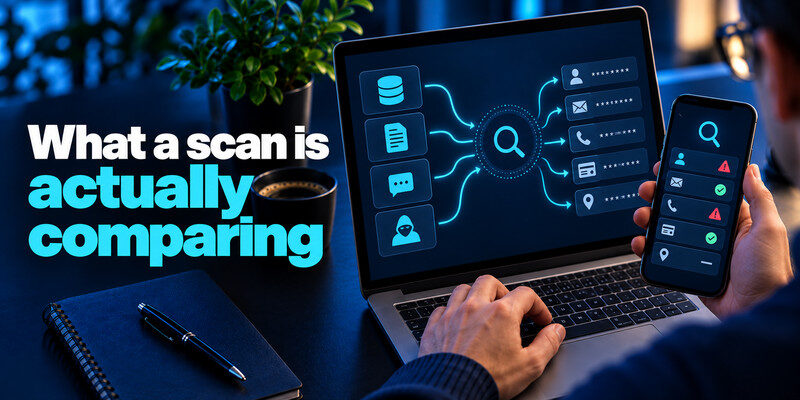
Monitoring providers collect or obtain datasets that may include breached databases, exposed documents, paste sites, or criminal-forum posts. They compare your identifiers with their available records. Their collection methods, validation, update frequency, and access to private sources differ. A trusted password manager app can help you replace exposed or reused passwords with unique credentials. Some managers also offer compromised-password warnings, although the available checks and breach coverage vary by product.
Coverage is incomplete by design
How to know dark web scan for personal information? Some data is private, newly stolen, never indexed, or not tied to the identifier you searched. An empty result is “no match in this provider’s collection,” not “your identity is safe.” Another provider may report the same breach with a different label or date.
A match may be old or duplicated
Read the incident date and what fields were listed. A 2020 password that you replaced with a unique one is different from a current reused credential. Two alerts about one dataset are not necessarily two new breaches. Keep a short record of incident names to avoid repeated resets.
Read more: Data Breach Notification Meaning: What the Notice Actually Tells You
Search without increasing your exposure
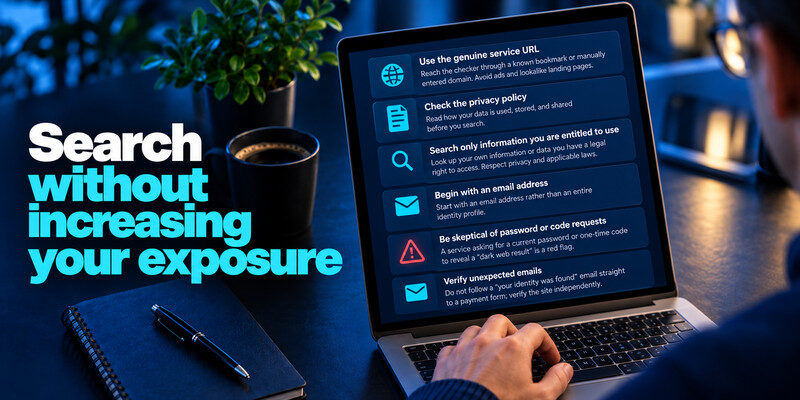
Use the genuine service URL, check the privacy policy, and search only information you are entitled to use. Begin with an email address rather than an entire identity profile. A service asking for a current password or one-time code to reveal a “dark web result” is a red flag. To understand why monitoring services cannot search every private dataset or underground forum, read our guide on what dark web monitoring is. It explains how alerts work, what information providers may detect, and why a clean scan does not guarantee that personal information has never been exposed.
Inspect the domain and form
To understand dark web scan for personal information, reach the checker through a known bookmark or manually entered domain. Avoid ads and lookalike landing pages. Do not follow a “your identity was found” email straight to a payment form; verify the claim independently.
Minimize what you submit
For a basic email-breach question, a service should not need your date of birth, bank login, or card number. If an identity product requests sensitive fields, read its collection, retention, deletion, and support practices before enrolling.
Read a positive result accurately

The most useful report names a source, approximate exposure date, data categories, and whether it is verified. A generic risk score is less helpful. When a result lists credentials, determine whether the exposed password is still used or reused. For a payment card or identity number, involve the appropriate institution.
Read more: List of Recent Data Breaches 2026: How to Read Verified Incident Records
Separate exposure from account control
A dataset containing your email address does not show whether anyone signed into the inbox. Inspect the provider’s successful sessions, forwarding rules, recovery methods, and sent messages for that. A session can also be hijacked without a public leak.
Beware of partial identifiers
A fragment of a phone number or address can be ambiguous. Ask whether the service has enough context to distinguish you from another person. Do not submit more sensitive data to a questionable service merely to resolve a vague hit.
| Scan finding | Meaning | Immediate response |
| Old email-only listing | Known contact exposure | Verify messages independently |
| Current reused password | Cross-site account risk | Replace each copy, review sessions |
| Payment card field | Possible transaction risk | Contact issuer |
| Identity number | Possible identity misuse | Follow official identity guidance |
Decide whether ongoing monitoring is useful
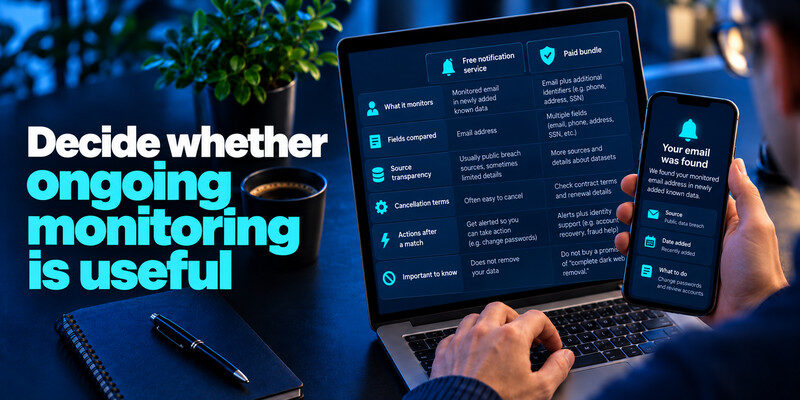
Free notification services can alert you when a monitored email appears in newly added known data. Paid bundles may include identity support or additional identifiers. Compare their exact fields, source transparency, cancellation terms, and actions after a match. Do not buy a promise of “complete dark web removal.”
One-off check
Use a reputable known-breach search if you have a particular address and no need for repeated alerts to avoid dark web scan for personal information. Read the specific incident, then take the corresponding action. Search results do not replace official company notices.
Continuous alerts
Monitoring can save time if you use multiple addresses and would otherwise forget to recheck. It remains a detection tool. Unique passwords, MFA, and recovery planning provide protection before an alert appears. can generate TOTP codes for compatible accounts; store backup codes separately.
If you need a starting point for checking known email exposures, compare the best free breach check websites before submitting personal information. Choose services that explain their data sources and privacy practices, and never provide a live password or authentication code merely to view a breach report.
Evaluate a scan service before submitting data
A scan is itself a data-sharing decision. Read who operates the service, which identifiers it requests, whether it stores your search, how long it retains alerts, and how you can delete an account. A recognizable privacy policy and named source data matter more than a dramatic “98% exposed” meter. Start with the minimum input that answers your question.
Free email lookup
An email address can be checked against known breaches without providing the account password. The result should name an incident and compromised fields. If the service asks for your live password, a verification code, or full card details to show the basic email result, stop and use a reputable alternative.
Paid identity bundle
Some products ask for more identifiers to monitor identity-related events. Decide whether their specific alerts and human support add value to your situation. Read cancellation and data-deletion terms. An extra monitoring company now holds sensitive information about you, so the trust trade-off deserves attention.
An email lookup can answer whether a particular address appears in known datasets. It cannot tell you whether a driver’s license scan has circulated in a closed forum or whether a leaked password still works. A paid identity service may cover other identifiers, but coverage and evidence vary. Define the question before submitting additional personal information to a provider.
A result with a named breach: Read the entry’s date, source, verification status, and fields. If an old password was in scope, change any account that reused it, even if the affected site is gone. If only an address was exposed, watch for plausible follow-up messages, especially ones mentioning the breached organization. Do not assume every phishing email following a breach came from that dataset; causation is rarely visible.
A result with no source: A dashboard saying “data found on the dark web” without naming a dataset or field type is hard to act on. Ask what identifier matched, how current it is, and whether the vendor can distinguish a repost from new exposure. Avoid buying an upgrade purely to uncover a dramatic warning. Secure the primary email and financial accounts through their real services while evaluating the evidence.
A result with no match: This means only that the submitted identifier did not match the service’s monitored collection at that point in time. It does not rule out private incidents, misspellings, other email aliases, or exposures the scanner has not indexed. Keep unique credentials and MFA; subscribe to a credible alert if useful, and respond to direct company notices separately.
Read more: How to Check If Your Email Was Leaked: A Safe Step-by-Step Guide
Walk through an ambiguous result
Suppose a scanner says “your information was found” but shows only a partial phone number and a generic source label. That result may refer to another person or a widely circulated old dataset. Ask for the incident name, date, field type, validation status, and why the match is attributed to you. Do not enter more secrets into the same page just to unlock the explanation.
If the source is named
Compare the entry with the affected organization’s official notice. Identify whether the field is still sensitive: a current password differs from one changed years ago; an identity number may remain important indefinitely. Record what you did, rather than reacting to a score.
If the source is vague
Treat it as an unconfirmed lead. Review your important accounts and financial records using their actual services, and ask the scanner what its evidence means. Do not announce an account takeover to others based only on a partial match.
For each alert, record the source, incident date, alert date, fields, actions, and next check. Avoid copying passwords, full card numbers, or identity documents into the log. This prevents duplicate alerts from driving repeated password rotations and helps if a company updates its scope.
Close the loop: After changing a password, verify a new sign-in and revoke old sessions. After contacting a bank, save the case number and monitor transactions. A scan without follow-through is only a notice.
Revisit privacy settings: If you stop using a monitoring service, review how to cancel alerts and delete submitted identifiers under its policy. A scanner is part of your data footprint too.
Frequently Asked Questions
Can a dark web scan delete my data?
No scanner can promise to remove all copies from other people’s systems. It may offer advice or limited removal requests, but focus on replacing secrets and protecting identity records.
Should I search my actual password?
Only through a trusted password manager feature or a genuine service with a documented privacy-preserving method. Never paste a live password into a random form.
Is a negative result safe to ignore?
No. It only describes the provider’s available collection. Continue normal account protections and investigate any credible unknown successful sign-in.
Can a scan identify the person using my data?
Usually not. A dataset match describes exposure, not who accessed it. A provider or institution may have separate activity evidence.
Final Thoughts
A dark web scan is useful when it leads from a specific identifier to a specific action. Prefer named incidents and data fields over scores, minimize what you submit, and distinguish breach exposure from an actual account takeover.
Next step
If the affected service still uses time-based codes, set up after changing a compromised password. Scan the QR code from the real account’s security page and store its backup codes separately.
