
What Is Passwordless Authentication? What It Is and How It Works?
Published October 30, 2026
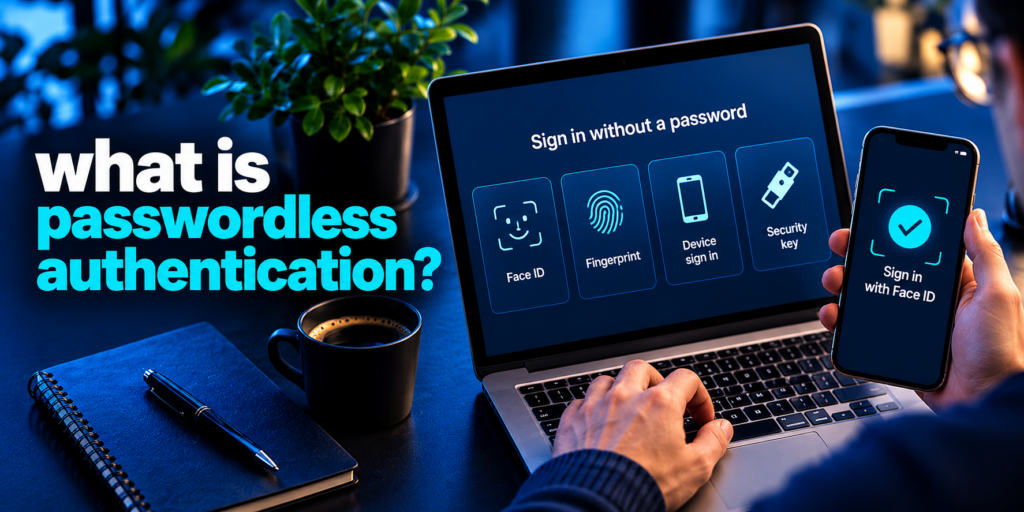
Short answer: Passwordless authentication is a way to verify a user’s identity without a password. Instead of something you know, it checks something you have, such as a phone, passkey or security key, or something you are, such as a fingerprint or face scan. With no password to steal, guess or reuse, it blocks many of the most common account attacks.
What is passwordless authentication, and why are banks, tech companies and universities moving toward it? Passwords have protected accounts for decades, yet they are also the weakest link in most security setups. People reuse them, forget them and hand them to attackers through phishing. This guide explains how passwordless authentication works, the main methods, the real benefits and drawbacks, and how to adopt it safely.
What Is Passwordless Authentication?
Passwordless authentication is any login method that does not rely on a traditional password, a security question or any other “knowledge factor.” The system confirms your identity with evidence that is much harder to steal or fake, such as a cryptographic key stored on your device or a biometric trait.
To understand why this matters, it helps to know that authentication factors fall into a few categories:
- Knowledge: something you know, like a password, PIN or security answer.
- Possession: something you have, like a smartphone, hardware security key or authenticator app.
- Inherence: something you are, like a fingerprint, face or iris scan.
- Behavior: something you do, like your typing rhythm or usual location. These are usually used as a supporting signal rather than the only proof.
This approach uses only the possession, inherence and behavioral categories. The word “password” is in the name, but the approach removes every knowledge factor, including the answers to security questions that attackers can often find on social media.
Read more: What Is a Passkey? The Passwordless Credential Explained
Secure your accounts with fast, reliable two-factor authentication. Download now and protect your login in seconds.Download Authenticator App
Why Are Passwords a Problem?
Passwords fail because they are shared secrets. You know the secret, the website stores a version of it, and anything shared can be intercepted, copied or leaked. In practice that leads to several well-known problems:
- Phishing: fake login pages trick users into typing their credentials.
- Credential stuffing: attackers take a password leaked from one site and try it on many others, which works because people reuse passwords.
- Brute force and dictionary attacks: automated tools try common or weak passwords until one works.
- Malware: infostealers and keyloggers capture passwords as they are typed or saved.
- Help desk scams: attackers impersonate employees and ask support teams to reset a password.
The scale of the problem is visible in breach data. According to the IBM X-Force Threat Intelligence Index 2025, valid account theft was present in 32% of the cyberattacks that X-Force analyzed. When attackers log in with real credentials, their activity looks like an authorized user, which makes detection harder.
Password managers help with hygiene, but most are protected by a master password, which can itself be stolen. That is why many security teams now treat going passwordless as the longer-term fix rather than adding more rules about password length and complexity.
Password reuse makes credential stuffing particularly dangerous because attackers can test credentials exposed in one breach against many unrelated services. Learn what is credential stuffing to understand how these automated attacks work and why unique passwords and passwordless sign-in reduce the risk.
Read more: Best Apps That Support Passkeys: Which Manager Should You Choose?
How Does Passwordless Authentication Work?
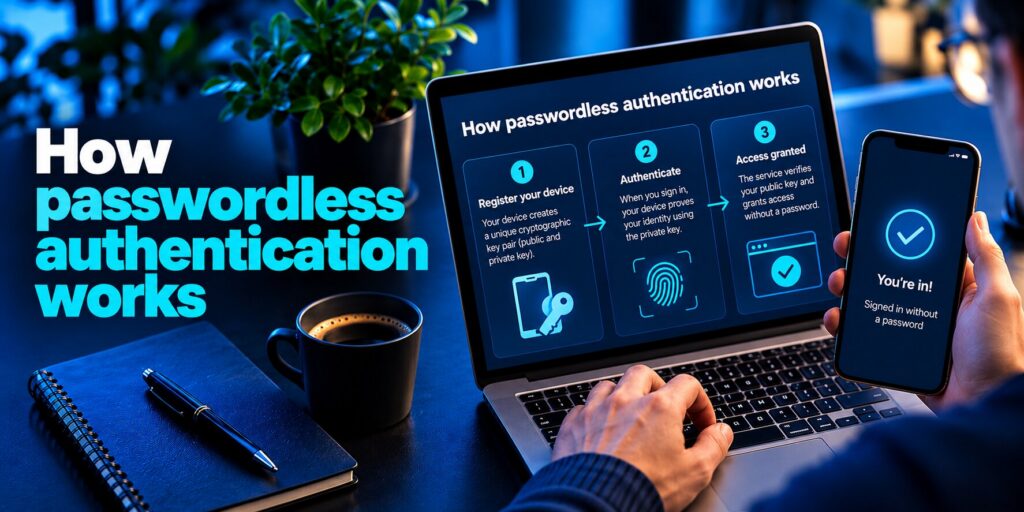
Most modern passwordless login works through public-key cryptography, usually built on the FIDO2 and WebAuthn standards. Instead of sending a secret to the website, your device proves it holds a secret without ever revealing it. The process has five steps:
- Registration. You enroll a trusted device, such as a phone, laptop or hardware key. The device generates a key pair: a public key and a private key.
- Key storage. The private key stays on your device and never leaves it. The public key is sent to the service and stored with your account.
- Login request. When you sign in, the service sends a unique challenge to your registered device instead of asking for a password. Each challenge is used once and cannot be replayed.
- Local verification. You unlock the private key on your device with a fingerprint, face scan or PIN. This check happens locally, so your biometric data is not sent to the service.
- Signed response. The device signs the challenge with the private key. The service verifies the signature with the stored public key and grants access if it matches.
Because there is no password to type or transmit, there is nothing for a phishing page to capture. And because the service only holds public keys, a breach of the service does not hand attackers usable credentials.
Simpler passwordless methods, such as magic links and one-time codes, work differently. They prove you control a registered email address, phone number or authenticator app rather than using public-key cryptography.
What Are the Types of Passwordless Authentication?
There is no single method. Each option balances security, cost and convenience differently.
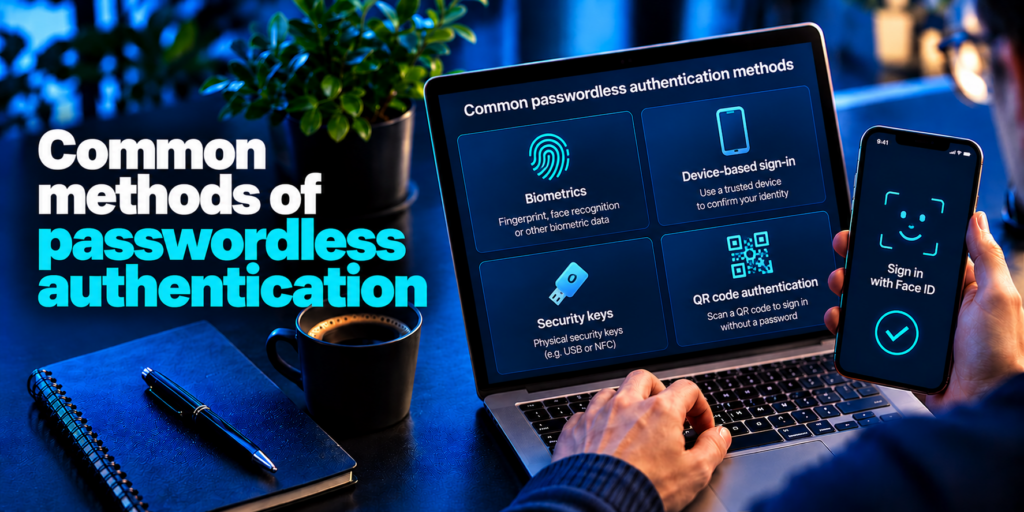
Passkeys
Passkeys are the most widely promoted form of passwordless login today. They are FIDO-based credentials that use the key-pair process described above. The private key is protected by your device’s PIN or biometric check, and many platforms can sync passkeys across your devices. Passkeys are strongly resistant to phishing because they are tied to the real website’s domain.
Biometric authentication
Fingerprint, face and iris recognition verify who you are. In FIDO-based systems, the biometric simply unlocks the private key on your device. The main downside is that biometrics cannot be reset. If a biometric template were ever stolen from a poorly designed system, you cannot change your fingerprint the way you change a password.
Hardware security keys
Hardware tokens, such as USB or NFC security keys, store keys in dedicated hardware. You plug in or tap the key to log in. They offer excellent protection against phishing and are popular for administrators and high-risk accounts, but they can be lost and cost money to issue and replace.
Phishing-resistant passwordless methods can reduce the risk of credential theft, but not every passwordless option offers the same protection. Our guide on how to avoid phishing scams explains how to verify suspicious login requests and avoid fraudulent websites.
Read more: What Is Phishing? Meaning, Examples, and a Safe Response
One-time passwords (OTPs) and authenticator apps
An authenticator app generates short-lived, time-based codes on your phone. OTPs are a possession factor because the proof is the registered app or device, not a memorized secret. SMS codes work similarly but are weaker, since attackers can intercept messages through SIM swapping. Authenticator apps are a practical step for many users and remain a core part of secure sign-in even as passkeys grow.
Magic links
With a magic link, you enter your email address and receive a single-use link that logs you in. It is simple and common in consumer apps. The security of this method depends entirely on the security of your email account.
Push notifications
The service sends an approval request to your registered phone, and you tap to approve. It is convenient, but attackers can exploit it with “MFA fatigue,” flooding a victim with prompts until one is approved by mistake. Number matching and other safeguards reduce this risk.
QR code login
You scan a QR code shown on one device using a trusted, already signed-in phone. It is useful for cross-device login, but attackers can use fake QR codes in a scam sometimes called “quishing.”
Platform sign-in (such as Windows Hello)
Operating systems offer built-in passwordless sign-in using a device-bound key unlocked by a biometric or PIN. This works well in enterprise environments built around managed devices.
Passwordless Authentication vs MFA, 2FA and SSO
These terms are related but not identical.
- Passwordless vs 2FA/MFA: Traditional two-factor and multi-factor authentication usually add a second step on top of a password. A passwordless login removes the password and relies on non-knowledge factors only. A login that asks for a password plus a code is still MFA, but it is not passwordless. A passkey unlocked by your fingerprint is passwordless and also multi-factor, because it combines something you have with something you are.
- Passwordless vs SSO: Single sign-on lets one login give access to many apps. SSO and passwordless methods work well together: you sign in once without a password, and the identity provider passes that trust to your other applications.
Many experts describe strong MFA as a stepping stone on the path to going passwordless.
What Are the Benefits of Passwordless Authentication?
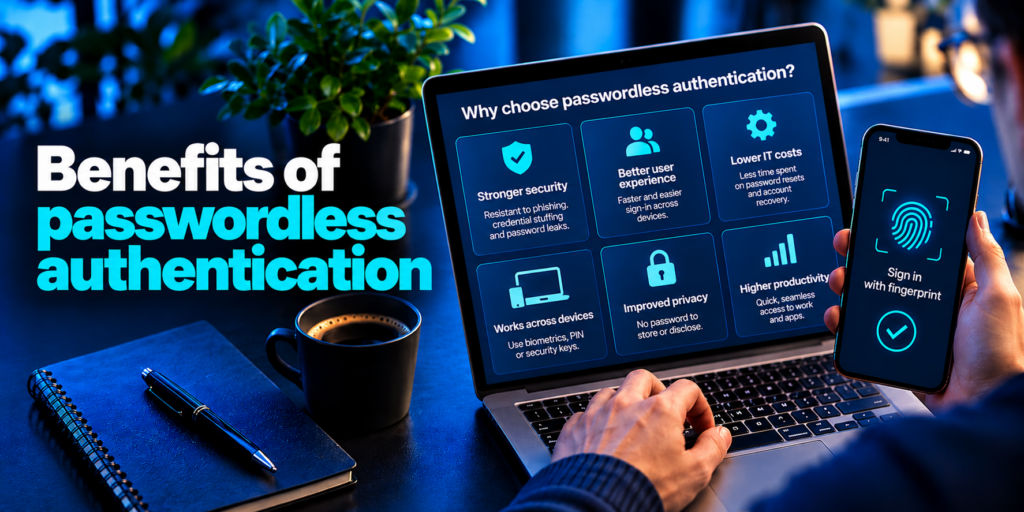
- Stronger protection against phishing and credential theft. There is no password to capture, and phishing-resistant methods like passkeys and security keys cannot be tricked onto fake sites.
- No password reuse. Credential stuffing fails when there are no reusable credentials.
- Faster, easier logins. A fingerprint touch or a device approval takes seconds and removes the need to remember anything.
- Lower support costs. Forgotten passwords drive a large share of help desk tickets. Removing them reduces resets and the social-engineering risk that comes with them.
- Smaller blast radius after a breach. Services store public keys rather than secrets, so a stolen database is far less useful to attackers.
- Better conversion for businesses. Fewer failed logins and abandoned sign-ups can improve customer experience.
Different authentication methods provide different levels of phishing resistance and account protection. Our comparison of Microsoft Authenticator vs passkeys explains how app-based verification and cryptographic credentials differ, including when each method is appropriate.
Read more: Microsoft Authenticator: Complete Setup, Login, Backup & Troubleshooting Guide
What Are the Risks and Limitations of Passwordless Authentication?
This approach is not risk-free. The main challenges are:
- Device loss or theft. If your phone is your key, losing it matters. A PIN or biometric lock helps, but recovery must be planned.
- Weak account recovery. If an attacker can bypass your passwordless login by using a weak recovery flow, such as a fallback password or a help desk reset, the security benefit disappears.
- Attacks on specific methods. OTPs can be intercepted by man-in-the-middle attacks, SIM swapping targets SMS codes, and magic links depend on email security.
- Biometric permanence. Stolen biometric data cannot be changed.
- Cost and complexity. Legacy applications often do not support passwordless sign-in, and issuing hardware keys to everyone can be expensive.
- Uneven support. Not every website or app offers passkeys yet, so most people will manage a mix of methods for some time.
How Do You Implement Passwordless Authentication?
A gradual approach works best for most organizations and individuals.
- Take inventory. List the apps, devices and accounts you need to protect, and note which already support passkeys, authenticator apps or security keys.
- Choose phishing-resistant methods first. Prefer passkeys and hardware keys for sensitive accounts, and use authenticator apps over SMS wherever possible.
- Start with a pilot. Roll out to a small group with fewer legacy dependencies, then expand.
- Use an identity provider or orchestration layer. For legacy apps that cannot go passwordless on their own, an identity provider with SSO can add passwordless login in front of them.
- Design secure recovery. Offer backup devices, recovery codes or verified administrator-assisted recovery, and avoid falling back to a plain password.
- Plan for a hybrid period. Many environments will still need some passwords for legacy systems. Protect those accounts with strong, unique passwords and MFA until they can be retired.
Where Is Passwordless Authentication Used?
It appears across many settings:
- Workforce access: employees sign in to company apps and VPNs using a device-bound key or security key.
- Consumer apps: websites and apps offer passkeys, magic links or biometric login to reduce sign-up friction.
- Banking and finance: fingerprint and face approval are common in mobile banking.
- Healthcare: fast, secure login on shared devices saves clinicians time.
- Remote and hybrid work: trusted-device checks help secure access from many locations.
- Privileged accounts: administrators use hardware keys to protect critical systems.
Passwordless Login Best Practices
- Prefer passkeys or hardware security keys over SMS codes and magic links for important accounts.
- Lock every device with a strong PIN or biometric, since the device becomes your key.
- Register at least two authenticators, such as a phone and a security key, so one lost device does not lock you out.
- Keep devices, browsers and operating systems updated.
- Secure your email account with strong authentication, because many recovery flows depend on it.
- Watch for unexpected approval prompts and never approve a request you did not start.
- Review and tighten account recovery options.
Read more: How to Generate a Strong Password You Can Actually Keep Secure
Frequently Asked Questions About Passwordless Authentication
What are the disadvantages of passwordless authentication?
The main disadvantages of passwordless authentication are device dependence, harder recovery, setup cost and uneven support. If your phone or security key is lost or stolen, you need a secure recovery path. Biometrics cannot be reset if they are compromised. Legacy systems may not support passwordless sign-in, and hardware keys cost money to distribute. Some methods also face specific attacks, such as SIM swapping against SMS codes or MFA fatigue against push prompts. Most of these drawbacks can be reduced with backup authenticators, phishing-resistant methods and a well-designed recovery process.
Is passwordless authentication safe?
Yes, passwordless authentication is generally safer than passwords when it is implemented well. Methods such as passkeys and hardware security keys use cryptography that resists phishing and prevents reuse, and a service breach exposes only public keys. Safety still depends on the surrounding controls: devices should be locked with a PIN or biometric, recovery options must be secure, and weaker methods like SMS codes and magic links should be avoided for high-value accounts. Passwordless authentication reduces risk significantly, but it is not a guarantee against every attack.
How does passwordless authentication work?
Passwordless authentication works by replacing the password with a cryptographic key pair or another non-knowledge factor. Your device creates a public key for the service and keeps the private key locally. At login, the service sends a challenge, you unlock your device with a fingerprint, face scan or PIN, and the device signs the challenge with the private key. The service checks the signature with the public key and grants access. No password is ever typed or transmitted.
What are the three things you should never do with your password?
Never reuse the same password on multiple accounts, because one breach can unlock them all through credential stuffing. Never share your password with anyone, including by email, chat or phone, since legitimate support teams will not ask for it. Never base your password on guessable information such as names, birthdays or common words like “123456.” Also avoid storing passwords in plain text notes. Where you must still use passwords, a password manager and an extra verification step help, and moving to passwordless authentication removes much of this risk entirely.
Conclusion
So, what is passwordless authentication? It is a modern approach to proving identity that replaces fragile, reusable secrets with device-bound cryptographic keys and biometric checks. It improves security, speeds up sign-in and cuts support costs, but it needs careful planning around device loss, recovery and legacy systems. For most people and organizations, the practical path is gradual: start with passkeys and authenticator apps on your most important accounts, add backup methods, and retire passwords wherever the technology allows. Passwordless authentication will not remove every threat, but it removes the one that attackers exploit most often.
