
What Is a Spoofed Email? Sender Impersonation Explained
Published October 28, 2026
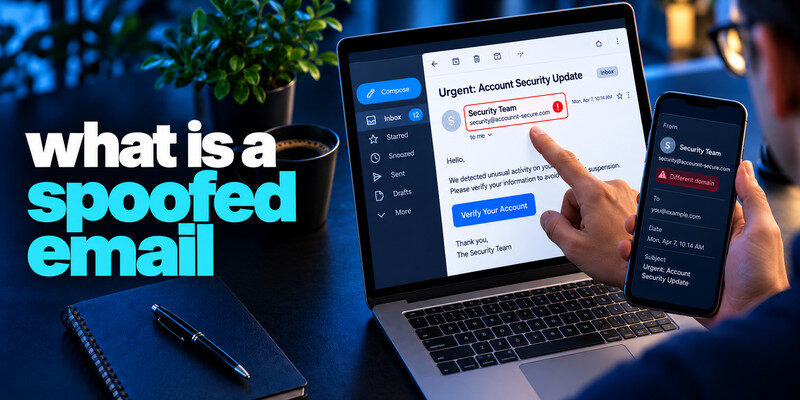
What is a spoofed email? A spoofed email presents a false or misleading sender identity so the message appears to come from someone else. The fake may be only a display name, a lookalike domain, a misleading reply address, or forged mail headers. Spoofing is often used in phishing but does not by itself prove a link is malicious or an account has been hacked. Verify the request through a known route, especially before sharing a secret or changing payment details.
Apply the answer
- Inspect the full address and reply-to.
- Check the real service or known contact.
- Report the message even if a logo or display name looks familiar.
What is a spoofed email? What the recipient actually sees
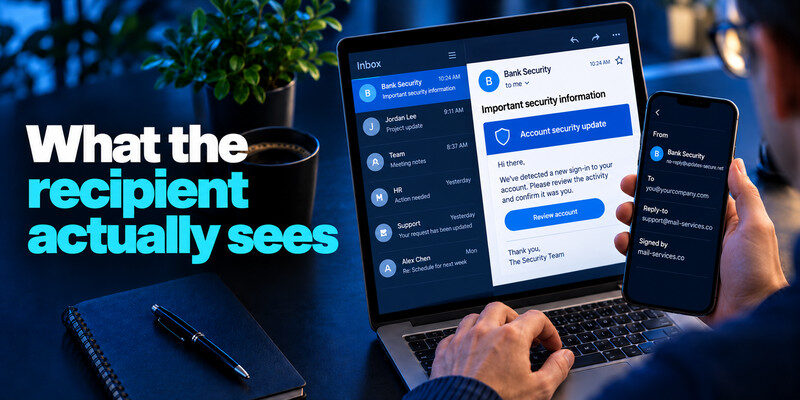
An inbox may show “Bank Security” or your colleague’s name prominently while hiding the underlying address. The message may use a brand’s colors and signature. Expanding sender details and reply-to fields can reveal a mismatch, but some legitimate services use third-party mailers, so this is a clue rather than a complete verdict.
Display-name impersonation
The address can be unrelated to the brand while the friendly name copies it. This is easy to create and common in simple scams. A reply may go directly to the attacker.
Lookalike domains
The sender may register a domain with an extra word, a swapped character, or a different top-level domain. A domain that looks similar is still a separate owner. Avoid making sensitive decisions based on a quick visual glance. A familiar sender name or professional-looking email design does not prove that a message is legitimate. Our guide on how to spot a phishing email explains how to inspect sender details, recognize suspicious links, and verify unexpected requests through trusted channels.
| Visible clue | Possible mechanism | Better check |
| Known name, unknown address | Display-name spoofing | Contact saved address |
| Near-matching domain | Lookalike registration | Open known website |
| Different reply-to | Reply redirection | Call established number |
| Real thread, strange request | Compromised account possible | Independent call-back |
Secure your accounts with fast, reliable two-factor authentication. Download now and protect your login in seconds.Download Authenticator App
How email authentication helps
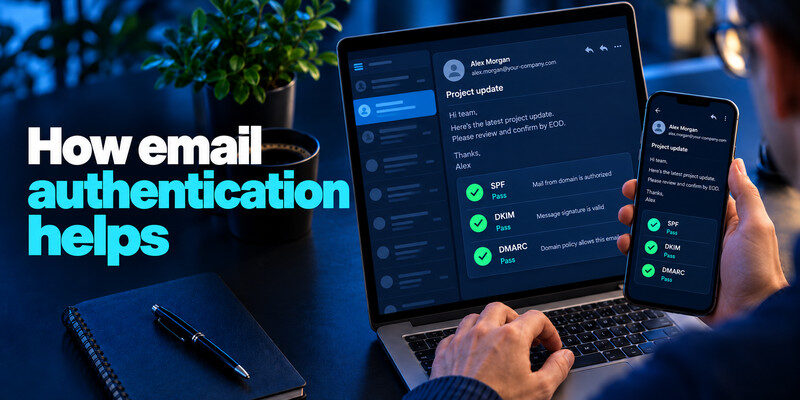
Sender Policy Framework (SPF), DomainKeys Identified Mail (DKIM), and Domain-based Message Authentication, Reporting and Conformance (DMARC) help mail systems evaluate whether a domain’s message is authorized and how failures should be handled. They are important provider-side defenses, but a passing result does not prove the human request is safe.
A legitimate domain can still send a scam
An attacker may control a lookalike domain and configure its authentication correctly. A real colleague’s mailbox can also be compromised. Authentication checks whether the message aligns with a domain’s rules, not whether the claimed payment request is truthful to know what is a spoofed email.
A failed check needs context
Forwarding and complex mail flows can affect results. Ordinary users need not interpret every header to protect themselves. Use the provider’s filtering, inspect the requested action, and verify independently. Sender impersonation is frequently used in phishing campaigns, but spoofing and phishing are not identical. Spoofing disguises identity information, while phishing attempts to manipulate someone into taking an unsafe action. Learn what is phishing to understand how fraudulent messages are used to steal credentials, obtain verification codes, or trigger unauthorized payments.
Read more: What Is Vishing? Recognize Voice Phishing Calls
Distinguish spoofing from account compromise to know what is a spoofed email?
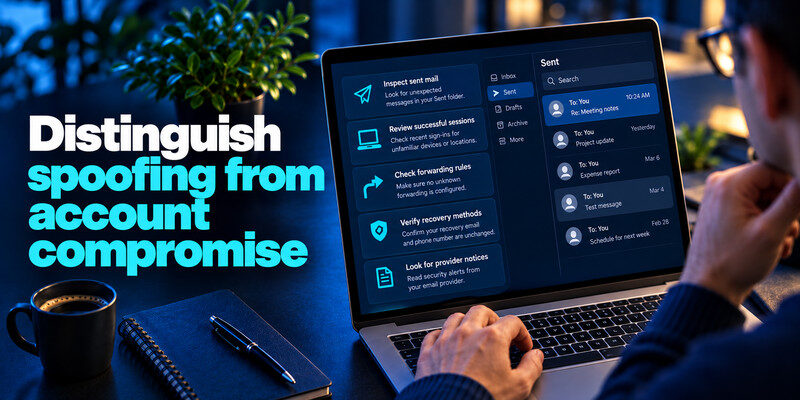
If a message only appears to be from your address, your account may not have been entered. Inspect sent mail, successful sessions, forwarding rules, recovery methods, and provider notices before concluding there was a takeover.
A forged “from myself” message
Extortion scams sometimes display your own address to claim they know your password. The display can be forged. Do not pay based on that alone; check account activity and whether a password is exposed or reused.
A genuine sent item
If the message appears in your sent folder and an unknown successful session exists, treat it as possible access. Secure the mailbox, revoke sessions, and warn recipients through another channel if needed.
| Visible clue | Interpretation | Next step |
| Familiar name | Easy to set by sender | Inspect actual address |
| Lookalike domain | Could be attacker-controlled | Type known site yourself |
| Reply-To mismatch | Replies may go elsewhere | Do not send credentials |
Check risky requests
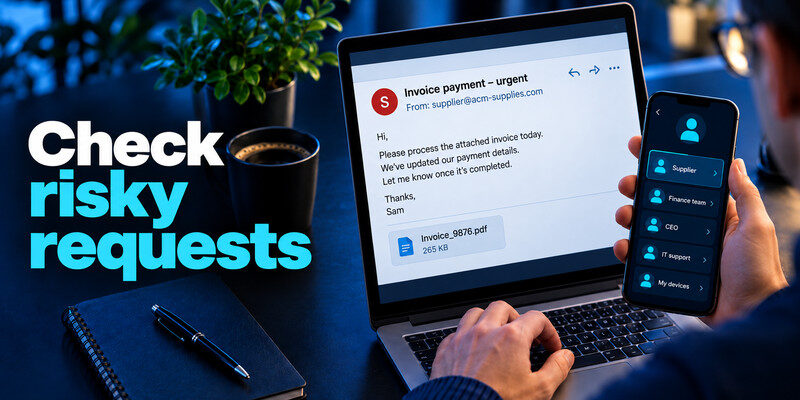
A spoofed email may ask for a sign-in, file download, invoice payment, or one-time code. Use the real company’s app or a contact record created before the message. Do not use a phone number inside the suspect email to verify it to know what is a spoofed email.
Changed payment instructions
Call the supplier at the contract number and use normal second approval. A believable thread can be compromised, so verifying the reply address alone is insufficient.
Account security alerts
Open account activity in the genuine service. If an unexpected code arrived, do not share it. can generate TOTP codes for compatible accounts, but a live code can still be phished. Attackers may use lookalike domains to make fraudulent messages appear connected to trusted organizations. Our guide on how to avoid phishing scams explains how to verify suspicious requests independently and avoid entering passwords or payment information on unfamiliar websites.
Read more: How to Identify a Scam Text Message Without Opening the Link
Report and contain
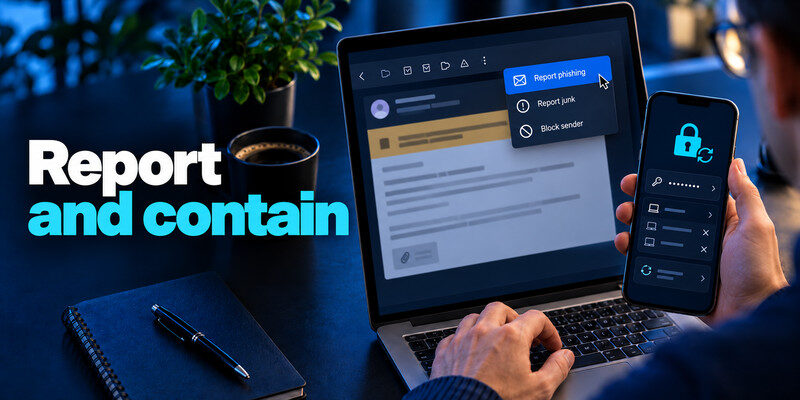
Use your mail provider’s report-phishing function and workplace process if applicable. If you entered a password, change it on the real service, revoke unknown sessions, and update reused copies. Contact the bank for a fraudulent transfer.
Preserve helpful evidence
Security teams may need the original message and headers. Record time, claimed sender, reply-to, and requested action. Never include your password or recovery code in a report.
Warn contacts without spreading the link
Describe the false claim and safe verification route. Forwarding the original scam to a group increases the chance someone will follow it.
Read a suspicious message in three layers
First, examine the friendly display name; it is just a label. Second, expand the actual From and Reply-To addresses. Third, consider the requested action and verify it independently. The first two layers can reveal a fake, but neither can prove safety: a malicious lookalike domain may authenticate correctly, and a real account can be compromised.
Display name
“Company Security” can appear beside an unrelated address. The difference is a clue. Do not reply to ask for confirmation, since the reply may go to the attacker.
Domain and reply path
A one-letter variation or extra domain component may be a separate site. An unusual Reply-To can redirect an otherwise official-looking message. Legitimate bulk mail sometimes uses subdomains, so the final check is in the actual account or a known contact channel.
Request
Changing payment details, sharing a code, or opening an unexpected file is sensitive regardless of sender formatting. Treat the request as a new authorization decision.
Read more: Dark Web Scan for Personal Information: What a Result Can and Cannot Show
What SPF, DKIM, and DMARC do not certify
These mechanisms help receiving mail systems assess whether a domain’s message aligns with its published sending rules. They do not certify that the domain belongs to the brand the reader thinks it does, that a real sender’s account is uncompromised, or that an invoice change is approved.
A properly authenticated lookalike
A scammer can buy a similar domain and configure email authentication. The technical checks may pass for that domain while the human story remains deceptive.
A compromised legitimate mailbox
Messages may originate from the actual supplier account. The recipient still needs an independent call-back for a changed bank destination.
The display name is a label chosen by the sender; the underlying address is more informative but can still use a deceptive domain. A reply-to address can direct your answer somewhere else. In a raw header, authentication results such as SPF, DKIM, and DMARC add technical context, but they do not guarantee that the business request is safe. A compromised authorized mailbox can pass checks while sending malicious instructions.
A near-match domain: An invoice from `vendor-payments.example` is not necessarily from `vendor.example`. Pay attention to the registered domain, not just words before a dot. Attackers may exploit a single changed character, an extra hyphen, or a different top-level domain. Rather than typing from memory, use a known vendor portal or saved contact details.
A forged internal name: An email labeled “IT Support” can ask for a code or remote access. Check the actual address and the ticket system. Even if the address is internal, a compromised account remains possible. Use a separate channel to verify unusual access requests and follow organizational policy for reporting the original message.
A safe reply boundary: Do not send credentials, recovery codes, or payment details in response to the suspect message. If you need to contact the sender, start a new message to the address already in your records or call a known number. Preserve the original if the security team asks for headers; deleting immediately may discard useful evidence.
A false “sent from your account” threat
An extortion email may show your own address in the From field and claim it proves access. Inspect the mailbox’s sent items, successful sessions, forwarding, and recovery settings. A forged sender alone is not account access. If a real unknown session or sent message appears, secure the mailbox promptly.
What not to do
Do not pay based on the sender label. Do not share a password to prove ownership. Open the provider’s security page yourself and use its recovery controls if needed.
What to record
Keep the message time, full sender details, and any account activity that supports or contradicts access. Security staff may need the original headers.
Frequently Asked Questions
Does a spoofed email mean my mailbox was hacked?
No. Sender information can be forged without access to your mailbox. Check provider activity for evidence of actual entry.
Is a DKIM or SPF pass enough to trust it?
No. It may authenticate a lookalike domain or a compromised legitimate sender. Verify the requested action.
Can a real thread be spoofed?
A real account may be compromised or a reply may be crafted to resemble the thread. Confirm high-impact changes through an independent channel.
Should I reply asking if it is real?
Use a saved address, known phone number, or official app instead of replying to the suspect message.
Final Thoughts
A spoofed email manipulates the identity you see. Examine the underlying sender, but make sensitive decisions only after checking with the actual organization or account.
Next step
For accounts that still rely on TOTP, can hold the codes. Set it up from each real account’s security settings, keep recovery codes safe, and never type a live code into a page reached through a suspicious message.
