
What Is a Data Breach? Meaning, Examples, and What to Do
Published October 21, 2026
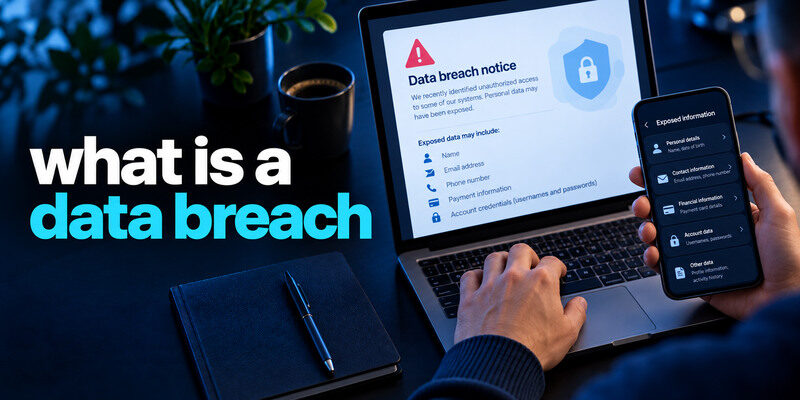
A data breach is an incident in which information is accessed, disclosed, or taken without authorization. It may involve a company’s customer database, an employee’s files, or a cloud service, and the exposed records can range from email addresses to passwords, payment details, or sensitive identity information. A breach does not automatically mean every affected person’s account was taken over. The right response depends on what data was exposed and whether anyone has used it.
Follow the data from storage to exposure
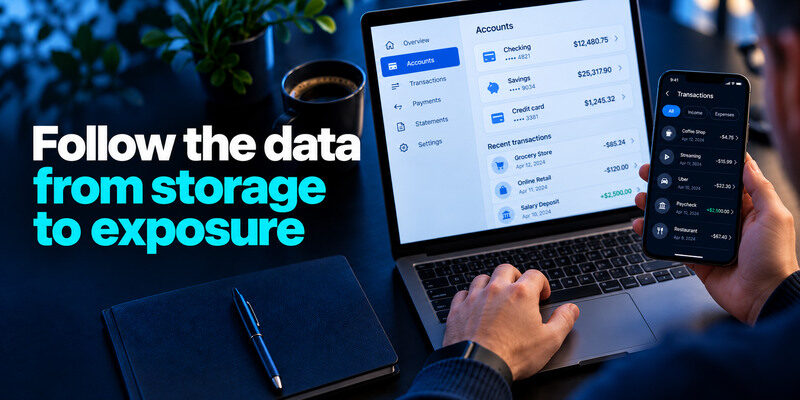
A service collects account and transaction information to operate. A compromised system, misconfigured storage location, insider misuse, or stolen device may expose records to people who should not have them. The company investigates what happened and which people and fields were involved. Some incidents are discovered quickly; others become public much later when a dataset is found or a notification requirement applies.
Unauthorized access versus public disclosure
An attacker may enter a system without copying every record, or a file may be inadvertently made public without a traditional “hack.” Both can create an exposure that needs investigation. Precise language matters: a notice saying “potentially accessed” is not the same as proof each item was downloaded. Read what the provider actually confirmed.
A leaked password can travel
If a username-password pair becomes available, attackers can test it at unrelated services. That is credential stuffing, and it relies on reuse. A unique password limits the damage to one account. If the exposed data contains only an email address, the immediate concern may be more convincing phishing rather than direct password-based access.
Secure your accounts with fast, reliable two-factor authentication. Download now and protect your login in seconds.Download Authenticator App
Types of data and different harms
| Data type | Possible harm | First protective step |
| Email and phone | Targeted scams and spam | Verify messages independently |
| Password or hash | Account access if reused or guessed | Replace exposed and reused secrets |
| Payment card | Unauthorized charges | Contact card issuer, review statements |
| Government identifier | New-account identity fraud | Follow FTC identity guidance |
| Health or private records | Sensitive disclosure | Contact relevant provider and preserve notice |
| Work credentials | Organizational access | Report to authorized security team |
The table describes risks, not guaranteed outcomes. A password hash’s practical risk depends on how it was protected and on the password’s strength. A company notice may describe broad categories but not prove every person’s record included every field. Ask the provider through official support when your specific scope is unclear.
Email exposure is common but still useful to attackers
An address can link a person to a service, help tailor phishing, and serve as a username for login attempts. Do not panic or assume inbox compromise. Secure primary email with a unique password and MFA, and inspect successful sessions if you see suspicious activity. Replacing an address everywhere is usually more disruptive than fixing reuse and watching for deception.
If your email provider supports app-based verification, an authenticator app can provide an additional sign-in factor after your password. It does not remove an exposed email address from breach records, but it can help protect account access when credentials are targeted.
Financial exposure needs an institution
A new website password cannot cancel an exposed card. Contact the issuer using a known number, ask about replacement, and review small test charges. Keep receipts and transaction IDs. If a bank account or payout route is affected, follow the institution’s fraud process promptly.
Identity exposure can last longer
Government identifiers, birth dates, and addresses may be hard to replace. The FTC explains credit freezes, fraud alerts, and identity-theft reporting for relevant situations. A freeze limits new credit access; it does not protect an existing email login. Match the control to the kind of harm.
How breaches happen without teaching an attack
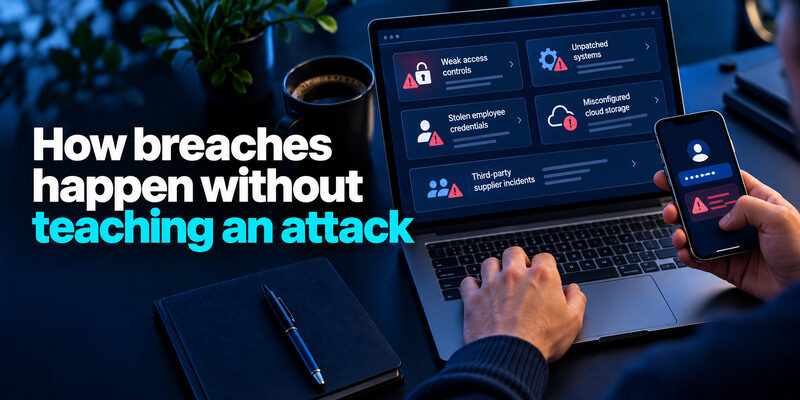
Weak access controls, unpatched systems, stolen employee credentials, misconfigured cloud storage, and third-party supplier incidents are common categories. The details differ by incident. A strong personal password does not prevent a company from exposing its database, but it reduces the chance that a leaked pair opens your other accounts. An organization should secure systems, restrict access, log activity, and plan notification.
The provider’s responsibility is distinct
The service controls its database design, access policies, monitoring, and incident response. Users control their own password reuse, MFA, device hygiene, and account alerts. Blaming a user for a company exposure obscures that boundary. It is still useful to act on the risk once the notice arrives.
Third parties complicate the story
A service may depend on payment processors, analytics tools, support vendors, or cloud hosts. A breach at one supplier can affect several brands. The notice should explain the relationship as far as known. An email appearing in multiple checkers may refer to the same incident, not multiple independent intrusions.
A breach, a leak, and a takeover are not synonyms
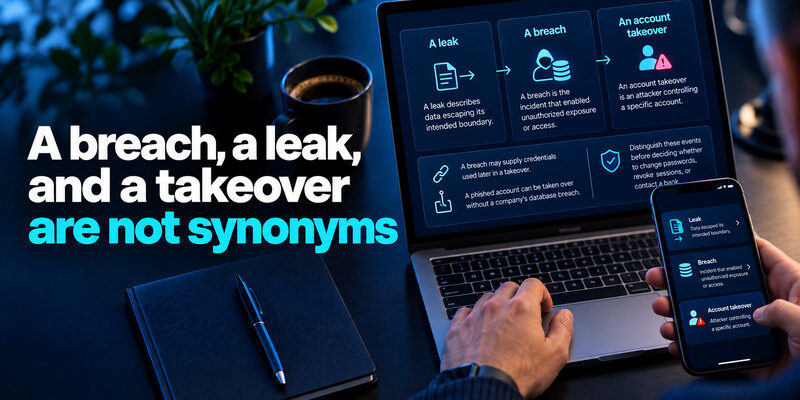
A leak describes data escaping its intended boundary; a breach is the incident that enabled unauthorized exposure or access; an account takeover is an attacker controlling a specific account. A breach may supply credentials used later in a takeover. A phished account can be taken over without a company’s database breach. Distinguish these events before deciding whether to change passwords, revoke sessions, or contact a bank.
If exposed credentials are associated with a Microsoft account, review the account’s sign-in activity and available verification methods. Our guide to the Microsoft Authenticator app explains how supported app-based authentication works and how to prepare recovery options.
What a known-breach search can show
Have I Been Pwned or Mozilla Monitor can report known datasets associated with an email address. It may name the service, date, and exposed fields. It cannot prove every current account is safe when no result appears. A company’s official notice may offer more specific information about your record.
Different breach-checking services provide different types of evidence. Some focus on known email exposure, while password managers can flag compromised saved credentials. Compare their capabilities in our guide to the best data breach checker tools before deciding which checks are appropriate.
What account activity can show
A provider’s security page may show recent successful sessions, devices, and recovery changes. It may not reveal which records were copied from the company’s database. If you see an unauthorized sign-in, respond to it as an account incident in addition to the broader breach. Preserve evidence of both.
What a breach notice should prompt you to ask
Which organization and system were affected? When did it happen and when was it discovered? What data classes are confirmed for you? Was a password included? What has the provider done, and what does it recommend? Is there a legitimate support route and case number? Answering these questions reduces the chance of following a fake “remediation” message.
Verify the notice independently
Open the company’s real site or app instead of clicking an urgent link in email or text. A scam can quote accurate breach details. Never give a current password or one-time code to a person who claims to be a breach-response agent. If the notice is missing from the official channel, ask support before submitting information.
Keep dates in context
A dataset may be added to a checker long after the original incident. A new alert is not necessarily a new attack. Conversely, an old breach can still affect you if its password was reused. Compare exposure date with when you changed the credential and what other sites used it.
Respond according to the data exposed
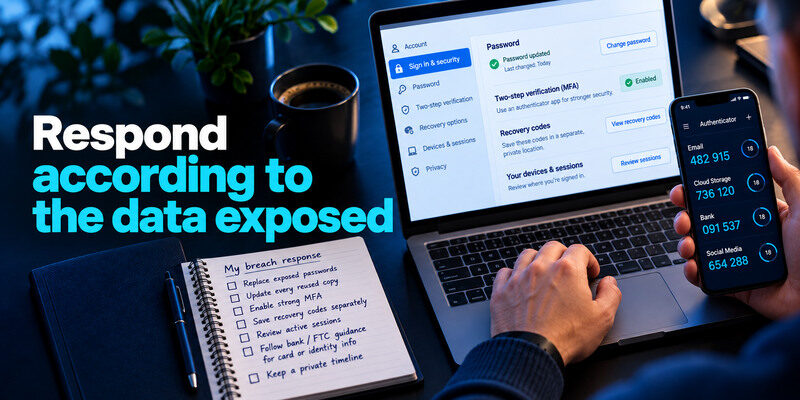
Replace a known-exposed password at the real service and every reused copy. Generate independent credentials with a manager and verify each sign-in. Add strong MFA and save recovery codes separately; can generate TOTP codes for compatible accounts. Review sessions if the account may have been accessed. For card or identity information, follow the bank’s and FTC’s data-specific guidance.
Replace a known-exposed password on the legitimate service and anywhere it was reused. Generate unique credentials with a trusted password manager and verify each new sign-in. For accounts that support time-based verification codes, a TOTP authenticator app can generate codes after enrollment. Save recovery codes securely and separately, and review active sessions if unauthorized access is suspected.
Do not assume MFA erases exposure
A second factor can block password-only sign-ins but cannot remove a name or card number from a dataset. It also may not end a stolen active session. Protect recovery and use explicit sign-out controls where offered. Check what actions an attacker could have taken.
Keep a private timeline
Save the official notice, date, affected account, data types, and actions taken. Avoid storing live passwords or full identity documents in a shared incident note. If fraud appears later, this record helps the bank or provider connect events accurately.
Prevention has two layers
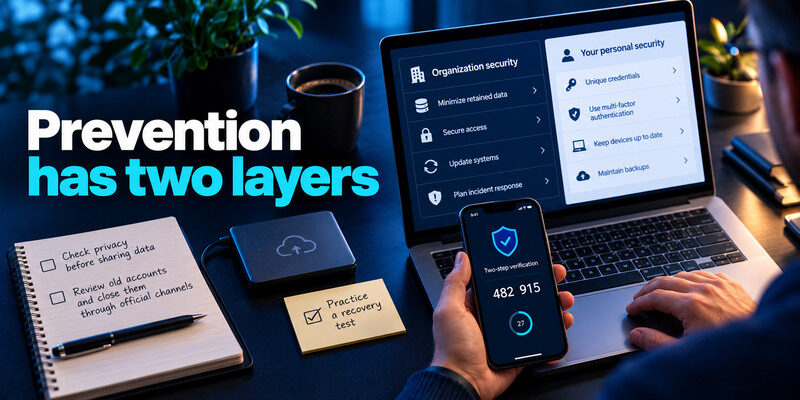
Organizations should minimize retained data, secure access, update systems, and plan incident response. Individuals should keep unique credentials, MFA, current devices, and backups. No personal checklist can eliminate all provider breaches, and no provider promise removes the need to protect accounts against reuse and phishing.
Choosing a reliable authentication method is part of a broader account-security routine. If you use iOS, our guide to the best authenticator app for iPhone compares options for verification codes, device compatibility, backup, and recovery.
Check privacy before sharing data
Provide only information a service needs. Review old accounts you no longer use and close them through official processes when appropriate. Deletion requests may be available under applicable rules, but copies of data already exposed may persist. Keep realistic expectations and focus on practical account and identity protection.
Practice a recovery test
A strong login is less useful if the only backup code is on a lost phone. Test a second-device sign-in while you still have access. Confirm primary email and recovery factors. This prepares you for an incident without requiring constant password changes.
Trace one incident without mixing up the terms
A vendor mistakenly exposes a customer database. That is the security event. If someone copies a subset of records, the exposed dataset may circulate as a leak. A criminal later tries one reused customer password at an unrelated store; that is a separate credential-stuffing attempt. If the store accepts it, that customer’s store account has been taken over. The same timeline contains a breach, a leak, an attempted login, and perhaps a takeover, each with different evidence.
What the organization can establish
The provider can report affected systems, dates, and fields, but initial notices may be incomplete. Watch its official updates and avoid treating an early estimate as a final forensic finding. A public breach checker may also learn of an incident later.
What you can establish yourself
You can verify account sessions, recovery changes, financial activity, and the passwords you reused. A clean login history narrows evidence of account access but does not erase the exposure of personal data.
Reviewing account activity is important, but you should also confirm that your authentication and recovery methods are still under your control. Our authenticator app security guide explains how app-based verification works and what to consider when securing compatible accounts.
Breach|Unauthorized exposure or access|Which data and people were affected?|
Leak|Data available outside intended controls|Where did the information spread?|
Takeover|Unauthorized account control|Which sessions and changes need reversal?|
Frequently Asked Questions
Does a data breach mean I was hacked?
Not necessarily. It may mean your information was in an affected system. Check the data categories and account activity. An unauthorized successful login or changed settings is separate evidence of account compromise.
Can a breach be fixed by changing a password?
A password change helps if credentials were exposed or reused. It does not reverse disclosure of identity or payment information and may not revoke active sessions. Match other steps to the data and provider notice.
How do I know whether my data was included?
Read the provider’s account-specific notice and ask official support if unclear. Reputable breach checkers may provide a clue based on your email, but they cannot always prove the exact fields in your personal record.
Why did I hear about an old breach now?
Discovery, investigation, notification, and dataset publication happen at different times. A new checker alert can refer to an older event. Check dates and whether the exposed credential remains in use.
Can all copies of breached data be removed?
An organization may secure or delete its own copy, but once data has circulated, no service can guarantee every other copy disappears. Focus on unique credentials, financial or identity controls, and monitoring for actual misuse.
Final Thoughts
A data breach is unauthorized exposure or access to information held by a person or service. Identify the fields and affected accounts before acting. Replace leaked credentials, address financial or identity risk through the relevant institution, and distinguish a breach from a confirmed account takeover.
