
SMS Authentication Service Setup and Provider Choices
Published November 17, 2026
By the Authenticator App Team
An SMS authentication service sends a short-lived code to a phone number and checks the code when the user submits it. Use it when you need to verify that a user can currently receive messages at that number, or as a permitted second step after a password. For sensitive accounts, give users a stronger option such as a passkey or security key where your service supports it. The value a person types can be passed to a phishing site, and a number can be reassigned or transferred.
For an application, the practical decision is whether to use a managed verification endpoint or build verification on top of a messaging API. A managed SMS authentication service can handle code issuance and checks. Your application still needs to bind each challenge to the intended account and operation, control attempts, and decide what a successful verification permits.
Follow One Challenge From Send to Session
Create a Challenge for a Specific Purpose
A phone verification request should start with a clear event such as registration, an attempted sign-in, or a request to change a registered number. Keep the account or pending registration, normalized destination, intended action, expiration, and challenge status together on the server. A verification code issued during registration should be usable only for the registration it belongs to.
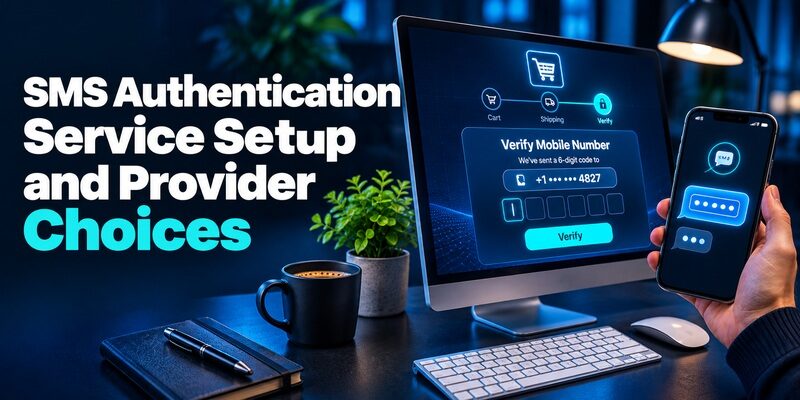
The app asks the SMS authentication service to initiate verification and shows a masked version of the destination. Give users a chance to correct the number before more messages are sent. A carrier’s acceptance of the message only means that the delivery process has started. Your application grants access after the correct challenge is verified and the other conditions of the operation are met.
Check the Code and Complete the Right Action
When the user enters the code, the server looks up the active challenge and asks the provider to check it or validates it against its own verification state. The check must confirm purpose, expiration, and attempt limits as well as the value. When verification succeeds, consume the challenge so that subsequent submissions cannot repeat the account action.
For a sign-in, the application creates the session only after any password check, relevant risk checks, and the SMS authentication service response all agree. For a number change, it updates the stored number only after the current account has authorized the change and the new number has been verified. Record the outcome and time, while keeping the code out of application logs.
Compare a Managed SMS Authentication Service With a Messaging API

| Service pattern | What it handles | What your application owns |
|---|---|---|
| Managed verification API such as Twilio Verify | Starting and checking verification, with provider controls where enabled | Account binding, user experience, risk policy, and handling the result |
| Messaging API plus your verification backend | Delivering messages and reporting delivery events | Code generation, storage, retries, expiration, validation, abuse controls, and delivery |
| Identity platform with a configured SMS factor | Running the platform’s sign-in challenge through its configured channels | Enrollment and fallback policy, integration, and monitoring |
Decide How Much Verification Logic to Own
A dedicated SMS authentication service is a good starting point if you want the provider to manage the lifecycle of the code. Twilio Verify describes separate operations to start and check verifications. Review its retry behavior, pricing, destination support, and account settings before launch. Treat the provider’s response as one input into your application’s decision and verify that production credentials have the minimum scope you need.
A messaging API can be appropriate when an existing identity service already implements and tests the challenge lifecycle. In that model, the provider handles transport. The identity team remains responsible for generating and validating codes, rate limits, retry behavior, abuse handling, and securing configuration. Write down which team owns each part before a delivery incident makes the gaps visible.
Check Country Coverage and Sender Behavior
Run tests in the countries you serve and with representative carriers. Depending on the destination, senders can require registration, and carriers can filter traffic that falls outside local rules. An SMS authentication service may report different events for provider acceptance, carrier delivery, and successful code verification. Use those events for different questions.
Compare successful verifications with messages sent rather than using send volume as the main indicator. Confirm that localized messages remain short and clear. Before enabling a new destination, test the experience on a real device through an authorized test account and verify how the provider reports a blocked or delayed message.
Test Failover Before Enabling It
If you use a secondary provider, decide which provider owns the active challenge. A code issued by one SMS authentication service will generally be checked through its own verification flow. For a switch between providers, expire or replace the pending challenge deliberately and tell the user which code to enter.
When traffic shifts, protect the application-level limits too. An attacker can trigger sends through two providers if each sees only its own request count. Design the failover to honor a shared decision about attempts and resends. During an outage, show the supported alternate factor to an already enrolled user instead of silently granting access or sending multiple codes at once.
Set Resend Rules People Can Understand

Keep the Page Clear During a Delay
After sending, display the masked destination, a short waiting message, and a distinct action for correcting the number. Keep the input available while the message is in transit. If the user immediately requests another code, the newest and oldest messages can arrive out of order. Use the provider’s behavior to decide whether another request reuses an active code or invalidates it.
The SMS authentication service and the page should agree. For example, when a resend preserves the active code, the page should explain that entering a valid message from that challenge can work until expiration. If a resend issues a replacement, indicate that the previous challenge has ended. Test this behavior in both the fastest and slowest supported delivery routes.
Measure Resends Against Actual Completion
Track the proportion of sends that lead to a verified challenge and the time to successful submission. Separate a wrong number, a provider error, a valid send followed by no reply, and a rejected code. A 2FA SMS service can be healthy while a particular carrier route or phone number format has a problem.
Add caps by account, number, and relevant request context, with a cooldown before a user can ask again. A countdown in the browser helps explain the rule. Enforce the same rule on the server. Ensure that the client can reopen the verification step without starting a fresh series of requests each time a tab refreshes.
Reduce Fraud and Cost Before Opening a New Destination
Constrain Both Sends and Checks
A verification endpoint can be targeted by people trying to guess codes, trigger costly messages, or keep a legitimate user from receiving them. Apply a short, defined lifetime and limits to both sending and checking. Partition limits by the dimensions that make sense for your service, such as number, account, network, device context, and destination. Test false positives with households and workplaces that share a network.
Twilio’s Verify documentation describes controls such as Fraud Guard for supported SMS traffic and service rate limits for verification requests. Check which controls your project has enabled. An SMS authentication service can apply transport-level protections while your app catches patterns that span providers or reuse the same customer identity.
Observe Spending Alongside User Outcomes
Set operational thresholds for message volume, destinations, retries, and verification completion. A sudden jump in traffic to a new destination alongside almost no successful verifications is worth investigating. Check whether a launch, carrier problem, number formatting error, or suspicious traffic could explain it before opening the route more widely.
A useful incident view can show a masked destination, provider request identifier, status changes, and the challenge result. Restrict who can read phone numbers and how long your service retains them. If support needs the exact number to resolve a case, use an approved channel and avoid including codes in tickets or recordings.
Treat a Changed Number as Its Own Security Event
A correct code confirms receipt at the number at that time. It does not establish that the person has owned the number for a long period or is authorized to update a sensitive account. NIST’s Digital Identity Guidelines treat public telephone network delivery as restricted and advise considering factors such as number porting and SIM changes before relying on it.
For an account change, verify the current account through an approved stronger method when available. After authorizing the change, use the SMS authentication service to verify the new destination. Notify the account through its approved existing channels and follow your organization’s policy for sensitive actions after a recent change.
Give Support a Diagnosis That Does Not Expose Codes

| Reported problem | Check internally | What the user can do |
|---|---|---|
| No message after waiting | Destination format, provider status, rate limits, and carrier route | Confirm the masked number and use the offered retry or another enrolled method |
| Message arrived late | Challenge expiry and resend behavior | Enter the currently valid value in the original official flow |
| The code is repeatedly rejected | Challenge status, operation, and attempt count | Reopen the expected official flow or use an approved alternative |
| SMS is inaccessible abroad | Supported destination and roaming behavior | Use another enrolled factor or the official recovery process |
| The user received a code without requesting it | Recent challenges and abuse patterns for the account | Ignore the code and review account activity from a trusted page |
Distinguish a Transport Problem From a Verification Error
SMS authentication can fail before the message leaves the provider, after the provider accepts it, or during code entry. In a support case, start with the time, country, masked destination, and operation. Check the request and challenge identifiers internally. The provider status can help narrow transport, while the verification response tells you whether the challenge succeeded.
Support should confirm the user’s request without asking them to reveal a live value. For a repeatedly rejected code, verify whether a resend opened a new challenge or left the original active. Look for a browser tab tied to a previous action. When you redirect the person to a fresh flow, explain what happens to the prior request.
Establish a Route for a Lost Number
A person whose number changed may need account recovery rather than another attempt at SMS authentication. Offer the recovery routes the account already supports. Record which controls verify account ownership and which roles can authorize changing a number. A routine support request should remain distinct from a sensitive credential reset.
When an SMS authentication service cannot reach a destination, provide the next supported option and state what will happen to any pending challenge. A bank, employer, and small retail app may require different identity checks. Keep those decisions in the account policy rather than delegating them to a delivery provider.
Offer Stronger Choices Where the Account Supports Them

Use a Phishing-Resistant Method for High-Impact Access
For administrative roles or operations with a high cost of compromise, evaluate passkeys or compatible security keys through your identity provider. These methods can bind authentication to the legitimate service, depending on the implementation. Apply the same level of care to enrollment, replacement, and recovery so a weaker alternate path does not undermine the access policy.
If some users need an SMS authentication service for onboarding or recovery, document exactly what it is permitted to authorize. Consider separate rules for account enrollment, ordinary sign-in, administrative access, and changing security settings. The service can use a different supported proof for each decision.
Offer a Code App When It Fits the Policy
An SMS authenticator in everyday usage can mean either a texted code or a code app. SMS uses a phone number and carrier route. A standard TOTP app calculates codes from an enrolled secret and time, independently of SMS delivery. When your identity system supports standard TOTP, users can evaluate for that separate method.
TOTP helps when a phone has no text coverage, but a user can still reveal the value to a phishing page. Give clear instructions to enter the code only in the service’s official sign-in. Before you advertise the method, verify that users can enroll a second approved option or recover a lost device through a documented process.
Run a Launch Test With Real Failure Cases
Rehearse a Delayed Message and a Double Submission
Start a test sign-in, send one code, wait for part of its validity window, and request a resend according to the policy. Record the SMS authentication service behavior when the messages arrive in either order. Then submit the code in two browser tabs at about the same time. Confirm the challenge produces only one authorized account action.
Next, simulate provider timeout after the user clicks send. Verify that a retry can tell whether the first request took effect so you avoid unnecessary duplicates. If the provider offers idempotency for the operation, test its scope and how long it applies. Record the recovery behavior a user should expect if your app cannot get a clear result.
Rehearse a Traffic Spike and a Lost Phone
Use your approved testing environment to simulate many requests to the same destination and a spike across multiple numbers. Check provider and application limits separately. A good SMS authentication service test shows that you can stop a costly route without blocking all normal sign-ins or asking support to bypass verification.
Finally, use a controlled account to rehearse a lost handset, a replacement number, and access via an alternate enrolled factor. Verify that support can explain each step without reading a secret aloud or emailing a code. Monitor the release in a limited group and watch successful completion, delayed delivery, and recovery cases before wider deployment.
Decide Which Verification Data to Keep
Choose a Record for Customer Support
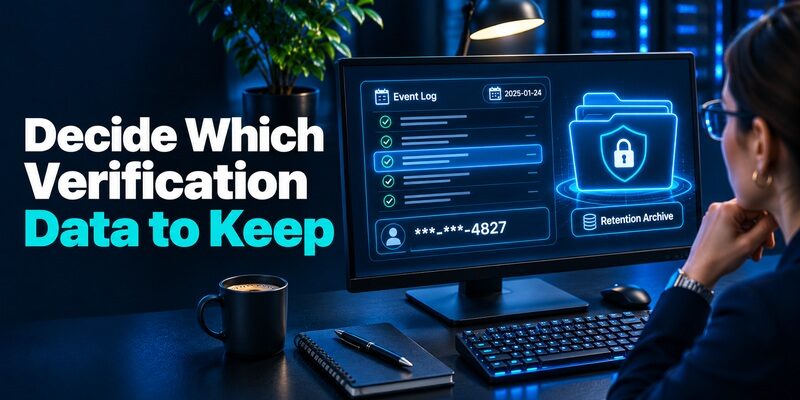
Use a record that answers when the SMS authentication service received the request, which channel was used, which account operation it supported, and how it ended. A hashed or masked destination can help with routine troubleshooting. Restrict exact telephone numbers to approved views when support actually needs them, and keep live codes and full message bodies out of analytics.
Review the record after a simulated failed sign-in. A support agent should be able to tell whether delivery was attempted and whether the challenge expired, while a fraud analyst may also need aggregate carrier and destination trends. Give each role only the fields it needs. Confirm that the SMS authentication service’s own retention and deletion options align with your data policy.
Keep the Monitoring Workflow Useful During an Outage
When completion drops, compare affected destinations, devices, and flows with baseline activity. Keep an incident timeline that distinguishes when the SMS authentication service accepted requests from when users began to report delays. Assign the status update to the team that can confirm the user impact.
During a recovery, measure whether verification success has returned before raising send limits again. Keep the alternate method visible until the affected route is stable, then document the trigger and check that delayed or duplicate messages cannot authorize an old operation.
Final Thoughts
Choose an SMS authentication service that covers your users’ destinations and gives your application reliable verification results. Bind each code to a specific action, limit retries, and test delayed or out-of-order messages. Keep records that help support trace failures without exposing codes.
Use SMS for the level of proof it actually provides. For sensitive access, offer a phishing-resistant method where supported and check that the recovery path honors the same security policy. Test what happens when the phone is gone before depending on any channel as a fallback.
Download Authenticator App
Secure your accounts with fast, reliable two-factor authentication. Download now and protect your login in seconds.
