
Recover Facebook Lost Phone: How to Get Your Account Back
Published November 9, 2026
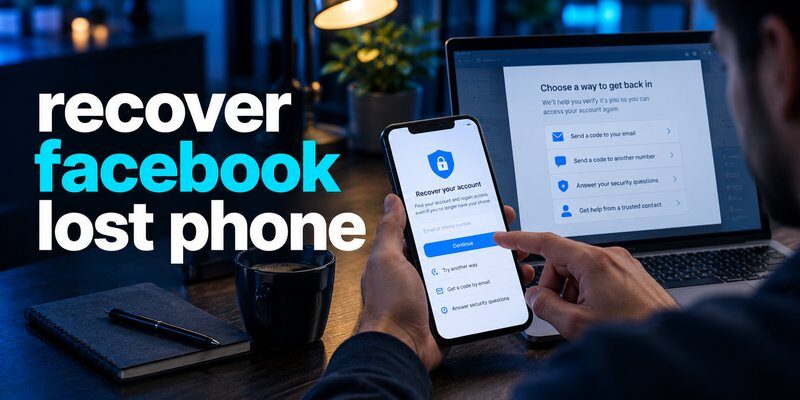
Lost your phone and can’t log in to Facebook? You can often recover your account using your registered phone number, email address, an existing login session, another trusted device, or Facebook’s official account recovery process. If you also lost access to two-factor authentication (2FA), you may need a previously saved recovery code or additional identity verification.
The recover facebook lost phone process depends on which login credentials and recovery options you still control.
Quick recovery steps:
- Open Facebook on a computer or another trusted device.
- Select Forgot password? on the login screen.
- Search for your account using your email, phone number, name, or username.
- Choose an available account verification method.
- Reset your password or complete the required identity verification.
- Review account security and remove the missing device.
If you cannot access your old phone number or email address, Facebook may offer additional verification options depending on your account and recovery eligibility.
According to Meta’s December 2025 account recovery announcement, updated in March 2026, improvements to its recovery systems increased the relative success rate of hacked-account recovery by more than 30% in the United States and Canada during the period reported.
This statistic does not guarantee recovery for any individual account, but it highlights improvements to Meta’s verification process.
This guide explains how to recover facebook lost phone access safely, handle missing verification codes, and protect your account after getting back in.
Can You Recover Facebook After Losing Your Phone?
Yes. Losing your smartphone does not automatically delete your Facebook account.
Your profile, messages, photos, friends, and account settings are normally associated with Facebook’s servers rather than stored exclusively on your phone.
Therefore, you can generally access the same account from another device once you successfully complete the sign-in process.
Why losing your phone can block Facebook login
A missing smartphone can create several account recovery problems.
You may lose access to:
- The phone number receiving SMS verification codes.
- An authenticator application generating temporary codes.
- A device previously recognized by Facebook.
- Saved passwords stored locally.
- Passkeys or other authentication credentials.
- Your email account if it was accessible only through the missing phone.
For people searching recover facebook lost phone, identifying which credential is unavailable is the most important first step.
If you remember your password and can complete two-factor authentication elsewhere, signing in may be straightforward.
If you lost your password, email access, and authenticator simultaneously, recovery becomes more complicated.
What Facebook recovery methods are available?
Facebook may provide several recovery options depending on your existing account settings.
| Recovery method | When it may help |
|---|---|
| Registered email | You can still access your recovery inbox |
| Registered phone number | You can receive an SMS verification code |
| Trusted device | Facebook recognizes a previously used device |
| Existing login session | You remain signed in on another device |
| 2FA recovery method | You saved recovery codes or registered another method |
| Identity verification | Facebook offers additional verification for your account |
Not every method is available to every user.
Meta has introduced adaptive recovery experiences that consider account history, familiar devices, and other available signals.
As a result, the exact screens can differ between accounts.
The recover facebook lost phone process is usually easier when you begin from a browser or device previously associated with your Facebook account.
What to Do Immediately When Your Facebook Phone Is Lost
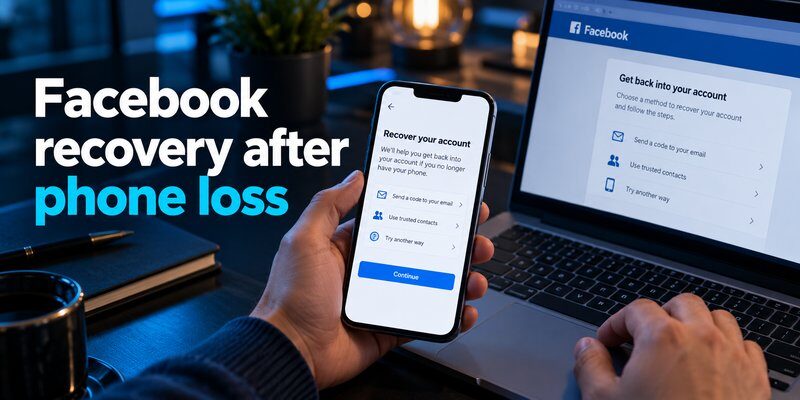
Before attempting account recovery, protect the missing device and your personal information.
A stolen smartphone may contain active Facebook sessions, email accounts, financial applications, and authentication credentials.
Step 1: Lock your phone remotely
For iPhones, use Apple’s Find My features to place the missing device in Lost Mode.
For Android phones, use Google’s Find Hub to locate or secure a compatible device.
These services can help protect your data even when you no longer physically possess the phone.
If you believe the device was stolen, avoid confronting the suspected thief.
Contact local law enforcement when appropriate.
Step 2: Contact your mobile carrier
If your missing phone contains the SIM card associated with Facebook, contact your mobile carrier.
Ask about suspending the missing SIM or eSIM while retaining control of your number.
You may be able to transfer the same number to a replacement SIM or eSIM after completing carrier verification.
This can restore SMS-based account recovery.
However, transferring your number does not automatically restore an authenticator application or its stored verification secrets.
Step 3: Check existing Facebook sessions
Before logging out of every device, check whether you are still signed in to Facebook on a computer or tablet.
An active session may provide access to account settings.
From there, you may be able to review your contact information and available security methods.
Facebook may still require additional authentication before allowing sensitive changes.
Do not sign out of your only working session until you have confirmed a reliable alternative login method.
Step 4: Secure your email account
Your email address may be used to reset your Facebook password.
If someone can access the email account connected to Facebook, they may attempt unauthorized password resets.
Review suspicious login activity and change your email password if it may have been compromised.
For an urgent recover facebook lost phone situation, keeping your recovery email secure is often just as important as protecting Facebook itself.
How to Recover Facebook With Your Phone Number
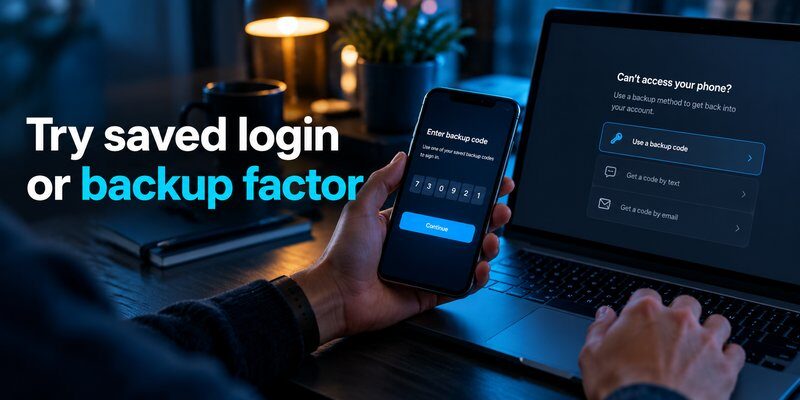
If your Facebook account is linked to a mobile number you still control, phone-based recovery may be the simplest option.
The process begins from Facebook’s normal sign-in screen.
Step 1: Open Facebook’s account recovery feature
On a trusted computer or replacement smartphone:
- Open the Facebook application or official website.
- Select Forgot password?
- Enter your registered mobile number.
- Select the matching account, if Facebook finds it.
- Review the recovery methods offered.
If you need to recover facebook with phone number, make sure the number is still registered to the account.
A number that was previously removed or replaced may not work.
Step 2: Receive a verification code
If Facebook offers SMS recovery and you can receive messages on the registered number, request a verification code.
Enter the code in the official Facebook recovery screen.
The code may be time-sensitive and should be used only for its intended account.
Never send a Facebook login or recovery code to another person, including someone claiming to be Facebook support.
Step 3: Reset your password
After completing the required verification, Facebook may allow you to create a new password.
Choose a strong password that is not used by another account.
A password manager can help generate and store unique credentials.
Complete any additional security checks before assuming recovery is finished.
What if the registered phone number is unavailable?
Users searching facebook recover phone number may have lost their original SIM card or changed mobile carriers.
If you still own the number, ask your carrier about restoring service to a replacement device.
If the number no longer belongs to you, check whether Facebook offers another recovery method.
The same applies to the search facebook recovery phone number when a user cannot receive the expected verification message.
Do not assume that receiving an SMS code is the only way to recover your account.
Depending on your account, Facebook may offer email verification, existing sessions, or additional identity checks.
The recover facebook lost phone process can continue without SMS when another legitimate recovery route is available.
How to Recover Facebook Without Email or Password
Losing your phone becomes especially frustrating when you also cannot remember your account credentials.
However, there may still be ways to identify and recover the correct account.
Recover your Facebook account without your email address
If you remember the mobile number associated with your profile, try searching for the account using that number.
You may also be able to identify your account using your full name or username.
Facebook’s account recovery feature can help locate matching accounts.
Once you find your profile, review the authentication options offered.
If you cannot access any listed recovery method, follow the on-screen instructions for alternative verification when available.
What if you forgot both your email and password?
The search i lost my facebook email and password describes a more difficult recovery scenario.
Try the following:
- Check whether you are still logged in on another device.
- Search saved passwords in your browser or password manager.
- Identify the email address previously associated with Facebook.
- Try recovering access to that email account first.
- Search for your Facebook profile using your name or username.
- Follow Facebook’s account recovery instructions.
If you previously linked multiple email addresses or phone numbers, another registered contact method may still work.
How to reset a forgotten Facebook password
For users searching how to recover lost facebook password, the normal password reset process is generally the appropriate starting point.
Facebook may send a reset code to an eligible email address or phone number.
Follow the verification instructions and select a new password.
Facebook does not reveal your existing password through the recovery process. Instead, it allows eligible users to establish a replacement password.
Can Facebook verify your identity without email or phone access?
In some cases, yes.
Meta has expanded recovery experiences that use additional identity verification methods.
Its official announcements describe trusted-device recognition and optional video-selfie verification for eligible recovery situations.
Depending on the account and available features, Facebook may also request identity documents.
Meta’s recovery improvements consider familiar devices and locations.
However, video-selfie verification and document submission are not guaranteed options for every account.
If prompted to provide identification, submit it only through Facebook’s official recovery interface.
The recover facebook lost phone process can be successful without the original contact details, but you must satisfy the verification method Facebook makes available.
How to Recover Facebook Without a 2FA Code
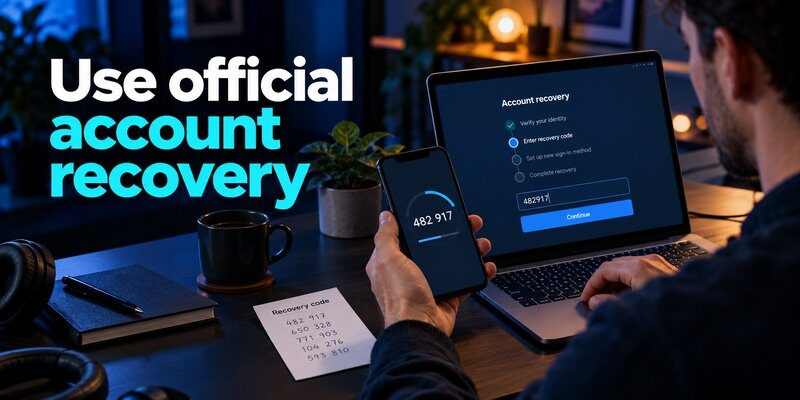
Two-factor authentication adds another security check after your password.
Facebook can support authentication methods such as an authenticator application, SMS verification, and other registered credentials.
If your phone contained your only authentication method, you may be unable to complete sign-in.
What happens when you lose your Facebook authenticator?
Most TOTP authenticator applications generate a temporary six-digit code.
Under the common TOTP configuration described in RFC 6238, these codes are calculated using a shared secret and a time interval, typically 30 seconds.
Losing the phone can mean losing access to the locally stored secret needed to generate those codes.
However, some authenticator applications support synchronization, export, or backup features.
For users attempting to recover facebook lost phone access, the first step is to determine whether authentication data remains available elsewhere.
Recover Facebook using another authentication method
When Facebook asks for a two-factor authentication code, look for an option such as Try another way.
Depending on your account configuration, you may be offered:
- A previously saved recovery code
- Another registered authentication method
- Approval from an existing trusted session
- A previously configured passkey or compatible credential
- An additional Facebook account recovery procedure
Availability varies.
There is no universal code that bypasses Facebook’s two-factor authentication.
Restore authenticator codes from a backup
If your previous authenticator supported backup or synchronization, check whether you enabled it before losing the phone.
For more detailed instructions, read authenticator app restore from backup.
The restoration process depends on the specific application.
Some applications synchronize TOTP secrets, while others store them only on the original device.
If a backup does not exist, installing a new authenticator will not recreate the missing secret.
You may need to recover Facebook through another approved method before registering a new authenticator.
What is a six-digit Facebook recovery code?
A 6 digit facebook recovery code may refer to an SMS or email verification code, or to a six-digit code generated by an authenticator application.
These codes have different purposes.
A code sent by Facebook during password recovery is not automatically interchangeable with an authenticator-generated TOTP code.
Likewise, saved 2FA recovery codes are separate credentials intended for specific recovery situations.
When entering a code, make sure it matches the verification method requested on the screen.
If an authenticator code is repeatedly rejected, check your device’s automatic time settings and verify that you selected the correct account.
You can also consult facebook authenticator code not working for troubleshooting guidance.
Set up a new Facebook authenticator after recovery
Once account access is restored, open your security settings and review two-factor authentication.
You can use a compatible Authenticator app to register a new TOTP verification method.
If you want to understand the setup process, read the facebook authenticator guide.
Follow the QR-code or manual setup instructions provided by Facebook.
Confirm that the new code works before removing other recovery methods.
For iPhone users, you can Download authenticator app and register it after regaining legitimate access to the account.
A recover facebook lost phone workflow is not complete until you have verified that your replacement authentication method works.
How to Recover a Facebook Page, Photos, and App
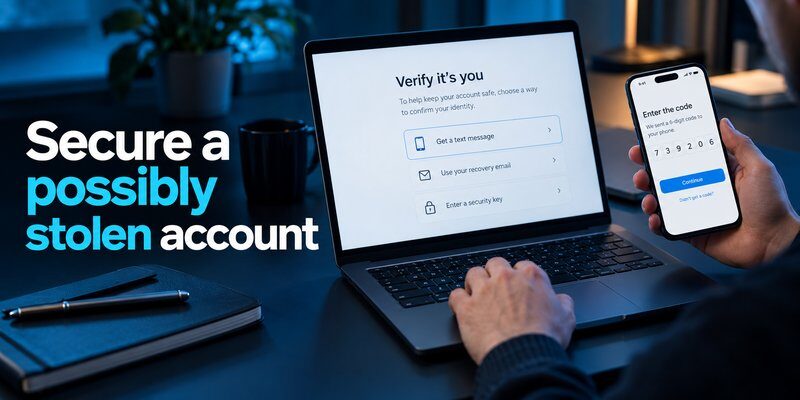
Losing your smartphone can also raise concerns about Facebook Pages, uploaded photos, and the application itself.
These issues are related to account access but require different recovery steps.
How to recover a Facebook Page
Users searching how to recover lost facebook page may be dealing with several situations.
Perhaps the Page disappeared from their account, they lost administrator access, or an attacker changed Page permissions.
First, recover the personal Facebook account associated with Page management.
Then review the Page’s access settings and any associated business portfolio.
If another authorized administrator still has access, that person may be able to review or restore your permissions, subject to their role.
If an unauthorized person took control, use Meta’s official Page recovery or hacked-account support process.
Recovering your personal Facebook account does not guarantee automatic restoration of Page permissions.
Can you recover Facebook photos after losing your phone?
Photos previously uploaded to Facebook are generally associated with your Facebook account.
After recovering the account, you can view eligible profile photos, albums, and uploaded images.
However, photos stored only in your phone’s local gallery are not automatically backed up to Facebook.
For users asking how do i recover my photos from a lost phone, check whether the missing device used iCloud Photos, Google Photos, or another backup service.
Facebook can restore access to content stored in your account, but it cannot reconstruct unpublished local photos that were never uploaded or backed up.
How to reinstall Facebook on a new phone
The search lost my facebook app how do i get it back usually describes a simple application replacement rather than account deletion.
Install the official Facebook application from the appropriate device app store.
Then sign in with your existing account credentials.
Your account information should become accessible after successful login.
Reinstalling Facebook does not reset your password, remove 2FA, or automatically recover an inaccessible account.
If authentication fails, return to Facebook’s account recovery process.
For a recover facebook lost phone situation, separate the application installation problem from the underlying account access problem.
How to Secure Your Facebook Account After Recovery
Once you regain access, protect your account against future lockouts and unauthorized activity.
Restoring access without updating security settings may leave you vulnerable if the missing phone remains accessible to someone else.
Review active sessions
Open Facebook’s account settings and look for the section displaying logged-in devices.
Depending on the version of Facebook and Meta Account settings available to you, this may be under Accounts Center or Password and security.
Review the devices and locations associated with active sessions.
Sign out sessions that you do not recognize or no longer use.
Be careful not to remove your only verified session until your new login method works.
Update your contact information
Make sure your registered email address and mobile number are accurate.
Remove outdated contact methods when it is safe to do so.
If your original phone number has been transferred to another person, it should no longer be relied upon for account recovery.
Maintain at least one secure and accessible recovery method independent of your primary smartphone.
This can make the next recover facebook lost phone incident much easier to resolve.
Enable stronger authentication
Meta introduced passkeys for Facebook mobile users in June 2025, with subsequent support for Messenger.
Passkeys allow compatible devices to authenticate using local biometric verification or a device PIN rather than relying solely on a traditional password.
For accounts where passkeys are available, they can provide phishing-resistant authentication.
You can also configure an authenticator application and save any recovery codes offered by Facebook.
If you use Apple devices, review apple authenticator options for managing verification codes.
For desktop-related information, the google authenticator for mac guide explains relevant compatibility considerations.
Not every authenticator supports the same synchronization, backup, or desktop features.
Protect your recovery codes
When Facebook provides recovery codes, save them in a secure location.
A trusted password manager or encrypted offline storage can help.
Avoid storing your only copy of recovery credentials on the phone that generates your verification codes.
Do not share these codes with anyone.
Meta will not require you to disclose private recovery codes to a stranger through direct messages.
A successful recover facebook lost phone strategy should protect account ownership and reduce dependence on one device.
Frequently Asked Questions About Facebook Recovery
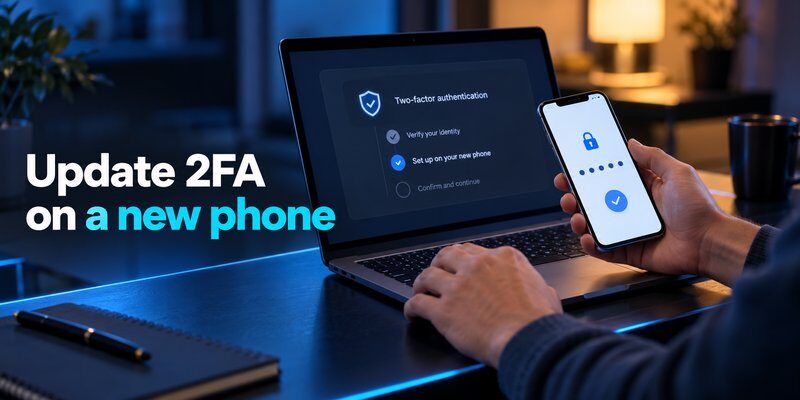
Can I recover Facebook if I lost my phone and changed my number?
Possibly.
Try recovering the account through your registered email, an existing login session, or another verification method.
If you no longer control the original phone number, follow Facebook’s alternative recovery instructions when available.
Can I recover Facebook without my email and phone number?
Some accounts qualify for additional verification methods.
Facebook may recognize a previously used device or offer another form of identity confirmation.
However, recovery is not guaranteed when all registered login and recovery methods are unavailable.
How long does Facebook account recovery take?
The timing varies according to the verification requirements.
A straightforward password reset may be completed during a normal sign-in attempt.
More complicated cases involving identity verification or account compromise can take longer.
Meta does not provide one guaranteed recovery time for every account.
Can I recover Facebook through my username?
You may be able to locate your account by entering your name or username through Facebook’s account recovery feature.
However, identifying the account is only the first step.
You must still complete the verification required to regain access.
Can I log in to Facebook without my old authenticator?
Yes, if Facebook offers another method that you can successfully complete.
Possible options include a saved recovery credential, another registered authentication method, or an eligible account recovery process.
You cannot safely bypass 2FA simply because the original device is missing.
Can I use a new phone number to recover Facebook?
A new number does not automatically become a valid recovery method.
Facebook must recognize the number as belonging to your account or accept it through an eligible recovery workflow.
Do not add an unrelated number to an unfamiliar recovery page.
Can Facebook support recover my account for free?
Facebook offers standard account recovery tools without requiring payment to a third-party recovery agent.
Some support services and eligibility conditions differ by product or account type.
Be cautious of individuals who claim they can guarantee account restoration for a fee.
What if someone stole my phone and accessed Facebook?
Immediately secure the missing device, protect your email account, and attempt to revoke unauthorized Facebook sessions.
If you believe your Facebook account was compromised, follow Meta’s official hacked-account recovery process.
After regaining access, change exposed credentials and review account activity.
Does Facebook delete an account when the phone is lost?
No. Losing your phone does not automatically delete your Facebook account.
Your Facebook profile and previously uploaded content generally remain associated with the account.
You must complete the required login verification to access them from another device.
What is the best way to avoid losing Facebook access again?
Use a strong unique password, maintain accessible recovery contact details, enable stronger authentication, and store backup codes securely.
Configure an alternative login method before changing phones.
These precautions can make a future recover facebook lost phone process more manageable.
Final Thoughts
A recover facebook lost phone situation can feel complicated when your password, phone number, email address, or two-factor authentication is unavailable.
However, losing your phone does not mean losing your Facebook account permanently.
Start with your registered contact information, trusted devices, and official Facebook recovery methods. If additional identity verification is required, follow the instructions presented through Meta’s legitimate recovery interface.
After restoring access, update your passwords, review active sessions, and configure a reliable replacement authentication method.
To add TOTP verification for compatible accounts, Download Authenticator App for iPhone and follow Facebook’s official 2FA setup process.
The most reliable way to avoid losing Facebook access is to prepare more than one secure recovery method before your phone is lost.
Download Authenticator App
Secure your accounts with fast, reliable two-factor authentication. Download now and protect your login in seconds.
