
Best Free Breach Check Websites: Safe Picks and What They Show
Published October 21, 2026
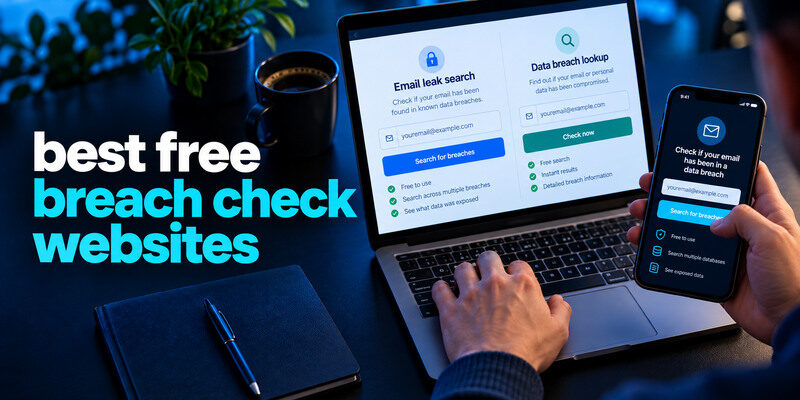
The best free breach check websites for a personal email search are Have I Been Pwned and Mozilla Monitor. Choose Have I Been Pwned for a direct known-breach history; choose Mozilla Monitor if you want continuing alerts for registered addresses. If your real question is whether a saved password is compromised, use the security check in Google Password Manager or Apple Passwords instead. A browser search result cannot prove an account was hacked or that no private leak exists.
Compare the free web options first

| Website | Free use to consider | Best reason to choose it | Limit |
| Have I Been Pwned | Email search and separate Pwned Passwords lookup | Direct incident detail and data categories | Known datasets only |
| Mozilla Monitor | Email scan and monitoring after registration | Alerts and guided follow-up | Requires account for ongoing use; known data only |
| Google Password Manager web interface | Review saved credential warnings | If your passwords live in Google | Not a general search for any email’s breaches |
Only the first two are general email breach-check websites. Google Password Manager is included as a useful adjacent web-based credential check, not as an equivalent email search. Apple’s Passwords app is another integrated option but is not a standalone public breach-search website. The choice depends on which question you need answered, and you should verify current free features on each provider’s own site.
Secure your accounts with fast, reliable two-factor authentication. Download now and protect your login in seconds.Download Authenticator App
Pick Have I Been Pwned for a quick known-breach history
Enter an email address at the genuine HIBP website, review the named incidents, and read the reported data classes. A match can identify an old service where you reused a password. HIBP also operates Pwned Passwords, which checks whether a password string occurs in known exposed data through a documented privacy-preserving process. Do not confuse the email search with the password search; they provide different evidence.
Advantages
No complicated setup is needed for a one-off email search. Incident descriptions can help distinguish an address-only listing from a credential-related event. You can search a past email address even if you no longer use that service, then address any password reuse elsewhere. HIBP’s FAQ explains limitations and how records are handled.
Drawbacks
The checker cannot see every undisclosed incident or tell whether a specific current account was accessed. A result may appear long after the original breach. A zero-result page is not a certificate that the inbox is safe. Check the email provider’s own sessions if you suspect takeover.
If a breach exposed login credentials, changing reused passwords should come first. You can then strengthen compatible accounts with a two-factor authentication app, which provides an additional verification step during sign-in. This does not erase the breach, but it can reduce the risk of password-only attacks.
Pick Mozilla Monitor for continued reminders
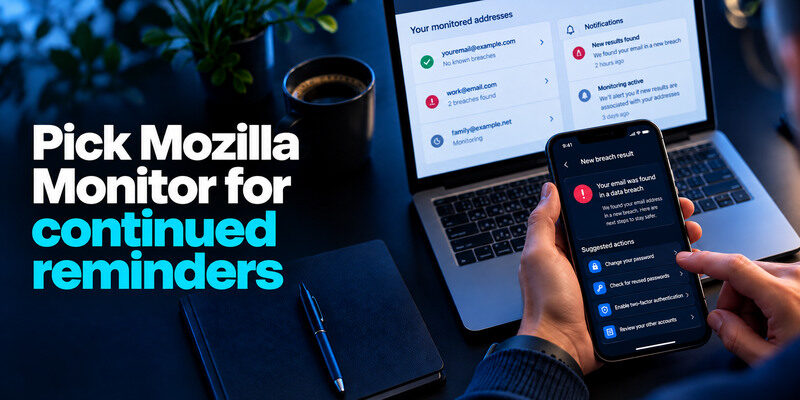
Mozilla Monitor scans addresses against known breach data and can alert you when new results are associated with registered emails. Mozilla’s help describes its free breach-monitoring service. This fits someone managing several personal addresses who wants a dashboard and notifications rather than remembering to search manually. Verify the address through the genuine service, then review its suggested actions.
For accounts that support standard authenticator codes, the Google Authenticator app can generate time-based verification codes after setup. Save recovery codes securely and verify your account’s supported authentication methods before making changes.
Advantages
Ongoing alerts can prompt a password-reuse review when a dataset becomes known. A list of unresolved breaches makes it easier to track follow-up. It is particularly useful for old addresses that still reset accounts. Protect the Mozilla account and its notification mailbox so the monitoring itself does not become another weak login.
Drawbacks
An alert’s date may describe when a dataset was loaded, not when your account was used. Monitoring cannot remove copies of breached data. Mozilla’s separate premium data-broker product changed in 2026; the free breach-monitoring feature is the relevant one here. Confirm current terms rather than assuming unrelated paid services are included.
Use Google Password Manager for saved credentials
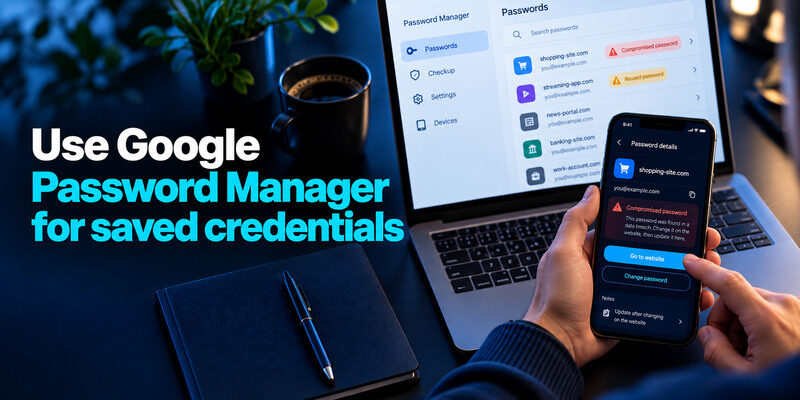
Google Password Manager’s web and platform interfaces can warn about compromised or reused saved passwords. It is useful if your logins already live there. Open it through your real Google account, identify the site and username, then change the password on the website itself. Saving a new string in the manager without updating the service does nothing to the live account.
A TOTP authenticator app generates temporary codes for websites that support time-based one-time passwords. It is useful as an additional sign-in factor, although phishing-resistant passkeys or security keys may provide stronger protection where available.
Why it is a different category
A password manager checks entries it stores. A general email search checks known incidents associated with an address, including accounts the manager may never have seen. Both can be useful. If you use Apple devices and store credentials in Apple Passwords, review its Security recommendations in the app instead of creating a new vault solely for a score.
A clean list still has boundaries
An unrecorded account, phished login, or stolen session may not appear as a compromised saved password. Keep provider alerts and MFA active. A direct unauthorized purchase or changed recovery email requires account response even when the manager reports no issue.
Avoid unsafe “free scan” lookalikes
A genuine email lookup should not demand your mailbox password or a one-time code. Search advertisements and urgent messages can imitate a breach checker. Type the known address directly, check the full domain, and read the privacy policy before submitting personal information. Do not upload a password vault, identity document, card number, or full recovery code to obtain a free risk score.
| Red flag | Why to stop | Safer alternative |
| Requires email password for an address check | Can capture the account | Use official HIBP or Mozilla route |
| Claims it can erase all breach copies instantly | Cannot verify universal deletion | Secure accounts and follow provider notice |
| Asks for a live MFA code | May complete attacker sign-in | Never share; open provider independently |
| Uses frightening countdown and payment demand | Pushes rushed decisions | Verify incident on official site |
Beware real-looking results
A fake page may show a generic “you are exposed” banner for any address. Check that it names a credible incident and data categories, then corroborate with the affected service. A real breach can attract fake follow-up pages. Do not let a screenshot from a stranger replace direct verification.
Respect other people’s information
Search your own addresses or those you are authorized to manage. A public result does not grant permission to investigate someone else’s private accounts. For a workplace domain, follow organizational monitoring rules and avoid uploading confidential credentials to public services.
If an exposed email address is associated with a Microsoft account, review its security settings and available sign-in methods. Our guide to the Microsoft Authenticator app explains how supported verification methods work and how to prepare for account recovery.
Act on the result, not the score
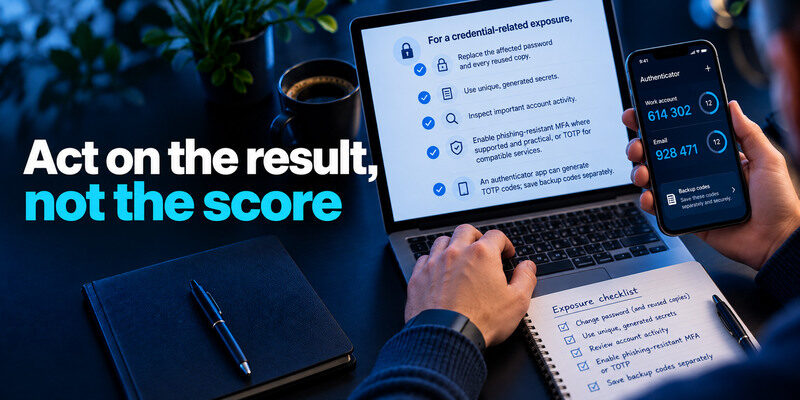
For a credential-related exposure, replace the affected password and every reused copy. Use unique generated secrets and inspect important account activity. Enable phishing-resistant MFA where supported and practical, or TOTP for compatible services. can generate TOTP codes; save backup codes separately. For payment or identity data, follow the official company notice and FTC guidance rather than trying to solve everything with a new password.
Some password managers can flag saved credentials that appear in known compromised-password datasets. A trusted password manager app can also help you generate and save unique replacement passwords, reducing the impact of credential reuse across websites.
A match is not an inbox takeover
An address can be listed because it belonged to a breached retailer. Check the actual mailbox’s successful sessions, recovery, forwarding, and sent messages for access evidence. If someone is inside the account, revoke sessions and use official recovery. If not, fix reuse and stay alert for targeted phishing.
A clean result is not a reason to reuse passwords
Not every leak is public, and a private phishing page can capture a password without appearing in a dataset. Unique passwords keep one incident from spreading. A second factor reduces password-only access. Continue those habits regardless of a website’s result.
Which free website should you choose?
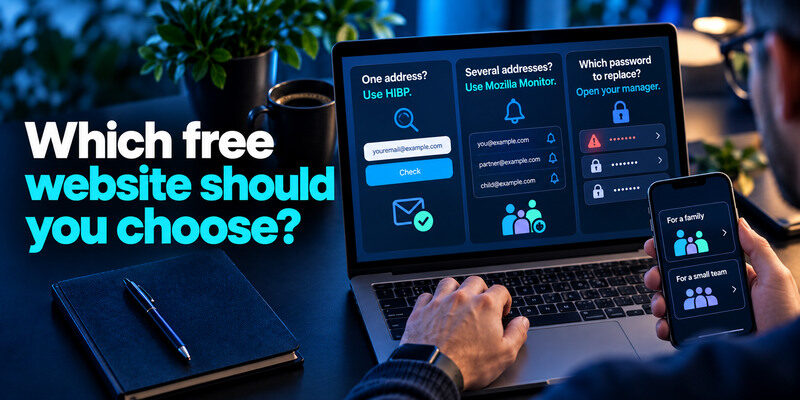
If you need a quick answer for one address, use HIBP. If you want ongoing reminders for several addresses, use Mozilla Monitor. If you need to know which saved password to replace, open the manager you already use. You can combine an email checker with a vault warning because they answer distinct questions, but running ten similar scan sites does not provide ten independent guarantees.
For a family
Search each authorized family address, then help members understand the result without exposing passwords to one another. Secure the primary reset mailbox and save backup methods. Children may need a simple rule: never give a current code to a person who says they are helping with a leak.
For a small team
Use an approved organizational monitoring and incident process. A personal free website can provide a clue, but it does not replace domain-level account controls, logs, and reporting. Assign an owner to follow up on a match and record what was changed without storing live secrets.
Some credential-management tools also support time-based verification codes, allowing users to manage passwords and compatible authentication methods in one workflow. Our guide to a password manager app with built-in 2FA support explains the convenience and security tradeoffs of combining these functions.
Try a free site safely: a three-minute walkthrough
Type the known address of the genuine checker yourself or use a trusted bookmark. Enter an email address, never a password or one-time code. Read the returned incident names and data classes. Open the affected service directly to change a reused password or check sessions. If the site offers alert enrollment, verify the address through its ordinary process and keep recovery access to that mailbox.
Compare claims instead of dramatic scores
A site promising to scan “the whole dark web” cannot establish complete coverage. Look for named incidents, dates, disclosed data classes, a clear privacy policy, and an explanation of what its result does and does not mean. Avoid a site that asks for your current password to reveal a “risk score.”
When the browser site is not enough
Use the credential-checking feature of your actual password manager to find saved weak or compromised passwords. A website email lookup may show that an address appeared in a breach without identifying a specific current password. Consult the affected provider for the narrowest incident scope.
Frequently Asked Questions
Is Have I Been Pwned free for an email search?
The public site offers a direct email breach lookup. Other services and API terms may differ, so check its current official pages for the feature you want. A free search is still limited to datasets the service has loaded.
Is Mozilla Monitor the same as HIBP?
Both address known email breach exposure, but Mozilla emphasizes an account-based monitoring and follow-up experience. HIBP offers direct search and its separate Pwned Passwords service. Their results may overlap; duplicate alerts need not mean separate incidents.
Which site checks whether my email was hacked right now?
None of these can prove current mailbox access. Open your email provider’s own recent activity and recovery settings. An unknown successful session or changed forwarding rule is more direct evidence.
Can a free checker remove my data?
A checker can identify known exposure and suggest actions; it cannot guarantee deletion of every circulating copy. Contact the original company about its data practices, and protect accounts and identity information according to the exposed data.
Final Thoughts
Use a free breach-check website to answer a specific question, then act at the real affected service. HIBP is the direct known-breach lookup; Mozilla Monitor suits ongoing alerts; your password manager identifies saved secrets that need replacement. Avoid sites that collect the very credentials they promise to protect.
